No password length restriction in reset password endpoint
The password reset endpoint did not enforce a maximum password length, allowing users to set extremely long passwords. An attacker could exploit this to cause a denial of service by submitting a very long password, potentially crashing the server temporarily.

- Triaged in 7 hours
- Fixed in 28 hours
- Disclosed after 37 days
Summary by the program
Security advisory at https://github.com/nextcloud/security-advisories/security/advisories/GHSA-53q2-cm29-7j83
The report
Hi,
##Summary: There is no password length restriction in reset password endpoint at https://efss.qloud.my/index.php/login when resetting for new password.
##Steps To Reproduce:
-
Visit https://nextcloud.com/sign-up/ and Sign up.
-
Logout and reset your password.
3.Go to your email and click on reset password link. 4.Enter 150 characters or more as a password and confirm the characters. 5.You will successfully logged in.
Impact
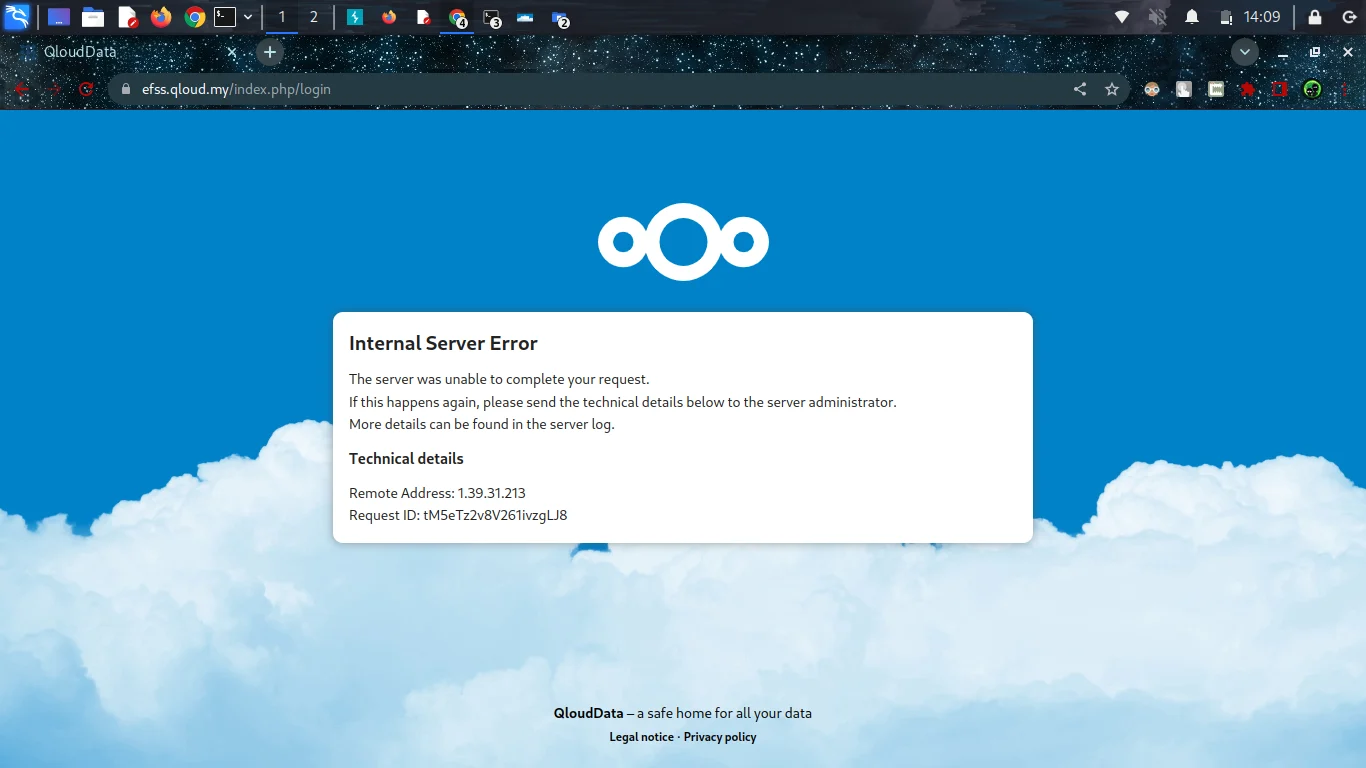
Attacker can do denial of service to your server since there is no restriction in the length of password. Example when he enter like 2500 character, your server will crash for some time Below Image is the impact of entering 2500 characters.
##Mitigation :
Restrict user to use less than 40 character as a password, while the restriction should be both on back-end and front-end (with javascript ).
##THANK YOU
Attachments
Not written yet. The AI write-up for this report has not been written yet. The Original tab links to the source.
How it worked
Impact
An attacker could cause a denial of service by submitting an excessively long password, potentially crashing the server temporarily.
What the attacker needed
A free account; access to email for reset link
The fix
The application should enforce a maximum password length (e.g., less than 40 characters) on both the client and server sides.
How it was found
- Sign up for an account.
- Log out and initiate a password reset.
- Open the reset link from the email.
- Enter a password of 150 characters or more and confirm it.
- Successfully log in with the long password.
Explained by bugbounty.wiki with AI from the original and checked against quotes from it; it can still be wrong. Read the original before relying on a detail.
Not written yet. The AI write-up for this report has not been written yet. The Original tab links to the source.
When you reset a password, the website should limit how long it can be. Here, it accepted passwords of any length, so someone could send a huge password and overwhelm the server, making it slow or unavailable for others.
What is DoS?
A request that exhausts resources or crashes a component. Many programs forbid testing it; reports usually show it from code, not by attacking.


