Stack overflow affecting "ext" field on stylers.xml configuration file
The isInList function in Notepad++ copies the 'ext' field from stylers.xml into a fixed 64-character buffer without checking its length. A local attacker who can edit that configuration file can cause a stack buffer overflow and crash the application when it is reopened.

- Triaged in under an hour
- Fixed in 16 days
- Paid in 15 days
- Disclosed after 7 months
Summary:
A stack buffer overflow vulnerability affects "ext" field into "stylers.xml" configuration file.
"isInList" function doesn't check boundaries on word[64] array.
Description: Vulnerability src file: notepad-plus-plus/PowerEditor/src/MISC/Common/Common.cpp Vulnerability line: line 329 Variable affected: TCHAR word[64];
Steps To Reproduce:
Notice: All this steps have been tested on 32-bits version of Notepad++.
- Open "stylers.xml" configuration file (C:\Users%USERPROFILE%\AppData\Roaming\Notepad++)
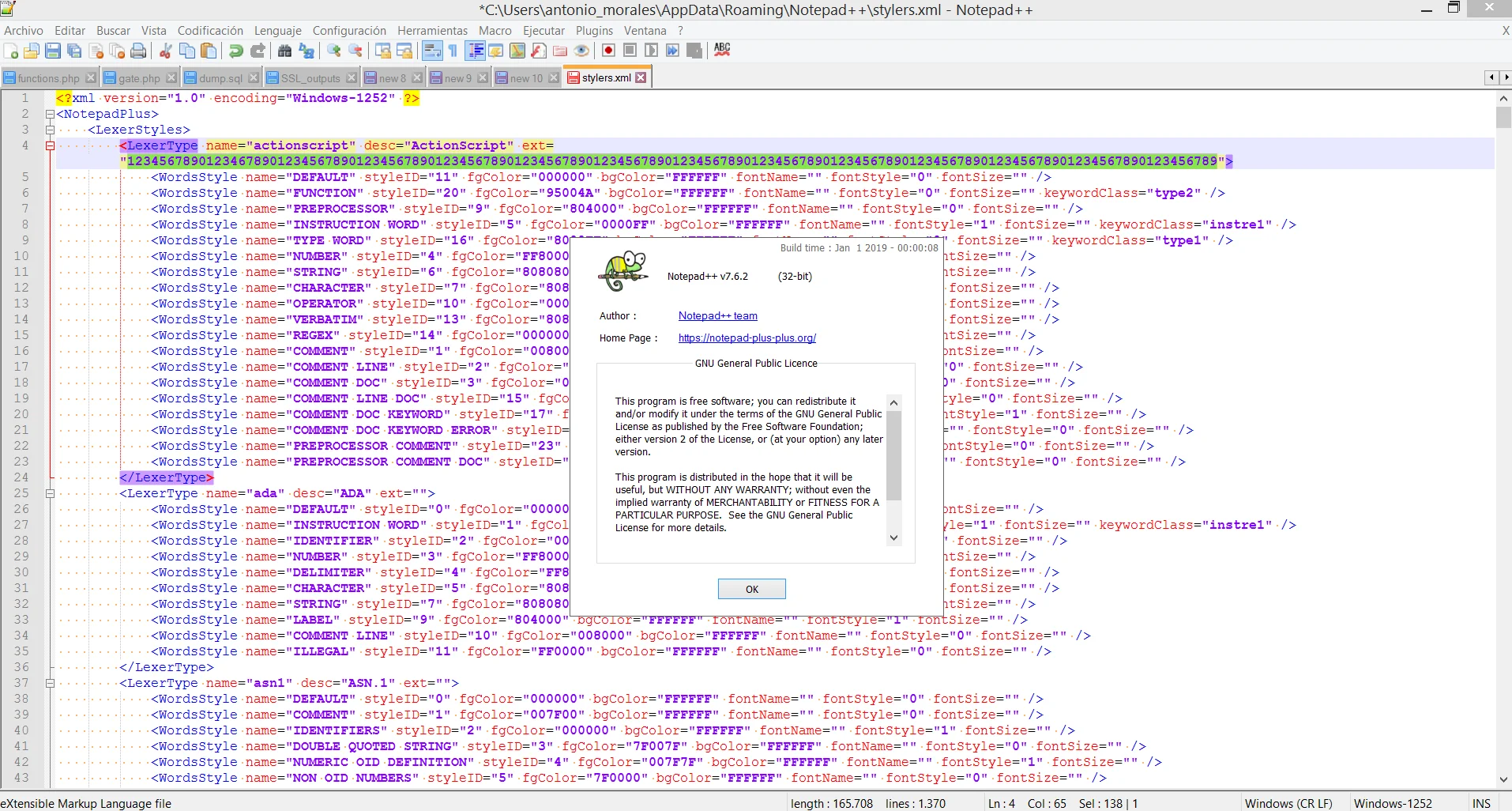
- Modify "ext" field with a long string, such as "123456789012346789012345678901234567890123456789012345678901234567890123456789012345678901234567890123456789012345678901234567890123456789" (see ExploitationExample.png)
- Close Notepad++ application and re-open it.
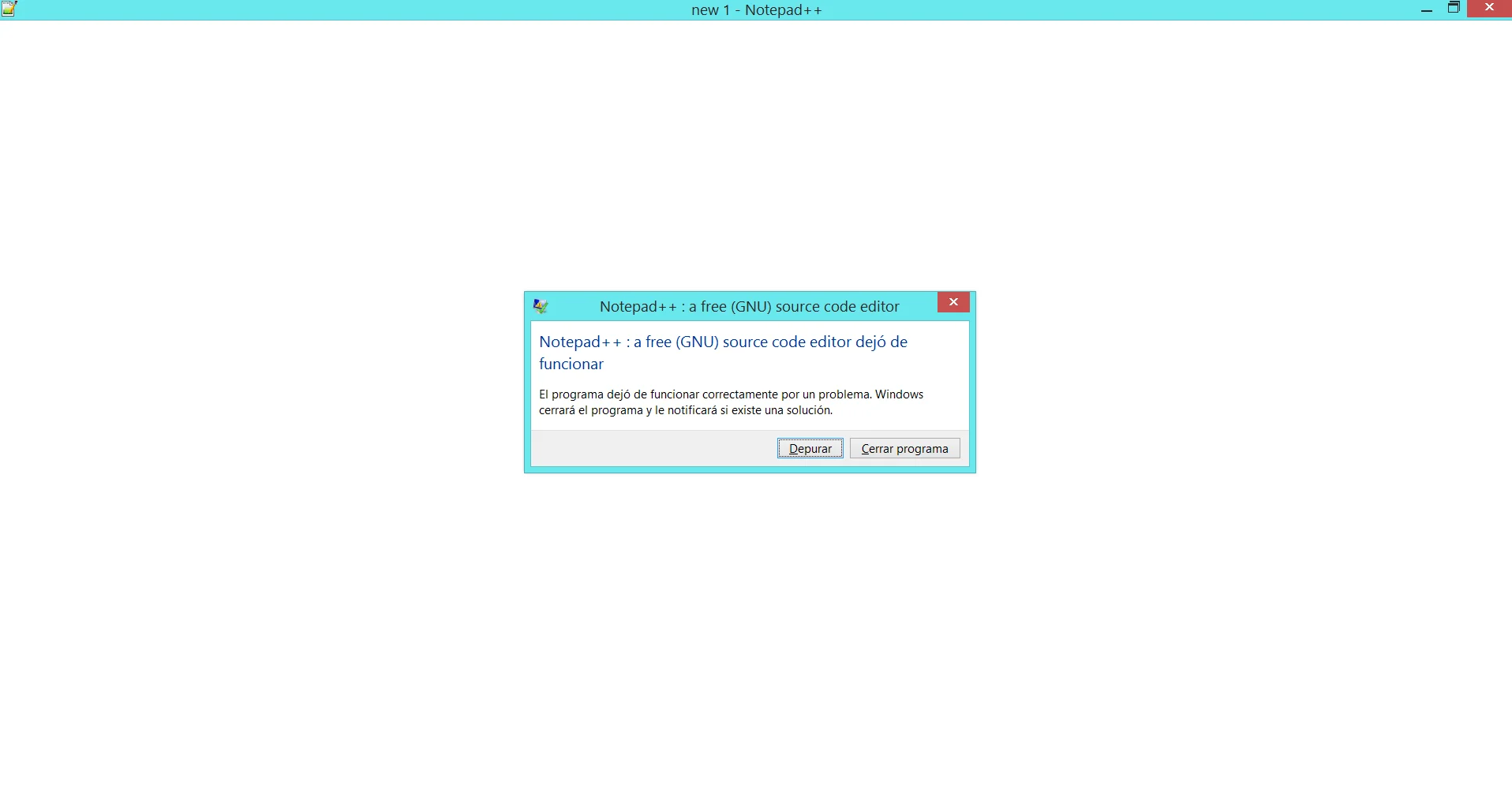
- Application should crash
Supporting Material/References:
- ExploitationExample.png -> Exploitation example
- CrashEvidence.png -> Evidence of vulnerability exploitation
Impact
A local attacker could modify this configuration file to trigger a stack buffer overflow. When the victim re-open Notepad++ vulnerability will be exploited.
It's not a remote vulnerability. Local access to stylers.xml is required.
Attachments
Not written yet. The AI write-up for this report has not been written yet. The Original tab links to the source.
How it worked
Root cause
Likely the isInList function copies the 'ext' value into a fixed-size TCHAR word[64] array without checking the input length.
Impact
A local attacker with write access to the configuration file could trigger a stack buffer overflow that crashes Notepad++ when the victim reopens it; it is not remotely exploitable.
What the attacker needed
Local write access to stylers.xml; victim reopens Notepad++
How it was found
- Open the stylers.xml configuration file in the Notepad++ roaming profile folder.
- Replace the 'ext' field with a very long string.
- Close Notepad++ and start it again.
- The application crashes.
Explained by bugbounty.wiki with AI from the original and checked against quotes from it; it can still be wrong. Read the original before relying on a detail.
Not written yet. The AI write-up for this report has not been written yet. The Original tab links to the source.
A buffer overflow happens when a program writes more data into a fixed-size space than it can hold, so the extra data spills over into neighbouring memory. Here Notepad++ reads a list of file extensions from a settings file into a small fixed slot, and a very long entry overflows it. Because the settings file sits on the user's own machine, someone who can already edit it can make the program crash.
What is Memory corruption?
Native code reads or writes memory it should not: overflows, use-after-free, type confusion. The core of browser, kernel and parser bugs.