IDOR on update user preferences
A user with the 'user' role could send a request to update another user's preferences by changing the user UUID in the URL, allowing them to modify the victim's email address and inject a stored cross-site scripting payload into the signature field. This enabled cookie theft and account takeover via the password reset function.

- Triaged in 9 hours
- Fixed in 21 days
- Disclosed after 23 days
Summary:
Team member with role USER can change data of any user in the team, or steal his cookies, or steal the account of victim via forget password function.
Steps To Reproduce:
- Login in as user1 (the user with role
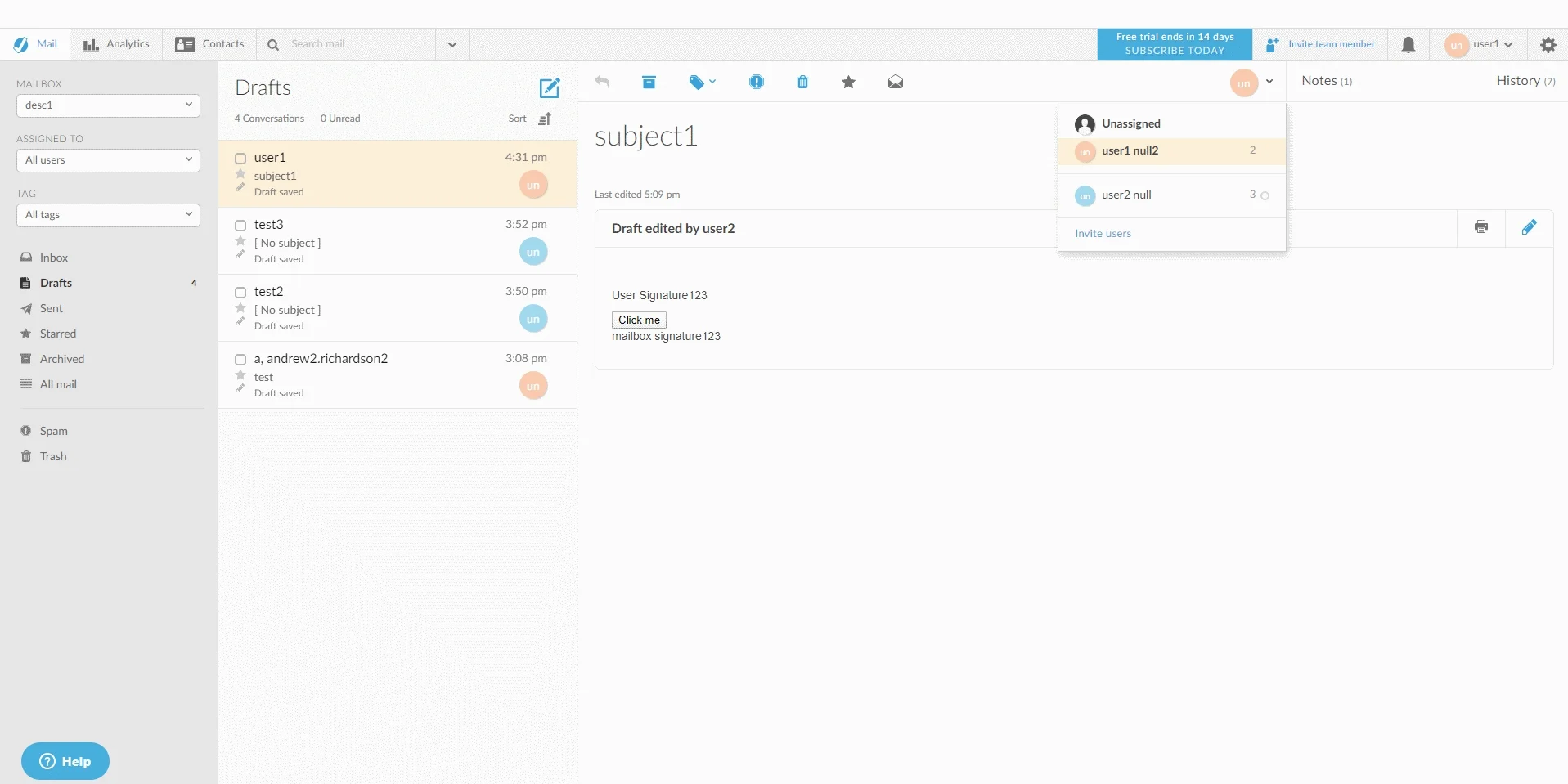
admin) and invite user2 (set his role touser). - Login in as user2, open Mail tab and select user1 from
Conversation assignmentdropdown (see F796149 attachment). - Open network tools in the browser devTools or open local proxy and copy
UserUuid(da4f313f-e21e-4b5f-b2da-42d9864716f6in my case) of the user1 from the following request: https://api.outpost.co/api/v1/conversation/assigned?assignedToUserUuid=da4f313f-e21e-4b5f-b2da-42d9864716f6. - Use template
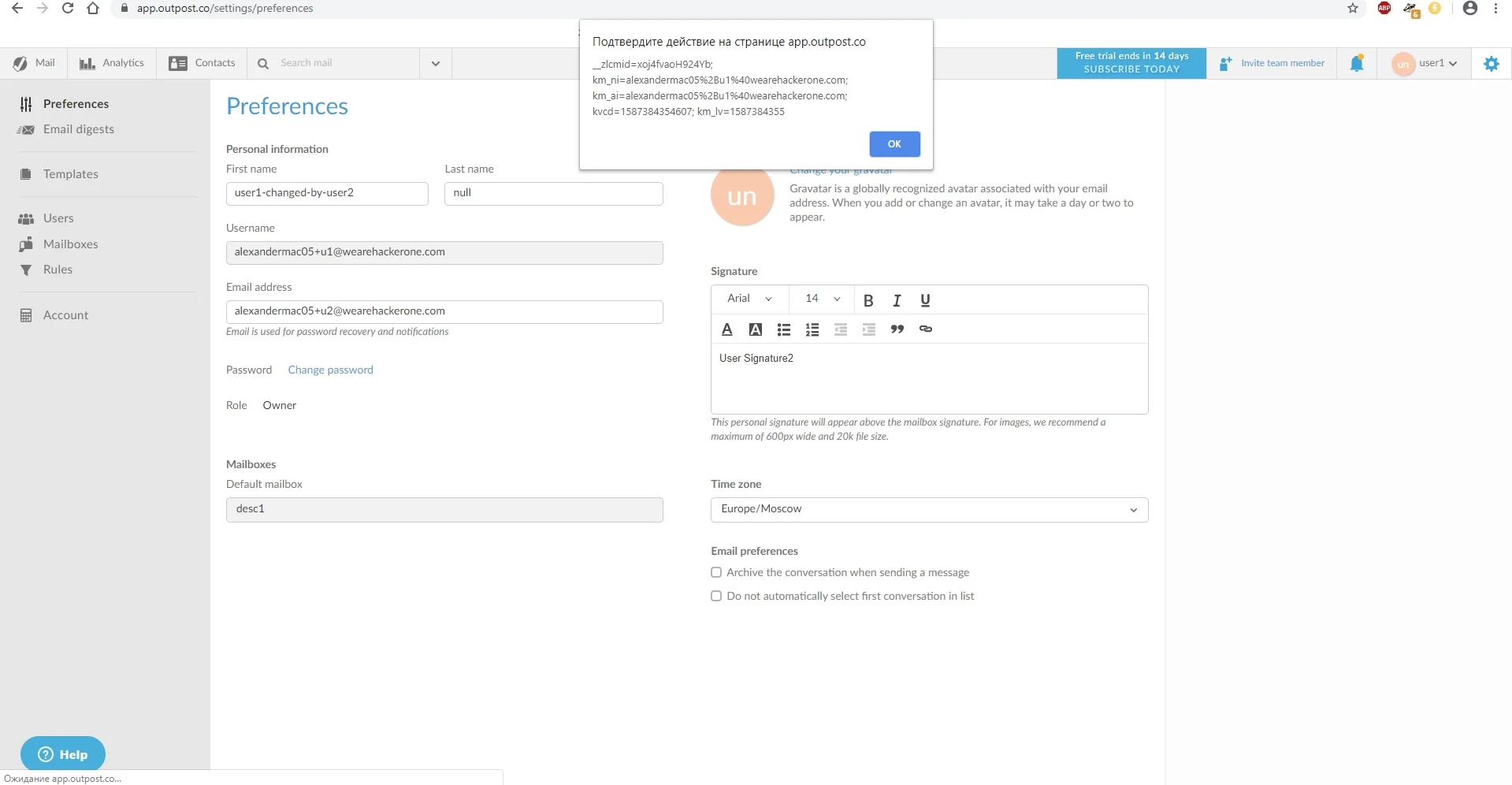
request1to create http request. Change{user1-uuid}to user1 Uuid,{user2-cookie}to user2 cookie. In the request body:{attacker-email}to email controlled by user2,signatureto the following:<p style=\"margin:0;\">User Signature2<img src=x onerror=alert(document.cookie) ></p>. Send request. - Login in as user1. Open https://app.outpost.co/settings/preferences, alert with user1 cookie will appear (see F796148 attachment).
- Open https://app.outpost.co/sign-in/help and paste
{attacker-email}. Open email client, click the link to restore password, enter a new password. Now you can login in using user1 email address and password entered on the previos step.
Supporting Material/References:
- request1 template:
PUT /api/v1/user/preferences/{user1-uuid} HTTP/2.0
Host: api.outpost.co
Content-Length: 434
Sec-Fetch-Dest: empty
X-Requested-With: XMLHttpRequest
User-Agent: Mozilla/5.0 (Windows NT 10.0; Win64; x64) AppleWebKit/537.36 (KHTML, like Gecko) Chrome/80.0.3987.106 Safari/537.36
Dnt: 1
Content-Type: application/json
Accept: */*
Origin: https://app.outpost.co
Sec-Fetch-Site: same-site
Sec-Fetch-Mode: cors
Referer: https://app.outpost.co/
Accept-Encoding: gzip, deflate, br
Accept-Language: ru-RU, ru;q=0.9, en-US;q=0.8, en;q=0.7
Cookie: auth={user2-cookie}

{
  "firstName": "user1-changed-by-user2",
  "lastName": "null",
  "email": "{attacker-email}",
  "role": "USER",
  "defaultMailboxUuid": "",
  "mailboxUuids": [
    "e4a63ae3-bb10-46f8-be28-a2660a2344ec"
  ],
  "signature": "{signature}",
  "timezone": "Europe/Moscow",
  "defaultSendAndResolve": false,
  "selectFirstConversation": true
}
Impact
An attacker can change data of any user in the team, or steal his cookies, or steal account of victim via forget password function.
Attachments
Not written yet. The AI write-up for this report has not been written yet. The Original tab links to the source.
How it worked
Root cause
Likely the API endpoint for updating user preferences did not verify that the authenticated user had permission to modify the target user's data, relying only on the user UUID in the URL.
Impact
An attacker with a low-privileged account could change any team member's data, steal their cookies via stored XSS, and take over their account by resetting the password to an attacker-controlled email.
What the attacker needed
Attacker has a user account in the team; victim is a team member (e.g., admin); victim visits the preferences page
How it was found
- Log in as an admin user and invite a second user with the 'user' role.
- Log in as the second user, open the Mail tab, and select the admin user from the conversation assignment dropdown.
- Capture the admin user's UUID from the network request to the conversation assignment endpoint.
- Send a PUT request to the user preferences endpoint with the admin's UUID, using the second user's cookie, and set the email to an attacker-controlled address and the signature to an XSS payload.
- Log in as the admin user and visit the preferences page to trigger the XSS alert.
- Use the password reset function with the attacker-controlled email to reset the admin's password and log in as the admin.
Explained by bugbounty.wiki with AI from the original and checked against quotes from it; it can still be wrong. Read the original before relying on a detail.
Not written yet. The AI write-up for this report has not been written yet. The Original tab links to the source.
This is an IDOR (Insecure Direct Object Reference) bug: the server did not check that the person making the request was allowed to change the data for the user ID in the URL. A low-privileged user could change another user's email and add malicious code to their profile, which then ran in the victim's browser and let the attacker steal the victim's session and reset their password.
What is IDOR?
One user can read or change another user's data, usually by changing an identifier the server trusts without checking who is asking. One of the most paid bug classes on web programs.



