Force 500 Internal Server Error on any shop (for one user)
A crafted query parameter on a Shopify storefront caused a persistent 500 Internal Server Error for the user who opened it, and the error stuck across the shop's pages until session cookies were cleared. An attacker could send such a link to many users to break the storefront for them.
 Originally disclosed on HackerOne
- Triaged in 7 days
- Fixed in 2 months
- Paid in 2 months
- Disclosed after 2 months
There is very strange behavior. If user open urls like below:
- https://whashp.myshopify.com/?preview_theme_id[]=11288717
- or https://lmfshp.myshopify.com/?preview_theme_id[]=11290937
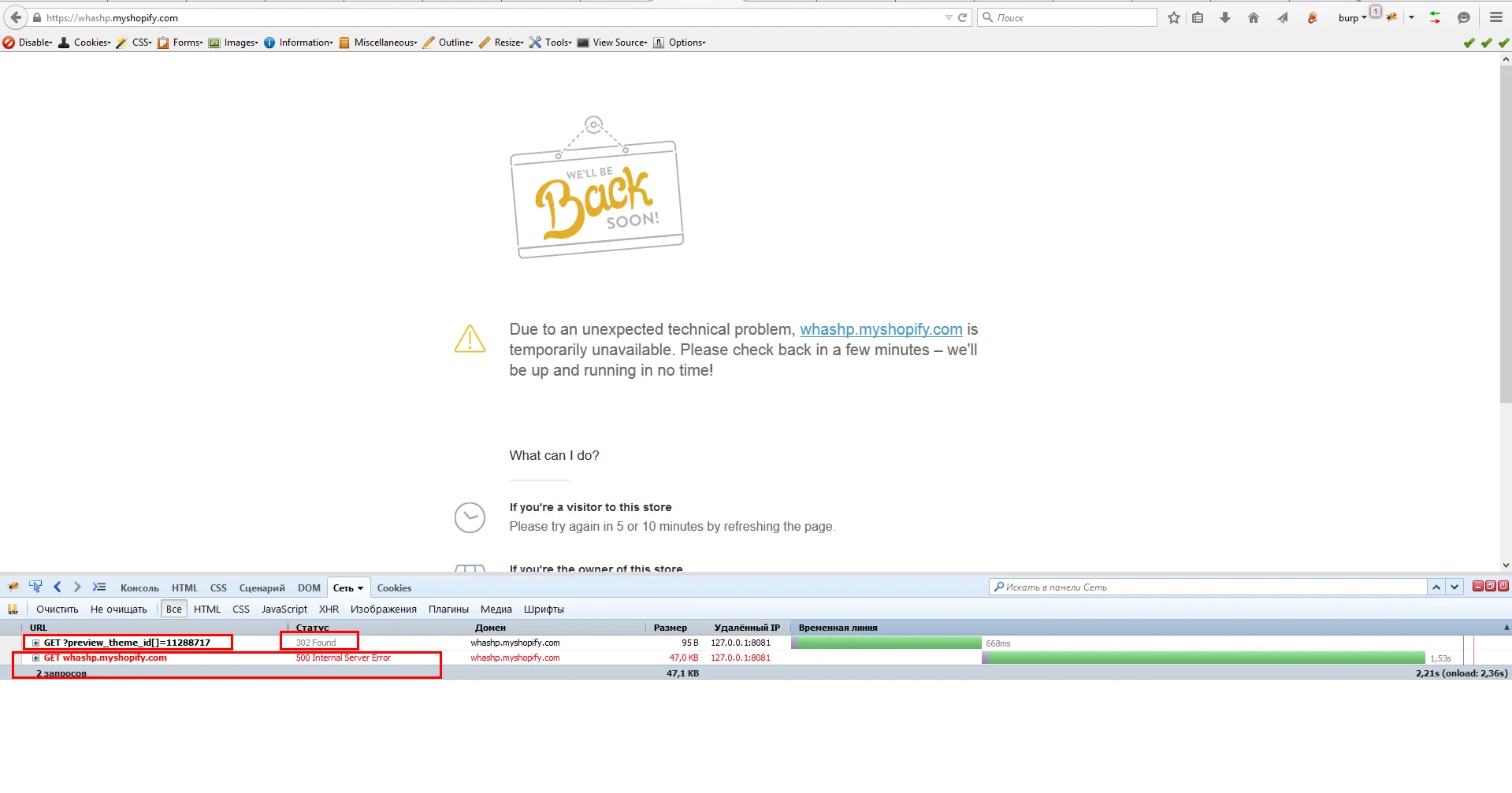
He got redirect to shop (https://whashp.myshopify.com/) and 500 Internal Server Error response, and reload does not help in this issue. Let's look closer. And change https to http:
- http://whashp.myshopify.com/ - works
- or http://lmfshp.myshopify.com/ - works
Ok. Let's open payload with http:
- http://whashp.myshopify.com/?preview_theme_id[]=11288717
- or http://lmfshp.myshopify.com/?preview_theme_id[]=11290937
The same 500 error on shop frontend. And this affected on any url, for example: http://whashp.myshopify.com/blogs/news I found two urls that not affected to this issue on shop frontend: https://whashp.myshopify.com/opening_soon https://whashp.myshopify.com/admin But open of any of it not remove error from frontend
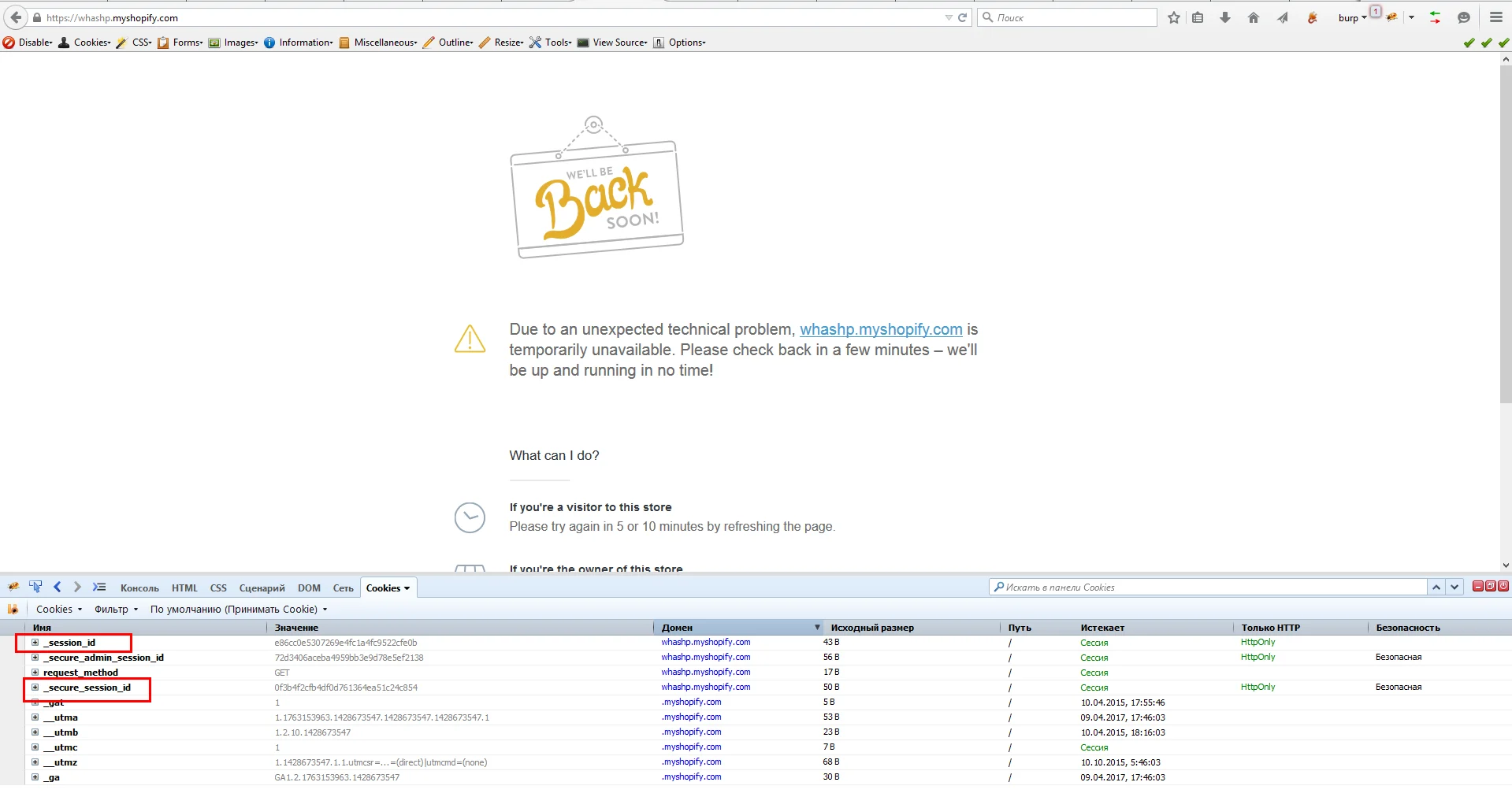
There is way to remove error - delete _secure_session_id (for https) and _session_id cookies on shop's domain name.
Interesting restriction is in theme id. Before next test we should remove error and test that frontend works (https://whashp.myshopify.com). If all good:
- let's try to open https://whashp.myshopify.com/?preview_theme_id[]=11290937 - we got "Can't preview theme" response. So, to proper attack we need some theme id. How can we get it?
- open source of https://whashp.myshopify.com/ (before shops is not active it can be done only after login, but any active shops have no problem to access front page). So, open source code and findline like this:
Shopify.theme = {"name":"launchpad-star","id":11288717,"theme_store_id":null,"role":"main"}; "id":11288717 - is proper id which will work in payload - https://whashp.myshopify.com/?preview_theme_id[]=11288717
As i said in begin - very strange behavior affected only user whom opened malicios url. But:
- attacker can retrieve proper theme id for any active shop from source code
- this url request is not protected for CSRF
So, attack vector is:
- Open source code of victim.myshopify.com (some famous shop) and find theme id
- Create malicious urls (both for http and https) https://victim.myshopify.com/?preview_theme_id[]=%ID_FROM_SOURCE_CODE%
- Place this urls in place where as many as possible users open it. It may be image in shop layout (for example some xss issue) or just buy cheap iframed traffic and so on.
As a result any users that opened this urls will have problem with work with victim.myshopify.com shop.
Attachments

Not written yet. The AI write-up for this report has not been written yet. The Original tab links to the source.
How it worked
Root cause
Likely the server mishandled an array-style theme preview parameter and stored bad state in the user's session, so later requests kept failing.
Impact
Any user who opened the crafted link could be locked out of the shop's frontend by a persistent 500 error until they cleared cookies; the report does not show wider server impact.
What the attacker needed
Victim opens a crafted link; attacker knows the shop's theme id
How it was found
- Open the shop's page source and find the theme id value.
- Build a link to the shop with the theme preview parameter set to that id.
- Open the link and observe the redirect followed by a 500 error.
- Confirm the error persists on other shop pages and after reload.
- Clear the shop's session cookies to restore normal access.
Explained by bugbounty.wiki with AI from the original and checked against quotes from it; it can still be wrong. Read the original before relying on a detail.
Not written yet. The AI write-up for this report has not been written yet. The Original tab links to the source.
A web shop can remember things about you in small files called cookies. Here, opening a specially built link made the shop's server crash with an error page, and the crash kept happening on every page until those cookies were deleted. Someone could share that link widely so many visitors hit the same error.
What is DoS?
A request that exhausts resources or crashes a component. Many programs forbid testing it; reports usually show it from code, not by attacking.