A Simple Question That Led to a Five-Digit Bounty
The backend returned customer information based solely on a supplied account identifier without verifying the requester's authorization. An attacker could supply a valid account number and obtain sensitive data including name, contact details, and an authentication token.

medium.com
Published on medium.com
Bug Bounty
The full write-up lives on its author's site
It belongs to its author, so we link to it rather than copy it. The other two tabs are our own rewrites, checked against it.
Context
During an authorised bug bounty assessment, Narayanan M found a high-severity information disclosure vulnerability in a customer self-service portal. The portal had a feature that retrieved account-related information. In normal use, a user entered an account identifier to continue with a legitimate process, and the application responded with the customer information associated with that account. The workflow looked completely normal, and at first glance nothing seemed unusual.
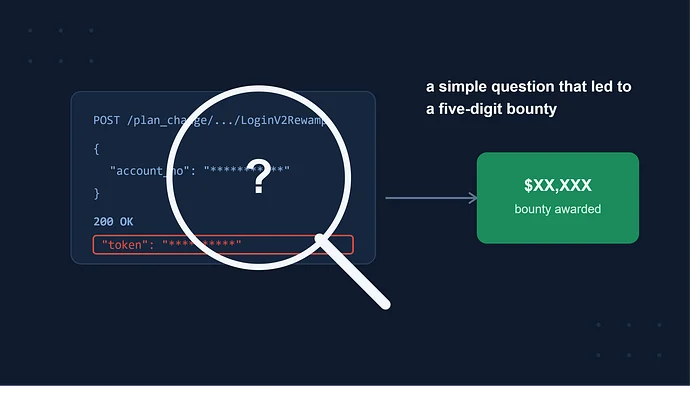
The question that started the whole finding was whether the backend verified that the requester was actually authorised to access the requested account.
Setup
The testing was performed entirely within the scope of the organisation's bug bounty programme and followed its published rules. The report does not describe any accounts, roles, tools or versions used. The report shows that a valid account identifier was enough to retrieve customer data.
Finding it
Many applications perform validation in the browser, but real security always depends on server-side authorisation. Rather than trusting the application's interface, the researcher analysed how the backend handled requests and checked whether it enforced ownership checks before returning customer information.
It did not. The backend returned customer information based solely on a supplied account identifier, without properly validating whether the requester was authorised to access that account.
Exploitation
Step 1: Send the account lookup request
The researcher sent a POST request to the plan change endpoint with a JSON body containing an account number:
POST /plan_change/Plans/LoginV2Rewamp HTTP/1.1Host: redact.inContent-Type: application/json
{ "account_no": "*************"}
The request targets /plan_change/Plans/LoginV2Rewamp on the host and declares a JSON body with Content-Type: application/json. The only parameter is account_no, the account identifier the feature uses to look up a customer.
Step 2: Read the response
The server answered with a success status and a JSON body containing the customer record:
HTTP/1.1 200 OK
{ "status": true, "data": { "mobile_num": "*********", "email_id": "**********", "City_name": "*********", "package_category": "*****", "account_no": "*******", "fullname": "******", "token": "**********" }}
The data object holds the customer's mobile number, email address, city, package category, account number, full name and a token. The response came back regardless of who was making the request, so any valid account identifier was enough to retrieve that account's details.
Root cause
The backend returned customer information based solely on the supplied account identifier and did not validate whether the requester was authorised to access that account. The frontend workflow looked correct, which is why the missing server-side ownership check was easy to overlook. The report classifies this as a Broken Object Level Authorization (BOLA/IDOR) issue.
Impact
The response disclosed highly sensitive customer information: customer name, mobile number, email address, account identifier, city and location information, subscription and billing details, and an authentication-related token. Information disclosure vulnerabilities are frequently underestimated. Although they may not immediately result in account takeover, they can significantly increase the risk of identity exposure, targeted phishing campaigns, social engineering attacks, customer account enumeration and privacy violations. Exposure of authentication-related information can further increase risk, depending on how it is used elsewhere in the application.
Fix
The security team reviewed the submission, validated the finding, classified it as a high-severity vulnerability within their bug bounty programme, and remediated the issue. Subsequent verification attempts confirmed that the original behaviour was no longer reproducible. The report does not describe the specific code change.
Variants to test
- A positive result is any field in
datathat belongs to the other account. - A positive result is the same customer record coming back to a caller who should not see it.
- A positive result is data returned for an identifier the caller does not own.
- A positive result is the token granting access to the victim's session or account context.
- A positive result is a different response for valid and invalid identifiers, which enables account enumeration.
What happened, in plain words
A security researcher was taking part in a bug bounty programme. A bug bounty programme is an arrangement where a company invites outside people to look for security problems in its systems, within rules the company publishes, and pays for good findings. During one of these authorised assessments, the researcher found a serious flaw in a customer self-service portal. A portal like this is the website where customers log in to manage their own account: view details, change a plan, and so on.
The portal had a feature that looked up account-related information. In normal use, a customer typed an account identifier into the page, and the site replied with the customer details belonging to that account. Everything looked normal. Nothing on the screen suggested a problem.
The researcher asked one simple question: does the server behind the website actually check that the person making the request is allowed to see the account they asked for? The answer was no. The server handed back a customer's personal details based only on a valid account number, no matter who was making the request.
That is the whole finding. No clever attack code, no exotic tools. Just a question about whether a check existed, and a test to see if it did.
The starting point: a feature that looked fine
When you use a website, you see a page with boxes to fill in and buttons to press. That page is the frontend: the part that runs in your browser. Behind it sits the backend: software on the company's server that receives the requests your browser sends and decides what to send back.
A useful comparison is a restaurant. The menu and the waiter are the frontend: that is what you interact with. The kitchen is the backend: it prepares what you ordered. You never see the kitchen, but it is where the real work happens, and it is where the rules about what can be served should be enforced.
The portal's feature worked like this: a user entered an account identifier, and the application responded with the customer information associated with that account. The researcher noted that the workflow appeared completely normal, and at first glance nothing looked unusual.
That normality is exactly why the next question mattered.
The question that led to the finding
The researcher asked:
Does the backend verify that the requester is actually authorized to access the requested account?
In plain terms: when the kitchen receives an order, does it check that the person ordering is allowed to have that dish? Or does it just serve whatever is asked for?
Many applications perform validation in the browser, but real security always depends on server-side authorisation. This is the key idea of the whole article, so it is worth slowing down.
Validation in the browser means the page itself checks things: it greys out a button, hides a field, or refuses to submit a form until you type something sensible. That is convenient, but it is not security. Anything that runs in your browser can be changed by you, because it is your computer. A determined person can send requests to the server directly, skipping the page entirely, the same way you could phone the kitchen and place an order without ever looking at the menu.
Server-side authorisation means the backend itself checks, on every request, whether the caller is allowed to do what they are asking. That check cannot be bypassed from the browser, because it happens on the company's own machine.
So the researcher did not trust the application's interface. Instead, the researcher analysed how the backend handled requests and checked whether it enforced ownership checks before returning customer information. An ownership check is a check that the thing being requested actually belongs to the person requesting it.
It did not. The backend returned customer information based solely on a supplied account identifier, without properly validating whether the requester was authorised to access that account.
All of this testing was performed entirely within the scope of the organisation's bug bounty programme and followed its published rules. That matters: looking for flaws on systems you do not have permission to test is not research, it is unauthorised access.
Sending the request
To see what the backend really did, the researcher sent the account lookup request directly, rather than through the page. The request looked like this:
POST /plan_change/Plans/LoginV2Rewamp HTTP/1.1Host: redact.inContent-Type: application/json
Line by line, in plain words:
POST /plan_change/Plans/LoginV2Rewamp HTTP/1.1is the first line of an HTTP request. HTTP is the language browsers and servers use to talk to each other.POSTis the method, which means "I am sending data to you", as opposed to simply asking for a page./plan_change/Plans/LoginV2Rewampis the path: the address of the specific feature on the server, here something related to changing a plan.HTTP/1.1is the version of the protocol being used.Host: redact.intells the server which website the request is for. One server can host many sites, so this line says which one is meant. The host name has been redacted, meaning replaced with a placeholder, to avoid naming the organisation.Content-Type: application/jsontells the server what format the data in the body is written in. JSON is a simple text format for structured data, built from names and values in curly braces, a bit like a very strict shopping list. This line says: the body is JSON, so parse it that way.
The body of the request followed:
{ "account_no": "*************"}
This is the data being sent. account_no is the name of the field, the account identifier the feature uses to look up a customer. The value has been replaced with asterisks, so the real account number is not published. The curly braces mark the start and end of the JSON object, and the quotes around the name and value are part of the format.
Why send this by hand instead of using the page? Because the page only lets you do what the page allows. Sending the request yourself lets you see exactly what the server replies, and lets you change one thing at a time to see what the server checks and what it does not.
Reading the response
The server answered:
HTTP/1.1 200 OK
HTTP/1.1is again the protocol version.200 OKis the status code. Status codes are three-digit numbers that summarise what happened.200means success: the server understood the request and did what was asked. Other common ones you may have seen are404for not found and403for forbidden. The fact that this was a200rather than a refusal is the first hint of the problem.
The body of the response was:
{ "status": true, "data": { "mobile_num": "*********", "email_id": "**********", "City_name": "*********", "package_category": "*****", "account_no": "*******", "fullname": "******", "token": "**********" }}
Line by line:
"status": trueis a simple flag saying the operation succeeded."data": { ... }is a nested object, a group of fields inside the outer one. Everything inside it is the customer record the server looked up."mobile_num"is the customer's mobile number."email_id"is the customer's email address."City_name"is the customer's city."package_category"is the package or plan the customer is on, which relates to subscription and billing."account_no"is the account identifier itself."fullname"is the customer's full name."token"is an authentication-related token. A token is a piece of text a server issues to identify a logged-in user, a bit like a cloakroom ticket: whoever holds the ticket can collect the coat. If someone else gets your ticket, they can act as you, which is why tokens are sensitive.
All the values are replaced with asterisks in the published report, so no real customer data is exposed in the write-up. The important part is not the values but the shape: the server returned a full customer record, including a token, in response to a bare account number.
The response came back regardless of who was making the request. Any valid account identifier was enough to retrieve that account's details.
Why this is a serious class of bug
The researcher classifies this as a Broken Object Level Authorization issue, also called BOLA or IDOR. The terms are worth unpacking for a beginner.
An object, in this context, is simply a thing stored on the server that has an identifier: a customer record, an order, an invoice, a message. Object level authorisation means checking, for each individual object, whether this particular caller is allowed to touch it. Broken means that check is missing or wrong.
IDOR stands for Insecure Direct Object Reference. It describes the same pattern from the other direction: the application lets you refer directly to an object by its identifier, and does not check that the object is yours. The everyday comparison is a hotel. Your room key opens your door. If the key also opened every other door in the corridor because the lock only checked that the key was a valid hotel key, that would be an IDOR: the key is real, the door is real, but the link between the two was never verified.
Here, the object identifier was the account number in the request body. The backend trusted it without an authorisation check against the caller. The frontend workflow looked correct, which is why the missing server-side ownership check was easy to overlook.
What was exposed
The response disclosed highly sensitive customer information:
- Customer name
- Mobile number
- Email address
- Account identifier
- City and location information
- Subscription and billing details
- Authentication-related token
Information disclosure vulnerabilities are frequently underestimated. It is tempting to think that leaking data is less serious than, say, letting someone log in as another person. But the leaked data is often the raw material for exactly that.
Although they may not immediately result in account takeover, they can significantly increase the risk of:
- Identity exposure
- Targeted phishing campaigns
- Social engineering attacks
- Customer account enumeration
- Privacy violations
A few of those terms in plain words. Phishing is a fake message designed to trick someone into handing over credentials or clicking something harmful; it works far better when the sender already knows your name, your email and your mobile number. Social engineering is manipulating a person rather than a machine, for example by phoning a help desk with details that make the caller sound legitimate. Account enumeration is working out which accounts exist, often by noticing that the system answers differently for a real identifier than for a made-up one.
Exposure of authentication-related information can further increase risk, depending on how it is used elsewhere in the application. In other words, a leaked token is only as dangerous as the places that accept it, and the researcher did not assume the worst without checking.
Reporting it responsibly
Once the issue was confirmed, the researcher stopped further testing and prepared a detailed report for the organisation. Stopping is part of responsible disclosure: you have proved the point, and continuing to pull customer records serves nobody.
The report included:
- Technical description
- Business impact
- Risk assessment
- Supporting evidence
- Remediation recommendations
In plain terms: what the flaw is, why it matters to the business, how serious it is, the proof that it is real, and how to fix it. A report that only says "your site is broken" is much less useful than one that lets a security team reproduce and repair the problem.
The security team reviewed the submission, validated the finding, classified it as a high-severity vulnerability within their bug bounty programme, and remediated the issue. Remediated means fixed. Subsequent verification attempts confirmed that the original behaviour was no longer reproducible: the researcher tried again and the data no longer came back.
The finding was rewarded with a five-digit bounty, reflecting the severity and real-world impact of the exposed customer data.
The fix, and what to look for next time
The report does not describe the specific code change the company made. Back in the restaurant comparison, the kitchen should check the order against the person who placed it, not just against the menu.
- A positive result is any field in
datathat belongs to the other account. - A positive result is the same customer record coming back to a caller who should not see it.
- A positive result is data returned for an identifier the caller does not own.
- A positive result is the token granting access to the victim's session or account context.
- A positive result is a different response for valid and invalid identifiers, which enables account enumeration.
The lesson the researcher draws is simple. You do not always need advanced tooling or exotic techniques to find high-impact vulnerabilities. Sometimes it is as simple as asking: is this actually being checked on the server, or just assumed to be safe? BOLA and IDOR issues remain one of the most common, and most consequential, findings in modern web applications, precisely because they hide in plain sight behind workflows that look correct.
Glossary
- Bug bounty programme: an arrangement where a company invites outside researchers to test its systems within published rules and pays for valid findings.
- Authorised assessment: security testing done with explicit permission from the owner of the system.
- Scope: the set of systems and actions a programme permits you to test.
- Self-service portal: a website where customers manage their own account, such as viewing details or changing a plan.
- Frontend: the part of an application that runs in your browser, the pages and forms you see and interact with.
- Backend: the software on the company's server that receives requests and decides what to return.
- Server: a computer that provides a service to other computers over a network.
- Browser-side validation: checks performed by the page in your browser, which you can bypass because the page runs on your machine.
- Server-side authorisation: checks performed by the backend on every request, which cannot be bypassed from the browser.
- Ownership check: a check that the object being requested actually belongs to the person requesting it.
- HTTP: the protocol browsers and servers use to exchange requests and responses.
- Request: a message sent from a client to a server asking it to do something.
- Response: the message a server sends back.
- Method: the part of an HTTP request that says what kind of action is wanted, such as
POSTfor sending data. - POST: an HTTP method used to send data to the server.
- Path: the part of a URL identifying a specific feature or resource on the server, such as
/plan_change/Plans/LoginV2Rewamp. - Host: the website name a request is addressed to, carried in the
Hostheader. - Header: a line of metadata in an HTTP message, such as
Content-TypeorHost. - Content-Type: a header stating the format of the data in the body, such as
application/json. - JSON: a text format for structured data made of names and values in curly braces.
- Body: the part of a request or response that carries the actual data.
- Parameter: a named value sent with a request, such as
account_no. - Account identifier: the number or code that identifies a customer account.
- Status code: a three-digit number in a response summarising the outcome, such as
200for success or403for forbidden. - 200 OK: the status code meaning the request succeeded.
- Token: a piece of text issued by a server to identify a logged-in user or authorise actions; anyone holding it may be able to act as that user.
- Authentication: proving who you are, for example by logging in.
- Authorisation: deciding what an identified user is allowed to do or see.
- Information disclosure: a flaw where data is revealed to someone who should not see it.
- BOLA (Broken Object Level Authorization): a flaw where the server does not check, per object, whether the caller is allowed to access it.
- IDOR (Insecure Direct Object Reference): a flaw where an application lets you refer to an object by its identifier without checking that it is yours.
- Object: a stored item on the server with an identifier, such as a customer record or an order.
- Account takeover: an attacker gaining control of someone else's account.
- Phishing: a fake message designed to trick someone into revealing credentials or clicking something harmful.
- Social engineering: manipulating a person, rather than a machine, to obtain information or access.
- Account enumeration: determining which accounts exist, often from differences in how the system responds.
- Endpoint: a specific address on a server that accepts requests, such as the plan change path in this report.
- Session: the period during which a server treats a series of requests as coming from the same logged-in user.
- Responsible disclosure: reporting a flaw privately to the owner, stopping testing once it is confirmed, and giving them a chance to fix it.
- Remediation: fixing a vulnerability.
- Reproducible: able to be triggered again; a fix is confirmed when the behaviour can no longer be reproduced.
- Severity: how serious a vulnerability is judged to be, often rated by the programme.
- Bounty: the payment a programme gives for a valid finding.



