A tale of zero click account takeover
An API endpoint exposed personal information of any user given a user ID, and another endpoint returned password hashes and reset tokens for any user ID. By chaining these with an endpoint that listed all user IDs, an attacker could take over any account.
 Published on medium.com
Hello there! I hope everything is going well with you; today I’m back with the story of my first critical discovery on Hackerone, which is also my 1st $$$$ bounty.
The full write-up lives on its author's site
It belongs to its author, so we link to it rather than copy it. The other two tabs are our own rewrites, checked against it.
Context
The target was a site whose scope was a wildcard, *.target.com, and the work described here happened on the main domain rather than on a subdomain. The endpoints involved sit under /api/: a customer profile endpoint that returns personal details, a password reset flow, and a push-token endpoint.
The endpoint at the centre of the first finding is:
/api/Customer/GetAdditional?customerId=
It takes a unique customer identifier and returns personal information about that customer, including email address, address, phone number and date of birth. The identifier is the only thing standing between a caller and another person's data.
Setup
The researcher started with subdomain discovery against the wildcard scope and probed the results. No unusual or interesting subdomains turned up, which is why attention moved to the main domain. Browsing was proxied through Burp, and the JavaScript analysis relied on BurpJSLinkFinder, available from the BApp Store. The report does not name specific software versions.
No special accounts or roles are described. The precondition for the whole chain is simply that the API trusts a caller-supplied customer identifier.
Finding it
After a few days of working through features on the main domain, the researcher found a broken access control issue: passing a unique userID to /api/Customer/GetAdditional?customerId= returned another user's personal information, including emailID, Address, PhoneNumber, Date of Birth and more.
The vulnerability was reported quickly. The triager then asked how the unique identifier of another user could be obtained, since without it the endpoint cannot be aimed at a victim. The researcher went through every feature and everything else available, but could not find any other user's unique ID.

With no way to obtain identifiers, the report was closed as informative after a few days.
Exploitation
The researcher did not stop. While browsing the same site through Burp, BurpJSLinkFinder surfaced a JavaScript file. The file was beautified, saved locally, and analysed over several hours. That analysis produced an endpoint that disclosed the UserID of all customers up to that date:
/api/AdditionalCustomerFields
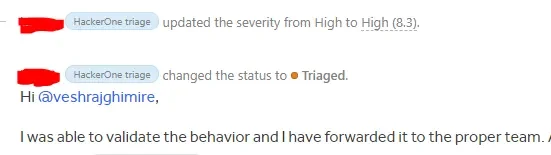
With this, the closed report could be answered with an explanation of how the unique UserID of every user on the site could be obtained, turning the original issue into mass PII disclosure. The report was reopened after a few days and triaged as High.
The JavaScript was interesting enough to keep digging. A few days later the researcher found another endpoint, /api/PushToken, which accepted the same UserID parameter as a POST request and returned critical information in its response, including passwordHash and resetToken. It also lacked access control.
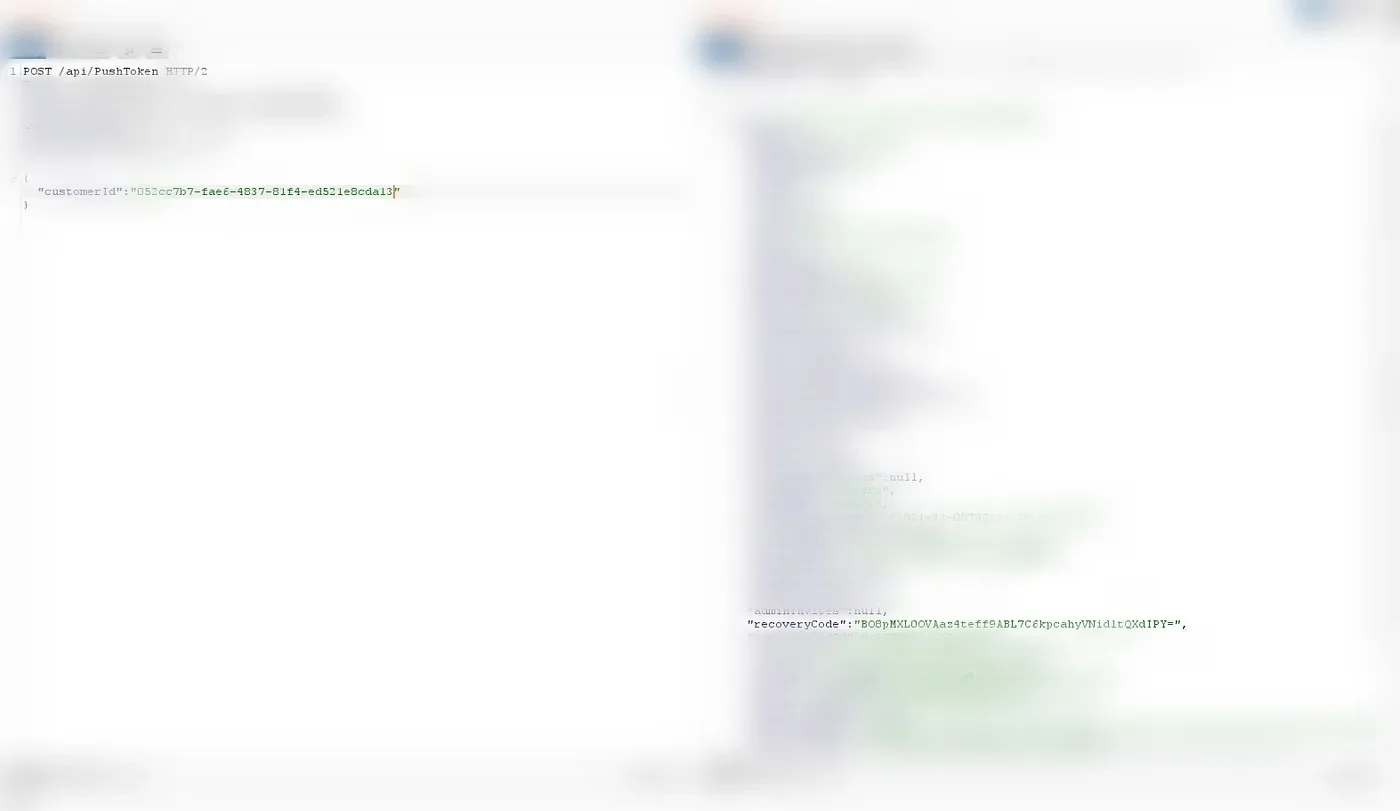
Because the reset token of any user could be retrieved by passing that user's unique UserID, and because the earlier finding supplied the UserID of every user on the site, the two issues chained into a full account takeover. The steps to reproduce, as given in the report:
Step 1: harvest every UserID
Sending a request to /api/AdditionalCustomerFields returns every user's unique UserID.
Step 2: resolve a UserID to an email address
Sending a request to /api/Customer/GetAdditional?customerId= with a UserID discloses that user's email address.
Step 3: request a password reset
Reset the password of the user whose email address was obtained in step 2, which causes a recovery code to be issued.
Step 4: read the recovery code
Sending a POST request to /api/PushToken with the unique UserID in the body shows the recovery code that was requested in step 3.
With the recovery code in hand, the account can be taken over. The report states plainly that this allowed takeover of anyone's account on the site.
Root cause
Three separate endpoints trusted a caller-supplied customer identifier without checking that the caller was entitled to it. /api/Customer/GetAdditional returned PII for any customerId; /api/AdditionalCustomerFields enumerated the identifiers of all customers; and /api/PushToken returned passwordHash and resetToken for any UserID supplied in the POST body. The last of these is the most severe, because a reset token is a credential: whoever holds it can complete a password reset for the account it belongs to.
The weakness is that the code could be read back from an API that did not verify ownership. The report does not describe the server-side implementation, so the exact missing authorisation check is not shown;
Impact
A caller could enumerate the UserID of every customer on the site, resolve each one to an email address and other PII (address, phone number, date of birth and more), and then take over any of those accounts by requesting a password reset and reading the recovery code from /api/PushToken. The report describes this as mass PII disclosure of every user of the target plus account takeover of every user on the site. The platform triaged the reopened report as High.
Fix
The changes needed are clear from the behaviour: every endpoint that accepts a customer identifier must derive the identity from the authenticated session rather than from the request, or explicitly verify that the caller is authorised for the requested record. /api/PushToken in particular must never return passwordHash or resetToken, and any reset token it does handle must be bound to the session that requested the reset. Enumeration endpoints such as /api/AdditionalCustomerFields should not expose identifiers of other customers at all.
Variants to test
- Identifier substitution on profile endpoints. Take any endpoint of the form
/api/...?customerId=or with an ID in the body, and swap in an identifier belonging to a second test account. A positive result is the second account's PII coming back to the first account's session. - Enumeration endpoints found in JavaScript. Run BurpJSLinkFinder or a similar extractor over the site's bundles, beautify the results, and look for endpoints that return lists of users or identifiers. A positive result is a response containing identifiers for accounts you do not own.
- Token and hash leakage in auxiliary APIs. Look for endpoints that accept a user identifier and return fields such as
passwordHash,resetToken,recoveryCodeor push tokens. A positive result is any credential material for an account other than your own. - Reset flow chaining. Request a password reset for a second account, then call every endpoint that takes that account's identifier and inspect the responses for the recovery code. A positive result is the code appearing in a response to a session that does not own the account.
- Re-testing closed reports after new findings. When a report is closed because a prerequisite was missing, keep the original issue in mind and revisit it once the prerequisite turns up elsewhere. A positive result is the original impact becoming reachable, as happened here.
What happened, in plain words
A security researcher was testing a company's website. The company had said that anything under *.target.com was fair game, which is called a wildcard scope: every subdomain of the main domain is included. The researcher looked at subdomains first, found nothing interesting, and moved to the main website instead.
On the main site, the researcher found that one of the website's behind-the-scenes addresses, called an API endpoint, would hand over a person's private details to anyone who asked with the right number. That number is a customer ID, a unique label the site gives each account. The details included email address, home address, phone number and date of birth. This kind of flaw is called broken access control: the site checks that you sent a request, but not that you are allowed to see what you asked for.
The researcher reported it. The person who sorts incoming reports, the triager, asked the obvious question: how do you get someone else's customer ID in the first place? Without an ID, you cannot point the endpoint at a victim. The researcher searched every feature but could not find one, so the report was closed as informative, meaning it was noted but not treated as a security bug.
The researcher kept going. While browsing the site with a tool that records web traffic, a JavaScript file turned up. JavaScript is the code a website runs inside your browser, and it often contains the addresses the page talks to. After reading through that file, the researcher found another endpoint that listed the customer ID of every user on the site. That solved the missing piece, and the closed report was reopened and rated High.
Digging further into the same JavaScript, the researcher found a third endpoint. It accepted a customer ID and returned sensitive account data, including a passwordHash and a resetToken. A password hash is a scrambled form of a password; a reset token is a short-lived code that lets someone set a new password. With the customer IDs from the second endpoint and the reset tokens from the third, the researcher could reset the password of any account on the site and take it over. That is a full account takeover.
The first finding: private details by customer ID
The product is an ordinary customer-facing website with an API under /api/. An API is the part of a website that the page talks to in the background: your browser sends a request to an address, and the server sends data back, usually in a structured format rather than a finished web page. Think of it as a service counter: you name what you want, and the clerk fetches it from the back room.
The endpoint at the centre of the first finding is:
/api/Customer/GetAdditional?customerId=
Line by line:
/api/is the folder where the site keeps its data endpoints.Customer/GetAdditionalis the specific counter: it returns extra details about a customer.?customerId=starts the part of the address that carries a value. Whatever you put after the equals sign is the customer ID the server will look up.
So the address says: give me the extra details for the customer whose ID I am about to supply. The only thing between a caller and another person's data is that ID. There is no check that the caller owns the account.
How the researcher worked
The researcher began with subdomain discovery: finding names like shop.target.com or mail.target.com that belong to the same organisation. The scope was a wildcard, *.target.com, so all of these were allowed. Nothing unusual turned up, which is why attention moved to the main domain.
Browsing was routed through Burp, a tool that sits between the browser and the website and records every request and response. This is how you see the API calls a page makes, which are normally invisible.
For the JavaScript analysis, the researcher used BurpJSLinkFinder, a plugin available from the BApp Store, Burp's plugin catalogue. Its job is to pull addresses out of JavaScript files so you do not have to read every file by hand.
No special accounts or roles are described. The only precondition for the whole chain is that the API trusts a customer ID supplied by the caller.
Finding it
After a few days of working through features on the main domain, the researcher found the broken access control issue: passing a unique userID to /api/Customer/GetAdditional?customerId= returned another user's personal information, including emailID, Address, PhoneNumber, Date of Birth and more.
The vulnerability was reported quickly. The triager then asked how the unique identifier of another user could be obtained, since without it the endpoint cannot be aimed at a victim. The researcher went through every feature and everything else available, but could not find any other user's unique ID.
With no way to obtain identifiers, the report was closed as informative after a few days.
The game changer: a list of every customer ID
The researcher did not stop. While browsing the same site through Burp, BurpJSLinkFinder surfaced a JavaScript file. The file was beautified, meaning it was reformatted from its compressed one-line shipping form into readable, indented code, then saved locally and analysed over several hours. That analysis produced an endpoint that disclosed the UserID of all customers up to that date:
/api/AdditionalCustomerFields
Line by line:
/api/is the same API folder as before.AdditionalCustomerFieldsis the name of the endpoint. It disclosed the UserID of all customers up to that date.
There is no ?customerId= here, because you do not ask for one customer: the endpoint returns the list for all of them. That is the missing piece. The first endpoint could show anyone's private data, but you needed an ID; this endpoint hands out the IDs.
With this, the closed report could be answered with an explanation of how the unique UserID of every user on the site could be obtained, turning the original issue into mass PII disclosure. PII means personally identifiable information: data that points to a specific person, such as a name, email address or phone number. The report was reopened after a few days and triaged as High.
The critical part: reset tokens for any account
The JavaScript was interesting enough to keep digging. A few days later the researcher found another endpoint, /api/PushToken, which accepted the same UserID parameter as a POST request and returned critical information in its response, including passwordHash and resetToken. It also lacked access control.
A POST request is one of the standard ways a browser talks to a server. A GET request asks for something, like loading a page; a POST request sends data along with the request, usually because something is being submitted or changed. Here the customer ID travels in the body of the POST rather than in the address.
Because the reset token of any user could be retrieved by passing that user's unique UserID, and because the earlier finding supplied the UserID of every user on the site, the two issues chained into a full account takeover. A reset token is a credential: whoever holds it can finish a password reset for the account it belongs to, exactly as if they had received the email themselves.
The steps to reproduce, as given in the report:
Step 1: harvest every UserID
Sending a request to /api/AdditionalCustomerFields returns every user's unique UserID. This is the enumeration step: instead of guessing IDs one at a time, you get the whole list in one response.
Step 2: resolve a UserID to an email address
Sending a request to /api/Customer/GetAdditional?customerId= with a UserID discloses that user's email address.
Step 3: request a password reset
Reset the password of the user whose email address was obtained in step 2, which causes a recovery code to be issued.
Step 4: read the recovery code
Sending a POST request to /api/PushToken with the unique UserID in the body shows the recovery code that was requested in step 3. The code that was meant to arrive only in the owner's inbox can instead be read straight from the API response.
With the recovery code in hand, the account can be taken over. The report states plainly that this allowed takeover of anyone's account on the site.
Why it worked
Three separate endpoints trusted a caller-supplied customer identifier without checking that the caller was entitled to it. /api/Customer/GetAdditional returned PII for any customerId; /api/AdditionalCustomerFields enumerated the identifiers of all customers; and /api/PushToken returned passwordHash and resetToken for any UserID supplied in the POST body. The last of these is the most severe, because a reset token is a credential: whoever holds it can complete a password reset for the account it belongs to.
The weakness is that the code could be read back from an API that did not verify ownership. The report does not describe the server-side implementation, so the exact missing authorisation check is not shown;
What it meant
A caller could enumerate the UserID of every customer on the site, resolve each one to an email address and other PII (address, phone number, date of birth and more), and then take over any of those accounts by requesting a password reset and reading the recovery code from /api/PushToken. The report describes this as mass PII disclosure of every user of the target plus account takeover of every user on the site. The platform triaged the reopened report as High.
How to fix it
The report does not say what was changed. The changes needed are clear from the behaviour: every endpoint that accepts a customer identifier must derive the identity from the authenticated session rather than from the request, or explicitly verify that the caller is authorised for the requested record. In plain terms, the server should look at who is logged in and answer only about that person, instead of believing the ID written in the request. /api/PushToken in particular must never return passwordHash or resetToken, and any reset token it does handle must be bound to the session that requested the reset. Enumeration endpoints such as /api/AdditionalCustomerFields should not expose identifiers of other customers at all.
Similar things to test
- Identifier substitution on profile endpoints. Take any endpoint of the form
/api/...?customerId=or with an ID in the body, and swap in an identifier belonging to a second test account. A positive result is the second account's PII coming back to the first account's session. - Enumeration endpoints found in JavaScript. Run BurpJSLinkFinder or a similar extractor over the site's bundles, beautify the results, and look for endpoints that return lists of users or identifiers. A positive result is a response containing identifiers for accounts you do not own.
- Token and hash leakage in auxiliary APIs. Look for endpoints that accept a user identifier and return fields such as
passwordHash,resetToken,recoveryCodeor push tokens. A positive result is any credential material for an account other than your own. - Reset flow chaining. Request a password reset for a second account, then call every endpoint that takes that account's identifier and inspect the responses for the recovery code. A positive result is the code appearing in a response to a session that does not own the account.
- Re-testing closed reports after new findings. When a report is closed because a prerequisite was missing, keep the original issue in mind and revisit it once the prerequisite turns up elsewhere. A positive result is the original impact becoming reachable, as happened here.
Glossary
- API: the part of a website that pages talk to in the background, sending requests to addresses and receiving structured data back.
- Endpoint: one specific address in an API that performs one job, such as returning a customer's details.
- Wildcard scope: a bug bounty rule that includes every subdomain of a domain, written as
*.target.com. - Subdomain: a name that sits under a main domain, such as
shop.target.comundertarget.com. - Broken access control: a flaw where a site checks that a request was made but not that the person making it is allowed to see or change what was requested.
- Customer ID / UserID: a unique label the site gives each account, used to look that account up.
- PII: personally identifiable information, data that points to a specific person, such as email address, phone number or date of birth.
- Enumeration: collecting a full list of something, here every customer ID, instead of guessing one at a time.
- GET request: a request that asks the server for something, with values usually carried in the address after a
?. - POST request: a request that sends data to the server in its body, usually because something is being submitted or changed.
- JavaScript: the code a website runs inside your browser; it often contains the API addresses the page uses.
- Beautify: reformat compressed code into readable, indented code without changing what it does.
- Burp: a tool that sits between your browser and a website and records every request and response.
- BurpJSLinkFinder: a Burp plugin, from the BApp Store, that extracts addresses from JavaScript files.
- BApp Store: Burp's catalogue of plugins.
- Triager: the person who reviews incoming bug reports and decides whether they are valid and how severe they are.
- Informative: a report status meaning it was noted but not accepted as a security bug.
- Password hash: a scrambled form of a password, meant to be stored so the real password is not kept in plain form.
- Reset token / recovery code: a short-lived code that lets someone set a new password for an account.
- Account takeover: gaining control of someone else's account, here by resetting their password.
- Credential: anything that proves identity or grants access, such as a password, a token or a recovery code.
- Session: the server's record of who is currently logged in during a visit.
- Chaining: combining two or more separate weaknesses so that together they cause a bigger impact than either alone.