🚨 CVE-2024–1086 Explained | Linux Kernel Exploitation with Chimera Linux
CVE-2024-1086 is a use-after-free/double-free in the Linux kernel's nf_tables component, caused by incorrect handling of verdict values. Under vulnerable configurations, an unprivileged local attacker could exploit it for local privilege escalation.
 Published on medium.com
Web Development
The full write-up lives on its author's site
It belongs to its author, so we link to it rather than copy it. The other two tabs are our own rewrites, checked against it.
Context
CVE-2024-1086 is a high-severity vulnerability in the Linux kernel's Netfilter nf_tables subsystem, the component behind the modern nftables packet-filtering and firewall framework. The bug is classified as a use-after-free (CWE-416) and, under vulnerable configurations, can be leveraged for local privilege escalation: an unprivileged local process can cross the boundary into kernel-level privileges. NVD rates it CVSS 3.1: 7.8 (High), with local attack requirements and high confidentiality, integrity and availability impact.
At a high level the problem lies in incorrect handling of verdict values by nft_verdict_init(). Under particular conditions, the interaction between nft_verdict_init(), Netfilter hook processing, NF_DROP, verdict error values and memory lifetime management can produce a double-free/use-after-free condition. The vulnerable logic dates back many years, which is itself the lesson: a small memory-management assumption can survive for years before becoming a practical security vulnerability.
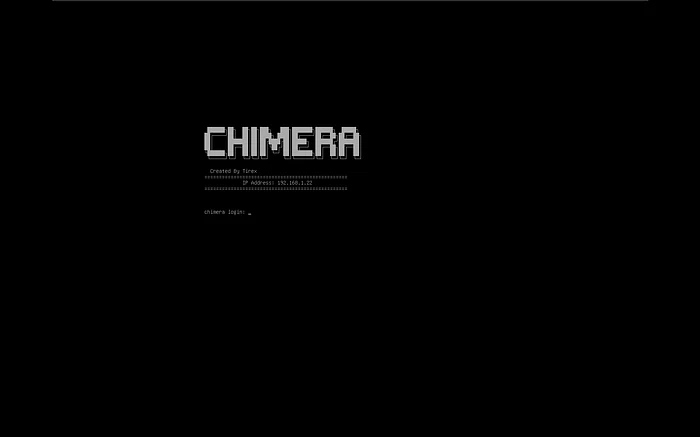
The article approaches the CVE from a security-research perspective and builds a safe conceptual laboratory around Chimera Linux rather than walking through a working exploit.
Setup
The research environment is a virtual machine, not the primary operating system. Chimera Linux is chosen because it provides a relatively unusual Linux distribution stack and lets researchers study kernel behaviour outside the most common Debian/Ubuntu/RHEL workflows. The article is explicit that the distribution itself is not the important part; isolation is.
A good research environment should be:
- Disposable
- Snapshottable
- Network-isolated
- Reproducible
- Easy to restore
- Separate from production systems
The lab architecture is a host computer running a virtual machine with Chimera Linux and a test kernel, attached to an isolated network, with an optional second lab VM. A snapshot is taken before any kernel changes, so that a crash can be handled by powering off the VM, restoring the snapshot and continuing.
Finding it
Before any exploitation discussion, the article establishes what a use-after-free means. A program allocates an object, the object exists, the object is freed, the memory becomes available, and then the program accidentally uses the object again. The final operation is the problem: the program believes the object still exists while the memory may already have been released and potentially reused.
Conceptually, a kernel heap object holding data, pointers and metadata is freed, the memory becomes available, and it is reused for a different object. If the kernel subsequently accesses the original object, its fields may no longer contain what the kernel expects.
The vulnerable code path is associated with how verdict values are initialised and later interpreted by the Netfilter path: nft_verdict_init() constructs the verdict, Netfilter hook processing runs, the verdict is interpreted, and incorrect memory-management behaviour follows. The vulnerable condition can result in an object being freed incorrectly and subsequently accessed.
The upstream fix was identified by commit:
[redacted]
NVD and other vulnerability databases recommend moving beyond the vulnerable code with the corresponding patched kernel.
The article stresses the distinction between bug existence and reliable exploitation. A vulnerability may initially provide only memory corruption, unstable behaviour and a kernel crash. Turning that into a reliable privilege escalation requires considerably more research: reaching the vulnerable kernel functionality, triggering the memory-management bug, corrupting or reusing kernel memory, obtaining a useful kernel memory primitive, defeating relevant mitigations, modifying security-sensitive kernel state and finally reaching elevated privileges. Modern kernels include numerous defences that make the final stages significantly more difficult, which is why studying the bug class and exploitation primitives is often more valuable than simply running a public exploit.
Exploitation
The article does not publish an exploit chain. What it does is lay out a safe observation workflow and the conditions that determine whether a given environment is actually exploitable.
Step 1: Identify the kernel
The first step in any kernel vulnerability assessment is determining what kernel is actually running.
uname -a
uname -r
cat /etc/os-release
The objective is not simply to match a version number against a CVE database. You want to understand kernel version, distribution, patch level, configuration, security modules, available namespaces, relevant kernel modules and vendor backports.
Step 2: Treat version numbers as insufficient
A distribution may backport a security fix without moving to the newest upstream kernel version, so kernel version alone does not equal complete vulnerability status. Assessment should combine kernel version, distribution patches, configuration, backported fixes and security mitigations. Ubuntu's security tracker, for example, lists CVE-2024-1086 as a High priority vulnerability and documents the issue and remediation information.
Step 3: Observe rather than escalate
Rather than immediately attempting privilege escalation, the workflow begins with observation.
Kernel logs:
dmesg
or:
journalctl -k
Look for kernel warnings, crashes, BUG messages, allocator diagnostics, use-after-free reports and stack traces.
Kernel configuration, when available:
cat /proc/config.gz
Loaded modules:
lsmod
Namespace information:
ls -l /proc/self/ns/
These observations help establish whether a research environment resembles the conditions required by the vulnerability.
Step 4: Follow a structured research workflow
The recommended methodology is:
1. Identify CVE
       ↓
2. Read vulnerability advisory
       ↓
3. Identify vulnerable component
       ↓
4. Locate upstream patch
       ↓
5. Compare vulnerable/fixed code
       ↓
6. Build isolated test environment
       ↓
7. Confirm configuration
       ↓
8. Observe vulnerable behavior
       ↓
9. Analyze crash/memory diagnostics
       ↓
10. Compare patched vs vulnerable kernel
       ↓
11. Document findings
This teaches considerably more than simply executing a prebuilt exploit.
Step 5: Patch-diff analysis
Start from the vulnerable source, move to the security patch, and end at the fixed source. Then ask: what assumption was incorrect, which validation was missing, what object lifetime changed, what condition prevents the bug, why does the fix work, and can the same pattern exist elsewhere. The article notes this methodology is useful far beyond CVE-2024-1086.
Step 6: Compare a vulnerable and a patched kernel
A useful learning exercise is to create two isolated environments, one with a vulnerable research kernel and one with a patched kernel, observe behaviour in each, and document kernel version, configuration, relevant modules, observed behaviour, kernel logs, patch differences, mitigations and the final result. This turns CVE research into a reproducible security experiment.
Root cause
The core issue is how verdict values are initialised and later interpreted by the Netfilter path. The interaction between nft_verdict_init(), Netfilter hook processing, NF_DROP, verdict error values and memory lifetime management can result in a double-free/use-after-free condition, with an object freed incorrectly and subsequently accessed. The vulnerability was assigned CWE-416: Use After Free.
A double-free occurs when memory is released more than once:
ptr = allocate()
free(ptr)
free(ptr)   ← dangerous
In a kernel allocator the consequences can be much more serious than in a user-space application: heap corruption, object reuse, kernel memory corruption, potential control/data manipulation and privilege escalation.
Existing defences do not make the bug unreachable; they make the later stages harder. The article lists the layers that matter: KASLR, which makes important kernel addresses less predictable; SMEP/SMAP, hardware-assisted protections that restrict how privileged code accesses memory; hardened allocators, which make heap corruption harder to exploit reliably; namespaces, which isolate resources and can change whether an attacker can reach particular kernel functionality; SELinux/AppArmor, which provide additional containment; and kernel configuration, whose compiled-in options substantially change the available attack surface. Exploitability is therefore a property of the entire environment, not just the CVE number.
Exploitation is highly dependent on kernel version, architecture, allocator behaviour, object layout, configuration, mitigations, namespace availability and timing. A public PoC working against one environment does not automatically mean it works against another.
Impact
Under vulnerable configurations the bug can be leveraged for local privilege escalation, crossing from an unprivileged local process to kernel-level privileges, with high confidentiality, integrity and availability impact. The vulnerability was not merely theoretical: it was added to the CISA Known Exploited Vulnerabilities catalogue in May 2024, and security researchers subsequently documented active exploitation.
That makes patch management particularly important for systems that allow local untrusted users, run multi-user workloads, host containers, provide shell access, run exposed applications or operate as shared infrastructure.
Container environments deserve special attention because containers share the host kernel. A kernel vulnerability can therefore have consequences fundamentally different from a vulnerability inside a normal isolated application, and container security should never be reduced to the idea that a container without root privileges makes the host safe. Kernel security remains part of the container security model.
Fix
The most important mitigation is straightforward: patch the kernel. Check the distribution's security advisory and install the appropriate fixed package. The upstream fix is the commit identified above, and NVD and other vulnerability databases recommend moving beyond the vulnerable code with the corresponding patched kernel.
For enterprise environments, patching should be combined with:
- Asset inventory: know which systems run vulnerable kernels.
- Configuration assessment: determine whether vulnerable functionality is reachable.
- Privilege minimisation: reduce unnecessary local accounts and privileges.
- Container hardening: use appropriate namespace, capability and seccomp restrictions.
- Monitoring: look for unexpected kernel crashes, privilege changes and suspicious local activity.
- Vulnerability management: do not rely solely on upstream version numbers, because vendors frequently backport security patches.
Variants to test
The article frames the transferable lessons as questions rather than as a list of targets. When analysing kernel code, ask who allocated an object, who owns it, who can free it, when it is freed, whether another execution path can access it afterwards, whether the memory can be reused and whether reference counts are correct. These questions frequently reveal use-after-free, double-free, race conditions, reference-counting bugs, type confusion and heap corruption.
What happened, in plain words
A part of the Linux operating system that handles network traffic and firewalls had a bug. The bug was given the name CVE-2024-1086. A CVE is a public label for a known security flaw, a bit like a recall notice for a car: it gives everyone a shared name so they can talk about the same problem.
The bug lives in the Linux kernel. The kernel is the core program of the operating system: it sits between your applications and the computer's hardware, and it decides who is allowed to do what. Because the kernel is so central, a bug inside it is more serious than a bug in an ordinary app.
The specific part is called Netfilter, and within it a component called nf_tables. Netfilter is the part of the kernel that inspects network packets, and nf_tables is the modern way to configure firewall rules. Think of a building's security desk: every visitor (packet) passes it, and the desk follows a list of rules about who may enter.
The bug is a use-after-free. In everyday terms: you borrow a locker, put your things in it, hand the key back, and then later open the locker again as if it were still yours. By then someone else may have put their things inside. In a computer, the memory that was handed back may now hold different data, and the program that keeps using it can be tricked into doing the wrong thing.
Under the right conditions, an ordinary user with no special rights on the machine could use this bug to become the most powerful user on the machine. That is called local privilege escalation: "local" because you must already be able to run something on the machine, and "privilege escalation" because you climb from low rights to high rights.
The United States government's vulnerability database, NVD, scores the bug CVSS 3.1: 7.8 (High). CVSS is a standard scoring system from 0 to 10, where higher means more dangerous. The score reflects that an attacker needs local access, and that the impact on confidentiality (secrecy), integrity (correctness of data) and availability (the system staying up) is high.
This article is not a step-by-step break-in guide. It looks at the bug the way a security researcher would, and it builds a safe practice laboratory using a Linux distribution called Chimera Linux, so that the ideas can be studied without touching a real system.
What is CVE-2024-1086?
CVE-2024-1086 is a flaw in the Linux kernel's Netfilter nf_tables subsystem.
At a high level, the problem is that a function called nft_verdict_init() handled certain values incorrectly. A function is a named block of code that does one job; you can think of it as a machine in a factory that takes something in and produces something out. nft_verdict_init() prepares a verdict, which is the decision a firewall rule makes about a packet: allow it, drop it, and so on.
Under particular conditions, several things interact badly:
nft_verdict_init()- Netfilter hook processing
NF_DROP- verdict error values
- memory lifetime management
A hook is a point in the kernel's network processing where the firewall gets to look at a packet. NF_DROP is the verdict that means "throw this packet away". Memory lifetime means the period during which a piece of memory is supposed to be in use: when it is created, while it is valid, and when it is released.
When those pieces interact in the wrong order, the result can be a double-free or a use-after-free. A double-free is releasing the same piece of memory twice, like returning the same library book twice: the second return confuses the system's records.
The flaw was classified as CWE-416: Use After Free. CWE is a catalogue of weakness types, similar to a dictionary of known kinds of mistakes, and entry 416 is exactly this one.
The faulty logic is many years old. That is itself the lesson: a small wrong assumption about memory can sit quietly in a system for years before someone turns it into a real attack.
Understanding the vulnerability
Before talking about attacks, it helps to understand what a use-after-free actually is.
Imagine a program sets aside a piece of memory for an object:
Allocate object
       ↓
Object exists
       ↓
Object is freed
       ↓
Memory becomes available
       ↓
Program accidentally uses object again
Line by line:
- Allocate object: the program asks the system for memory and gets a reserved space.
- Object exists: the program stores data there and uses it normally.
- Object is freed: the program says it is finished with the memory and hands it back.
- Memory becomes available: the system may now give that same space to something else.
- Program accidentally uses object again: the program still holds the old reference and reads or writes it as if nothing happened.
The last step is the problem. The program believes the object still exists, while the memory may already have been released and possibly reused.
Conceptually, a kernel heap object holds data, pointers and metadata. A pointer is a value that says where something is in memory, like an address on an envelope. Metadata is bookkeeping information about the object itself. When that object is freed, the memory becomes available and can be reused for a different object:
+----------------------+
| Kernel heap object   |
|                      |
| data                 |
| pointers             |
| metadata             |
+----------+-----------+
           |
           | free()
           v
+----------------------+
| Memory now available |
+----------+-----------+
           |
           | reused
           v
+----------------------+
| Different object     |
+----------------------+
Line by line:
- The top box is the original object, holding its data, its pointers and its metadata.
free()releases it, so the memory is no longer reserved for that object.- The memory is then reused for a different object.
- If the kernel later accesses the original object, its fields may no longer contain what the kernel expects. It might read someone else's data, or write into it.
Why nf_tables matters
nf_tables is part of Linux's Netfilter infrastructure. It provides packet filtering and firewall functionality and is commonly associated with the modern nftables framework.
A simplified architecture looks like this:
User Space
    │
    │ nftables configuration
    ▼
+-------------+
|  nf_tables  |
+-------------+
    │
    ▼
+-------------+
|  Netfilter  |
+-------------+
    │
    ▼
+---------------------+
| Kernel networking   |
+---------------------+
    │
    ▼
  Network
Line by line:
- User Space is where ordinary programs run, including the tool you use to write firewall rules.
- The nftables configuration is the set of rules you write.
- nf_tables is the kernel component that receives and stores those rules.
- Netfilter is the wider framework that applies them to packets.
- Kernel networking is the kernel's own network code.
- Network is the outside world the packets come from and go to.
Because this functionality operates inside the kernel, memory-safety problems in the subsystem can have consequences far beyond a normal application crash. An ordinary app that crashes usually takes only itself down; a kernel problem can affect the whole machine.
From memory bug to privilege escalation
The important distinction is between two things:
Bug existence
and
Reliable exploitation
These are not the same thing. A bug can exist and still be very hard to turn into a working attack. Exploitation means using the bug deliberately to achieve an effect, and reliable means it works consistently rather than sometimes.
A vulnerability may initially provide only:
Memory corruption
       ↓
Unstable behavior
       ↓
Kernel crash
Line by line:
- Memory corruption: the wrong data ends up in memory.
- Unstable behaviour: the machine starts doing odd things.
- Kernel crash: the machine stops, often with a blue or black screen, or simply reboots.
Turning that into a reliable privilege escalation requires considerably more research. A conceptual exploitation chain might look like this:
Unprivileged process
       ↓
Reach vulnerable kernel functionality
       ↓
Trigger memory-management bug
       ↓
Corrupt/reuse kernel memory
       ↓
Obtain useful kernel memory primitive
       ↓
Defeat relevant mitigations
       ↓
Modify security-sensitive kernel state
       ↓
Elevated privileges
Line by line:
- Unprivileged process: a program running with low rights, like a normal user account.
- Reach vulnerable kernel functionality: the program must be able to make the kernel run the faulty code.
- Trigger memory-management bug: it must cause the bad free or bad reuse to happen.
- Corrupt/reuse kernel memory: it must make the kernel's memory hold something the attacker controls.
- Obtain useful kernel memory primitive: a primitive here means a small, reliable ability, such as "read any kernel memory" or "write a chosen value". Attackers build bigger results from small reliable pieces.
- Defeat relevant mitigations: mitigations are the defences built into the system, explained later.
- Modify security-sensitive kernel state: change the kernel's own records about who is allowed to do what.
- Elevated privileges: end up with higher rights than before.
Modern Linux kernels include numerous defences that make the final stages significantly more difficult. This is why studying the bug class and exploitation primitives is often more valuable than simply running a public exploit. A public exploit is code someone else has published; running it teaches you little about why it works.
Why use Chimera Linux?
Chimera Linux is an interesting environment for security experimentation because it provides a relatively unusual Linux distribution stack and gives researchers an opportunity to study kernel behaviour outside the most common Debian/Ubuntu/RHEL workflows. A distribution is a packaged version of Linux with its own tools and choices; Debian, Ubuntu and RHEL are the best-known ones.
For a kernel-security lab, however, the most important principle is not the distribution itself. It is isolation: keeping the experiment completely separate from anything that matters.
A good research environment should be:
- Disposable
- Snapshottable
- Network-isolated
- Reproducible
- Easy to restore
- Separate from production systems
In plain words:
- Disposable: you can throw it away without loss.
- Snapshottable: you can save its exact state and return to it later, like a save point in a game.
- Network-isolated: it cannot reach the internet or your other machines.
- Reproducible: you can rebuild the same setup again and get the same conditions.
- Easy to restore: if it breaks, you can bring it back quickly.
- Separate from production systems: production means the machines that do real work, so the lab must never touch them.
A virtual machine is therefore preferable to experimenting directly on your primary operating system. A virtual machine, or VM, is a computer simulated inside your computer: it has its own disk and its own operating system, and if it breaks, your real computer is unaffected.
Building a safe kernel research lab
A simple architecture can look like this:
Host Computer
       │
       │
       ┌────────▼────────┐
       │ Virtual Machine │
       │                 │
       │ Chimera Linux   │
       │                 │
       │ Test Kernel     │
       └────────┬────────┘
                │
          Isolated Network
                │
          Optional Lab VM
Line by line:
- Host Computer is your real machine.
- The Virtual Machine runs inside it.
- Chimera Linux is the operating system inside the VM.
- Test Kernel is the kernel you want to study, which you can change freely because it is only a VM.
- Isolated Network is a private network that connects only the lab machines.
- Optional Lab VM is a second virtual machine if you want to compare two setups.
Take a VM snapshot before making kernel changes. A snapshot records the VM's state at that moment, so you can return to it later.
If something goes wrong:
Crash
  ↓
Power off VM
  ↓
Restore snapshot
  ↓
Continue research
Line by line:
- Crash: the test kernel stops working.
- Power off VM: shut the virtual machine down.
- Restore snapshot: roll it back to the saved state.
- Continue research: carry on from where you were, with no harm done.
This is much safer than testing kernel exploitation directly against a workstation or server.
Step 1: Identify the kernel
The first step in any kernel vulnerability assessment is determining what kernel you are actually running. You cannot judge whether a machine is affected until you know what is on it.
For example:
uname -a
Line by line:
unameis a command that prints information about the operating system.-ameans "all": show everything it knows, including the kernel name, version and the machine type.
And:
uname -r
Line by line:
unameagain.-rmeans "release": show only the kernel version number, which is the part you compare against advisories.
You should also collect:
cat /etc/os-release
Line by line:
catprints the contents of a file./etc/os-releaseis a small text file that describes which distribution and version you are running.
The objective is not simply to match a version number against a CVE database. You want to understand:
- Kernel version
- Distribution
- Patch level
- Configuration
- Security modules
- Available namespaces
- Relevant kernel modules
- Vendor backports
In plain words:
- Kernel version: which release of the kernel you have.
- Distribution: which packaged Linux you have.
- Patch level: how many fixes the vendor has added on top.
- Configuration: which features were switched on when the kernel was built.
- Security modules: extra protection layers such as SELinux or AppArmor.
- Namespaces: Linux's way of giving a process its own private view of the system, used heavily by containers.
- Kernel modules: pieces of kernel code loaded on demand, like drivers.
- Vendor backports: fixes the vendor copied back into an older kernel version instead of upgrading.
Version numbers are not the whole story
This is an important lesson when researching Linux kernel CVEs.
A distribution may backport a security fix without moving to the newest upstream kernel version. Upstream means the original project that produces the kernel; a distribution can take an old version and add selected fixes to it.
Therefore:
Kernel version
      ≠
Complete vulnerability status
Line by line:
- Kernel version: the number you read from
uname -r. - ≠: does not equal.
- Complete vulnerability status: whether the machine is truly affected or truly fixed.
Instead, vulnerability assessment should consider:
Kernel version
+ Distribution patches
+ Configuration
+ Backported fixes
+ Security mitigations
Line by line:
- Kernel version: the base release.
- Distribution patches: changes the vendor made.
- Configuration: which features are enabled.
- Backported fixes: security fixes copied into the older version.
- Security mitigations: the defences that are active.
Ubuntu's security tracker, for example, lists CVE-2024-1086 as a High priority vulnerability and documents the issue and remediation information. A security tracker is a vendor's public page listing known vulnerabilities and which of their versions are fixed.
Understanding the vulnerable code path
The core issue is associated with how verdict values are initialised and later interpreted by the Netfilter path.
Conceptually:
nft_verdict_init()
       │
       ▼
Verdict constructed
       │
       ▼
Netfilter hook processing
       │
       ▼
Verdict interpretation
       │
       ▼
Incorrect memory-management behavior
Line by line:
- nft_verdict_init(): the function prepares a verdict.
- Verdict constructed: the decision object is built.
- Netfilter hook processing: the firewall code acts on it.
- Verdict interpretation: the decision is read and acted upon.
- Incorrect memory-management behaviour: because of the earlier mistake, memory is handled wrongly.
The vulnerable condition can result in an object being freed incorrectly and subsequently accessed.
The upstream fix was identified by commit:
[redacted]
Line by line:
- This long string is a commit identifier: a unique label for one change in a code repository. A repository is a project's shared store of code and its history. You can look up this identifier to see exactly what the fix changed.
NVD and other vulnerability databases recommend moving beyond the vulnerable code with the corresponding patched kernel. In other words: install the fixed version rather than trying to work around the bug.
Why double-free bugs are dangerous
A double-free occurs when memory is released more than once.
Simplified:
ptr = allocate()
Line by line:
ptris a variable that will hold the reference to the memory.allocate()asks the system for memory and returns a reference to it.
free(ptr)
free(ptr)   ← dangerous
Line by line:
- The first
free(ptr)releases the memory, which is correct. - The second
free(ptr)releases the same memory again, which is the bug. The system's records now disagree with reality, and an attacker may be able to influence what happens next.
In a kernel allocator, the consequences can be much more serious than in a simple user-space application. An allocator is the part of the system that hands out and takes back memory.
Potential consequences include:
Heap corruption
       ↓
Object reuse
       ↓
Kernel memory corruption
       ↓
Potential control/data manipulation
       ↓
Privilege escalation
Line by line:
- Heap corruption: the area where memory is managed becomes inconsistent. The heap is the pool of memory used for objects created while a program runs.
- Object reuse: the freed space is given to a different object.
- Kernel memory corruption: the kernel's own data is damaged.
- Potential control/data manipulation: an attacker may be able to influence what the kernel does or what data it holds.
- Privilege escalation: the attacker gains higher rights.
However, modern allocators and kernel hardening mechanisms can make exploitation highly dependent on:
- Kernel version
- Architecture
- Allocator behaviour
- Object layout
- Configuration
- Mitigations
- Namespace availability
- Timing
In plain words:
- Kernel version: different releases behave differently.
- Architecture: the type of processor, such as x86 or ARM.
- Allocator behaviour: how the memory manager chooses and reuses space.
- Object layout: the order and size of fields inside the object.
- Mitigations: which defences are active.
- Namespace availability: whether the process can reach the affected feature through a namespace.
- Timing: whether the attacker can win a race between two events.
Therefore, a public PoC working against one environment does not automatically mean it works against another. A PoC, or proof of concept, is a small demonstration that a bug can be triggered.
Kernel mitigations matter
Modern Linux environments contain multiple layers of protection.
Examples include:
KASLR
Kernel Address Space Layout Randomization makes important kernel addresses less predictable. In everyday terms, it is like shuffling the shelves in a warehouse so a burglar cannot memorise where the valuable box sits.
SMEP/SMAP
Hardware-assisted protections can restrict how privileged code accesses memory. They are built into the processor and help stop the kernel from being tricked into running or reading things it should not.
Hardened allocators
Allocator hardening can make heap corruption more difficult to exploit reliably. It adds checks to the memory manager so that inconsistent records are noticed.
Namespaces
Linux namespaces isolate resources and can change whether an attacker can reach particular kernel functionality. If a feature is not reachable from inside your namespace, the bug may not be triggerable at all.
SELinux/AppArmor
Mandatory access-control systems can provide additional containment. Mandatory access control means the system enforces rules that even a powerful user cannot simply ignore.
Kernel configuration
Options compiled into the kernel can substantially change the available attack surface. Attack surface means the total set of features an attacker could try to use.
This produces an important security principle:
Exploitability is a property of the entire environment, not just the CVE number.
In other words, whether a bug can actually be used depends on the whole machine, not on the label alone.
What security researchers should observe
Rather than immediately attempting privilege escalation, a safe research workflow can begin with observation. Watching what the system does teaches you more, and risks less, than trying to break it.
Useful areas include:
1. Kernel logs
dmesg
Line by line:
dmesgprints the kernel's own log, the running commentary of what the kernel has been doing and any problems it noticed.
or:
journalctl -k
Line by line:
journalctlreads the system's central log.-klimits it to kernel messages only.
Look for:
- kernel warnings
- crashes
- BUG messages
- allocator diagnostics
- use-after-free reports
- stack traces
In plain words:
- Kernel warnings: the kernel saying something looks wrong.
- Crashes: the kernel stopping.
- BUG messages: the kernel's own name for an internal error it detected.
- Allocator diagnostics: complaints from the memory manager.
- Use-after-free reports: the kernel noticing memory used after it was freed.
- Stack traces: a list of which functions were running when the problem happened, like a receipt of the call path.
2. Kernel configuration
cat /proc/config.gz
Line by line:
catprints a file./proc/config.gzis the kernel's build configuration, stored compressed. It tells you which features were switched on.
when available.
3. Loaded modules
lsmod
Line by line:
lsmodlists the kernel modules currently loaded, so you can see which optional kernel features are active.
4. Namespace information
ls -l /proc/self/ns/
Line by line:
lslists files.-lasks for the long format, with details./proc/self/ns/is a special folder that shows the namespaces the current process belongs to.selfmeans "the process running this command".
These observations help establish whether a research environment resembles the conditions required by a vulnerability.
A better research workflow
For kernel vulnerability research, I recommend this methodology:
1. Identify CVE
       ↓
2. Read vulnerability advisory
       ↓
3. Identify vulnerable component
       ↓
4. Locate upstream patch
       ↓
5. Compare vulnerable/fixed code
       ↓
6. Build isolated test environment
       ↓
7. Confirm configuration
       ↓
8. Observe vulnerable behavior
       ↓
9. Analyze crash/memory diagnostics
       ↓
10. Compare patched vs vulnerable kernel
       ↓
11. Document findings
Line by line:
- Identify CVE: find the public label for the bug.
- Read vulnerability advisory: an advisory is the official notice describing the problem and the fix.
- Identify vulnerable component: work out which part of the kernel is affected.
- Locate upstream patch: find the original fix in the kernel project.
- Compare vulnerable/fixed code: see exactly what changed.
- Build isolated test environment: set up the safe VM.
- Confirm configuration: check the features the bug needs are actually enabled.
- Observe vulnerable behaviour: watch what happens, without trying to break out.
- Analyse crash/memory diagnostics: read the error reports carefully.
- Compare patched vs vulnerable kernel: run the same steps on both and note the difference.
- Document findings: write down what you learned so it can be repeated.
This teaches considerably more than simply executing a prebuilt exploit.
Patch-diff analysis
One of the best techniques for learning kernel security is patch-diff analysis. A diff is a side-by-side comparison showing what changed between two versions of a file.
Start with:
Vulnerable source
       │
       │
       ▼
Security patch
       │
       ▼
Fixed source
Line by line:
- Vulnerable source: the code as it was before the fix.
- Security patch: the change that fixes the bug.
- Fixed source: the code after the fix.
Then ask:
- What assumption was incorrect?
- Which validation was missing?
- What object lifetime changed?
- What condition prevents the bug?
- Why does the fix work?
- Can the same pattern exist elsewhere?
In plain words:
- What assumption was incorrect?: what did the programmer believe that was not true?
- Which validation was missing?: what check should have been made but was not?
- What object lifetime changed?: how long an object is allowed to live, and when it is freed.
- What condition prevents the bug?: what the fixed code does differently so the bad path cannot happen.
- Why does the fix work?: the reasoning behind the change.
- Can the same pattern exist elsewhere?: whether the same mistake was made in other parts of the code.
This methodology is useful far beyond CVE-2024-1086.
The bigger lesson: lifetime bugs
CVE-2024-1086 is a good example of why object lifetime is so important in C-based kernel development. C is the programming language the Linux kernel is written in, and it gives the programmer direct control over memory, which is powerful but unforgiving.
When analysing kernel code, researchers should continuously ask:
Who allocated this object?
Line by line:
- Who allocated this object?: which part of the code created it, and therefore who is responsible for it.
Who owns it?
Who can free it?
When is it freed?
Can another execution path access it afterward?
Can the memory be reused?
Are reference counts correct?
Line by line:
- Who owns it?: which part of the code is responsible for its lifetime.
- Who can free it?: which code paths are allowed to release it.
- When is it freed?: at what point in the program's flow.
- Can another execution path access it afterward?: an execution path is one route through the code; another route might still hold a reference.
- Can the memory be reused?: whether the freed space can be given to something else.
- Are reference counts correct?: a reference count is a counter of how many parts of the program are using an object; it should reach zero before the object is freed.
These questions frequently reveal vulnerabilities involving:
- Use-after-free
- Double-free
- Race conditions
- Reference-counting bugs
- Type confusion
- Heap corruption
In plain words:
- Use-after-free: using memory after it was released.
- Double-free: releasing the same memory twice.
- Race conditions: two events happening at once in an order the programmer did not expect, like two people grabbing the same seat.
- Reference-counting bugs: the usage counter is wrong, so memory is freed too early or too late.
- Type confusion: the program treats one kind of object as another kind.
- Heap corruption: the memory pool's records become inconsistent.
CVE-2024-1086 was actively exploited
This vulnerability was not merely theoretical.
CVE-2024-1086 was added to the CISA Known Exploited Vulnerabilities catalogue in May 2024, and security researchers subsequently documented active exploitation. CISA is a United States government cybersecurity agency, and its catalogue lists bugs that are known to have been used in real attacks. Active exploitation means attackers were actually using it, not just studying it.
That makes patch management particularly important for systems that:
- Allow local untrusted users
- Run multi-user workloads
- Host containers
- Provide shell access
- Run exposed applications
- Operate as shared infrastructure
In plain words:
- Allow local untrusted users: people you do not fully trust can log in.
- Run multi-user workloads: several people or services share the machine.
- Host containers: the machine runs containers, explained below.
- Provide shell access: users can type commands on the machine.
- Run exposed applications: programs reachable from the network.
- Operate as shared infrastructure: the machine serves many purposes at once.
Why container environments need attention
Kernel vulnerabilities deserve special consideration in containerized infrastructure. A container is a lightweight way to run an application in its own isolated space on a shared machine, without a full separate operating system.
Host Kernel
    │
┌───┴───────────────┐
│                   │
Container A      Container B
│                   │
Application       Application
Line by line:
- Host Kernel: there is only one kernel, shared by everything on the machine.
- Container A and Container B are separate spaces for applications.
- Application in each container is the program running inside it.
Containers share the host kernel. Therefore, a kernel vulnerability can potentially have consequences that are fundamentally different from a vulnerability inside a normal isolated application. A kernel vulnerability can therefore have consequences fundamentally different from a vulnerability inside a normal isolated application.
This is why container security should never be reduced to:
"The application container has no root privileges, so we're safe."
Root is the all-powerful administrator account on Linux. The point is that a container without root privileges does not by itself make the host safe.
Kernel security remains part of the container security model.
How to defend against CVE-2024-1086
The most important mitigation is straightforward:
Patch the kernel.
Patching means installing the vendor's fixed version. Check your distribution's security advisory and install the appropriate fixed package.
For enterprise environments, combine patching with:
Asset inventory
Know which systems run vulnerable kernels. An asset inventory is simply a list of the machines you are responsible for.
Configuration assessment
Determine whether vulnerable functionality is reachable.
Privilege minimization
Reduce unnecessary local accounts and privileges. Fewer powerful accounts means less to steal.
Container hardening
Use appropriate namespace, capability and seccomp restrictions. Capabilities are fine-grained permissions on Linux, and seccomp is a filter that limits which system calls a program may make. A system call is how a program asks the kernel to do something.
Monitoring
Look for unexpected kernel crashes, privilege changes and suspicious local activity.
Vulnerability management
Don't rely solely on upstream version numbers because vendors frequently backport security patches. Vulnerability management is the ongoing process of finding, tracking and fixing known weaknesses.
CVE-2024-1086 at a glance
| Property | Details |
|---|---|
| CVE | CVE-2024-1086 |
| Component | Linux Netfilter nf_tables |
| Vulnerability | Use-After-Free / Double-Free |
| CWE | CWE-416 |
| Severity | High |
| CVSS | 7.8 |
| Attack Vector | Local |
| Privileges Required | Low |
| User Interaction | None |
| Potential Impact | Confidentiality, Integrity, Availability |
| Fixed | Upstream patch available |
| Exploitation | Added to CISA KEV |
The CVSS details are documented by NVD and Ubuntu's security tracker.
Reading the table in plain words: the bug is in Netfilter's nf_tables, it is a use-after-free and double-free, it is rated High at 7.8, an attacker must already be on the machine (Local) with only low rights, needs no help from the user, and can affect secrecy, correctness and availability. A fix exists upstream, and the bug has been seen in real attacks.
Useful tools for kernel security research
A legal research laboratory can use tools such as:
Static analysis
- Ghidra
- IDA
- CodeQL
- Semgrep
- Clang Static Analyzer
Static analysis means examining code without running it, looking for patterns that suggest mistakes. These tools read code and flag suspicious shapes.
Debugging
- GDB
- LLDB
- KGDB
- QEMU debugging facilities
Debugging means running a program step by step to see what it does. These tools let you pause execution, inspect memory and follow the flow.
Kernel analysis
- Linux kernel source
- KASAN
- KCSAN
- UBSAN
- Kernel crash dumps
KASAN, KCSAN and UBSAN are kernel instrumentation tools that detect memory errors, concurrency problems and undefined behaviour while the kernel runs. A crash dump is a saved copy of memory at the moment of a crash, useful for later study.
Virtualization
- QEMU
- KVM
- VMware
- VirtualBox
Virtualization is the technology that runs virtual machines. These are the tools that create and manage them.
Monitoring
dmesgjournalctlstraceperfftrace
Monitoring means watching a running system. strace shows the system calls a program makes, perf measures performance, and ftrace traces kernel functions.
The goal is to understand why a bug happens rather than simply treating an exploit as a black box. A black box is something you use without understanding its insides.
What makes CVE-2024-1086 interesting?
Several things make this vulnerability particularly valuable for security education.
1. It involves the Linux kernel
Kernel vulnerabilities operate at a fundamentally different trust boundary than ordinary web vulnerabilities. A trust boundary is a line where the level of trust changes, such as between a normal user and the kernel.
2. It demonstrates memory-safety problems
The vulnerability provides an excellent example of why C memory-management errors remain security-critical.
3. It involves Netfilter
Firewall and networking code represents a large and security-sensitive kernel attack surface. Every packet passes through it, so there is a lot to get wrong.
4. It demonstrates local privilege escalation
The vulnerability illustrates how an attacker who already has limited local access may attempt to cross the kernel security boundary.
5. It highlights patch management
A vulnerability can remain relevant long after its disclosure if vulnerable systems aren't patched. Disclosure is the moment a bug becomes publicly known.
Build your own defensive lab
A useful learning exercise is to create two isolated environments:
VM Vulnerable research kernel
       │
       │
       ▼
Observe behavior
Line by line:
- VM Vulnerable research kernel: a virtual machine running the unfixed kernel.
- Observe behaviour: watch what happens when you exercise it.
and:
VM Patched kernel
       │
       │
       ▼
Compare behavior
Line by line:
- VM Patched kernel: a virtual machine running the fixed kernel.
- Compare behaviour: run the same steps and note the difference.
Then document:
Kernel version
Configuration
Relevant modules
Observed behavior
Kernel logs
Patch differences
Mitigations
Final result
Line by line:
- Kernel version: which kernel each VM runs.
- Relevant modules: which kernel modules are loaded.
- Observed behaviour: what actually happened.
- Kernel logs: what the kernel reported.
- Patch differences: what the fix changed.
- Mitigations: which defences were active.
- Final result: the conclusion.
This turns CVE research into a reproducible security experiment.
What pentesters should learn
CVE-2024-1086 demonstrates a broader penetration-testing principle. A pentester is a security professional who is paid to test systems with permission, and penetration testing is that authorised testing.
Initial access is only one part of an attack chain.
Initial access means getting a first foothold on a machine, and an attack chain is the sequence of steps from that foothold to the final goal.
A realistic security assessment can involve:
Initial Access
       ↓
Low-Privilege Execution
       ↓
Local Enumeration
       ↓
Kernel / OS Assessment
       ↓
Privilege Escalation Opportunity
       ↓
Impact Analysis
Line by line:
- Initial Access: getting onto the machine at all.
- Low-Privilege Execution: running something with limited rights.
- Local Enumeration: listing what is on the machine, such as versions and users. Enumeration means systematically gathering information.
- Kernel / OS Assessment: judging whether the kernel or operating system is vulnerable.
- Privilege Escalation Opportunity: finding a way to gain higher rights.
- Impact Analysis: working out what damage could follow. Impact means the harm that results.
However, kernel exploitation should generally be reserved for controlled environments unless the engagement explicitly authorizes it. An engagement is a paid testing job, and its rules define what you may do.
In many professional assessments, demonstrating that a vulnerable kernel exists and documenting the associated risk is sufficient.
Final thoughts
CVE-2024-1086 is an excellent case study for understanding Linux kernel security.
It combines:
- Memory-safety vulnerabilities
- Netfilter internals
- Kernel heap behaviour
- Privilege boundaries
- Linux namespaces
- Kernel hardening
- Patch-diff analysis
- Vulnerability management
In plain words:
- Memory-safety vulnerabilities: bugs where memory is used wrongly.
- Netfilter internals: how the firewall code works inside.
- Kernel heap behaviour: how the kernel manages its memory pool.
- Privilege boundaries: the lines between different levels of rights.
- Linux namespaces: the isolation feature described earlier.
- Kernel hardening: the defences built into the kernel.
- Patch-diff analysis: comparing the fix with the original code.
- Vulnerability management: the ongoing process of tracking and fixing weaknesses.
The most valuable takeaway isn't simply learning how to run an exploit.
It's learning how to answer:
Why does the bug exist?
What security boundary does it cross?
What conditions make it reachable?
How does the upstream patch eliminate it?
How can defenders detect and prevent exploitation?
In plain words:
- Why does the bug exist?: what mistake in the code caused it.
- What security boundary does it cross?: which line of trust it breaks through.
- What conditions make it reachable?: what must be true on a machine for the bug to be triggerable.
- How does the upstream patch eliminate it?: what the original fix changed so the bug cannot happen.
- How can defenders detect and prevent exploitation?: how the people protecting systems can spot and stop attacks.
That mindset transforms kernel vulnerability research from simply executing PoCs into genuine security engineering. Security engineering means designing and building systems that are secure by intention, not by luck.
And with CVE-2024-1086 having been added to CISA's Known Exploited Vulnerabilities catalogue, it remains a particularly useful case study for understanding why kernel patching and local privilege-escalation defences matter.
Glossary
- Active exploitation: attackers using a vulnerability in real attacks, not just studying it.
- Advisory: an official notice describing a vulnerability and its fix.
- Allocator: the part of a system that hands out and takes back memory.
- Architecture: the type of processor a system runs on, such as x86 or ARM.
- Asset inventory: a list of the machines and systems you are responsible for.
- Attack chain: the sequence of steps from a first foothold to the final goal.
- Attack surface: the total set of features an attacker could try to use.
- Backport: a security fix copied back into an older software version.
- Black box: something you use without understanding its insides.
- BUG message: the kernel's own name for an internal error it detected.
- Capabilities: fine-grained permissions on Linux.
- C: the programming language the Linux kernel is written in.
- Chimera Linux: a Linux distribution used in the article's research lab.
- CISA: a United States government cybersecurity agency that maintains a catalogue of exploited vulnerabilities.
- Commit identifier: a unique label for one change in a code repository.
- Configuration: which features were switched on when software was built or set up.
- Container: a lightweight way to run an application in its own isolated space on a shared machine.
- Crash dump: a saved copy of memory at the moment of a crash.
- CVE: a public label for a known security flaw.
- CVSS: a standard scoring system for vulnerability severity, from 0 to 10.
- CWE: a catalogue of weakness types.
- Debugging: running a program step by step to see what it does.
- Diff: a comparison showing what changed between two versions of a file.
- Disclosure: the moment a bug becomes publicly known.
- Distribution: a packaged version of Linux with its own tools and choices.
- Double-free: releasing the same piece of memory twice.
- Engagement: a paid testing job and its rules.
- Enumeration: systematically gathering information about a system.
- Execution path: one route through a program's code.
- Exploitation: using a bug deliberately to achieve an effect.
- Function: a named block of code that does one job.
- Heap: the pool of memory used for objects created while a program runs.
- Hook: a point in the kernel's network processing where the firewall gets to look at a packet.
- Impact: the harm that results from a vulnerability.
- Initial access: getting a first foothold on a machine.
- Isolation: keeping an experiment completely separate from anything that matters.
- KASAN, KCSAN, UBSAN: kernel instrumentation tools that detect memory errors, concurrency problems and undefined behaviour.
- KASLR: Kernel Address Space Layout Randomization, which makes kernel addresses less predictable.
- Kernel: the core program of the operating system that sits between applications and hardware.
- Kernel modules: pieces of kernel code loaded on demand.
- Local privilege escalation: climbing from low rights to high rights on a machine you can already run something on.
- Mandatory access control: rules the system enforces that even a powerful user cannot ignore.
- Memory lifetime: the period during which a piece of memory is supposed to be in use.
- Metadata: bookkeeping information about an object.
- Mitigations: defences built into a system.
- Namespace: Linux's way of giving a process its own private view of the system.
- Netfilter: the part of the Linux kernel that inspects network packets.
- nf_tables: the modern kernel component for configuring firewall rules.
- NVD: the United States National Vulnerability Database.
- Object lifetime: how long an object is allowed to live and when it is freed.
- Patch: a change that fixes a bug.
- Patch-diff analysis: comparing the fix with the original code to understand the bug.
- Penetration testing: authorised testing of systems to find weaknesses.
- Pentester: a security professional who performs authorised testing.
- Pointer: a value that says where something is in memory.
- PoC (proof of concept): a small demonstration that a bug can be triggered.
- Primitive: a small, reliable ability an attacker builds on.
- Privilege boundary: a line between different levels of rights.
- Production: the machines that do real work.
- Race condition: two events happening at once in an order the programmer did not expect.
- Reference count: a counter of how many parts of a program are using an object.
- Repository: a project's shared store of code and its history.
- Root: the all-powerful administrator account on Linux.
- Seccomp: a filter that limits which system calls a program may make.
- Security engineering: designing and building systems that are secure by intention.
- Security tracker: a vendor's public page listing known vulnerabilities and fixed versions.
- SMEP/SMAP: hardware-assisted protections that restrict how privileged code accesses memory.
- Snapshot: a saved state of a virtual machine you can return to.
- Stack trace: a list of which functions were running when a problem happened.
- Static analysis: examining code without running it.
- System call: how a program asks the kernel to do something.
- Trust boundary: a line where the level of trust changes.
- Type confusion: treating one kind of object as another kind.
- Upstream: the original project that produces the software.
- Vendor backports: fixes a vendor copied back into an older version.
- Virtual machine (VM): a computer simulated inside your computer.
- Virtualization: the technology that runs virtual machines.
- Vulnerability management: the ongoing process of finding, tracking and fixing known weaknesses.

