Full Address Bar Spoofing On Opera Mini Android
Opera Mini Android allowed JavaScript to update the address bar while a page was still loading, and a race condition with a request to a non-existent port preserved the spoofed address. An attacker could make a malicious page appear to be a legitimate site, enabling phishing or misinformation.
 Published on 0x48piraj.medium.com
I found a race condition flaw which caused browser to preserve the address bar and to load the content from the spoofed page. Address bar spoofing allows for attacks where a malicious page can spoof the identify of another site.
The full write-up lives on its author's site
It belongs to its author, so we link to it rather than copy it. The other two tabs are our own rewrites, checked against it.
Context
Opera Mini on Android is the target here, a browser installed on more than 500,000,000+ devices according to the report. The feature under scrutiny is the address bar itself: the piece of browser chrome that tells a user which origin the displayed content belongs to. Address bar spoofing is the class of bug where a malicious page makes that indicator show a different site than the one actually serving the content, which opens the door to phishing and to spreading misinformation under a legitimate domain.
The author describes the finding as a race condition that caused the browser to preserve the address bar while loading content from the spoofed page. Most address bar spoofing bugs, in the author's words, are not very practical; the claim made here is that this one is, because the spoofed page stays completely responsive.
Setup
No accounts, roles or tool versions are described. The only precondition stated is a vulnerable build of Opera Mini on Android, reached through a page hosted on the researcher's own domain, 0x48piraj.com. The proof of concept relies on a target site with a closed port, in this case https://www.opera.com:8080, and on JavaScript running in the page.
Finding it
During testing the author observed that the browser allowed JavaScript to update the address bar while the page was still loading. That alone is the suspicious behaviour: the address shown should reflect the document that is actually being displayed, and it should not be possible for script to change it mid-load.
The mechanism the author describes combines two things. First, a request for data from a non-existent port, which leaves the address preserved. Second, a delay induced by the setInterval function. Together, the race condition over the resource requested from the non-existent port and the timing of the interval let the page keep the spoofed address in place while the attacker's content is rendered.
The expected behaviour, as stated in the report, is that the browser should handle load events in the expected order when JavaScript redirects the page before a sub-resource load finishes. Two WebKit bug references are given as background:
Exploitation
Step 1: open the vulnerable page
The researcher points the victim at a page on his own domain:
https://0x48piraj.com/--REDACTED--/operafabs.html
Step 2: observe the spoofed address
Once that page is loaded, the URL shown in the browser points to:
https://www.opera.com:8080
while the content being displayed is hosted on 0x48piraj.com. The payload requests https://www.opera.com:8080, a non-existent port; the failed load is what leaves the address in place.
Step 3: the proof of concept
Before redirecting the user to the website with the closed port, the page decodes a base64 encoded version of the attacker's page and adds it to the DOM. The spoofed address is kept stable with the setInterval() function. The full page is:
<html><title>Not Opera</title><body><script> function spoof() { var data = 'PGh0bWw+PGJvZHk+[redacted]+PC9odG1sPg=='; // base64 encoded html content document.body.innerHTML=atob(data); window.location.assign("https://www.opera.com:8080"); }setInterval(spoof(),100000);</script></script></body></html>
What the parts do:
dataholds the base64 encoded HTML of the page the victim will see.atob(data)decodes it anddocument.body.innerHTMLwrites the decoded markup into the current document, so the attacker's content is rendered without a navigation.window.location.assign("https://www.opera.com:8080")starts a navigation to the closed port, which cannot complete.setInterval(spoof(),100000)is the timing element the author credits with keeping the spoofed address stable.
The decoded payload is:
<html><body><h1 align=”center”>This is definitely not Opera.</h1></body></html>
So the victim sees a page reading "This is definitely not Opera." while the address bar claims https://www.opera.com:8080.
Root cause
The report frames the flaw as a race condition in how the browser orders load events. JavaScript is permitted to update the address bar while the page is still loading, and when a redirect is issued before a sub-resource load finishes, the address is preserved even though the load never succeeds. The failed request to the non-existent port, combined with the delay from setInterval, leaves the spoofed origin on screen while the attacker's DOM content remains displayed and interactive. The report does not go into the engine internals beyond this, so the exact code path is not described.
Impact
With more than 500,000,000+ devices running Opera Mini Android, the author argues the vulnerability gives attackers the ability to steal data through phishing or to spread misinformation using legitimate domains. The distinguishing point compared with typical address bar spoofing is that the spoofed page here is completely responsive, which the author says makes the attack practical rather than a static deception.
Fix
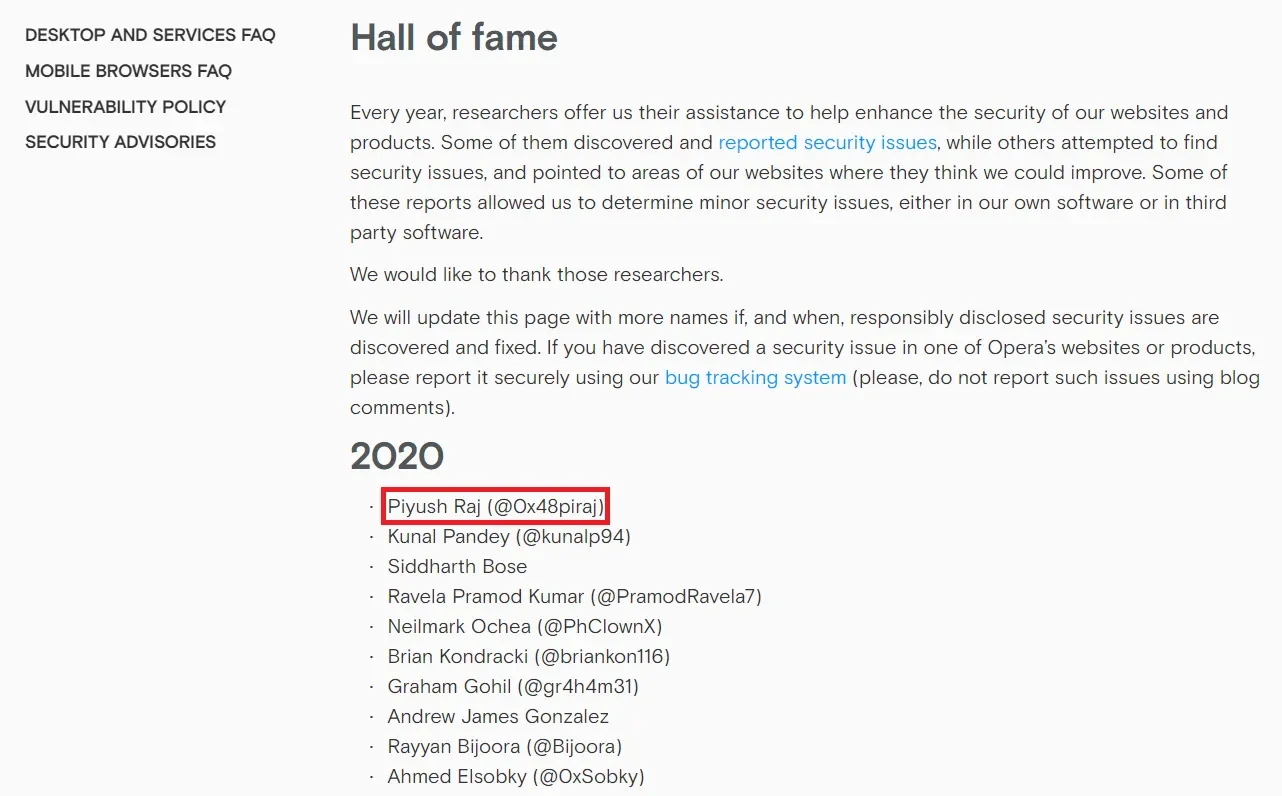
The report does not describe the code change that was made. It records that the bug was validated and later fixed, and shows the Opera Security Hall of Fame.





What happened, in plain words
A security researcher found a way to make the Opera Mini browser on Android show one web address in its address bar while actually displaying a page from a completely different site. The address bar is the strip at the top of a browser that tells you where you are, for example https://www.opera.com. People trust it. If it says you are on your bank's site, you believe you are on your bank's site. The trick described here breaks that trust: the bar says https://www.opera.com:8080 while the page you are looking at was written by the attacker.
This kind of bug is called address bar spoofing. "Spoofing" simply means pretending to be something you are not, like a friend calling you with a fake caller ID. The attacker's goal is usually phishing: building a fake page that looks like a real one so that you type your password or card details into it. If the address bar agrees with the fake page, the disguise is much more convincing.
What makes this particular finding stand out, according to the author, is that the fake page is not a frozen picture. You can scroll it, click it, type into it. Many address bar spoofing bugs leave you with a page that barely works, which makes them easy to notice. Here the page stays fully usable, so the deception is practical.
The author describes the underlying cause as a race condition. A race condition is what happens when two things are supposed to happen in a certain order, but the timing between them can be bent so that a different order occurs. Think of two people trying to walk through the same door at the same moment: who gets through first depends on timing, and sometimes the wrong person gets through. In a browser, loading a page involves many small steps (fetch this file, run that script, update the address bar). If a script can nudge the timing, it may get the browser to update the address bar at a moment when it should not.
The target and the feature
The product is Opera Mini on Android, a mobile web browser. The report states it is installed on more than 500,000,000+ devices. The feature in question is the address bar itself: the part of the browser's interface that tells the user which site the visible content belongs to. A browser's job is to keep that indicator honest. When it does not, everything the user believes about the page is suspect.
Setting up
The report does not describe any accounts, user roles or tool versions. The only precondition it states is a vulnerable build of Opera Mini on Android, reached through a page hosted on the researcher's own domain, 0x48piraj.com. The proof of concept also relies on a target site with a closed port, in this case https://www.opera.com:8080, and on JavaScript running in the page.
Two of those terms deserve a plain explanation.
A port is a numbered channel on a computer that a network service listens on. If an address is like a building's street address, the port is like the apartment number. Web traffic normally goes to port 443 for secure sites and port 80 for plain ones. Port 8080 is a common alternative port, and the payload treats it as a non-existent port: a request there fails. A request to a closed port simply fails, and that failure is central to the trick.
JavaScript is the programming language that runs inside web pages. It is what makes pages interactive: buttons that respond, forms that check your input, content that appears without reloading. It is also what an attacker uses to manipulate what the page shows and where the browser tries to go.
Finding it
While testing, the author noticed that the browser allowed JavaScript to change the address bar while the page was still loading. That is the suspicious behaviour in one sentence. The address shown should match the document actually being displayed, and a script should not be able to change it halfway through a load.
The mechanism the author describes combines two ingredients:
- A request for data from a port that does not exist, which leaves the address preserved in the bar.
- A delay created with the
setIntervalfunction, which repeats an action on a timer.
Together, the race between the failing request and the timer lets the page keep the spoofed address on screen while the attacker's content is rendered underneath it.
The expected behaviour, as the report puts it, is that the browser should handle load events in the expected order when JavaScript redirects the page before a sub-resource load finishes. In plain words: if a script sends the browser somewhere else while some other file is still downloading, the browser should still end up showing the right address for whatever it finally displays.
Two WebKit bug references are given as background:
WebKit is the browser engine that powers Safari and several other browsers, so these links point to related discussions in that project's bug tracker.
Exploitation
Step 1: open the vulnerable page
The researcher points the victim at a page on his own domain:
https://0x48piraj.com/--REDACTED--/operafabs.html
This is the attacker-controlled starting point. Everything else happens from here, inside the victim's browser, without the victim doing anything unusual beyond visiting a link.
Step 2: observe the spoofed address
Once that page is loaded, the URL shown in the browser points to:
https://www.opera.com:8080
while the content being displayed is hosted on 0x48piraj.com. The port 8080 on www.opera.com is the non-existent port the payload requests. The failed load is what leaves the address in place: the browser tried to go to Opera's site on a port where nothing answers, the navigation never completed, and the old address stayed visible.
Step 3: the proof of concept
Before redirecting the user to the site with the closed port, the page decodes a base64 encoded version of the attacker's page and adds it to the DOM. The spoofed address is kept stable with the setInterval() function. The full page is:
<html><title>Not Opera</title><body><script> function spoof() { var data = 'PGh0bWw+PGJvZHk+[redacted]+PC9odG1sPg=='; // base64 encoded html content document.body.innerHTML=atob(data); window.location.assign("https://www.opera.com:8080"); }setInterval(spoof(),100000);</script></script></body></html>
Two terms in there need explaining first.
Base64 is a way of writing any data using only ordinary text characters. It is not encryption: anyone can decode it, and it is used simply to carry data around as text. A useful comparison is writing a phone number as words instead of digits: it looks different, but anyone who knows the rule can read it back.
The DOM (Document Object Model) is the browser's live, in-memory model of the page. When you see a page, you are seeing the DOM. If a script changes the DOM, the page on screen changes immediately, without a new page load. document.body.innerHTML is the property that lets a script replace everything inside the page body at once.
Now, line by line:
<html><title>Not Opera</title><body>opens the page and gives the browser tab the title "Not Opera". The title is a small hint to the reader that this is not the real Opera site.<script>starts a block of JavaScript.function spoof() { ... }defines a named block of code calledspoof. Defining it does not run it; it just gives it a name so it can be called later.var data = 'PGh0bWw+...';stores a long base64 string in a variable calleddata. That string is the encoded version of the page the victim will see.document.body.innerHTML=atob(data);decodes the base64 string withatob("ASCII to binary", the browser's built-in decoder) and writes the result straight into the page body. This is how the attacker's content appears without navigating anywhere.window.location.assign("https://www.opera.com:8080");tells the browser to navigate to Opera's site on port 8080. Because nothing is listening on that port, the navigation cannot complete. This is the failing request that leaves the address bar showing the Opera address.setInterval(spoof(),100000);is the timing element the author credits with keeping the spoofed address stable.setIntervalnormally repeats a function every so many milliseconds; the author credits it with the delay in the race.- The closing
</script></body></html>ends the script and the page.
The decoded payload, the page the victim actually sees, is:
<html><body><h1 align=”center”>This is definitely not Opera.</h1></body></html>
This is a single centred heading reading "This is definitely not Opera."
So the victim sees a page reading "This is definitely not Opera." while the address bar claims https://www.opera.com:8080.
Root cause
The report frames the flaw as a race condition in how the browser orders load events. JavaScript is allowed to update the address bar while the page is still loading, and when a redirect is issued before a sub-resource load finishes, the address is preserved even though the load never succeeds. The failed request to the non-existent port, combined with the delay from setInterval, leaves the spoofed origin on screen while the attacker's DOM content stays displayed and interactive. The report does not go into the engine internals beyond this, so the exact code path is not described.
Impact
With more than 500,000,000+ devices running Opera Mini Android, the author argues the vulnerability gives attackers the ability to steal data through phishing or to spread misinformation using legitimate domains. The distinguishing point compared with typical address bar spoofing is that the spoofed page here is completely responsive, which the author says makes the attack practical rather than a static deception.
Fix
The report does not describe the code change that was made. It records that the bug was validated and later fixed, and shows the Opera Security Hall of Fame.
The story around the bug
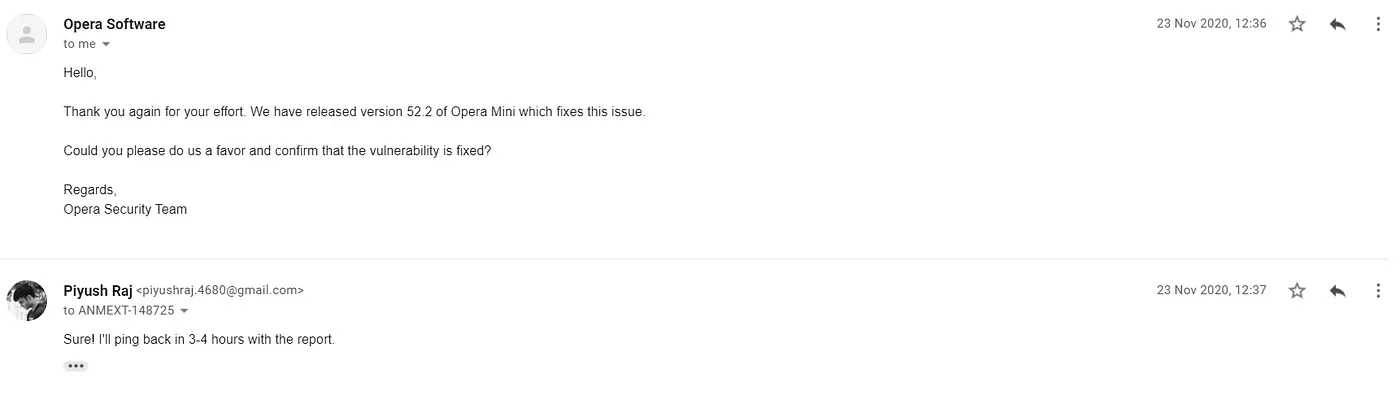
The report also tells the human side. It began when Opera Software replied asking for a proof of concept.
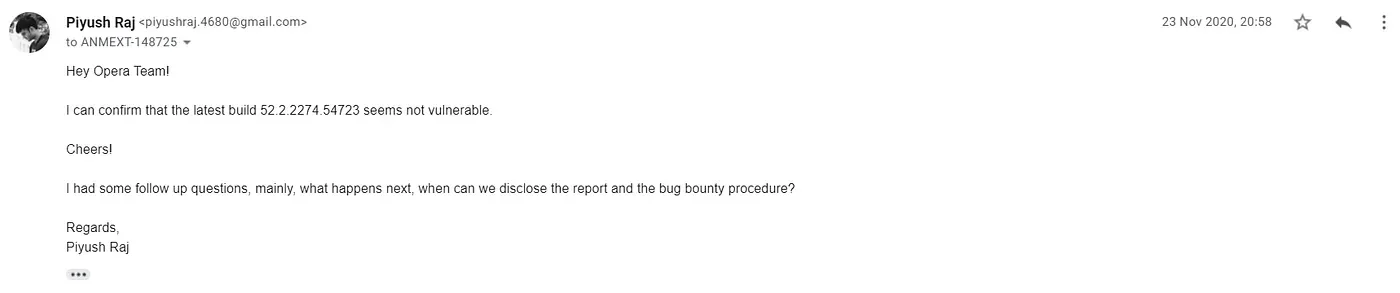
The bug was then confirmed as valid.
The author then describes an arm-twisting phase.
The author praises Opera's responsiveness.
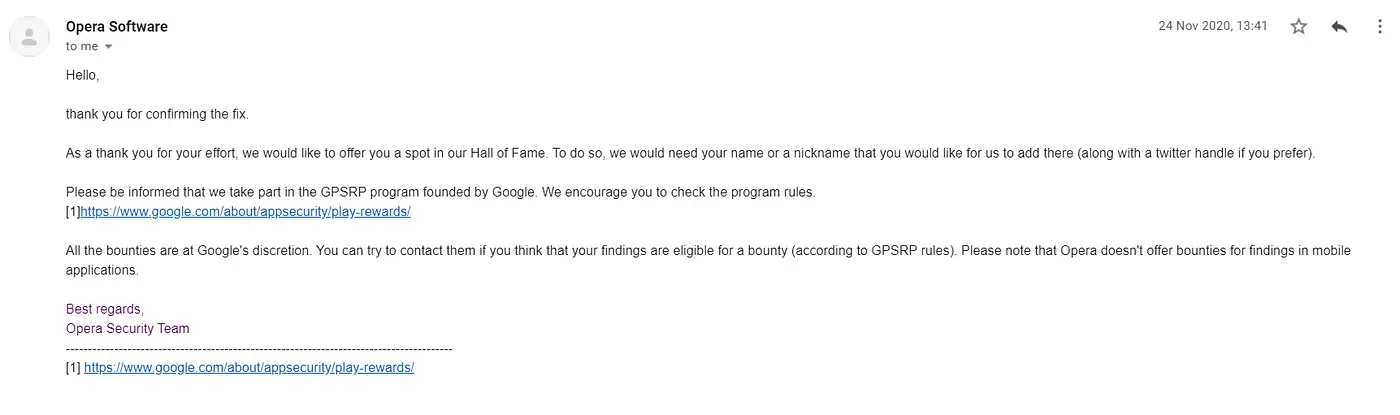
The report then shows the bug fix moment.
After that came the aftermath.
Finally, the report shows the Opera Security Hall of Fame, a public page where companies thank the people who reported security bugs to them.
Glossary
- Address bar: the strip at the top of a browser showing the address of the page you are on.
- Address bar spoofing: a bug where a page makes the address bar show a different site than the one actually being displayed.
- Android: Google's mobile operating system, used on many phones and tablets.
- Base64: a way of writing data using only ordinary text characters; it is encoding, not encryption, and anyone can decode it.
- Browser engine: the software inside a browser that turns web code into the page you see; WebKit is one example.
- Closed port: a numbered network channel on a computer where nothing is listening, so requests to it fail.
- DOM (Document Object Model): the browser's live model of the page; changing it changes what you see without reloading.
document.body.innerHTML: the property that lets a script replace everything inside the page body at once.- Hall of Fame: a public page where a company lists people who reported security bugs to it.
- JavaScript: the programming language that runs inside web pages and makes them interactive.
- Opera Mini: a mobile web browser made by Opera Software.
- Phishing: building a fake page or message that imitates a real one to trick people into giving away data.
- Port: a numbered channel on a computer that a network service listens on, like an apartment number in a building.
- Proof of concept (PoC): a small demonstration that shows a bug is real and can be triggered.
- Race condition: a bug where two things that should happen in a certain order can happen in a different order because of timing.
- Redirect: telling the browser to go to a different address than the one it is on.
setInterval: a JavaScript function that runs another function repeatedly on a timer.- Spoofing: pretending to be something you are not.
- Sub-resource: a file a page needs in order to finish loading, such as an image or a script.
- URL: the address of a page or file on the web.
- WebKit: a browser engine used by Safari and several other browsers.
- Webview: a browser engine embedded inside another app so that app can show web content.



