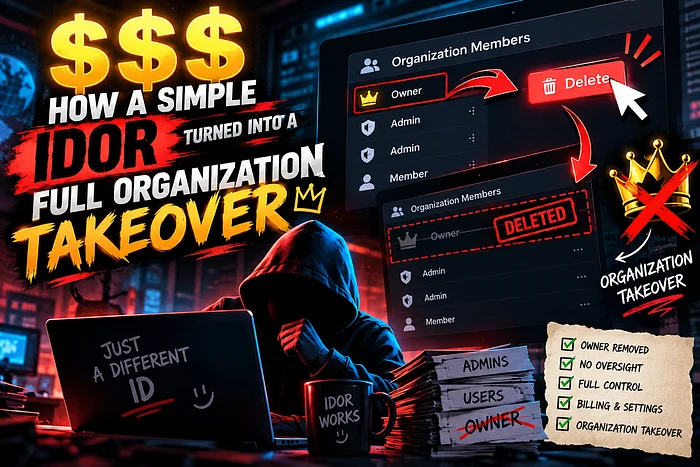
$$: How a Simple IDOR Turned Into a Full Organization Takeover
An administrator could send a user-management request targeting the organisation owner's identifier, and the server processed it, removing the owner. This let a lower-privileged account eliminate the highest-authority account and potentially take effective control of the organisation.

Security
The full write-up lives on its author's site
It belongs to its author, so we link to it rather than copy it. The other two tabs are our own rewrites, checked against it.
Context
This write-up describes an authorization flaw in an application that supports multiple organization roles. The feature in question is ordinary organization user management: the platform lets users with different privilege levels act on other members of the same organization. The organization had a clear hierarchy:
- Regular members
- Administrators
- Organization owner
An administrator is expected to manage users within the permissions granted to them, but there should be a hard boundary around the organization owner. The researcher's starting question was whether the server actually enforces that boundary, or whether the frontend simply makes certain actions unavailable.
The exact program name, endpoint, identifiers and other sensitive implementation details are intentionally omitted to respect responsible disclosure. The report does not give the application's name, version, stack or the request structure.
Setup
The report does not describe the tooling used, the number of accounts created, or any versions. What it does establish is the precondition: an account with administrator privileges inside an organization that also has an owner account, and access to the normal organization-management functionality where user-management actions are performed against other accounts. The researcher worked from legitimate traffic captured while performing those actions, rather than from a crafted payload.
Finding it
While testing the application, the researcher looked closely at how permissions between users with different privilege levels were enforced. The key distinction in access-control testing is between a control that exists only in the interface and one that exists on the server: a button being hidden is not a security control.
During normal organization-management functionality, internal user identifiers were exposed in legitimate application responses. The application was already returning identifiers that allowed the frontend to interact with organization members, which meant the researcher could determine which identifier belonged to a particular user. That raised the testing question: could an identifier belonging to a more privileged account be supplied to an action normally performed against a lower-privileged account? That is where the IDOR angle appeared.
Exploitation
Step 1: Capture a legitimate action
The researcher started with the expected workflow. An administrator could perform a user-management action against another administrative account. The legitimate request was captured and the object identifier supplied by the client was examined.
Step 2: Change the target identifier
The classic IDOR test followed: change the target identifier while keeping everything else the same. No fancy payload, no exotic encoding, no race condition, just a different object ID. The server accepted the modified request. On its own that was already interesting, but the real question was what would happen when the target identifier belonged to the organization owner.
Step 3: Target the owner
The modified request was accepted by the backend. The server processed the action against the owner account even though the application hierarchy clearly treated the owner as a higher-trust role. The frontend effectively behaved as though this action was impossible; the backend disagreed. After refreshing the organization state, the owner account had been removed. The affected account represented the highest authority within the organization, so this was not simply unauthorized deletion of an ordinary user.
The report does not include the raw request or response, the parameter name, the HTTP method or the status codes returned.
Root cause
The important part was not only that an attacker could reference another user's object. The real issue was the combination of three things:
- Identifier exposure: internal user identifiers were returned in legitimate responses.
- Insufficient server-side authorization: the server trusted the supplied identifier.
- Missing role-hierarchy enforcement: the critical business rule, that an organization administrator must never be able to remove the organization owner, was not enforced.
The frontend behaved as though the action was impossible, but the backend accepted the modified request.
Impact
Removing the organization owner can have serious consequences. Depending on the application's architecture, the resulting situation can affect:
- Administrative control
- Organization membership
- Security configuration
- Billing or account management
- Access to organizational resources
- Recovery and ownership workflows
In this case, the vulnerability demonstrated a path where a lower-level privileged account could remove the highest-level account and leave the attacker in effective control of the organization. The real impact was not "an admin can delete a user" but "an admin can eliminate the person who is supposed to control the organization".
Fix
The issue was reported through the appropriate vulnerability disclosure process. The vendor eventually confirmed the vulnerability and implemented a fix.
For developers, the takeaway is that every sensitive action should be authorized server-side, including checks for:
- Target ownership
- Role hierarchy
- Resource scope
- Organization boundaries
- Protected accounts
- Security-sensitive state transitions
A hidden button, a disabled UI control and a frontend restriction are not authorization. The backend has to say no, every single time.
Variants to test
Authorization bugs affect actions, not just data. A useful checklist when testing similar multi-role applications:
- Read, modify, delete, assign, revoke. For each user-management action, swap the target identifier for one belonging to a higher-privileged user. A positive result is the server accepting the request and the change being visible after a refresh.
- Act on an object owned by a higher-privileged user. Perform an action that is legitimate against a peer against the owner or another protected account instead. A positive result is the action succeeding where the UI offered no such control.
- Role-hierarchy invariants. Test rules such as "admin cannot remove owner", "admin cannot transfer ownership" and "admin cannot bypass organization-level restrictions" directly at the server. A positive result is any of these succeeding.
- Identifier exposure. Check whether internal identifiers are returned in responses where the frontend needs them; if so, they can be harvested and reused as targets.
- Frontend-only restrictions. For any action the UI hides or disables, replay the underlying request manually. A positive result is the backend processing it.
The methodology that produced this finding: observe, understand the role model, capture a legitimate action, manipulate the target object, verify server-side authorization, and measure the real business impact. Sometimes the most important payload is literally a different ID.
What happened, in plain words
Imagine a shared online workspace, like a company account on a website where several people work together. Some people are ordinary members, some are administrators who help manage the others, and one person is the owner, the person at the very top who is supposed to be in charge. The website has a screen where an administrator can manage other people: for example, remove someone from the workspace.
The researcher who wrote this report noticed something odd. The website's screen behaved as though an administrator could not remove the owner. But the researcher asked a simple question: is the website's server (the computer that actually does the work behind the scenes) also refusing, or is it only the screen hiding the button? It turned out to be only the screen. By changing one small piece of information in a request, the researcher made the server remove the owner account, even though the person doing it was only an administrator.
That is the whole story in one paragraph. A person with medium-level power managed to delete the person with the highest power, and that could leave the attacker effectively in control of the whole workspace. The report calls this a path to full organization takeover.
To respect responsible disclosure (a convention where researchers give the company time to fix a problem before talking about it publicly), the report leaves out the exact program name, the exact web address, the identifiers and other sensitive details. So this article cannot tell you which website it was, and neither could the original.
The initial idea
While testing an application with multiple organization roles, the researcher looked closely at how the platform enforced permissions between users with different privilege levels. Let us unpack that sentence, because it contains several ideas that are worth knowing from zero.
An application here means a website or web service you use through a browser. An organization is a group account inside that service, shared by several people. A role is a label attached to a person that says what they are allowed to do. Permissions are the individual things a role is allowed to do, such as "can invite a new member" or "can remove a member". Privilege level just means how much power a role has: a regular member has little, an administrator has more, the owner has the most.
The organization had a clear hierarchy:
- Regular members
- Administrators
- Organization owner
A hierarchy is a ranking, like a ladder. The owner is at the top, administrators are in the middle, regular members are at the bottom. Normally, an administrator should be able to manage users within the permissions granted to them, but there should be a hard boundary around the organization owner. In other words, an administrator can do some management tasks, but should never be able to touch the person at the top.
The interesting question the researcher asked was this:
Does the server actually enforce that boundary, or does the frontend simply make certain actions unavailable?
Two words there need explaining. The frontend is everything that runs in your browser: the pages, the buttons, the menus. The server (or backend) is the computer far away that stores the data and carries out the real actions. When you click a button, your browser sends a message to the server, and the server decides what happens.
That distinction is incredibly important in access-control testing. Access control means the rules about who is allowed to do what. Access-control testing means checking whether those rules are actually enforced. The key point: a button being hidden is not a security control. Hiding a button is like putting a door behind a curtain. Anyone who knows the door is there can walk around the curtain. If the server does not check who is asking, hiding the button protects nothing.
The first clue: user identifiers
During normal organization-management functionality, the researcher noticed that internal user identifiers were exposed in legitimate application responses.
An identifier (often shortened to ID) is a unique label for a thing, usually a number or a short string. Think of it like a customer number: two people can have the same name, but each has a different number. A response is what the server sends back to your browser after your browser asks for something. Legitimate here means normal, expected traffic, the kind produced by using the site the way it was designed.
Nothing particularly exciting at first. The application was already returning identifiers that allowed the frontend to interact with organization members, and that meant the researcher could determine which identifier belonged to a particular user. In everyday terms: the website was handing out everyone's customer number, because the page needed those numbers to work. That is not automatically a bug, but it is useful information for someone testing security.
This created an interesting testing opportunity:
Could an identifier belonging to a more privileged account be supplied to an action normally performed against a lower-privileged account?
In plain words: the website has an action like "remove this member". Normally you point that action at an ordinary member. What if you point the same action at the owner instead, just by swapping the number? That is where the IDOR angle appeared.
IDOR stands for Insecure Direct Object Reference. It is a fancy name for a simple mistake: a website lets you refer to something by its identifier (the number), and it does not check whether you are allowed to touch that particular thing. It is like a hotel where your key card opens your room, but the room number is written on the door and the lock does not check which card you used, so any card opens any door. The vulnerability class (the category of bug) is an authorization flaw: the system knows who you are but fails to check whether you are allowed to do this specific thing.
Testing the authorization boundary
The researcher started with the expected workflow. A workflow is just the normal sequence of steps a user goes through to get something done. An administrator could perform a user-management action against another administrative account. So the researcher captured the legitimate request and examined the object identifier being supplied by the client.
A request is the message your browser sends to the server, for example "please remove member number 1234". Capturing a request means recording it so you can look at it and later send a modified copy. The client is your side of the conversation, normally your browser. The object identifier is the number of the thing being acted on, in this case the member's number.
Then came the classic IDOR test:
Change the target identifier while keeping everything else the same.
The target is the thing the action is aimed at. So: keep the same request, same action, same person sending it, and change only the number of the person being acted on. No fancy payload, no exotic encoding, no race condition, just a different object ID.
A few of those terms deserve a quick definition. A payload is the part of a request that carries the data you are sending, often the part an attacker crafts specially. Encoding is how special characters are represented so they travel safely, and "exotic encoding" means deliberately unusual representations used to sneak past filters. A race condition is a bug where two things happening at almost the same moment produce an unexpected result. The researcher is saying none of that trickery was needed. Just a different number.
The server accepted the modified request. That alone was already interesting. But the real question was what happened when the target identifier belonged to the organization owner.
The unexpected result
The modified request was accepted by the backend. The server processed the action against the owner account even though the application hierarchy clearly treated the owner as a higher-trust role. The frontend effectively behaved as though this action was impossible. The backend disagreed.
And that is one of the researcher's favourite moments in security testing:
Frontend: "You can't do that." Backend: "Apparently I can."
After refreshing the organization state, the owner account had been removed. Refreshing means reloading the page so your browser asks the server for the current data again. That matters, because it proves the change was real and stored on the server, not just a visual glitch in the browser. This was not simply unauthorized deletion of an ordinary user. The affected account represented the highest authority within the organization.
Why this was much more than "just an IDOR"
Calling it an IDOR is technically correct, but it does not fully describe the security impact. Impact means the real-world harm a bug can cause.
The important part was not only that an attacker could reference another user's object. The real issue was the combination of three things:
- Identifier exposure: internal user identifiers were returned in legitimate responses. The website told you everyone's number.
- Insufficient server-side authorization: the server trusted the supplied identifier. It took the number you gave it at face value without checking whether you were allowed to act on that person.
- Missing role-hierarchy enforcement: the critical business rule, that an organization administrator must never be able to remove the organization owner, was not enforced. A business rule is a rule about how the product is supposed to work, as opposed to a technical rule about how the code runs.
The server effectively trusted the supplied identifier without enforcing the critical business rule:
An organization administrator must never be able to remove the organization owner.
That missing authorization check transformed a seemingly small object-reference problem into a much larger business-logic vulnerability. Business-logic vulnerability means the code does exactly what it was written to do, but the rule it implements is wrong or incomplete. Nothing crashed, nothing looked broken; the logic itself was flawed.
The impact
Removing the organization owner can have serious consequences. Depending on the application's architecture, the resulting situation can affect:
- Administrative control
- Organization membership
- Security configuration
- Billing or account management
- Access to organizational resources
- Recovery and ownership workflows
Architecture here means how the application is built and arranged internally. Security configuration means the settings that control who can log in and how. Billing means payment and subscription management. Recovery workflows are the processes for getting an account back when something goes wrong, for example resetting access.
In this case, the vulnerability demonstrated a path where a lower-level privileged account could remove the highest-level account and leave the attacker in effective control of the organization.
So the real impact was not:
"An admin can delete a user."
It was:
"An admin can eliminate the person who is supposed to control the organization."
That is a completely different security story. Deleting an ordinary member is annoying. Deleting the owner can hand the whole workspace to someone who was never supposed to have it.
The interesting part about IDORs
One of the biggest lessons here is that IDOR testing should not stop at:
"Can I access another user's data?"
Authorization bugs can affect actions, not just data. Data means information you can read, like a profile or a list of members. Actions mean things you can do, like remove, invite or change a role. Many testers only check whether they can read someone else's information. The more valuable question is whether they can make the system do something on someone else's behalf.
A useful mental checklist is:
Can I read it?
Can I modify it?
Can I delete it?
Can I assign it?
Can I revoke it?
Can I perform the action against an object that belongs to a higher-privileged user?
Read means view, modify means change, delete means remove, assign means give something to someone (like granting a role), revoke means take it away. That last question is particularly valuable in applications with complex RBAC systems. RBAC stands for Role-Based Access Control: a system where permissions are attached to roles rather than to individual people. It is like a company where job titles decide what keys you get, rather than each person getting keys one by one.
Think in terms of business logic
A technically correct permission check is not always enough. Imagine a system with:
Owner ↓Admin ↓Member
This little diagram is a ladder. The arrow points down from Owner to Admin to Member, meaning each level is below the one above it. The application may correctly recognise that an Admin is privileged. But that does not automatically mean the Admin should be able to perform every user-management operation.
There are often additional invariants:
Admin can manage MemberAdmin can manage some AdminsAdmin cannot remove OwnerAdmin cannot transfer ownershipAdmin cannot bypass organization-level restrictions
An invariant is a rule that must always hold true, no matter what. The lines above are the rules the system is supposed to follow: an admin can manage members, an admin can manage some admins, but an admin cannot remove the owner, cannot transfer ownership, and cannot bypass organization-level restrictions. Transferring ownership means handing the top role to someone else. Bypassing restrictions means getting around limits that are supposed to apply to you.
These rules need to exist on the server. Otherwise, the frontend becomes nothing more than a very optimistic security guard. An optimistic guard is one who assumes everyone is fine and waves them through. That is exactly what a browser-only check does: it trusts the person using the browser to behave.
What made this finding interesting
The exploit chain itself was surprisingly simple. An exploit chain is the sequence of steps an attacker takes to turn a small weakness into a real attack. There was no need for:
- Remote code execution
- SQL injection
- Command injection
- Memory corruption
- Complex cryptography
- A huge exploit framework
A quick word on each, since they are common terms you will meet. Remote code execution means making the server run code of your choosing. SQL injection means sneaking database commands into input so the database does something unintended; SQL is the language used to talk to databases. Command injection is the same idea but with operating-system commands. Memory corruption is a low-level bug where a program mishandles its own memory. Cryptography is the maths of scrambling and unscrambling data. An exploit framework is a toolkit that automates attacks. None of that was needed here.
The core issue was a missing authorization boundary. This is one of the reasons the researcher enjoys testing business logic. The application can look perfectly secure from a traditional vulnerability-scanning perspective while still containing a critical flaw hiding inside an ordinary user-management workflow. A vulnerability scanner is an automated tool that looks for known technical weaknesses. It can be perfectly happy with a site that still lets an admin delete the owner, because the flaw is in the rules, not in the code's mechanics.
Responsible disclosure
The issue was reported through the appropriate vulnerability disclosure process. The vendor eventually confirmed the vulnerability and implemented a fix. The vendor is the company that makes the product. Confirming means they agreed the bug was real. Implementing a fix means they changed the software so the bug no longer works. The report does not describe what the fix changed.
The exact implementation details, identifiers and request structure are intentionally not included here. The goal of this write-up is not to provide a copy-paste attack. It is to demonstrate a methodology:
Observe → understand the role model → capture a legitimate action → manipulate the target object → verify server-side authorization → measure the real business impact.
A methodology is a repeatable way of working, a recipe rather than a one-off trick. Read the arrow chain as a story: first look at how the site behaves, then work out who is allowed to do what, then record a normal action, then change the target, then check whether the server actually refuses, then judge how bad the result would be in the real world.
Lessons learned
For security researchers, one of the most useful habits is to stop asking:
"What can this role normally do?"
and start asking:
"What happens when I try to make this role act on something it should never control?"
That is where many interesting authorization bugs live. The first question describes the design. The second question tests it.
For developers, the takeaway is even simpler:
Never trust the client to enforce privilege boundaries.
The client is the browser, which the user fully controls. Anything the browser checks can be changed by the person using it. Every sensitive action should be authorized server-side, including checks for:
- Target ownership
- Role hierarchy
- Resource scope
- Organization boundaries
- Protected accounts
- Security-sensitive state transitions
Target ownership means checking that the thing being acted on really belongs to the person acting. Resource scope means the limits of what a resource covers, for example which organization it belongs to. Organization boundaries means the line between one organization and another. Protected accounts are accounts that should never be touched by lower roles, like the owner. State transitions are changes from one status to another, for example from active to removed; security-sensitive ones are those that change who has power.
A hidden button is not authorization. A disabled UI control is not authorization. A frontend restriction is not authorization. The backend has to say no. Every single time.
Final thoughts
What looked like a simple identifier-manipulation test ended up exposing a much larger flaw in the application's authorization model. An authorization model is the overall design of who is allowed to do what. That is why IDOR testing remains so valuable. Sometimes the most important payload is literally:
a different ID.
And sometimes that tiny change is worth $$$.
Glossary
- Access control: the rules that decide who is allowed to do what in a system.
- Access-control testing: checking whether those rules are actually enforced, especially on the server.
- Action: something a user can make the system do, such as remove, invite or change a role, as opposed to just reading data.
- Administrator: a role with more power than a regular member but less than the owner.
- Application: the website or web service you use through a browser.
- Architecture: how an application is built and arranged internally.
- Assign: to give something to someone, for example granting a role.
- Authorization: the check that a specific person is allowed to perform a specific action on a specific thing.
- Authorization model: the overall design of who is allowed to do what.
- Backend: the server side of an application, where data is stored and actions are carried out.
- Billing: payment and subscription management for an account.
- Business logic: the rules about how a product is supposed to work, as opposed to how its code runs.
- Business-logic vulnerability: a flaw where the code works as written but the rule it implements is wrong or incomplete.
- Business rule: a rule about how the product should behave, such as "an admin cannot remove the owner".
- Bypass: to get around a restriction that is supposed to apply to you.
- Capture (a request): to record a request so you can inspect it and send a modified copy.
- Client: your side of the conversation with a server, normally your browser.
- Command injection: a bug where an attacker sneaks operating-system commands into input so the server runs them.
- Confirm (a vulnerability): when the vendor agrees the reported bug is real.
- Cryptography: the maths of scrambling and unscrambling data.
- Data: information you can read, such as a profile or a member list.
- Delete: to remove something.
- Encoding: how special characters are represented so they travel safely in a request.
- Exploit chain: the sequence of steps that turns a small weakness into a real attack.
- Exploit framework: a toolkit that automates attacks.
- Fix: a change to the software that makes a bug stop working.
- Frontend: everything that runs in your browser, such as pages, buttons and menus.
- Hierarchy: a ranking, like a ladder, where each level has different power.
- ID (identifier): a unique label for a thing, usually a number or short string.
- IDOR (Insecure Direct Object Reference): a bug where a site lets you refer to something by its identifier without checking whether you are allowed to touch that thing.
- Impact: the real-world harm a bug can cause.
- Implement (a fix): to change the software so the bug no longer works.
- Invariant: a rule that must always hold true, no matter what.
- Legitimate: normal, expected traffic produced by using the site as designed.
- Memory corruption: a low-level bug where a program mishandles its own memory.
- Methodology: a repeatable way of working, a recipe rather than a one-off trick.
- Modify: to change something.
- Object identifier: the identifier of the specific thing an action is aimed at.
- Organization: a group account inside a service, shared by several people.
- Organization boundaries: the line separating one organization from another.
- Owner: the highest role in an organization, the person supposed to be in charge.
- Payload: the part of a request that carries the data being sent, often specially crafted by an attacker.
- Permission: an individual thing a role is allowed to do.
- Privilege level: how much power a role has.
- Protected account: an account that lower roles should never be able to touch, such as the owner.
- Race condition: a bug where two things happening at almost the same moment produce an unexpected result.
- RBAC (Role-Based Access Control): a system where permissions are attached to roles rather than to individual people.
- Read: to view something.
- Recovery workflow: the process for getting an account back when something goes wrong.
- Refresh: to reload a page so the browser asks the server for the current data again.
- Remote code execution: a bug that lets an attacker make the server run code of their choosing.
- Request: the message your browser sends to the server.
- Resource scope: the limits of what a resource covers, for example which organization it belongs to.
- Response: what the server sends back to your browser.
- Responsible disclosure: a convention where researchers give a company time to fix a problem before talking about it publicly.
- Revoke: to take something away.
- Role: a label attached to a person that says what they are allowed to do.
- Security configuration: the settings that control who can log in and how.
- Server: the computer far away that stores data and carries out the real actions.
- SQL: the language used to talk to databases.
- SQL injection: a bug where an attacker sneaks database commands into input so the database does something unintended.
- State transition: a change from one status to another, for example from active to removed.
- Target: the thing an action is aimed at.
- Target ownership: the check that the thing being acted on really belongs to the person acting.
- Transfer ownership: to hand the top role to someone else.
- Vendor: the company that makes the product.
- Vulnerability class: the category a bug belongs to, such as IDOR or injection.
- Vulnerability scanner: an automated tool that looks for known technical weaknesses.
- Workflow: the normal sequence of steps a user goes through to get something done.



