How I found an IDOR Worth $1500
The delete-image endpoint accepted a profile identifier and an image identifier without checking that the caller owned them, so an attacker could delete another user's image. The author confirmed this by deleting images from a second account and from real users.
 Published on adilnbabras.medium.com
Hello, today I am talking about the bug I recently found in one of biggest companies in the world. The bug was one of the my favourite bugs Insecure Direct Object Reference (IDOR).
The full write-up lives on its author's site
It belongs to its author, so we link to it rather than copy it. The other two tabs are our own rewrites, checked against it.
Context
This is a write-up about an Insecure Direct Object Reference (IDOR) found in an application belonging to what the author describes as one of the biggest companies in the world. The company is not named because, at the time of writing, the report had not been disclosed and the program's policies prevented disclosure; the author refers to it as example.com.
The target was chosen from a public HackerOne program. The scope was very limited, so there was no room for recon: the bug had to be found on the main application itself. The functionality involved is profile image management. A user can upload images to their profile, view them, and delete them. Each profile has a unique identifier, and each post, image, comment and similar object also has its own unique identifier.
Setup
The author created an account and used the application as a normal user first, to understand its flow and logic, before hunting for anything. During this phase the session cookies, anti-CSRF tokens and headers were identified.
For the IDOR work, two accounts were used: one attacker account and one victim account. The unique identifiers of both were noted. Burp was used throughout to capture requests.
A key precondition is that the unique identifiers are not secret. Each profile's identifier is a long random string, of which the report gives this example:
[redacted]
This identifier is available in the page source code: visiting someone's profile and viewing the source reveals the identifier for that profile. The same value can be obtained through Burp, but viewing the source is the easier route. Every post, image and comment likewise carries its own unique identifier.
Finding it
The hunt started with CSRF. Because almost all functionality on the application is sensitive, each feature had to be checked. Requests were captured one by one in Burp and examined for CSRF weaknesses across all major functionality, without success. The author then moved to IDOR.
The first step was to work out what the unique identifiers for each profile are, how they are obtained, and where they are disclosed, which led to the source-code observation above.
The interesting functionality was image upload on a profile. After uploading an image and viewing it in the browser, the URL contains two parameters: one holds the profile's unique identifier and the other holds the image's unique identifier. Swapping those identifiers for the other account's identifiers lets you view the other account's image, but that is not a bug: images are public and visible to all users on a profile, so viewing them is expected behaviour.
The deletion flow was different. Deleting an image produces a DELETE request to an endpoint, and that request carries the same identifiers that had already been enumerated. Since every request was being tried, this one was tried too.
Exploitation
Step 1: Upload an image to your own profile
An image is uploaded to the attacker's profile, which establishes the image and profile identifiers used in the delete request.
Step 2: Delete the image and capture the request
Deleting the image in the UI and capturing the request in Burp reveals a DELETE request to an endpoint carrying the profile identifier and the image identifier.
Step 3: Obtain the victim's identifiers
Navigate to any profile, copy the image URL, paste it into a notepad, and copy the relevant identifiers from it. The profile identifier can also be read directly from the page source.
Step 4: Swap the identifiers and resend
The attacker's identifiers in the captured DELETE request are replaced with the victim account's identifiers, and the request is sent. The server responds with a 204 status code.
Step 5: Confirm the effect
Checking the victim account in the browser shows that the corresponding image has been deleted.
The author also deleted images belonging to some real users in production to be sure the bug was real, noting that this is not allowed and would have made the report ineligible for a bounty had the company known.
Root cause
The delete request carries object identifiers supplied by the client, and swapping them for another account's identifiers caused that account's image to be deleted. The profile identifier is exposed in page source, and the image URL contains both identifiers, so an attacker can obtain them and substitute them into their own captured request. The report does not describe the server-side code, so the exact check that is missing is not stated; likely the ownership check between the session's user and the referenced profile or image is absent or insufficient.
The author described the application as extremely secure, and the CSRF review found nothing.
Impact
The author states that using this vulnerability they could delete billions of users' images. The condition is that the attacker knows, or can obtain, the target's profile and image identifiers, which the report shows are available from public profile pages and image URLs. The effect is deletion of other users' images, a destructive action on data the attacker does not own. The report does not describe any other action, such as reading private data or modifying other objects, being possible through this endpoint.
Fix
The fix implied by the finding is a server-side ownership check on the delete endpoint: the request should only succeed when the authenticated user owns the referenced profile and image, rather than trusting identifiers supplied by the client.
Variants to test
- Apply the same identifier swap to other state-changing endpoints on the same application, such as editing a profile, deleting comments or deleting posts. A positive result is a success status and a visible change on the victim account.
- Test the delete endpoint with only one of the two identifiers swapped, to see which parameter the authorisation check depends on. A positive result is deletion succeeding with a mismatched pair.
- Check whether identifiers are exposed in page source, image URLs or API responses for objects that are not public. A positive result is an identifier for a private object being readable by another user.
- Try the same pattern on endpoints that accept identifiers in the request body or headers rather than the URL. A positive result is the same cross-account effect with a 2xx response.
- Test whether the endpoint accepts identifiers belonging to objects the attacker has never interacted with, to confirm there is no per-session binding. A positive result is deletion of an object the attacker only learned about from a public page.
What happened, in plain words
A security researcher found a bug in a website belonging to what he describes as one of the biggest companies in the world. The bug let him delete other people's profile pictures. He only needed to know two long random strings, one of which the site showed in the page source of any profile. He reported it and was paid $1500.
The bug class is called Insecure Direct Object Reference, or IDOR. The name sounds technical, but the idea is simple. Imagine a cloakroom where you hand in your coat and get a ticket with a number on it. The attendant gives you back whatever coat matches the number on your ticket. Now imagine the attendant never checks that the ticket is yours. You could write a different number on a scrap of paper, hand it over, and walk away with a stranger's coat. In a web application, the "ticket number" is an identifier in a request, and the "attendant" is the server. If the server looks up the object by the identifier but never checks that the person asking owns it, anyone who can guess or find an identifier can act on someone else's object.
The image above sits at the top of the write-up, under the heading "How I found an IDOR Worth $1500".
The basics you need before the story
A few everyday ideas come up again and again, so here they are from zero.
A web application is a program that runs on a company's server and that you use through your browser. When you click a button, your browser sends a message to the server and the server sends one back. The page you see is the result.
A request is that message from your browser to the server. It says what you want to do (view a page, upload a file, delete something) and it carries the details needed to do it. A request has a method, which is a verb: GET means "give me something", POST usually means "here is data, create something", and DELETE means "remove this".
A response is the server's reply. It carries a status code, a three-digit number that summarises what happened. 200 means "here you go, all fine". 204 means "done, and there is nothing to send back". 404 means "not found". 403 means "not allowed". You will see 204 later.
An endpoint is the address on the server that a request is sent to. Think of it as a specific counter in a large office: the address tells your request which counter to queue at, and the method tells the clerk what to do when it gets there.
An API is the set of these counters, the rules for talking to them, and the format of the messages. When a website's own pages talk to its server in the background, they are using the site's API. You never see most of this traffic, which is why a tool that records it is useful.
A parameter is a named value attached to a request, usually in the URL after a question mark. In ?noteId=1002, the parameter is called noteId and its value is 1002. Parameters are how the browser tells the server which specific object it wants.
An identifier is the value that names one specific object: one user, one image, one comment. Some sites use simple numbers (1, 2, 3), which are easy to guess. Others use long random strings, which are not guessable but are often shown somewhere public.
A cookie is a small piece of text that a website asks your browser to store and to send back with every request to that site. It is how the site recognises you between page loads. A session cookie is the cookie that proves you are logged in. If someone else gets your session cookie, they can act as you without knowing your password, which is why cookies are treated as secrets.
A CSRF token (Cross-Site Request Forgery token) is a second, separate random value that a site puts into its pages and expects back with requests that change something. Its job is to prove the request came from the site's own pages and not from a malicious page that tricked your browser into sending something. CSRF itself is a different bug class: it is about making your browser send a request you did not intend. It is not the bug in this story, but the researcher checked for it first.
A header is extra information attached to a request or response, separate from the address and the body. Headers carry things like what browser you use, what format you accept, and security-related instructions.
Burp (Burp Suite) is a program that sits between your browser and the internet and records every request and response. It also lets you edit a captured request and send it again. It is the standard tool for this kind of work, because it shows you the traffic your browser normally hides.
Recon (reconnaissance) is the phase of exploring a target to learn what it is made of: which pages exist, which features it has, how it is built. When the allowed scope is very limited, there is little room for recon, so the work has to happen on the main application itself.
Scope is the list of things a bug bounty program allows you to test. Testing outside scope is not allowed.
A bug bounty program is a scheme where a company invites outside researchers to look for bugs in its systems and pays for valid reports. HackerOne is one platform that hosts such programs.
Production means the live system that real users are using, as opposed to a test copy. Actions there affect real people's data.
A white hat hacker is someone who finds bugs and reports them to the owner instead of misusing them.
The target and the setup
The company is not named. At the time of writing the report had not been disclosed, and the program's policies prevented the author from naming it, so he calls it example.com. The target was picked from a public HackerOne program. The scope was very limited, so there was no room for recon: the bug had to be found on the main application itself.
The feature involved is profile image management. A user can upload images to their profile, view them, and delete them. Each profile has a unique identifier, and each post, image, comment and similar object also has its own unique identifier.
The author created an account and used the application as a normal user first, to understand its flow and logic, before hunting for anything. This is like walking around a shop as a customer before asking where the stockroom is: you learn the layout, the counters and the routines. During this phase he identified the session cookies, the anti-CSRF tokens and the headers the application uses.
For the IDOR work he used two accounts: one attacker account and one victim account. He noted the unique identifiers of both. Burp was used throughout to capture requests.
A key precondition is that the unique identifiers are not secret. Each profile's identifier is a long random string, of which the report gives this example:
[redacted]
This is one profile's identifier. It is long and random, so nobody could guess it. But it is available in the page source code: visiting someone's profile and viewing the source reveals the identifier for that profile. The same value can be obtained through Burp, but viewing the source is the easier route. Every post, image and comment likewise carries its own unique identifier.
That last point is the crack in the wall. A random string is only a secret if it stays secret. If the site prints it on a public page, it is not a secret at all; it is just a label that happens to look complicated.
Finding it
The hunt started with CSRF. Because almost all functionality on the application is sensitive, each feature had to be checked. Requests were captured one by one in Burp and examined for CSRF weaknesses across all major functionality, without success. The author then moved to IDOR.
The first step was to work out what the unique identifiers for each profile are, how they are obtained, and where they are disclosed. That led to the source-code observation above.
The interesting functionality was image upload on a profile. After uploading an image and viewing it in the browser, the URL contains two parameters: one holds the profile's unique identifier and the other holds the image's unique identifier. Swapping those identifiers for the other account's identifiers lets you view the other account's image, but that is not a bug: images are public and visible to all users on a profile, so viewing them is expected behaviour. Seeing someone else's public photo is not a security hole, any more than reading a poster in a shop window is.
The deletion flow was different. Deleting an image produces a DELETE request to an endpoint, and that request carries the same identifiers that had already been enumerated. Since every request was being tried, this one was tried too. The difference between viewing and deleting is the whole point: viewing a public object is allowed for everyone, but deleting an object is an action that should only be allowed for its owner.
Exploitation
Step 1: Upload an image to your own profile
An image is uploaded to the attacker's profile. This establishes the image and profile identifiers that will appear in the delete request. You need your own example first, so you know exactly what a legitimate request looks like before you change anything.
Step 2: Delete the image and capture the request
Deleting the image in the interface and capturing the request in Burp reveals a DELETE request to an endpoint carrying the profile identifier and the image identifier. This is the request you will later edit. Capturing it first, while it is still your own, gives you a correct template.
Step 3: Obtain the victim's identifiers
Navigate to any profile, copy the image URL, paste it into a notepad, and copy the relevant identifiers from it. The profile identifier can also be read directly from the page source. This step is why the bug is possible at all: the values needed to act on someone else's object are handed out publicly.
Step 4: Swap the identifiers and resend
The attacker's identifiers in the captured DELETE request are replaced with the victim account's identifiers, and the request is sent. The server responds with a 204 status code. Remember that 204 means "done, nothing to send back". The server did not say "forbidden" or "not found"; it said the deletion succeeded.
Step 5: Confirm the effect
Checking the victim account in the browser shows that the corresponding image has been deleted. A status code is a claim; looking at the victim account is the proof. This is the moment the researcher describes as being both happy and shocked, because the application was otherwise extremely secure and he had not expected a bug there.
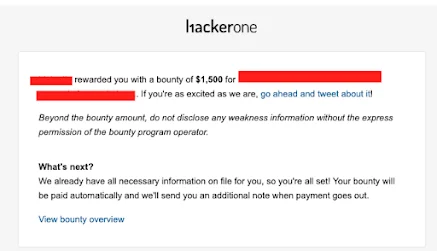
The image above appears just after the author says he reported the bug and, some days later, received something in response.
The author also deleted images belonging to some real users in production to be sure the bug was real, noting that this is not allowed and would have made the report ineligible for a bounty had the company known. That is a serious point for anyone learning: testing on real users' data causes real harm, and it can void the reward even when the bug is genuine.
Why it worked
The delete request carries object identifiers supplied by the client, and swapping them for another account's identifiers caused that account's image to be deleted. In plain terms: the server asks "which image does this request name?" and then deletes it, without also asking "and does the person sending this request own that image?". The profile identifier is exposed in page source, and the image URL contains both identifiers, so an attacker can obtain them and substitute them into their own captured request.
The report does not describe the server-side code, so the exact check that is missing is not stated; likely the ownership check between the session's user and the referenced profile or image is absent or insufficient. The author described the application as extremely secure, and the CSRF review found nothing. Good locks on the front door do not help if the stockroom key is hanging on a hook in the shop window.
Impact
The author states that using this vulnerability he could delete billions of users' images. The condition is that the attacker knows, or can obtain, the target's profile and image identifiers, which the report shows are available from public profile pages and image URLs. The effect is deletion of other users' images, a destructive action on data the attacker does not own. The report does not describe any other action, such as reading private data or modifying other objects, being possible through this endpoint.
Fix
The fix implied by the finding is a server-side ownership check on the delete endpoint: the request should only succeed when the logged-in user owns the referenced profile and image, rather than trusting identifiers supplied by the client. In cloakroom terms, the attendant must check that the ticket belongs to the person holding it, not just that the number matches a coat on the rack.
Variants to test
If you want to practise this pattern on a target you are allowed to test, these are the natural next questions.
- Apply the same identifier swap to other state-changing endpoints on the same application, such as editing a profile, deleting comments or deleting posts. A positive result is a success status and a visible change on the victim account.
- Test the delete endpoint with only one of the two identifiers swapped, to see which parameter the authorisation check depends on. A positive result is deletion succeeding with a mismatched pair.
- Check whether identifiers are exposed in page source, image URLs or API responses for objects that are not public. A positive result is an identifier for a private object being readable by another user.
- Try the same pattern on endpoints that accept identifiers in the request body or headers rather than the URL. A positive result is the same cross-account effect with a 2xx response.
- Test whether the endpoint accepts identifiers belonging to objects the attacker has never interacted with, to confirm there is no per-session binding. A positive result is deletion of an object the attacker only learned about from a public page.
What the author took away
The write-up closes with the lessons he drew from the bug: never give up; bugs are everywhere and nothing is secure; be persistent; understand the logic of the application; and do not rely on tools, because the work is manual. The last one is worth unpacking. Burp recorded the traffic, but the insight came from reading the requests and asking what each one was allowed to do. A tool shows you the door; you still have to try the handle.
Glossary
- API: the set of addresses and rules a website's pages use to talk to its server in the background.
- Attacker account: the account the researcher controls and uses to send the malicious request.
- Broken Access Control: a broad bug class where a user can do something they are not authorised to do.
- Bug bounty program: a scheme where a company pays outside researchers for valid bug reports.
- Burp (Burp Suite): a tool that records, inspects and replays the requests between your browser and a server.
- Cookie: a small piece of text a site stores in your browser and gets back with each request, used to recognise you.
- CSRF (Cross-Site Request Forgery): a bug where a malicious page tricks your browser into sending a request you did not intend.
- CSRF token: a random value placed in a site's pages and expected back with state-changing requests, to prove the request came from the site itself.
- DELETE request: an HTTP request whose method asks the server to remove an object.
- Endpoint: the specific address on a server that a request is sent to.
- GET request: an HTTP request whose method asks the server to return something.
- Header: extra information attached to a request or response, separate from the address and body.
- HackerOne: a platform that hosts bug bounty programs.
- IDOR (Insecure Direct Object Reference): a bug where the server acts on an object named by an identifier from the client without checking that the client owns it.
- Identifier: the value that names one specific object, such as one user, image or comment.
- Method: the verb of an HTTP request, such as GET, POST or DELETE, saying what kind of action is wanted.
- Parameter: a named value attached to a request, usually in the URL after a question mark.
- POST request: an HTTP request whose method usually asks the server to create something from data you send.
- Production: the live system real users are using, as opposed to a test copy.
- Recon (reconnaissance): exploring a target to learn its pages, features and structure.
- Request: the message your browser sends to a server asking it to do something.
- Response: the server's reply to a request, including a status code.
- Scope: the list of systems a bug bounty program allows you to test.
- Session cookie: the cookie that proves you are logged in; anyone who has it can act as you.
- Source code (page source): the raw text a browser receives and turns into the page you see; it can contain values not visible on screen.
- Status code: a three-digit number in a response summarising the outcome, such as 200, 204, 403 or 404.
- Victim account: the second account the researcher controls, standing in for another user's data.
- White hat hacker: someone who finds bugs and reports them to the owner instead of misusing them.
- 204: a status code meaning the action succeeded and there is no content to return.
- 2xx: the family of status codes meaning success.



