IDOR in /app-api/enduserapp/profile/{userId} — Cross-Account PII Disclosure
The profile endpoint trusted a numeric user ID from the request and returned another user's full profile without checking any relationship between the requester and the target. An authenticated attacker could read other users' personal data and enumerate valid accounts by the difference between 200 and 404 responses.
 Published on medium.com
Cybersecurity
The full write-up lives on its author's site
It belongs to its author, so we link to it rather than copy it. The other two tabs are our own rewrites, checked against it.
Context
The target was a web platform reachable at sub.example.com, and the feature under review was the end-user profile API. The endpoint GET /app-api/enduserapp/profile/{userId} returns the profile object belonging to the user identified by the numeric userId path parameter. According to the report, that object contains the user's name, email/login, job title, company, physical address, phone number, website and avatar URL.
Normally such an endpoint should only return data the requesting session is entitled to see: the caller's own profile, or the profile of a user with whom the caller has some sharing, collaboration or enterprise relationship. The report describes the endpoint as returning the profile of any user whose ID is supplied, with no such relationship checked.
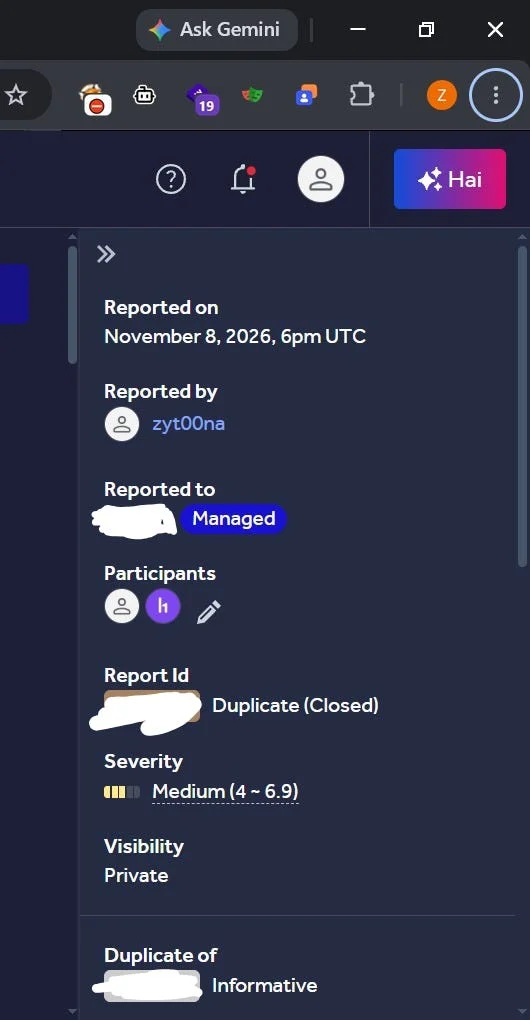
The issue was reported through HackerOne and rated High, classified as CWE-639, Authorization Bypass Through User-Controlled Key.
Setup
Two unrelated accounts were created on sub.example.com:
| Account | User ID | |
|---|---|---|
| A | [redacted] | <ID_A> |
| B | [redacted] | <ID-B> |
Before testing, the researcher confirmed that no sharing, collaboration or enterprise relationship existed between the two accounts. This was done by requesting Account B's folder contents while authenticated as Account A, which returned an empty result:
{"items":[]}
That empty response is the baseline: from Account A's session, Account B's resources are not visible through the normal sharing path. The test therefore had a clean precondition, two accounts with no legitimate reason to see each other's data.
Finding it
The endpoint takes a raw numeric user ID as a path parameter and returns the profile object for that ID. The researcher's observation was that the server authenticates the request (it checks that the session is valid) but does not authorise it (it does not check whether that session has any relationship to the requested user). The direct object reference, the user ID, is trusted entirely from the client request.
A second observation came from the response behaviour itself: valid user IDs return 200 OK, while non-existent ones return 404 userNotFound. That difference makes it possible to enumerate users by iterating sequential or guessed numeric IDs, independently of the profile data leak.
The vulnerability was confirmed in both directions, using the two unrelated accounts: A reading B, and B reading A.
Exploitation
Step 1: Create and authenticate two unrelated accounts
Two separate accounts, A and B, were created and authenticated on sub.example.com. No relationship of any kind was established between them.
Step 2: Confirm there is no sharing relationship
While authenticated as Account A, the researcher requested Account B's folder contents. The response was {"items":[]}, confirming that the normal sharing path exposes nothing of B to A.
Step 3: Request Account B's profile as Account A
Still authenticated as Account A, the following request was sent:
GET /app-api/enduserapp/profile/<ID> HTTP/2Host: sub.example.comAccept: application/json
The path carries the target user's numeric ID, and the Accept: application/json header asks for the JSON representation. The request is made from Account A's authenticated session.
Step 4: Observe the response
The server responded 200 OK with Account B's full profile, including the email/login. The data returned was not limited to the fields needed to render a name: it was the complete profile object described above.
Step 5: Reverse the test
The test was repeated in the other direction, authenticated as Account B, requesting Account A's profile:
GET /app-api/enduserapp/profile/<ID> HTTP/2
Again the response was 200 OK, this time with Account A's profile data. The result was confirmed in both directions.
Control tests
Three control requests were used to show that the behaviour is driven by the ID and is not a general authentication bypass:
- A non-existent numeric
userIdreturned404 userNotFound. - A request with no authentication or session returned
401 sessionExpired. - Requesting one's own
userIdreturned200 OK, which is the expected, legitimate access.
Together these show that the session check works, that the object lookup works, and that the only missing piece is the check between the session's identity and the requested object.
Root cause
The endpoint performs authentication but not authorization. The userId path parameter is taken as the object reference and used directly to look up and return the profile, with no comparison against the requesting session's own identity and no check of any collaboration graph. The report attributes the flaw to CWE-639: the server trusts a user-controlled key to select the object, and the key is the only thing standing between a session and another user's data.
Existing defences did not stop it because the session validation that was in place answers only the question "is this a valid session?", not "is this session allowed to see this object?". The 401 sessionExpired control shows a session check exists; the 200 OK on a foreign ID shows no ownership check. The distinct 404 userNotFound response for unknown IDs is a separate design choice that turns the endpoint into a user enumeration oracle as well.
Impact
The disclosed fields are:
- Full name
- Email address / login identifier
- Job title
- Company name
- Physical address
- Phone number
- Website
- Avatar URL
According to the report, this enables:
- Mass PII harvesting by iterating sequential numeric user IDs across the platform.
- User enumeration, independent of the PII leak, via the
200/404status-code difference. - Targeted phishing and social engineering, because the disclosed data (name, job title, company, direct phone and email) is what is needed to craft convincing spear-phishing or pretexting attacks against specific employees or organisations using the platform.
- Privacy and compliance exposure for organisations relying on the platform, since employee contact and role data can be pulled without their knowledge and without any audit trail tied to a legitimate business reason.
Fix
The report does not state what was changed.
Variants to test
- Other endpoints that take a numeric user ID. Look for paths such as
/profile/{id},/users/{id},/settings/{id}or/documents?userId={id}. A positive result is a200carrying another account's data from a session with no relationship to it. - Nested object references. Try IDs belonging to child resources, for example a folder or file ID inside a path that also contains a user ID. A positive result is data from the other account appearing where the normal sharing path returned an empty list.
- Identifier types other than numeric. Try UUIDs, slugs and email addresses in the same position. A positive result is the same cross-account disclosure with a non-sequential identifier, which removes the enumeration angle but keeps the authorization gap.
- Status-code oracles. Compare responses for valid, invalid and foreign IDs. A positive result is a consistent difference (for example
200versus404, or different error bodies) that reveals whether an ID exists. - Method variations. Repeat the request with
HEAD,POSTandPUTon the same path. A positive result is a write or metadata response that also bypasses the ownership check. - Bulk or batch endpoints. Look for endpoints that accept a list of IDs. A positive result is a response containing profiles for IDs the session has no relationship with, which makes harvesting cheaper than one request per ID.
What happened, in plain words
A website had a page that shows a user's profile. Behind that page sits an API: a way for programs (and the browser's own scripts) to ask the server for data directly, without loading a full web page. You can think of an API as a restaurant's serving hatch: you pass a written order through it and get a dish back, without going into the kitchen.
The order in this case was a request for a profile, and the order slip contained a number identifying which user's profile was wanted. The server checked that the person ordering was logged in, but never checked whether that person was allowed to see the dish they had ordered. So anyone with an account could type someone else's number and receive that person's full profile: name, email, job title, company, address, phone number, website and avatar picture.
This kind of mistake has a name: IDOR, short for Insecure Direct Object Reference. It means the server takes an identifier straight from the request (here, a user number) and uses it to fetch the object, without asking whether the requester is entitled to that object. The formal classification given in the report is CWE-639, Authorization Bypass Through User-Controlled Key.
The researcher proved it with two ordinary accounts that had nothing to do with each other, and showed that each could read the other's profile. The report was filed through HackerOne, a bug bounty platform where security researchers report flaws to companies, and was rated High severity.
The image at the top of the report shows the title and the author's handle, as published.
The target and the feature
The platform was reachable at sub.example.com. The feature under review was the end-user profile API, the part of the system that hands out profile information about the people who use the site.
The endpoint is the address of that feature. It is written as GET /app-api/enduserapp/profile/{userId}. GET is the type of request that means "give me something"; it is what your browser does when you open a page. The part after it is the path, like a street address inside the site. {userId} is a placeholder: in a real request it is replaced by an actual number, the user's ID.
According to the report, the profile object returned by that endpoint contains the user's name, email/login, job title, company, physical address, phone number, website and avatar URL. An object here just means a bundle of related data, the way a paper form has several fields on it.
What should happen is simple: the endpoint should only return data the requesting session is entitled to see. A session is the state of being logged in; the server recognises you on each request because your browser sends a cookie or token, a small piece of proof of identity, like a wristband at an event. Entitled means either your own profile, or the profile of someone you have a real relationship with on the platform: sharing, collaboration, or membership of the same enterprise (business) account.
The report says the endpoint returned the profile of any user whose ID was supplied, with no such relationship checked.
Setting up the test
Two unrelated accounts were created on sub.example.com:
| Account | User ID | |
|---|---|---|
| A | [redacted] | <ID_A> |
| B | [redacted] | <ID-B> |
Two accounts are needed because the whole question is whether one account can see the other's data. If you only had one account, you could not tell a leak from normal behaviour.
Before testing, the researcher confirmed that no sharing, collaboration or enterprise relationship existed between the two accounts. This was done by requesting Account B's folder contents while logged in as Account A. The response was an empty result:
{"items":[]}
Line by line: this is JSON, a text format for structured data that APIs commonly use. The outer braces { } hold an object. Inside is one field, items, whose value is [], an empty list. In plain words: "there are no items here for you".
That empty response is the baseline, the starting point you compare later results against. From Account A's session, Account B's resources are not visible through the normal sharing path. So the test had a clean precondition: two accounts with no legitimate reason to see each other's data. If the sharing path had shown B's folders to A, then A seeing B's profile might have been intended behaviour, and there would be nothing to report.
Finding the flaw
The endpoint takes a raw numeric user ID as a path parameter and returns the profile object for that ID. The researcher's observation was that the server authenticates the request but does not authorise it.
Those two words sound alike but mean different things. Authentication answers "who are you?": it checks that the session is valid, that the wristband is genuine. Authorisation answers "are you allowed to do this?": it checks whether this particular session may see this particular object. The server did the first and skipped the second. The direct object reference, the user ID, was trusted entirely from the client request.
A second observation came from the response behaviour itself. When a request succeeds, the server replies with a status code, a three-digit number that summarises the outcome. Valid user IDs returned 200 OK, meaning success. Non-existent ones returned 404 userNotFound, meaning "no such thing". That difference makes it possible to enumerate users: to work out which IDs exist by trying numbers and watching the replies, independently of the profile data leak. It is like a building where knocking on a real door gets a hello and knocking on a fake door gets silence; you can map the building without entering any room.
The vulnerability was confirmed in both directions, using the two unrelated accounts: A reading B, and B reading A. The result was confirmed in both directions.
Exploitation
Step 1: Create and authenticate two unrelated accounts
Two separate accounts, A and B, were created and logged into on sub.example.com. No relationship of any kind was established between them. This is the controlled setup: any data crossing between them later can only come from the flaw.
Step 2: Confirm there is no sharing relationship
While logged in as Account A, the researcher requested Account B's folder contents. The response was {"items":[]}, confirming that the normal sharing path exposes nothing of B to A. This step exists to prove the precondition rather than assume it.
Step 3: Request Account B's profile as Account A
Still logged in as Account A, the following request was sent:
GET /app-api/enduserapp/profile/<ID> HTTP/2Host: sub.example.comAccept: application/json
Line by line:
GET /app-api/enduserapp/profile/<ID> HTTP/2is the request line.GETasks for data. The path points at the profile endpoint, with<ID>standing in for the target user's number.HTTP/2is the version of the web protocol being used, the language the browser and server speak.Host: sub.example.comtells the server which site the request is for. One server can host many sites, so this is how the request is routed to the right one.Accept: application/jsontells the server the client would like the answer in JSON, the structured text format described above.
The path carries the target user's numeric ID, and the Accept: application/json header asks for the JSON representation. The request is made from Account A's authenticated session, so the server knows who is asking and still returns someone else's data.
Step 4: Observe the response
The server responded 200 OK with Account B's full profile, including the email/login. The data returned was not limited to the fields needed to render a name: it was the complete profile object described above. In other words, the serving hatch did not just confirm the dish existed, it handed over the whole tray.
Step 5: Reverse the test
The test was repeated in the other direction, logged in as Account B, requesting Account A's profile:
GET /app-api/enduserapp/profile/<ID> HTTP/2
This is the same request line as before, with <ID> now standing for Account A's number, sent from B's session. Again the response was 200 OK, this time with Account A's profile data.
Control tests
Three control requests were used to show that the behaviour is driven by the ID and is not a general authentication bypass. A control is a deliberate comparison: you change one thing at a time to see what causes the result.
- A non-existent numeric
userIdreturned404 userNotFound. So the lookup itself works and reports honestly when there is nothing to find. - A request with no authentication or session returned
401 sessionExpired. So the login check is present and does reject anonymous callers. - Requesting one's own
userIdreturned200 OK, which is the expected, legitimate access. So the endpoint does work normally for the right person.
Together these show that the session check works, that the object lookup works, and that the only missing piece is the check between the session's identity and the requested object.
Root cause
The endpoint performs authentication but not authorization. The userId path parameter is taken as the object reference and used directly to look up and return the profile, with no comparison against the requesting session's own identity and no check of any collaboration graph. The report attributes the flaw to CWE-639: the server trusts a user-controlled key to select the object, and the key is the only thing standing between a session and another user's data.
Existing defences did not stop it because the session validation that was in place answers only the question "is this a valid session?", not "is this session allowed to see this object?". The 401 sessionExpired control confirms the first check exists; the 200 OK on a foreign ID confirms the second does not. The distinct 404 userNotFound response for unknown IDs is a separate design choice that turns the endpoint into a user enumeration oracle as well: an oracle here meaning any behaviour that answers a question you were not meant to be able to ask.
Impact
The disclosed fields are:
- Full name
- Email address / login identifier
- Job title
- Company name
- Physical address
- Phone number
- Website
- Avatar URL
PII stands for personally identifiable information: data that points at a specific real person. According to the report, this enables:
- Mass PII harvesting by iterating sequential numeric user IDs across the platform. Iterating means trying one number after another, like dialling every extension in an office.
- User enumeration, independent of the PII leak, via the
200/404status-code difference. - Targeted phishing and social engineering, because the disclosed data (name, job title, company, direct phone and email) is what is needed to craft convincing spear-phishing or pretexting attacks against specific employees or organisations using the platform. Phishing is a fake message designed to trick someone into acting; spear-phishing is the same aimed at one person; pretexting is inventing a believable reason to ask for something.
- Privacy and compliance exposure for organisations relying on the platform, since employee contact and role data can be pulled without their knowledge and without any audit trail tied to a legitimate business reason. An audit trail is a record of who did what, which is what investigators would normally use to spot abuse.
Fix
The report does not state what was changed.
Variants to test
In each case, a positive result means data from another account appearing in a session with no relationship to it.
- Other endpoints that take a numeric user ID. Look for paths such as
/profile/{id},/users/{id},/settings/{id}or/documents?userId={id}. A positive result is a200carrying another account's data from a session with no relationship to it. - Nested object references. Try IDs belonging to child resources, for example a folder or file ID inside a path that also contains a user ID. A positive result is data from the other account appearing where the normal sharing path returned an empty list.
- Identifier types other than numeric. Try UUIDs, slugs and email addresses in the same position. A UUID is a long random-looking identifier; a slug is a readable name used in a URL. A positive result is the same cross-account disclosure with a non-sequential identifier, which removes the enumeration angle but keeps the authorization gap.
- Status-code oracles. Compare responses for valid, invalid and foreign IDs. A positive result is a consistent difference (for example
200versus404, or different error bodies) that reveals whether an ID exists. - Method variations. Repeat the request with
HEAD,POSTandPUTon the same path. These are other request types:HEADasks for headers only,POSTandPUTare normally used to send or change data. A positive result is a write or metadata response that also bypasses the ownership check. - Bulk or batch endpoints. Look for endpoints that accept a list of IDs. A positive result is a response containing profiles for IDs the session has no relationship with, which makes harvesting cheaper than one request per ID.
Glossary
- API: a way for software to ask a server for data or actions directly, without loading a full web page.
- Endpoint: the address of one specific API feature, made of a request type and a path.
- GET: the request type that asks the server to return something.
- Path parameter: a value placed inside the URL path, such as a user ID, that selects which object is wanted.
- JSON: a text format for structured data, built from objects in braces and lists in square brackets.
- Object: a bundle of related data fields returned or sent as one unit.
- Session: the state of being logged in, recognised by the server on each request.
- Cookie / token: a small piece of data the browser sends to prove which session it belongs to.
- Authentication: checking who the requester is, for example that the session is valid.
- Authorization: checking whether the requester is allowed to access the specific object or action.
- IDOR: Insecure Direct Object Reference; the server uses an identifier from the request to fetch an object without checking the requester's entitlement.
- CWE-639: the formal catalogue name for Authorization Bypass Through User-Controlled Key.
- Status code: a three-digit number in the server's reply summarising the outcome, such as
200 OK,401or404. - 200 OK: success; the request was understood and the data returned.
- 401 sessionExpired: the request was rejected because there was no valid session.
- 404 userNotFound: the requested object does not exist.
- Enumeration: working out which identifiers exist by trying them and observing the replies.
- Oracle: any behaviour that answers a question the requester was not meant to be able to ask.
- PII: personally identifiable information; data that points at a specific real person.
- Harvesting: collecting data in bulk, often by automated repetition.
- Phishing / spear-phishing / pretexting: a fake message designed to trick someone; aimed at one person; using an invented believable reason.
- Audit trail: a record of who did what, used to detect or investigate abuse.
- Rate limiting: a defence that slows or blocks repeated requests from one source.
- UUID: a long, random-looking identifier used instead of a simple number.
- Slug: a readable text identifier used in a URL.
- HEAD / POST / PUT: request types other than GET; HEAD asks for headers only, POST and PUT are normally used to send or change data.
- HackerOne: a bug bounty platform where researchers report flaws to companies.
- Bug bounty: a programme that rewards people for reporting security flaws responsibly.



