One Parameter One User’s Phone Number And Someone Else’s Email Address Famous Bus Booking in India
An API endpoint accepted a client-supplied phone number parameter and returned the email address of the user matching that number, without checking that the authenticated caller was that user. An attacker with any account could therefore retrieve another user's email address by supplying that user's phone number.

systemweakness.com
Published on systemweakness.com
Hacking
The full write-up lives on its author's site
It belongs to its author, so we link to it rather than copy it. The other two tabs are our own rewrites, checked against it.
Context
The target is IntrCity SmartBus, a bus booking application in India. The researcher describes poking around the application casually and finding that it trusted API calls more than it should. The vulnerable functionality is an API endpoint used during the application's user-related workflow, which accepts a parameter named verified_number. The application appears to use the supplied phone number to identify the corresponding user, and the endpoint returns user information, including the email address, for the account matching that phone number.
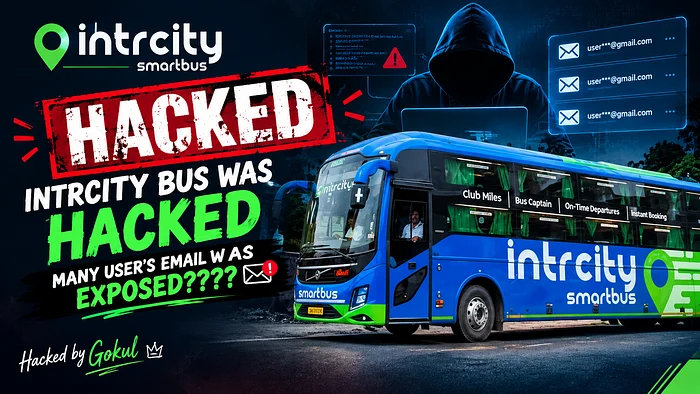
The image caption reads 'Hacked and Fixed Officially'.
Setup
The report refers to two users, User A and User B. The request was sent while authenticated as User A, while the supplied phone number belonged to User B. No specific tools, versions or other preconditions are described. The researcher says the behaviour was confirmed using controlled test accounts and that testing stopped beyond what was necessary to demonstrate the issue.
Finding it
While poking around the application, the researcher made a few harmless parameter tweaks and found that the app trusted API calls more than it should. There was no SQL injection, no complicated exploit chain and no brute force. The issue was a parameter that looked a little too trusting. After a few harmless changes, the application allowed the researcher to request information associated with a different user's phone number, and that information included the user's email address.

The researcher classifies the issue primarily as CWE-639, Authorization Bypass Through User-Controlled Key, and also as CWE-200, Exposure of Sensitive Information to an Unauthorized Actor. The core problem is that the server appeared to trust a client-controlled identifier when determining which user's information should be returned. The application should have established who is making the request and then verified whether that user is actually authorized to access the account. Instead, the logic appeared closer to asking which phone number the client sent.
Exploitation
Step 1: Identify the parameter
The vulnerable endpoint accepted a parameter named verified_number. At first glance nothing seemed unusual, and the application appeared to use the supplied phone number to identify the corresponding user.
Step 2: Supply another user's phone number
The researcher tested what happens if the phone number supplied by the client belongs to someone else. The request was sent while authenticated as User A, but the supplied phone number belonged to User B.
GET /sample/p/******User.json?verified_number=<USER_B_PHONE>Host: <REDACTED>
The request is a GET to a user JSON resource, with the verified_number query parameter carrying User B's phone number. The host is redacted in the report. The session is authenticated as User A.
Step 3: Observe the response
The server responded with information associated with the other account. The expected behaviour would have been to reject the request because User A should not be able to retrieve User B's account information, for example with an authorization failure such as:
{ "status": false, "message": "Unauthorized"}
Instead, the API processed the supplied identifier and returned information associated with User B, conceptually:
{ "email": "[redacted]"}
The actual value has intentionally been redacted. The researcher notes that actual phone numbers and email addresses are redacted for privacy reasons.
Root cause
The report explains the problem with a two-user model. User A has phone 9876543210 and email [redacted], and User B has phone 9123456780 and email [redacted] When User A makes a request, the server should derive the identity from the authenticated session, check authorization and return User A's information. If the application instead follows the client-controlled phone number, searches for the user, finds User B and returns User B's information, then the authorization boundary has effectively been broken. The client is influencing which user object the server accesses.
The report does not show the server-side code, so the exact implementation mistake is not stated. The described behaviour is consistent with the server using the client-supplied verified_number as the key for the lookup without checking that the authenticated session belongs to that phone number. The report does not describe any defence that was present and failed.
Impact
An authenticated user could request information associated with a different user's phone number, and that information included the other user's email address. The researcher categorises this as exposure of sensitive information to an unauthorized actor. The researcher deliberately did not attempt to collect a database of users, did not automate enumeration against the production user base and did not access unnecessary personal information.
Fix
The report lists recommended remediation as part of the disclosure, but does not spell out the recommendation beyond the expected behaviour: the server should reject the request when the authenticated user is not authorized to access the account identified by the supplied phone number, returning an authorization failure such as the example above.
Disclosure
The researcher documented the behaviour and responsibly disclosed the vulnerability to the appropriate security team. The report included the affected endpoint, the vulnerable parameter, reproduction steps, sanitised request and response examples, security impact, CWE classification and recommended remediation. The researcher also reported the issue to Cert-In.
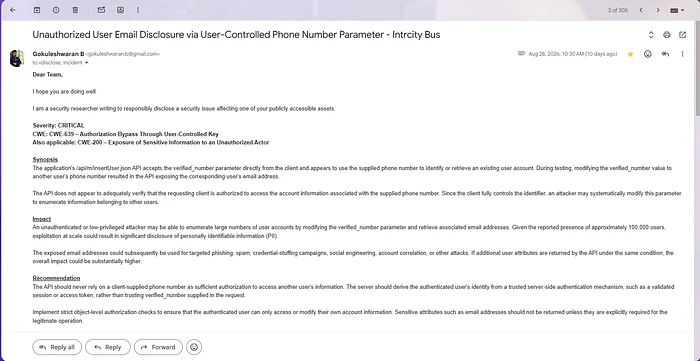
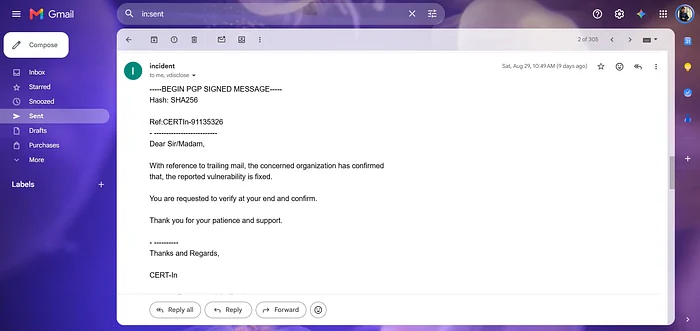
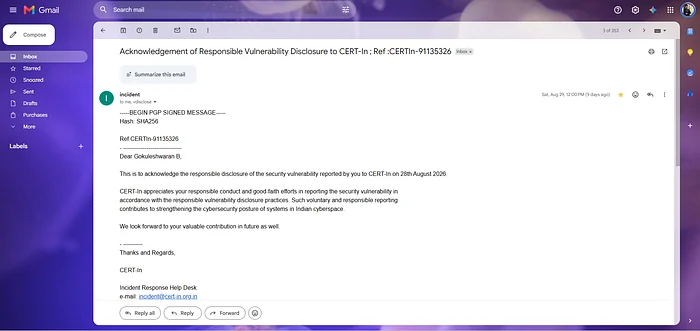
The report shows the submission to Cert-In, the reply from Cert-In and the Cert-In acknowledgement.
Variants to test
Whenever an API accepts identifiers such as user_id, account_id, phone, email, profile_id, customer_id or order_id, the researcher asks three questions: who controls this value, does changing it change the object being accessed, and does the server verify that the authenticated user is actually authorized to access that object.
Automation can find patterns, but human curiosity finds logic flaws. A scanner might report 200 OK without understanding why changing a parameter made the server return another user's information. That is where manual authorization testing matters.
What happened, in plain words
A security researcher was looking around a bus booking app used in India, called IntrCity SmartBus. You use it like any travel app: you search for buses, pick a seat, pay, and get a ticket. To do all that, the app has to know who you are, so it keeps information about your account, such as your phone number and your email address.
While clicking around, the researcher noticed something odd. The app has a part that, when asked "tell me about the user with this phone number", answers with that user's details. The researcher changed the phone number in that request to a phone number belonging to a different account, and the app happily returned that other person's email address.
That is the whole bug. No clever attack, no special tool, no breaking into anything. Just one value in one request that the app trusted too much. The researcher reported it, and an image caption reads 'Hacked and Fixed Officially'.
The image above is captioned "Hacked and Fixed Officially".
The app, and the part of it that was tested
Before the technical detail, two ideas you need.
What an API is. When you tap a button in a mobile app, the app usually does not have all the data it needs on your phone. It sends a message over the internet to the company's computers, asking for something, and the computers send an answer back. That conversation is an API call. Think of a restaurant: you (the app) tell the waiter (the API) what you want, the waiter goes to the kitchen (the server), and brings back a plate (the response). You never walk into the kitchen yourself. An API is simply the agreed way for the app and the server to talk.
What a parameter is. A parameter is a small piece of information you attach to that request, like writing a note on the order: "no onions", "table for two". In a web address, parameters usually come after a question mark, in the form name=value. The server reads them and decides what to do. If the server trusts a parameter more than it should, that is where trouble starts.
The researcher describes casually poking around the application, not running a big automated attack. A few small changes to parameters were enough to see that the app trusted its API calls more than it should.
The image above is captioned "Sitting with Tired and Sleepy" and sits right after the description of that casual exploration.
What was not involved matters too, because it shows how simple the issue was:
- No SQL injection. That is a classic attack where you sneak database commands into an input field so the database runs them. Nothing like that here.
- No complicated exploit chain. That would be several small weaknesses stacked on top of each other until they add up to a break-in. Here there was only one step.
- No brute force. That means trying thousands of guesses, such as passwords, until one works. Not needed.
Just a parameter that looked a little too trusting. After a few harmless changes, the application let the researcher ask for information tied to a different user's phone number, and that information included the user's email address.
What kind of bug this is
The researcher puts the issue in two well-known categories. These category names come from CWE, a public catalogue of software weakness types, a bit like a dictionary of known mistakes.
- CWE-639, Authorization Bypass Through User-Controlled Key. "Authorization" means deciding whether you are allowed to do something. A "key" here is the value used to look up a record, such as a phone number used to find a user. "User-controlled" means the person sending the request gets to choose that value. So the whole phrase means: the app lets you choose the key, and that choice lets you get past the permission check.
- CWE-200, Exposure of Sensitive Information to an Unauthorized Actor. In plain words: private data reached someone who should not have seen it.
The core problem, as the researcher describes it, is that the server trusted a value chosen by the client when deciding whose information to return. The server should have asked two questions in order:
- Who is making this request? (Which logged-in account is this?)
- Is that account actually allowed to access the account being asked about?
Instead, the logic appeared closer to a single question: which phone number did the client send? That difference is where the vulnerability lived.
A useful everyday comparison: imagine a hotel reception desk. The correct behaviour is to check your key card, see which room it opens, and only give information about that room. The broken behaviour is to ask "which room number would you like to know about?" and then answer, without ever checking whether the room is yours.
The finding
The vulnerable functionality was an API endpoint used during the application's user-related workflow. An endpoint is simply one specific address on the server that does one specific job, like one counter in a large office. This particular counter deals with user information.
The endpoint accepted a parameter named:
verified_number
At first glance, nothing seemed unusual. The application appeared to use the supplied phone number to identify the corresponding user. That is a normal design: many apps look you up by phone number, because your phone number is how you signed up.
But then came the interesting part. What happens if the phone number supplied by the client belongs to someone else? The researcher tested that scenario in a controlled manner. And the server responded with information associated with the other account. That should not happen.
Proof of concept
A proof of concept is the smallest, clearest demonstration that a bug is real, without causing harm. For obvious privacy reasons, the researcher redacts actual phone numbers and email addresses. Redacting means replacing the real value with a placeholder so the report can be published safely.
The request
GET /sample/p/******User.json?verified_number=<USER_B_PHONE>Host: <REDACTED>
Line by line, in plain words:
GETis the type of request. It means "please give me something", as opposed to sending something in. It is the same kind of action your browser performs when you open a web page./sample/p/******User.jsonis the path, the address of the specific resource being asked for. The******shows that part of the path has been masked in the report. The.jsonending tells you the answer comes back in JSON, a common text format for structured data, which looks like labelled values in curly brackets.?verified_number=<USER_B_PHONE>is the parameter. Everything after the?is extra information sent along with the request. The parameter is calledverified_number, and its value is a placeholder standing for User B's phone number.Host: <REDACTED>is a header. Headers are extra lines of information attached to a request, like the address written on an envelope. This one says which server the request is for. The report masks it.
The request was sent while logged in as User A, yet the phone number supplied belonged to User B. That mismatch is the entire test. If the server answers with User B's details, it has confused "who is asking" with "who is being asked about".
What should have happened
The server should have rejected the request, because User A should not be able to retrieve User B's account information. Something along these lines:
{ "status": false, "message": "Unauthorized"}
This is a JSON answer with two labelled values. status is false, meaning the request did not succeed, and message is Unauthorized, meaning you are not allowed to do this. It is the digital equivalent of a door that stays shut and a polite sign saying you do not have access.
What actually happened
Instead, the API processed the supplied identifier and returned information associated with User B. Conceptually, something like:
{ "email": "[redacted]"}
Again, a JSON answer, this time with a single label, email, and a value. The value shown is a placeholder; the actual address has intentionally been redacted. The important part is not the specific address but the fact that an answer came back at all, and that the answer belonged to the other account.
That was the moment the finding became much more interesting: the server had not just failed to say no, it had actively fetched the wrong person's data.
What is actually going wrong
The report explains the problem with a two-user model. Imagine the application has two users:
User APhone → 9876543210Email → [redacted]
User BPhone → 9123456780Email → [redacted]
These two blocks are just a simple picture of two accounts. Each account has a phone number and an email address, joined by arrows to show which belongs to which. The values are examples, not real people's details.
Now User A makes a request. The server should derive the identity from the authenticated session. A session is the server's memory of "you are logged in as this account". When you log in, the server gives your browser or app a small piece of proof, often called a cookie or a token, and your app shows it on every later request. Think of a wristband at an event: you show it once at the gate, and after that staff can see at a glance that you are inside. The server should read that wristband, not your words, to decide who you are.
The correct flow looks like this:
Authenticated User ↓ User A ↓Check authorization ↓Return User A's information
Reading it in order: first the server works out the authenticated user, which is User A. Then it checks authorization, meaning it confirms User A is allowed to see what was asked for. Only then does it return User A's information. The arrows simply show the order of steps, top to bottom.
But if the application instead follows this flow:
Client-controlled phone number ↓ Search user ↓ Find User B ↓ Return User B's information
then the authorization boundary has effectively been broken. The boundary is the line between "things that are mine" and "things that are not". Here the server takes the phone number supplied by the client, searches for the matching user, finds User B, and returns User B's information. The client is influencing which user object the server accesses. A user object is simply the bundle of stored details about one account.
The report does not show the server-side code, so the exact programming mistake is not stated. The described behaviour is consistent with the server using the client-supplied verified_number as the key for the lookup without checking that the logged-in session belongs to that phone number. The report does not describe any defence that was present and failed.
Why automation is not everything
Tools are amazing, and the researcher uses them: recon tools, scanners, fuzzers and crawlers. Recon means gathering information about a target before testing. A scanner automatically probes for known problems. A fuzzer throws large amounts of slightly varied input at an app to see what breaks. A crawler walks through a site and maps its pages. They can save enormous amounts of time.
But this particular behaviour is a good reminder that automation can find patterns, while human curiosity finds logic flaws. A logic flaw is a mistake in how the app reasons about what is allowed, rather than a broken piece of code that crashes. A scanner might tell you:
200 OK
That is the standard web answer meaning "here is your page, all fine". But a scanner does not necessarily understand the real question:
Why did changing this parameter make the server return another user's information?
That question needs a person who understands what the app is supposed to do. That is where manual testing becomes important.
What to look for during authorization testing
Whenever you find an API that accepts identifiers, meaning values that point at a specific record, such as:
user_idaccount_idphoneemailprofile_idcustomer_idorder_id
this list is just a set of common names for such values. user_id and account_id point at accounts, phone and email at contact details, profile_id at a profile, customer_id at a customer, order_id at an order. The researcher immediately asks three questions:
- Who controls this value? Can the person sending the request choose it freely, or does the server fill it in?
- Does changing it change the object being accessed? If you swap the value for another account's value, does the answer change accordingly?
- Does the server verify that the authenticated user is actually authorized to access that object? This is the crucial one. Even if the value is easy to change, the server should refuse when the logged-in account does not own the record.
This simple thought process has uncovered a surprising number of access-control issues. Access control is the general name for all the rules about who may do what.
What the researcher did next
Once the behaviour was confirmed using controlled test accounts, the researcher stopped testing beyond what was necessary to demonstrate the issue. This restraint is part of doing security research responsibly. Specifically, the researcher:
- did not attempt to collect a database of users;
- did not automate enumeration against the production user base. Enumeration means walking through many possible values, such as many phone numbers, to see which ones exist;
- did not access unnecessary personal information.
Instead, the researcher documented the behaviour and responsibly disclosed the vulnerability to the appropriate security team. Responsible disclosure means telling the organisation privately, giving it a chance to fix the problem, rather than publishing it or exploiting it.
The report included:
- the affected endpoint;
- the vulnerable parameter;
- reproduction steps, meaning instructions clear enough for someone else to see the same result;
- sanitised request and response examples, with real personal data removed;
- the security impact, meaning what harm the bug could cause;
- the CWE classification, the category names described earlier;
- recommended remediation, meaning suggested fixes.
The goal of security research is not to collect someone's data. The goal is to prove that the data could be exposed and then help make sure it cannot be.
Reporting to Cert-In
Cert-In is India's national computer emergency response team, a government body that coordinates reports about security problems. The researcher also reported the issue there.
The image above is captioned "Report to Cert-In" and shows the submission.
The image above is captioned "Reply Cert-In" and shows the reply received.
The image above is captioned "Cert-In Acknowledgement" and shows the acknowledgement.
Final thoughts
This was another good reminder that you do not always need an advanced exploit to find a serious vulnerability. Sometimes you just need to look at a request and ask: what happens if I change this? Then ask the more important question: should I be allowed to change it?
Broken access control continues to be one of the most interesting areas of web application security, because the application can look completely normal while the underlying authorization logic is fundamentally broken. Nothing crashes, no error appears, the page loads fine. The only sign is that the answer contains somebody else's data.
One parameter. One request. One missing authorization check. And suddenly another user's information is no longer private. That is the part that matters.
Keep testing. Keep learning. And most importantly, do not confuse access with authorization. Access means you managed to reach something. Authorization means you were allowed to. The bug lives in the gap between the two.
Glossary
- API: the agreed way for an app or website to ask a server for data or actions, like a waiter carrying orders between you and the kitchen.
- API call: one single request sent through an API, together with the answer that comes back.
- Endpoint: one specific address on a server that performs one specific job.
- Parameter: a named value attached to a request, such as
verified_number=..., used by the server to decide what to do. - Query parameter: a parameter placed after the
?in a web address. - Header: an extra line of information attached to a request or response, such as the
Hostline naming the server. - GET: the request type that means "give me something", used when opening pages or fetching data.
- Host: the header that says which server the request is addressed to.
- JSON: a plain-text format for structured data, written as labelled values inside curly brackets.
- Session: the server's memory that you are logged in as a particular account.
- Cookie / token: the small piece of proof your browser or app stores after login and shows on later requests, like a wristband at an event.
- Authenticated user: the account the server believes is making the request, based on the session.
- Authentication: proving who you are, for example by logging in.
- Authorization: deciding whether the authenticated user is allowed to do or see something.
- Access control: the overall set of rules about who may do what.
- Authorization boundary: the line between data and actions that belong to you and those that do not.
- Identifier: a value that points at one specific record, such as a user ID, phone number or order ID.
- User object: the bundle of stored details about one account.
- Client: the app or browser sending the request, as opposed to the server answering it.
- Server: the computer that stores data and answers requests.
- Client-controlled: a value that the person sending the request gets to choose.
- CWE: a public catalogue of software weakness types, used to name and classify bugs.
- CWE-639: Authorization Bypass Through User-Controlled Key, where a value chosen by the client lets you get past a permission check.
- CWE-200: Exposure of Sensitive Information to an Unauthorized Actor, where private data reaches someone who should not see it.
- SQL injection: an attack where database commands are smuggled into an input field so the database runs them.
- Exploit chain: several small weaknesses combined, one enabling the next, to achieve a bigger break-in.
- Brute force: trying very many guesses, such as passwords, until one works.
- Recon: gathering information about a target before testing it.
- Scanner: a tool that automatically probes an app for known kinds of problems.
- Fuzzer: a tool that sends large amounts of slightly varied input to see what breaks.
- Crawler: a tool that walks through a site and maps its pages and links.
- Logic flaw: a mistake in how the app reasons about what is allowed, rather than a crash or broken code.
- Enumeration: walking through many possible values, such as many phone numbers, to discover which ones exist.
- Proof of concept: the smallest, clearest demonstration that a bug is real, without causing harm.
- Redaction: replacing real values such as phone numbers or email addresses with placeholders so a report can be shared safely.
- Sanitised: cleaned of personal or sensitive data before being published.
- Reproduction steps: instructions clear enough for someone else to see the same result.
- Security impact: what harm a bug could cause if left unfixed.
- Remediation: the fix, or the recommended fix, for a vulnerability.
- Responsible disclosure: telling the organisation privately and giving it time to fix the problem before details are published.
- Cert-In: India's national computer emergency response team, which coordinates security reports.
- 200 OK: the standard web answer meaning the request succeeded and here is the result.
- Unauthorized: the answer meaning you are not allowed to perform this request.



