Restoring Permanently Deleted Projects via IDOR
A project management application allowed a user to access and restore a permanently deleted project by directly referencing its sequential ID in the URL, bypassing the intended restriction that restore should only apply to archived projects. An attacker with any account could enumerate IDs to view and restore deleted projects belonging to other users or organisations.
 Published on medium.com
Idor
The full write-up lives on its author's site
It belongs to its author, so we link to it rather than copy it. The other two tabs are our own rewrites, checked against it.
Context
This write-up covers an access control flaw in a project management application, in an organisation where projects can be duplicated, archived and deleted. The feature at the centre of it is Restore, which the researcher found had been designed for archived projects but was also reachable for projects that had been permanently deleted, as long as you referenced their IDs directly.
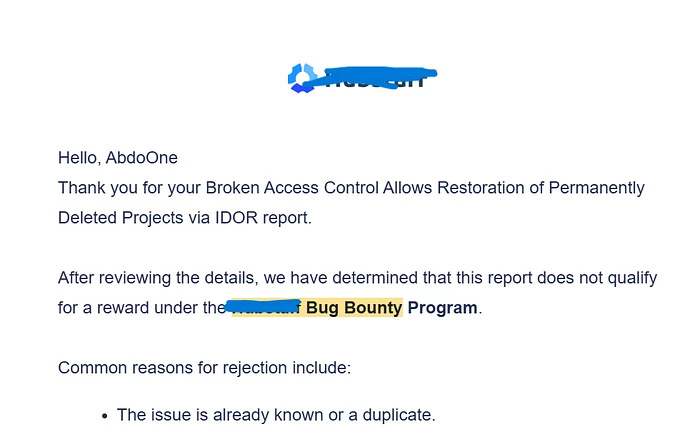
The researcher is Abdulrahman Reda, a final-year Computer Science student in the IT department with a focus on penetration testing. The report was eventually marked as a duplicate, but the research path is still worth reading.

Setup
Two roles were in play inside the same organisation:
- Owner, the higher-privileged account used for the privilege escalation testing and for deleting the project.
- Manager, a lower-privileged account that still had access to the project.
The main tool was Burp Suite, with the Autorize extension running in the background to compare requests automatically while the researcher tested privilege escalation from the Owner role. No versions are given.
Finding it
While testing privilege escalation from the Owner role, the researcher tried to duplicate a project using the name TEST. The application refused with:
"This name is already used."
The researcher was busy with another feature and left it. A few minutes later it came back to mind: the project named TEST had already been deleted, so it should not have existed any more. That made the error message suspicious. The request and URL were saved in notes and testing continued elsewhere before returning to investigate.
Exploitation
Step 1: rule out client-side validation
The first assumption was that the duplicate-name check might be client-side. The duplicate request was intercepted with Burp Suite and the project name was modified, but the server still returned the same "already used" error. The server still returned the same error, so the check did not appear to be client-side.
Step 2: compare the two flows
The researcher then went to the Projects page and created a brand-new project named TEST. Surprisingly, it was created successfully. That left two different behaviours:
| Action | Result |
|---|---|
| Duplicate Project with name "TEST" | "TEST" already exists |
| Create New Project with name "TEST" | "TEST" is accepted |
The inconsistency suggested that the duplicate functionality was treating deleted projects differently from the project creation flow.
Step 3: confirm the deleted project is still live
To understand what was happening, the researcher ran this test:
- Using the Manager account, open the TEST project.
- Using the Owner account, delete that project.
- Return to the Manager session and refresh the page.
Even though the project had been deleted, the Manager page was still accessible. The researcher could still perform actions such as inviting members to the deleted project. That caught his attention immediately.
Step 4: reach the deleted project from the Owner session
The URL was copied from the Manager session after the project had been deleted. Opening the same URL again from the Owner session still gave access to the deleted project. The researcher also noticed that project IDs were sequential, which made enumeration possible.
The procedure was:
- Open any existing project.
- Change the URL from:
https://example.com/projects/{existing-project-id}
to:
https://example.com/projects/{deleted-project-id}
The application loaded the deleted project successfully.
Step 5: restore it
With the deleted project loaded, the researcher clicked Restore Project, and the deleted project was restored successfully.
One interesting observation was that the Restore functionality appeared to have been designed only for archived projects, but it was also available for permanently deleted projects by directly referencing their IDs.
Root cause
Two design mistakes combine here, and the report only implies the code-level detail, so treat the mechanism as likely:
- The delete operation does not make the object unreachable. After deletion, the project page, its member-invitation actions and its restore action all remain bound to the project ID. Deletion appears to be a state change rather than a removal.
- Object references are not authorised against the caller and the object state. Changing the project ID in the URL was enough to load the deleted project. Sequential IDs make it trivial to substitute another project's identifier, which is the classic IDOR condition.
The Restore endpoint is the clearest example: it was scoped to archived projects, but nothing enforced that scope, so a permanently deleted project could be passed to it. The duplicate-name check still treated the deleted project's name as taken, while the create flow did not.
Impact
Under the conditions in the report, a user who can reach a project URL, or who can guess a sequential project ID, can:
- open a project that has been permanently deleted;
- perform actions inside it, such as inviting members;
- restore it, undoing the deletion.
This undermines the expectation that permanent deletion is permanent, and it lets a lower-privileged role such as Manager keep working inside a project the Owner has removed. The researcher also noticed that project IDs were sequential, making enumeration possible. The report does not describe cross-organisation access, so the impact as documented is within the organisation where the researcher held both accounts.
Fix
The report does not say what was changed, if anything. Based on the behaviour described, the fixes would be:
- Enforce object-level authorisation on every project route, including the page itself, member invitations and Restore, checking both the caller's role and the project's current state.
- Make Restore accept only archived projects, rejecting any other state server-side.
- Make permanent deletion actually remove or tombstone the record so that its ID no longer resolves, and align the duplicate-name check with the create flow so both treat deleted names consistently.
- Replace sequential, guessable identifiers with unguessable ones, or authorise by ownership rather than by ID alone.
Variants to test
- State confusion on other lifecycle actions. Try archive, unarchive, delete, restore and transfer on objects in the wrong state. A positive result is any action succeeding on an object whose state should exclude it.
- Sequential ID substitution on every object route. Take a URL you legitimately own, decrement or increment the ID, and reload. A positive result is another tenant's or another user's object rendering with its data.
- Deleted-object reachability. Delete an object from one session and keep using the other session's tab: refresh, invite a member, edit a field. A positive result is any of those actions completing after deletion.
- Name-uniqueness oracles. Duplicate or create objects with the name of something you deleted. A positive result is the two flows disagreeing, which reveals that deleted records are still consulted.
- Role downgrade checks with Autorize. Replay privileged requests with a lower-privileged session and compare responses. A positive result is a successful action, not just a 200 with an error body.
What happened, in plain words
A project management application lets people work together on projects inside an organisation. Think of it like a shared folder system: several people belong to the same company account, and each person has a role that decides what they are allowed to do. Projects can be duplicated (copied), archived (put aside but kept), and deleted (thrown away).
The application also has a Restore button, which is meant to bring back a project that was archived. The researcher, Abdulrahman Reda, a final-year Computer Science student in the IT department with a focus on penetration testing, found that this Restore button also worked on projects that had been permanently deleted, as long as you knew the project's ID and put it in the web address yourself.
An ID here is just a number the application uses to tell one project apart from another, the way a ticket number tells one support case from another. When the application trusts whatever ID you put in the address without checking whether you are allowed to see that project, security people call it an IDOR, short for Insecure Direct Object Reference. In plain words: the door opens because you named the right number, not because you had the right key.
The report was eventually marked as a duplicate, meaning someone else had already reported the same issue. The researcher still shared the path he took, and that path is what this article walks through.
The setup: two accounts and one tool
Two roles were in play inside the same organisation:
- Owner, the account with more power. It was used to test privilege escalation and to delete the project.
- Manager, an account with less power that still had access to the project.
A role is a label the application attaches to a user account, and the label decides which buttons and pages that account can use. Privilege escalation means finding a way for a lower-powered account to do something only a higher-powered account should be able to do, or, as here, checking whether the lower role is properly limited.
The main tool was Burp Suite. Burp Suite is a program that sits between your browser and the website, so you can see and edit every request before it leaves your computer. A request is the message your browser sends to a server when you click something or load a page: it says what you want and carries your login details. A server is the computer on the other side that stores the data and answers.
The researcher also had an extension called Autorize running in the background. Autorize automatically repeats requests with a different (usually lower-privileged) session and compares the answers, so you can spot places where the lower role gets the same result as the higher one. A session is the state of being logged in: the server remembers who you are between requests.
A reference here means a link or an ID that points at that project.
How the researcher noticed it
While testing privilege escalation from the Owner role, the researcher tried to duplicate a project using the name TEST. Duplicating means asking the application to make a copy of an existing project. The application refused with:
"This name is already used."
At that moment the researcher was busy with another feature and left it alone. A few minutes later it came back to mind: the project named TEST had already been deleted, so it should not have existed any more. That made the error message suspicious. If the project was gone, why did the application still know its name was taken?
The request and the URL were saved in notes, and testing continued elsewhere before returning to investigate. Saving the request matters because you can replay it later exactly as it was sent, instead of trying to remember what you clicked.
Step 1: rule out client-side validation
The first assumption was that the duplicate-name check might happen in the browser rather than on the server. Client-side means the check runs inside your own browser, in JavaScript code that the page downloaded. A client-side check is easy to bypass, because you control your browser: you can edit the request before it is sent, or turn the check off.
The duplicate request was intercepted with Burp Suite and the project name was modified, but the server still returned the same "already used" error. Intercepting means telling Burp Suite to pause a request on its way out so you can change it. Because the answer stayed the same after the name was changed, the check was happening on the server, where the researcher could not simply switch it off. That made the behaviour worth understanding rather than dismissing.
Step 2: compare the two flows
The researcher then went to the Projects page and created a brand-new project named TEST. Surprisingly, it was created successfully. That left two different behaviours:
| Action | Result |
|---|---|
| Duplicate Project with name "TEST" | "TEST" already exists |
| Create New Project with name "TEST" | "TEST" is accepted |
A flow is just a sequence of screens and requests that gets one job done, such as "create a project" or "duplicate a project". The two flows disagreed about the same name. The inconsistency suggested that the duplicate functionality was treating deleted projects differently from the project creation flow: one of them still counted the deleted project, the other did not. When two parts of an application give different answers about the same data, that is often a sign that one of them is looking at records it should have ignored.
Step 3: confirm the deleted project is still live
To understand what was happening, the researcher ran this test:
- Using the Manager account, open the TEST project.
- Using the Owner account, delete that project.
- Return to the Manager session and refresh the page.
Even though the project had been deleted, the Manager page was still accessible. The researcher could still perform actions such as inviting members to the deleted project. That caught his attention immediately.
Why this test? Deleting something should make it disappear for everyone. If a second account can still open it and invite people into it, then "delete" did not really remove the project; it only changed a label somewhere in the database. A database is where the application keeps its records, like a very large set of linked tables. The page and the invite button still worked after the project was deleted.
Step 4: reach the deleted project from the Owner session
The URL was copied from the Manager session after the project had been deleted. Opening the same URL again from the Owner session still gave access to the deleted project. The researcher also noticed that project IDs were sequential, which made enumeration possible.
Sequential means the numbers go up one by one: 101, 102, 103 and so on. Enumeration means trying those numbers in turn to see what comes back. If IDs are sequential, guessing another project's ID is not a matter of luck; you just add or subtract one.
The procedure was:
- Open any existing project.
- Change the URL from:
https://example.com/projects/{existing-project-id}
to:
https://example.com/projects/{deleted-project-id}
The application loaded the deleted project successfully. The only part that changes is the numeric identifier in the path; the server resolves it without checking whether the project is still supposed to exist, or whether the caller should be able to see it.
Line by line, in plain words:
https://example.com/projects/is the fixed part of the address. It tells the server which page you want: the page for one project.{existing-project-id}is a placeholder for the number of a project you legitimately opened. The curly braces are not typed literally; they stand for "put a number here".{deleted-project-id}is the same placeholder, but now holding the number of a project that was deleted.- The request is identical in shape. Only the number differs.
That is the IDOR in one sentence: the number in the address is trusted as the only thing needed to reach the object.
Step 5: restore it
With the deleted project loaded, the researcher clicked Restore Project, and the deleted project was restored successfully.
One interesting observation was that the Restore functionality appeared to have been designed only for archived projects, but it was also available for permanently deleted projects by directly referencing their IDs.
Archived means set aside but kept, like putting a folder in a drawer rather than in the bin. Permanently deleted means the user asked for it to be gone for good. Restore was built for the drawer, but it also accepted things from the bin.
Why it works: the root cause
Two design mistakes combine here. The report only implies the code-level detail, so treat the mechanism as likely rather than proven:
- The delete operation does not make the object unreachable. After deletion, the project page, its member-invitation actions and its restore action all remain bound to the project ID. Deletion appears to be a state change rather than a removal, and the read and write paths do not filter on that state. A state is a label such as active, archived or deleted. A read path is the code that shows data; a write path is the code that changes it.
- Object references are not authorised against the caller and the object state. Changing the project ID in the URL was enough to load the deleted project. Sequential IDs make it trivial to substitute another project's identifier, which is the classic IDOR condition. Authorised means the server checked that this particular user may do this particular thing to this particular object.
The Restore endpoint is the clearest example. An endpoint is a specific address on the server that performs one action, like a service counter for one kind of request. Restore was scoped to archived projects, but nothing enforced that scope, so a permanently deleted project could be passed to it. The duplicate-name check is a separate inconsistency: it still counted the deleted project's name as taken, while the create flow did not, which is what first exposed that deleted records were still being consulted.
What someone could do with it
Under the conditions in the report, a user who can reach a project URL, or who can guess a sequential project ID, can:
- open a project that has been permanently deleted;
- perform actions inside it, such as inviting members;
- restore it, undoing the deletion.
This undermines the expectation that permanent deletion is permanent, and it lets a lower-privileged role such as Manager keep working inside a project the Owner has removed. The researcher also noticed that project IDs were sequential, making enumeration possible. The report does not describe cross-organisation access, so the impact as documented stays within the organisation where the researcher held both accounts.
How it should be fixed
The report does not say what was changed, if anything. Based on the behaviour described, the fixes would be:
- Enforce object-level authorisation on every project route, including the page itself, member invitations and Restore, checking both the caller's role and the project's current state.
- Make Restore accept only archived projects, rejecting any other state server-side.
- Make permanent deletion actually remove or tombstone the record so that its ID no longer resolves, and align the duplicate-name check with the create flow so both treat deleted names consistently. A tombstone is a marker left in place of a deleted record so the application knows it is gone.
- Replace sequential, guessable identifiers with unguessable ones, or authorise by ownership rather than by ID alone.
Things worth trying elsewhere
- State confusion on other lifecycle actions. Try archive, unarchive, delete, restore and transfer on objects in the wrong state. A positive result is any action succeeding on an object whose state should exclude it.
- Sequential ID substitution on every object route. Take a URL you legitimately own, decrement or increment the ID, and reload. A positive result is another tenant's or another user's object rendering with its data. A tenant is one organisation's separate space inside a shared application.
- Deleted-object reachability. Delete an object from one session and keep using the other session's tab: refresh, invite a member, edit a field. A positive result is any of those actions completing after deletion.
- Name-uniqueness oracles. Duplicate or create objects with the name of something you deleted. A positive result is the two flows disagreeing, which reveals that deleted records are still consulted. An oracle here means any response that leaks a fact you were not supposed to learn, such as whether a name is still in use.
- Role downgrade checks with Autorize. Replay privileged requests with a lower-privileged session and compare responses. A positive result is a successful action, not just a 200 with an error body. 200 is the HTTP status code for "the request was handled"; a page can return 200 while its body says the action failed, so read the body, not just the code.
Glossary
- API: the set of addresses and rules an application exposes so that software (and tools like Burp Suite) can ask it to do things, much like a menu of services at a counter.
- Archived: set aside but kept, like a folder in a drawer rather than the bin.
- Authorised: the server has checked that this user may do this action on this object.
- Autorize: a Burp Suite extension that repeats requests with a different session and compares the answers.
- Burp Suite: a tool that sits between your browser and a website so you can see and edit requests.
- Client-side: code that runs in your own browser, which you control and can bypass.
- Database: where the application stores its records, like a set of linked tables.
- Endpoint: a specific address on the server that performs one action.
- Enumeration: trying a series of values, such as sequential IDs, to see what comes back.
- Flow: a sequence of screens and requests that completes one job, such as creating a project.
- ID: a number or string the application uses to tell one object apart from another.
- IDOR (Insecure Direct Object Reference): a flaw where the application trusts an ID you supply without checking that you are allowed to reach that object.
- Intercept: pause a request on its way out so you can read or change it.
- Manager: the lower-privileged role in this report.
- Oracle: any response that leaks a fact you were not meant to learn, such as whether a name is still in use.
- Owner: the higher-privileged role in this report.
- Privilege escalation: getting a lower-powered account to do something only a higher-powered account should be able to do.
- Read path / write path: the code that shows data / the code that changes data.
- Reference: a link or ID that points at an object.
- Request: the message your browser sends to a server when you click something or load a page.
- Role: a label on an account that decides which buttons and pages it can use.
- Sequential: numbered one after another, such as 101, 102, 103, so the next value is easy to guess.
- Server: the computer on the other side that stores data and answers requests.
- Session: the state of being logged in, remembered by the server between requests.
- State: a label on an object such as active, archived or deleted.
- Tenant: one organisation's separate space inside a shared application.
- Tombstone: a marker left in place of a deleted record so the application knows it is gone.
- 200: the HTTP status code meaning the request was handled; the body may still describe a failure.



