The Wildcard Parameter That Exposed 60 Million USPS Accounts
The USPS Informed Visibility API accepted wildcard search parameters, allowing any logged-in user to retrieve records for all 60 million accounts instead of only their own. The same access also permitted requests to modify other users' account details, though some changes required email confirmation.

medium.com
Published on medium.com
Bug Bounty
The full write-up lives on its author's site
It belongs to its author, so we link to it rather than copy it. The other two tabs are our own rewrites, checked against it.
Context
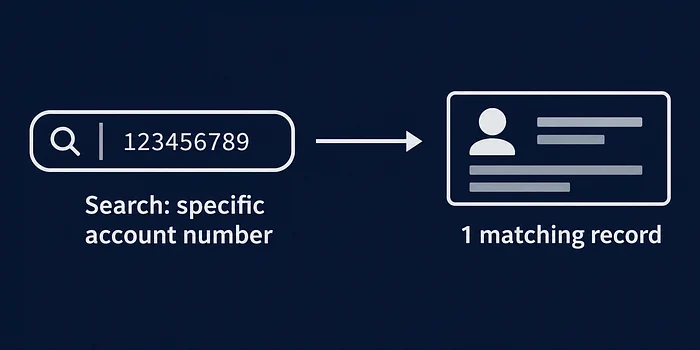
USPS runs a product called Informed Visibility, built for businesses and bulk mail senders who want near real-time tracking data on their mail campaigns: how many pieces are moving, where they are, and when they will land. Behind that feature sits an API. Like most APIs built for logged-in account holders to query their own data, it needed some way to accept search terms, an email address, an account number, a tracking reference, and return whatever records matched.
The finding was reported by a researcher who chose to stay anonymous, reported directly to USPS more than a year before anything happened, and was ignored the entire time until Brian Krebs got involved and gave USPS forty-eight hours of public pressure to fix it. Krebs's original reporting is the primary account of the incident.
Setup
The precondition is minimal: any logged-in usps.com user. No special role, no privileged account, no tooling beyond a browser. The only skill required is a basic understanding of how to open the browser's developer console and edit a request parameter. That is enough to turn a "search for my own account" feature into "return every account on the platform."
Finding it
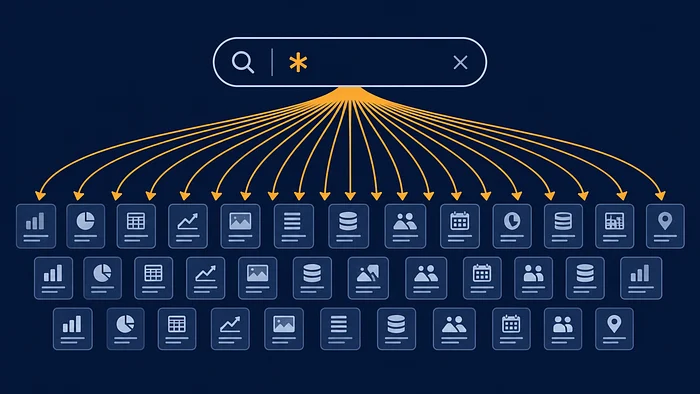
The flaw is almost disarmingly simple to state, which is exactly why it is worth sitting with rather than skipping past as too basic to matter: the API accepted wildcard search parameters. A search could match not just one specific record but every record in the entire data set, without needing to know or guess a single real username, email address or account number belonging to anyone else.
The shape of the failure is what makes it worth studying, because it is subtly different from the IDOR pattern. An IDOR is usually about swapping one specific ID for another specific ID you are not supposed to have, a targeted substitution. This was broader and in some ways lazier: the application never actually implemented the boundary at all. It was not that the check could be bypassed with a clever trick; there was functionally no check verifying that the account making a request was only allowed to see data belonging to itself.
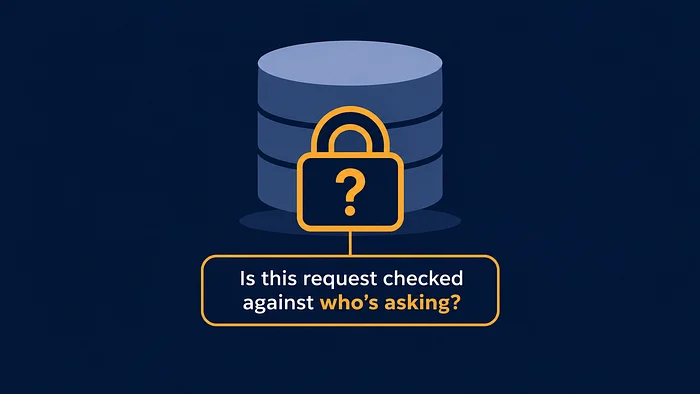
Nicholas Weaver, a researcher at UC Berkeley's International Computer Science Institute, put it plainly when Krebs reached out to him for comment: this was not a subtle lapse in a sophisticated access control system, it was the complete absence of the single most basic rule any system handling other people's data has to enforce, that a request for data has to be checked against who is actually asking for it.
Exploitation
Step 1: authenticate as an ordinary user
Log in to usps.com with any normal account. The feature is designed for account holders to query their own data, so a legitimate session is all the access the attacker needs to start.
Step 2: open the developer console and locate the search parameter
With the browser's developer console open, inspect the request the search feature sends to the Informed Visibility API. The request carries the search term as a parameter.
Step 3: replace the search term with a wildcard
Edit the parameter so that it means "match everything" rather than "match this one specific thing". The API accepted such searches and returned every record in the data set, not just the records belonging to the authenticated account.
Step 4: read across the whole data set
The response covers roughly 60 million accounts: email addresses, usernames, user IDs, account numbers, street addresses, phone numbers, and in some cases data tied to other authorised users on the same account. Multiple accounts sharing a single data point, a street address for example, could all surface together off a single search, so the blast radius of even a single lazy query extended well past whatever the attacker specifically went looking for.
Step 5: write, not just read
Krebs's own limited testing found that the same promiscuous access extended to writing: requesting changes to another user's account details, email, phone number, the works. USPS had at least put a confirmation-email step in front of some of those specific changes, which is the one narrow place this story has a silver lining buried in it.
Root cause
The application never implemented the boundary. The API accepted wildcard search parameters, with no check that the account making the request was only allowed to see data belonging to itself. This is not a bypass of an existing control; it is the absence of the control. The single most basic rule for any system handling other people's data, that a request for data has to be checked against who is actually asking for it, was simply not enforced.
A search feature that works perfectly when you query your own data tells you nothing about whether it is checking authorisation at all. It might just be returning the one record that happens to match your legitimate, narrow search by coincidence. The only way to know for certain is to ask it, deliberately, for everything at once.
Impact
Full query access across roughly 60 million accounts. The exposed fields were email addresses, usernames, user IDs, account numbers, street addresses, phone numbers, and in some cases data tied to other authorised users on the same account. Because records sharing a data point such as a street address could all surface together, a single query could pull in accounts the attacker never targeted.
The same access extended to writing, allowing requests to change another user's account details, email and phone number, though a confirmation-email step sat in front of some of those specific changes. Any logged-in usps.com user could do this with nothing more than a browser and the developer console.
The other half of the impact is temporal. The researcher reported a severe, easily demonstrated authorisation failure on a federal agency's systems responsibly, rather than exploiting it or dumping it, and USPS never responded. That gap, more than a year, is its own lesson: responsible disclosure is a two-way commitment, and when the receiving side does not hold up their end, the researcher's actual leverage is often not more technical proof but bringing in someone whose job is making silence costly. Krebs reaching out directly is what got USPS to patch this within 48 hours, the same pattern that played out with Peloton and Pen Test Partners being ignored until TechCrunch got involved. Finding the bug and getting it fixed are sometimes two completely separate problems requiring two completely different skills.
Fix
Krebs reaching out directly is what got USPS to patch this within 48 hours, after more than a year of silence following the original report. The report does not describe the code change itself.
Variants to test
The generalisable test is almost embarrassingly simple to run, and that is exactly why it is worth running on every API endpoint that accepts a search or filter parameter. Submit a wildcard, an empty string, a single percent sign, an asterisk, anything that means "match everything" rather than "match this one specific thing", and watch whether the server enforces that results stay scoped to data you are authorised to see, or whether it just runs whatever query you handed it against the entire table.
Happy hunting, see you in the next scope.
What happened, in plain words
Imagine a post office that keeps a card for every customer: name, email address, home address, phone number, account number. Now imagine the post office builds a small self-service window where each customer can walk up, type their own email address, and be handed back their own card. That is the whole idea. The window is only supposed to show you your card.
What actually happened is that the window had no rule about whose card it was allowed to hand over. If you typed your own email address, you got your card. But if you typed a special symbol meaning "anything at all", the clerk behind the window did not stop and think "wait, this person is only allowed to see their own card". The clerk simply went and fetched every card in the building. Roughly 60 million of them.
The system in question belongs to the United States Postal Service (USPS), the American national postal service. The feature is called Informed Visibility, and it is built for businesses and bulk mail senders who want near real-time tracking data on their mail campaigns: how many pieces are moving, where they are, and when they will land. Behind that feature sits an API, which is the part of a website that one computer talks to when it wants data rather than a pretty page. Like most APIs built for logged-in account holders to query their own data, it needed some way to accept search terms, an email address, an account number, a tracking reference, and return whatever records matched.
The finding was reported by a researcher who chose to stay anonymous, reported directly to USPS more than a year before anything happened, and was ignored the entire time until Brian Krebs, a well-known security journalist, got involved and gave USPS forty-eight hours of public pressure to fix it. Krebs's original reporting is the primary account of the incident.
Before going further, two words that will come up constantly.
An API (Application Programming Interface) is the serving hatch between two pieces of software. You do not walk into the kitchen; you stand at the hatch, say what you want in a fixed format, and something comes back. When you use a website and it loads your account details without reloading the whole page, your browser is talking to an API through that hatch.
A parameter is one of the labelled slots in the request you send through the hatch. If you ask a librarian for "books by author X published after 1990", then "author" and "year" are parameters. On the web they usually look like ?email=[redacted] at the end of a web address, or like a small labelled field inside the body of the request.
Setup
The precondition is minimal: any logged-in usps.com user. No special role, no privileged account, no tooling beyond a browser. The only skill required is a basic understanding of how to open the browser's developer console and edit a request parameter. That is enough to turn a "search for my own account" feature into "return every account on the platform."
A few of those words deserve unpacking, because they are the whole toolkit here.
Logged in means the website has already checked who you are, usually once, when you typed your username and password. After that it hands your browser a small piece of proof to carry around, so you do not have to type the password again on every click. That proof is often called a session cookie or a token. Think of it as the wristband you get at a festival: the door staff checked your ticket once, and from then on the wristband is what gets you served. The important consequence is that the website trusts the wristband. If the wristband says "ordinary customer", the website should treat you as an ordinary customer, no matter what else you send.
The developer console is a panel built into every modern browser. It is meant for the people who build websites, so they can see what the browser is sending and receiving. You open it with a keyboard shortcut or from the browser menu. It is not a hacking tool; it is a window into traffic your own browser is already producing.
Editing a request parameter means changing one of those labelled slots before the request goes out again. The browser's console lets you take a request that already happened, change a value in it, and send it a second time. Nothing exotic is installed; you are re-using the same wristband and the same hatch, just with a different word written in one slot.
That is the entire barrier to entry. The attacker does not need to break a password, forge a wristband, or find a secret door. They need an ordinary account and the ability to change one word in a request.
Finding it
The flaw is almost disarmingly simple to state, which is exactly why it is worth sitting with rather than skipping past as too basic to matter: the API accepted wildcard search parameters. A search could match not just one specific record but every record in the entire data set, without needing to know or guess a single real username, email address or account number belonging to anyone else.
A wildcard is a symbol that stands for "anything". In everyday life it is the asterisk on a form that says "fill in whatever applies". In search boxes it is the character that means "match every possibility here". If you search a photo library for holiday*, you get every photo whose name starts with "holiday". If you search for just *, you are asking for everything.
The shape of the failure is what makes it worth studying, because it is subtly different from the IDOR pattern. An IDOR (Insecure Direct Object Reference) is usually about swapping one specific ID for another specific ID you are not supposed to have, a targeted substitution. Picture a coat check: your ticket says 42, you hand over a ticket that says 43, and you walk off with someone else's coat. It is targeted, and it requires you to guess or find a valid number that is not yours.
This was broader and in some ways lazier: the application never actually implemented the boundary at all. It was not that the check could be bypassed with a clever trick; there was functionally no check verifying that the account making a request was only allowed to see data belonging to itself. To stay with the coat check: this is not a swapped ticket. This is a cloakroom with no attendant and no door, where anyone who walks in can take the whole rail.
Nicholas Weaver, a researcher at UC Berkeley's International Computer Science Institute, put it plainly when Krebs reached out to him for comment: this was not a subtle lapse in a sophisticated access control system, it was the complete absence of the single most basic rule any system handling other people's data has to enforce, that a request for data has to be checked against who is actually asking for it.
That last sentence is worth reading twice, because it is the heart of the whole article. Authorisation is the act of deciding whether the person asking is allowed to have what they are asking for. Authentication is deciding who the person is. They are different jobs. The wristband proves who you are (authentication). The rule that says "you may only see your own card" is authorisation. This system did the first and skipped the second.
Exploitation
Step 1: authenticate as an ordinary user
Log in to usps.com with any normal account. The feature is designed for account holders to query their own data, so a legitimate session is all the access the attacker needs to start.
Why this step matters: the attacker is not trying to sneak in. They are walking through the front door with a valid wristband, because the flaw is not about getting in. It is about what the system lets a legitimate customer do once inside. This is why the bug is so serious: it does not require a criminal, a leaked password, or inside knowledge. It requires a customer.
Step 2: open the developer console and locate the search parameter
With the browser's developer console open, inspect the request the search feature sends to the Informed Visibility API. The request carries the search term as a parameter.
Why this step matters: before you can change a value, you have to see it. The visible web page is only the shop front. The console shows the actual conversation between your browser and the server, including the exact slot where your search term is placed. The attacker is looking for the one labelled field that carries the thing they typed into the search box.
Step 3: replace the search term with a wildcard
Edit the parameter so that it means "match everything" rather than "match this one specific thing". The API accepted such searches and returned every record in the data set, not just the records belonging to the authenticated account.
Why this step matters: this is the moment of proof. A search that returns your own record proves nothing, because your own record is what you asked for. A search that returns everyone's record proves that the server never checked whose record you were entitled to. The wildcard is the question, and the flood of results is the answer.
Step 4: read across the whole data set
The response covers roughly 60 million accounts: email addresses, usernames, user IDs, account numbers, street addresses, phone numbers, and in some cases data tied to other authorised users on the same account. Multiple accounts sharing a single data point, a street address for example, could all surface together off a single search, so the blast radius of even a single lazy query extended well past whatever the attacker specifically went looking for.
Blast radius is a plain way of saying "how much gets damaged by one action". Here it means: one request, one keystroke, and the answer contains millions of people. The attacker does not need to target anyone in particular. They do not need to know a single email address in advance. They ask for everything, and everything arrives.
The detail about shared data points is worth pausing on. If two people live at the same street address, a search for that address pulls both of them out together, even though the attacker only knew one of them existed. Records that share a value become linked, and the links multiply what one query can reveal.
Step 5: write, not just read
Krebs's own limited testing found that the same promiscuous access extended to writing: requesting changes to another user's account details, email, phone number, the works. USPS had at least put a confirmation-email step in front of some of those specific changes, which is the one narrow place this story has a silver lining buried in it.
Up to this point the story has been about reading. Reading is bad enough: someone can see your address and phone number. Writing is worse, because it means changing what is on your card. If an attacker can change the email address on your account, they can often take the account over, because the email address is where password resets go.
The silver lining is the confirmation step. A confirmation email is a message sent to the address already on file, containing a link or a code that must be clicked or typed before the change takes effect. It is a second lock. If the attacker changes your email address, the confirmation goes to your real inbox, not theirs, and you can refuse. That does not make the flaw harmless, because not every change was protected this way, but it narrows the damage.
Root cause
The application never implemented the boundary. The API accepted wildcard search parameters, with no check that the account making the request was only allowed to see data belonging to itself. This is not a bypass of an existing control; it is the absence of the control. The single most basic rule for any system handling other people's data, that a request for data has to be checked against who is actually asking for it, was simply not enforced.
A table here means the database table: the big grid where all the records live, one row per account. The API took the search term, dropped it into a database query, and handed back whatever rows came out. Nobody asked "should this person see these rows?" before the query ran.
A search feature that works perfectly when you query your own data tells you nothing about whether it is checking authorisation at all. It might just be returning the one record that happens to match your legitimate, narrow search by coincidence. The only way to know for certain is to ask it, deliberately, for everything at once.
This is the single most useful idea in the article, so it is worth restating as a rule of thumb. A lock that opens with your key might be a good lock, or it might be a door with no lock at all that happens to swing open when you push it. You cannot tell the difference by using your own key. You find out by pushing when you should not be able to.
Impact
Full query access across roughly 60 million accounts. The exposed fields were email addresses, usernames, user IDs, account numbers, street addresses, phone numbers, and in some cases data tied to other authorised users on the same account. Because records sharing a data point such as a street address could all surface together, a single query could pull in accounts the attacker never targeted.
The same access extended to writing, allowing requests to change another user's account details, email and phone number, though a confirmation-email step sat in front of some of those specific changes. Any logged-in usps.com user could do this with nothing more than a browser and the developer console.
The other half of the impact is temporal. The researcher reported a severe, easily demonstrated authorisation failure on a federal agency's systems responsibly, rather than exploiting it or dumping it, and USPS never responded. That gap, more than a year, is its own lesson: responsible disclosure is a two-way commitment, and when the receiving side does not hold up their end, the researcher's actual leverage is often not more technical proof but bringing in someone whose job is making silence costly. Krebs reaching out directly is what got USPS to patch this within 48 hours, the same pattern that played out with Peloton and Pen Test Partners being ignored until TechCrunch got involved. Finding the bug and getting it fixed are sometimes two completely separate problems requiring two completely different skills.
Responsible disclosure is the convention that says: when you find a security hole, you tell the organisation privately, give them time to fix it, and do not publish or exploit it in the meantime. It is a handshake, and handshakes need both hands. The researcher kept their side for over a year. USPS did not answer. Only when a journalist with a public platform applied pressure did the fix arrive, within forty-eight hours.
That is the second lesson of this story, and it has nothing to do with code. Finding a bug is one skill. Getting it fixed is a different skill, sometimes involving different people entirely.
Fix
Krebs reaching out directly is what got USPS to patch this within 48 hours, after more than a year of silence following the original report. The report does not describe the code change itself.
Scoping means attaching a limit to every query: "only rows belonging to this wristband". It is the difference between a librarian who fetches any book you name and a librarian who first checks that the book is on your own borrowing list. The fix is not to ban wildcards. The fix is to make the wildcard harmless, because even a request for everything can only return what you are entitled to.
Variants to test
The generalisable test is almost embarrassingly simple to run, and that is exactly why it is worth running on every API endpoint that accepts a search or filter parameter. Submit a wildcard, an empty string, a single percent sign, an asterisk, anything that means "match everything" rather than "match this one specific thing", and watch whether the server enforces that results stay scoped to data you are authorised to see, or whether it just runs whatever query you handed it against the entire table.
An endpoint is one specific address on the API, one hatch among many. A website might have one endpoint for searching, one for changing your email, one for viewing your orders. Each is a separate door, and each needs its own check.
A note on the symbols, because they look arbitrary. In many database query languages, % is the character that means "any sequence of characters", and * is the one most people recognise from everyday search boxes. An empty string is a value with nothing in it at all, like a form field left blank. Each of these is a different way of saying "everything" to a different piece of software, which is why the test tries several.
A literal is a value taken exactly as written. If the server treats % as a literal, it looks for a record whose search term is genuinely the character %, finds nothing, and returns nothing. If it treats % as a pattern, it matches everything. The difference between those two behaviours is the whole test.
Happy hunting, see you in the next scope.
Glossary
- API: the serving hatch between two pieces of software; a fixed way for one program to ask another for data or an action.
- Parameter: a labelled slot in a request, such as an email address or a search term, that tells the server what you are asking for.
- Endpoint: one specific address on an API, one hatch among many, each with its own job.
- Wildcard: a symbol meaning "anything", used in searches to match many records instead of one.
- Empty string: a value with nothing in it, a blank where a word was expected.
- Literal: a value taken exactly as written, with no special meaning attached to its characters.
- Authentication: proving who you are, usually once, with a password.
- Authorisation: deciding whether the person asking is allowed to have what they are asking for.
- Session cookie / token: the small piece of proof a site gives your browser after login, so you do not have to log in again on every click; like a festival wristband.
- Developer console: a panel built into the browser that shows the requests and responses between your browser and a website, and lets you resend a request with a changed value.
- IDOR (Insecure Direct Object Reference): a flaw where you swap one specific identifier for another you are not entitled to, like handing over someone else's coat-check ticket.
- Access control: the rules that decide who may see or change what.
- Blast radius: how much one action can affect; here, how many people one request can expose.
- Data set: the whole collection of records held by a system.
- Table: the database grid where records live, one row per account.
- Scoping: limiting every query to the records the person asking is entitled to see.
- Confirmation email: a message sent to the address already on file, requiring a click or code before a change takes effect; a second lock.
- Responsible disclosure: telling an organisation privately about a security hole and giving them time to fix it before publishing anything.
- Informed Visibility: the USPS product for businesses and bulk mail senders to track mail campaigns in near real time.
- USPS: the United States Postal Service, the American national postal service.



