Cross site Port Scanning bug in twitter developers console
The Twitter developers REST console accepted an arbitrary URL and fetched it from Twitter's servers, so an attacker could point it at any host and port and infer whether that port was open or closed from the response. This let the console act as a proxy for port scanning remote machines from Twitter's IP addresses.

- Triaged in 3 days
- Disclosed after 3 months
This vulnerability allow a port scanning a remote machine on internet . an attacker can scan a remote machine through this vulnerability using twitter ip as a proxy .
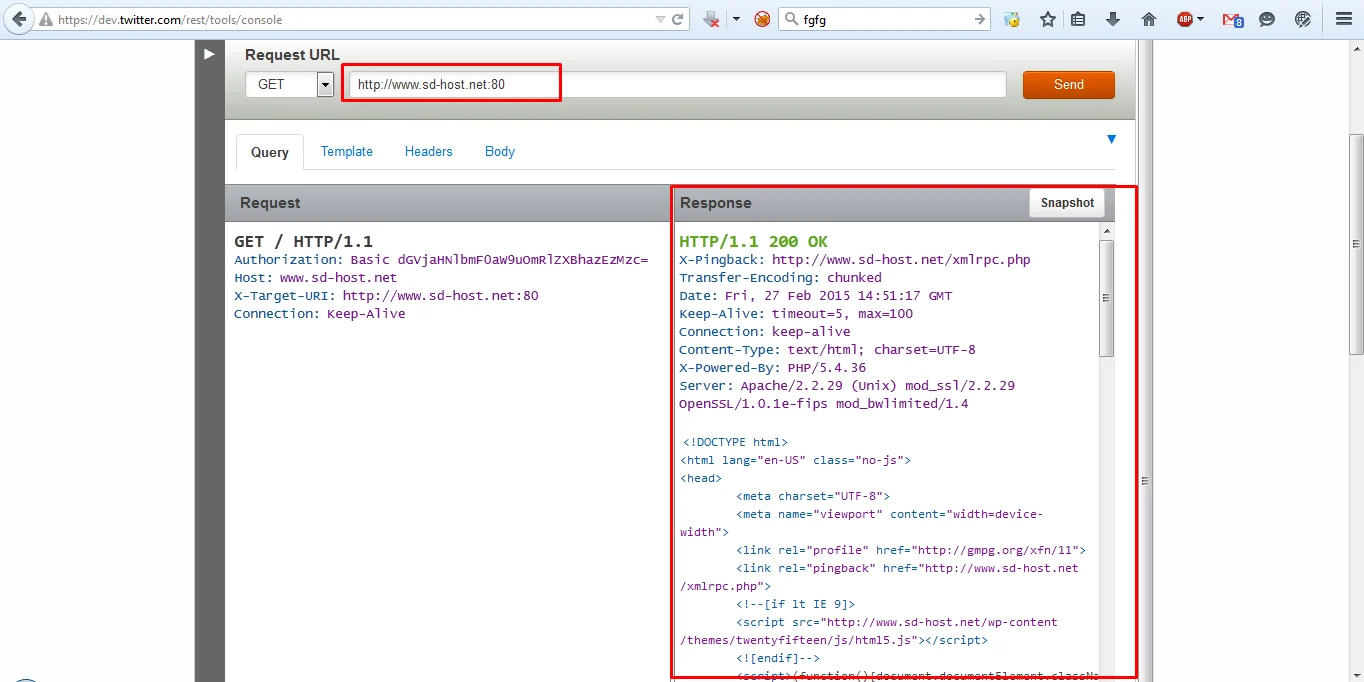
The vulnerability exit on url https://dev.twitter.com/rest/tools/console through console an attacker can use GET or POST request with basic authentication or no authentication for a successful port scan on a remote machine using any service . let take as http://www.sd-host.net as target(which i setup with open port 80,2082,2083)
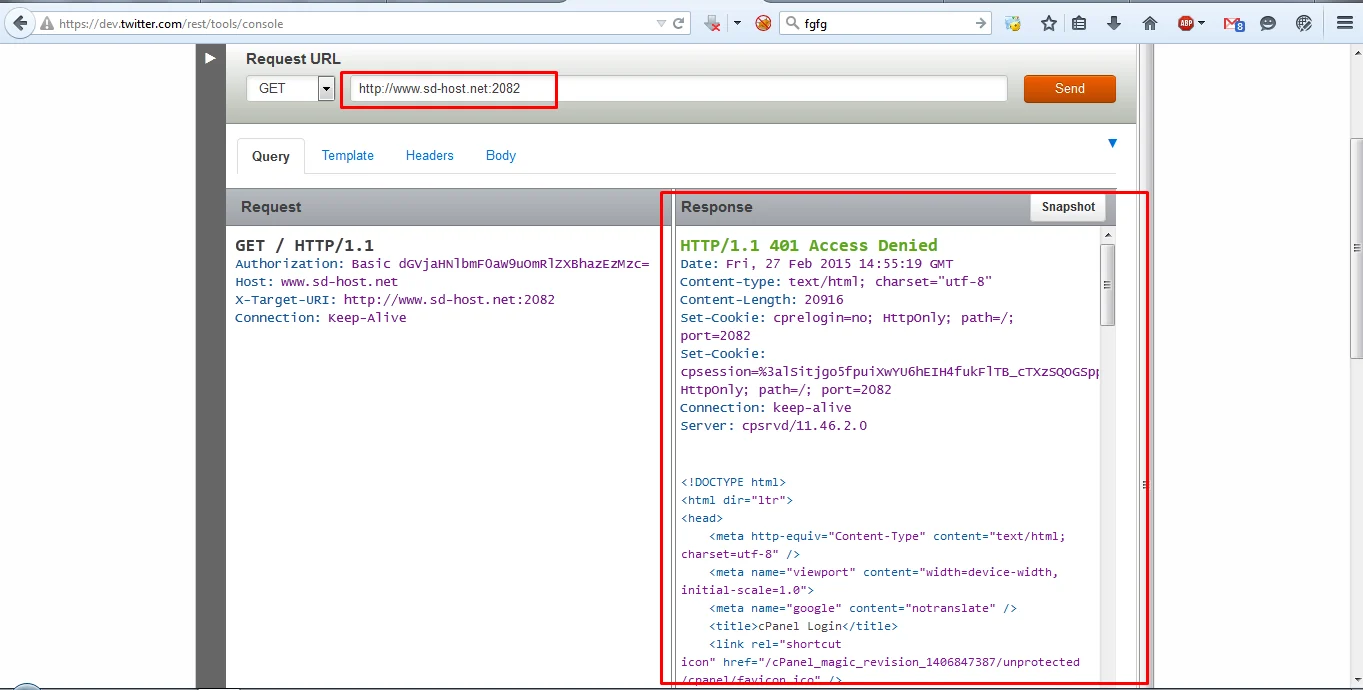
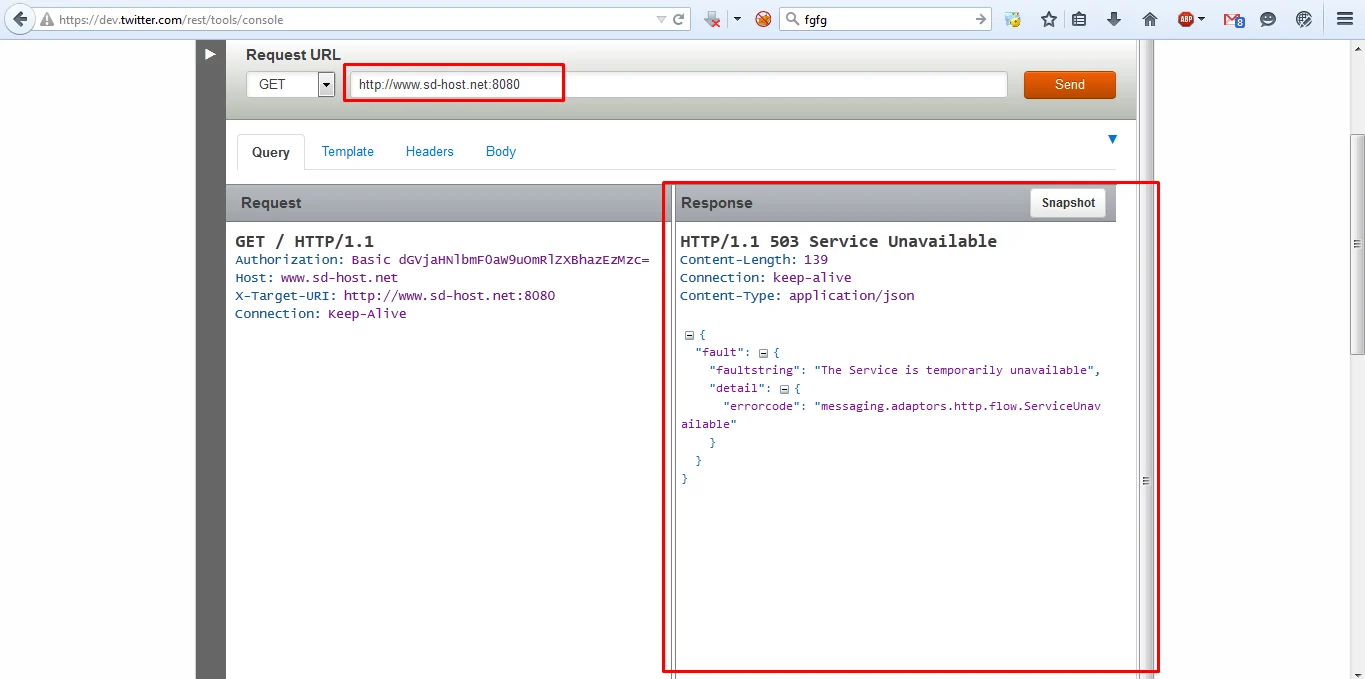
in the Request url i put this http://www.sd-host.net:80 and i get the following respond url: it seems that port 80 is open on the remote machine then i changed the port to 8080 hence its a close port i got following respond refer poc 2 then i changed the port to 2082 (cpanel) as it a password protected page (cpanel)
i got access denied refer poc 3
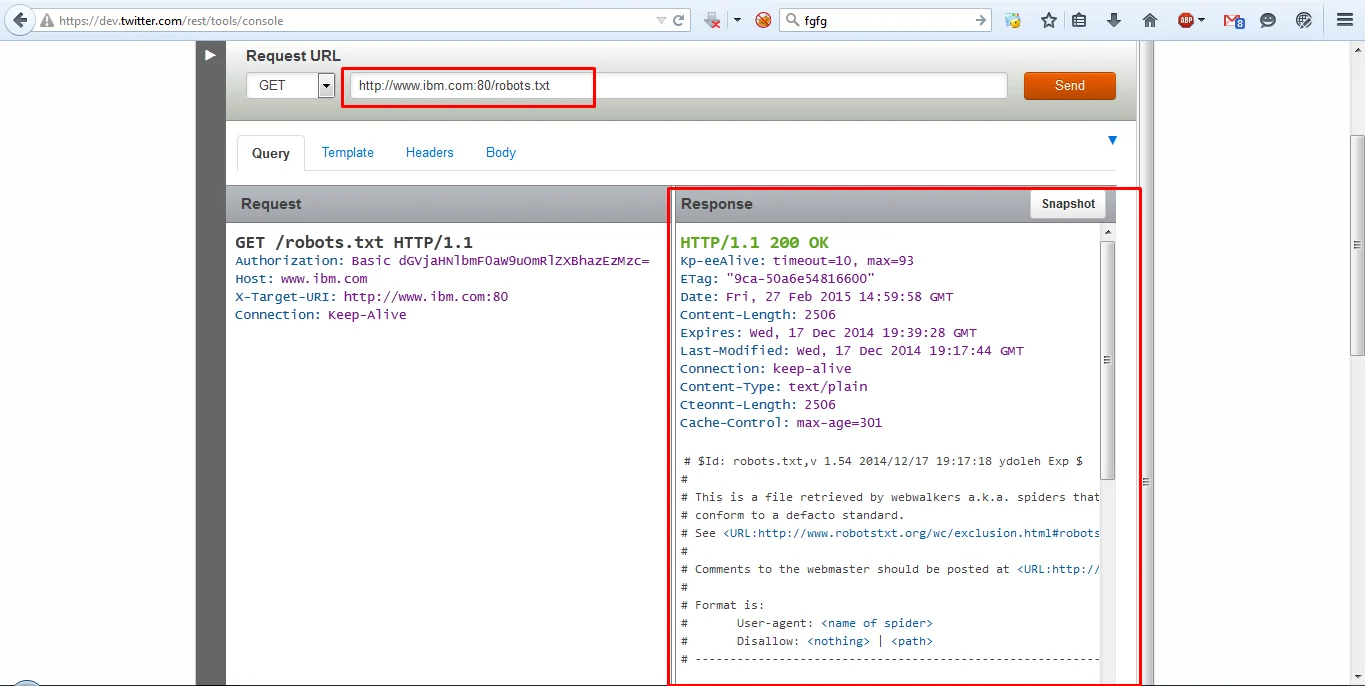
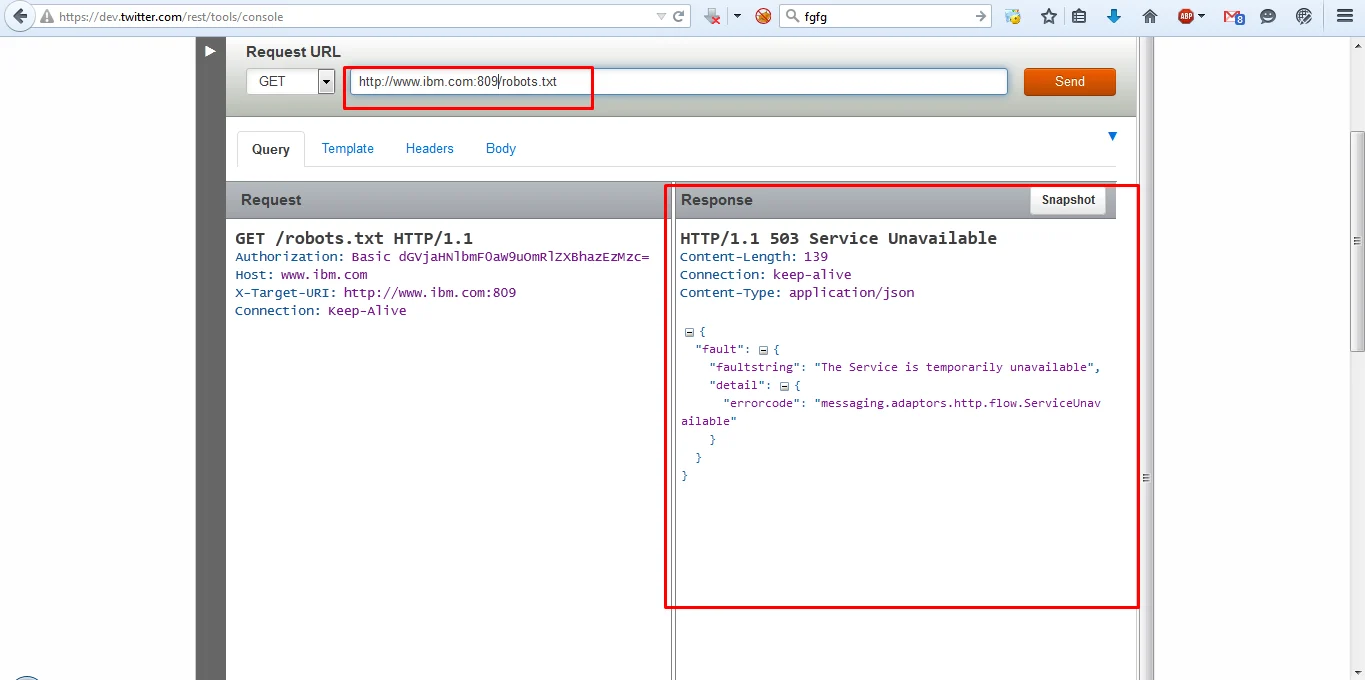
then i tried to access http://www.ibm.com/robots.txt over port 80 and got succeed following respond i got refer poc 4
when i changed the port to 809 i got respond like this poc 5
hence its clear that we can access and perform attack on a remote machine using developer console
by this vulnerability we can use twitter ip as proxy and exploit a remote service running on a remote machine
Attachments
Not written yet. The AI write-up for this report has not been written yet. The Original tab links to the source.
How it worked
Root cause
Likely the console's server-side URL fetcher did not restrict the destination host or port, so it would connect to any address supplied by the user.
Impact
An attacker could use Twitter's servers as a proxy to scan remote hosts and reach services from Twitter's IP addresses.
What the attacker needed
Access to the developers console; a reachable target host
How it was found
- Open the developers REST console page.
- Enter a target host with port 80 in the request URL field.
- Observe the response indicating the port is open.
- Change the port to 8080 and observe a response indicating it is closed.
- Change the port to 2082 and observe an access denied response for the password-protected page.
- Request a file on another host over port 80 and then try a different port to compare responses.
Explained by bugbounty.wiki with AI from the original and checked against quotes from it; it can still be wrong. Read the original before relying on a detail.
Not written yet. The AI write-up for this report has not been written yet. The Original tab links to the source.
A web page that fetches a URL you give it is doing the request from the server, not from your browser. If it does not restrict which addresses it may contact, you can make it probe other machines on the internet and read back hints about them. Here the hints were whether a port (a numbered door on a machine) was open, closed, or password protected.
What is Crypto?
Encryption, signatures, randomness or certificate checks that do not protect what they claim to.