Github Account hijack through broken link in developer.twitter.com
A link on Twitter's developer documentation pointed to a GitHub account that did not exist, allowing anyone to register that username and impersonate the original author. An attacker could then host malicious content that visitors from the official documentation would trust.
 Originally disclosed on HackerOne
- Triaged in 8 days
- Fixed in 21 days
- Paid in 3 months
- Disclosed after 3 months
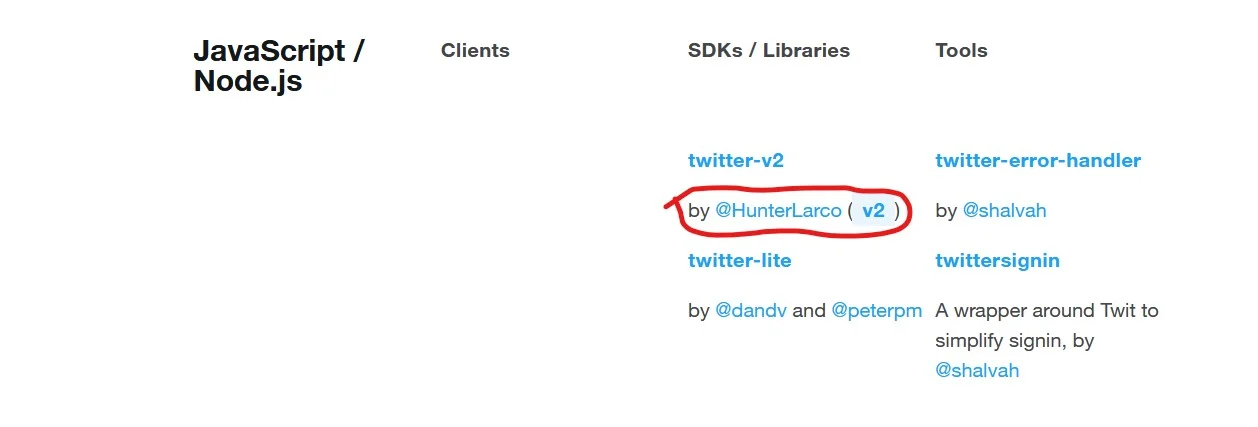
Description A link in https://developer.twitter.com/en/docs/twitter-api/tools-and-libraries was broken and anyone could create that account which leads to account impersonate
Steps To Reproduce
- Visit https://developer.twitter.com/en/docs/twitter-api/tools-and-libraries
- Scroll down to Javascript/Node.js and click on by @HunterLarco (v2)
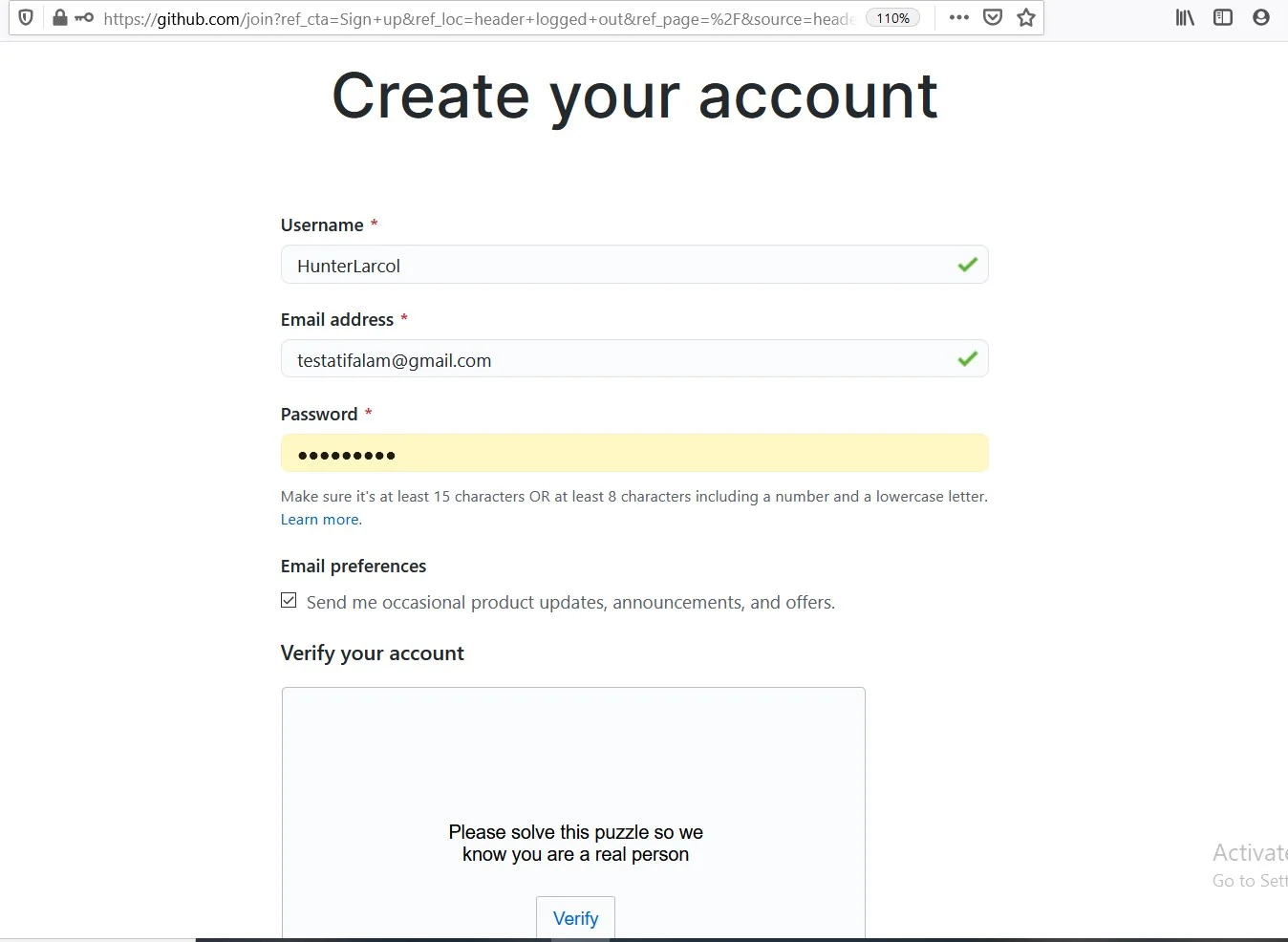
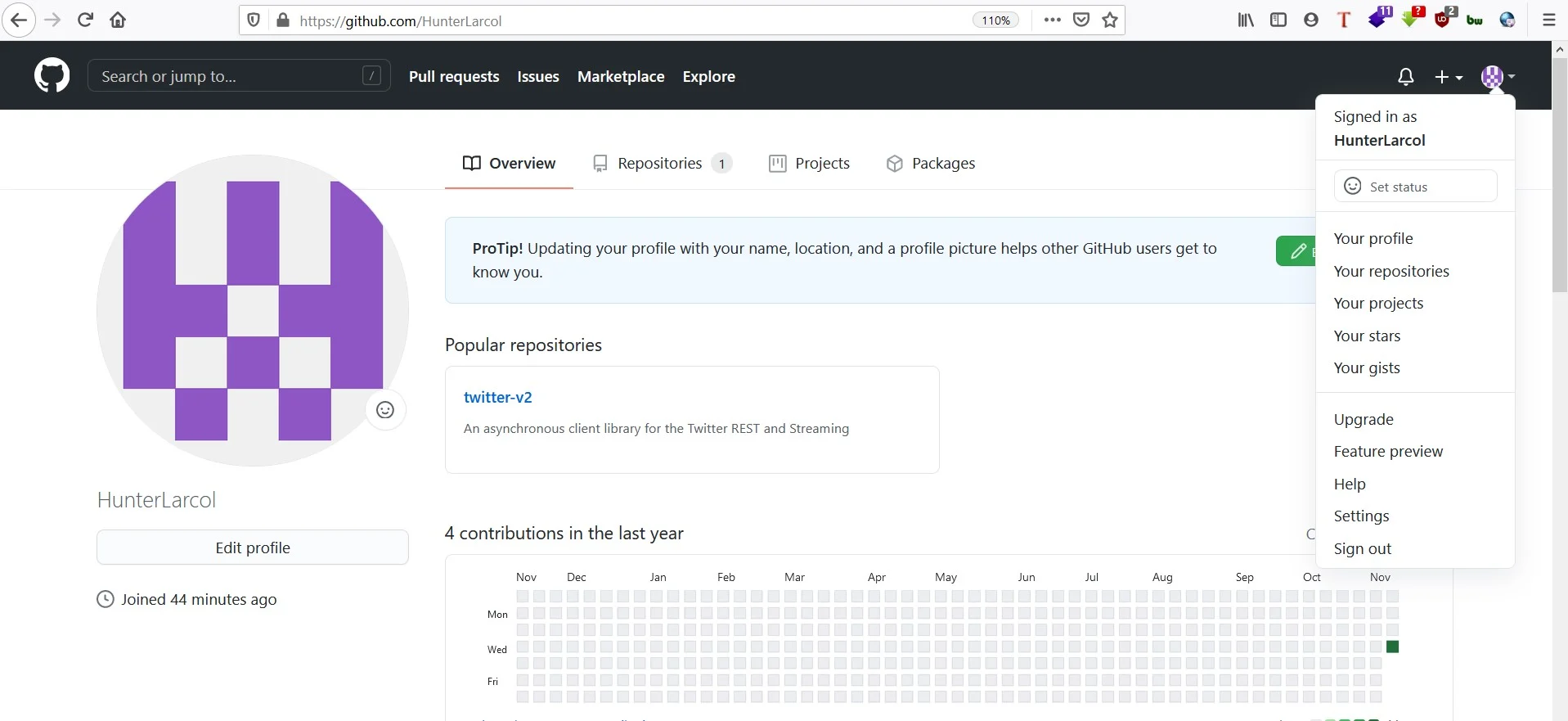
- Create github username HunterLarcol
- When someone visits and scroll down to javascript/Node.js and click on @HunterLarco (v2). They are redirected to my account
similar report https://hackerone.com/reports/265696
To solve this issue put this link https://github.com/HunterLarco
Please let me know if you have any questions. I am happy to help
Impact
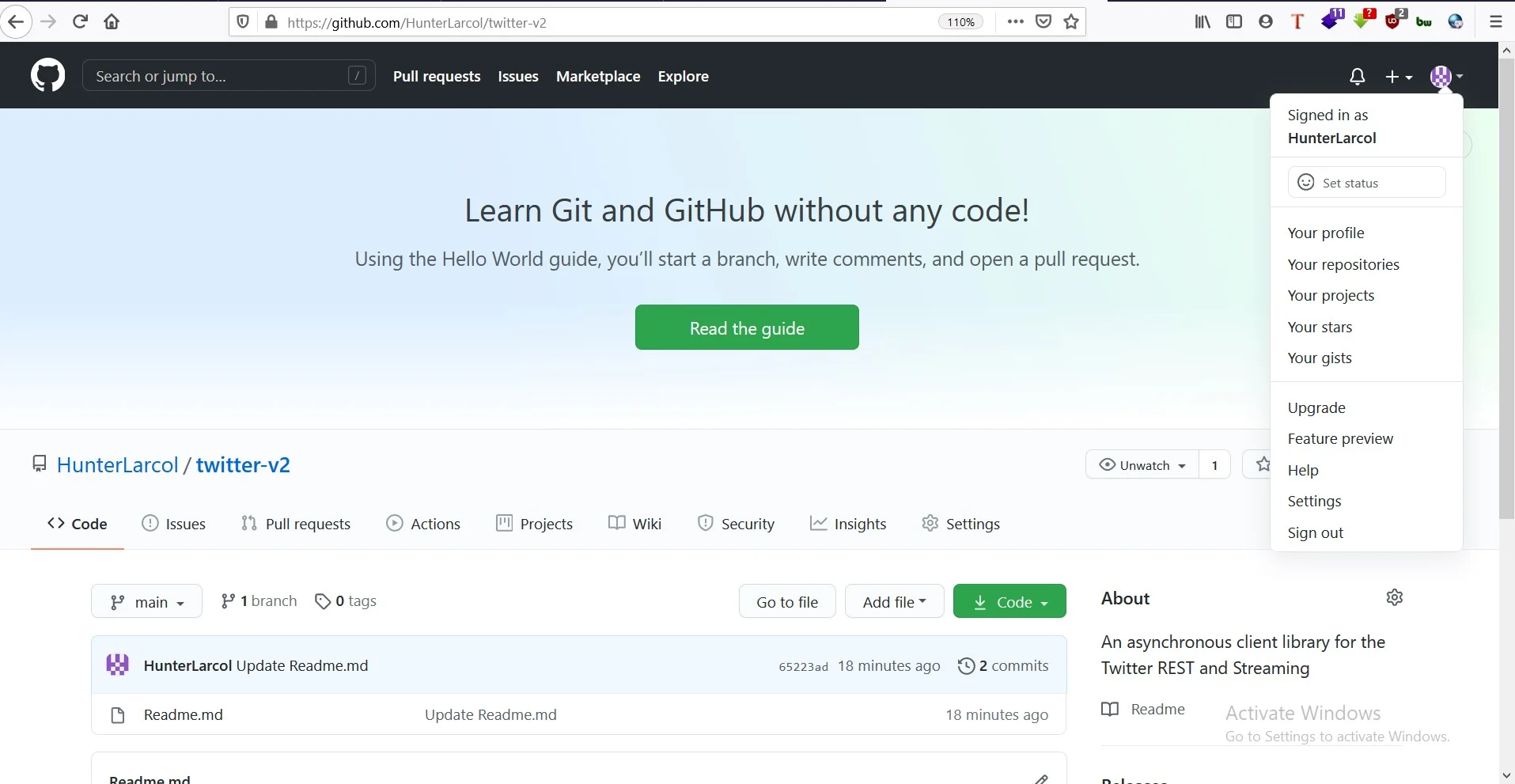
Impact The users are coming from developer.twitter.com So, the attacker can put malicious content on the github and many users will be the victim for example https://github.com/HunterLarcol/twitter-v2. Moreover it leads to the loss in the reputation of the company
Attachments
Not written yet. The AI write-up for this report has not been written yet. The Original tab links to the source.
How it worked
Root cause
Likely the documentation linked to a GitHub username that was not registered, so the link could be claimed by anyone.
Impact
Users arriving from the official developer site could be shown malicious content and the company's reputation could suffer.
What the attacker needed
A free GitHub account; victim clicks the documentation link
The fix
The documentation link should be updated to point to the correct GitHub profile.
How it was found
- Visit the Twitter API tools and libraries documentation page.
- Scroll to the JavaScript/Node.js section and click the link to the GitHub user.
- Register a GitHub account with the same username.
- When a visitor clicks the link, they are redirected to the attacker's account.
Explained by bugbounty.wiki with AI from the original and checked against quotes from it; it can still be wrong. Read the original before relying on a detail.
Not written yet. The AI write-up for this report has not been written yet. The Original tab links to the source.
A documentation page linked to a GitHub profile that had not been claimed. Because GitHub usernames are first-come-first-served, someone else could sign up with that name and take over the link. Visitors who trusted the official page would then land on the attacker's profile.
What is Open redirect?
A trusted site forwards users to any address an attacker picks; rarely paid alone, often the missing link in a chain.




