Abusing the Replicator: Silently Exfiltrating Data with the AWS S3 Replication Service
The S3 Replication Service can be abused by an attacker with permissions to update replication rules to copy data to an external bucket, and due to a logging gap, the source account's CloudTrail may not record the destination bucket, allowing silent data exfiltration.
 Published on vectra.ai
A comprehensive backup strategy is a cornerstone of any DR plan. But how would you distinguish between legitimate backup activity and malicious data exfiltration?
The full write-up lives on its author's site
It belongs to its author, so we link to it rather than copy it. The other two tabs are our own rewrites, checked against it.
Context
Amazon S3 is no longer just the "Simple Storage Service". It has grown into the data store of choice for enterprise AWS customers, with dozens of features and integrations, and it is complicated enough that securing every capability is hard. One of those capabilities is S3 Replication: the ability to copy data across regions and accounts, creating active backups of your data. Cross-account replication is a legitimate part of a disaster recovery plan, and it can help an organisation recover from a data-loss event.
The Replication Service does exactly what you might think. When directed with rules, it copies S3 data between buckets.
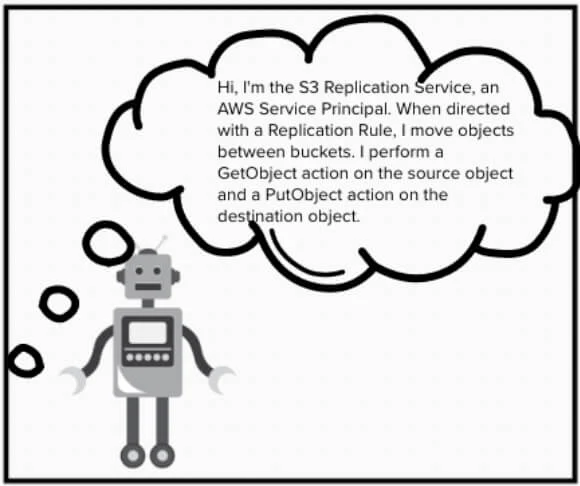
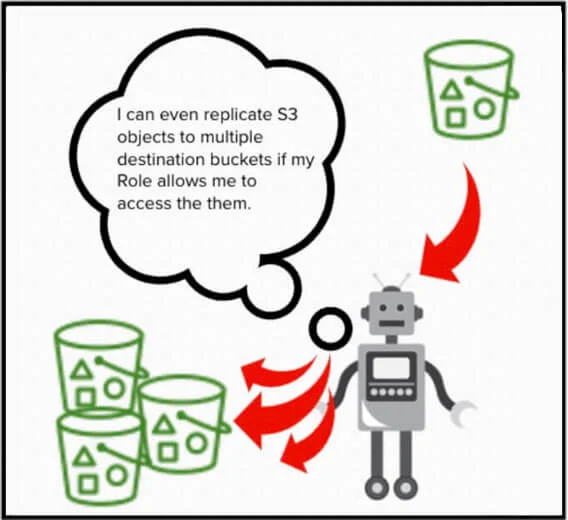
The service takes its orders from Replication Rules. You can configure rules that tell the service to copy data to multiple buckets, creating multiple replicas of the same source object.
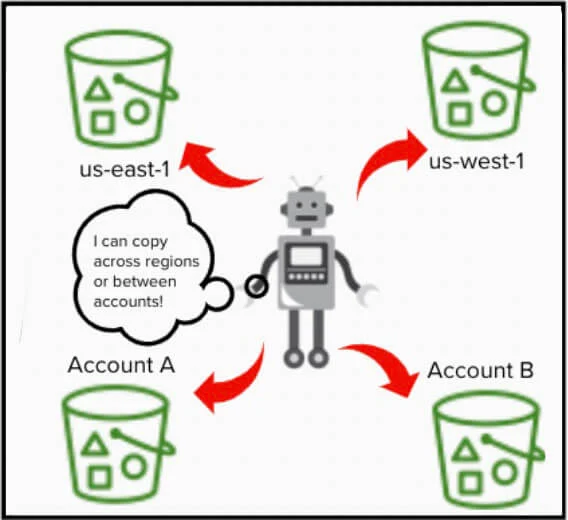
The destination buckets do not even have to be in the same region or the same account as the source bucket.
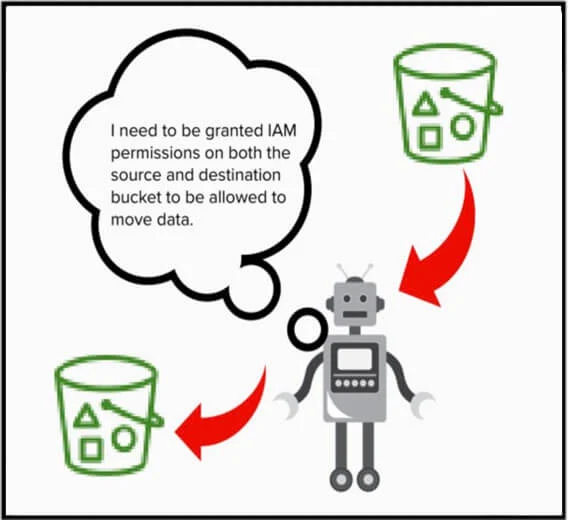
Replication only works if the service is granted permissions to do it. To enable S3 Replication you configure the service to assume an IAM role, and that role is granted IAM permissions to access both the source and the destination buckets.
The question this research asks is simple: how would you distinguish between legitimate backup activity and malicious data exfiltration? Cyber attackers are increasingly gaining access to cloud control planes, which include the capabilities to perform cloud-native backups. This write-up shows how those tools can be leveraged to exfiltrate data from across an organisation's production environment.
The story is told from four perspectives:
- The S3 Replication Service, as it benignly follows orders dictated as replication rules to replicate S3 data across buckets.
- The Evil S3 Replication Service, as its powers are abused to copy data to external locations.
- The attacker, who gains control of the S3 Replication Service, co-opting the service and using its lack of logging to stay under the radar.
- Members of the SOC team, who learn that they are partially blind to data movement via the S3 Replication Service but can change their detection strategy to compensate.
Setup
The preconditions are all in the control plane. The S3 Replication Service requires permissions on S3 objects to both get the object from the source bucket and replicate the object to the external, attacker-controlled bucket. Those permissions come from the IAM role the service assumes.
An attacker needs two things: an IAM role for the Replication Service that is permissive enough to write outside the account, and the ability to update replication rules. No permissions are required on the objects themselves, just the ability to update rules.
The logging side depends on CloudTrail configuration. To gain visibility into events affecting S3 objects you have to opt into the collection of S3 data events. The scope of those events can be configured to include "All current and future S3 buckets", or individual buckets can be enumerated. This CloudTrail setting acts as a filtering mechanism that scopes specific buckets into S3 data-plane logging.
Finding it
The starting observation is that the authorised movement of data via the S3 Replication Service is less than transparent. That makes it especially difficult to hunt for data exfiltration, and it enables an attacker to hide their activity in plain sight within a cloud environment.
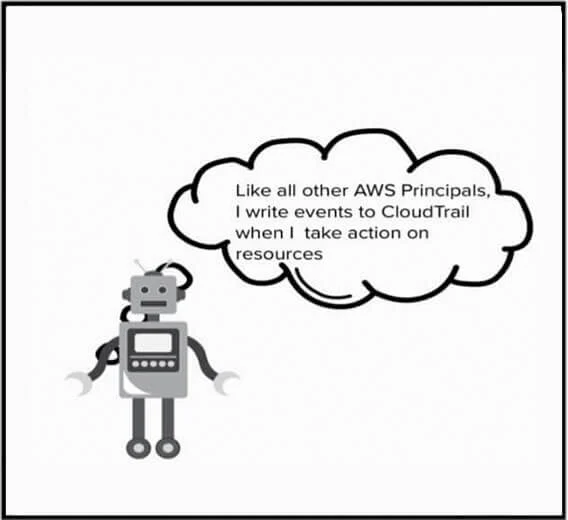
The specific question is when and where the Replication Service writes events to CloudTrail, given the bucket scoping of your data-plane trail configuration.
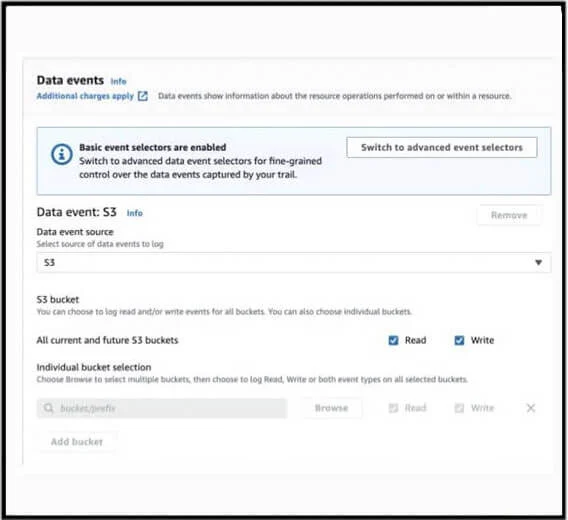
When data is copied by the S3 Replication Service, a GetObject event is incurred as the service grabs the object while replicating. This event is written in the Source Account CloudTrail.
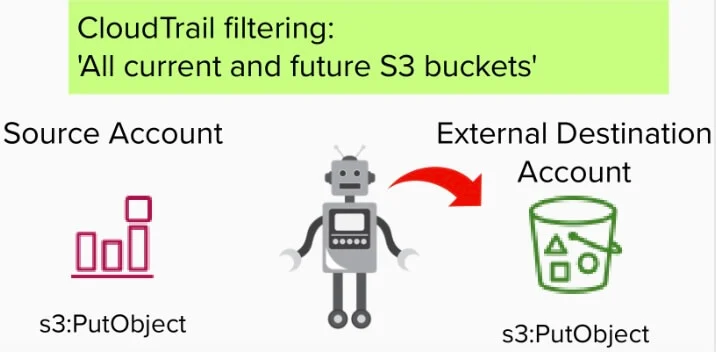
Following the GetObject event, the PutObject event, which reveals the destination bucket, is recorded in both the External Destination Account and in the Source Account.
That is the behaviour when data-plane logging covers everything. The interesting case is what happens when logs are limited to specific buckets.
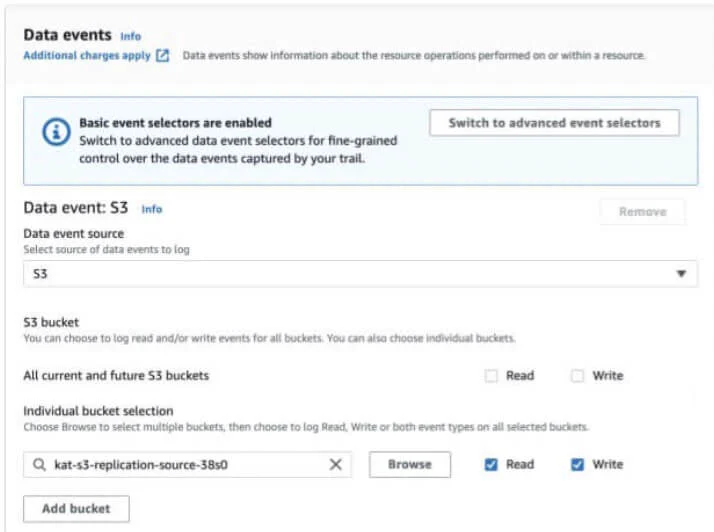
To control costs, organisations often enable S3 data-plane logs on their high-value buckets only, rather than paying for logging on "all current and future buckets". The question is how that logging configuration changes the visibility of the S3 Replication Service.
Following the GetObject event, a PutObject event could be recorded in the Destination Account in accordance with the Destination Account CloudTrail configuration. Notably, no PutObject event will be recorded in the Source Account.
In practice, as data is copied by the Replication Service, there is no record in the CloudTrail of the Source Account revealing the external destination bucket.
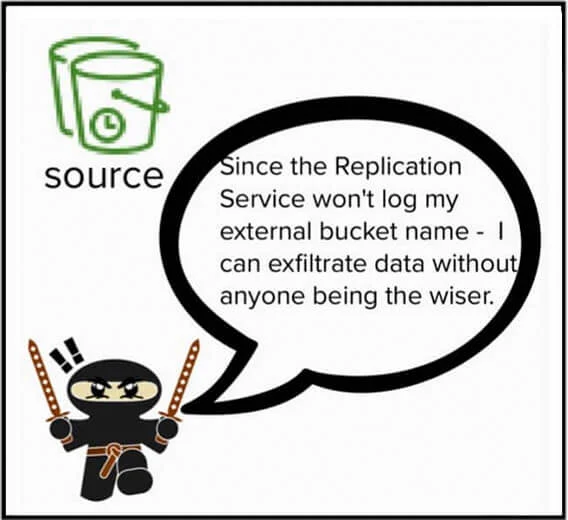
When CloudTrail is configured to capture S3 data-plane events from specific Source Account buckets, a gap in logging exists. Data can be copied without the data-plane event, PutObject, being recorded in the Source Account. Without data-plane logs scoped to include all current and future buckets, an attacker could update replication rules to replicate objects to their external bucket, then sit back and relax while the Replication Service silently moves data out of the organisation.
Exploitation
Step 1: Gain the ability to create or update replication rules
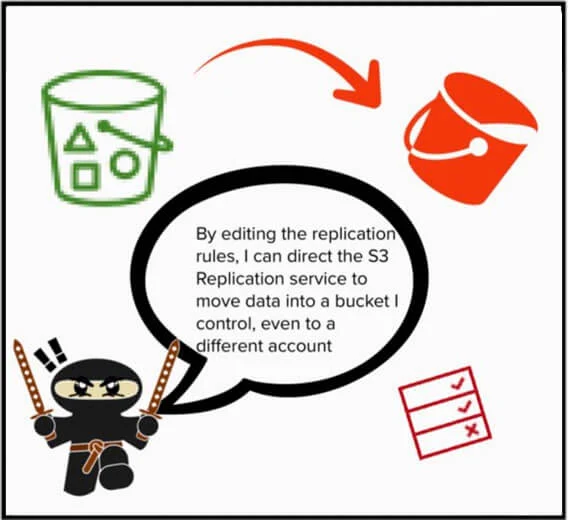
If an attacker gains the ability to create replication rules, they can direct the S3 Replication Service to copy data to an attacker-controlled external bucket, even one that resides outside the victim's AWS organisation.
Cross-account replication can assist organisations in recovery from a data-loss event. In the wrong hands, however, the replication service allows threat actors to siphon off data to untrusted locations.
The S3 Replication Service has high abuse potential and as a result is a prime target for attackers.
Step 2: Rely on an overly permissive role
The service needs permissions on S3 objects to get the object from the source bucket and to replicate it to the external, attacker-controlled bucket.
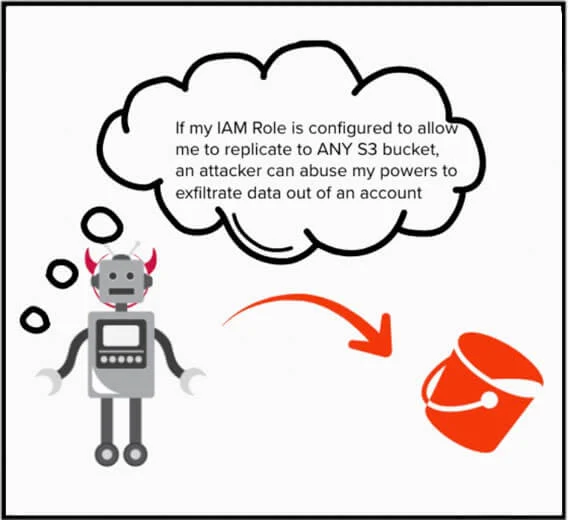
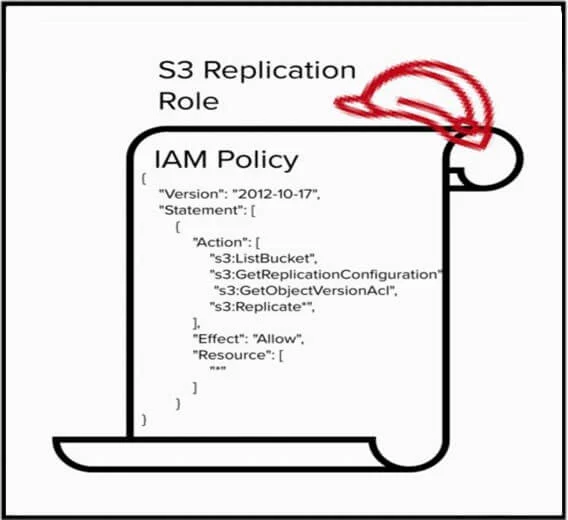
An example of the problem is an IAM policy that defines the required actions for replication but neglects to scope the permissions to a resource, leaving the resource field as "*". Such a policy is so permissive that it would allow the S3 Replication Service to copy objects to any bucket, even those outside your account.
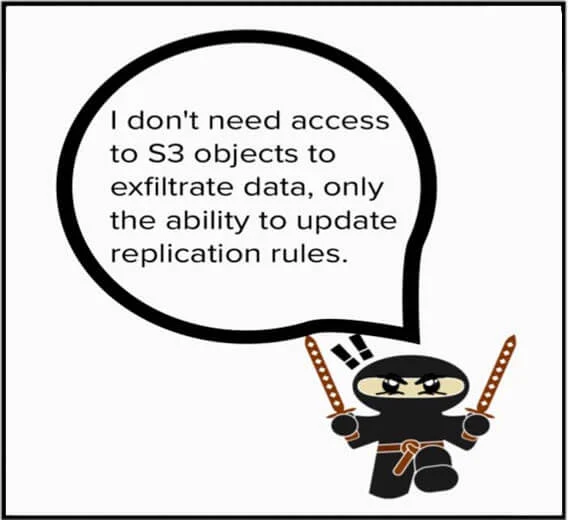
Given an overly permissive policy, the attacker only needs the ability to update replication rules, directing the Replication Service to copy data to an attacker-controlled bucket.
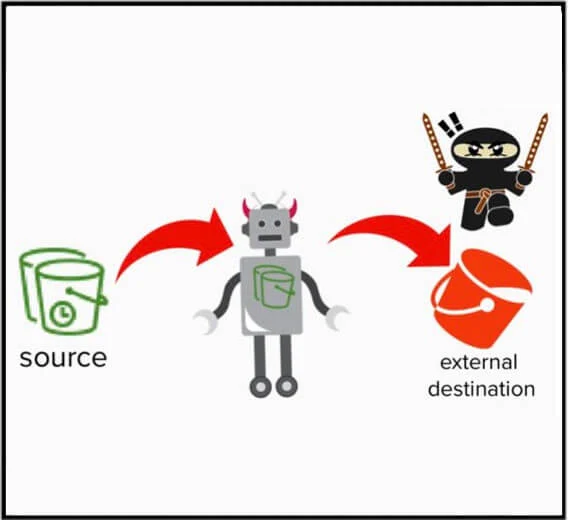
Step 3: Let the service do the copying
Instead of directly copying or moving data out of an account, the attacker leverages the S3 Replication Service to perform those same actions on their behalf, as the result of a malicious replication rule. This is not a bug that can be remediated. It is a type of cloud vulnerability called "feature abuse".
Step 4: Stay invisible in the Source Account
The exfiltration is quiet because of the logging gap described above. When CloudTrail data-plane logging is scoped to specific source buckets, the GetObject event is written in the Source Account, but the PutObject event that would reveal the destination bucket is not. The destination account may record the PutObject according to its own CloudTrail configuration, but that is of no use to the victim.
Root cause
The CloudTrail S3 data-plane scoping filter is the mechanism that controls whether a PutObject event is written to the source account. When the filter covers only enumerated buckets, the PutObject that results from replication is not written to the Source Account, so the destination bucket never appears in the victim's logs.
AWS pointed to CloudWatch alarming on changes to a bucket's replication policy, which it said would give visibility into the destination of the data for the threat model described. The report notes that as of August 2022 AWS had declined to fix the logging issue.
Impact
An attacker who can update replication rules, against a role that is not scoped to specific buckets, can direct the S3 Replication Service to copy data to an external bucket outside the victim's AWS organisation. Because the PutObject event is not written in the Source Account under selective data-plane logging, there is no record in the Source Account CloudTrail revealing the external destination bucket.
For defenders, this means they cannot comprehensively alert on or hunt for the exfiltration of data by looking for bad buckets in data-plane events such as CopyObject or PutObject events. The impact depends on the logging configuration: with data-plane logs scoped to all current and future buckets, the PutObject is recorded in the Source Account; with logs limited to specific buckets, it is not.
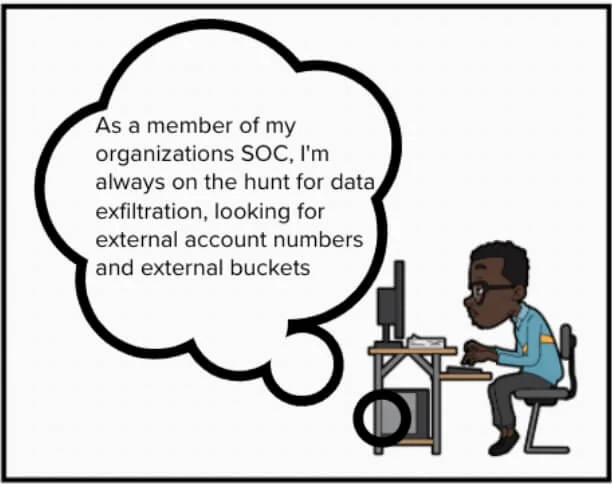
Given how preventable service abuse is with the S3 Replication Service, why does this lack of visibility matter to threat hunters and cloud defenders? Cloud defenders continually ask questions about the cloud environment in search of indicators of compromise. Their job is to detect when things go sideways, despite the best efforts of preventive measures.
A defender's bread and butter are logs, used to craft detections that provide early warning signs that data is moving from the perimeter. The data-plane logs available to defenders may be constrained to only known, high-value buckets to address cost concerns and reduce the sheer volume of data-plane logs generated when capturing all.
If data can be copied without incurring a recording of the destination bucket, defenders cannot comprehensively alert on or hunt for exfiltration by looking for bad buckets in data-plane events such as CopyObject or PutObject.
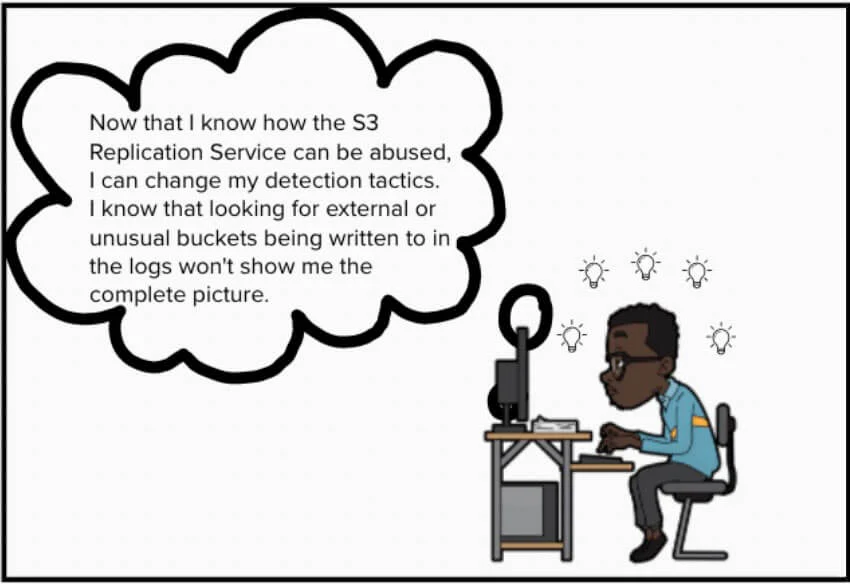
Fix
Preventative controls are clear. When defining AWS IAM identity policies, do not leave the resource field blank, which allows the policy permissions to apply to any resource. Ensure the IAM role the Replication Service assumes explicitly enumerates which buckets it is allowed to operate on.
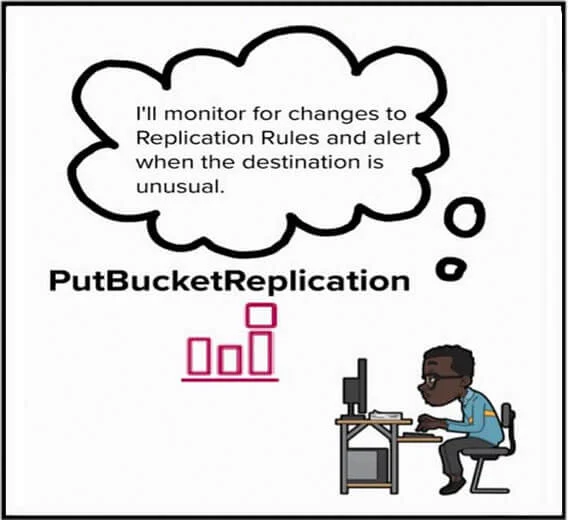
On the detection side, defenders need to broaden the events they monitor to include the updating of replication rules, so they can ensure they are comprehensively monitoring their data perimeter. If a SOC is unable to enforce S3 data-plane logging on "all current and future buckets", monitoring for and alerting on the PutBucketReplication event is the only place a defender will have visibility into external destination buckets. That event does not indicate data has been copied, only that the Replication service has a rule configured to copy data.
As of August 2022, AWS had declined to fix the logging issue. In discussions with AWS, the following solutions or feature requests were proposed:
- Include the destination bucket in the GetObject event.
- Preferably, consider the GetObject and PutObject events as pairs, writing these two events to the Source Account as a result of the scoping filter of the source bucket rather than considering the data-plane log scope of the destination bucket.
Reporting timeline
| Date | Actor | Event |
|---|---|---|
| 10/19/21 | Vectra | Initial vulnerability report submitted, receipt acknowledged same day. |
| 10/20/21 | AWS | Responded that they do not believe this to be a vulnerability: "We do not believe the behaviour you describe in this report presents a security concern, rather, it is expected behaviour. We offer CloudWatch alarming that will log any changes made to a bucket's replication policy [1], which would give visibility into the destination of the data for the threat model described. See the section detailing "S3BucketChangesAlarm"." |
| 10/20/21 | Vectra | Requested confirmation that AWS does not consider the lack of logging a vulnerability, and indicated the response would be depicted as "won't fix" in any public disclosure. |
| 10/26/21 | AWS | Asked where the disclosure would be published and whether they could have an advance copy. |
| 10/26/21 | Vectra | Acknowledged AWS could receive an advance copy of any public disclosure. |
| 2/2/22 | Vectra | Re-sent the original report to an internal contact on the AWS Security team, suggesting a request for enhanced logging on the S3 replication service. |
| 2/3/22 | AWS | Acknowledged the internal ticket was filed. |
| 7/20/22 | Vectra | Published initial research describing the logging issue as occurring only when Replication Time Control (RTC) was enabled. |
| 7/25/22 | Vectra | Re-tested and found the lack of logging occurring with or without RTC enabled. |
| 7/26/22 | Vectra | Presented findings at fwd:cloudSec. |
| 8/18/22 | Vectra and AWS | Met to discuss findings. It was understood that the CloudTrail S3 data-plane scoping filter is the mechanism that controls whether a PutObject event is written to the source account. |
[1] https://docs.aws.amazon.com/awscloudtrail/latest/userguide/awscloudtrail-ug.pdf
Lessons learned
The S3 Replication Service can help organisations become more ransomware resilient, but when building out a threat model it is worth crafting evil user stories to view cloud capabilities from the viewpoint of an attacker. Because of cost, a typical organisation might be hesitant to enable S3 data-plane logging on all buckets, preferring to capture logs only on high-value buckets. That strategy results in a gap in S3 exfiltration visibility, since the PutObject event will not be written in the Source Account.
Variants to test
What happened, in plain words
Amazon S3 is a service for storing files in the cloud. People often call those files "objects" and the storage containers "buckets". A bucket is like a folder in the cloud, except it lives inside Amazon's data centres and you reach it over the internet rather than on your own hard drive.
S3 has a feature called Replication. When you switch it on, S3 will automatically copy the files in one bucket to another bucket. The second bucket can be in a different country (AWS calls these "regions") or even in a completely different AWS account, which is a separate company or team's slice of AWS. Companies use this to keep backup copies, so that if something destroys the original data, a spare copy exists somewhere else.
This article is about a security researcher, Kat Traxler, who looked at what happens when an attacker gets control of that copying feature. The attacker does not need to steal the files one by one. They just change the copying instructions so that S3 copies everything to a bucket the attacker controls. Then the attacker sits back while Amazon's own service does the stealing for them.
The second half of the story is about logs. AWS keeps a record of activity called CloudTrail, which is like a security camera that writes down who did what and when. The researcher found that when a company configures CloudTrail in a common, money-saving way, the record naming the destination bucket does not appear in the victim's own account. The destination bucket, the place the data went, is never named in the victim's logs. So the theft happens quietly, using a legitimate feature, and the victim's security team may never see it.
AWS's position, as recorded in the report, was that this is expected behaviour rather than a vulnerability, and as of August 2022 AWS had declined to fix the logging issue. The researcher published the findings, along with suggestions for how defenders can still catch it.
The pieces you need to know first
Before the details make sense, here are the building blocks, explained from scratch.
- AWS (Amazon Web Services): Amazon's collection of cloud services. Instead of buying servers, companies rent computing and storage from AWS and access it over the internet.
- S3 (Simple Storage Service): AWS's file storage service. You create buckets and put objects (files) in them.
- Bucket: a container for files in S3. Think of it as a top-level folder with a globally unique name.
- Object: a single file stored in a bucket, plus some information about it.
- Region: a geographic area where AWS has data centres, such as a country or part of one. Copying data "across regions" means sending it from one geographic area to another.
- Account: an AWS customer's isolated space. One company can have several accounts, and different companies have different accounts. Copying "across accounts" means sending data from one customer's space into another's.
- IAM (Identity and Access Management): AWS's system for saying who is allowed to do what. You write policies, which are rules like "this role may read from bucket A and write to bucket B".
- IAM role: a set of permissions that a service or person can temporarily "wear". When S3 Replication needs to copy a file, it puts on a role that has been given permission to read the source and write to the destination. If the role is too generous, the service can write anywhere.
- API (Application Programming Interface): the set of instructions one computer program uses to talk to another. When you click a button in the AWS website, your browser is really sending an API request behind the scenes. Attackers often work directly with the API rather than clicking buttons.
- Control plane vs data plane: the control plane is where you change settings, like "start copying this bucket". The data plane is where the actual files move. Changing a rule is a control-plane action; copying a file is a data-plane action. This distinction matters later because the two are logged differently.
- CloudTrail: AWS's logging service. It records actions taken in your account. There are two kinds of records: management events (settings changes, like creating a rule) and data events (individual file reads and writes). Data events are optional and cost extra, which is why many companies only switch them on for important buckets.
- CloudWatch: AWS's monitoring and alerting service. You can set alarms that fire when something specific happens, such as a change to a bucket's replication policy.
- SOC (Security Operations Centre): the team inside a company whose job is to watch for attacks and respond to them. They read logs and build alerts.
- Exfiltration: the act of stealing data by moving it out of an environment. The word is used for any unauthorised transfer of data out of a company's control.
- Feature abuse: using a legitimate, working feature for a purpose it was never intended for. Nothing is broken; the feature is simply pointed at the wrong target. Because nothing is broken, there is no patch to install.
- Wildcard (
*): a symbol meaning "anything". In an IAM policy, a resource of*means "any bucket at all", including buckets outside your account. - Replication Time Control (RTC): an S3 replication option mentioned in the timeline, where the researcher first thought the logging gap only appeared when RTC was on. It is mentioned in the timeline because the researcher first thought the logging gap only appeared when RTC was on, then re-tested and found it happened either way.
The S3 Replication Service, and why it is useful
A comprehensive backup strategy is a cornerstone of any disaster recovery plan. But how would you distinguish between legitimate backup activity and malicious data exfiltration? That is the question the research sets out to answer.
Cyber attackers are increasingly gaining access to cloud control planes, which include the capabilities to perform cloud-native backups. The article shows how those tools can be leveraged to exfiltrate data from across an organisation's production environment.
The story is told from four perspectives:
- The S3 Replication Service, as it benignly follows orders dictated as replication rules to replicate S3 data across buckets.
- The Evil S3 Replication Service, as its powers are abused to copy data to external locations.
- The attacker, who gains control of the S3 Replication Service, co-opting the service and using its lack of logging to stay under the radar.
- Members of the SOC team, who learn that they are partially blind to data movement via the S3 Replication Service but can change their detection strategy to compensate.
S3 is no longer the "Simple Storage Service" it was made out to be. With dozens of features and integrations, it has become the data store of choice for enterprise AWS customers. It is also complicated enough that understanding and securing all its capabilities is hard. One of those capabilities is the ability to copy data across regions and accounts, creating active backups of your data. As the article shows, this feature is ripe for abuse and can be challenging to gain visibility into.
The Replication Service in AWS does exactly what you might think: when directed with rules, it copies S3 data between buckets.
The service takes its orders from Replication Rules. You can configure rules that tell the service to copy data to multiple buckets, creating multiple replicas of the same source object.
The destination buckets do not even have to be in the same region or the same account as the source bucket.
Replication only works if the service is granted permissions to do it. To enable S3 Replication you configure the service to assume an IAM role, and that role is granted IAM permissions to access both the source and the destination buckets. Think of the role as a keycard: the service can only open the doors the keycard lists, and if the keycard says "every door", it can open every door.
What happens if an attacker gets to use replication
Cross-account replication can assist organisations in recovery from a data-loss event. In the wrong hands, however, the replication service allows threat actors to siphon off data to untrusted locations.
The S3 Replication Service has high abuse potential and as a result is a prime target for attackers.
If an attacker gains the ability to create replication rules, they can direct the S3 Replication Service to copy data to an attacker-controlled external bucket, even one that resides outside the victim's AWS organisation. An AWS organisation is a way of grouping many accounts under one management umbrella; "outside the organisation" means the data leaves the company's own boundary entirely.
What permissions are needed to replicate externally
The S3 Replication Service requires permissions on S3 objects to both get the object from the source bucket and replicate the object to the external, attacker-controlled bucket.
Here is an example of an IAM policy that defines the required actions for replication but neglects to scope the permissions to a resource, leaving the resource field as "*". Such a policy is so permissive that it would allow the S3 Replication Service to copy objects to any bucket, even those outside your account.
Given an overly permissive policy, an attacker only needs the ability to update replication rules, directing the Replication Service to copy data to an attacker-controlled bucket. No permissions are required on the objects themselves, just the ability to update rules.
To recap: instead of directly copying or moving data out of an account, the attacker leverages the S3 Replication Service to perform those same actions on their behalf, as the result of a malicious replication rule. This is not a bug that can be remediated. It is a type of cloud vulnerability called "feature abuse".
How the service logs its activity, and how that helps an attacker
The authorised movement of data via the S3 Replication Service is less than transparent, which makes it especially difficult to hunt for data exfiltration and enables an attacker to hide their activity in plain sight within a cloud environment.
The question is when and where the Replication Service writes events to CloudTrail, given the bucket scoping of your data-plane trail configuration. "Scoping" means deciding which buckets are included in the logging. A trail is a CloudTrail configuration that sends records to a storage location.
To gain visibility into events affecting S3 objects, you have to opt into the collection of S3 data events. The scope of those events can be configured to include "All current and future S3 buckets", or individual buckets can be enumerated. This CloudTrail setting acts as a filtering mechanism that scopes specific buckets into S3 data-plane logging.

When data is copied by the S3 Replication Service, a GetObject event is incurred as the service grabs the object while replicating. This event is written in the Source Account CloudTrail. In plain terms, GetObject is the log line that says "someone read this file".
Following the GetObject event, the PutObject event, which reveals the destination bucket, is recorded in both the External Destination Account and in the Source Account. PutObject is the log line that says "someone wrote this file here", and "here" is the destination bucket.
That is the behaviour when data-plane logging covers everything. The interesting case is what happens when logs are limited to specific buckets.
To control costs, organisations often enable S3 data-plane logs on their high-value buckets only, rather than paying for logging on "all current and future buckets". The question is how that logging configuration changes the visibility of the S3 Replication Service.
Following the GetObject event, a PutObject event could be recorded in the Destination Account in accordance with the Destination Account CloudTrail configuration. Notably, no PutObject event will be recorded in the Source Account.
In practice, as data is copied by the Replication Service, there is no record in the CloudTrail of the Source Account revealing the external destination bucket.
When CloudTrail is configured to capture S3 data-plane events from specific Source Account buckets, a gap in logging exists. Data can be copied without the data-plane event, PutObject, being recorded in the Source Account. Without data-plane logs scoped to include all current and future buckets, an attacker could update replication rules to replicate objects to their external bucket, then sit back and relax while the Replication Service silently moves data out of the organisation.
The preventative controls are clear
When defining AWS IAM identity policies, do not leave the resource field blank, which allows the policy permissions to apply to any resource. Ensure the IAM role the Replication Service assumes explicitly enumerates which buckets it is allowed to operate on. In everyday terms: write the names of the allowed buckets on the keycard instead of writing "any door".
What this means for cloud defenders
Threat hunters can use the malicious updating of replication rules as a clue that data exfiltration may silently be occurring in their environment.
Given how preventable service abuse is with the S3 Replication Service, why does this lack of visibility matter to threat hunters and cloud defenders?
Cloud defenders continually ask questions about the cloud environment in search of indicators of compromise. Their job is to detect when things go sideways, despite the best efforts of preventive measures.
A defender's bread and butter are logs, used to craft detections that provide early warning signs that data is moving from the perimeter. The data-plane logs available to defenders may be constrained to only known, high-value buckets to address cost concerns and reduce the sheer volume of data-plane logs generated when capturing all.
If data can be copied without incurring a recording of the destination bucket, defenders cannot comprehensively alert on or hunt for exfiltration by looking for bad buckets in data-plane events such as CopyObject or PutObject.
Defenders need to broaden the events they monitor to include the updating of replication rules, so they can ensure they are comprehensively monitoring their data perimeter. If a SOC is unable to enforce S3 data-plane logging on "all current and future buckets", monitoring for and alerting on the PutBucketReplication event is the only place a defender will have visibility into external destination buckets. That event does not indicate data has been copied, only that the Replication service has a rule configured to copy data.
Lessons learned when abusing the Replication Service
The S3 Replication Service can help organisations become more ransomware resilient, but when building out a threat model it is worth crafting evil user stories to view cloud capabilities from the viewpoint of an attacker. Because of cost, a typical organisation might be hesitant to enable S3 data-plane logging on all buckets, preferring to capture logs only on high-value buckets. That strategy results in a gap in S3 exfiltration visibility, since the PutObject event will not be written in the Source Account.
As of August 2022, AWS had declined to fix the logging issue. In discussions with AWS, the following solutions or feature requests were proposed:
- Include the destination bucket in the GetObject event.
- Preferably, consider the GetObject and PutObject events as pairs, writing these two events to the Source Account as a result of the scoping filter of the source bucket rather than considering the data-plane log scope of the destination bucket.
Reporting timeline
| Date | Actor | Event |
|---|---|---|
| 10/19/21 | Vectra | Initial vulnerability report submitted, receipt acknowledged same day. |
| 10/20/21 | AWS | Responded that they do not believe this to be a vulnerability: "We do not believe the behaviour you describe in this report presents a security concern, rather, it is expected behaviour. We offer CloudWatch alarming that will log any changes made to a bucket's replication policy [1], which would give visibility into the destination of the data for the threat model described. See the section detailing "S3BucketChangesAlarm"." |
| 10/20/21 | Vectra | Requested confirmation that AWS does not consider the lack of logging a vulnerability, and indicated the response would be depicted as "won't fix" in any public disclosure. |
| 10/26/21 | AWS | Asked where the disclosure would be published and whether they could have an advance copy. |
| 10/26/21 | Vectra | Acknowledged AWS could receive an advance copy of any public disclosure. |
| 2/2/22 | Vectra | Re-sent the original report to an internal contact on the AWS Security team, suggesting a request for enhanced logging on the S3 replication service. |
| 2/3/22 | AWS | Acknowledged the internal ticket was filed. |
| 7/20/22 | Vectra | Published initial research describing the logging issue as occurring only when Replication Time Control (RTC) was enabled. |
| 7/25/22 | Vectra | Re-tested and found the lack of logging occurring with or without RTC enabled. |
| 7/26/22 | Vectra | Presented findings at fwd:cloudSec. |
| 8/18/22 | Vectra and AWS | Met to discuss findings. It was understood that the CloudTrail S3 data-plane scoping filter is the mechanism that controls whether a PutObject event is written to the source account. |
[1] https://docs.aws.amazon.com/awscloudtrail/latest/userguide/awscloudtrail-ug.pdf
Glossary
- Account: an isolated space inside AWS belonging to one customer or team.
- API (Application Programming Interface): the set of instructions programs use to talk to each other; the AWS website is a front end for AWS's APIs.
- AWS (Amazon Web Services): Amazon's cloud platform, where customers rent storage and computing over the internet.
- Bucket: a container for files in S3, similar to a top-level folder with a unique name.
- CloudTrail: AWS's logging service, which records actions taken in an account.
- CloudWatch: AWS's monitoring service, used to raise alarms when specified events happen.
- Control plane: the part of a cloud system where settings and rules are changed.
- CopyObject: an S3 operation that copies an object; it appears as a data event in logs.
- Data plane: the part of a cloud system where the actual data moves, such as reading and writing files.
- Data event: a log record of an individual file-level action, such as reading or writing an object; optional and billed separately.
- Destination bucket: the bucket data is copied to.
- Disaster recovery (DR): the plan for restoring systems and data after a major failure.
- Exfiltration: the unauthorised movement of data out of an environment.
- Feature abuse: using a legitimate feature for a harmful purpose; nothing is broken, so there is no patch.
- GetObject: the S3 operation that reads an object; it appears as a data event in logs.
- IAM (Identity and Access Management): AWS's system of permissions and policies.
- IAM role: a set of permissions a service or person can temporarily assume.
- Indicator of compromise (IoC): a sign that an intrusion has occurred.
- Management event: a log record of a settings change, such as creating or changing a rule.
- Object: a single file stored in an S3 bucket.
- Organisation (AWS): a grouping of many AWS accounts under one management umbrella.
- Policy: a written rule in IAM describing who may do what to which resources.
- PutBucketReplication: the operation that creates or changes a bucket's replication rule; a management event.
- PutObject: the S3 operation that writes an object; it appears as a data event in logs and names the destination bucket.
- Region: a geographic area where AWS operates data centres.
- Replication: the S3 feature that automatically copies objects from one bucket to another.
- Replication Rule: the instruction that tells the Replication Service what to copy and where to.
- Replication Time Control (RTC): an S3 option that provides a time guarantee for replicated data.
- Resource (in a policy): the specific thing a permission applies to, such as a named bucket;
*means anything. - SOC (Security Operations Centre): the team that monitors for and responds to attacks.
- Source bucket: the bucket data is copied from.
- Threat model: a structured description of what an attacker might do and how.
- Trail: a CloudTrail configuration that records events and delivers them to storage.
- Wildcard (
*): a symbol meaning "anything", used in policies to mean any resource.




