Vulnerability in Bumble dating app reveals any user's exact location
Bumble's API sent distances rounded to the nearest mile, but an attacker could find the exact points where the rounded distance changed (e.g., from 3 to 4 miles) by spoofing their location and observing the reported distance. Using three such flipping points, the attacker could perform trilateration to determine a victim's exact location.
 Published on robertheaton.com
You are worried about your good buddy and co-CEO, Steve Steveington. Business has been bad at Steveslist, the online marketplace that you co-founded together where people can buy and sell things and no one asks too many questions.
The full write-up lives on its author's site
It belongs to its author, so we link to it rather than copy it. The other two tabs are our own rewrites, checked against it.
Context
Bumble is a dating app that, like most apps in its category, shows users how far away they are from each other. The distance is meant to be approximate: enough to decide whether someone is worth a short trip, not enough to reveal where they actually are. The report treats that distance feature as the attack surface. If the server computes an exact distance and then rounds it before sending it to the client, the rounding boundary itself leaks information: the point at which the displayed distance flips from one value to the next is a point at which the victim is at a known exact distance from the attacker.
The author frames the work as a sequel to an earlier blog post about Tinder's location handling. Tinder's first mistake was sending the exact co-ordinates of a potential match to the app, which an attacker could read from their own traffic:
{
  "user_id": 1234567890,
  "location": {
    "latitude": 37.774904,
    "longitude": 122.419422
  }
  // ...etc...
}
Tinder then moved the distance calculation to the server but sent the result with 15 decimal places of precision, leaving the app to round it for display:
{
  "user_id": 1234567890,
  "distance": 5.21398760815170,
  // ...etc...
}
That precision let researchers spoof their own location, ask for the distance to a victim from three different spoofed positions, and draw three circles whose intersection gave the victim's location. This is trilateration, similar to but not the same as triangulation.
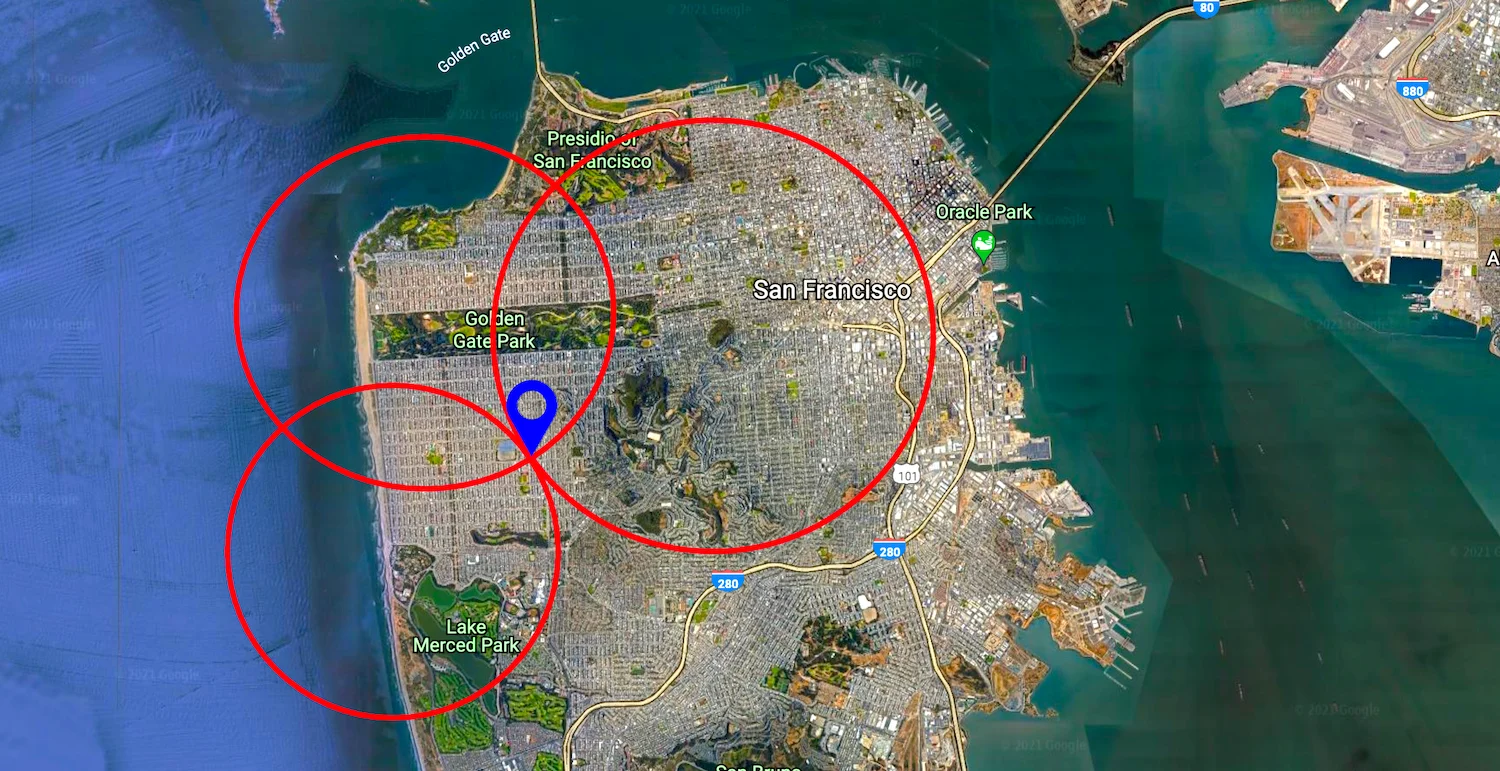
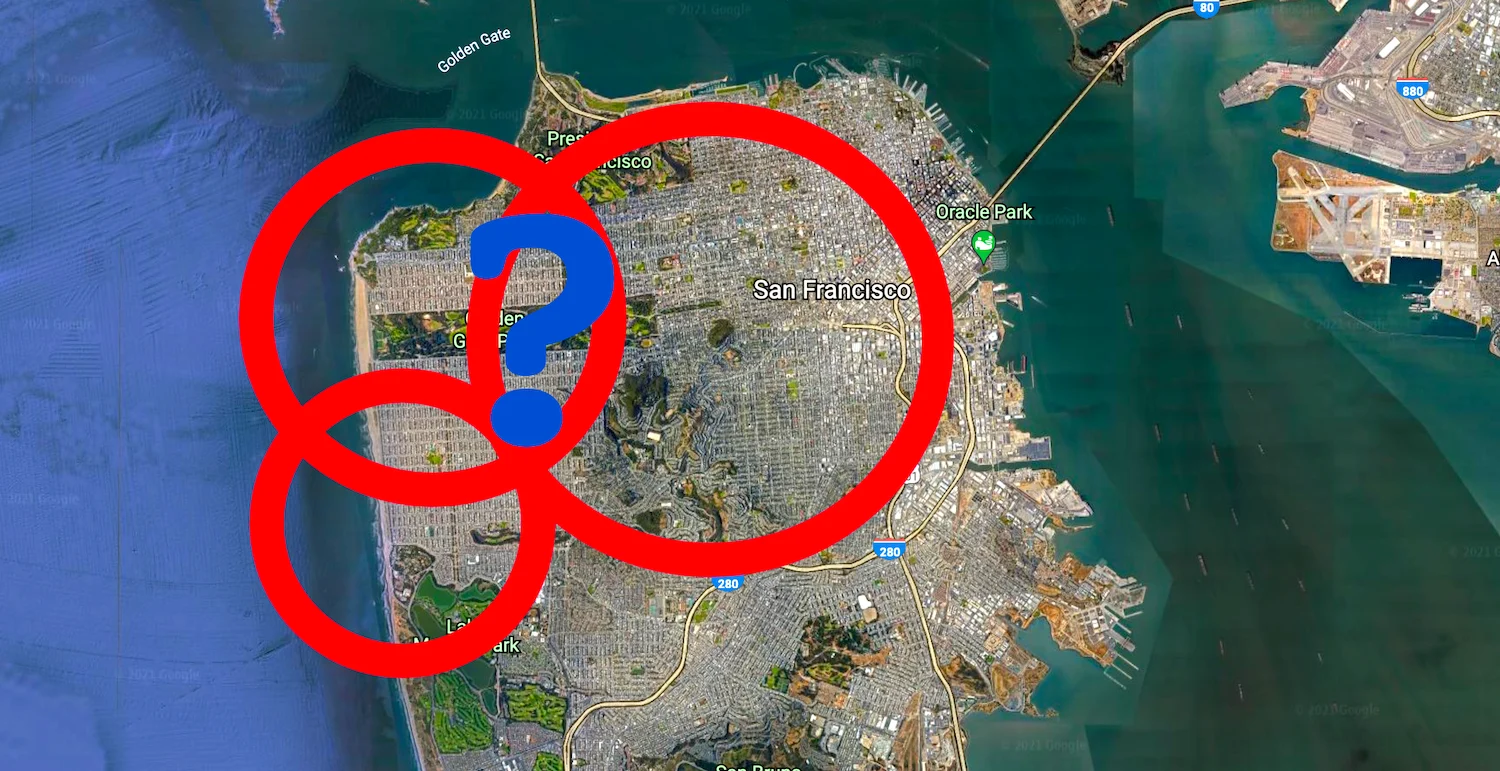
Tinder's fix was to calculate and round on the server, sending only fully rounded values. Bumble reportedly does the same, which limits plain trilateration to roughly a mile-by-mile square. That is not precise enough to distinguish, say, a building from a fast food outlet half a mile away, so the author goes looking for a different flaw.
Setup
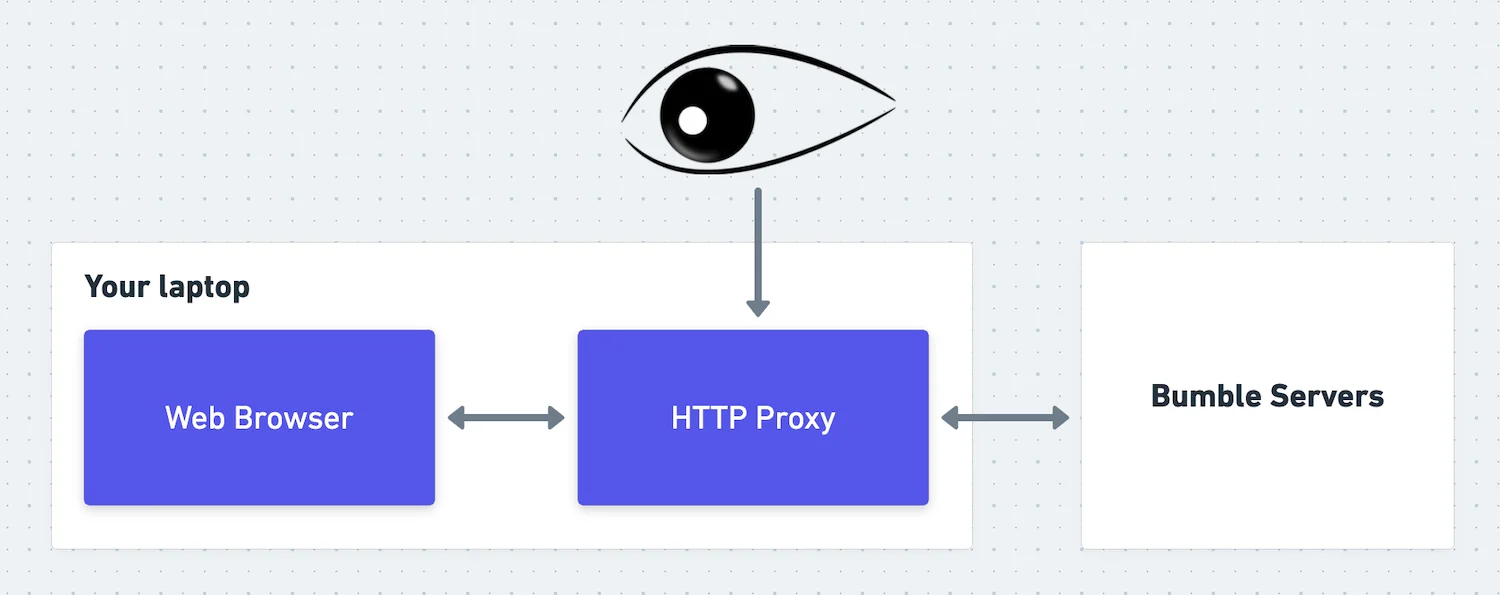
The work is done against the Bumble website in a desktop browser rather than the smartphone app, because browser traffic is easier to inspect and the site's JavaScript can be read with the browser's developer tools. The tooling is Burp Suite as an HTTP proxy, sitting between the browser and the Bumble servers so that requests and responses can be intercepted, studied, replayed and edited. The goal is to send customised HTTP requests from a script without going through the app or website.
Two accounts are needed: an attacker and a victim. The victim account is placed at a known location and the attacker account is moved around to relocate it. The author creates the accounts using photos of colleagues rather than his own, because Bumble's photo checks reject a picture of a ceiling and a stock photo of a man pointing at a whiteboard, and then demand a selfie with the right hand on the head to prove the profile photo is genuine. There is no way to change the initial profile photo until that verification passes, so the first account is abandoned.


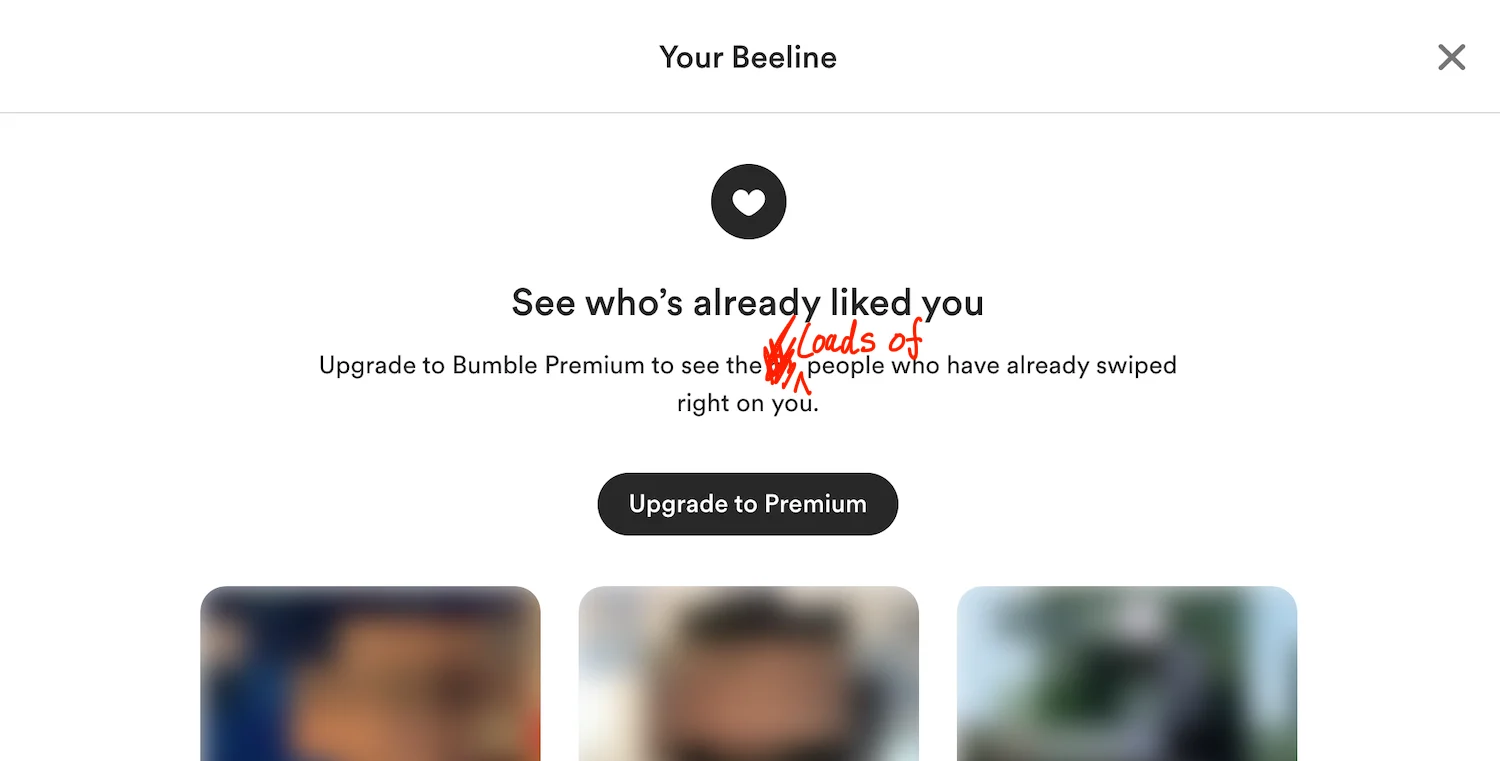
The two working accounts are named Jenna and Wilson. Their match filters are set to "within 1 mile" and the author tries to make them match each other so they have maximum access to each other's information. Jenna swipes right on Wilson, but Wilson never sees Jenna and eventually runs out of candidates. A notification tells Wilson that someone has liked him, and clicking it prompts for $1.99 to reveal the admirer. Rather than pay, the author decides to investigate the API and bypass the paywall.
Finding it
Kate's hypothesis is that Bumble calculates the exact distance between two users and then rounds it to the nearest mile. Code for that would look like this:
def calculate_approximate_distance(user1_location, user2_location):
    # Calculate the exact distance
    exact_distance = calculate_exact_distance(
        user1_location,
        user2_location,
    )
    # Round it
    rounded_distance = math.round(exact_distance)

    # Return the rounded distance
    return rounded_distance
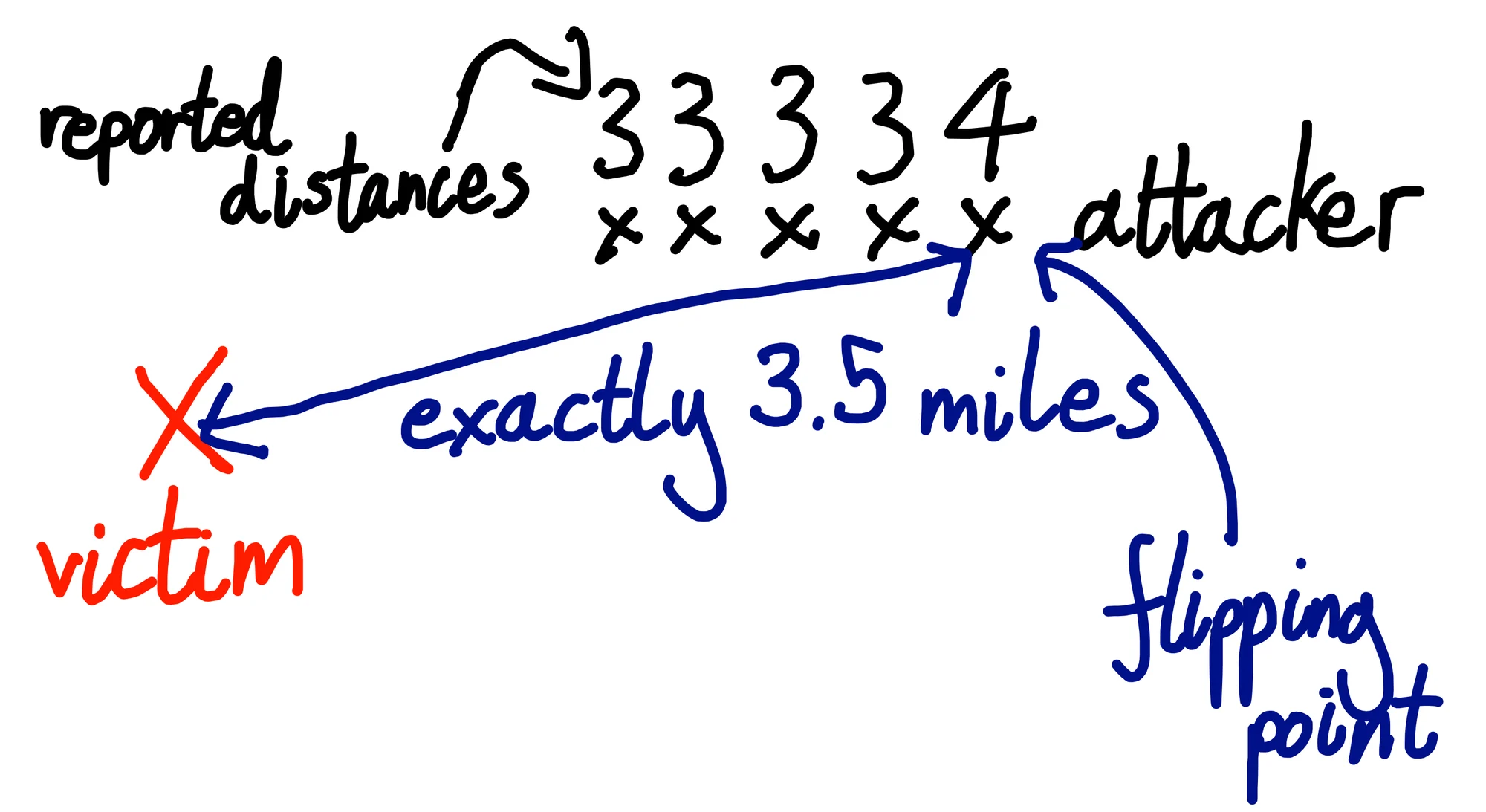
If that is what happens, an attacker who finds the point where the reported distance flips from 3 miles to 4 miles knows the victim is exactly 3.5 miles away at that point: 3.49999 rounds down, 3.50000 rounds up. Three such flipping points give three exact distances and allow precise trilateration, exactly as in the Tinder attack. The way to test the hypothesis is to build a script that moves the attacker around and repeatedly asks for the distance to the victim.
Exploitation
Step 1: Learn the request format
With Burp Suite in place, swiping yes on a random user produces this request:
POST /mwebapi.phtml?SERVER_ENCOUNTERS_VOTE HTTP/1.1
Host: eu1.bumble.com
Cookie: CENSORED
X-Pingback: [redacted]
[[...further headers deleted for brevity...]]
Sec-Gpc: 1
Connection: close

{
  "$gpb": "badoo.bma.BadooMessage",
  "body": [
    {
      "message_type": 80,
      "server_encounters_vote": {
        "person_id": "CENSORED",
        "vote": 3,
        "vote_source": 1,
        "game_mode":0
      }
    }
  ],
  "message_id": 71,
  "message_type": 80,
  "version": 1,
  "is_background": false
}
The swipee's user ID sits in the person_id field inside body. If the server does not check that the swiped user is currently in the attacker's feed, inserting a known user ID should create a match without payment.
Step 2: Find the victim's user ID in the Beeline
The request that loads Wilson's list of accounts who have already liked him, which Bumble calls his Beeline, returns blurred images together with the user ID behind each one:
{
  // ...
  "users": [
    {
      "$gpb": "badoo.bma.User",
      // Jenna's user ID
      "user_id":"CENSORED",
      "projection": [340,871],
      "access_level": 30,
      "profile_photo": {
        "$gpb": "badoo.bma.Photo",
        "id": "CENSORED",
        "preview_url": "//pd2eu.bumbcdn.com/p33/hidden?euri=CENSORED",
        "large_url":"//pd2eu.bumbcdn.com/p33/hidden?euri=CENSORED",
        // ...
      }
    },
    // ...
  ]
}
The first picture is Jenna, so the ID beside it is hers. This also means anyone can read the IDs of everyone in their Beeline and spoof swipe-yes requests for all of them without paying the $1.99, assuming the server does not validate that the target is in the match queue. An editor's note says this ancillary issue was fixed shortly after publication.
Step 3: Discover the signature
Inserting Jenna's ID into a swipe-yes request returns a "Server Error". Experimentation shows that editing anything in the HTTP body, even adding a trailing space, makes the request fail. That points to a signature: a string generated from the data and used to detect alteration, where the same input always produces the same signature.
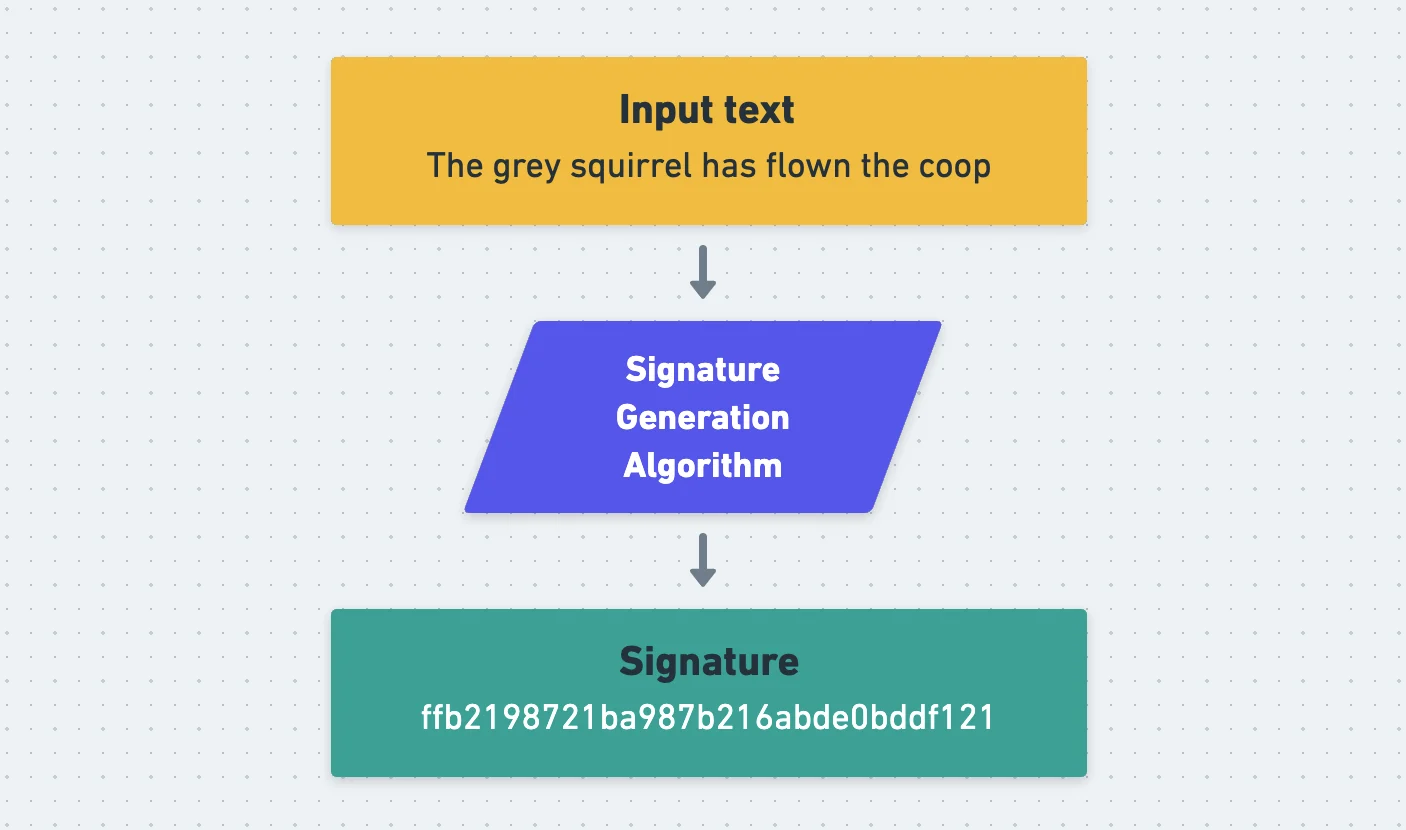
A verifier regenerates the signature and compares it; a mismatch means tampering. The Bumble website's JavaScript must generate the signature from the request body and attach it, and the server checks it before accepting the request.
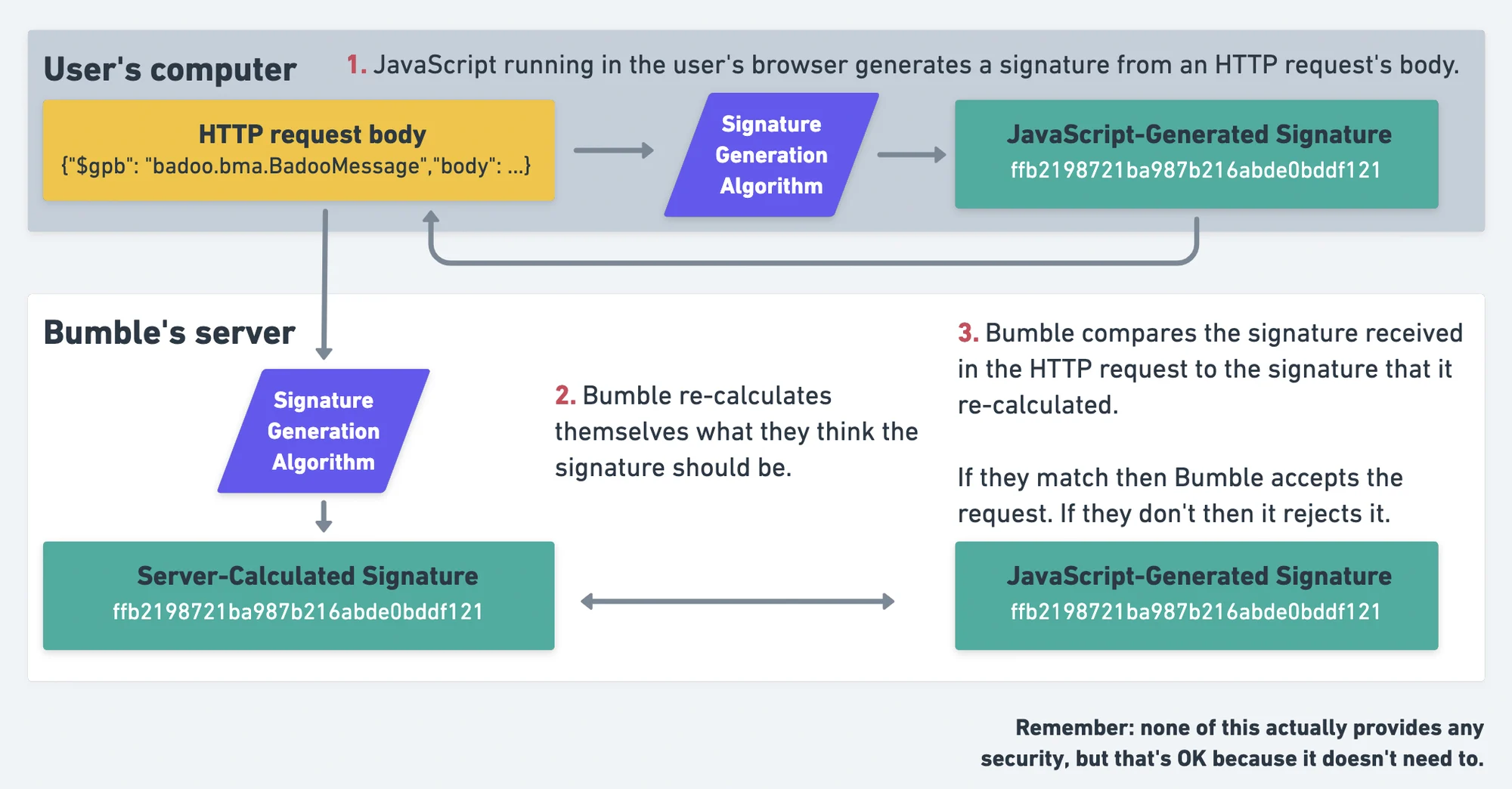
Because the signing code runs on the attacker's own computer, its logic and any embedded key are readable, so forged signatures can be produced and the server cannot tell them from genuine ones. The candidate is the X-Pingback header:
POST /mwebapi.phtml?SERVER_ENCOUNTERS_VOTE HTTP/1.1
...
User-Agent: Mozilla/5.0 (Macintosh; Intel Max OS X 10_15_7) AppleWebKit/537.36 (KHTML, like Gecko) Chrome/91.0
X-Pingback: [redacted]
Content-Type: application/json
...
Running the body through simple hash functions such as MD5 or SHA256 does not reproduce the value, so the JavaScript has to be read.
Step 4: Read the minified JavaScript
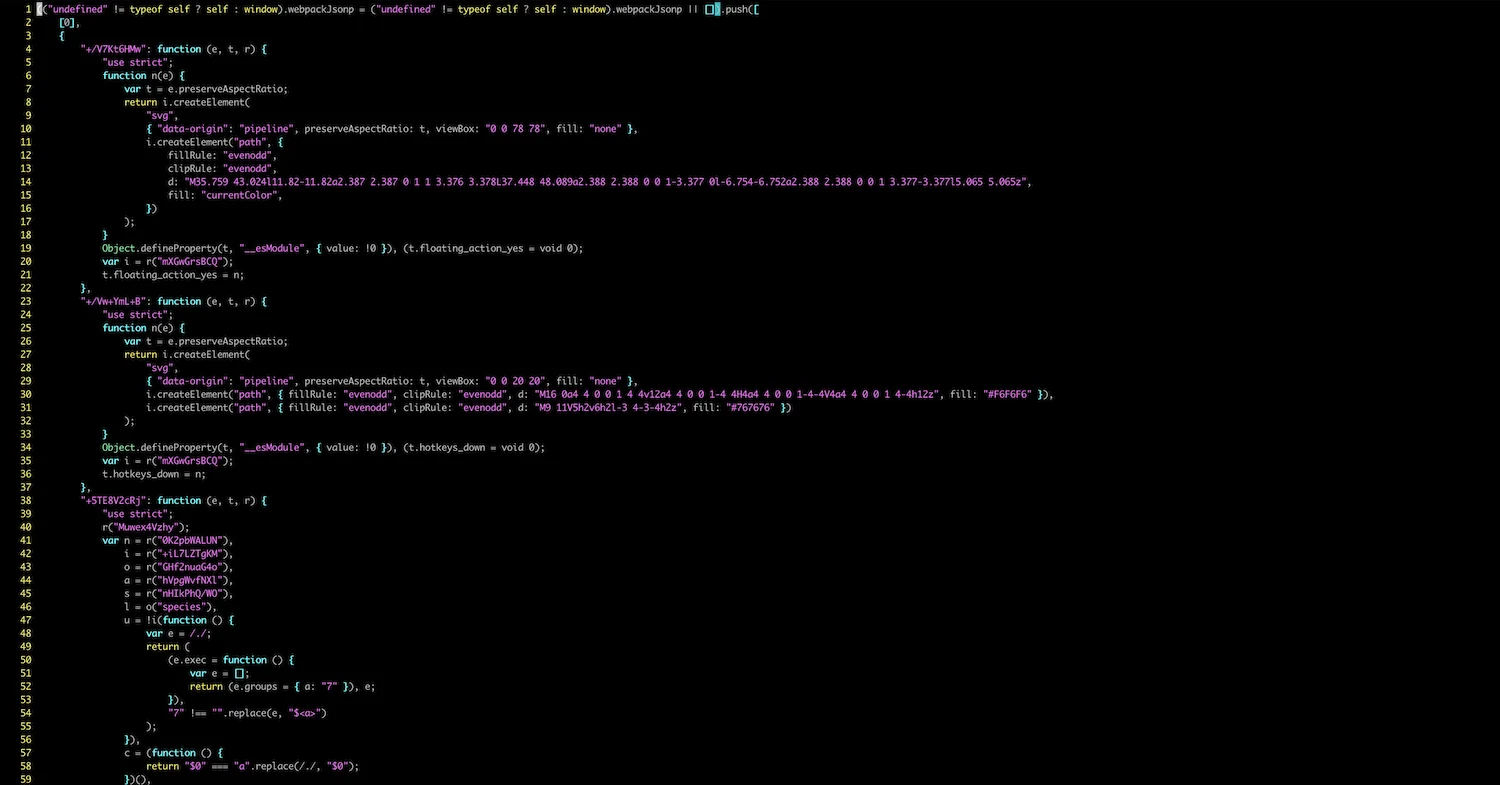
Bumble's JavaScript is minified into a single file: comments removed, descriptive names such as signBody replaced with single characters such as f and R, and the code concatenated onto 39 lines, each thousands of characters long.
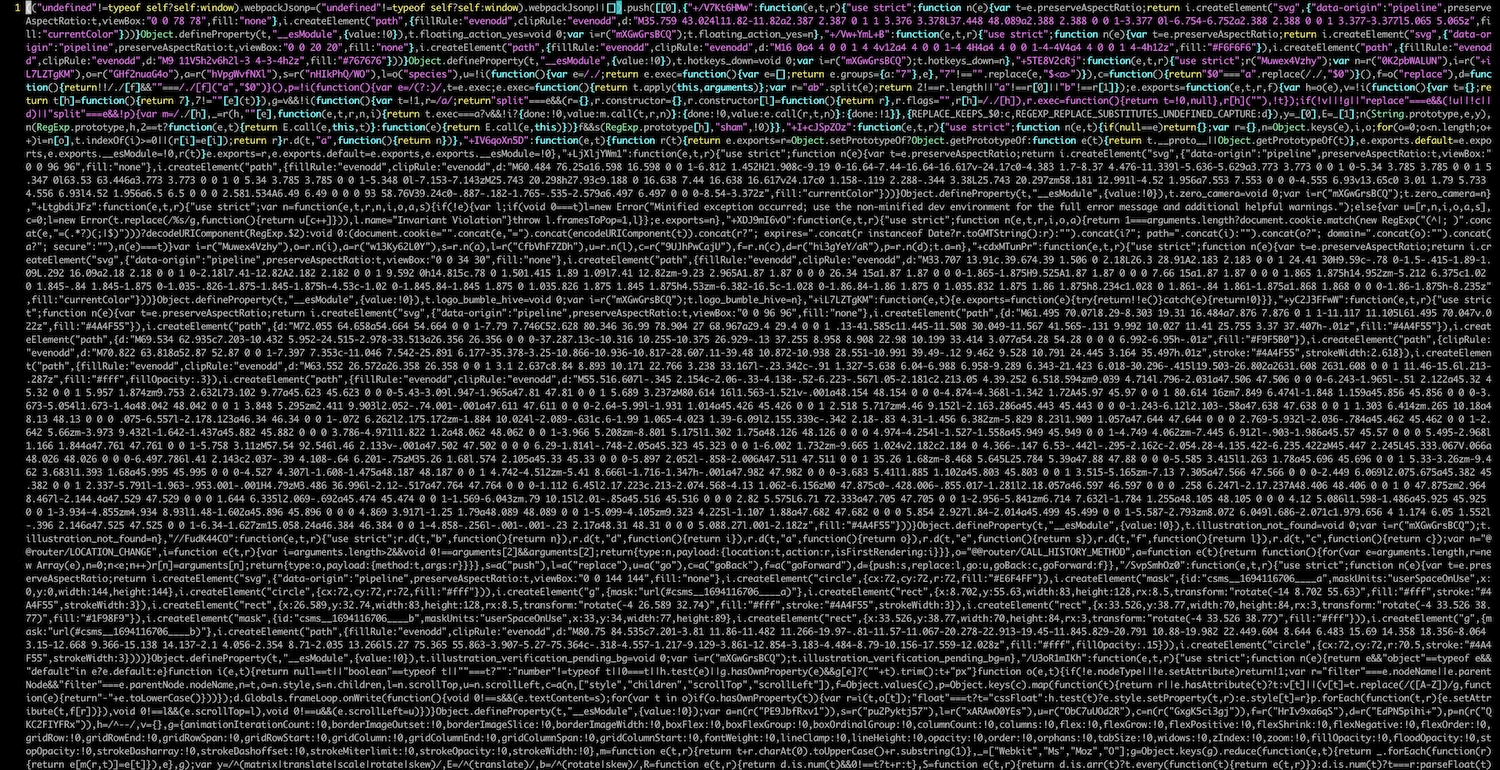
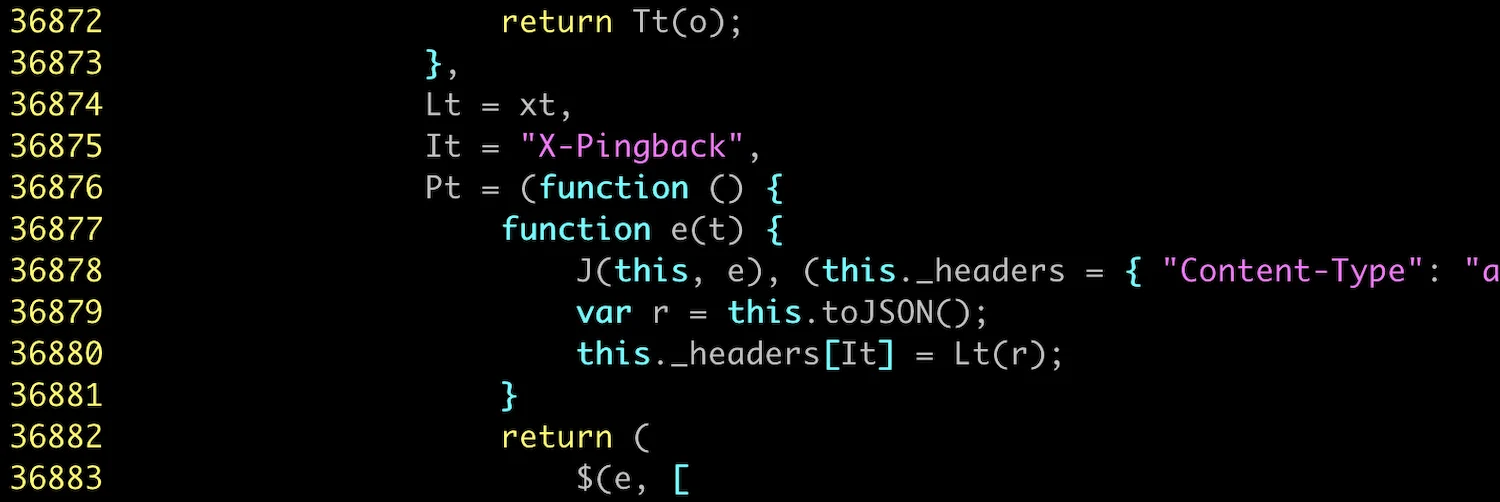
An un-minifying tool reformats it onto multiple lines without restoring names or comments, producing a little over 51,000 lines. Searching for the string X-Pingback finds it on line 36,875, and tracing the function calls from there shows how the header value is generated.
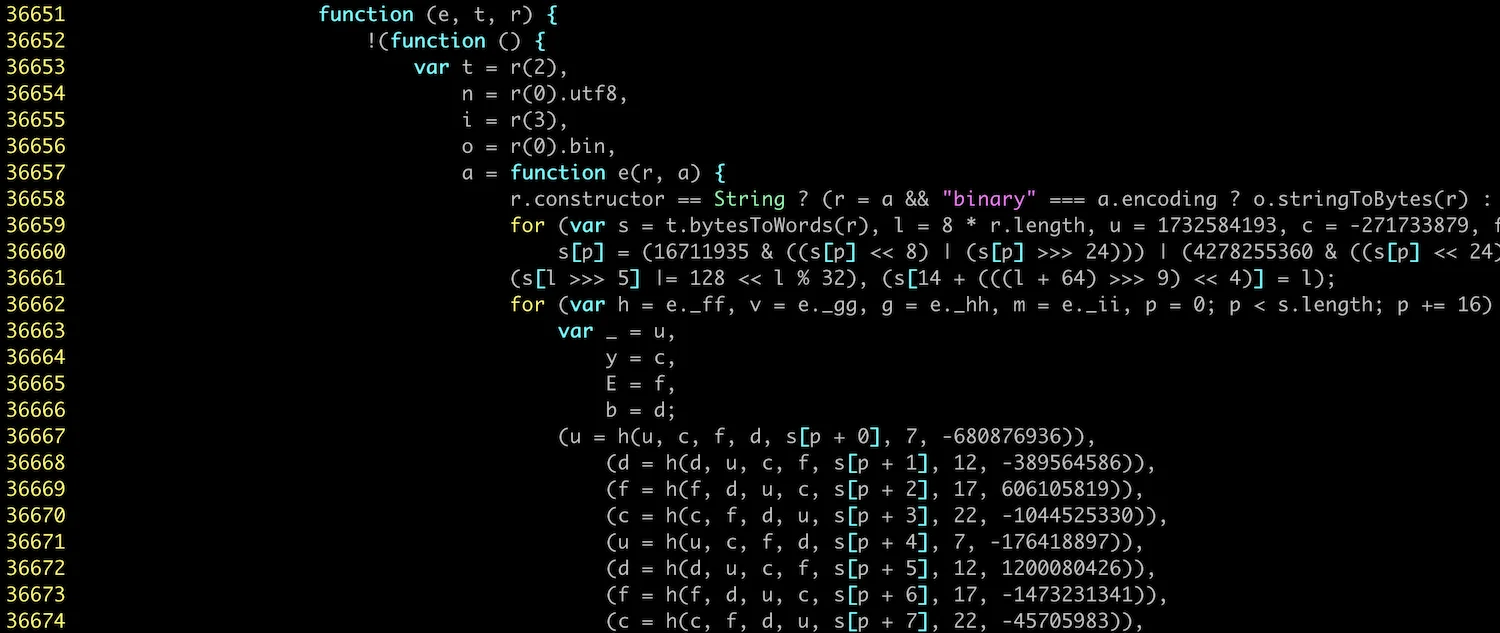
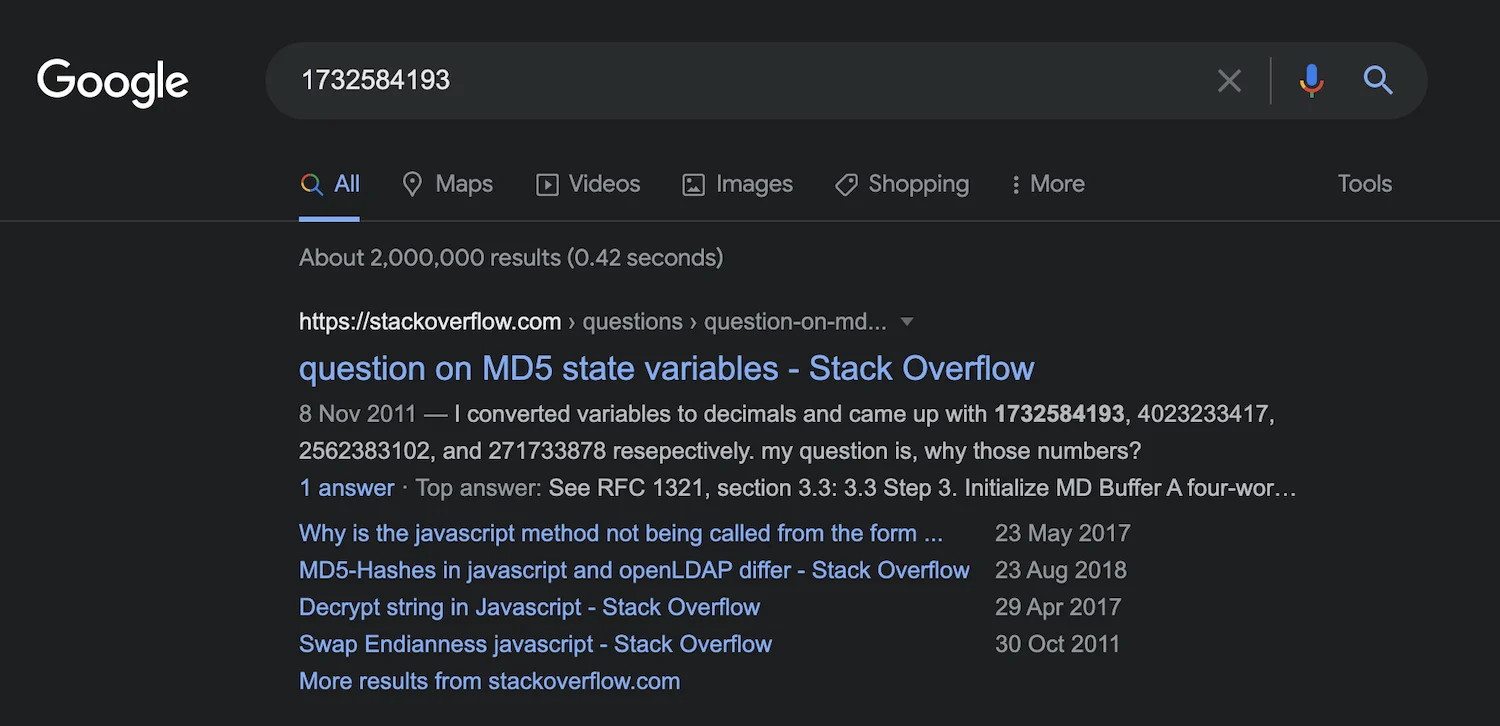
The signing function is found on line 36,657. It contains long hard-coded numbers; pasting 1732584193, the first of them, into a search engine returns implementations of MD5. The function is MD5 written out in JavaScript, so Python's built-in MD5 from the crypto module can be used instead.
Plain MD5 of the body did not match, and the second discovery explains why: before hashing, Bumble prefixes the body with a long string, the exact value redacted in the report, and signs the combination of key and body.
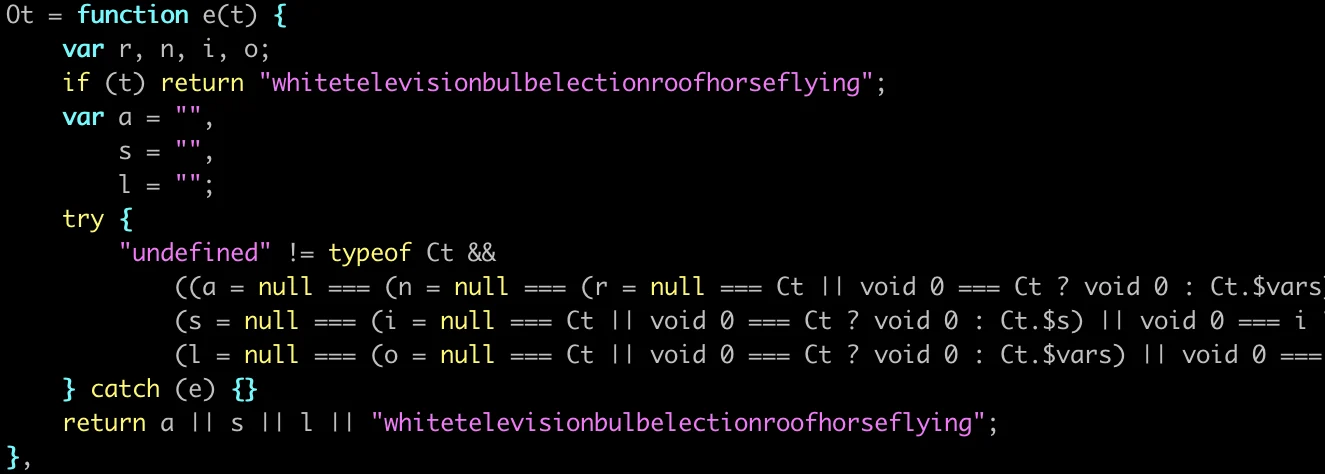
const not_actually_secret_key = "REDACTED"
// Exact combination method redacted
const signature = md5(combine_somehow(not_actually_secret_key, http_body))
This resembles HMAC, where a secret key is combined with the message before hashing so that only key holders can produce valid signatures. It fails here because the key is hard-coded in client-side JavaScript, so the attacker knows it and can sign edited requests.
Step 5: Sign and send requests
Kate writes a script that builds HTTP requests to the Bumble API, signs them in the X-Pingback header using the key REDACTED and MD5, and copies Jenna's cookies from the browser into the script so it acts as her. A signed, authenticated match request matching Wilson with Jenna is accepted, and Bumble congratulates her on the new match. No $1.99 is paid.
Step 6: Test trilateration
Wilson is spoofed to the middle of the Golden Gate Bridge and Jenna is used to relocate him. Jenna starts at a random location in San Francisco and is shuffled south 0.01 of a degree of latitude at a time, asking for the distance to Wilson at each step. When the distance flips from 4 to 5 miles, Jenna is backed up one step and shuffled south in 0.001 degree increments until the flip happens again, improving precision.
The trial reveals that Bumble floors distances rather than rounding them: 3.0001, 3.4999 and 3.9999 all become 3, and 4.0001 becomes 4. So the flip from 3 to 4 miles marks a point where the victim is exactly 4.0 miles away, not 3.5. The attack still works; only the script's arithmetic changes.
The script repeats the process from three arbitrary starting locations, draws three circles centred on the flipping points with radii equal to the higher distance on either side of each flip, and their intersection gives the location. Development is slow because too many requests or moving too far too often triggers rate limiting that stops position updates for a while. A stray minus sign briefly places Jenna in Shandong, China, until a timeout lets her return.
Step 7: Target the victim
To attack a real target the attacker needs the target's user ID, and the easiest route is to match with them. Jenna swipes yes on Steve, and a match arrives within the hour. While Steve is out, the trilateration attack runs and the three red circles meet at the J Edgar Hoover Building, San Francisco: FBI Headquarters.
Root cause
The flaw is in how the approximate distance is produced: the server computes the exact distance between two users and then floors it. The rounding boundary is therefore a precise distance, and an attacker who can move their own location freely and observe the reported distance can locate that boundary. Three boundaries give three exact distances and precise trilateration. The signature scheme did not prevent this because the signing key is embedded in client-side JavaScript, so anyone can generate valid signatures for edited requests.
Impact
An attacker with an account can determine another user's exact location, provided they can match with or otherwise obtain the target's user ID and can spoof their own location through the API. In the story the technique is also used on local strangers found through the app. The author also notes that the Beeline response exposes user IDs, which combined with the missing match-queue validation allowed matching with users who had liked the attacker without paying.
Fix
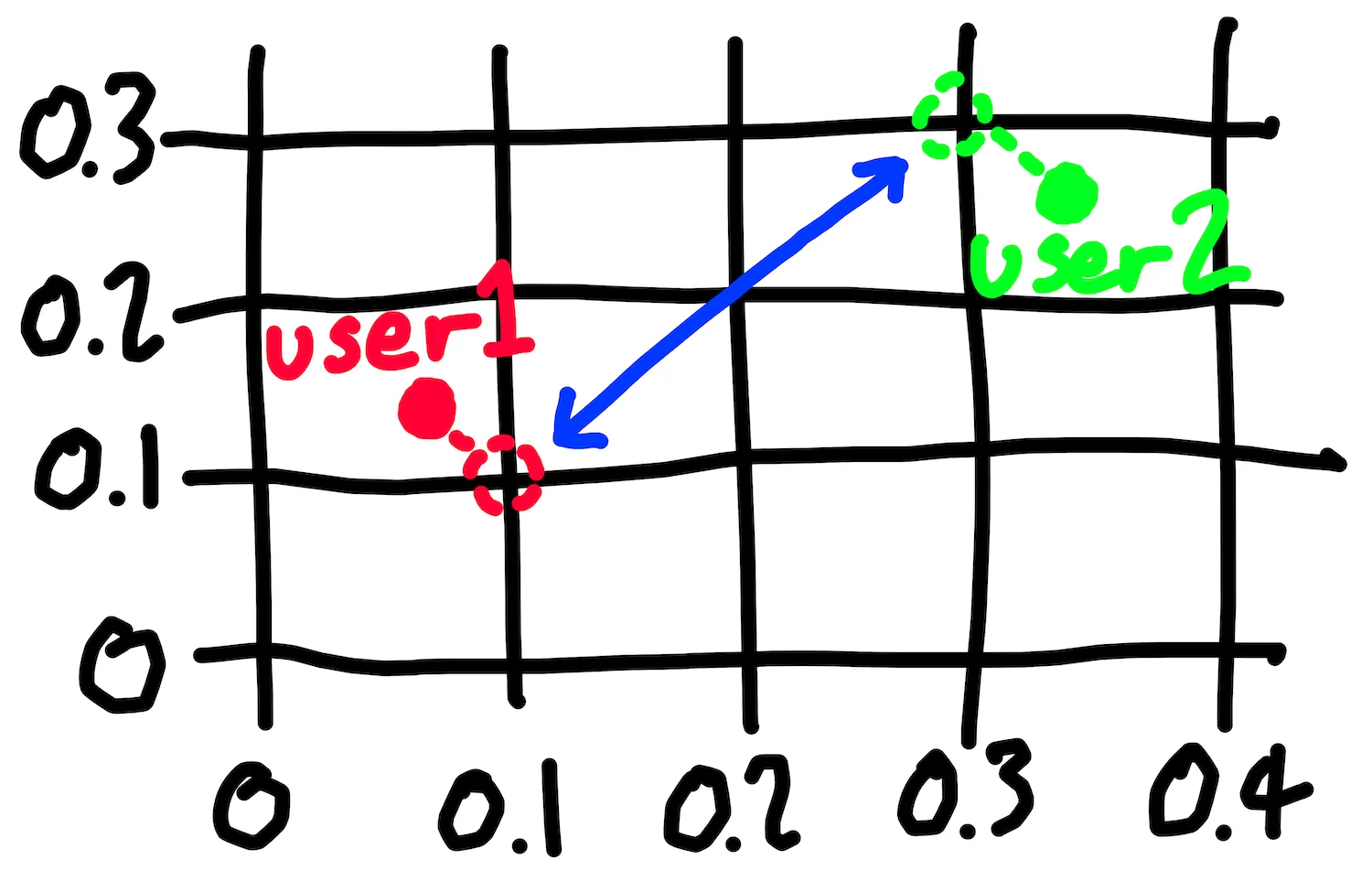
Bumble deployed what looked like a fix within 72 hours of the report and later added controls preventing users from matching with or viewing users who are not in their match queue, which reduces the impact of future vulnerabilities by making attacks on arbitrary users harder. In his report the author suggested rounding each user's location to the nearest 0.1 degree or so of longitude and latitude before calculating the distance between them, then rounding the result to the nearest mile and displaying that. Because the distance calculation would never see exact locations, a future vulnerability could not expose them through trilateration. Stronger still would be for the app to record only a rough location in the first place, since information that is not collected cannot be exposed; the author suspects, without proof, that commercial reasons discourage this.
The disclosure timeline in the report is:
| Date | Event |
|---|---|
| 2021-06-15 | Vulnerability reported to Bumble via HackerOne |
| 2021-06-18 | Bumble deploy a fix |
| 2021-07-21 | Disclosure agreed via HackerOne |
Bumble awarded a $2,000 bounty.
Variants to test
- Rounding boundary probing on other distance features. Spoof your location and step towards a target in small increments, watching for the reported distance to change. A positive result is a flip that occurs at a predictable exact distance, which can be turned into a trilateration attack.
- Floor versus round. Check whether the reported value floors or rounds by comparing the flip point against the expected boundary. A flip at a whole number rather than a half indicates flooring, which still leaks exact distances.
- Client-side signing keys. Look for signature headers on requests and try hashing the body with common algorithms, then read the JavaScript if that fails. A positive result is a reproducible signature from a key embedded in client code.
- Beeline-style ID disclosure. Inspect responses that list blurred or hidden profiles for user IDs alongside them. A positive result is an ID that can be inserted into a match or vote request.
- Missing match-queue validation. Send a match request for a user not in your feed. A positive result is a successful match without the normal flow.
- Rate-limit behaviour. Send many location updates in quick succession and observe when updates stop being accepted. A positive result is a predictable window that a script can work around.
What happened, in plain words
Bumble is a dating app. Like most dating apps, it shows you how far away other people are, so you can decide whether someone is close enough to be worth meeting. The distance is meant to be vague: "about 4 miles away", not "standing at this exact address".
This report describes a way to turn that vague distance into an exact location. The trick is to watch the moment the displayed distance changes from one number to the next. If the app works out the true distance and then rounds it down, the exact point where the number changes tells you the victim is at a precise, known distance from you. Do that from three different places and you can draw three circles on a map. Where they all cross is where the victim is.
The author demonstrates this against Bumble, using two accounts he controls, and ends up locating a fictional colleague at the FBI building in San Francisco. Bumble fixed the problem within 72 hours of the report and paid a $2,000 bounty.
A few words you will meet constantly below:
- Server: the computer that belongs to Bumble and holds all the data. Your phone or browser asks it questions and it answers.
- Client: the thing on your side, the app or the website in your browser.
- API: the set of questions the client is allowed to ask the server, and the format of the answers. Think of a restaurant menu: you can only order what is on it, and the kitchen only understands orders written in its format.
- HTTP request: one message from client to server, for example "show me my matches". It has a method (like
POST, meaning "I am sending you data"), a path (which menu item), headers (extra labels) and often a body (the data itself). - HTTP response: the server's reply.
- Cookie: a small piece of text your browser stores and sends back with every request, so the server knows who you are. It is like a wristband at a festival: show it and you get in without proving your identity again.
- Vulnerability: a mistake in how a system is built that lets someone use it in a way the builders did not intend.
- Information disclosure: a vulnerability class where the system gives away data it should have kept private.
- Logic flaw: a vulnerability class where the code does what it was written to do, but the design itself is wrong.
The setup: why distance is hard to keep private
The author frames this as a sequel to an earlier blog post about Tinder, another dating app. Tinder made two mistakes in a row, and both are worth understanding because they explain what Bumble was trying to avoid.
Tinder's first mistake: sending exact co-ordinates
At first, Tinder's server sent the app the exact latitude and longitude of a potential match, and the app itself worked out the distance. The app did not display those co-ordinates, but they were sitting in the network traffic. Anyone who could look at their own traffic could read them:
{
  "user_id": 1234567890,
  "location": {
    "latitude": 37.774904,
    "longitude": 122.419422
  }
  // ...etc...
}
Line by line:
user_idis the internal number that identifies the person you are looking at.locationholds their position on Earth.latitudeis how far north or south they are, in degrees.longitudeis how far east or west they are, in degrees.- The
// ...etc...is a comment meaning "more fields follow, left out here".
The lesson: if the data reaches your device, you can read it, even if the screen never shows it. Your own network traffic is not a secret from you.
Tinder's second mistake: too much precision
Tinder fixed that by moving the calculation to the server. Now the app only received a distance, not co-ordinates. But the distance arrived with 15 decimal places, and the app rounded it for display:
{
  "user_id": 1234567890,
  "distance": 5.21398760815170,
  // ...etc...
}
Line by line:
user_idagain identifies the person.distanceis the gap between you and them, in miles, with absurd precision. The screen would show "5 miles", but the number in the traffic is accurate to a fraction of the width of a hair.
That precision was enough. Researchers could tell the server "I am now at this fake location" (the server trusts the app's report of where you are), ask how far the victim is, and repeat from a different fake location. Each answer is a radius. Draw a circle of that radius around each fake location and the circles cross at one point: the victim.
This technique is called trilateration. It is related to triangulation but not the same thing: triangulation uses angles, trilateration uses distances. A simple everyday version: if you know you are 3 km from a town, you could be anywhere on a circle around it. If you also know you are 4 km from a second town, the circles cross at two points. A third distance narrows it to one.
The image shows the three circles drawn on a map, each centred on a spoofed location with a radius equal to the reported distance, all meeting at the victim's exact position.
What Bumble did differently, and why it was still not enough
Tinder's fix was to do the rounding on the server and send only the rounded number. Bumble reportedly does the same. That means plain trilateration only gets you to within roughly a square mile, because the number you see is coarse.
That is not good enough for the author's fictional goal: he wants to know whether his colleague Steve is at the FBI headquarters or at the McDonald's half a mile away. So he goes looking for a different flaw.
Getting set up
Why the website and not the app
The work is done against the Bumble website in a desktop browser, not the smartphone app. Two reasons: traffic from a browser is easier to inspect, and the website's JavaScript (the code that runs in your browser) can be read with the browser's built-in developer tools. An app on a phone is a sealed box by comparison.
The proxy
The tool used is Burp Suite, which is an HTTP proxy. A proxy sits between your browser and the server: your browser sends its request to the proxy, the proxy shows it to you, and then forwards it. The reply comes back the same way. It is like a mail room that opens every letter, lets you read it, and can even rewrite it before sending it on.
The point is to intercept, study, replay and edit requests. Once you know the exact shape of a request, you can send your own from a script, without touching the app or website at all.
Two accounts
You need two accounts: one attacker, one victim. The victim is parked at a known location; the attacker is moved around to work out where the victim is. In the lab, both accounts belong to the author.
Creating the accounts is not trivial. Bumble asks for a profile photo and rejects a picture of a ceiling for "not passing our photo guidelines". The author concludes they must be doing facial recognition. He uploads a stock photo of a man in a nice shirt pointing at a whiteboard.
That is rejected too. He crops it and scribbles on the background with a paintbrush, and it is accepted. Then Bumble asks for a selfie with the right hand on the head, to prove the profile photo is really you. He cannot produce one, the verification fails, and there is no way to change the initial photo until verification passes, so that account is abandoned.
He starts again with photos of two colleagues, Jenna and Wilson, including the hand-on-head selfies. Two working accounts.
Trying to match the two accounts
The author wants Jenna and Wilson to match each other, so each has maximum access to the other's information. Both match filters are set to "within 1 mile". Jenna swipes right on Wilson. Wilson never sees Jenna, and eventually is told he has seen everyone in his area.
Then a notification appears: someone has already liked Wilson. Clicking it prompts for $1.99 to reveal who. Rather than pay, the author decides to investigate the API and see if the paywall can be bypassed. This detour turns out to matter later.
Finding the flaw
The hypothesis
Kate, the second character, proposes a theory. Bumble probably calculates the exact distance between two users and then rounds it to the nearest mile. Code for that would look like this:
def calculate_approximate_distance(user1_location, user2_location):
    # Calculate the exact distance
    exact_distance = calculate_exact_distance(
        user1_location,
        user2_location,
    )
    # Round it
    rounded_distance = math.round(exact_distance)

    # Return the rounded distance
    return rounded_distance
Line by line:
def calculate_approximate_distance(...)defines a function (a reusable block of code) that takes two locations and returns an approximate distance.- The comment says what the next step does.
exact_distance = calculate_exact_distance(...)calls another function that works out the true distance between the two locations, and stores it in a variable.rounded_distance = math.round(exact_distance)rounds that true distance to the nearest whole number.return rounded_distancehands the rounded number back to whoever asked.
Why is that dangerous? Because the rounding boundary is a precise distance. If the displayed number flips from 3 miles to 4 miles at some point, then at that exact point the victim is 3.5 miles away: 3.49999 rounds down to 3, 3.50000 rounds up to 4. An attacker who can find that flip point has learned one exact distance. Three flip points give three exact distances, and precise trilateration follows, exactly as in the Tinder attack.
To test the theory, you need a script that moves the attacker around and repeatedly asks for the distance to the victim. That means working out four things: how the app talks to the server, how the API works, how to send a request that changes your location, and how to send a request that tells you how far away someone is.
Exploitation, step by step
Step 1: Learn the shape of a request
With Burp Suite running, swiping yes on a random user produces this request:
POST /mwebapi.phtml?SERVER_ENCOUNTERS_VOTE HTTP/1.1
Host: eu1.bumble.com
Cookie: CENSORED
X-Pingback: [redacted]
[[...further headers deleted for brevity...]]
Sec-Gpc: 1
Connection: close

{
  "$gpb": "badoo.bma.BadooMessage",
  "body": [
    {
      "message_type": 80,
      "server_encounters_vote": {
        "person_id": "CENSORED",
        "vote": 3,
        "vote_source": 1,
        "game_mode":0
      }
    }
  ],
  "message_id": 71,
  "message_type": 80,
  "version": 1,
  "is_background": false
}
Line by line:
POST /mwebapi.phtml?SERVER_ENCOUNTERS_VOTE HTTP/1.1is the first line of an HTTP request.POSTmeans "I am sending data". The path names the endpoint (the specific menu item on the API).HTTP/1.1is the protocol version.Host: eu1.bumble.comsays which server this is for.Cookie: CENSOREDis the wristband that proves who you are. It is redacted here because it is a secret: anyone holding it can act as that account.X-Pingback: [redacted]is a header with a random-looking value. Remember it; it becomes important shortly.[[...further headers deleted for brevity...]]means more headers followed but were left out.Sec-Gpc: 1andConnection: closeare further headers, not central to the story.- A blank line separates headers from the body.
- The body is JSON, a text format for structured data: curly braces hold objects, square brackets hold lists, and each entry is a name and a value.
"$gpb": "badoo.bma.BadooMessage"is a type label."body"is a list containing one object."message_type": 80is a number identifying the kind of message."server_encounters_vote"is the actual action: a vote on someone you were shown."person_id": "CENSORED"is the user ID of the person being voted on. This is the interesting field."vote": 3is the vote itself (yes)."vote_source": 1and"game_mode":0are further details."message_id": 71,"version": 1and"is_background": falseare bookkeeping fields.
The plan: if the server does not check that the person you swiped is actually in your feed, you can put any user ID in person_id and create a match without paying.
Step 2: Find the victim's user ID
You need Jenna's user ID. The request that loads Wilson's list of people who have already liked him (Bumble calls it his Beeline) returns blurred images, and alongside each image, the user ID behind it:
{
  // ...
  "users": [
    {
      "$gpb": "badoo.bma.User",
      // Jenna's user ID
      "user_id":"CENSORED",
      "projection": [340,871],
      "access_level": 30,
      "profile_photo": {
        "$gpb": "badoo.bma.Photo",
        "id": "CENSORED",
        "preview_url": "//pd2eu.bumbcdn.com/p33/hidden?euri=CENSORED",
        "large_url":"//pd2eu.bumbcdn.com/p33/hidden?euri=CENSORED",
        // ...
      }
    },
    // ...
  ]
}
Line by line:
"users"is a list of people.- Each entry has a type label
"$gpb": "badoo.bma.User". "user_id"is the internal number for that person. The comment marks it as Jenna's."projection": [340,871]is a pair of numbers, presumably about how the image is displayed."access_level": 30is a permission level."profile_photo"holds the photo details: anid, apreview_urland alarge_url. The URLs point at a CDN (a content delivery network, a separate server for images) and includehidden, which is why the picture is blurred.
The first picture is Jenna, so the ID beside it is hers. This also reveals a second, smaller vulnerability: anyone can read the IDs of everyone in their Beeline and spoof swipe-yes requests for all of them without paying the $1.99, assuming the server does not check that the target is in the match queue. An editor's note says this ancillary issue was fixed shortly after publication.
Step 3: The request fails, and a signature appears
Inserting Jenna's ID into a swipe-yes request returns a "Server Error". Experimentation shows that editing anything in the body, even adding a trailing space, makes the request fail. That points to a signature: a string generated from the data, used to detect whether the data has been altered. The same input always produces the same signature.
A verifier regenerates the signature and compares it with the one that arrived. If they match, the data is untouched; if not, it has been changed. The Bumble website's JavaScript must generate the signature from the request body and attach it, and the server checks it before accepting the request.
Here is the crucial weakness: the signing code runs on the attacker's own computer, in the browser. Its logic, and any key embedded in it, can be read. So forged signatures can be produced, and the server cannot tell them from genuine ones. It is like a nightclub that stamps your hand with a stamp you can buy at the shop next door.
The candidate is the X-Pingback header:
POST /mwebapi.phtml?SERVER_ENCOUNTERS_VOTE HTTP/1.1
...
User-Agent: Mozilla/5.0 (Macintosh; Intel Max OS X 10_15_7) AppleWebKit/537.36 (KHTML, like Gecko) Chrome/91.0
X-Pingback: [redacted]
Content-Type: application/json
...
Line by line:
- The first line is the same request as before.
...means other headers were left out.User-Agentsays which browser and operating system sent the request.X-Pingbackis the header whose value looks like a signature.Content-Type: application/jsonsays the body is JSON.
Running the body through simple hash functions such as MD5 or SHA256 does not reproduce the value. A hash function is a one-way recipe: feed it any text and it produces a fixed-length string that looks random, and the same text always gives the same string. It is used here as a cheap way to make a signature. Since the simple attempt fails, the JavaScript has to be read.
Step 4: Reading the JavaScript
Bumble's JavaScript is minified: squashed into a single file to save bandwidth. Comments are removed, descriptive names such as signBody are replaced with single characters such as f and R, and the code is concatenated onto 39 lines, each thousands of characters long.
An un-minifying tool reformats it onto multiple lines. It cannot restore the original names or comments, but it makes the code readable. The result is a little over 51,000 lines.
Searching for the string X-Pingback finds it on line 36,875. Strings are not affected by minification, so this is a reliable landmark. Tracing the function calls from there shows how the header value is generated.
The signing function is found on line 36,657. It contains long hard-coded numbers. Pasting 1732584193, the first of them, into a search engine returns pages of implementations of MD5. The function is MD5 written out in JavaScript, so Python's built-in MD5 from the crypto module can be used instead.
But plain MD5 of the body did not match. The second discovery explains why: before hashing, Bumble prefixes the body with a long string, the exact value redacted in the report, and signs the combination of key and body.
const not_actually_secret_key = "REDACTED"
// Exact combination method redacted
const signature = md5(combine_somehow(not_actually_secret_key, http_body))
Line by line:
const not_actually_secret_key = "REDACTED"stores a key in a variable. The name is a joke: it is called a secret key, but it is not actually secret, because it is sitting in code that runs on the attacker's machine.- The comment says the exact way the key and body are combined is left out of the report.
const signature = md5(combine_somehow(...))combines the key with the body and runs the result through MD5 to produce the signature.
This resembles HMAC (Hash-based Message Authentication Code), where a secret key is combined with the message before hashing, so that only key holders can produce valid signatures. It fails here because the key is hard-coded in client-side JavaScript, so the attacker knows it and can sign edited requests.
Step 5: Sign and send requests
Kate writes a script that builds HTTP requests to the Bumble API, signs them in the X-Pingback header using the key REDACTED and MD5, and copies Jenna's cookies from the browser into the script so it acts as her. A signed, authenticated match request matching Wilson with Jenna is accepted, and Bumble congratulates her on the new match. No $1.99 is paid.
Step 6: Test trilateration
Wilson is spoofed to the middle of the Golden Gate Bridge, and Jenna is used to relocate him. Jenna starts at a random location in San Francisco and is shuffled south 0.01 of a degree of latitude at a time, asking for the distance to Wilson at each step. When the distance flips from 4 to 5 miles, Jenna is backed up one step and shuffled south in 0.001 degree increments until the flip happens again, improving precision.
The trial reveals that Bumble floors distances rather than rounding them: 3.0001, 3.4999 and 3.9999 all become 3, and 4.0001 becomes 4. So the flip from 3 to 4 miles marks a point where the victim is exactly 4.0 miles away, not 3.5. The attack still works; only the script's arithmetic changes.
The script repeats the process from three arbitrary starting locations, draws three circles centred on the flipping points with radii equal to the higher distance on either side of each flip, and their intersection gives the location. Development is slow because too many requests, or moving too far too often, triggers rate limiting: the server stops accepting position updates for a while. A stray minus sign briefly places Jenna in Shandong, China, until a timeout lets her return.
Step 7: Target the victim
To attack a real target, the attacker needs the target's user ID, and the easiest route is to match with them. Jenna swipes yes on Steve, and a match arrives within the hour. While Steve is out, the trilateration attack runs and the three red circles meet at the J Edgar Hoover Building, San Francisco: FBI Headquarters.
Why it worked
The flaw is in how the approximate distance is produced: the server computes the exact distance between two users and then floors it. The rounding boundary is therefore a precise distance, and an attacker who can move their own location freely and observe the reported distance can locate that boundary. Three boundaries give three exact distances and precise trilateration. The signature scheme did not prevent this because the signing key is embedded in client-side JavaScript, so anyone can generate valid signatures for edited requests.
What an attacker could do with it
An attacker with an account can determine another user's exact location, provided they can match with or otherwise obtain the target's user ID and can spoof their own location through the API. In the story the technique is also used on local strangers found through the app. The author also notes that the Beeline response exposes user IDs, which combined with the missing match-queue validation allowed matching with users who had liked the attacker without paying.
The fix
Bumble deployed what looked like a fix within 72 hours of the report and later added controls preventing users from matching with or viewing users who are not in their match queue, which reduces the impact of future vulnerabilities by making attacks on arbitrary users harder. In his report the author suggested rounding each user's location to the nearest 0.1 degree or so of longitude and latitude before calculating the distance between them, then rounding the result to the nearest mile and displaying that. Because the distance calculation would never see exact locations, a future vulnerability could not expose them through trilateration. Stronger still would be for the app to record only a rough location in the first place, since information that is not collected cannot be exposed; the author suspects, without proof, that commercial reasons discourage this.
The disclosure timeline in the report is:
| Date | Event |
|---|---|
| 2021-06-15 | Vulnerability reported to Bumble via HackerOne |
| 2021-06-18 | Bumble deploy a fix |
| 2021-07-21 | Disclosure agreed via HackerOne |
Bumble awarded a $2,000 bounty.
Things to try on other apps
- Rounding boundary probing on other distance features. Spoof your location and step towards a target in small increments, watching for the reported distance to change. A positive result is a flip that occurs at a predictable exact distance, which can be turned into a trilateration attack.
- Floor versus round. Check whether the reported value floors or rounds by comparing the flip point against the expected boundary. A flip at a whole number rather than a half indicates flooring, which still leaks exact distances.
- Client-side signing keys. Look for signature headers on requests and try hashing the body with common algorithms, then read the JavaScript if that fails. A positive result is a reproducible signature from a key embedded in client code.
- Beeline-style ID disclosure. Inspect responses that list blurred or hidden profiles for user IDs alongside them. A positive result is an ID that can be inserted into a match or vote request.
- Missing match-queue validation. Send a match request for a user not in your feed. A positive result is a successful match without the normal flow.
- Rate-limit behaviour. Send many location updates in quick succession and observe when updates stop being accepted. A positive result is a predictable window that a script can work around.
Glossary
- API: the set of questions a client is allowed to ask a server, and the format of the answers.
- Beeline: Bumble's name for the list of people who have already liked you.
- Body: the data part of an HTTP request or response, after the headers.
- Bounty: money paid by a company to someone who reports a security problem to them.
- Burp Suite: a tool that sits between your browser and a server so you can read and edit the traffic.
- CDN: a content delivery network, a separate set of servers that serve files such as images.
- Client: the app or website on your side.
- CVSS: a standard scoring system for the severity of a vulnerability.
- Endpoint: one specific address on an API, like one item on a menu.
- Floor: round down to the nearest whole number, always.
- Hash function: a one-way recipe that turns any text into a fixed-length string, the same text always giving the same string.
- HMAC: a way of signing data by combining it with a secret key before hashing, so only key holders can produce valid signatures.
- HTTP request: one message from client to server, with a method, path, headers and often a body.
- HTTP response: the server's reply.
- JavaScript: the programming language that runs in web browsers.
- JSON: a text format for structured data, using curly braces for objects and square brackets for lists.
- MD5: a widely used hash function.
- Minification: squashing code into a smaller file by removing comments and shortening names, which also makes it harder to read.
- Proxy: a middleman that forwards traffic between your browser and a server, letting you inspect it.
- Rate limiting: a server refusing to accept too many requests in a short time.
- Server: the computer that belongs to the company and holds the data.
- SHA256: another widely used hash function.
- Signature: a string generated from data, used to detect whether the data has been altered.
- Trilateration: finding a position from several known distances, by drawing circles and seeing where they cross.
- Triangulation: finding a position from angles rather than distances.
- User ID: the internal number that identifies an account.




