The Unknown Hero-App Logic Bugs
A premium feature (transparent image download) was gated only by a client-side disabled button, and changing a parameter from 'disable' to 'enable' in the request allowed the user to access the feature without paying. An attacker could use this to obtain premium functionality for free.
 Published on medium.com
If you may know; the ratio of bug bounty hunters and bugs to be found remains very dissimilar and trust me, it will remain the same(far more worse)in the future too.
The full write-up lives on its author's site
It belongs to its author, so we link to it rather than copy it. The other two tabs are our own rewrites, checked against it.
Context
This is a story about application logic vulnerabilities, told through the researcher's first unexpected bounty. The target is a leading graphic design site, which the researcher had used before entering security: he had previously been a blogger sharing tech tips and tricks and made his blog graphics on this site. The report describes the site only as one of the leading graphic design sites and does not name it outright.
The feature in question is the image editor. There was an option to edit any image, colour and so on, and after that the option to download the image in formats such as PNG and JPEG. One download option was a premium feature called "Transparent", which enabled downloading any image in transparent mode.
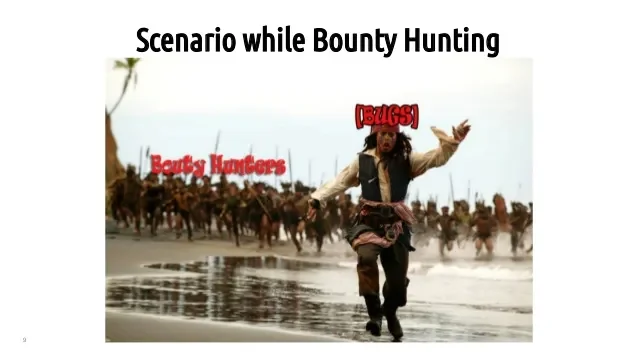
The researcher's framing is that bug hunters arrive in a hoard looking for XSS, CSRF, open redirects and other common bugs. On a public program, those common bugs have usually already been found by other hunters, so by the time you start, they are patched or you end up with a lot of duplicates. Application logic vulnerabilities are presented as the unique alternative: they take longer and require digging further, but catching one feels different.
Setup
There is no tooling, account setup or version information in the report. The only precondition described is a normal account on the site, one without the premium upgrade: when the researcher clicked the Transparent option, the site responded with a message along the lines of:
"This is a premium feature. Upgrade your account to enable this feature."
As a result, he could only download images that were not transparent. Before reporting, he had been actively exploiting the bug for over three to four months for his personal use, and he says he literally used the technique for over two months to download transparent images before deciding to report it for a bounty. He acknowledges this was not that ethical, and asks the reader to forgive him once they see what he actually exploited.
He also describes his usual starting point on a program: looking at the number of hackers thanked on the program's HackerOne profile. There were top white hat hackers among them, some even in the top 50 of the HackerOne list, which left him a little unsure at the start.
Finding it
After further digging, he found that the premium restriction was enforced only by disabling the button. He found this through Inspect Element. The markup was something like:
////blah/blah/=disable
His reasoning was simple: what happens if we put enable instead?
////blah/blah/=enable
This is the whole of the finding. The report does not give the real URL, the parameter name, the surrounding markup or the exact attribute involved; the ////blah/blah/ is the researcher's own placeholder for the part he did not publish.
Exploitation
Step 1: Trigger the premium gate
With a non-premium account, click the Transparent download option. The site shows the upgrade message quoted above, and the download in transparent mode is not available.
Step 2: Inspect the control
Open Inspect Element on the disabled control. The relevant part of the markup reads, in the researcher's redacted form:
////blah/blah/=disable
Step 3: Change the value
Edit the value in place, replacing disable with enable:
////blah/blah/=enable
Step 4: Use the feature
After the change, he was able to make edits for any image and download it in transparent PNG format. The report does not show a request or response for this step, and does not say whether the server checked anything at download time.
That is the entire exploit: replace disable with enable and there you go. The researcher notes how easy it was, and asks why the top elite hunters did not see it: most of them were busy finding XSS, redirects, SQL and similar bugs. His conclusion is that most bug hunters forget about application logic, and he recommends playing with the logic of the website first, before going forward to test other common vulnerabilities.
Root cause
The report states the cause directly: the site had just disabled the button. After changing the value in the browser, the researcher was able to download images in transparent PNG format.
It also does not say whether any other defence existed.
Impact
An attacker with an ordinary, non-upgraded account could use a premium feature, downloading images in transparent mode, by editing the page in their own browser. In this case the researcher used it for months for personal image downloads. The severity and bounty amount are not stated.
Fix
Variants to test
- Premium or paid features gated by a disabled control: inspect the element and look for a value such as
disable,disabled,falseor a hidden flag. A positive result is that changing it in the browser makes the feature work and the server returns the premium output. - Download and export options with format restrictions: try requesting the restricted format directly and see whether the server produces it for an unentitled account.
- Feature flags embedded in the page: look for values that switch a capability on or off. A positive result is that flipping the value changes what the server will do for you, not just what the page displays.
- Any client-side check that only hides or greys out a control: confirm whether the action still succeeds when the control is re-enabled. A positive result is a working action with no server-side entitlement check behind it.
The general lesson from the report is to play with the logic of the site first, before spending time on the common bug classes that other hunters are already covering.
What happened, in plain words
A security researcher found a way to use a paid feature on a graphic design website without paying for it. The site let people edit images and then download them in different formats. One download format, called "Transparent", was reserved for paying customers. When the researcher clicked it with a free account, the site told him to upgrade.
He opened his browser's built-in developer tools, found the piece of the page that controlled that button, and changed one word in it: disable became enable. After that, the Transparent download worked for him, even though his account had never been upgraded. He used this for months for his own image downloads before reporting it, and it earned him his first unexpected bounty.
The point of the story is not the trick itself, which is very simple. It is that the premium restriction was enforced only by disabling the button in the page. Anyone can edit what their own browser shows them, so a check that lives only there is not a check at all.
The image above is the title graphic of the researcher's post, "Application Logic Vulnerabilities".
Why this kind of bug is worth looking for
The researcher starts with an observation about numbers. The ratio of bug hunters to bugs that can be found is very uneven, and he expects it to get worse. Bug hunters arrive in a hoard, all looking for the same well-known bug types: XSS, CSRF, open redirects and a few others.
A quick word on those, since they come up again:
- XSS (cross-site scripting): tricking a website into running code an attacker supplied, usually in another visitor's browser.
- CSRF (cross-site request forgery): making a logged-in user's browser send a request the user did not intend, because the site trusts any request coming from that browser.
- Open redirect: a link on a site that will send you on to any address someone puts in it, which is useful for phishing.
These are popular because they are well documented and there are tools that look for them automatically. That has a consequence on a public program, meaning a bug bounty program that anyone can join rather than one that invites selected researchers. On a public program, the easy, common bugs have usually already been found by someone else. By the time you start, they are either patched or you end up with a duplicate: your report describes a bug the program already knows about, and duplicates usually earn nothing.
So the researcher points to a different category: application logic vulnerabilities. "Logic" here means the rules the application follows: who may do what, in what order, and under which conditions. A logic vulnerability is not a broken piece of code in the technical sense; it is a rule that is enforced in the wrong place, or not enforced at all, or can be stepped around. The everyday comparison is a nightclub with a rope and a bouncer. If the bouncer checks your name against the guest list at the door, that is a real check. If instead there is simply a sign saying "members only" and nobody at the door, then anyone who ignores the sign walks in. In this story the restriction was a disabled button in the page.
Logic bugs take longer to find, because no scanner will point at them, but the researcher says catching one feels different. This post is the story of his first unexpected bounty from one.
Getting started
There is no tooling, no account setup and no version information in the report. The only precondition is an ordinary account on the site, one without the premium upgrade.
He also describes where he usually starts when looking at a program: the number of hackers thanked on the program's HackerOne profile. HackerOne is a platform where companies publish bug bounty programs and researchers submit reports. The "thanked" list shows who has been credited. He saw top white hat hackers there, some even in the top 50 of the HackerOne list, and felt a little unsure at the start. A white hat hacker is someone who finds security problems and reports them to the owner instead of misusing them. Seeing strong competition is normal, and it does not mean a beginner should not look; it means the obvious bugs are more likely to be taken.
Before working in security, he was a blogger sharing tech tips and tricks, and he made his blog's graphics on this site. That is how he knew the product: it is one of the leading graphic design sites, with an editor where you can change an image, its colours and so on, and then download the result in formats such as PNG and JPEG.
One download option was a premium feature called "Transparent", which let you download an image in transparent mode. Transparent mode means the background of the image is see-through rather than a solid colour, which is useful when you want to place the image on top of something else, such as a slide or another picture, without a coloured box around it.
With his free account, clicking Transparent produced a message along the lines of:
"This is a premium feature. Upgrade your account to enable this feature."
So he could only download images that were not transparent. He then exploited the gap for over three to four months for his personal use, and says he literally used the technique for over two months to download transparent images before deciding to report it for a bounty. He admits this was not that ethical and asks the reader to forgive him once they see what he actually exploited.
Finding it
After further digging, he found that the premium restriction was enforced only by disabling the button. He found this through Inspect Element, the browser feature that shows you the page's underlying markup, the HTML that describes every element on the page, and lets you edit it live in your own browser. The markup was something like:
////blah/blah/=disable
What this line means, piece by piece:
////blah/blah/is not a real address. It is the researcher's own placeholder for the part of the markup he chose not to publish, so nobody can copy the exact location from his post.=is the separator between a name and its value, as inname=value.disableis the value. It is the word that told the page the control should be switched off.
His reasoning was simple: what happens if we put enable instead?
////blah/blah/=enable
Same line, one word changed. enable is the value that tells the page the control should be switched on.
That is the whole of the finding. The report does not give the real URL, the parameter name, the surrounding markup or the exact attribute involved. What matters is the idea: the page itself carried the instruction about whether the feature was allowed, and the page is something the visitor controls.
Exploitation, step by step
Step 1: Trigger the premium gate
With a non-premium account, click the Transparent download option. The site shows the upgrade message quoted above, and the transparent download is not available. This step is done first because you need to see the restriction in action and find the control that carries it. You are looking for the thing that changes when you are not entitled: a greyed-out button, a hidden option, a message.
Step 2: Inspect the control
Open Inspect Element on the disabled control. The relevant part of the markup reads, in the researcher's redacted form:
////blah/blah/=disable
Reading it again in plain words: somewhere in the page there is a name, then an equals sign, then the word disable. The page is being told, in text your browser reads, that this control is off. Nothing about your account is being checked at this point; the page has simply been written to look switched off.
Step 3: Change the value
Edit the value in place, replacing disable with enable:
////blah/blah/=enable
You are not hacking the server. You are editing the copy of the page that your own browser is holding in memory, the same way you might edit a shopping list on your own desk. The browser then redraws the page according to what you wrote, so the control appears switched on.
Step 4: Use the feature
After the change, he was able to make edits for any image and download it in transparent PNG format. The report does not show a request or response for this step, and does not say whether the server checked anything at download time.
A request is the message your browser sends to a server asking for something, and a response is the server's reply. A server is the computer that holds the site and does the real work, such as producing the image file. The important question in any bug like this is whether the server repeats the check when the request arrives, or whether it trusts whatever the page said.
That is the entire exploit: replace disable with enable and there you go. The researcher notes how easy it was, and asks why the top elite hunters did not see it: most of them were busy finding XSS, redirects, SQL and similar bugs. SQL here refers to database query language and the injection bugs around it, another popular category. His conclusion is that most bug hunters forget about application logic, and he recommends playing with the logic of the website first, before going forward to test other common vulnerabilities.
Why it worked
The report states the cause directly: the site had just disabled the button. Because the value lives in the browser, the user can change it, and the feature then works for an account that has not paid for it.
The everyday comparison: a cinema that prints "adults only" on the ticket rather than checking age at the door. The ticket is in the customer's pocket, so the customer can print a different one. A real check happens at the door, on the side that controls entry.
Authorisation means deciding whether a particular user is allowed to do a particular thing. It also does not say whether any other defence existed.
What it meant in practice
An attacker with an ordinary, non-upgraded account could use a premium feature, downloading images in transparent mode, by editing the page in their own browser. In this case the researcher used it for months for personal image downloads. A session is the period during which a site remembers who you are, usually with a cookie, a small piece of data your browser stores and sends back with each request. The severity and bounty amount are not stated.
How it should have been fixed
In the cinema comparison: put someone at the door.
Similar things to try
- Premium or paid features gated by a disabled control: inspect the element and look for a value such as
disable,disabled,falseor a hidden flag. A positive result is that changing it in the browser makes the feature work and the server returns the premium output. - Download and export options with format restrictions: try requesting the restricted format directly and see whether the server produces it for an unentitled account.
- Feature flags embedded in the page: look for values that switch a capability on or off. A positive result is that flipping the value changes what the server will do for you, not just what the page displays.
- Any client-side check that only hides or greys out a control: confirm whether the action still succeeds when the control is re-enabled. A positive result is a working action with no server-side entitlement check behind it.
The general lesson from the report is to play with the logic of the site first, before spending time on the common bug classes that other hunters are already covering.
Glossary
- Application logic vulnerability: a flaw in the rules an application follows (who may do what, in what order, under which conditions), rather than in a single piece of code.
- Authorisation: the decision about whether a given user is allowed to perform a given action.
- Bug bounty program: a scheme where an organisation rewards people for reporting security problems to it.
- Client side: work done in the user's browser, on the user's own machine, where the user can change things.
- Cookie: a small piece of data a site stores in your browser and receives back with later requests, often used to remember who you are.
- CSRF (cross-site request forgery): making a logged-in user's browser send a request the user did not intend.
- Duplicate: a report of a bug the program already knows about, usually earning nothing.
- HackerOne: a platform where companies publish bug bounty programs and researchers submit reports.
- Inspect Element: a browser feature that shows the page's underlying markup and lets you edit it live in your own browser.
- Markup (HTML): the text that describes the elements of a page, such as buttons and their settings.
- Open redirect: a link on a site that will forward you to any address supplied in it.
- PNG / JPEG: common image file formats.
- Public program: a bug bounty program open to any researcher, as opposed to an invitation-only one.
- Request / response: the message your browser sends to a server, and the server's reply.
- Server: the computer that holds the site and does the real work, such as producing a file.
- Server side: work done on the server, where the user cannot edit it.
- Session: the period during which a site remembers who you are.
- SQL: the language used to query databases; SQL injection is a popular bug category built on it.
- Transparent mode: an image download where the background is see-through instead of a solid colour.
- White hat hacker: someone who finds security problems and reports them to the owner rather than misusing them.
- XSS (cross-site scripting): tricking a site into running attacker-supplied code, usually in another visitor's browser.