runs javascript on powershell when it shouldnt
On Windows, running curl in PowerShell against a URL that returns a script tag caused a JavaScript alert window to appear, even though curl should only fetch and print the response. The reporter also found the process hung while the alert was open, so it could potentially stall PowerShell scripts.

- Disclosed after 2 hours
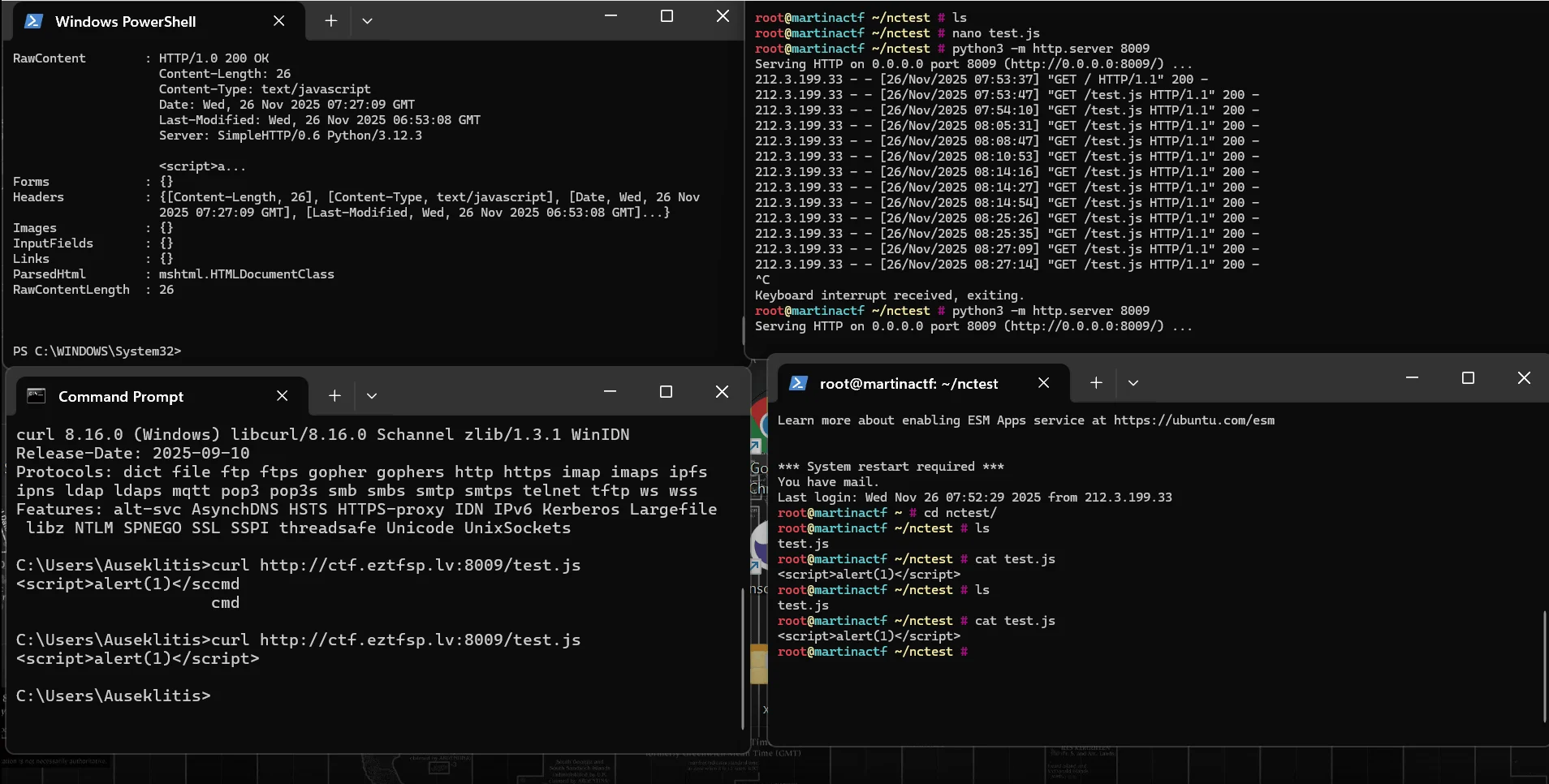
On windows, if I run a curl on powershell for a script that should show <script>alert(1)</script> it just executes the script when it shouldn't.
I did not use AI to find or report this bug.
Affected version
on CMD I ran curl --version
curl 8.16.0 (Windows) libcurl/8.16.0 Schannel zlib/1.3.1 WinIDN
on powershell it didn't recognise the --version flag.
I haven't installed any specific curl version on this computer so it should be the default one that comes and gets updated with windows 11.
Steps To Reproduce:
- host an endpoint that will return
<script>alert(1)</script>(in this case ctf.eztfsp.lv:8009/test.js) - open powershell
- on powershell run
curl ctf.eztfsp.lv:8009/test.js - it opens a a window that states "message from webpage 1"
Supporting Material/References:
I've attached a .gif where I demonstrate how it works on powershell and how it works on CMD
- [attachment / reference]
Impact
Summary:
- run javascript on powershell curl.
- It also hangs the process, I wasn't able to control+c to stop the curl process while the alert window was open, so it could potentially be used to hang powershell scripts.
Attachments
Not written yet. The AI write-up for this report has not been written yet. The Original tab links to the source.
How it worked
Root cause
Likely PowerShell's curl behaves differently from CMD's curl, executing the fetched script rather than printing it.
Impact
A script tag in a fetched page could run in a pop-up and hang the PowerShell process, potentially stalling scripts.
What the attacker needed
Windows with PowerShell; attacker-controlled URL; user runs curl in PowerShell
How it was found
- Host an endpoint that returns a script tag.
- Open PowerShell.
- Run curl against that endpoint.
- Observe a pop-up window appear.
Explained by bugbounty.wiki with AI from the original and checked against quotes from it; it can still be wrong. Read the original before relying on a detail.
Not written yet. The AI write-up for this report has not been written yet. The Original tab links to the source.
PowerShell is a command-line shell on Windows. The reporter ran curl in PowerShell against a page returning a script tag and got a pop-up running the script instead of plain text output.
What is XSS?
Script an attacker supplies runs in another user's browser, on the target's origin, with that user's session.




