Discord DoS with a single message
A message containing a malformed URL with invalid percent encoding in the authentication part caused Discord's web and desktop clients to crash permanently when rendering the channel. An attacker could send such a message from the mobile app or by editing the request, making the channel unreadable on those clients.
 Published on medium.com
It began when my mentor, @fransla, sent me this blog post about a WhatsApp vulnerability and encouraged me to look for similar bugs in other Electron-based chat clients. I started with Discord.
The full write-up lives on its author's site
It belongs to its author, so we link to it rather than copy it. The other two tabs are our own rewrites, checked against it.
Context
Discord is a chat platform with mobile, desktop and web clients. A mentor, @fransla, sent the researcher a blog post about a WhatsApp vulnerability and encouraged him to look for similar bugs in other Electron-based chat clients. The researcher started with Discord.
The feature under scrutiny is link handling. When a message contains a URL, the clients render it as a link, and the researcher first checked whether the link's preview text was generated by the client or the server. URLs can carry authentication credentials in the form user:[redacted], and the way each part of Discord's stack treated that authentication prefix turned out to differ.
Setup
The work was done against Discord's own clients: the mobile app, the desktop client and the web client. No special accounts, roles or tooling are described beyond the ability to send messages from the mobile app and to intercept and edit the POST request that submits a message to the server. The precondition for the bug is simply that a message containing a crafted URL reaches a channel.
Finding it
The first idea was to see whether the link's preview text was generated by the client or by the server, in the hope of editing the preview that other users would see. That was not successful, so the researcher moved on to experimenting with the @ symbol in URLs.
URLs can provide a username and password for authentication in the following format:
user:[redacted]
Discord's mobile app completely stripped the authentication part of the URL, while the desktop and web clients left it in the link. This inconsistent handling of authentication URLs raised red flags, because it indicated that special code ran whenever a @ was present. Further testing showed that the Discord server was not validating percent encoding correctly: it accepted percent symbols even when they were not followed by two hexadecimal characters.
Exploitation
Step 1: send a URL with invalid percent encoding in the authentication prefix
The message that triggers the problem is:
http://%[redacted]
It can be sent successfully from the mobile app, or by intercepting and editing the POST request to the server. The %zz sits in the authentication part of the URL, before the @, and is not valid percent encoding: % must be followed by two hexadecimal characters, and zz are not hexadecimal.
Step 2: observe the difference between clients
The mobile app is not affected and displays a link to http://example.com. The desktop and web clients break when they receive invalid percent encoding in the authentication part of a URL, because the JavaScript URL parser creates an uncaught error when it attempts to decodeURIComponent the authentication prefix.
Step 3: the channel becomes unusable on desktop and web
After the message is in the channel, the desktop client will not receive any future messages, and reloading the desktop and web clients results in a never-ending loading screen. No messages in that channel can ever be viewed again, except on a mobile app.
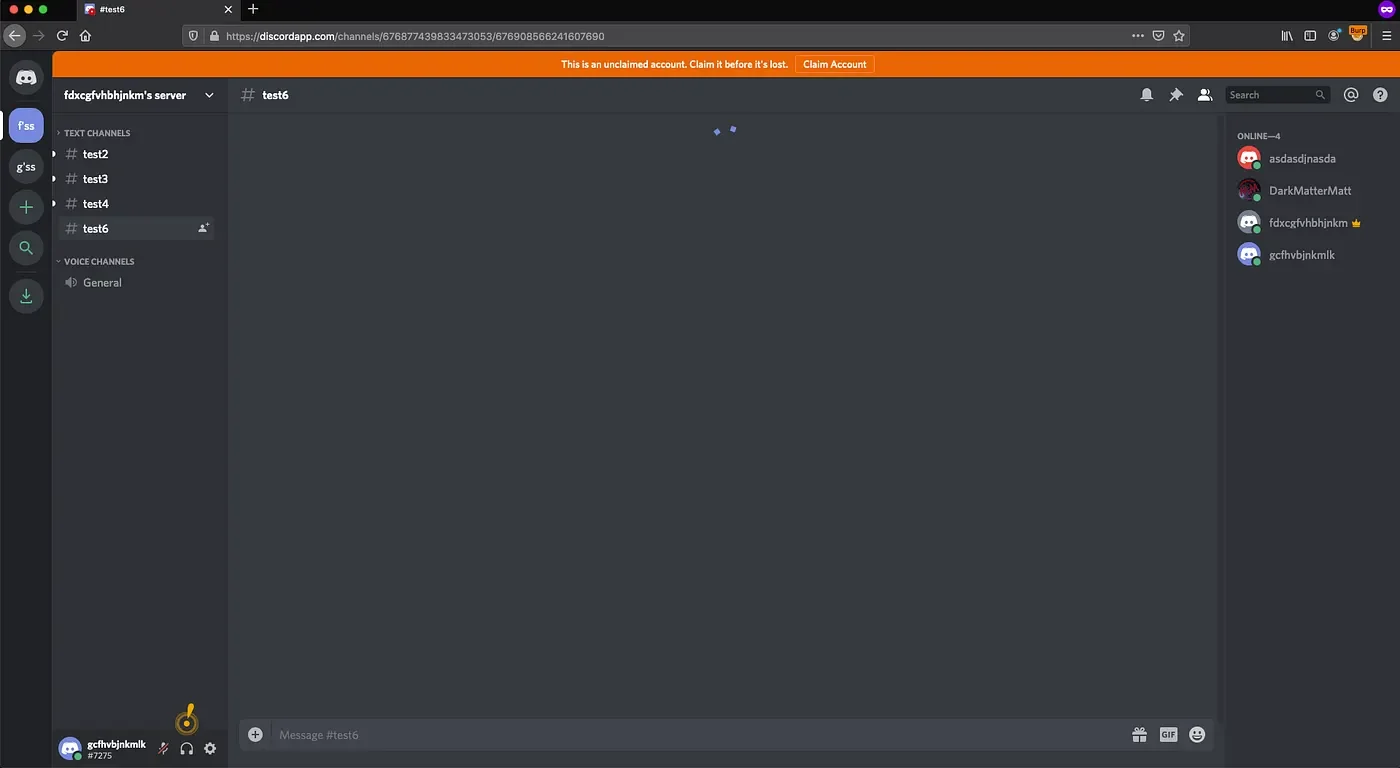
This is what a user sees after reloading the web client.
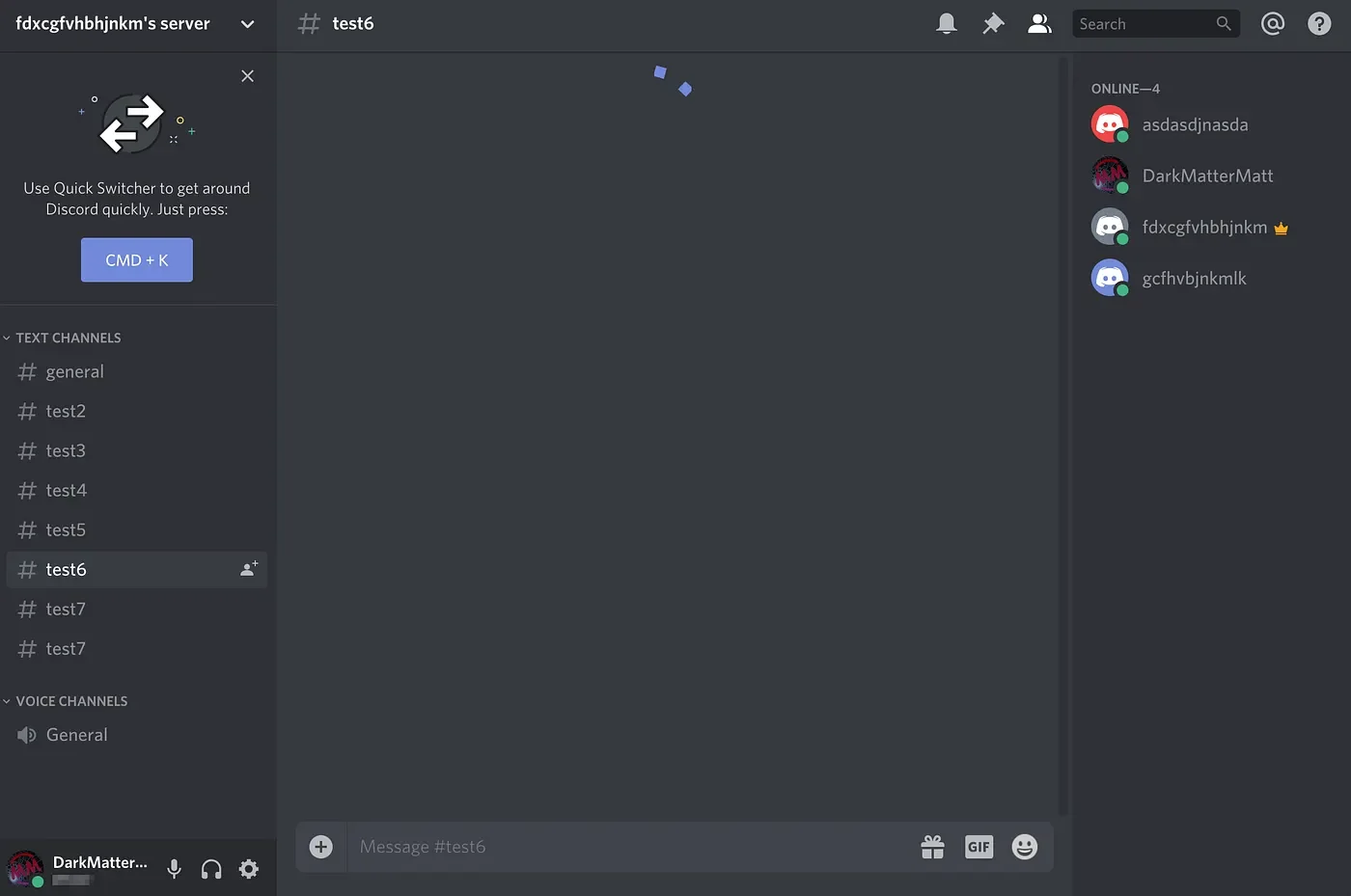
On the desktop client, a never-ending loading screen greets the user.
Root cause
The server did not validate percent encoding correctly and accepted percent symbols that were not followed by two hexadecimal characters. That malformed value then reached the clients, where the JavaScript URL parser called decodeURIComponent on the authentication prefix and threw an uncaught error. Because the error is uncaught, the client fails while processing the channel, and reloading the desktop and web clients results in a never-ending loading screen.
The inconsistent handling between the mobile app, which strips the authentication part, and the desktop and web clients, which keep it and parse it, is what made the difference visible. The mobile app's behaviour also explains why the channel remains readable there.
Impact
A single message causes a permanent denial of service of a Discord channel on the web and desktop clients. The message can be sent from the mobile app, or by intercepting and editing the POST request to the server. Once triggered, users on desktop and web receive no future messages in that channel, and reloading leaves them on a never-ending loading screen; the channel cannot be viewed again on those clients. The mobile app is unaffected and still displays the channel, so the denial of service is limited to the desktop and web clients.
Discord security described it as "just a client parser bug", and it did not qualify for the bounty program.
Fix
The patch was released on Feb 13, less than two days after the initial report and on the same afternoon that the researcher received a human reply. According to the report, no clients were vulnerable at the time of writing. The report does not describe the code change itself.
Variants to test
- Send URLs with malformed percent encoding in the authentication prefix, such as a
%not followed by two hexadecimal characters, to other Electron-based chat clients and check whether the server accepts them and whether the client throws ondecodeURIComponent. A positive result is a client that stops loading the channel and stays broken after a reload. - Compare how mobile, desktop and web clients handle the
user:pass@hostform. A positive result is one client stripping the authentication part while another keeps and parses it, which points to special-case code worth probing. - Test whether the server validates percent encoding anywhere else in a URL, not just the authentication prefix. A positive result is any malformed escape that the server stores and the client later decodes.
- Try the same malformed URL through the message-submission POST request directly, bypassing client-side validation. A positive result is the server accepting a message the normal UI would not produce.
What happened, in plain words
A researcher found that sending a single message containing a specially crafted web address could break a Discord channel for everyone using the desktop or web version of the app. The message looked like a normal link, but it contained a malformed piece of text that made the app crash whenever it tried to display the channel. The effect persisted: reloading the desktop and web clients resulted in a never-ending loading screen. The mobile app was not affected. Discord fixed the problem quickly, but it did not qualify for a bug bounty payout.
Background: what Discord is and how links work
Discord is a chat platform. You can use it through a mobile app, a desktop application, or a web browser. The researcher was encouraged to look for similar bugs in other Electron-based chat clients, a framework for building desktop apps with web technologies.
The feature involved here is link handling. When someone sends a message containing a web address (a URL), Discord turns it into a clickable link. The researcher first checked whether the link's preview text was generated by the client or by the server. URLs can include a username and password for authentication, written in the form user:[redacted]. The part before the @ is the authentication prefix. Different parts of Discord's system handled that prefix in different ways, and that inconsistency led to the bug.
How the researcher started
The researcher's mentor, @fransla, sent him a blog post about a WhatsApp vulnerability and encouraged him to look for similar bugs in other Electron-based chat clients. The researcher started with Discord.
His first idea was to check whether the link's preview text was generated by the client (the app on your device) or by the server (Discord's computers). If the client generated it, he might be able to edit the preview that other users would see. That attempt was not successful, so he moved on to experimenting with the @ symbol in URLs.
The discovery: inconsistent handling of authentication URLs
URLs can provide a username and password for authentication in the following format:
user:[redacted]
This is a standard way to put credentials directly into a URL. For example, http://alice:[redacted] would tell the browser to log in to example.com as user alice with password secret.
When the researcher tested this format, he noticed something odd: Discord's mobile app completely stripped the authentication part of the URL, while the desktop and web clients left it in the link. This inconsistent handling raised red flags, because it indicated that special code ran whenever a @ was present. If different parts of the system treat the same input differently, there is often a bug hiding in the gap.
Further testing showed that the Discord server was not validating percent encoding correctly. Percent encoding is a way to represent special characters in a URL using a % sign followed by two hexadecimal digits (0-9 and A-F). For example, a space is encoded as %20. The server accepted percent symbols even when they were not followed by two hexadecimal characters, which is invalid.
Exploitation: step by step
Step 1: send a URL with invalid percent encoding in the authentication prefix
The message that triggers the problem is:
http://%[redacted]
This URL contains %zz in the authentication part, before the @. That is not valid percent encoding: % must be followed by two hexadecimal characters, and zz are not hexadecimal. The researcher could send this message successfully from the mobile app, or by intercepting and editing the POST request that submits a message to the server. A POST request is the way a client sends data to a server; by intercepting it (for example, with a proxy tool), you can change the data before it reaches the server.
Step 2: observe the difference between clients
The mobile app is not affected and displays a link to http://example.com. The desktop and web clients break when they receive invalid percent encoding in the authentication part of a URL. This happens because the JavaScript URL parser creates an uncaught error when it attempts to decodeURIComponent the authentication prefix. In plain terms, the client tries to decode the %zz, fails because zz is not valid hexadecimal, and the error is not caught, so the channel no longer loads on that client.
Step 3: the channel becomes unusable on desktop and web
After the message is in the channel, the desktop client will not receive any future messages, and reloading the desktop and web clients results in a never-ending loading screen. No messages in that channel can ever be viewed again, except on a mobile app.
This is what a user sees after reloading the web client: a loading screen that never finishes.
On the desktop client, a never-ending loading screen greets the user.
Why it worked: the root cause
The server did not validate percent encoding correctly and accepted percent symbols that were not followed by two hexadecimal characters. That malformed value then reached the clients, where the JavaScript URL parser called decodeURIComponent on the authentication prefix and threw an uncaught error. Because the error is uncaught, the client fails while processing the channel, and the failure persists across reloads: the bad message is still in the channel history, so the client hits the same error every time it loads that channel.
The inconsistent handling between the mobile app, which strips the authentication part, and the desktop and web clients, which keep it and parse it, is what made the difference visible. The mobile app's behaviour also explains why the channel remains readable there.
Impact: what an attacker could do
A single message causes a permanent denial of service of a Discord channel on the web and desktop clients. A denial of service (DoS) means making a service unavailable to its users. The message can be sent from the mobile app, or by intercepting and editing the POST request to the server. Once triggered, users on desktop and web receive no future messages in that channel, and reloading leaves them on a never-ending loading screen; the channel cannot be viewed again on those clients. The mobile app is unaffected and still displays the channel, so the denial of service is limited to the desktop and web clients.
Discord security described it as "just a client parser bug", and it did not qualify for the bounty program.
The fix
The patch was released on Feb 13, less than two days after the initial report and on the same afternoon that the researcher received a human reply. According to the report, no clients were vulnerable at the time of writing. The report does not describe the code change itself.
Variants to test
- Send URLs with malformed percent encoding in the authentication prefix, such as a
%not followed by two hexadecimal characters, to other Electron-based chat clients and check whether the server accepts them and whether the client throws ondecodeURIComponent. A positive result is a client that stops loading the channel and stays broken after a reload. - Compare how mobile, desktop and web clients handle the
user:pass@hostform. A positive result is one client stripping the authentication part while another keeps and parses it, which points to special-case code worth probing. - Test whether the server validates percent encoding anywhere else in a URL, not just the authentication prefix. A positive result is any malformed escape that the server stores and the client later decodes.
- Try the same malformed URL through the message-submission POST request directly, bypassing client-side validation. A positive result is the server accepting a message the normal UI would not produce.
Glossary
- API: Application Programming Interface; a set of rules that lets one piece of software talk to another.
- Authentication prefix: the
user:pass@part of a URL that provides credentials. - Bug bounty program: a scheme where organisations reward researchers for finding and reporting security bugs.
- Client: the app or program you use to access a service (e.g. Discord's mobile app, desktop app, or web app).
- Denial of service (DoS): an attack that makes a service unavailable to its intended users.
- Electron: a framework for building desktop applications using web technologies.
- Hexadecimal: a base-16 number system using digits 0-9 and letters A-F.
- JavaScript URL parser: the part of a web browser or app that interprets URLs.
- Percent encoding: a way to represent special characters in a URL using a
%followed by two hexadecimal digits. - POST request: an HTTP method used to send data to a server, often to submit a form or message.
- Server: a computer that provides data or services to clients over a network.
- Uncaught error: an error in a program that is not handled, causing the program to stop or misbehave.
- URL: Uniform Resource Locator; the address of a resource on the internet (e.g.
http://example.com).