Bug Report; Bypassing Weekly Limits In Basic (Free) LinkedIn Account
A free LinkedIn user could bypass the weekly connection request limit by switching the web app to responsive mode, and could also view and connect to 3rd+ degree connections whose names are normally hidden. This let basic users exceed limits and access profile details of out-of-network users.
 Published on ashok314.medium.com
Publishing my first Security Vulnerability report for LinkedIn.Below is the report that I have submitted to LinkedIn Information Security Team.
The full write-up lives on its author's site
It belongs to its author, so we link to it rather than copy it. The other two tabs are our own rewrites, checked against it.
Context
LinkedIn's connection feature lets a member send a connection request to another member. On the Basic (free) plan, LinkedIn enforces a weekly limit on how many people you can connect to. Once you reach that limit, a popup saying "you have reached your weekly limit" is displayed and further connection requests are blocked.
This write-up covers two issues the researcher reported to the LinkedIn Information Security Team. The first is a bypass of the weekly connection limit on a Basic (free) account. The second is the ability to connect to 3rd degree plus (3+) connections, people outside your network whose names are normally hidden behind the placeholder "LinkedIn Member".
Both issues were found in the LinkedIn web application, specifically in the responsive (web lite) version of the site.
Setup
The researcher lists the following environment for both issues:
- Browser: Brave Browser, Chrome
- OS: Windows 10, Windows 11
- Target: LinkedIn web application
The researcher describes testing with a LinkedIn account on the Basic (free) plan. No special tooling is described beyond the browser's developer tools, which are used to switch the page into responsive mode.
Finding it
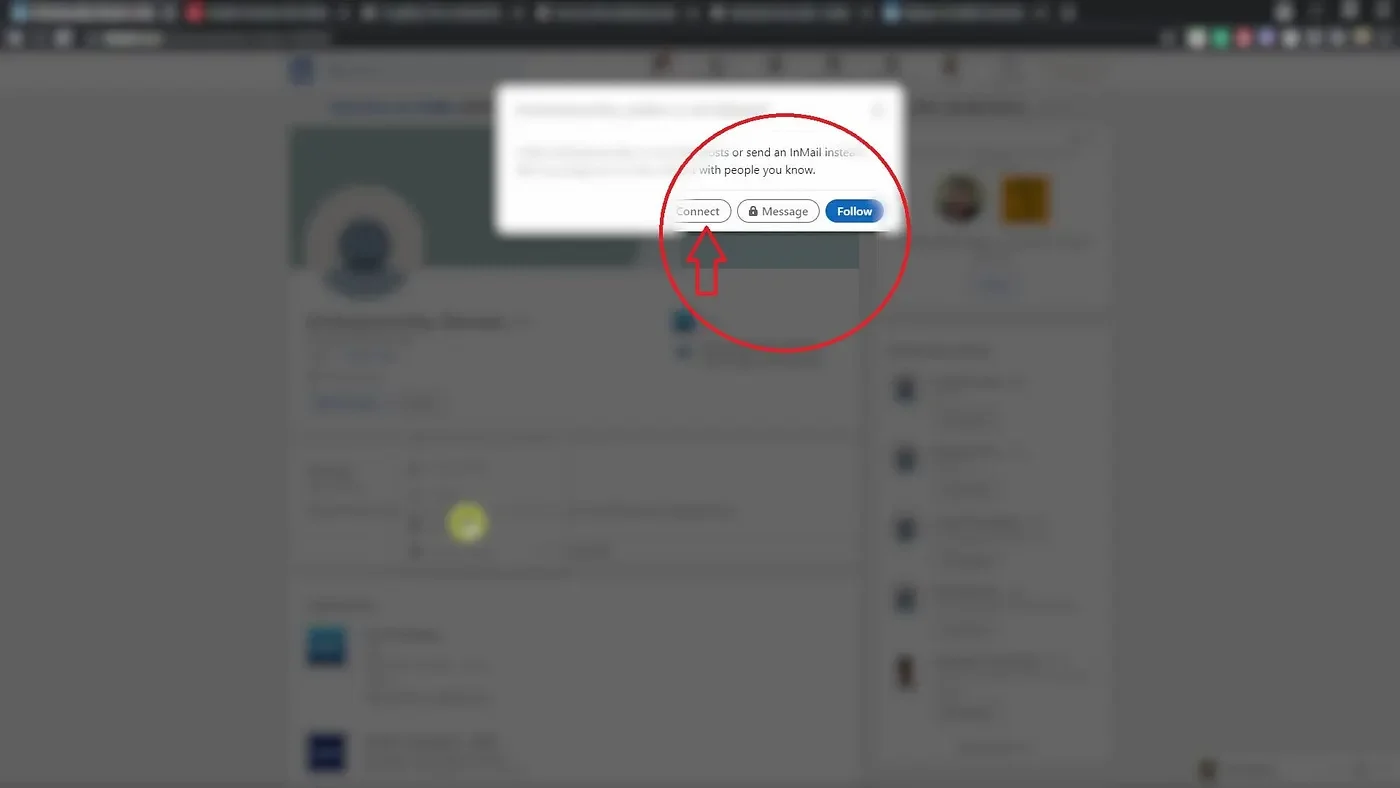
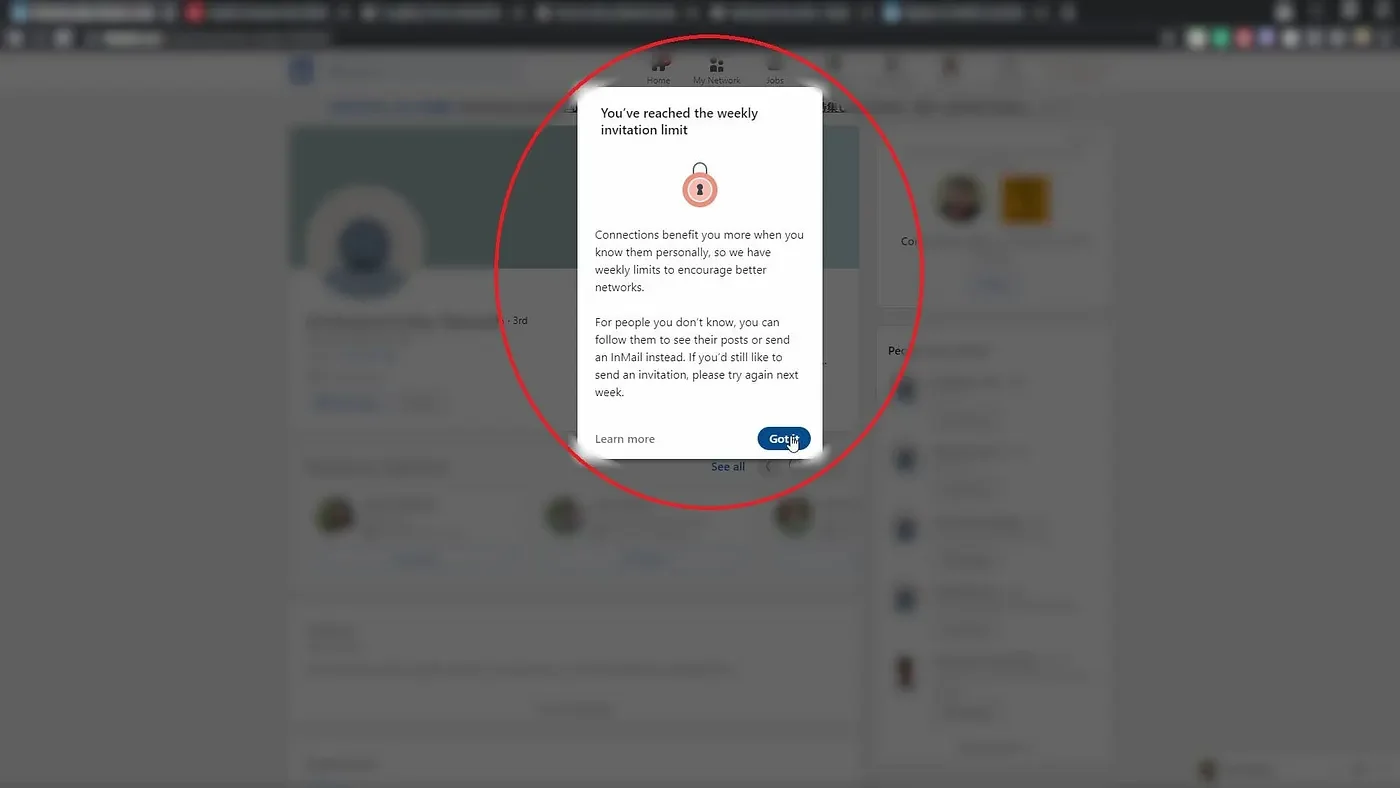
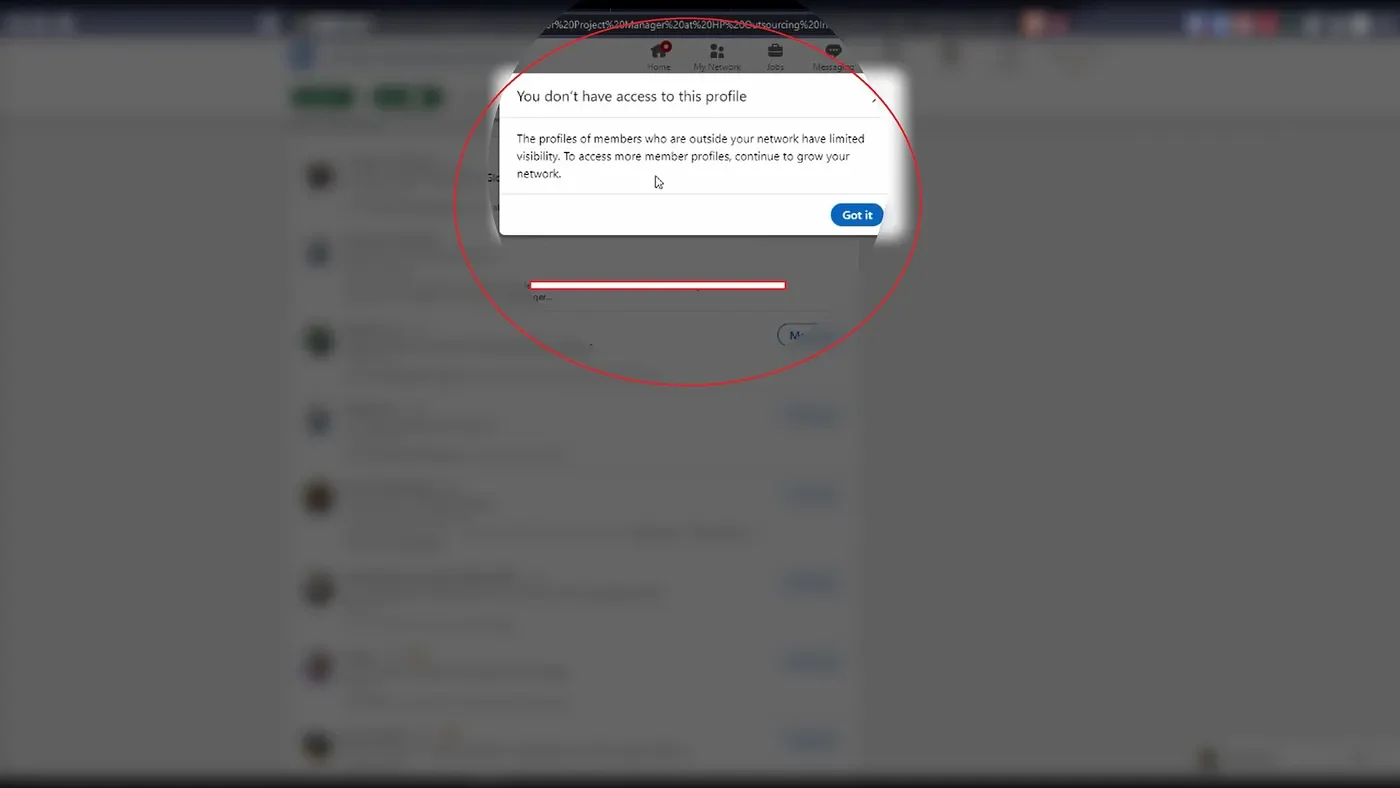
After enough connection requests, a popup saying "you have reached your weekly limit" is displayed. In the responsive (web lite) version, connection requests can still be sent after the weekly limit has been reached. After switching the page into responsive mode and refreshing, the lite version is served, and in that version connection requests can still be sent after the weekly limit has been reached.
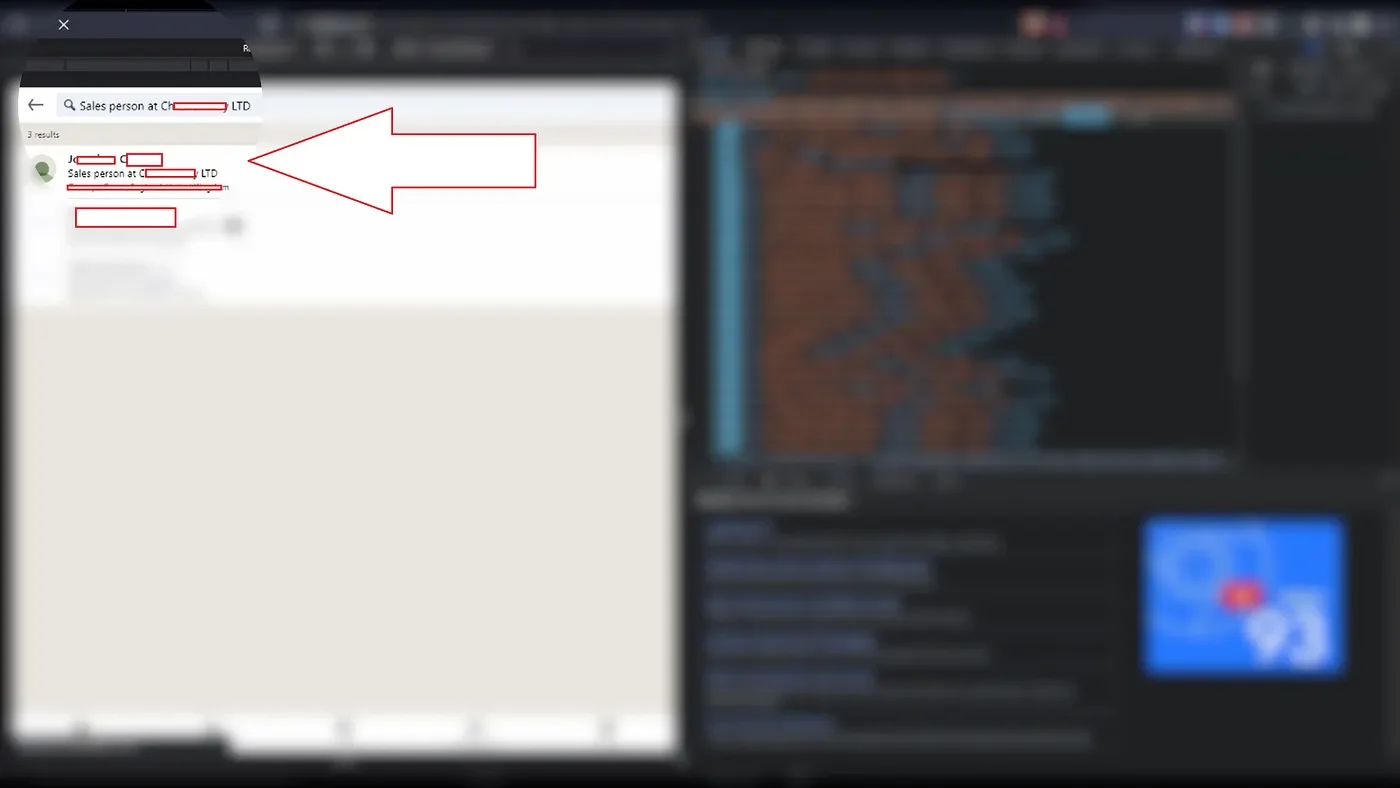
The second issue concerns connecting to 3+ degree connections. LinkedIn shows different levels of connections. 3+ degree connections are people outside your network, and their name is normally displayed as the placeholder "LinkedIn Member". On a Basic free plan a user is not allowed to connect to them, and cannot even see their name or profile details, only their position and company. Using the position and company name, the person's name and profile could be found and viewed, and a connection could be sent. The report states explicitly that this second issue has no connection to the first one.
Exploitation
Step 1: switch to the lite version
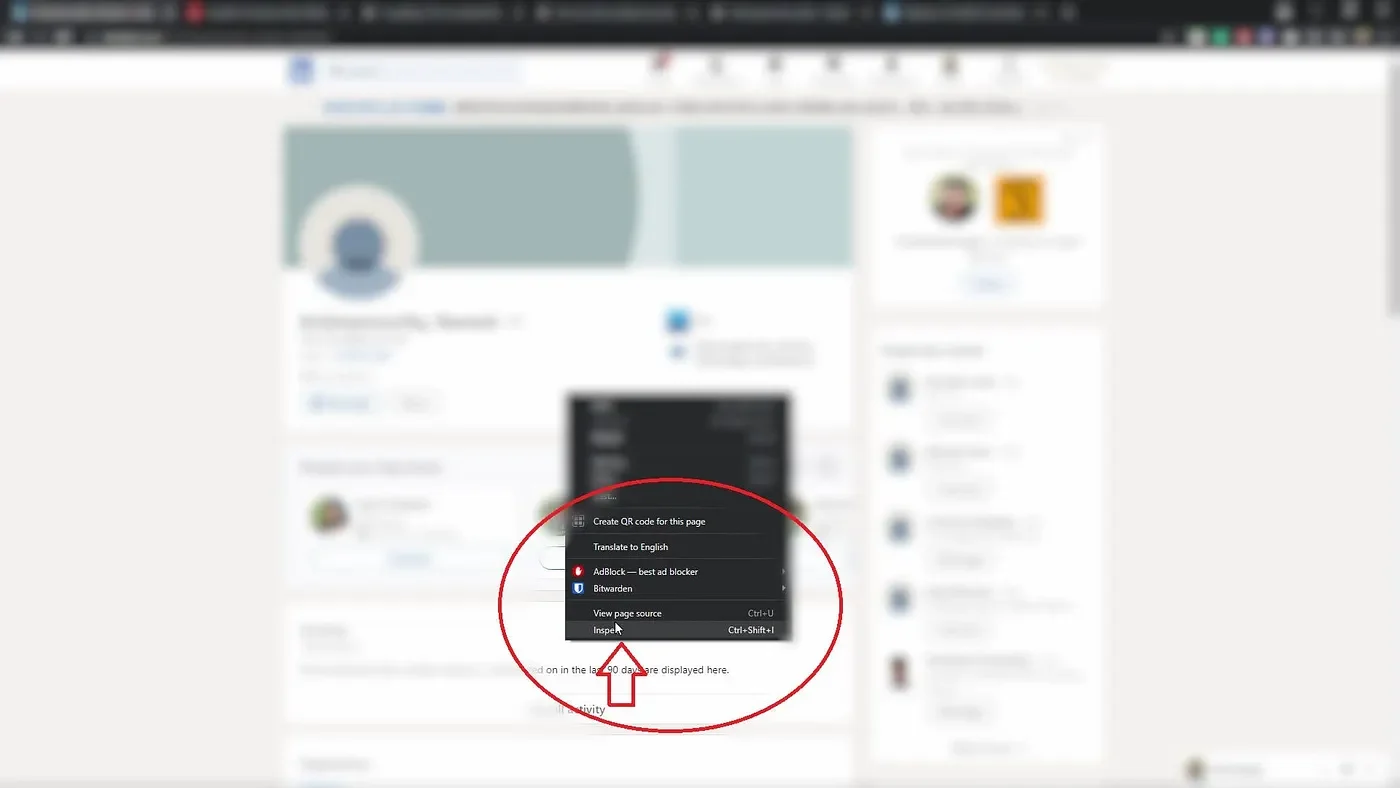
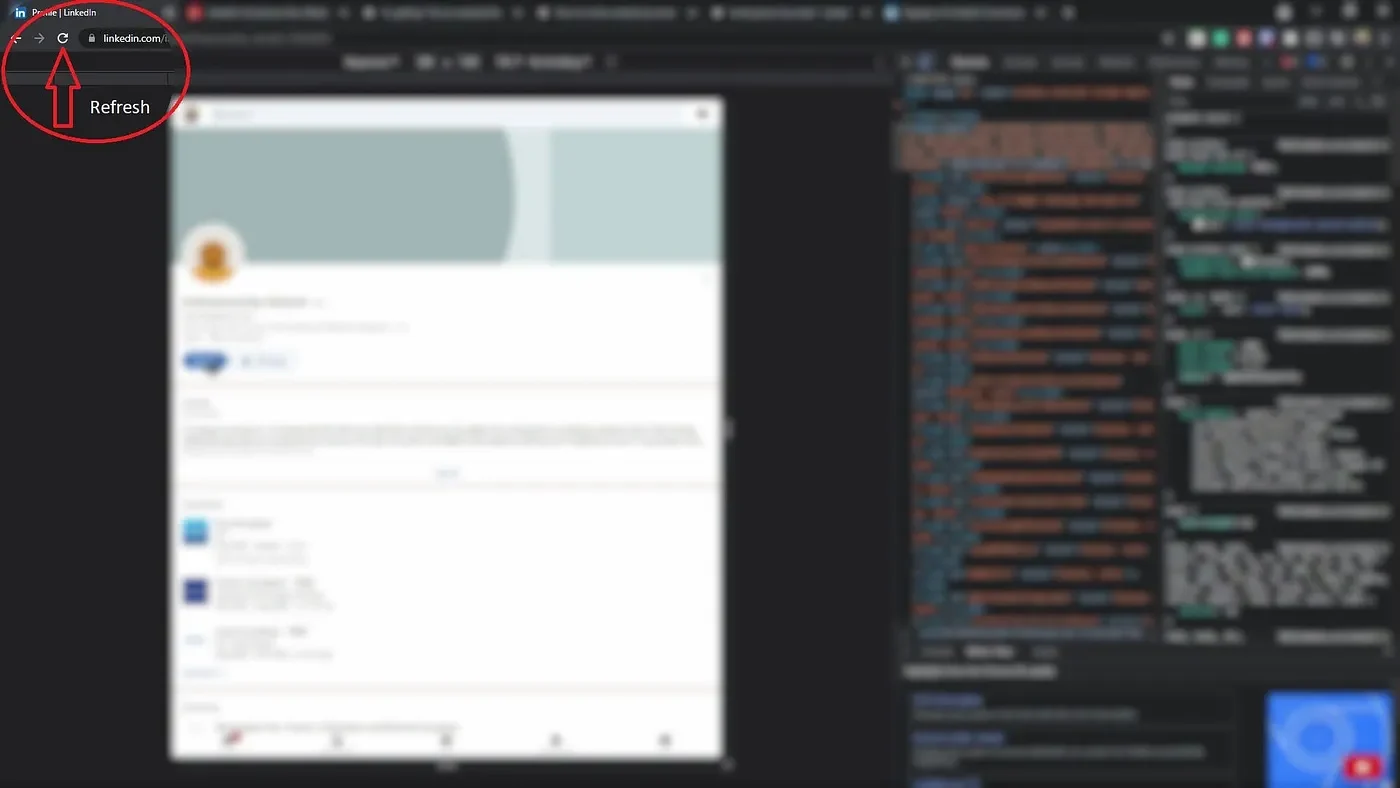
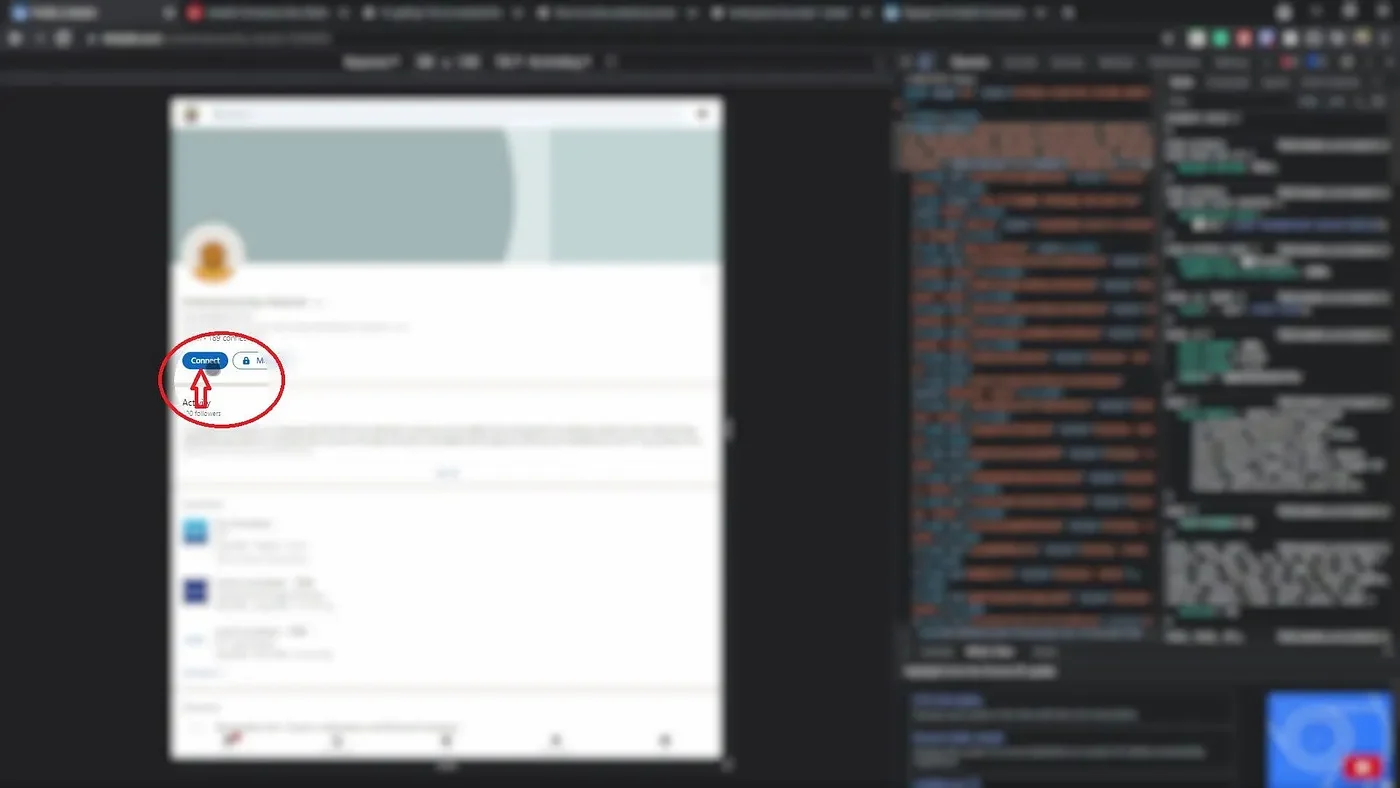
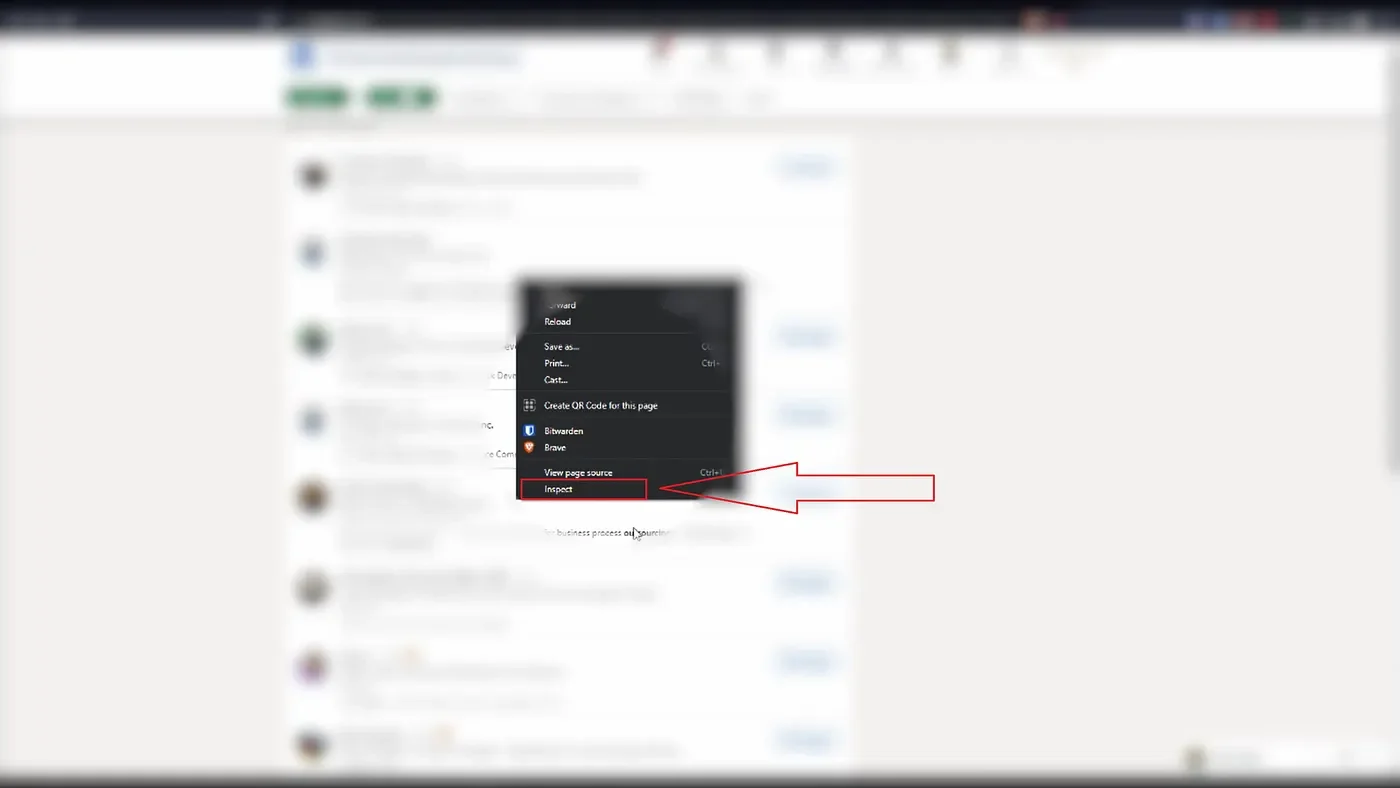
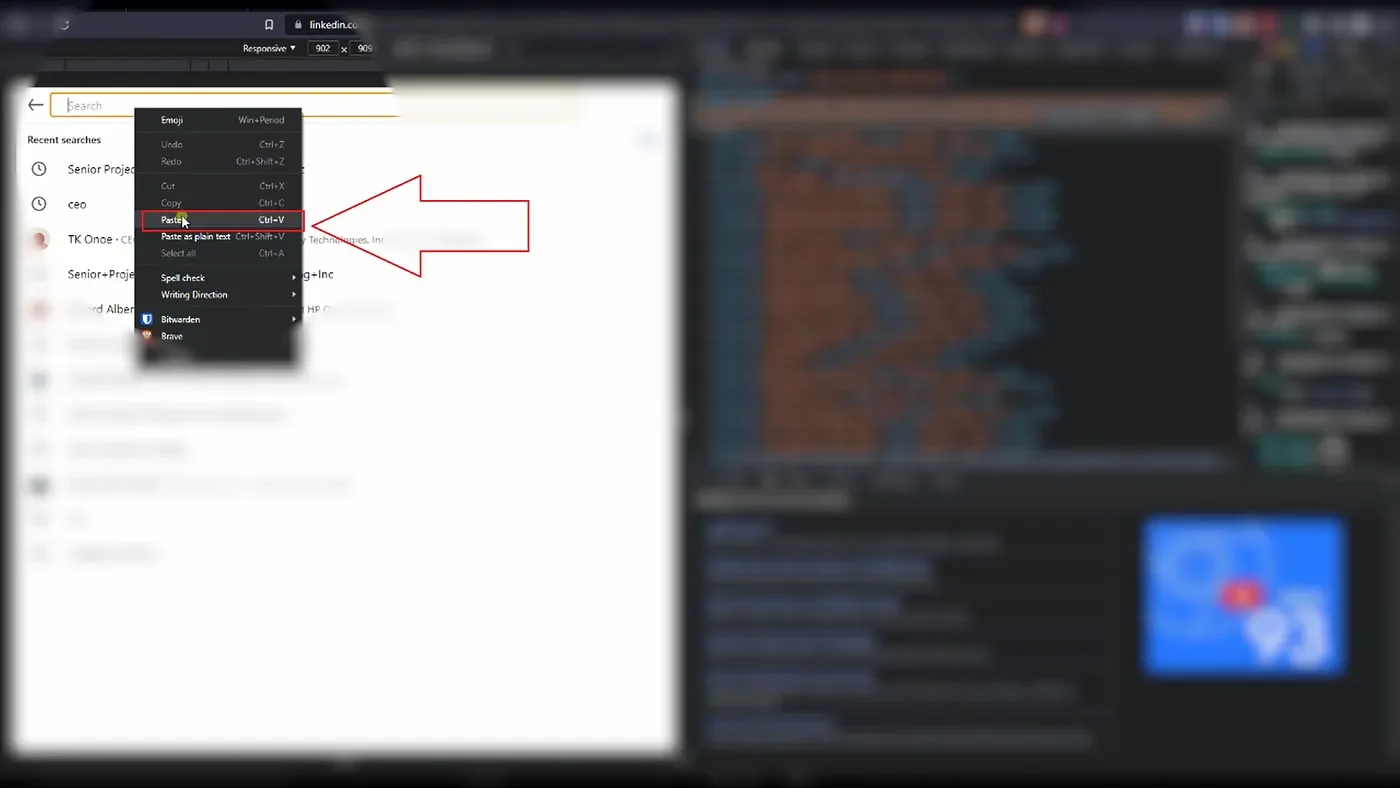
Use a web browser and open LinkedIn in responsive mode (for the web lite version). In a browser this is normally done with the right mouse button and a click on "inspect", after which refreshing the page serves the responsive mode. The report presents the steps as a sequence of images.
Step 2: send connection requests past the weekly limit
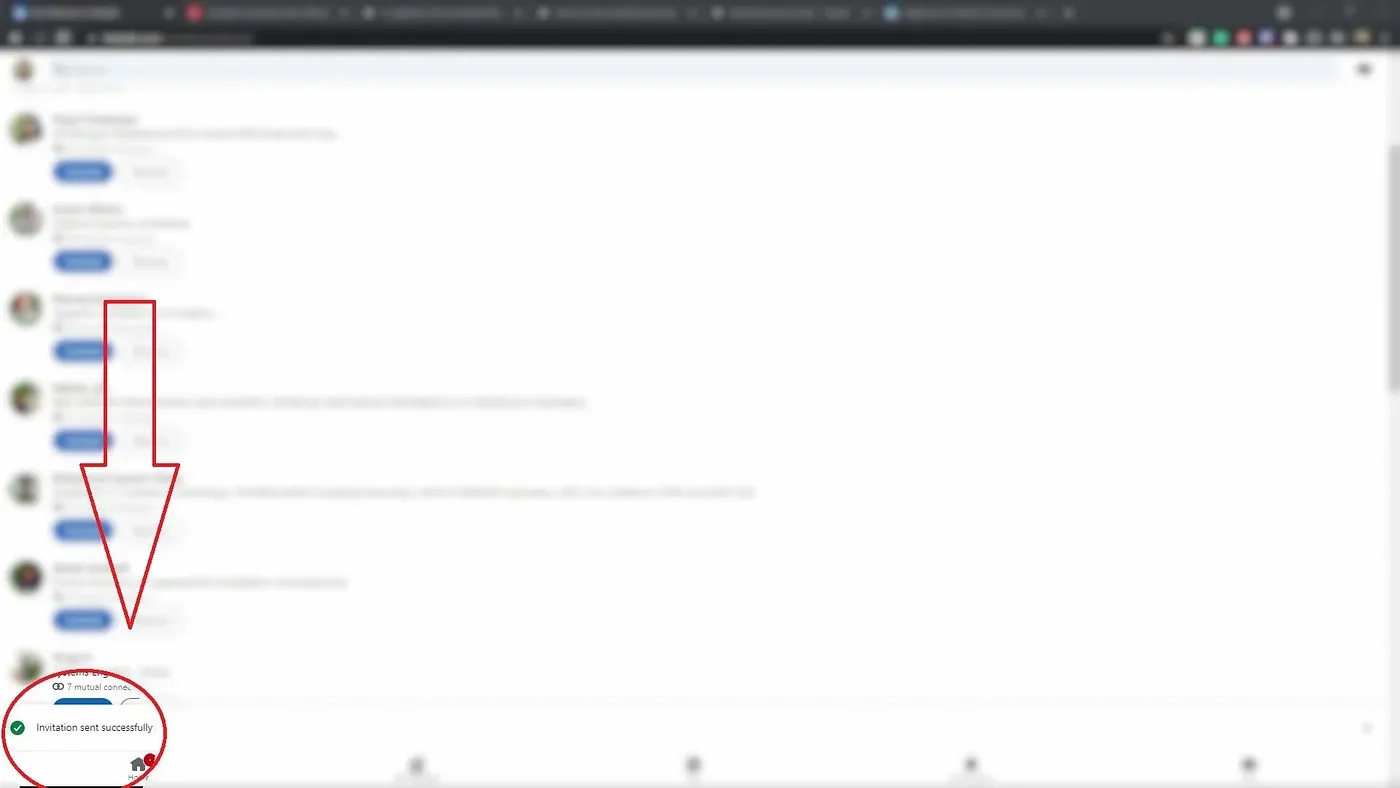
In the responsive version, send connection requests to people even after the weekly limit has been reached. The normal desktop experience shows the "you have reached your weekly limit" popup at this point; the lite version does not block the request.
Step 3: reach 3+ degree connections
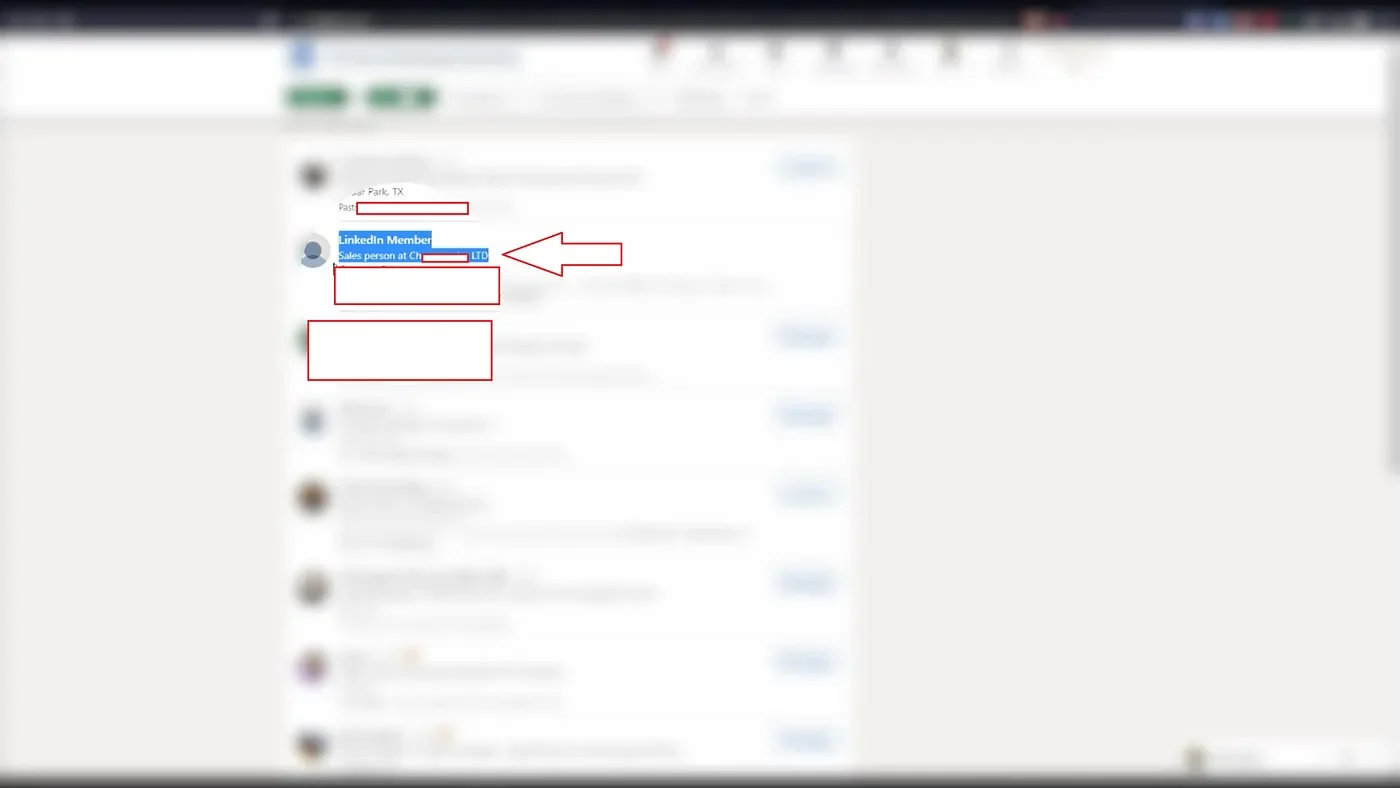
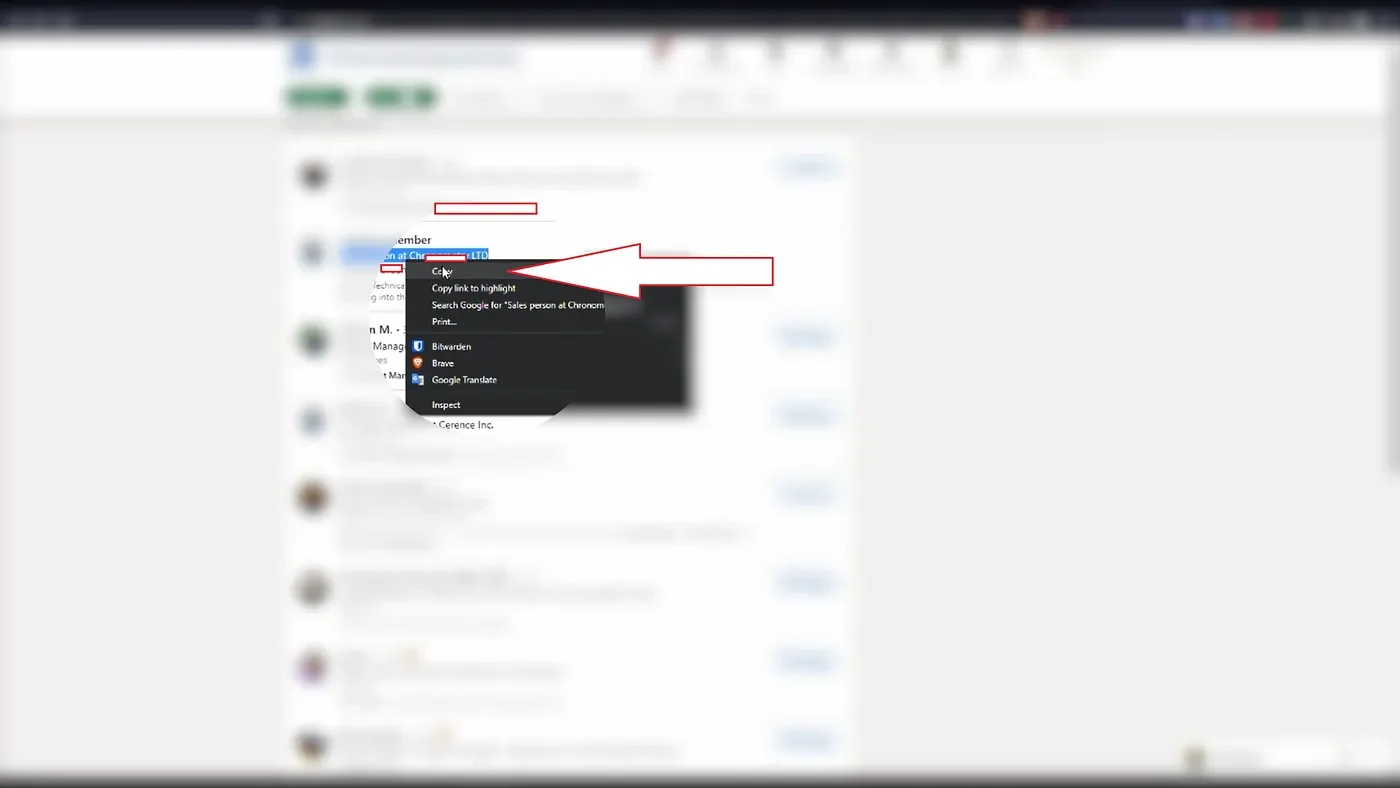
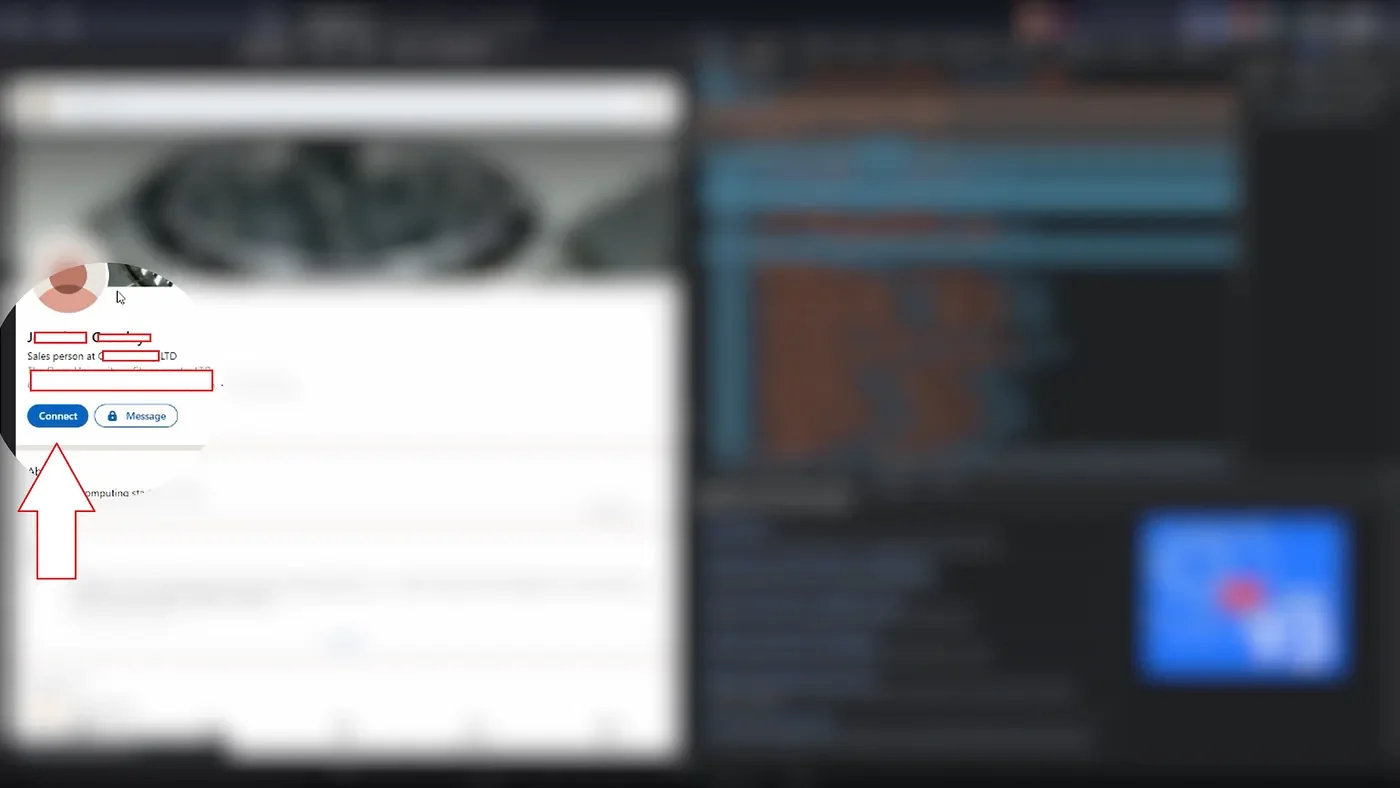
For the second issue, take a 3+ degree connection, whose name is displayed as "LinkedIn Member" and whose profile shows only position and company. Using that position and company information, and the same reproduction steps as issue 1, the researcher was able to find the person's name and profile. The user can then see their name, profile, activity and other details that are not normally visible, and can send them a connection request.
Root cause
The report does not describe the server-side implementation, so the exact mistake is not stated. What the behaviour shows is that the weekly limit and the visibility rules for 3+ degree connections are enforced in the normal web experience but not in the responsive (web lite) version. The report does not state the cause; the behaviour shows the restriction applies in the normal web experience but not in the responsive version.
Impact
The first issue lets Basic (free) users bypass the weekly connection limit and send connection requests without restriction. The report lists severity as Medium and notes that this was a known issue fixed by the LinkedIn team.
The second issue exposes the information of users to outside networks: their name, profile details and activities become visible, and a connection can be sent to them, which is not possible normally. The researcher rates the impact as Medium, and the information security impact (user data, activity and privacy via connection and message) as Medium. This issue was reported as not previously known, later verified and acknowledged by the LinkedIn Security team, and tested and fixed.
Fix
It states that the first issue was a known issue already fixed by the LinkedIn team, and that the second issue was verified and acknowledged by the LinkedIn Security team and is currently tested and fixed.
Variants to test
- Check other features with plan-based quotas (for example messaging or search) in the responsive or lite version of the same site, and see whether the quota is still enforced there. A positive result is an action succeeding in the lite version after the full site has refused it.
- Compare the requests the full site and the lite version send for the same action. A positive result is the lite version calling an endpoint that does not re-check the quota server-side.
- Look for other places where a placeholder hides an identity (for example "LinkedIn Member") and try to resolve it from the visible fields such as position and company. A positive result is the hidden name or profile becoming visible.
- Test whether the same bypass works from other clients or user agents that receive a reduced version of the site. A positive result is the restriction being absent in that version while present in the default one.
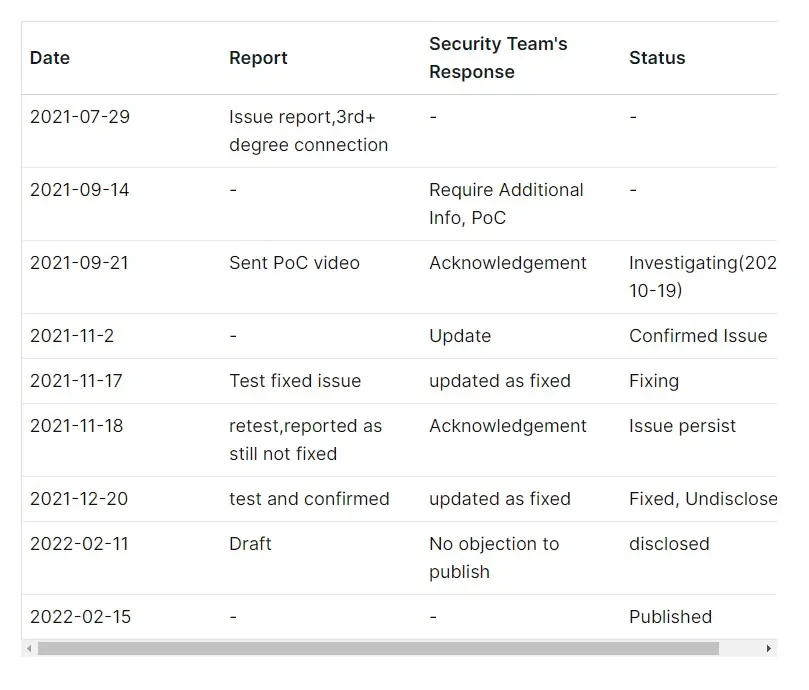
Timeline
What happened, in plain words
LinkedIn is a website where people build a professional network. One of its main features is the connection request: you find someone, click a button, and they get an invitation to become a connection of yours. On the free plan, LinkedIn puts a cap on how many of these invitations you can send in a week. When you hit the cap, a popup appears saying "you have reached your weekly limit" and the button stops working.
A security researcher found two problems with this. The first: if you open LinkedIn in a different version of the site, the one your phone gets (the "lite" or responsive version), the weekly cap is not applied. You can keep sending connection requests after the popup has told you that you cannot. The second: LinkedIn hides the identity of people who are far outside your network, showing them only as "LinkedIn Member" with their job title and company. In that same lite version, the researcher could use the job title and company to find out who the person really was, see their profile and activity, and send them a connection request. The report says the second issue has nothing to do with the first one; they were two separate findings.
Both were reported to the LinkedIn Information Security Team. The first was already a known issue that LinkedIn had fixed. The second was new, was verified and acknowledged by the team, and is now fixed too. The researcher rated both as Medium severity.
A few words before we start, because this write-up uses them a lot:
- A web application is just a website that does things for you, rather than only showing text. LinkedIn is one: you log in, and it lets you send requests, post, search and so on.
- The responsive version (also called web lite) is the lighter version of a site that a browser gets when the screen is small, like a phone's. Sites often build it separately from the full desktop version, and sometimes the two versions do not enforce the same rules. That difference is the heart of this report.
- A limit or quota is a rule like "you may do this 100 times a week". It exists to stop spam and abuse.
- A logic flaw is a bug where nothing crashes and no password is stolen; the program simply follows its rules in the wrong order, or in the wrong place, so a rule that should apply does not.
The setup
The researcher lists the same environment for both issues:
- Browser: Brave Browser, Chrome
- OS: Windows 10, Windows 11
- Target: LinkedIn web application
The only thing you need to reproduce this is a LinkedIn account on the Basic (free) plan. No special tools are mentioned beyond the browser's own developer tools, which are used to switch the page into responsive mode. Every modern browser has these tools built in; you do not install anything.
Finding it
After enough connection requests, a popup saying "you have reached your weekly limit" is displayed. After switching the page into responsive mode and refreshing, the lite version is served, and in that version connection requests can still be sent after the weekly limit has been reached.
The second issue concerns connecting to 3+ degree connections. LinkedIn sorts people by how close they are to you in the network. Your direct contacts are first degree, their contacts are second degree, and so on. 3+ degree connections are people outside your network entirely. On a Basic free plan you are not allowed to connect to them, and you cannot even see their name or profile details, only their position and company. Starting from that position and company, the person's name and profile could be found and viewed, and a connection request could be sent. The report states explicitly that this second issue has no connection to the first one.
Exploitation
Step 1: switch to the lite version
Use a web browser and open LinkedIn in responsive mode (for the web lite version). In a browser this is normally done with the right mouse button and a click on "inspect", after which refreshing the page serves the responsive mode. The report presents the steps as a sequence of images.
Why this step: the researcher wanted to see the site the way a phone sees it, because that is a different program path with its own rules. Opening the developer tools and turning on responsive mode is the standard, no-tools way to ask a site for its mobile layout from a desktop computer.
Step 2: send connection requests past the weekly limit
In the responsive version, send connection requests to people even after the weekly limit has been reached. The normal desktop experience shows the "you have reached your weekly limit" popup at this point; the lite version does not block the request.
Why this matters: the popup is only a message on the screen. The real question is whether the server, the computer that stores the data and decides what is allowed, also refuses the action.
Step 3: reach 3+ degree connections
For the second issue, take a 3+ degree connection, whose name is displayed as "LinkedIn Member" and whose profile shows only position and company. Using that position and company information, and the same reproduction steps as issue 1, the researcher was able to find the person's name and profile. The user can then see their name, profile, activity and other details that are not normally visible, and can send them a connection request.
Why this matters: a placeholder like "LinkedIn Member" is meant to protect the identity of someone outside your network. If the visible job title and company are enough to look the person up, the placeholder protects nothing. This is the same idea as a masked phone number that still shows the last four digits: it feels private, but it can be matched back to a person.
Root cause
The report does not describe the server-side implementation, so the exact mistake is not stated. What the behaviour shows is that the weekly limit and the visibility rules for 3+ degree connections are enforced in the normal web experience but not in the responsive (web lite) version. The report does not state the cause; the behaviour shows the restriction applies in the normal web experience but not in the responsive version.
Two terms in that paragraph are worth unpacking. The front end is the part of the site that runs in your browser: the buttons, the pages, the popups. The server is the machine on the other side that stores the data and carries out the actions. A rule enforced only in the front end is like a shop that puts a "no entry" sign on one door but leaves the other door unlocked: anyone who walks round to the other door gets in. An endpoint is simply a specific address on the server that the front end talks to when you click something, for example "send a connection request". If the lite version talks to an endpoint that does not check the weekly count again, the limit is gone.
Impact
The first issue lets Basic (free) users bypass the weekly connection limit and send connection requests without restriction. The report lists severity as Medium and notes that this was a known issue fixed by the LinkedIn team.
The second issue exposes the information of users to outside networks: their name, profile details and activities become visible, and a connection can be sent to them, which is not possible normally. The researcher rates the impact as Medium, and the information security impact (user data, activity and privacy via connection and message) as Medium. This issue was reported as not previously known, later verified and acknowledged by the LinkedIn Security team, and tested and fixed.
In plain terms: the first issue is about spam and fairness, since the weekly cap exists to stop people flooding others with invitations. The second is about privacy, because someone outside your network could learn who you are and what you do, and reach you, when the product is designed to prevent exactly that.
Fix
It states that the first issue was a known issue already fixed by the LinkedIn team, and that the second issue was verified and acknowledged by the LinkedIn Security team and is currently tested and fixed.
Variants to test
These are ideas for testing similar behaviour elsewhere, written for someone who is learning. Each one names what a positive result would look like.
- Check other features with plan-based quotas (for example messaging or search) in the responsive or lite version of the same site, and see whether the quota is still enforced there. A positive result is an action succeeding in the lite version after the full site has refused it.
- Compare the requests the full site and the lite version send for the same action. A positive result is the lite version calling an endpoint that does not re-check the quota server-side. You can watch these requests in the same developer tools you used to switch to responsive mode; the panel that lists them is usually called the Network tab.
- Look for other places where a placeholder hides an identity (for example "LinkedIn Member") and try to resolve it from the visible fields such as position and company. A positive result is the hidden name or profile becoming visible.
- Test whether the same bypass works from other clients or user agents that receive a reduced version of the site. A positive result is the restriction being absent in that version while present in the default one. A user agent is the short line your browser sends to every site saying what browser and system it is, which is how a site decides to give you the full or the lite version.
Timeline
Glossary
- Web application: a website that performs actions for you, such as sending requests or posting content, rather than only displaying pages.
- Connection request: an invitation on LinkedIn asking another member to become a connection in your network.
- Basic (free) plan: LinkedIn's free account tier, as opposed to a paid subscription.
- Weekly limit / quota: a cap on how many times an action may be performed in a week.
- Responsive mode / web lite: the lighter version of a site served to small screens such as phones, often built and enforced separately from the full desktop version.
- Developer tools: the panel built into every browser, opened with the right mouse button and "inspect", used to view and change how a page is displayed and to watch its network traffic.
- Logic flaw: a bug where the program follows its rules incorrectly, so a restriction that should apply does not, without anything crashing.
- Front end: the part of a web application that runs in your browser, such as buttons, pages and popups.
- Server: the machine on the other side that stores data and carries out actions; rules enforced only in the front end can be bypassed.
- Endpoint: a specific address on the server that the front end calls when you perform an action.
- 3+ degree connection: a person outside your network, further away than your direct contacts and their contacts.
- Placeholder: a stand-in shown instead of real information, here "LinkedIn Member" in place of a name.
- User agent: the line a browser sends to a site identifying its browser and system, used by the site to decide which version to serve.
- Severity / impact: the researcher's rating of how serious an issue is; here Medium for both issues.




