IDOR unsubscribe Anyone from NextClouds Newsletters by knowing their Email
The unsubscribe page for Nextcloud's newsletter accepted any email address without confirmation, CAPTCHA, or rate limiting. An attacker who knows a subscriber's email address could unsubscribe them from the newsletter.

- Disclosed after 4 months
Hi Team,
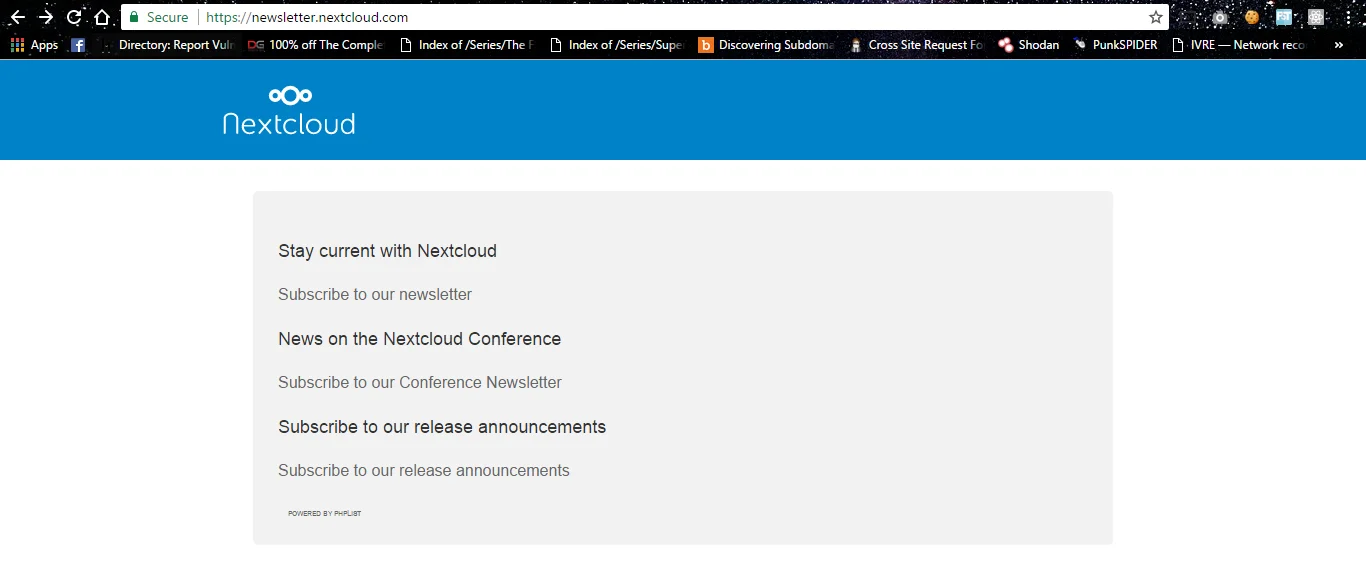
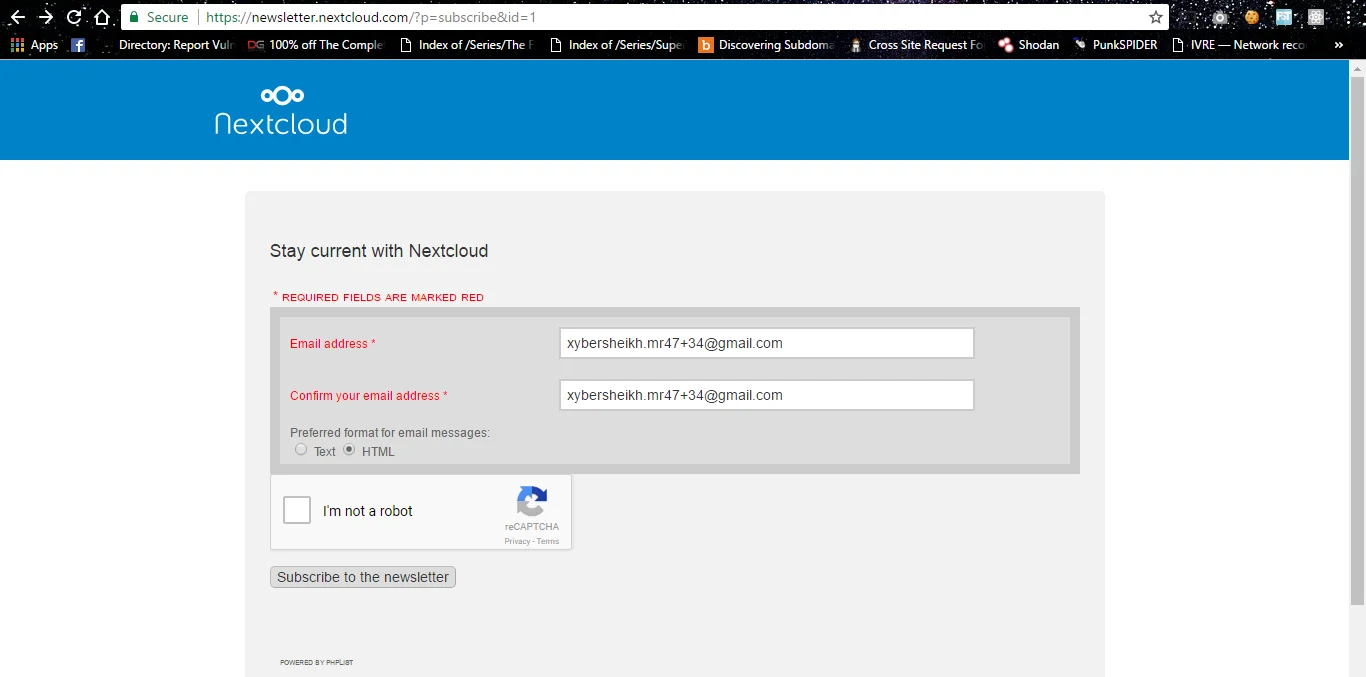
I Was Looking around your website and then I found a subdomain newsletter.nextcloud.com on the main page it shows us 3 Options i choose 1st that was ( Subscribe to our newsletter ) , Then I click on this Option and I was Taken to https://newsletter.nextcloud.com/?p=subscribe&id=1 The page where i have to put my info to subscribe to NextClouds Newsletter....
###Now the Subscription Mechanism have 3 Verification Methods Before anyone can Subscribe to your news letter
- Type Email Twice
- reCAPTCHA
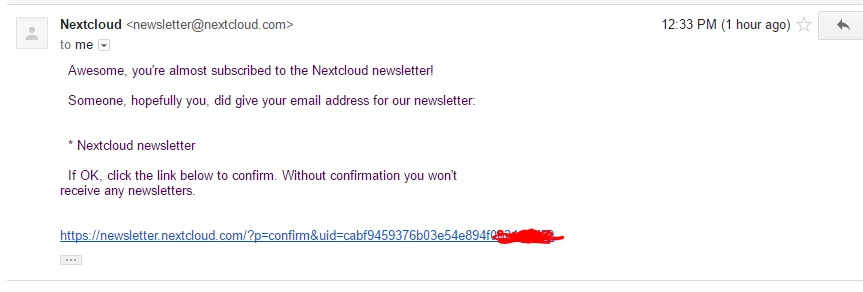
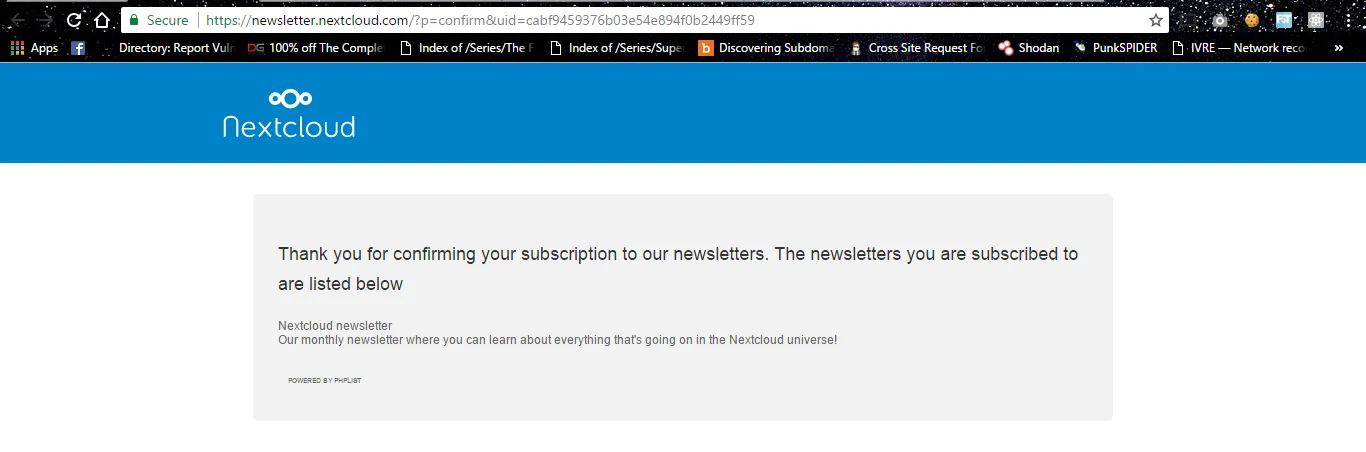
- A link which the person will receive in Email to confirm his/her subscription
Now I Did all these Steps and Successfully subscribed to Your Newsletter with my Email
Then For Testing purpose I took the link from where i subscribed
#Subscription Link https://newsletter.nextcloud.com/?p=subscribe&id=1
And added 'un' before it the link become like:
#Unsubscribe Link: https://newsletter.nextcloud.com/?p=unsubscribe&id=1
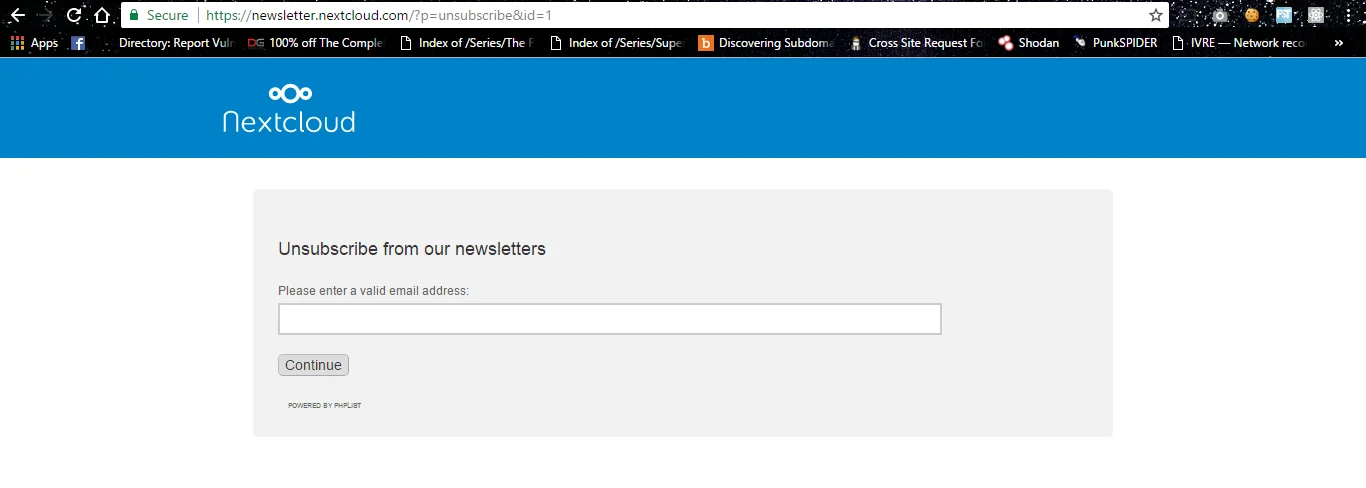
Now the page shows me a Single Input Place where i have to Put my Valid Email ( From Which I have subscribed ) , I Simply Put my email their and Clicked on Continue And the Page Displayed a Message
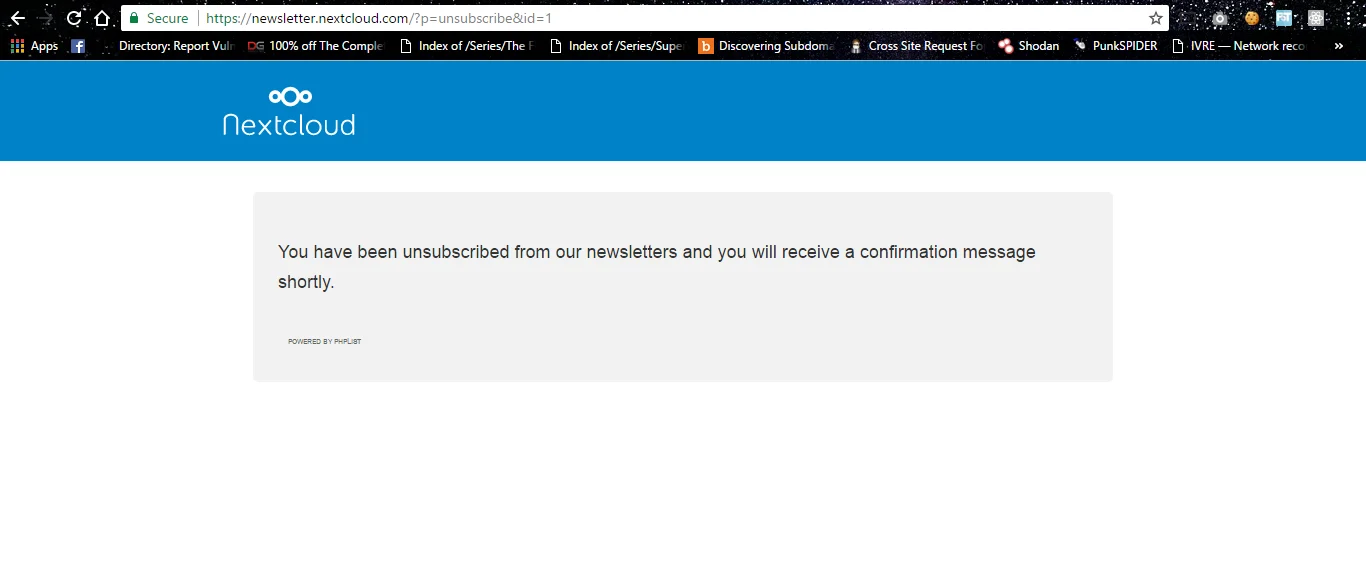
"You have been unsubscribed from our newsletters and you will receive a confirmation message shortly"
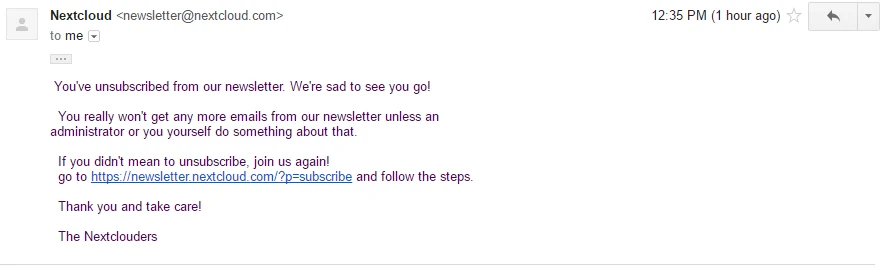
And at the End I Received A email with the Confirmation that i have been unsubscribed from the NextClouds Newsletter
I did The Process again with different Emails and every time i was able to unsubscribe without Any Confirmation, unlike the Subscription Form where I had to put My Email twice, the reCAPTCHA & the Confirmation email from [email protected]
#How can it effect?
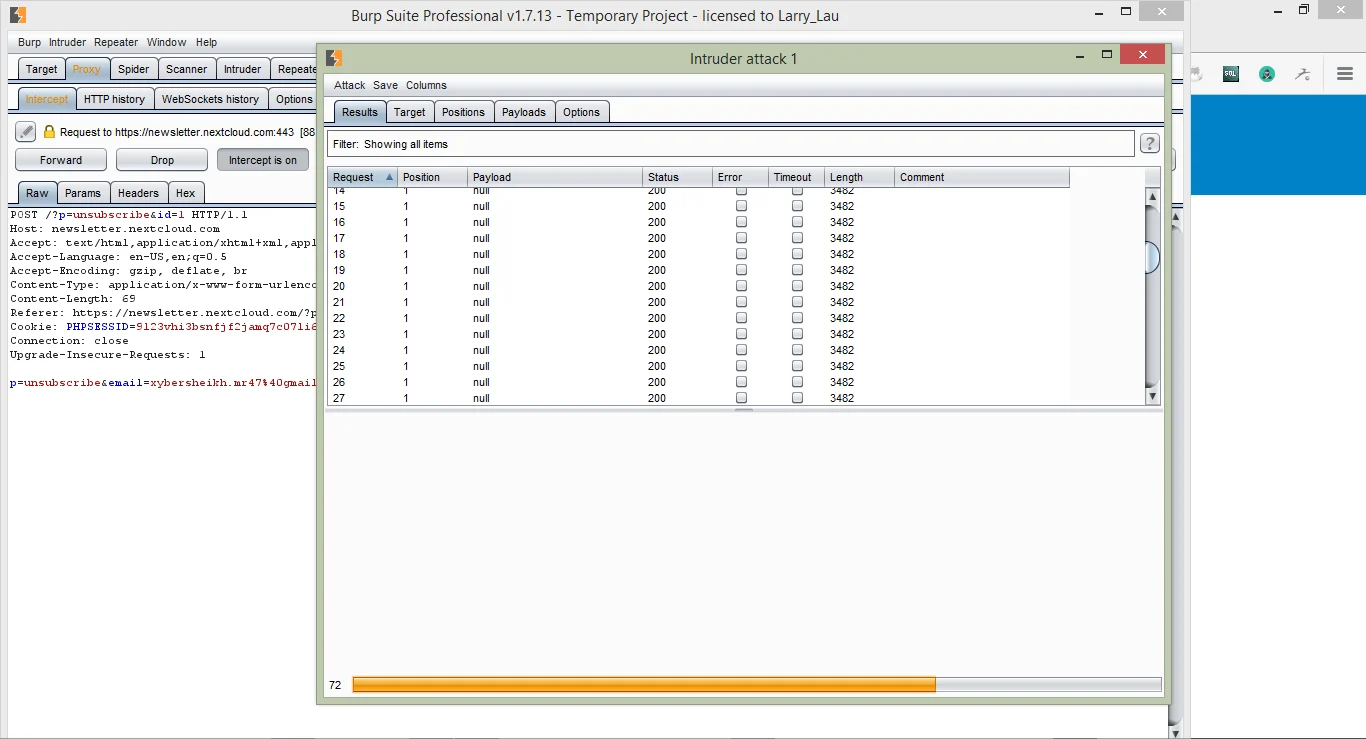
Well its a Hard question but as it have no confirmation or a CAPTCHA Cotrol on the page a malicious User can Unsubscribe anyone that have subscribed to newsletter by simply knowing his email somehow, also a Case can be like thsi as i mentioned No CAPTCHA Control a Bruterforce Can be Done like getting an email list and performing the attacl ( To try this i have send more than 60 request under a minute through Burp Intruder and teh response to all the Requests was 200OK means No rate limiting ) Resulting Bruterforcing.
#Remedy?
Well you can add a reCAPTCHA on the Unsubscribe page and also add an email Confirmation same as one a user get while subscribing same Newsletters...
#Note: I have attached all the Screenshots with the report, & Also If you don't accept Reports about your Website on Hackerone Kindly send a Way by whichi can send this report...
Thanks, Muhammad Khizer Javed https://hackerone.com/babayaga_ https://bugcrowd.com/MuhammadKhizerJaved
Attachments
Context
Nextcloud runs a newsletter sign-up page on the subdomain newsletter.nextcloud.com. The main Nextcloud site links to it, and the landing page offers three options, the first of which is "Subscribe to our newsletter". Choosing it takes the visitor to the subscription form at:
https://newsletter.nextcloud.com/?p=subscribe&id=1
That page is where a visitor enters their details to receive Nextcloud's newsletter. The report is about the unsubscribe side of the same feature, which lives on the same script with a different value for the p parameter.
Setup
The researcher used a browser, an email address and Burp Intruder. They subscribed with their own email, then tested the unsubscribe flow with that address and with different email addresses. Burp Intruder was used later to send a burst of unsubscribe requests. No accounts, roles or special privileges are involved: the whole feature is reachable anonymously.
Finding it
The subscription form has three verification steps before anyone can subscribe:
- Type the email twice.
- Solve a reCAPTCHA.
- Click a link delivered by email to confirm the subscription.
The researcher completed all three and subscribed successfully with their own address. They then took the subscription URL and changed the p parameter, adding un in front of subscribe:
https://newsletter.nextcloud.com/?p=unsubscribe&id=1
What made this worth pursuing is the asymmetry: the subscribe path is defended by a double email entry, a CAPTCHA and an email confirmation, while the unsubscribe path, reached by editing a single query parameter, is a plain form asking only for an email address.
Exploitation
Step 1: Reach the unsubscribe form
Loading the modified URL presents a single input field asking for a valid email address, the one used to subscribe.
Step 2: Submit an address
The researcher entered their own subscribed email and clicked Continue. The page returned the following message:
You have been unsubscribed from our newsletters and you will receive a confirmation message shortly
Step 3: Confirm the effect
An email arrived confirming that the address had been unsubscribed from the Nextcloud newsletter.
Step 4: Repeat with other addresses
The researcher ran the process again with different email addresses. Every time, the unsubscribe succeeded without any confirmation step, in contrast to the subscription form, which requires the email twice, the reCAPTCHA and a confirmation mail from [redacted].
Step 5: Check for rate limiting
Because the page has no CAPTCHA, the researcher tested whether it could be driven at volume. They sent more than 60 requests within a minute through Burp Intruder, and every response came back 200 OK, which they took as evidence that no rate limiting is applied. That would allow brute forcing: take an email list and run the unsubscribe request against each address.
Root cause
The unsubscribe action is keyed solely on the email address supplied in the request. no CAPTCHA, and, per the researcher's Intruder test, no rate limiting. The subscription flow's defences (double entry, CAPTCHA, email confirmation) were never applied to the unsubscribe flow, so the only thing standing between an attacker and another person's subscription is knowledge of that person's email address. The report does not describe the server-side code, so the exact implementation mistake is not stated; the observable behaviour is that a single unauthenticated request with an email address is enough to complete the action.
Impact
A malicious user can unsubscribe anyone who has subscribed to the newsletter, provided they know the victim's email address. Because there is no CAPTCHA control, the same request can be run against a list of addresses, which the researcher demonstrated by sending more than 60 requests in under a minute and receiving 200 OK for all of them. The researcher is candid that the practical effect is a hard question to quantify, but the outcome is that subscribers can be removed from the list without their consent, and at scale.
Fix
The researcher's recommendation is to add a reCAPTCHA to the unsubscribe page and to require an email confirmation, the same kind a user receives when subscribing. Together they match the defences already present on the subscription form.
Variants to test
- Parameter-swapped actions. On newsletter or mailing-list software, take the URL of a defended action (subscribe, confirm, profile edit) and swap the action parameter for a related one (unsubscribe, delete, preferences). A positive result is a form that performs the action with fewer checks than the original.
- Email-only state changes. Submit a subscribed address you control to any unsubscribe or preferences endpoint and see whether the change takes effect before any email confirmation is clicked. A positive result is a confirmation mail that arrives after the change, not before it.
- Token absence. Inspect the unsubscribe request for any per-recipient token or signature. If the only identifier is the email address, the endpoint is a candidate for the same issue.
- Rate-limit probing. Send a burst of requests to the endpoint through an intercepting proxy and record the status codes. A run of
200 OKresponses with no throttling or lockout indicates the action can be driven against a list. - CAPTCHA coverage. Compare which forms in the same application carry a CAPTCHA and which do not. Any state-changing form without one, especially one reachable anonymously, is worth testing at volume.
What happened, in plain words
Nextcloud is a company that makes software for storing and sharing files, and like many companies it sends out a regular email newsletter to people who want news about it. To join that newsletter you visit a page on a website called newsletter.nextcloud.com, which is a smaller site that belongs to Nextcloud. The main Nextcloud website has a link to it, and the first page you land on offers three choices. The first choice is "Subscribe to our newsletter". If you pick it, you are taken to a form at this address:
https://newsletter.nextcloud.com/?p=subscribe&id=1
That is the page where you type in your details to start receiving the newsletter. The report is not about the subscribe side, though. It is about the opposite action, unsubscribing, which lives on the very same page but with one small piece of the web address changed.
A security researcher (someone who looks for weaknesses in websites so they can be fixed) noticed that the subscribe form is well protected, while the unsubscribe form is not protected at all. By changing a single word in the web address, he reached a page that would remove an email address from the newsletter list without a confirmation or CAPTCHA. He could do it for his own address, and he could do it for other people's addresses too, as long as he knew the address. He could send more than 60 requests in under a minute, which the researcher said would allow brute forcing against an email list.
This kind of weakness has a name: an Insecure Direct Object Reference, or IDOR. The idea is simple. Imagine a cloakroom where you hand in your coat and get a ticket with a number on it. If the attendant hands back any coat whose number you ask for, without checking that the ticket is really yours, then anyone can walk off with anyone else's coat just by guessing numbers. In a website, the "coat number" is often an email address, a user ID or a file name, and the weakness is that the website acts on whatever value you supply without checking that you are allowed to act on it. Here, the "object" being acted on is a newsletter subscription, and the only thing identifying it is the email address.
The setup
The researcher needed little to test this: a normal web browser, an email address of his own and Burp Intruder. He did not need an account, a password, a special role or any kind of permission. The whole newsletter feature can be reached by anyone on the internet, without logging in. That matters, because a weakness that anyone can reach is more serious than one that only logged-in staff can reach.
Later in the test he used a tool called Burp Intruder. Burp Suite is a program that sits between your browser and a website and lets you look at, and change, the requests your browser sends. Intruder is one part of it that can send the same request over and over with different values filled in, very quickly. Think of it as a machine that posts the same letter to many different addresses in a short time. You will see why he needed it further down.
Finding it
The subscribe form has three checks before anyone can join the newsletter:
- Type the email address twice.
- Solve a reCAPTCHA.
- Click a link that arrives by email to confirm the subscription.
Let us unpack those, because they are the heart of the story.
Typing the address twice is a simple guard against typos: if the two entries match, the person probably typed what they meant.
A reCAPTCHA is the little puzzle you often see on websites, where you tick a box saying "I am not a robot" or pick out pictures of traffic lights. Its purpose is to tell a human apart from a computer program. A human can solve it easily; a program that wants to sign up thousands of times cannot. This is the defence against automated abuse, often called a bot.
A confirmation link sent by email proves that the person actually controls the mailbox they typed in. If you do not own the address, you never see the email, so you never click the link, so the subscription never becomes active. This is the defence against someone signing up somebody else without their knowledge.
Together, those three checks mean that subscribing is a deliberate, verified act. The researcher completed all three and successfully subscribed with his own address. Then he looked at the web address of the subscribe page and started experimenting with it.
The address ends with ?p=subscribe&id=1. The part after the question mark is called the query string, and it is a way of passing small pieces of information to the website inside the link itself. Each piece is a name and a value joined by an equals sign, and pieces are separated by an ampersand (&). So here the website is told p equals subscribe, and id equals 1. The p value is effectively the name of the action the page should perform: subscribe. The researcher guessed that other actions might be reachable the same way, and he tried adding un in front of subscribe:
https://newsletter.nextcloud.com/?p=unsubscribe&id=1
This is the key moment of the whole report. He did not hack anything in a complicated way. He edited a word in the address bar, the same way you might edit a search term. What made it worth pursuing was the difference between the two sides: the subscribe path is defended by the double email entry, the CAPTCHA and the email confirmation, while the unsubscribe path, reached by changing one value, is a plain form that asks only for an email address.
Exploitation
Step 1: Reach the unsubscribe form
Loading the modified address shows a single input field asking for a valid email address, the one used to subscribe. There is no password, no login, no puzzle, nothing else. The first attachment shows this page.
Step 2: Submit an address
The researcher typed in his own subscribed email address and clicked Continue. The page replied with this message:
You have been unsubscribed from our newsletters and you will receive a confirmation message shortly
Read that message carefully, because the wording is the whole problem. It says the address has been unsubscribed, and that a confirmation message will follow shortly. In other words, the removal has already happened; the email is only a notification afterwards. Compare that with subscribing, where the email link has to be clicked before the subscription becomes active. On the unsubscribe side the order is reversed, and that reversal is what lets anyone act on anyone's address.
The second attachment shows the message on the page.
Step 3: Confirm the effect
An email then arrived confirming that the address had been unsubscribed from the Nextcloud newsletter. No further interaction was needed for the unsubscribe to take effect. The email was a receipt, not a permission slip.
The third attachment shows that confirmation email.
Step 4: Repeat with other addresses
The researcher ran the same process again with different email addresses. Every time, the unsubscribe succeeded with no confirmation step at all. This is the part that turns a curiosity into a real problem: the page does not care whether the address belongs to the person using it. It will remove whatever address you give it.
Contrast that with the subscribe form, which demands the address twice, a reCAPTCHA, and a confirmation mail from [redacted]. The unsubscribe form demands none of these.
The fourth attachment shows another run of the process.
Step 5: Check for rate limiting
Rate limiting is a defence where a website counts how often the same person or the same connection asks for something, and starts refusing or slowing down requests once the count gets too high. It is like a shop that only lets you buy two loaves of bread per visit, so nobody can empty the shelf. Without it, an automated tool can hammer a page as fast as the network allows.
Because the page had no CAPTCHA, the researcher tested whether it could be driven at volume. He sent more than 60 requests within a minute through Burp Intruder, and every response came back 200 OK. A 200 OK is the standard web status code meaning "the request succeeded". Getting that code for every single request, with no slowdowns and no refusals, was his evidence that no rate limiting is applied.
That opens the door to brute forcing. Brute forcing means trying something over and over automatically, without cleverness, just volume. Here it would mean taking an email list and running the unsubscribe request against each address in turn. The page would happily process them all.
The remaining attachments show the Intruder run and its results.
Root cause
The unsubscribe action is keyed solely on the email address supplied in the request. no CAPTCHA, and, according to the researcher's Intruder test, no rate limiting.
A token, in this context, is a long random string that a website gives to one specific person and expects back when that person asks to do something. It works like a claim ticket: the cloakroom only hands over your coat if you present the ticket it gave you, and nobody can guess the ticket because it is long and random. If the unsubscribe page had required a token that was emailed only to the address being removed, then only the person reading that mailbox could complete the removal. It does not. The only identifier is the email address itself, which is not secret and is often widely known.
The subscription flow's defences (double entry, CAPTCHA, email confirmation) were never applied to the unsubscribe flow. So the only thing standing between an attacker and another person's subscription is knowledge of that person's email address. The report does not describe the server-side code, so the exact implementation mistake is not stated; what can be observed is that a single request, from anyone, with an email address, is enough to complete the action.
Impact
A malicious user can unsubscribe anyone who has subscribed to the newsletter, provided they know the victim's email address. Because there is no CAPTCHA control, the same request can be run against a list of addresses, which the researcher demonstrated by sending more than 60 requests in under a minute and receiving 200 OK for all of them.
The researcher is candid that the practical effect is a hard question to quantify. It is not a data breach: nobody's files or passwords are exposed. But subscribers can be removed from the list without their consent, and at scale. For a company, that means subscribers can be removed from the list without their consent.
Fix
The researcher's recommendation is to add a reCAPTCHA to the unsubscribe page and to require an email confirmation, the same kind a user receives when subscribing. Together they match the defences already present on the subscription form. In plain terms: make the unsubscribe page prove that a human is asking, and make it wait for the mailbox owner to click a link before the removal actually happens.
Variants to test
These are general lessons you can carry to other sites, not things specific to this report.
- Parameter-swapped actions. On newsletter or mailing-list software, take the URL of a defended action (subscribe, confirm, profile edit) and swap the action parameter for a related one (unsubscribe, delete, preferences). A positive result is a form that performs the action with fewer checks than the original. This is exactly what happened here:
p=subscribebecamep=unsubscribe. - Email-only state changes. Submit a subscribed address you control to any unsubscribe or preferences endpoint and see whether the change takes effect before any email confirmation is clicked. A positive result is a confirmation mail that arrives after the change, not before it.
- Token absence. Inspect the unsubscribe request for any per-recipient token or signature. If the only identifier is the email address, the endpoint is a candidate for the same issue.
- Rate-limit probing. Send a burst of requests to the endpoint through an intercepting proxy and record the status codes. A run of
200 OKresponses with no throttling or lockout indicates the action can be driven against a list. - CAPTCHA coverage. Compare which forms in the same application carry a CAPTCHA and which do not. Any state-changing form without one, especially one reachable anonymously, is worth testing at volume.
Glossary
- Subdomain: a smaller website that sits under a company's main domain name, such as
newsletter.nextcloud.comundernextcloud.com. - Newsletter: a regular email sent to a list of people who have chosen to receive it.
- Query string: the part of a web address after the question mark, carrying small pieces of information as name equals value pairs separated by
&. - Parameter: one of those name and value pairs, such as
p=subscribe. - reCAPTCHA: a small puzzle on a web page used to tell a human apart from an automated program.
- Bot: a computer program that performs actions on a website automatically, often at high speed.
- Confirmation email: an email containing a link that must be clicked to prove the person controls that mailbox.
- Researcher: a security specialist who looks for weaknesses in websites so they can be reported and fixed.
- IDOR (Insecure Direct Object Reference): a weakness where a website acts on an object identified by a value the user supplies, without checking that the user is allowed to act on it.
- Token: a long random string a website gives to one specific person and expects back before performing a sensitive action, so that others cannot guess it.
- Rate limiting: a defence that counts requests and slows or refuses them once a limit is reached.
- Brute forcing: trying something over and over automatically, relying on volume rather than cleverness.
- Burp Suite: a tool that sits between a browser and a website so requests can be inspected and modified.
- Burp Intruder: the part of Burp Suite that sends the same request many times with different values filled in.
- Status code: a number a web server returns with each response;
200 OKmeans the request succeeded. - Intercepting proxy: software that sits in the middle of a connection and lets you read and change the traffic passing through it.
- State-changing action: anything a website does that alters stored information, such as subscribing, unsubscribing or changing preferences.
- Anonymously reachable: usable by anyone on the internet without logging in.