Clicking "http://burp" hyperlink on FireFox CA Installation guide redirects to "burp.com" (unclaimed website).
The CA certificate installation guide contains a hyperlink to 'http://burp' which, when clicked without proxy settings configured, redirects to the unclaimed domain 'burp.com'. An attacker could register that domain and host a phishing site to steal credentials or other sensitive data.
 Originally disclosed on HackerOne
- Disclosed after 2 days
Executive Summary
I was in the process of installing Burp suite community edition on my recent machine where I believe I stumbled across a potential open redirect issue on the CA certificate installation website. This is a security concern due to the fact that if a user clicks the hyperlink without Burp Suite / proxy settings configured, they could be redirected to a phishing site and have sensitive data stolen.
It would be incredibly easy for a malicious actor to claim the domain redirected to by the hyperlink on the webpage. While "burp.com" is not a Portswigger subdomain or owned by Portswigger, it could be confusing to a user, especially if a phishing site used burp.com and the malicious actor mocked it up to look like the Portswigger website.
Note: While for most redirection / sub domain takeover bugs the standard practice is to actually go out and register the unclaimed website / domain, I have chosen not to in this PoC because I think it is a much lower level security issue.
Links where security issue can be found
Test Conditions
-Browser: Firefox 69.0 (64-bit). No proxy activated and certificate not installed.
-OS: Windows 10
-Burp Product: Burp Suite Community Edition v2.1.02 (turned on, no settings changed).
Execution
-
I was following the instructions found on the CA certificate installation website to install the CA for FireFox as a part of setting up Burp on my PC.
-
I turned on Burp as instructed by the directions, and tried navigating to the page to download the certificate authority by clicking the hyperlink to http://burp as seen in this screenshot
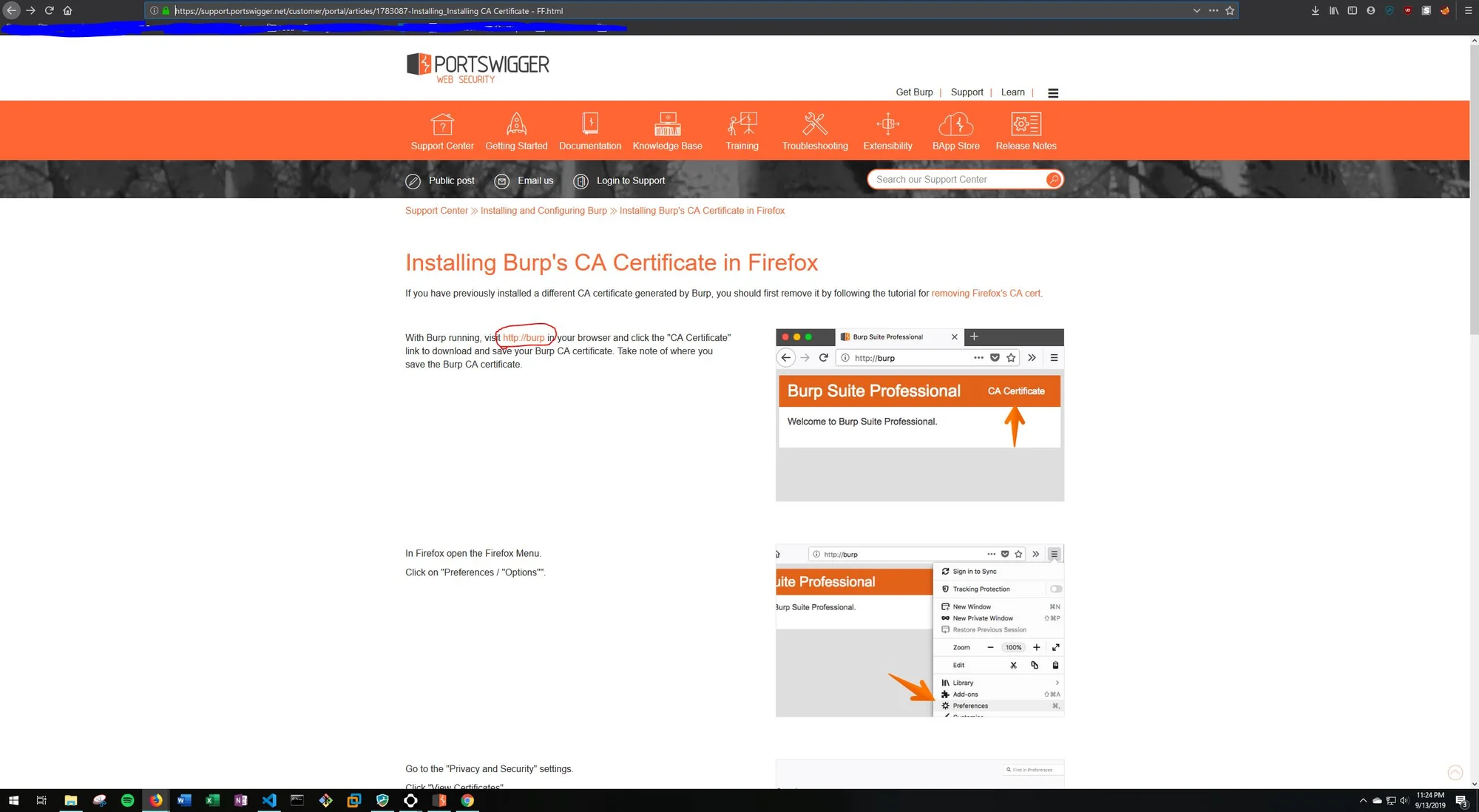
Page_w_Redirect.JPG From the original on HackerOne .
-
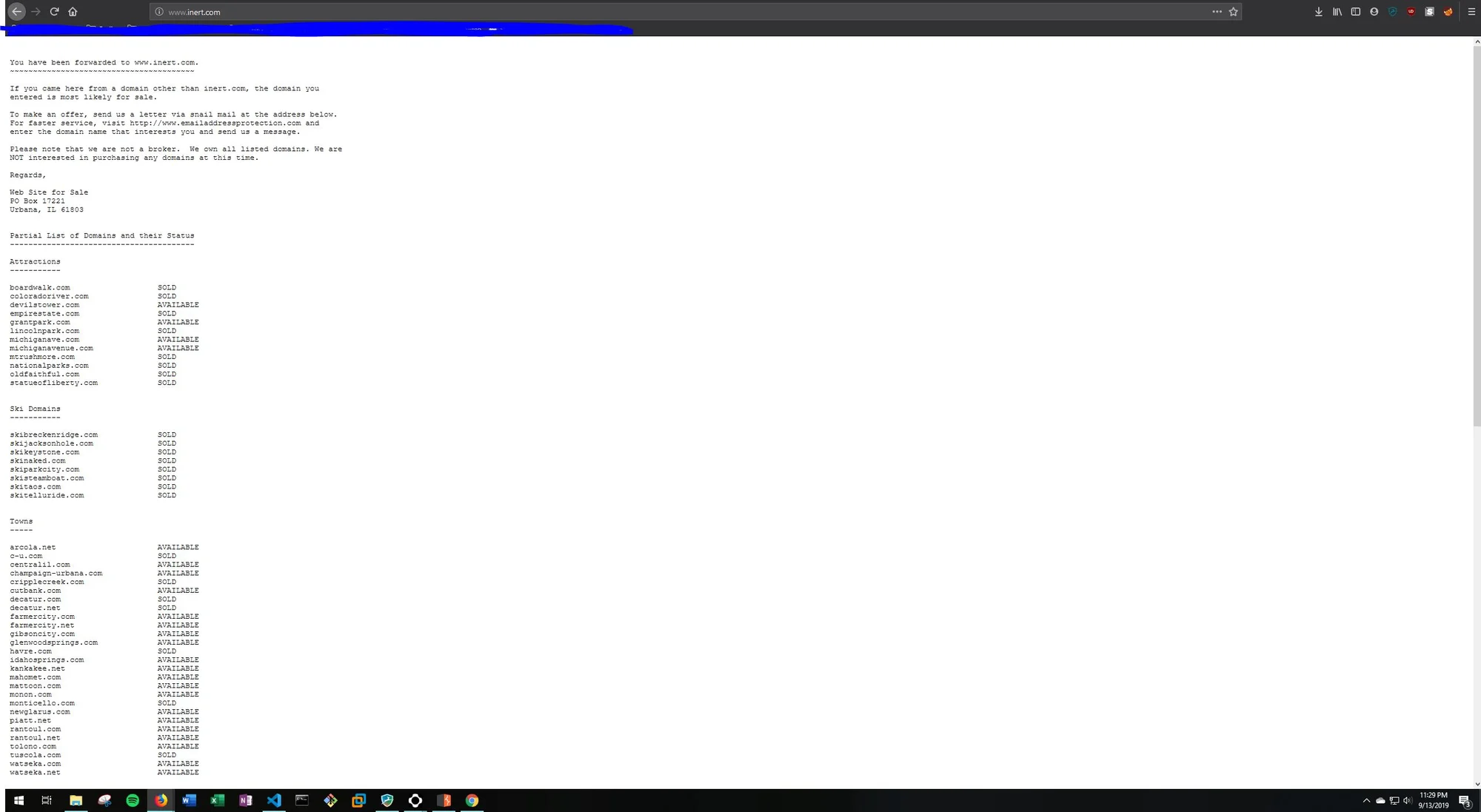
Upon clicking the hyperlink FireFox will either immediately direct you to "burp.com"(Which then sends you to inert.com, the seller of the domains), shown in this screenshot . "Burp.com" can be shown for sale in
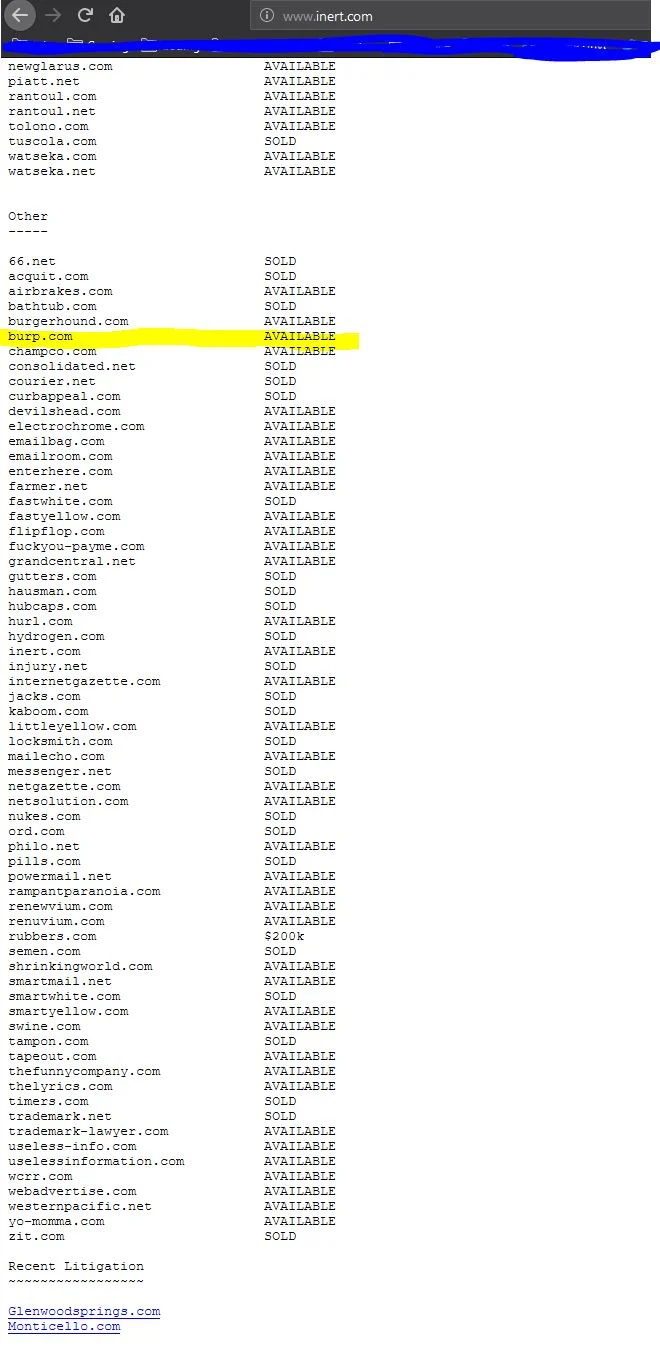
Burp_for_sale.JPG From the original on HackerOne . Sometimes, FireFox will throw an error on the redirect, but refreshing will eventually lead you to "burp.com => inert.com"
-
inert.com shows how easy it would be for a malicious attacker to register "burp.com". Any user then clicking on the "http://burp" hyperlink will be directed to malicious "burp.com".
Suggested Remediation
- Register "burp.com" domain, have it lead nowhere / black hole.
- Remove hyperlink HTML elements to avoid having a user accidentally click on it and cause the redirect.
- Add explicit instructions to turn on proxy settings on top of Burp simply being on.
Impact
Open redirect vulnerabilities can be used as a tool to potentially phish user data. If a malicious actor claims the unclaimed URL which is embedded , a user could be redirected to the new website thinking it was registered by Portswigger and may input credentials, payment information, or other sensitive data. It could also be used to serve malicious payloads to the user.
Attachments
Not written yet. The AI write-up for this report has not been written yet. The Original tab links to the source.
How it worked
Root cause
Likely the hyperlink used a bare hostname that resolves to a public domain when the local proxy is not active, rather than a local-only address or a non-clickable instruction.
Impact
An attacker who registers the unclaimed domain could phish users who click the link, potentially stealing credentials or payment information, though the report notes this is a lower-level security issue.
What the attacker needed
Victim clicks the hyperlink; proxy settings not configured; attacker registers burp.com
The fix
The report suggests registering the domain, removing the hyperlink, or adding explicit instructions to enable proxy settings; it does not state that a fix was applied.
How it was found
- Follow the CA certificate installation guide for Firefox.
- Turn on Burp as instructed and click the hyperlink to http://burp.
- Observe that Firefox redirects to burp.com (which forwards to inert.com) or shows an error that on refresh leads to burp.com.
Explained by bugbounty.wiki with AI from the original and checked against quotes from it; it can still be wrong. Read the original before relying on a detail.
Not written yet. The AI write-up for this report has not been written yet. The Original tab links to the source.
A web page had a link that was supposed to open a local tool, but if that tool wasn't running, the browser went to a public website instead. That website was not owned by the company, so anyone could buy it and put up a fake login page. Users might then enter their details thinking it was the real site.
What is Open redirect?
A trusted site forwards users to any address an attacker picks; rarely paid alone, often the missing link in a chain.




