Program Email Nofication settings ignored when being added as an external contributor
A program's email notification setting to hide report content was ignored when a hacker was invited as an external contributor, so the invitation email included the report title. An attacker could learn the report title despite the program's privacy setting.

- Triaged in 3 days
- Fixed in 21 days
- Paid in 3 days
- Disclosed after 22 days
Summary:
When being added as an external contributor to a report, the report title are displayed in the email notification despite the program email notification settings being set to No Content
Description:
Hey team!
I noticed that programs have the ability to set their Email Notification settings, to No Content, which masks the report title:
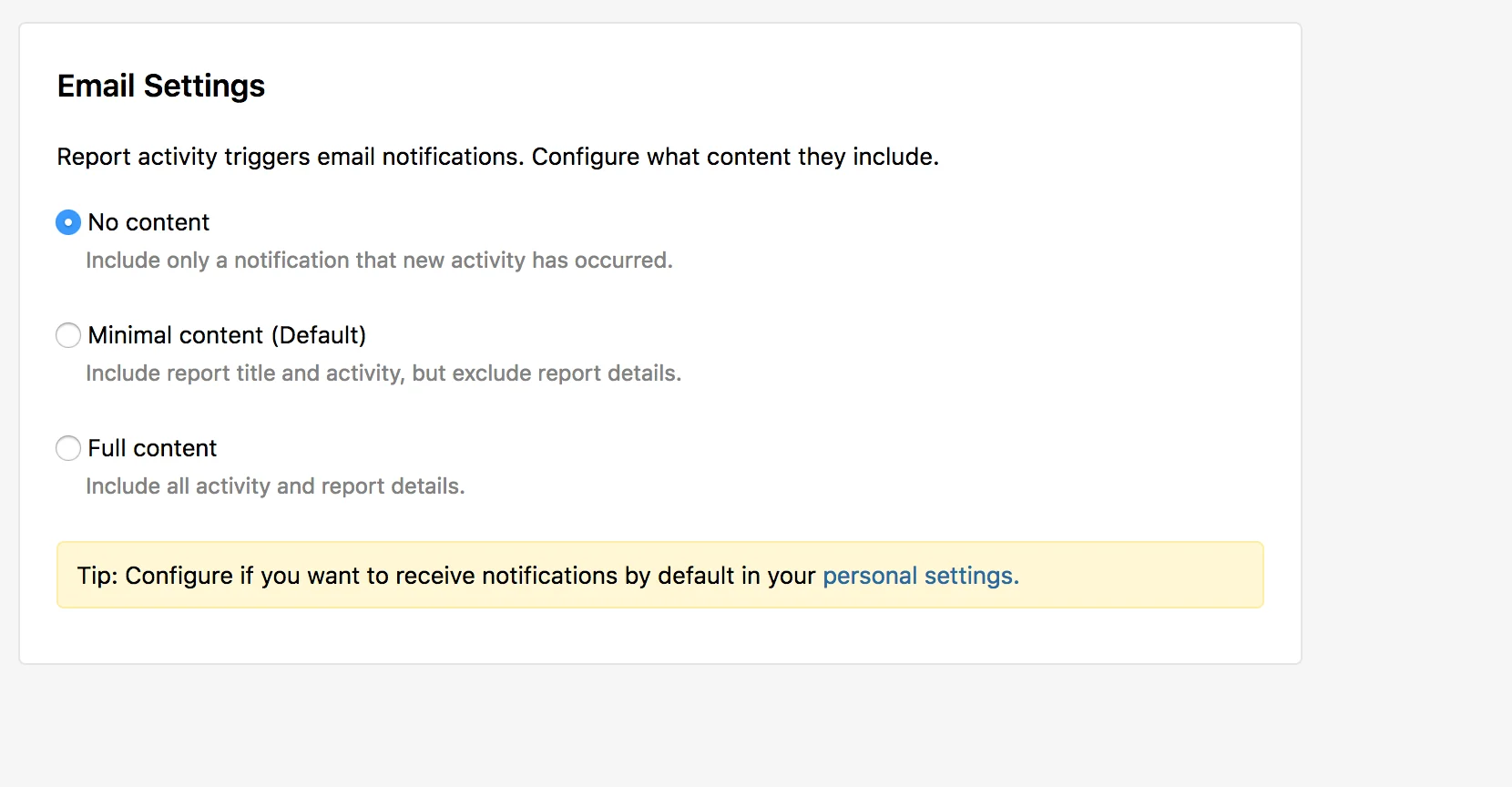
This causes the hackers emails notifications to look like this:
███████
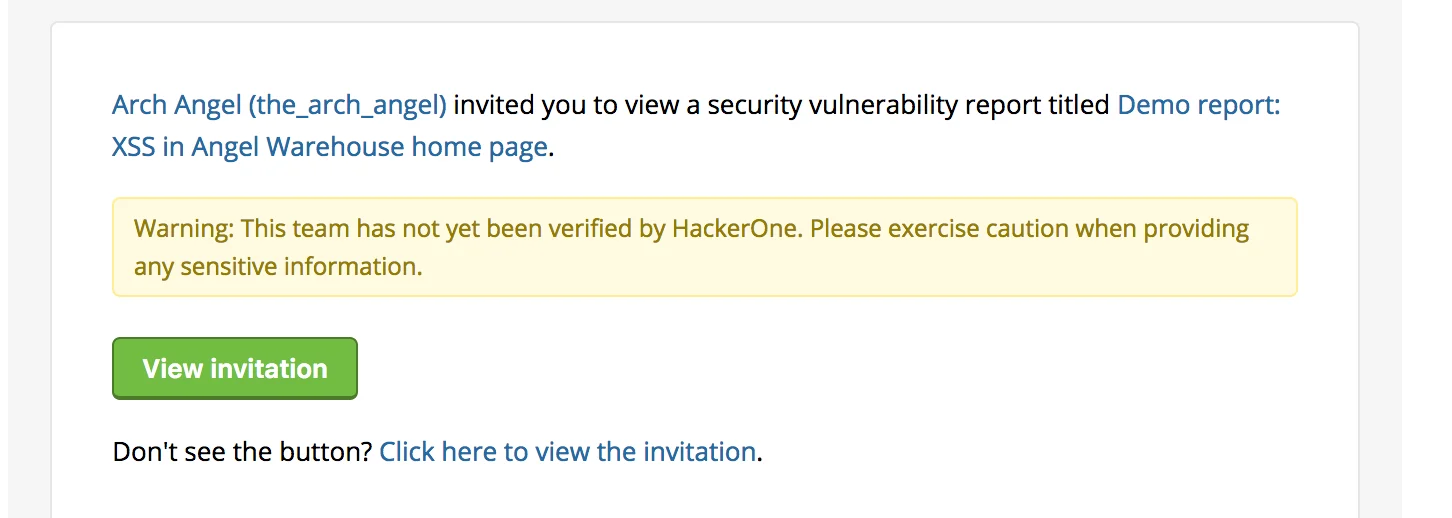
HOWEVER, if another hacker gets added as an external contributor to the report, the report title and activity are shown in the report:
Steps To Reproduce
- As a Program admin, navigate to
Program Settings - Click
Program - Click
Email Notifications - Click
No Content - Go to any report in your program and invite any hacker to the report.
- Check the hackers email, they will see the report title in the invitation email
Hope that helps!
Impact
Information Disclosure bypassing a program setting
Not written yet. The AI write-up for this report has not been written yet. The Original tab links to the source.
How it worked
Root cause
Likely, the invitation email for external contributors does not apply the program's email notification content setting.
Impact
An attacker could learn the report title despite the program's setting to hide content, causing information disclosure.
What the attacker needed
Program admin access; ability to invite external contributor
How it was found
- As a Program admin, navigate to Program Settings
- Click Program
- Click Email Notifications
- Click No Content
- Go to any report in your program and invite any hacker to the report
- Check the hacker's email; they will see the report title in the invitation email
Explained by bugbounty.wiki with AI from the original and checked against quotes from it; it can still be wrong. Read the original before relying on a detail.
Not written yet. The AI write-up for this report has not been written yet. The Original tab links to the source.
Programs can choose to hide report details in email notifications. However, when a hacker is invited to a report as an external contributor, the invitation email still shows the report title. This means the privacy setting is not fully respected.
What is Info disclosure?
Data the application should keep private (personal data, internal details, other users' records) reaches someone it should not.





