Store Deletion or Sell without authentication
The web application requires a password before an owner can close or sell a store, but the mobile application performs the same action without asking for any credentials. An attacker with physical access to an unlocked device could close or sell the shop without knowing the password.

- Triaged in 7 days
- Fixed in 7 months
- Paid in 10 days
- Disclosed after 9 months
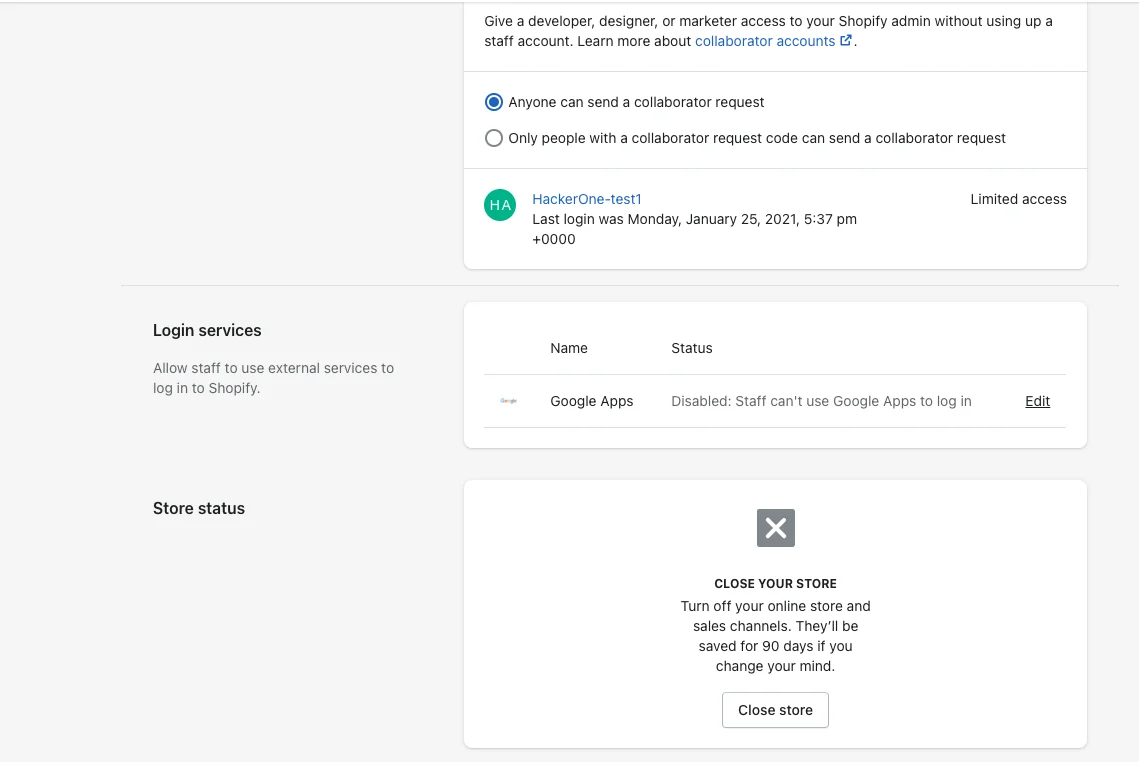
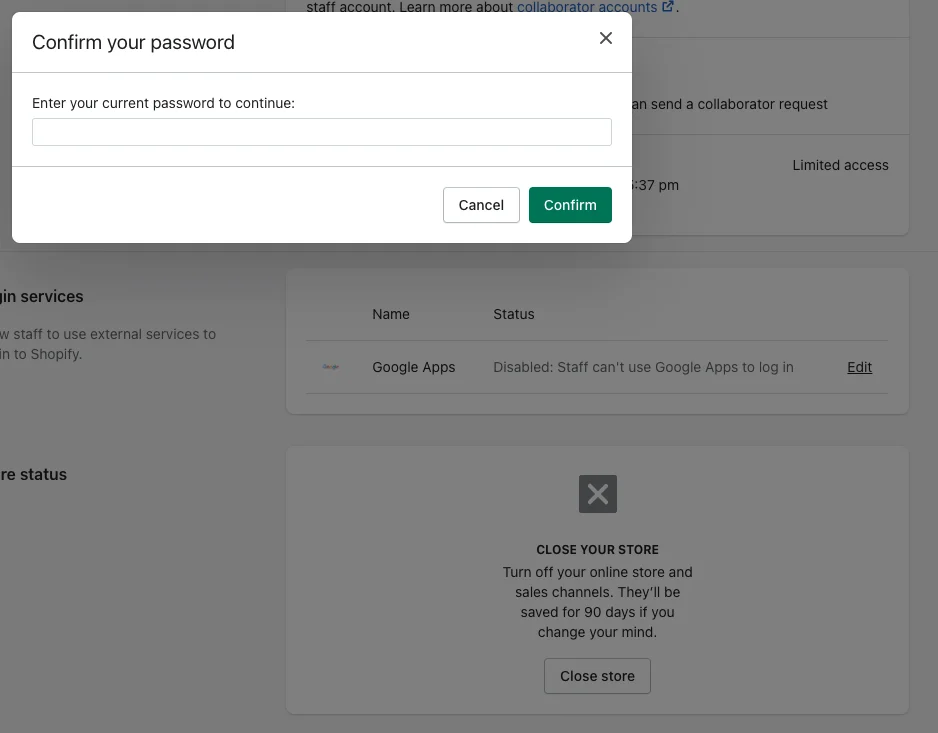
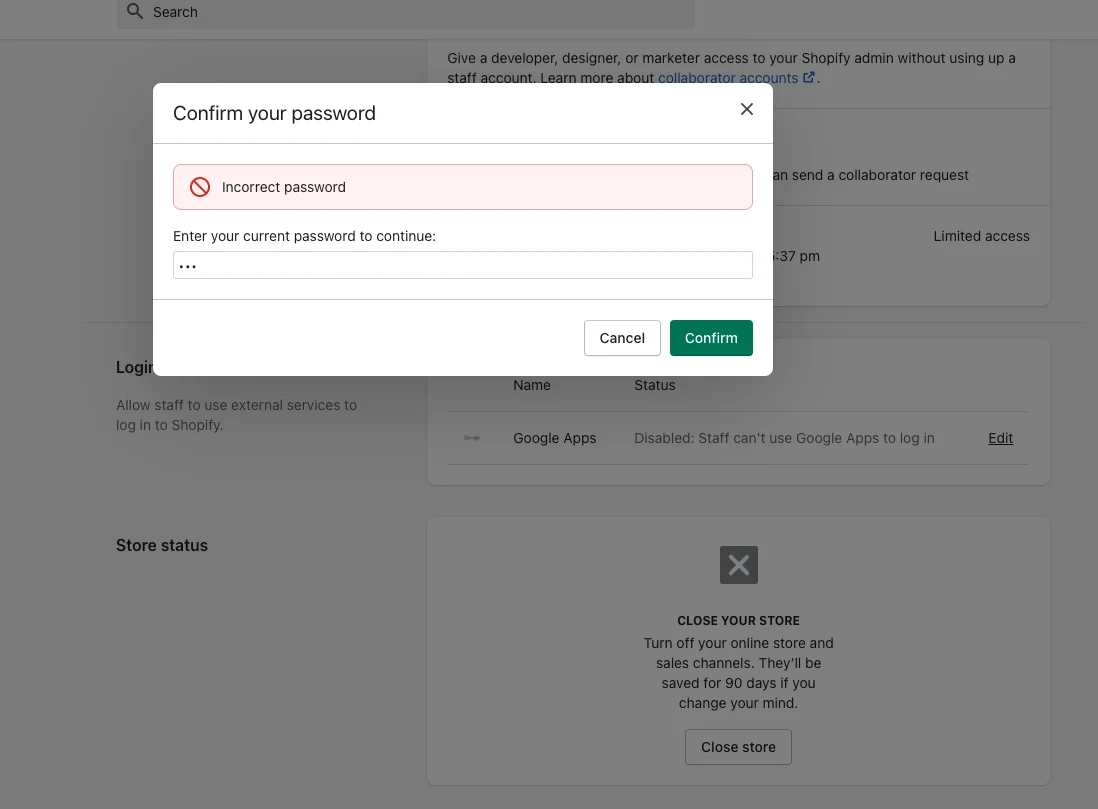
In order for an owner to "close or sell" the store, a password is required in order to confirm the decision, when the action is applied in the web application.
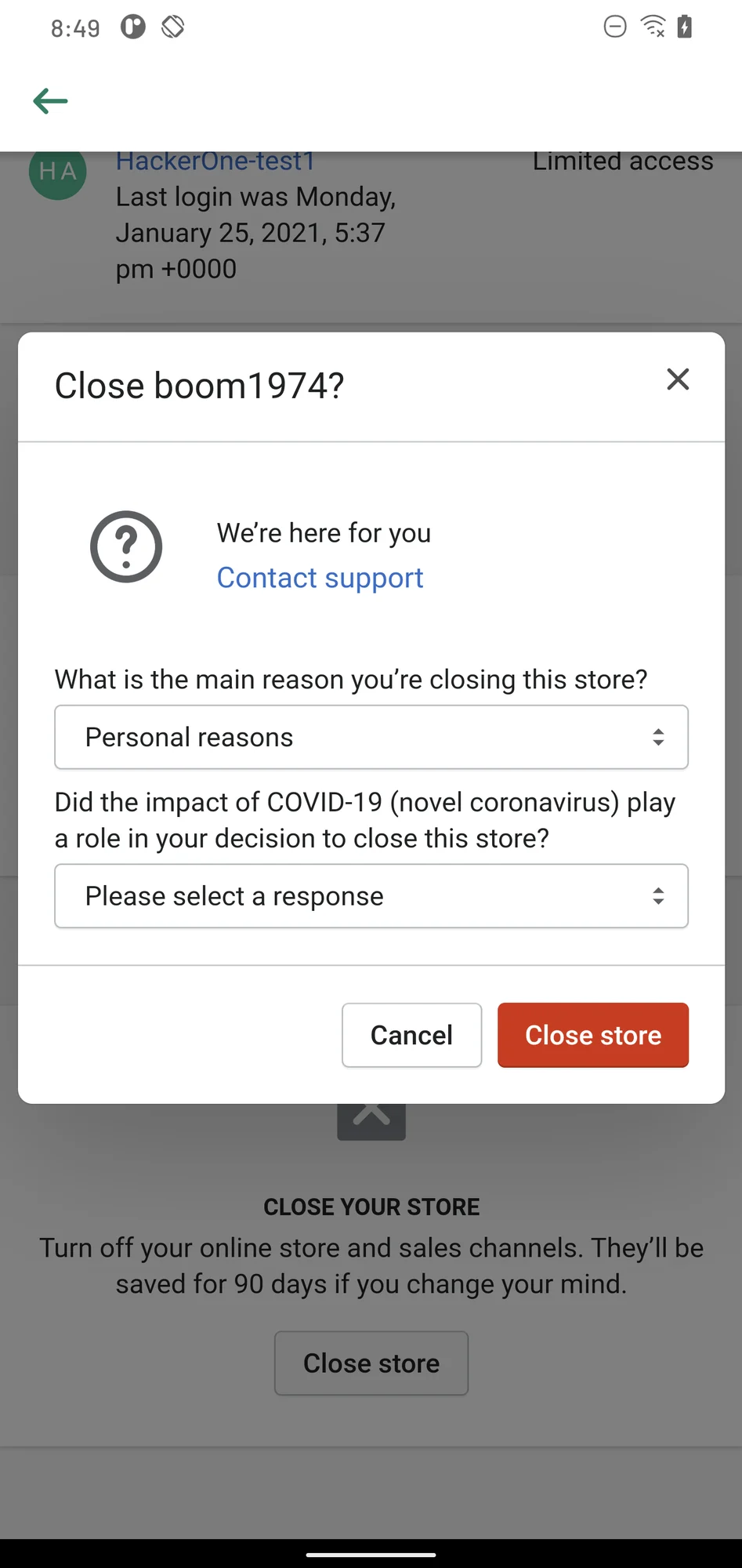
It was identified that the mobile application doesn't require credentials in order to perform the same action, thus by navigating to the Settings->Plan and Permissions -> Sell or Close [bottom of the page] , the user may 'close' the shop without issuing a password.
- The flow in the first case is shown in the screenshots close1.png, close2.png, close3.png (see attachments)
- The flow in the second case is shown in the screenshot cloceAccountMobile1.png
Impact
By the time that the physical access requirement is satisfied and since the application is not protected by any kind of user verification (e.g. login pin), as a first place, an unauthorised entity may access the options mentioned above add Sell or Delete a shop without providing any authentication.
Attachments
Not written yet. The AI write-up for this report has not been written yet. The Original tab links to the source.
How it worked
Impact
With physical access to the device, an unauthorised person could close or sell the shop without any authentication, though the report notes this depends on having physical access.
What the attacker needed
Physical access to unlocked device; logged-in shop owner session
The fix
The mobile app should require credentials like the web app.
How it was found
- Open the mobile application.
- Go to Settings, then Plan and Permissions.
- Scroll to the bottom and choose Sell or Close.
- Confirm the action without entering a password.
Explained by bugbounty.wiki with AI from the original and checked against quotes from it; it can still be wrong. Read the original before relying on a detail.
Not written yet. The AI write-up for this report has not been written yet. The Original tab links to the source.
A shop owner can close or sell their store, and the website asks for their password first to make sure it is really them. The phone app skips that password check, so anyone holding the unlocked phone can close or sell the shop. This matters because a sensitive action should be protected the same way everywhere.
What is Business logic?
The application works as coded but not as intended: a negative price, a skipped payment step, a limit that can be crossed.