Uninstalling Slack for Windows (64-bit), then reinstalling keeps you logged in without authentication
The Slack desktop app for Windows leaves session data behind after uninstallation, so reinstalling automatically logs the user back in without credentials. An attacker with access to the same machine could take over the account, including admin panel access.

- Triaged in 12 days
- Fixed in 3.1 years
- Paid in 21 months
- Disclosed after 3.4 years
I understand that you are unlikely to consider bugs that require physical machine access, however this issue affected me directly and I was very surprised by it, so I felt it was important to report it in case it was not known.
Steps to reproduce:
- Install the desktop Slack app for Windows (64-bit).
- Login to Slack
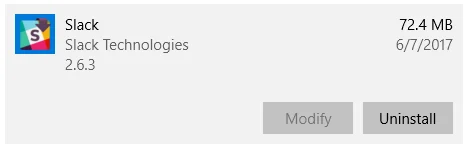
- Uninstall Slack
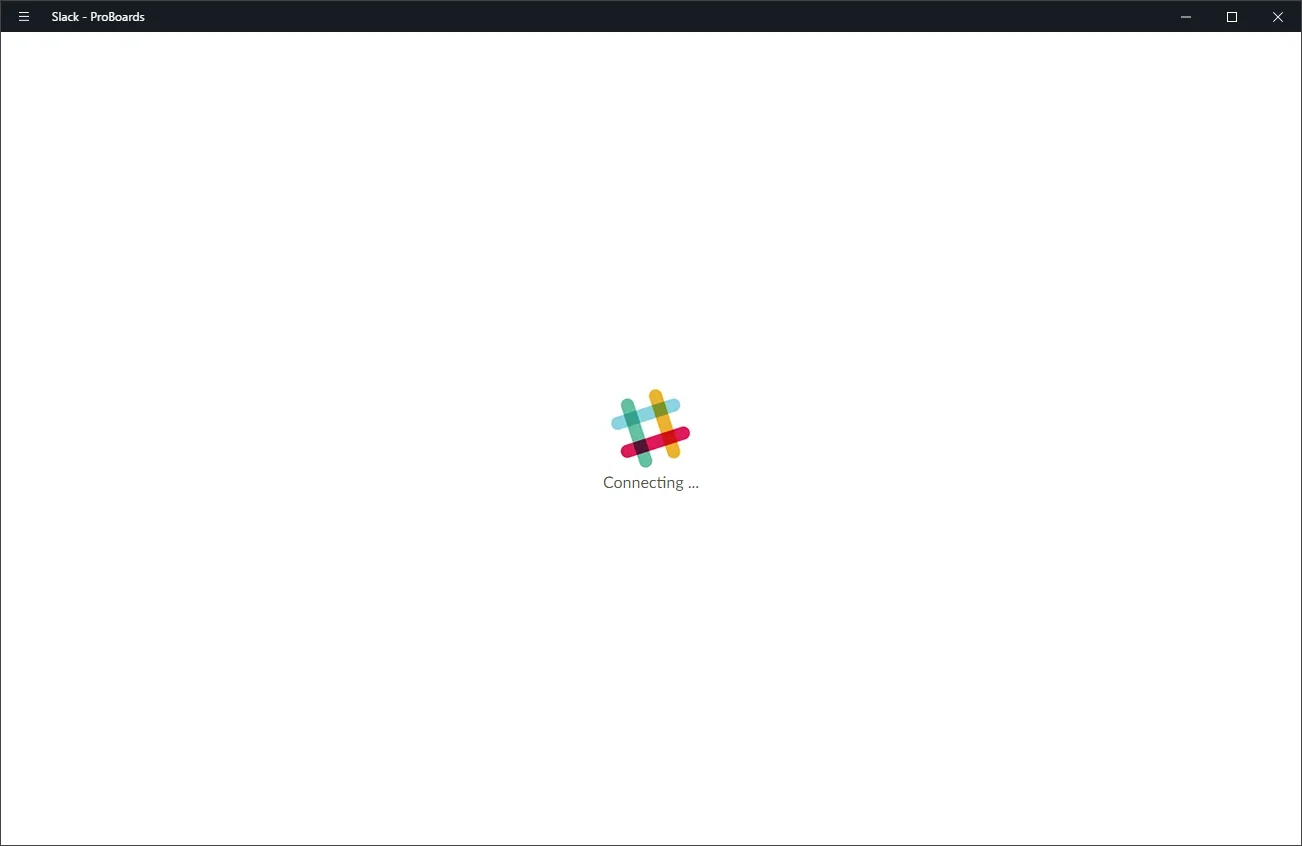
- Reinstall Slack
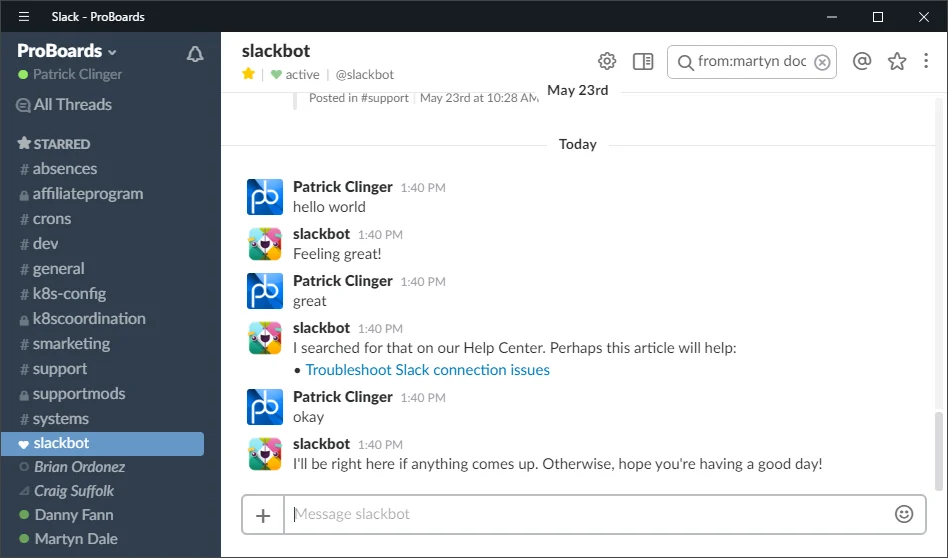
Result: You will automatically be logged back in to your account, even though you uninstalled Slack from your computer and did not enter a username/password to login to the fresh Slack installation.
The Slack uninstall process is fully automatic, there is no prompt or indication that there is data left behind. I believe it is reasonable to expect that when uninstalling Slack my session data should have been removed. If I am a user on a shared user account (for example, if I borrowed a computer and I installed Slack, but uninstalled it later), they can take full control of my account after the fact.
When testing this, I could access all of my messages and data, and even access the Slack admin panel for my team that I am an administrator of.
Attachments

Context
Slack ships a desktop client for Windows (64-bit). Like most desktop chat clients, it keeps a local session so that the user does not have to type credentials every time the application starts. The report concerns what happens to that local session data when the application is uninstalled and then installed again on the same machine.
The weakness class recorded for the report is insufficiently protected credentials, and the researcher frames the issue as one that requires physical access to the machine. The report was disclosed on 10 November 2020 and a bounty of 500.00 USD was paid.
Setup
The preconditions are simple and entirely local:
- A Windows machine with the 64-bit Slack desktop application installed.
- A Slack account that has been logged in at least once on that machine.
- The ability to uninstall and reinstall the application on the same machine, which is why the researcher acknowledges that the report depends on physical machine access.
No special tools, intercepting proxy or modified client are involved. The whole test is performed through the normal installer and uninstaller.
Finding it
The researcher states that the issue affected them directly and that the behaviour was surprising, and notes that programs are unlikely to consider bugs requiring physical machine access. The observation is that the uninstall process is fully automatic: there is no prompt and no indication that any data is left behind on disk. The expectation stated in the report is that uninstalling Slack should remove the session data, so that a fresh installation starts unauthenticated.
Exploitation
Step 1: Install the desktop app
Install the Slack desktop application for Windows (64-bit) through the normal installer.
Step 2: Log in
Log in to Slack in the installed client, so that a session exists on the machine.
Step 3: Download the installer again
Step 4: Uninstall Slack
Uninstall Slack through the standard Windows uninstall flow. The report notes that this process is fully automatic and gives no prompt or indication that data remains on the machine.
Step 5: Reinstall Slack
Reinstall the application from the downloaded installer.
Step 6: Observe the session
After the fresh installation, the client logs the user back in automatically, without any username or password being entered.
The result, in the researcher's words: the user is automatically logged back in to the account even though Slack was uninstalled from the computer and no credentials were entered into the fresh installation. During testing the researcher could access all of their messages and data, and could even reach the Slack admin panel for a team on which they are an administrator.
Root cause
The report does not describe the internal storage location or format of the retained session data, so the precise mechanism is not documented. What the behaviour shows is that the uninstaller does not remove the credential or session material that the client uses to restore a login, and that a newly installed client picks that material up and treats it as a valid session. In other words, the uninstall removes the application but leaves behind state that is sufficient to authenticate, and the reinstall trusts it. Whether this is a deliberate design choice to preserve the login across upgrades or an oversight in the uninstaller is not stated in the report.
Impact
The impact depends on who else can use the machine afterwards. The scenario given in the report is a shared user account: someone borrows a computer, installs Slack, logs in, and later uninstalls it. Whoever uses that account next can install Slack and be logged in as the previous user without knowing any credentials. From there they can read all of the previous user's messages and data, and, as the researcher demonstrated on their own account, reach the admin panel of any team on which that user is an administrator.
The researcher is explicit that this requires physical machine access. The report does not claim any remote exploitation path.
Fix
The report does not describe a fix or a change made by the vendor. The behaviour it argues for is that uninstalling Slack should remove the session data, so that a subsequent installation requires authentication. Whether that was implemented is not stated in the report.
Variants to test
- Repeat the uninstall and reinstall cycle on other desktop clients that keep a local session, such as chat, email or VPN clients. A positive result is that the reinstalled client opens directly into the previous account without a login prompt.
- Test the same cycle under a different operating system user than the one that installed the application, where file permissions allow it. A positive result is that the second user still inherits the session.
- Test whether the retained state survives an application update or a repair install, not just a full uninstall. A positive result is that the session is restored after either operation.
- Test whether the retained state is readable by other local users, for example by inspecting the profile directory after uninstall. A positive result is credential or token material left on disk with permissions broader than the installing user.
Hunting notes
This class of bug hides in desktop and mobile clients rather than in web endpoints, and the signal during testing is a client that restores a login without any visible credential entry. The cheapest way to look for it is to install, log in, uninstall, reinstall and watch whether authentication is requested. The researcher made the impact concrete by showing what the restored session grants: full message history and the admin panel of a team where the account is an administrator. That demonstration, together with the shared-machine scenario, is what turns a local-only behaviour into a reportable finding, even though the program treats physical access as a limiting factor.
What happened, in plain words
Slack is a chat application that many teams use to talk to each other. Besides the web version, Slack offers a desktop program for Windows. When you log in to that desktop program, it remembers you, so you do not have to type your username and password every time you open it. That convenience is normal for chat apps.
The researcher found that if you uninstall the Slack desktop program from a Windows computer and then install it again, the new installation logs you straight back in to your account. You never type a password. The uninstall process gives no warning that anything is left behind. The researcher argues that uninstalling should remove the saved login, so that a fresh installation asks for credentials. Because the leftover data lets the next person who uses the same computer get into the previous user's account, the issue was reported. It requires physical access to the machine, which is why the severity is low. The report was disclosed on 10 November 2020 and a bounty of 500.00 USD was paid.
The weakness class recorded for the report is insufficiently protected credentials. In plain terms, that means login information (like a saved session) is kept in a way that does not adequately protect it from being reused by someone else.
Setup
The test needs only a normal Windows computer and the Slack desktop app. No special tools, no hacking software, no intercepting proxy (a tool that sits between your browser and a website to inspect traffic). The whole test is done through the normal installer and uninstaller.
What you need:
- A Windows machine with the 64-bit Slack desktop application installed.
- A Slack account that has been logged in at least once on that machine.
- The ability to uninstall and reinstall the application on the same machine. This is why the researcher acknowledges that the report depends on physical access to the computer.
Finding it
The researcher says the issue affected them directly and that the behaviour was surprising. That is why they reported it even though bugs that require physical machine access are usually out of scope for bug bounty programs (programs that pay for security reports).
The observation is simple: the uninstall process is fully automatic. There is no prompt and no indication that any data is left behind on the disk. The expectation stated in the report is that uninstalling Slack should remove the session data, so that a fresh installation starts unauthenticated (not logged in).
Exploitation
Step 1: Install the desktop app
Install the Slack desktop application for Windows (64-bit) through the normal installer. This creates the program files and, after login, a local session.
Step 2: Log in
Log in to Slack in the installed client. This creates a session on the machine. A session is like a temporary pass that the app keeps so you do not have to log in again. It is stored locally on your computer.
Step 3: Download the installer again
Step 4: Uninstall Slack
Uninstall Slack through the standard Windows uninstall flow. The report notes that this process is fully automatic and gives no prompt or indication that data remains on the machine. In other words, the uninstaller removes the program but may leave behind the saved session.
Step 5: Reinstall Slack
Reinstall the application from the downloaded installer.
Step 6: Observe the session
After the fresh installation, the client logs the user back in automatically, without any username or password being entered.
The result, in the researcher's words: the user is automatically logged back in to the account even though Slack was uninstalled from the computer and no credentials were entered into the fresh installation. During testing the researcher could access all of their messages and data, and could even reach the Slack admin panel for a team on which they are an administrator. The admin panel is the control centre for managing a team on Slack.
Root cause
The report does not describe the internal storage location or format of the retained session data, so the precise mechanism is not documented. What the behaviour shows is that the uninstaller does not remove the credential or session material that the client uses to restore a login, and that a newly installed client picks that material up and treats it as a valid session. In other words, the uninstall removes the application but leaves behind state that is sufficient to authenticate, and the reinstall trusts it. Whether this is a deliberate design choice to preserve the login across upgrades or an oversight in the uninstaller is not stated in the report.
Impact
The impact depends on who else can use the machine afterwards. The scenario given in the report is a shared user account: someone borrows a computer, installs Slack, logs in, and later uninstalls it. Whoever uses that account next can install Slack and be logged in as the previous user without knowing any credentials. From there they can read all of the previous user's messages and data, and, as the researcher demonstrated on their own account, reach the admin panel of any team on which that user is an administrator.
The researcher is explicit that this requires physical machine access. The report does not claim any remote exploitation path (no way to do this over the internet).
Fix
The report does not describe a fix or a change made by the vendor. The behaviour it argues for is that uninstalling Slack should remove the session data, so that a subsequent installation requires authentication. Whether that was implemented is not stated in the report.
Variants to test
- Repeat the uninstall and reinstall cycle on other desktop clients that keep a local session, such as chat, email or VPN clients. A positive result is that the reinstalled client opens directly into the previous account without a login prompt.
- Test the same cycle under a different operating system user than the one that installed the application, where file permissions allow it. A positive result is that the second user still inherits the session.
- Test whether the retained state survives an application update or a repair install, not just a full uninstall. A positive result is that the session is restored after either operation.
- Test whether the retained state is readable by other local users, for example by inspecting the profile directory after uninstall. A positive result is credential or token material left on disk with permissions broader than the installing user.
Hunting notes
This class of bug hides in desktop and mobile clients rather than in web endpoints, and the signal during testing is a client that restores a login without any visible credential entry. The cheapest way to look for it is to install, log in, uninstall, reinstall and watch whether authentication is requested. The researcher made the impact concrete by showing what the restored session grants: full message history and the admin panel of a team where the account is an administrator. That demonstration, together with the shared-machine scenario, is what turns a local-only behaviour into a reportable finding, even though the program treats physical access as a limiting factor.
Glossary
- API: Application Programming Interface, a way for programs to talk to each other. Not used in this report.
- Authentication: The process of proving who you are, usually with a username and password.
- Bounty: A reward paid by a company for a security report.
- Bug bounty program: A program that pays people for finding and reporting security bugs.
- Cookie: A small piece of data stored by a website in your browser to remember you. Not used in this report.
- Credentials: Information used to prove identity, such as a username and password.
- CVSS: A scoring system for the severity of security vulnerabilities. Not used in this report.
- Insufficiently protected credentials: A weakness where login information is not protected well enough, allowing it to be misused.
- Intercepting proxy: A tool that sits between your computer and a server to inspect and modify traffic. Not used in this report.
- Local session: A saved login state kept on your computer so you do not have to log in again.
- Physical access: Being able to use the computer directly, not over the internet.
- Remote exploitation: Attacking a system over a network from somewhere else.
- Session: A period of interaction with a service after logging in, often kept alive by a token or cookie.
- Severity: How serious a vulnerability is.
- Token: A piece of data that acts like a temporary password for a session.
- Uninstaller: A program that removes software from your computer.
- Vendor: The company that makes the software.
- VPN: Virtual Private Network, a service that creates a secure connection over the internet. Not used in this report.
- Weakness class: A category of security bug, such as insufficiently protected credentials.



