Cross-site Scripting (XSS) autocomplete generation in https://www.uber.com/
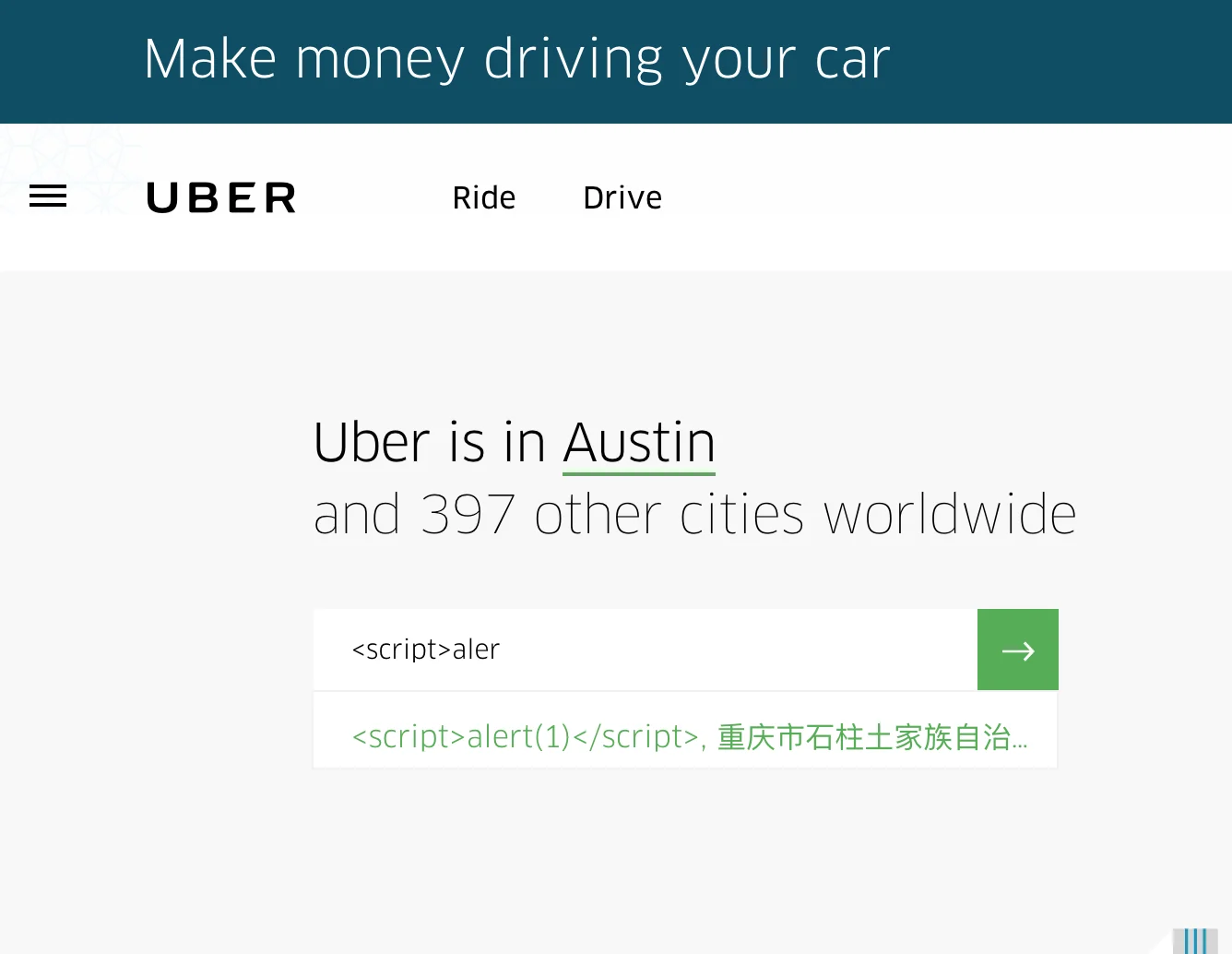
The 'find a city' autocomplete on the Uber site returned raw script from the server, so a script tag typed into the field executed in the browser.
 Originally disclosed on HackerOne
- Disclosed after 2 days
Description: The website located at https://www.uber.com/ suffers from a generated Cross-site Scripting (XSS) vulnerability in the "find a city" input field.
Reproduction Steps:
Open the latest Chrome web browser
Navigate to the following URL's "find a city input field": https://www.uber.com/
Type in the following:
<script>alert(1)</script>Note that the autocomplete result being generated from the server side is raw javascript and payload was fired.
I’ve tested this in the latest Chrome. Attached to this report are screenshots of this issue occurring in chrome.
Attachments
Not written yet. The AI write-up for this report has not been written yet. The Original tab links to the source.
How it worked
Root cause
Likely the server-side autocomplete endpoint echoed the search term into the response without HTML-encoding it.
Impact
Script could run in the context of the Uber site, which could let an attacker act as the victim, though the report does not show how a victim would be made to submit the input.
What the attacker needed
Victim types or is made to submit the input; latest Chrome browser
How it was found
- Open the latest Chrome browser.
- Go to the Uber homepage and find the 'find a city' input field.
- Type a script tag into the field.
- Observe that the server-generated autocomplete result runs the script.
Explained by bugbounty.wiki with AI from the original and checked against quotes from it; it can still be wrong. Read the original before relying on a detail.
Not written yet. The AI write-up for this report has not been written yet. The Original tab links to the source.
A website has a search box that suggests cities as you type. The site took whatever was typed and put it straight into the page without cleaning it, so typing code instead of a city name made the browser run that code. This is called cross-site scripting: an attacker gets their own code to run inside someone else's browser session on that site.
What is XSS?
Script an attacker supplies runs in another user's browser, on the target's origin, with that user's session.




