XSS via password recovering
The password recovery page did not safely handle the new password value, so a script entered as the password ran when 'Show password' was clicked.

- Disclosed after 3 months
I found that xss can be executed if we provide xss payload as a password in Uber during password recovery.
Steps to follow:
- Goto https://login.uber.com/forgot-password
- Enter email and submit
- Open the recover link you got
- Enter Set password: <script>alert(document.domain);</script> and submit it
- Click Show password
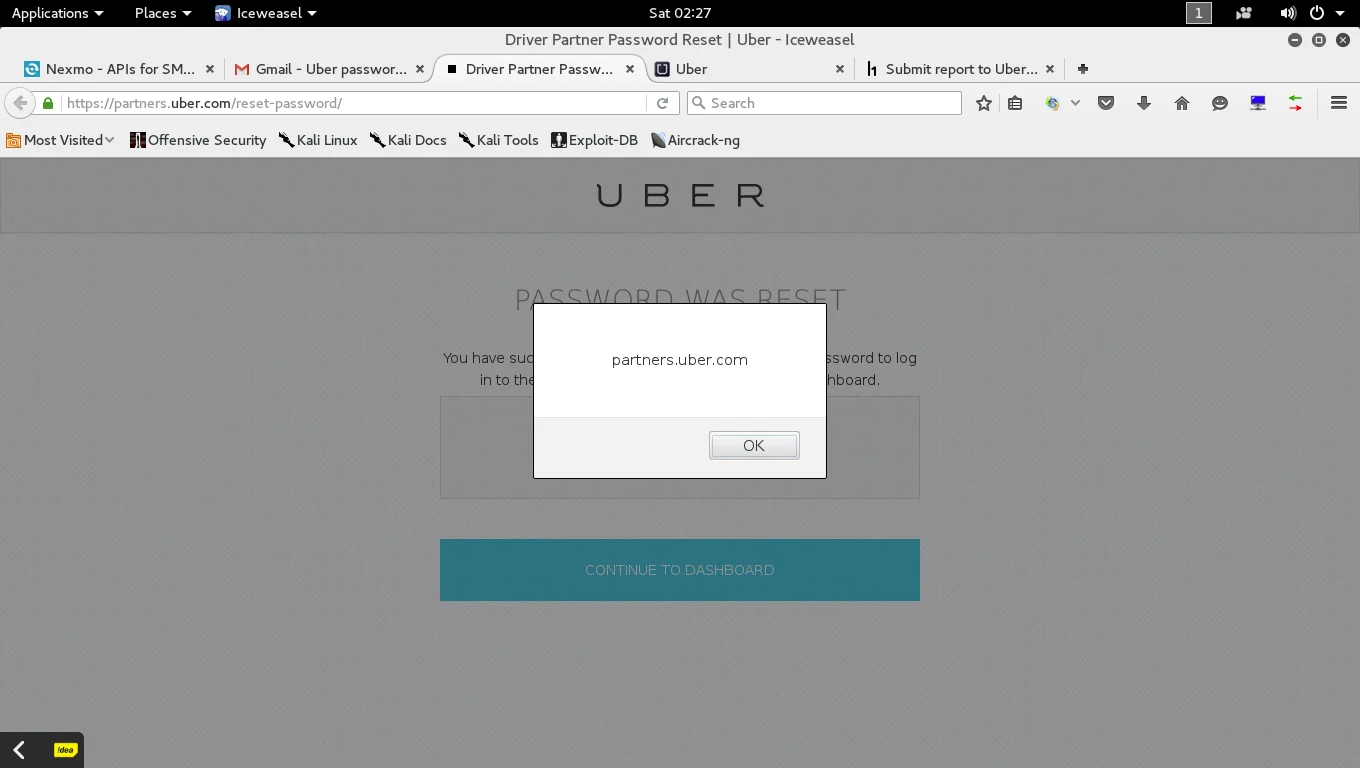
XSS Executed.
Video and screenshot added
Attachments
Not written yet. The AI write-up for this report has not been written yet. The Original tab links to the source.
How it worked
Impact
Script could run in the victim's browser when they used the 'Show password' feature, though the report does not show how an attacker would make a victim set such a password.
What the attacker needed
Victim sets a malicious password; victim clicks 'Show password'
How it was found
- Go to the Uber forgot-password page.
- Enter an email address and submit the form.
- Open the recovery link received.
- Set the new password to a script payload and submit.
- Click 'Show password' to trigger the script.
Explained by bugbounty.wiki with AI from the original and checked against quotes from it; it can still be wrong. Read the original before relying on a detail.
Not written yet. The AI write-up for this report has not been written yet. The Original tab links to the source.
When you type a password, the website should treat it as plain text, never as code. Here the site put the password back into the page in a way that let a script run, so clicking 'Show password' executed it. This is called cross-site scripting (XSS): running attacker-supplied code in a victim's browser.
What is XSS?
Script an attacker supplies runs in another user's browser, on the target's origin, with that user's session.






