2FA Bypass via OAuth Account Migration
The OAuth account migration flow issued a fully authenticated session token after only password verification, without requiring the 2FA TOTP code. An attacker who knew the victim's password could migrate the account to OAuth, then unlink it and set a new password, removing 2FA entirely.

medium.com
Published on medium.com
Bug Bounty
The full write-up lives on its author's site
It belongs to its author, so we link to it rather than copy it. The other two tabs are our own rewrites, checked against it.
Context
The target was a web application in an external bug bounty program. The feature under test was its Two-Factor Authentication (2FA) implementation, and the researcher's attention was on the primary email/password login flow. The application also offers a third-party login option, described in the report as "Sign in with [APP]", which lets users sign in through an OAuth provider and merge or link an existing password-based account with that provider. Once logged in, a user can unlink the OAuth provider in settings and revert to the standard email/password model. The report calls this process migration.
The bypass described here is a logic flaw in how that migration path handles 2FA, rather than a flaw in the 2FA implementation itself.

Setup
No special tooling is described. The preconditions are:
- A basic account registered with an email and password.
- 2FA enabled on that account using a standard authenticator app (TOTP).
- Access to the third-party login option using the same email address as the existing account.
Finding it
The researcher spent time testing the 2FA implementation on the primary login flow. Every standard request behaved as intended, and every classic bypass technique tried failed: on the primary login flow everything looked completely secure. The testing was paused and other features were examined instead.
Two days later the researcher remembered the third-party login option, "Sign in with [APP]".
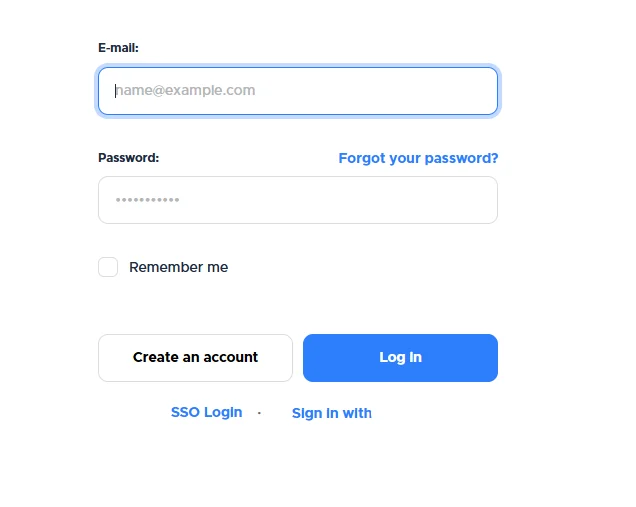
That alternative authentication path is the one that allows merging or linking an existing password-based account with the OAuth provider, and later unlinking it to revert to email/password. The question that made it look wrong: if the primary flow demands a TOTP code, does the migration path demand one too?
Exploitation
Step 1: Register a basic account
Register a basic account using an email and password at [target.com/cloud/login].
Step 2: Enable 2FA
Set up 2FA using a standard authenticator app (TOTP).
Step 3: Start the OAuth sign-in with the same email
Click "Sign in with [APP]" using the same email address as the existing account.
Step 4: Complete the migration with the account password
When presented with the migration prompt ("Account already exists… You can migrate your account to OAuth"), enter the primary account password. The request the application sends is:
POST /api/OAuth/migration HTTP/2Host: target.comContent-Type: application/json{ "id": "1234", "password": "password"}
The body carries the account identifier in id and the primary account password in password. The response is:
HTTP/2 200 OKContent-Type: application/json{ "message": "Migration completed successfully!", "data": { "token": "ey..." }}
The backend completes the migration and immediately issues a fully authenticated session token in data.token. It never prompts for the 2FA TOTP code. That is the vulnerability: the alternative authentication path enforces the password factor but not the second factor.
Step 5: Unlink the OAuth account
While in this newly authenticated session, navigate to Account Settings and click "Unlink OAuth account".
Step 6: Reset the password and disable 2FA
Enter a new password when prompted, to convert the account back to standard authentication. Then go to Security Settings and disable 2FA using the newly set password.
Result: 2FA is completely stripped from the account without ever requiring verification or confirmation from the user's registered 2FA authenticator device.
Root cause
The application correctly enforces 2FA on the primary email/password login flow but fails to enforce the same 2FA requirement on the alternative authentication path, OAuth. The migration endpoint accepts the account password alone and, on success, hands back a fully authenticated session token. Because that session is treated as fully authenticated, it can be used to unlink the OAuth provider, set a new password and disable 2FA, all without a TOTP code.
In design terms, the second factor is bound to one login route rather than to the account or to the session that results from authenticating it. Any route that can produce an authenticated session for the account, here the OAuth migration endpoint, becomes a way around the factor. The report does not describe the server-side implementation, so the exact code path is not shown; the observable behaviour is that the migration response issues the token with no TOTP challenge.
Impact
Multi-factor authentication exists specifically to mitigate scenarios where primary factors, including email inbox access or leaked passwords, are compromised. In this case an attacker who holds the account password can use the OAuth migration path to obtain an authenticated session without the TOTP code, then unlink OAuth, set a new password and disable 2FA. The second factor is removed from the account entirely, and the legitimate user's authenticator device is never consulted.
The migration prompt requires the primary account password. The report does not describe any other precondition, and does not state whether the attacker needs control of an OAuth identity matching the victim's email address.
This report was marked as a Duplicate.
Fix
Based on the described behaviour, the migration endpoint should require the same second factor as the primary login flow before issuing a session token: prompt for the TOTP code as part of the migration and refuse to return data.token until it is verified. More generally, the 2FA requirement should be enforced on every path that produces an authenticated session for an account, not only on the email/password login form.
Variants to test
- Other OAuth-linked flows. Try account linking, unlinking, re-linking and provider switching on accounts with 2FA enabled. A positive result is any of these flows returning a session token or completing a sensitive change without a TOTP prompt.
- Password reset and email change. Complete a reset or email change on a 2FA-protected account and check whether the resulting session can disable 2FA. A positive result is reaching Security Settings and turning 2FA off without a TOTP code.
- Migration with a wrong or missing second factor. Send the migration request with the correct password but no TOTP field, then with an invalid one. A positive result is a
200with a token in either case. - Session scope after migration. Check what the migrated session is allowed to do: password change, 2FA disable, OAuth unlink. A positive result is any of these succeeding without re-authentication.
- Same-email OAuth identities. Test whether an OAuth identity with the same email as the victim account can drive the migration, and whether email verification on the provider side is checked. A positive result is a migration completing for an account whose email the attacker does not control.
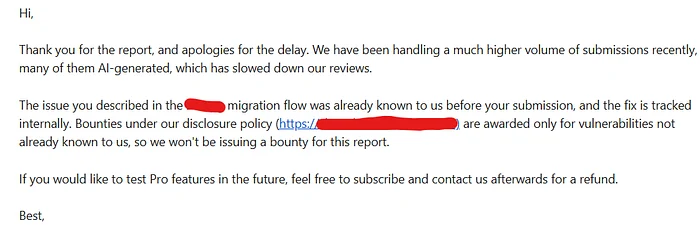
That's the dark side of bug bounty: not every report gets accepted, and not every valid finding gets rewarded. Seeing the status go to Dup or Info after investing time in an app is part of the game.
What happened, in plain words
A security researcher was testing a website that pays people for finding its security mistakes. This kind of arrangement is called a bug bounty programme. The website had a login system with two steps: first you type your email and password, then you enter a code from an authenticator app. That second step is called Two-Factor Authentication, or 2FA. The idea is that even if someone steals your password, they still cannot get in without your phone.
The researcher tried hard to break the 2FA on the normal login page and could not. Everything behaved correctly. Two days later they remembered that the site also lets you sign in with a third-party account, shown in the report as "Sign in with [APP]". That second door into the account did not ask for the phone code. By walking through that door, a person who only knows the password could get a fully logged-in session, then remove the 2FA from the account entirely.
The researcher reported it. The programme marked the report as a Duplicate.
The target
The target was a web application in an external bug bounty programme. "External" here means the programme is run by an organisation that invites outside researchers to test its systems, rather than the company's own staff doing the testing.
The feature under test was the site's Two-Factor Authentication implementation. The researcher's attention was on the primary email/password login flow, meaning the ordinary login form where you type your email address and your password.
The application also offers a third-party login option, described in the report as "Sign in with [APP]". This lets users sign in through an OAuth provider. OAuth is a standard way for one website to ask another company (for example a large mail or social provider) to confirm who you are, so you do not have to create a new password on every site. Think of it like showing a passport at a hotel reception instead of filling in a registration card: a trusted authority vouches for you.
The report says this option lets users merge or link an existing password-based account with that OAuth provider. Once logged in, a user can also unlink the OAuth provider in settings and revert to the standard email/password model. The report calls this process migration. Migration is useful in real life: you may have signed up with a password years ago and now want to use the convenient "sign in with" button instead, without losing your data.
The bypass described here is a logic flaw in how that migration path handles 2FA, rather than a flaw in the 2FA implementation itself. A logic flaw means the individual pieces work as programmed, but the way they are connected together allows a sequence of steps the designers did not intend. It is like a building where every door locks properly, but the fire exit opens straight into the room with the safe.
Setup
No special tooling is described. The researcher did not need custom software; the preconditions are things any user of the site could arrange:
- A basic account registered with an email and password.
- 2FA enabled on that account using a standard authenticator app (TOTP).
- Access to the third-party login option using the same email address as the existing account.
TOTP stands for Time-based One-Time Password. An authenticator app on your phone shows a code that changes periodically. The website and the app share a secret, and both compute the same code for the current moment, so the site can check that you really hold the phone. It is like a changing combination lock that only your phone and the website can predict.
Finding it
The researcher spent time testing the 2FA implementation on the primary login flow. Every standard request behaved as intended, and every classic bypass technique tried failed: on the primary login flow everything looked completely secure. The testing was paused and other features were examined instead.
This is worth pausing on. "Classic bypass techniques" are the well-known tricks that testers try first, for example submitting an empty code, reusing an old code, or skipping the step entirely. When all of them fail, the obvious conclusion is that the feature is solid. The researcher moved on to look at other parts of the site.
Two days later the researcher remembered the third-party login option, "Sign in with [APP]".
That alternative authentication path is the one that allows merging or linking an existing password-based account with the OAuth provider, and later unlinking it to revert to email/password. The question that made it look wrong: if the primary flow demands a TOTP code, does the migration path demand one too?
That question is the heart of the whole finding. Security controls are only as strong as the weakest route to the thing they protect. If a house has a sturdy front door with three locks but a back door with a single latch, the front door's locks do not matter much.
Exploitation
Step 1: Register a basic account
Register a basic account using an email and password at [target.com/cloud/login].
Why: the researcher needs a normal account to attack, one they fully control, so they can set it up exactly as a real user would and observe what happens at each stage.
Step 2: Enable 2FA
Set up 2FA using a standard authenticator app (TOTP).
Why: the whole point is to see whether the second factor can be skipped. Without 2FA switched on, there would be nothing to bypass and nothing to prove.
Step 3: Start the OAuth sign-in with the same email
Click "Sign in with [APP]" using the same email address as the existing account.
Why: using the same email address is what triggers the site to notice that an account already exists and to offer the migration path. Using the same email address is what triggers the migration prompt described in the report.
Step 4: Complete the migration with the account password
When presented with the migration prompt ("Account already exists… You can migrate your account to OAuth"), enter the primary account password. The request the application sends is:
POST /api/OAuth/migration HTTP/2Host: target.comContent-Type: application/json{ "id": "1234", "password": "password"}
Line by line, in plain words:
POST /api/OAuth/migration HTTP/2is the first line of an HTTP request. HTTP is the language a browser and a website use to talk to each other.POSTmeans "here is some data, please act on it"./api/OAuth/migrationis the address of the specific function on the server that handles account migration.HTTP/2is the version of the protocol being used. An API, short for Application Programming Interface, is simply a set of addresses a website exposes so that programs (including the site's own pages) can ask it to do things. Think of it as the service counter of a shop: you hand over a form at a named window and get something back.Host: target.comtells the server which website the request is meant for. One server can host many sites, so this line says which one.Content-Type: application/jsonannounces the format of the data being sent. JSON is a simple text format for structured data, made of names and values in curly braces, a bit like a very strict shopping list.{ "id": "1234", "password": "password" }is the body, the actual data.ididentifies which account is being migrated, andpasswordcarries the account's existing password. In the report these are placeholder values.
The body carries the account identifier in id and the primary account password in password. The response is:
HTTP/2 200 OKContent-Type: application/json{ "message": "Migration completed successfully!", "data": { "token": "ey..." }}
Line by line again:
HTTP/2 200 OKis the server's reply status.200is the standard code for "it worked".Content-Type: application/jsonsays the reply is also in JSON format."message": "Migration completed successfully!"is a human-readable confirmation."data": { "token": "ey..." }is the important part. A token is a long string of characters that the server hands out after you log in, and that your browser sends back with every later request to prove who you are. It works like a cloakroom ticket: whoever holds the ticket gets the coat, no questions asked. The value shown,ey..., is truncated in the report.
The backend completes the migration and immediately issues a fully authenticated session token in data.token. It never prompts for the 2FA TOTP code. That is the vulnerability: the alternative authentication path enforces the password factor but not the second factor.
In other words, the site checked one of the two things it should check, then handed over the cloakroom ticket anyway. The phone was never consulted.
Step 5: Unlink the OAuth account
While in this newly authenticated session, navigate to Account Settings and click "Unlink OAuth account".
Why: the token from step 4 is treated by the site as a normal, fully logged-in session. The researcher is checking how much that session is allowed to do. Unlinking is a sensitive change, because it alters how the account can be accessed in future.
Step 6: Reset the password and disable 2FA
Enter a new password when prompted, to convert the account back to standard authentication. Then go to Security Settings and disable 2FA using the newly set password.
Why: this is the payoff. If the site lets this session set a fresh password and then switch off 2FA, an attacker who only knew the old password can remove the protection entirely.
Result: 2FA is completely stripped from the account without ever requiring verification or confirmation from the user's registered 2FA authenticator device.
Root cause
The application correctly enforces 2FA on the primary email/password login flow but fails to enforce the same 2FA requirement on the alternative authentication path, OAuth. The migration endpoint accepts the account password alone and, on success, hands back a fully authenticated session token. Because that session is treated as fully authenticated, it can be used to unlink the OAuth provider, set a new password and disable 2FA, all without a TOTP code.
In design terms, the second factor is bound to one login route rather than to the account or to the session that results from authenticating it. Any route that can produce an authenticated session for the account, here the OAuth migration endpoint, becomes a way around the factor. A useful comparison is a building where the security guard only stands at the main entrance: anyone who comes in through the loading bay walks past no guard at all, even though they end up in the same corridors.
The report does not describe the server-side implementation, so the exact code path is not shown; the observable behaviour is that the migration response issues the token with no TOTP challenge.
Impact
Multi-factor authentication exists specifically to mitigate scenarios where primary factors, including email inbox access or leaked passwords, are compromised. In this case an attacker who holds the account password can use the OAuth migration path to obtain an authenticated session without the TOTP code, then unlink OAuth, set a new password and disable 2FA. The second factor is removed from the account entirely, and the legitimate user's authenticator device is never consulted.
The precondition is knowledge of the primary account password (or the ability to complete the migration prompt with it). The report does not describe any other precondition, and does not state whether the attacker needs control of an OAuth identity matching the victim's email address.
This report was marked as a Duplicate.
Fix
Based on the described behaviour, the migration endpoint should require the same second factor as the primary login flow before issuing a session token: prompt for the TOTP code as part of the migration and refuse to return data.token until it is verified. More generally, the 2FA requirement should be enforced on every path that produces an authenticated session for an account, not only on the email/password login form.
Variants to test
These are follow-up ideas for anyone testing a similar site. Each one asks the same underlying question in a different place: does this route hand out a logged-in session without asking for the phone code?
- Other OAuth-linked flows. Try account linking, unlinking, re-linking and provider switching on accounts with 2FA enabled. A positive result is any of these flows returning a session token or completing a sensitive change without a TOTP prompt.
- Password reset and email change. Complete a reset or email change on a 2FA-protected account and check whether the resulting session can disable 2FA. A positive result is reaching Security Settings and turning 2FA off without a TOTP code.
- Migration with a wrong or missing second factor. Send the migration request with the correct password but no TOTP field, then with an invalid one. A positive result is a
200with a token in either case. - Session scope after migration. Check what the migrated session is allowed to do: password change, 2FA disable, OAuth unlink. A positive result is any of these succeeding without re-authentication.
- Same-email OAuth identities. Test whether an OAuth identity with the same email as the victim account can drive the migration, and whether email verification on the provider side is checked. A positive result is a migration completing for an account whose email the attacker does not control.
That's the dark side of bug bounty: not every report gets accepted, and not every valid finding gets rewarded. Seeing the status go to Dup or Info after investing time in an app is part of the game.
Glossary
- 2FA (Two-Factor Authentication): a login that needs two different proofs, usually a password plus a code from your phone.
- API (Application Programming Interface): a set of addresses a website exposes so programs can ask it to do things, like a service counter for software.
- Authenticator app: a phone app that generates changing login codes for you.
- Bug bounty programme: a scheme where an organisation pays outside researchers for reporting security problems.
- Bypass: getting past a security check without satisfying it.
- Duplicate (Dup): a report describing a problem someone else already reported, so it is closed without a reward.
- Endpoint: one specific address on a server that performs one specific action.
- External programme: a bug bounty run by an organisation that invites outside testers rather than using only its own staff.
- HTTP: the language browsers and websites use to exchange requests and replies.
- Info: a report status meaning the finding is treated as informational rather than a security issue worth fixing or paying for.
- JSON: a plain-text format for structured data, written as names and values in curly braces.
- Logic flaw: a mistake in how steps are connected, where each piece works but the sequence allows something unintended.
- Migration (account migration): moving an existing password-based account over to sign-in through a third-party provider, or back again.
- OAuth: a standard that lets one website ask another company to confirm who you are, so you can sign in without a new password.
- Precondition: something that must already be true before an attack can work.
- Primary login flow: the ordinary login form where you type your email and password.
- Request / response: a request is what your browser sends to a server; the response is what the server sends back.
- Root cause: the underlying reason a vulnerability exists.
- Session: the period during which a site remembers that you are logged in.
- Status code: a number in a server's reply saying what happened, such as
200for success. - Token: a long string handed out after login that your browser sends back to prove who you are, like a cloakroom ticket.
- TOTP (Time-based One-Time Password): a code that changes every 30 seconds or so, computed from a shared secret and the current time.
- Vulnerability: a weakness that lets someone use a system in a way its designers did not intend.

