A Couple’s Hunt: Hardcoded Credentials Lead to Internal Data Ex
A production JavaScript bundle contained a hardcoded API token and an x-include-drafts header, allowing access to unpublished draft content and executive email addresses via GraphQL. The public registration mutation was also enabled, letting anyone create a confirmed CMS account.

Bug Bounty Writeup
The full write-up lives on its author's site
It belongs to its author, so we link to it rather than copy it. The other two tabs are our own rewrites, checked against it.
Context
Platform X is a modern single-page application built with React and backed by a Strapi CMS that exposes a GraphQL endpoint. The public site serves published content such as blog posts and case studies. Strapi normally returns only published entries to unauthenticated callers; draft entries, whose publishedAt field is null, are meant to stay internal, for example for a marketing team preparing material before release.
The write-up describes a joint session by two hunters, Putra Mahardika (@mhrdkaa._) and Rara Sindy Aprilia Putri, that turned a leftover piece of debug configuration in the production JavaScript bundle into access to unreleased content, executive contact data and an open registration path on the CMS.
Setup
The two hunters split the reconnaissance: one mapped subdomains and fuzzed directories, the other manually reviewed the SPA in the browser. The CMS GraphQL endpoint was reachable at https://cms.target.com/graphql.
Finding it
While examining the production bundle named main.[hash].js, the second hunter found two lines of code and called the other over:
- A static
CH=”HARDCODE CREDENTIALS”. - A hardcoded
x-include-drafts: trueheader inside the bundle.
To a developer this looks like staging or preview code that slipped into a production build. To the hunters it was the master key: an API token for the CMS plus a header that tells Strapi to include draft content in responses. The report does not give the token value or the exact variable names around it.
Exploitation
Step 1: Query drafts with the leaked token
With the token and the header in hand, they sent a GraphQL query to the CMS endpoint:
curl -s -X POST "https://cms.target.com/graphql" \ -H "Authorization: Bearer <TOKEN>" \ -H "Content-Type: application/json" \ -H "x-include-drafts: true" \ -d '{"query":"{ caseStudies { data { id attributes { title slug publishedAt } } } }"}'
The Authorization: Bearer header carries the token taken from the bundle, and x-include-drafts: true asks Strapi to return entries that are not published. The query selects the caseStudies collection with id, title, slug and publishedAt for each entry.
The server returned dozens of case studies that had never been released publicly. The response had this shape:
{ "data": { "caseStudies": [ { "data": { "attributes": { "title": "example", "slug": "example", "publishedAt": null } } } ] }}
The publishedAt: null value is the marker of a draft. To confirm the content was genuinely unreleased, they took a returned slug and requested it on the live website, which answered 404 Not Found. That established that the data was intended only for the internal marketing team.
Step 2: Pull full draft bodies
Beyond titles and slugs, the same access let them retrieve the full HTML body of the draft articles. Those bodies contained confidential client business metrics, including financial information and release strategy.
Step 3: Reach executive email addresses through the Author relation
Following the Author relation on the GraphQL posts, the database structure exposed executive email addresses, described in the report as the personal emails of the CEO and Founder.
Step 4: Register an account without verification
The exploration continued when the second hunter found that the plugin::users-permissions.auth.register action was left active for the Public role. Anyone could therefore create a CMS account without authentication or admin approval. They tested it with a registration mutation:
curl -s -X POST "https://cms.target.com/graphql" \ -H "Content-Type: application/json" \ -d '{"query":"mutation { register(input: { username: \"poc-hacker\", email: \"[redacted]\", password: \"Password123!\" }) { jwt user { id username email } } }"}'
The mutation calls the register resolver with a username, email and password and asks for the issued jwt plus the new user's id, username and email. The system responded with a valid JWT. After logging in, the account showed confirmed: true and blocked: false, so the registration completed without any verification step.
The limit here: the Authenticated role did not have elevated privileges for dangerous actions, and all write and read actions attempted with the new account returned 403 Forbidden. The flaw therefore allowed user database pollution rather than privileged access.
Step 5: Enumerate the permission model
Finally, they extracted the entire CMS permission model, more than 66 permission actions, which revealed hidden internal custom endpoints such as api::data-transfer.migrateHideForEmbedded.
Root cause
The primary mistake is configuration and build hygiene: a bearer token and the x-include-drafts: true header, apparently intended for a staging or preview environment, were shipped inside the production JavaScript bundle. Because the bundle is public by nature, anyone reading it obtains the token. The token was accepted by the production CMS and, together with the header, returned draft entries. The report does not describe the token's scope or how it was issued.
The second mistake is authorisation on the CMS itself: the register action of plugin::users-permissions was enabled for the Public role, so unauthenticated callers could create accounts that were immediately confirmed and unblocked. The permission model was also readable in full, exposing internal custom endpoints.
Impact
Under the conditions described, an attacker holding the leaked token could:
- read dozens of unreleased case studies, including full HTML bodies with confidential client business metrics and release strategy;
- obtain executive email addresses through the Author relation, which the report notes are well suited to spear-phishing;
- create confirmed, unblocked CMS accounts without verification, enabling mass pollution of the user database;
- enumerate the full permission model and discover internal custom endpoints.
The report is explicit that the registered accounts had no elevated privileges and that write and read actions returned 403 Forbidden, so the registration issue on its own did not grant control of the CMS. The bounty was $300.
Fix
Based on the findings, the fixes would be to remove the token and the x-include-drafts header from production builds and keep preview credentials out of any client-side bundle, to ensure the production CMS does not honour preview tokens for draft access, and to disable the register action for the Public role unless open registration is intended, with verification and approval in place if it is.
Variants to test
- Grep production bundles for credential and header keywords. Download
main.[hash].jsand related chunks and search fortoken,bearer,x-,secretand similar strings. A positive result is a literal token or a custom header name that the API accepts. - Try Strapi draft headers against GraphQL. Send
x-include-drafts: truewith and without a token to/graphql. A positive result is entries withpublishedAt: nullcoming back to an unauthenticated or low-privilege caller. - Confirm drafts are unpublished. Take a returned slug and request it on the live site. A
404confirms the content was never meant to be public. - Walk relations for PII. From any collection that has an Author or user relation, request nested fields such as email. A positive result is personal or executive contact data returned to a caller who should not see it.
- Test the public registration mutation. Send the
registermutation without authentication and inspect the returned user object forconfirmedandblocked. A positive result is a valid JWT and a confirmed, unblocked account. - Enumerate the permission model. Query the schema and permission actions available to your role. A positive result is a list of internal custom endpoints, such as
api::data-transfer.migrateHideForEmbedded.
What happened, in plain words
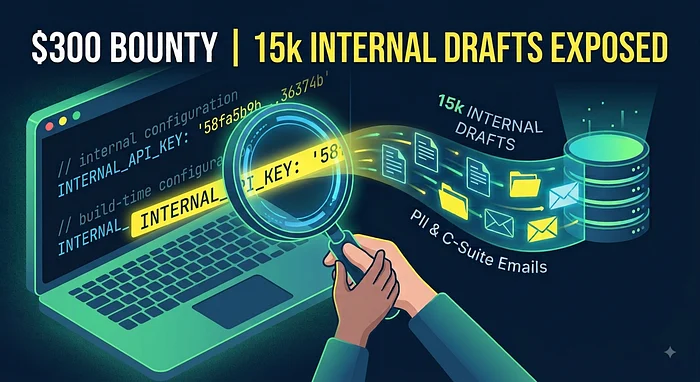
Two people, Putra Mahardika (@mhrdkaa._) and Rara Sindy Aprilia Putri, went looking for security problems in a website they call Platform X. They did it together, as a couple, and they found something serious: a password-like key that a developer had accidentally left inside the code that every visitor's browser downloads. With that key they could read articles that were never published, see the email addresses of company executives, and create accounts on the site's content management system without anyone approving them. The bounty was $300.
This article explains the whole story from zero. You only need to know how to use a browser. Every technical word is explained the first time it appears, and there is a glossary at the end.
The pieces you need to understand first
Before the story makes sense, here are a few ideas, each with a simple comparison.
A website is two programs talking. Your browser (Chrome, Firefox, Safari) is one program. The website's server, a computer somewhere in a data centre, is the other. Your browser asks questions and the server answers.
JavaScript is the language of things that happen inside your browser. When a page does something without reloading, like showing a menu or loading new posts as you scroll, JavaScript is doing it. The browser downloads JavaScript files from the server and runs them. Anyone can download those same files: they are public by nature, like a printed instruction leaflet left on a park bench.
A single-page application (SPA) is a website built so that the browser downloads one big JavaScript program once, and that program then draws every screen itself. React is a popular toolkit for building such sites. The practical consequence: the whole program, including any text a developer typed into it, sits on your computer after the first visit.
A bundle is what you get when developers squash all their JavaScript files into one or a few large files to make the site load faster. The name often looks like main.[hash].js, where [hash] is a random-looking string that changes with each release so browsers do not keep an old copy. A bundle is still plain, readable text. You can open it in your browser's developer tools or save it and read it in any text editor.
An API is the set of doors a program offers to other programs. Think of a restaurant: the dining room is the website you see, and the kitchen door where orders are handed in is the API. Your browser's JavaScript uses the API to fetch data.
GraphQL is a way of asking an API for exactly the data you want. Instead of many separate addresses for many separate things, there is usually one address, here https://cms.target.com/graphql, and you send it a text describing the shape of the answer you would like. That text is called a query when it only reads and a mutation when it changes something, such as creating an account.
A CMS (content management system) is software that lets a team write and organise website content without programming. Strapi is one popular CMS. Editors write an article, save it, and later publish it. Until it is published, the article is a draft: written but not visible to the public.
A token is a short secret string that acts like a key card. Instead of sending a username and password with every request, a program sends the token, and the server recognises it and lets the request through. A token is as sensitive as a password: whoever holds it can do what it allows. In web requests it is usually sent in a line that starts with Authorization: Bearer, which literally means "I am carrying this token".
A header is a small extra line of information attached to a web request, next to the address and the body. Think of an envelope: the address is written on the front, the letter is inside, and headers are notes written on the envelope such as "fragile" or "express delivery". Servers read these notes and change their behaviour accordingly.
curl is a program, run from a command line, that sends web requests and prints the answers. It is how you talk to an API by hand, without a website in the way.
A role in a CMS is a label attached to a kind of visitor, such as Public (anyone, not logged in) or Authenticated (someone with an account). Each role has a list of actions it is allowed to perform. If an action is switched on for Public, the whole internet can do it.
A JWT (JSON Web Token) is a token in a particular format that a server hands out after a successful login. The client shows it on later requests to prove who it is.
A 404 Not Found is the standard answer a web server gives when the address you asked for does not exist. 403 Forbidden means the address exists but you are not allowed to use it.
The reconnaissance: reading the JavaScript bundle together
Reconnaissance means looking around before attacking anything: finding out what the site is made of, which addresses exist, and what it talks to. It is the equivalent of walking around a building and noting the doors and windows before trying any of them.
The two hunters split the work. One mapped subdomains (smaller addresses under the main domain, like cms.target.com) and fuzzed directories (tried many common folder names to see which exist). The other opened the site in a browser and read its JavaScript by hand.
While reading the production bundle, the file named main.[hash].js, the second hunter found two lines and called the other over:
- A static
CH=”HARDCODE CREDENTIALS”. - A hardcoded
x-include-drafts: trueheader inside the bundle.
What these two lines mean:
- The first is a piece of text, apparently a label or variable, whose name says it holds hardcoded credentials. "Hardcoded" means a secret written directly into the program's text instead of being kept in a safe place outside it. "Credentials" means the secret used to prove identity, here a token for the CMS.
- The second is a header name and value that the site's own JavaScript sends to the CMS.
x-include-drafts: trueis an instruction to Strapi: "include drafts in the answer". Thex-prefix is simply a convention for custom headers that are not part of the standard.
To a developer, both look like leftovers from a testing or preview setup that slipped into the version real visitors receive. To the hunters, they were the master key: a token that the CMS accepts, plus the exact instruction that makes the CMS reveal unpublished content. The report does not give the token's value or the names of the variables around it.
Why this step mattered: the bundle is public. Anything written into it is effectively published to the world, even if it was never meant to be. Reading it costs nothing and requires no account.
Step 1: asking the CMS for drafts with the leaked token
With the token and the header in hand, the hunters sent a GraphQL query to the CMS address they had identified, https://cms.target.com/graphql.
curl -s -X POST "https://cms.target.com/graphql" \ -H "Authorization: Bearer <TOKEN>" \ -H "Content-Type: application/json" \ -H "x-include-drafts: true" \ -d '{"query":"{ caseStudies { data { id attributes { title slug publishedAt } } } }"}'
Line by line:
curlis the program sending the request.-smeans quiet: do not print progress noise, only the answer.-X POSTsays this is a POST request, the kind used to send data to a server rather than just ask for a page."https://cms.target.com/graphql"is the address being contacted: the CMS's GraphQL door.-H "Authorization: Bearer <TOKEN>"attaches the token taken from the bundle. The server reads this line to decide who is calling.<TOKEN>stands in for the real value, which the report does not publish.-H "Content-Type: application/json"tells the server that the body is written in JSON, a common text format for structured data.-H "x-include-drafts: true"is the instruction copied from the bundle: include drafts.-d '...'is the body of the request, the actual question. The question asks for thecaseStudiescollection, and for each entry theid, thetitle, theslug(the short readable name used in the article's web address) andpublishedAt(the date it was published).
Why this step: the token alone proves the caller is trusted; the header alone asks for drafts. Together they ask the CMS, as a trusted caller, to hand over content that is not yet public.
The server answered with dozens of case studies that had never been released. The answer looked like this:
{ "data": { "caseStudies": [ { "data": { "attributes": { "title": "example", "slug": "example", "publishedAt": null } } } ] }}
Reading it:
datais the outer wrapper GraphQL always uses for a successful answer.caseStudiesis the list of entries returned.attributesholds the fields of one entry: itstitle, itsslug, and itspublishedAt."publishedAt": nullis the important part.nullmeans "no value". An entry with no publication date has never been published: it is a draft.
To be sure the content really was unreleased, the hunters took one of the returned slugs and opened it on the live public website. The site answered 404 Not Found, meaning no such page exists for visitors. That confirmed the data was meant only for the internal marketing team.
Why this confirmation mattered: a draft could in principle also be reachable publicly by another route. The 404 ruled that out and showed the leak was real.
Step 2: pulling the full text of the drafts
Titles and slugs were only the beginning. The same access let the hunters retrieve the full HTML body of the draft articles. HTML is the language web pages are written in, so the body is the complete article as it would appear on the site.
Those bodies contained confidential client business metrics: financial information and release strategy. To a competitor, that is valuable intelligence about what a company plans and how it is doing.
Why this step mattered: a leaked title is embarrassing; a leaked draft with numbers and plans is a business problem.
Step 3: reaching executive email addresses through the Author relation
In a CMS, an article is usually linked to the person who wrote it. That link is called a relation: a connection between two kinds of record, here an article and an author. GraphQL lets a caller follow such connections and ask for fields of the connected record.
By following the Author relation on the posts, the hunters found that the database structure exposed executive email addresses, described in the report as the personal emails of the CEO and Founder.
Why this step mattered: knowing who runs a company and how to reach them personally is exactly what a targeted phishing email needs. Phishing is a fake message designed to make someone hand over access or click something harmful; the more personal detail it contains, the more convincing it is.
Step 4: creating an account without any verification
The exploration continued when the second hunter noticed that an action called plugin::users-permissions.auth.register was left active for the Public role. In plain words: the CMS's built-in "sign up" feature was switched on for anyone on the internet, with no login required and no administrator approval.
They tested it with a registration mutation:
curl -s -X POST "https://cms.target.com/graphql" \ -H "Content-Type: application/json" \ -d '{"query":"mutation { register(input: { username: \"poc-hacker\", email: \"[redacted]\", password: \"Password123!\" }) { jwt user { id username email } } }"}'
Line by line:
- As before,
curl -s -X POSTsends a POST request quietly. - The address is the same GraphQL door.
-H "Content-Type: application/json"says the body is JSON. Notice there is noAuthorizationline: the request is made as an anonymous visitor, which is the whole point.- The body is a
mutation, meaning it changes something rather than only reading. It callsregisterwith three inputs: ausername, anemailand apassword. The values shown are made-up test values, not a real person's details. - After the closing bracket of the inputs, it asks for the answer to contain
jwt(the token to be issued) and the newuserwith itsid,usernameandemail.
The system answered with a valid JWT. After logging in with the new account, its status showed confirmed: true and blocked: false: the account was fully active, with no email confirmation and no approval step.
There was a limit, though. The role given to such an account, Authenticated, did not have elevated privileges for dangerous actions. Every write and read action the hunters tried with the new account returned 403 Forbidden. So the flaw allowed mass creation of accounts, which pollutes the user database, but did not by itself give control of the CMS.
Why this step mattered: open registration on an internal system lets anyone fill it with junk accounts, and it is the kind of gap that becomes serious the moment any small extra permission is misconfigured.
Step 5: listing the permission model
Finally, the hunters extracted the entire permission model of the CMS: the full list of actions the system knows about, more than 66 of them. That list revealed hidden internal custom endpoints, such as api::data-transfer.migrateHideForEmbedded. An endpoint is one specific action a program can call; a custom endpoint is one the developers added themselves rather than one that comes with the product.
Why this step mattered: a map of everything the system can do is useful to an attacker planning the next move, and it tells defenders which internal features are visible from outside.
Why it worked
Two mistakes combined.
The first is build hygiene. A token and the x-include-drafts: true header, apparently meant for a staging or preview environment, were shipped inside the production JavaScript bundle. Because a bundle is public, anyone reading it obtains the token. The production CMS accepted that token and, with the header, returned draft entries. The report does not describe the token's scope or how it was issued.
The second is authorisation on the CMS itself. The register action was enabled for the Public role, so anonymous callers could create accounts that were immediately confirmed and unblocked. The permission model was also readable in full, exposing internal custom endpoints.
What an attacker could have done
With the leaked token, someone could:
- read dozens of unreleased case studies, including full HTML bodies with confidential client business metrics and release strategy;
- obtain executive email addresses through the Author relation, well suited to spear-phishing;
- create confirmed, unblocked CMS accounts without verification, enabling mass pollution of the user database;
- list the full permission model and discover internal custom endpoints.
The report is explicit that the registered accounts had no elevated privileges and that write and read actions returned 403 Forbidden, so registration alone did not grant control of the CMS. The bounty was $300.
How to fix it
Based on the findings, the fixes would be:
- remove the token and the
x-include-draftsheader from production builds, and keep preview credentials out of any code that reaches a browser; - make sure the production CMS does not honour preview tokens for draft access;
- disable the
registeraction for the Public role unless open registration is intended, and add verification and approval if it is.
Things to try on your own targets
- Search production bundles for secrets. Download
main.[hash].jsand related files and look for words liketoken,bearer,x-,secret. A hit is a real token or a custom header name the API accepts. - Try Strapi draft headers against GraphQL. Send
x-include-drafts: trueto/graphql, with and without a token. A hit is entries withpublishedAt: nullcoming back to someone who should not see them. - Confirm drafts are unpublished. Take a returned slug and open it on the live site. A
404confirms the content was never meant to be public. - Follow relations for personal data. From any collection linked to an author or user, ask for nested fields such as email. A hit is contact data returned to a caller who should not see it.
- Test the public registration mutation. Send the
registermutation without logging in and look at the returned user forconfirmedandblocked. A hit is a valid JWT and a confirmed, unblocked account. - List the permission model. Ask the schema which actions your role can see. A hit is internal custom endpoints, such as
api::data-transfer.migrateHideForEmbedded.
Closing thought
Sometimes the biggest vulnerabilities are not clever bypasses but forgotten debug code left behind before pushing to production. Keep hacking, keep exploring, and always check those JavaScript bundles.
Glossary
- API: the set of doors one program offers to other programs, so they can ask for data or actions.
- Authenticated role: the label a CMS gives to a visitor who has logged in with an account.
- Authorisation: the decision about what a given caller is allowed to do, as opposed to who they are.
- Bearer token: a token sent in an
Authorization: Bearerheader; whoever carries it is treated as the holder of that access. - Bundle: one or a few large JavaScript files produced by combining a site's code, downloaded by every visitor.
- CMS (content management system): software for writing, organising and publishing website content without programming.
- Content-Type: a header saying what format the body of a request is in, here JSON.
- Credentials: the secret used to prove identity, such as a password or token.
- curl: a command-line program that sends web requests and prints the answers.
- Custom endpoint: an action a developer added to an API themselves, beyond what the product provides.
- Draft: content written but not yet published, invisible to normal visitors.
- Endpoint: one specific address and action a program can call on an API.
- Fuzzing: trying many common names or inputs automatically to see which produce a useful answer.
- GraphQL: a way of asking an API for exactly the data you want, using one address and a text describing the desired answer.
- Hardcoded: a secret written directly into a program's text instead of being stored safely outside it.
- Header: an extra line of information attached to a web request or response, like a note on an envelope.
- HTML: the language web pages are written in.
- JSON: a common text format for structured data, used in request and response bodies.
- JWT (JSON Web Token): a token format a server hands out after login, shown later to prove identity.
- Mutation: in GraphQL, a request that changes something, such as creating an account.
- null: a value meaning "nothing" or "no value";
publishedAt: nullmeans never published. - Permission model: the full list of actions a system knows about and which roles may perform them.
- Phishing: a fake message designed to make someone hand over access or click something harmful.
- POST: a web request type used to send data to a server rather than just ask for a page.
- Public role: the label a CMS gives to any visitor who is not logged in.
- Query: in GraphQL, a request that only reads data.
- React: a popular toolkit for building single-page applications.
- Reconnaissance: looking around a target to learn its structure before trying anything.
- Relation: a link between two kinds of record in a database, such as an article and its author.
- Role: a label attached to a kind of visitor, with a list of actions it may perform.
- Single-page application (SPA): a website where the browser downloads one program that draws every screen itself.
- Slug: the short readable part of a web address that identifies one article.
- Spear-phishing: phishing aimed at one specific person, using details about them to seem convincing.
- Staging / preview environment: a copy of a site used for testing before release, which should never be public.
- Strapi: a popular content management system that can expose a GraphQL API.
- Subdomain: a smaller address under a main domain, such as
cms.target.comundertarget.com. - Token: a short secret string that acts like a key card, letting its holder make requests as a trusted caller.
- 403 Forbidden: the answer meaning the address exists but you are not allowed to use it.
- 404 Not Found: the answer meaning the address you asked for does not exist.



