Access control worth $2000 (everyone missed this IDOR+Access control between two admins.)
An admin could change another admin's password by altering the user ID in a PATCH request, because the endpoint did not check the old password and lacked proper access control. This allowed one admin to log into the victim admin's account and act on their behalf.
 Published on medium.com
I was not about to write this write-up but, due to the death of our fellow hacker Binit Ghimire (The Internet Hero). I have made my mindset to share what I have gathered regularly.
The full write-up lives on its author's site
It belongs to its author, so we link to it rather than copy it. The other two tabs are our own rewrites, checked against it.
Context
This write-up is about an access control flaw in a private HackerOne program, which the author calls redirect.com. The program was fresh at the time, with only a few fellow hackers on its Hall of Fame. The application had a lot of user permissions and access control logic, including roles such as "Collateral Extended" and an admin role that could invite and delete users.
The specific feature involved is the password change functionality. It is a PATCH request that carries the user's id in the URL path and the new password in a JSON body. The author notes that the old password was not checked while changing the password, and that the request used the user id, which is what made the cross-account attack possible.
The author frames the whole piece around methodology for finding access control bugs, both automated and manual, and the story of how a first report was closed as N/A before the real bug was found.
Setup
Tools used:
- Autorize, a Burp extension, for the automated part of access control testing.
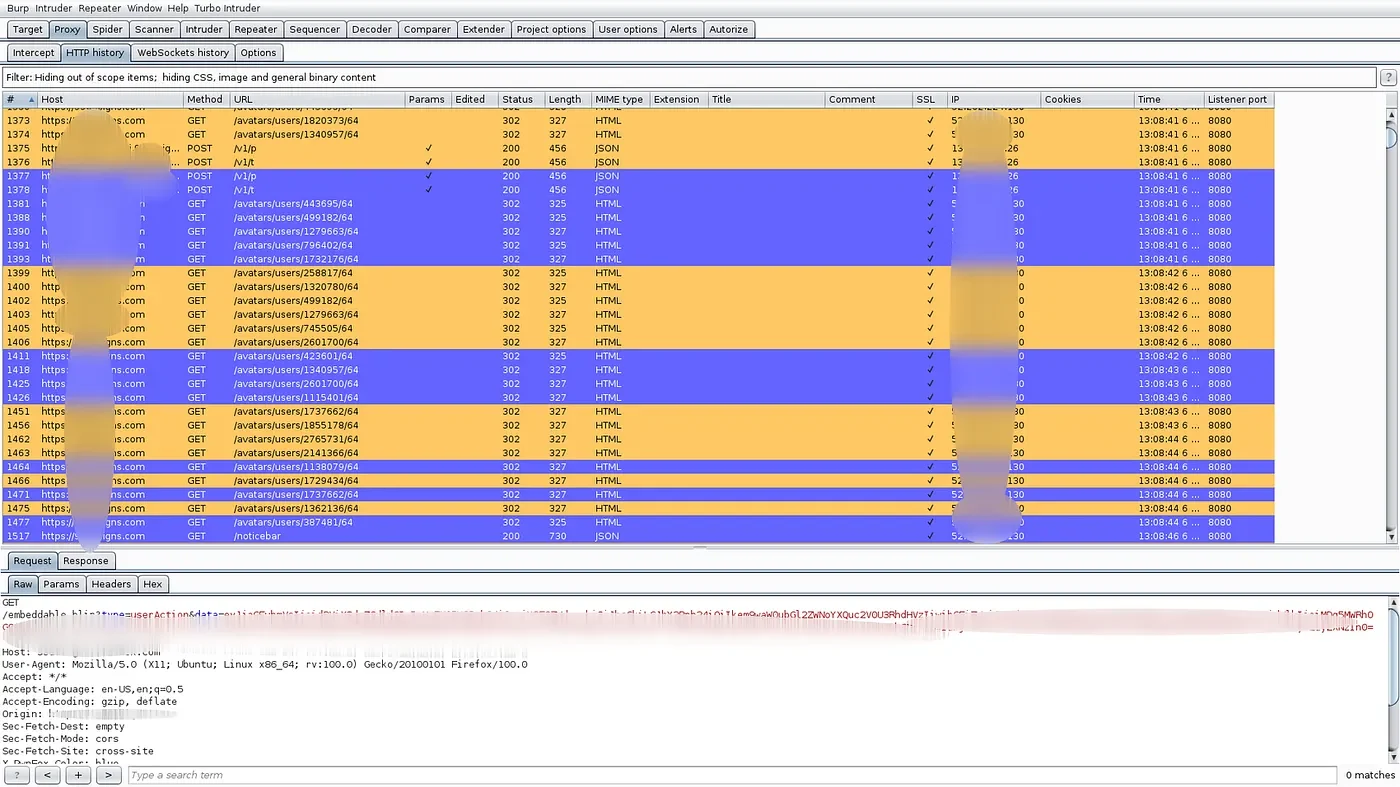
- PWNfox, for the manual process, described as useful when searching for bugs using Burp HTTP history and filtering by search in Burp.
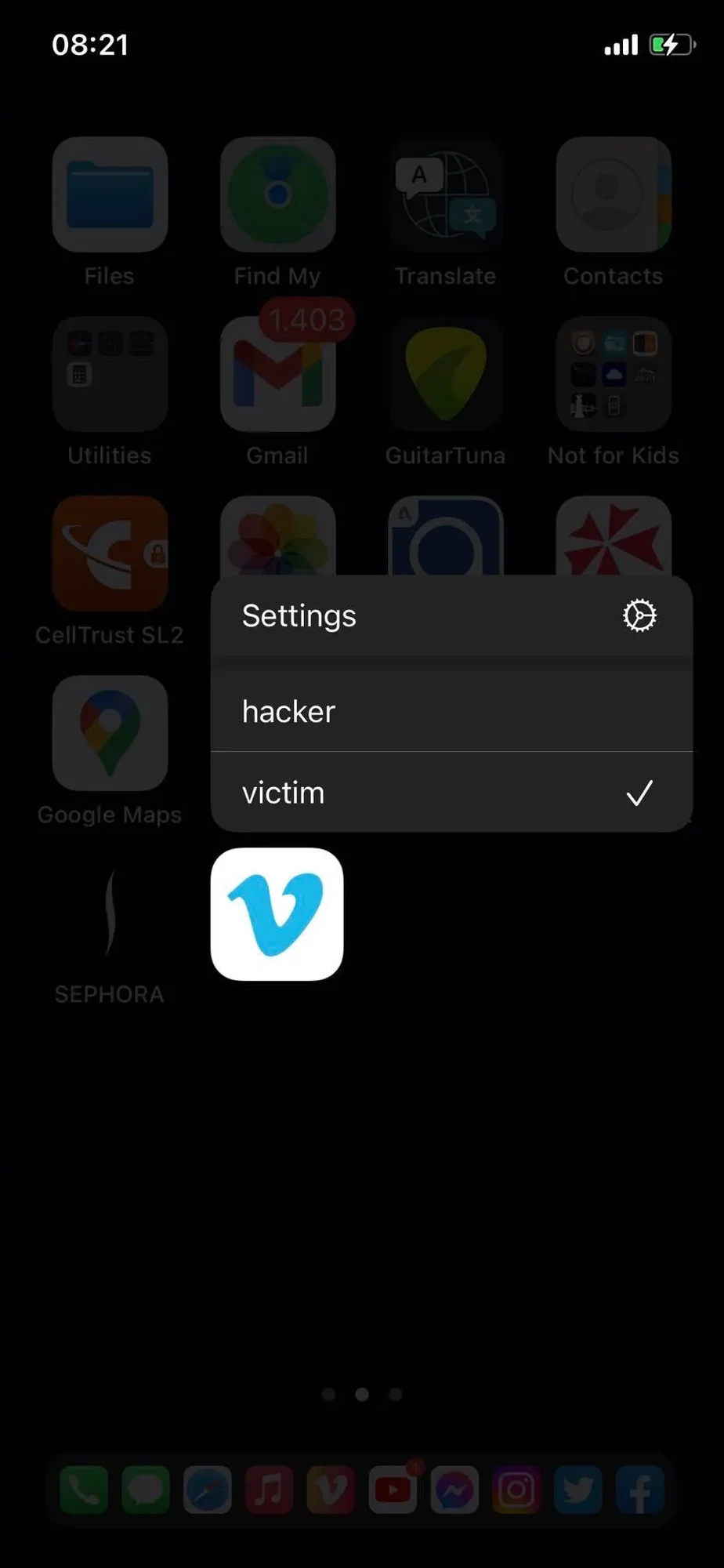
- Crane, an iOS tweak for creating multiple containers, presented as the equivalent of PWNfox on iOS. The author says cloning apps did not work for them, but with Crane they can test for IDOR and access control vulnerabilities in any iOS application using only one iOS device.
The author's stated precondition is understanding the program before touching tools: they spent about 30 minutes looking into the program and understanding how it works before starting to hack it.

For the exploitation itself, two accounts with the admin role were needed. The author invited a user and gave it an admin role, so there were two admins in the program. The author also used the test account of a fellow hacker who was in the same program, to produce a valid POC.
Finding it
The author started with Autorize and within a few minutes found a bug and reported it. They had also noticed another endpoint that might be vulnerable: a change password endpoint where the old password was not checked.

The next day the report came back closed as N/A (Not Applicable): what the author had considered a vulnerability was actually a feature, available to view for the user with the "Collateral Extended" role.


After that, the author switched to a manual process in Burp. With two admins in the program, the question was whether there is access control between users of the same role. The idea that led to the bug was the password change functionality: it was a PATCH request and it used the user's id while changing the password.


Exploitation
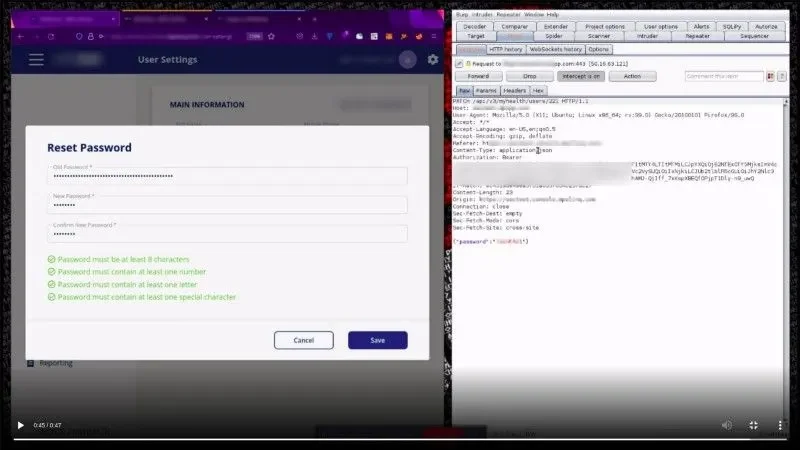
Step 1: Intercept the password change request
The author intercepted the request to change the password. The request looked like the third request shown below.
Step 2: Swap the user id in Repeater
The author sent the request to Repeater and changed the userID of one admin user to the other admin's id. The response was 412 Precondition Failed. Sending the PATCH request again from Repeater threw the same error every time.
The author quotes the meaning of the 412 status: any request can contain a conditional header defined in HTTP (If-Match, If-Modified-Since, etc.) or the "If" or "Overwrite" conditional headers, and if the server evaluates a conditional header and the condition fails to hold, this error code must be returned; if the client did not include a conditional header, the server must not use this status code.
Step 3: Move from Repeater to Intercept
Googling the error gave the author an idea. Instead of Repeater, they started intercepting requests and changing each and every request that carried the user id from 169 to 221, including the OPTIONS request, because they did not want any 412 Precondition Failed errors. The change was done from Burp intercept, not from the Repeater tab.
This time it did not throw a 403 error.
Step 4: Read the three requests in HTTP history
Looking at Burp's HTTP history, the author saw three requests: first an OPTIONS request, then a GET request, and finally a PATCH request.
First request:
OPTIONS /api/v3/myhealth/users/221 HTTP/1.1Host: XXXXxxxxxXXXXXUser-Agent: Mozilla/5.0 (X11; Ubuntu; Linux x86_64; rv:100.0) Gecko/20100101 Firefox/100.0Accept: */*Accept-Language: en-US,en;q=0.5Accept-Encoding: gzip, deflateReferer: https://xxxxXXXXXxxxx.com/Authorization: Bearer XXXXXXXXXXXXXXxxxxxxxxxxXXXXXXXXXXOrigin: https://XXXXXXxxxxXXX.comConnection: close
Second request:
GET /api/v3/myhealth/users/221 HTTP/1.1Host: XXXXxxxxxXXXXXUser-Agent: Mozilla/5.0 (X11; Ubuntu; Linux x86_64; rv:100.0) Gecko/20100101 Firefox/100.0Accept: */*Accept-Language: en-US,en;q=0.5Accept-Encoding: gzip, deflateReferer: https://xxxxXXXXXxxxx.com/Authorization: Bearer XXXXXXXXXXXXXXxxxxxxxxxxXXXXXXXXXXOrigin: https://XXXXXXxxxxXXX.comConnection: closeSec-Fetch-Dest: emptySec-Fetch-Mode: corsSec-Fetch-Site: cross-siteIf-None-Match: XXXXXXxxxxxxxxXXXXXX
Third request:
PATCH /api/v3/myhealth/users/221 HTTP/1.1Host: XXXXXXxxxXXXX.comUser-Agent: Mozilla/5.0 (X11; Ubuntu; Linux x86_64; rv:100.0) Gecko/20100101 Firefox/100.0Accept: */*Accept-Language: en-US,en;q=0.5Accept-Encoding: gzip, deflateReferer: https://XXXxxxxxxxxXXXX.com/Content-Type: application/jsonAuthorization: Bearer XXXXXXXXXXXxxxxxxxxxXXXXXXIf-Match: XXXXXXXxxxxxxxXXXXXXXContent-Length: 58Origin: XXXXXXXxxxxxxxXXXXXX.comConnection: closeSec-Fetch-Dest: emptySec-Fetch-Mode: corsSec-Fetch-Site: cross-site{"password":"XXXXXXXXXX"}
The important parts: the user id sits in the path (/api/v3/myhealth/users/221), the caller is identified by a bearer token in the Authorization header, and the PATCH carries the new password in the JSON body. The PATCH also carries an If-Match conditional header.
Step 5: Produce the POC
For the POC, the author changed the password of the test account of a fellow hacker who was in the same program, to provide a valid POC, noting that HackerOne triage always prefers a valid POC.
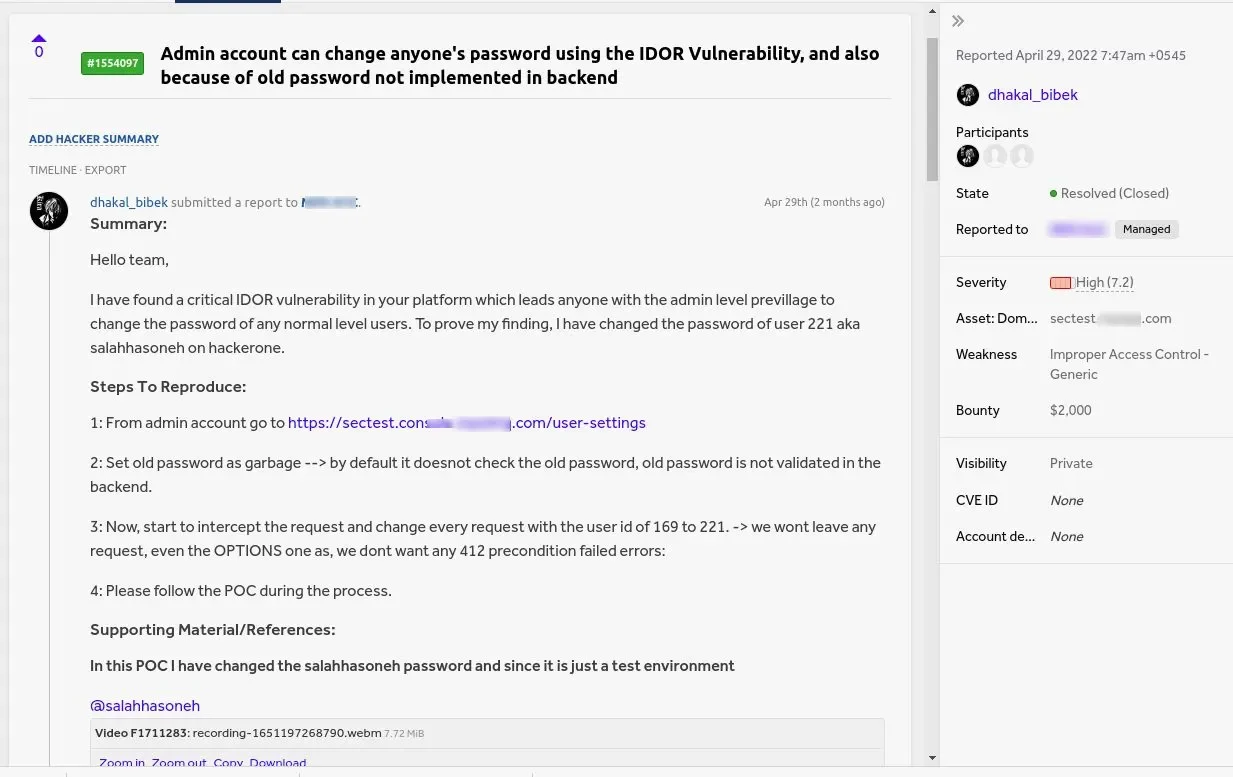
Steps to reproduce, as given in the report
- From admin account, go to
https://sectest.xxx.redirect.com/user-settings - Set old password as garbage: by default it doesn't check the old password, old password is not validated in the backend side.
- The
PATCHrequest mentioned above allowed malicious user to change other user's password.
Timeline
After that, the author reported 3 more findings and the program was paused.
| Stage | Date |
|---|---|
| Reported | Apr 29th |
| Triaged | May 2nd |
| Bounty awarded | May 2nd ($2000) |
| Resolved | May 17th |

Root cause
The report points at two mistakes. First, the API endpoints lack proper access control on the server side: the user id in the path is trusted, so one admin can act on another admin's user object. Second, the old password is not validated in the backend when setting a new password, so the change goes through without proof that the caller knows the current password.
The 412 behaviour is consistent with the PATCH carrying an If-Match conditional header: replaying the request from Repeater with a different id made the condition fail. Driving the whole flow through intercept, including the OPTIONS and GET requests, avoided that failure. The report does not explain why the conditional check passed in that flow.
Impact
An admin can invite anyone and delete anyone, but should not be able to log in to a victim's account and access their account. With this flaw, a malicious admin can change the victim admin's password and do bad things on the victim's behalf, and the victim would be the one to take all the blame for the wrongdoings.
Fix
The report's recommendation is to add proper access control in the API endpoints on the server side and to validate the old password while setting the new password. The report does not describe what the program actually changed; it only records that the issue was resolved on May 17th.
Variants to test
- Same-role horizontal access on id-bearing endpoints. Take any endpoint whose path contains a user id and replay it with a second account of the same role. A positive result is a successful response that changes the other account's data.
- Password change without the old password. Submit a garbage old password and see whether the backend still accepts the new one. A positive result is a successful change with no validation error.
- Conditional headers on state-changing requests. When a
PATCHorPUTcarriesIf-Matchand Repeater gives 412, drive the full request sequence through intercept instead of replaying a single request. A positive result is the request no longer returning 412 or 403. - Automated sweep with Autorize, then manual confirmation. Run Autorize to surface candidates, then confirm each by hand with a second account, since the first automated hit here turned out to be a feature for the "Collateral Extended" role.
- iOS applications with multiple containers. Use Crane to run two containers on one device and repeat the same id-swapping tests against the mobile API. The author says Crane lets him test for IDOR and access control in any iOS application on one device.
- Premium and pro tiers. Test features that only exist in paid tiers, where the author notes fewer hunters look. A positive result is a flaw reachable only through the paid feature, such as the invitation limit bypass the author mentions finding in the premium version of the same program.
What happened, in plain words
A security researcher was invited to a private bug bounty program on HackerOne, which he calls redirect.com. A bug bounty program is an arrangement where a company invites independent testers to look for security problems in its systems and pays them for reporting what they find. This particular program was new, and only a handful of other testers had made it onto its Hall of Fame, a public list of people who have reported valid issues.
The application had a lot of different user roles and permission rules. One of those roles was called "Collateral Extended", and there was also an admin role. An admin could invite new users and delete users.
The researcher found a flaw in the password change feature. When you change your password, the application sends a request to its server that includes your user id in the address and your new password in the body of the request. The researcher discovered that the server did not check whether the person making the request was allowed to change that particular user's password. It also did not check the old password. So one admin could change another admin's password, which the report says should not be possible.
The story has a false start: the first bug the researcher reported was closed as N/A, meaning Not Applicable, because the behaviour turned out to be an intended feature. The real bug was found afterwards, by hand, and paid $2000.
The tools and the mindset
The researcher explains that he looks for access control problems in two ways: with automation and by hand.
For the automated part he uses Autorize, an extension for Burp Suite. Burp Suite is a program that sits between your browser and a website and lets you look at, and change, every request and response that passes through. An extension is a small add-on that gives Burp extra abilities. Autorize watches the traffic and automatically replays requests with different credentials to see whether the server lets one user do what another user should only be able to do.
For the manual part he uses PWNfox. This is a tool that helps you keep several separate browser sessions, so you can be logged in as several different users at the same time and compare what each of them can see. The researcher says it is great if you tend to search for bugs using Burp's HTTP history and filter by search in Burp. Burp's HTTP history is simply a list of every request and response that has passed through it, in order.
The image shows the PWNfox tool, which the researcher uses for the manual side of access control testing.
He then talks about testing mobile applications on iOS, Apple's operating system for iPhones. Most people asked him how he tests iOS apps. His answer is a tool called Crane, which he describes as the best tool for creating multiple containers. A container, in this context, is an isolated copy of an app's data on the phone, so you can have the same app installed twice with two separate logins, much like having two separate browser profiles on a computer. He says he tried cloning apps for testing purposes, but for some reason the cloned apps were not working. Then he discovered the Crane tweak. A tweak is a small modification installed on a jailbroken iPhone, that is, an iPhone where the owner has removed Apple's restrictions on what software can run. With Crane, he says, he can test for IDOR and access control vulnerabilities in any iOS application using only one iOS device.
The image shows the Crane tweak, which lets the researcher run several isolated copies of an app on a single iPhone.
Two terms are worth explaining here. IDOR stands for Insecure Direct Object Reference. It means the application uses something simple, like a number, to identify a record, and does not check that the person asking for that record is allowed to see it. Think of a hotel where every room key is identical and the only thing stopping you entering room 221 is that you were given key 169. If the lock does not check the number, anyone can walk into any room. Access control is the general set of rules about who is allowed to do what. A broken access control bug is any case where those rules are missing or can be bypassed.
Before touching any tool, the researcher insists on understanding the program. He says hacking is not about going straight in with Burp Suite. He likes to make a blueprint of the program first. He spent about 30 minutes looking into the program and understanding how it works, and only then was he ready to start.
The image is a reaction picture the researcher uses to illustrate his mood after studying the program and feeling ready to begin.
The first attempt, and the N/A
He noticed the program had a lot of user permissions and access control logic. He decided to open Autorize and start the process. Within a few minutes he found a bug and reported it.
The image is another reaction picture, used to show his excitement at finding something quickly with the automated tool.
He had also noticed a second endpoint that might be vulnerable. An endpoint is a specific address on a server that does a specific job, for example the address that handles password changes. This one was a change password endpoint where the old password was not checked while changing the password. That day he was tired, because he was doing the same kind of work at his office and at home. Around 9:30 pm he went to sleep, after reporting the access control vulnerability that Autorize had found.
The next day he opened his email to check for updates. To his surprise, what he had considered a security vulnerability was actually a feature, and the report was closed as N/A, Not Applicable. The behaviour was in fact a feature available to view for the user with the "Collateral Extended" role. In other words, the thing he thought was a leak was a deliberate permission that role was supposed to have.
The image is a reaction picture expressing how he felt about the N/A.
At that point he became very serious. He fired up Burp again, and this time he searched for access control bugs using a manual process.
The idea: two admins
He invited a user and gave that user an admin role. Now there were two admins in the program. This is the key setup step, and it is worth understanding why. Most access control testing compares a powerful user with a weak user: can an ordinary user do an admin thing? Here he wanted to ask a different question: is there any access control between two users who have the same role? If two admins are supposed to be equal, can one of them still reach into the other's account?
At that moment he was tired and hungry after the N/A. He went out with a friend, packing a guitar and some food, and they went to their regular spot and sang for a while. Then an idea hit him.
He had not yet looked at the password change functionality. It was a PATCH request, and it used the user's id while changing the password. A PATCH request is one of the standard ways a browser talks to a server: it means "change part of an existing record". The important detail is that the record being changed was identified by a user id, a plain number. If the server trusts that number without checking who is sending the request, then anyone can put anyone else's number there. He was in a hurry and they went home.
Trying it in Repeater, and the 412
This time, as he puts it, he wanted to pwn it. He intercepted the request to change the password. Intercepting means telling Burp to pause every request before it leaves the browser, so you can read it and edit it before letting it continue.
He sent the request to Repeater. Repeater is a Burp tab where you can take a single request and send it again and again, changing one thing each time, and look at the response. He changed the user id of one admin user to the other admin's id. The response was 412 Precondition Failed. Every time he tried to send that PATCH request from Repeater, it threw the same error.
He then quotes the meaning of the 412 status code: any request can contain a conditional header defined in HTTP (If-Match, If-Modified-Since, etc.) or the "If" or "Overwrite" conditional headers defined in this specification. If the server evaluates a conditional header, and if that condition fails to hold, then this error code must be returned. On the other hand, if the client did not include a conditional header in the request, then the server must not use this status code.
In plain words: a header is a line of extra information attached to a request, separate from the address and the body. Some headers are conditional: they say "only do this if the record still looks the way I last saw it". If-Match is one of these. It carries a value, a kind of fingerprint of the record. If the record on the server no longer matches that fingerprint, the server refuses with 412. This is a safety mechanism to stop two people overwriting each other's changes. The researcher's edited request was refused with 412, and the report does not say why.
The fix for the 412: intercept everything
Googling the error gave him an idea. Instead of Repeater, he started intercepting requests and changing each and every request that carried the user id from 169 to 221, including the OPTIONS request, because he did not want any 412 Precondition Failed errors. He did the change from Burp intercept, not from the Repeater tab.
Why does that matter? Because a real browser does not send one request in isolation. It sends a small sequence: first an OPTIONS request, then a GET request, then the PATCH. An OPTIONS request is a question the browser asks the server before a cross-origin request: "what am I allowed to send you, and from where?" A GET request asks the server to return a record. If you replay only the PATCH from Repeater, you are skipping the earlier steps, and the conditional value in your PATCH is stale. If you let the whole sequence run through intercept, changing the id in every one of them, the 412 no longer appeared.
This time it did not throw a 403 error. A 403 means "forbidden": the server understood the request and refused it because you are not allowed. Getting no 403 was the signal that the server was not refusing the request.
The three requests
He looked at Burp's HTTP history and saw three requests. First an OPTIONS request, then a GET request, and finally a PATCH request.
First request:
OPTIONS /api/v3/myhealth/users/221 HTTP/1.1Host: XXXXxxxxxXXXXXUser-Agent: Mozilla/5.0 (X11; Ubuntu; Linux x86_64; rv:100.0) Gecko/20100101 Firefox/100.0Accept: */*Accept-Language: en-US,en;q=0.5Accept-Encoding: gzip, deflateReferer: https://xxxxXXXXXxxxx.com/Authorization: Bearer XXXXXXXXXXXXXXxxxxxxxxxxXXXXXXXXXXOrigin: https://XXXXXXxxxxXXX.comConnection: close
Line by line:
OPTIONS /api/v3/myhealth/users/221 HTTP/1.1is the request line.OPTIONSis the method, the verb./api/v3/myhealth/users/221is the path, and221is the victim's user id.HTTP/1.1is the version of the protocol. API stands for Application Programming Interface: it is the set of addresses a program exposes so that other programs, like the app or the website, can talk to it. Think of it as the service counter of a shop: you do not go into the storeroom, you ask at the counter, and the counter has a fixed list of things it will do for you.Host: XXXXxxxxxXXXXXtells the server which website name the request is for. The researcher has masked it.User-Agent: Mozilla/5.0 ... Firefox/100.0says which browser and operating system sent the request. Here it is Firefox 100 on Ubuntu Linux.Accept: */*says the browser will accept any kind of response.Accept-Language: en-US,en;q=0.5says the browser prefers English.Accept-Encoding: gzip, deflatesays the browser can accept compressed responses.Referer: https://xxxxXXXXXxxxx.com/says which page the request came from.Authorization: Bearer XXXXXXXXXXXXXXxxxxxxxxxxXXXXXXXXXXis the important one. This is how the server knows who is calling. A bearer token is a long string that acts like a temporary password: whoever holds it is treated as the logged-in user. "Bearer" means exactly that, the bearer of the token is the user. It is the modern equivalent of a session cookie, which is a small piece of data a website stores in your browser after you log in so it recognises you on the next page. The researcher has masked the token.Origin: https://XXXXXXxxxxXXX.comsays which site the request was made from, used by the browser's cross-origin rules.Connection: closeasks the server to close the connection after this response.
Second request:
GET /api/v3/myhealth/users/221 HTTP/1.1Host: XXXXxxxxxXXXXXUser-Agent: Mozilla/5.0 (X11; Ubuntu; Linux x86_64; rv:100.0) Gecko/20100101 Firefox/100.0Accept: */*Accept-Language: en-US,en;q=0.5Accept-Encoding: gzip, deflateReferer: https://xxxxXXXXXxxxx.com/Authorization: Bearer XXXXXXXXXXXXXXxxxxxxxxxxXXXXXXXXXXOrigin: https://XXXXXXxxxxXXX.comConnection: closeSec-Fetch-Dest: emptySec-Fetch-Mode: corsSec-Fetch-Site: cross-siteIf-None-Match: XXXXXXxxxxxxxxXXXXXX
Line by line, only what is new compared with the first request:
GET /api/v3/myhealth/users/221 HTTP/1.1asks the server to return the record for user221.GETmeans "give me this".Sec-Fetch-Dest: empty,Sec-Fetch-Mode: cors,Sec-Fetch-Site: cross-siteare headers the browser adds automatically to describe the kind of request it is making.corsmeans a cross-origin request, that is, a request from one website to another.If-None-Match: XXXXXXxxxxxxxxXXXXXXis another conditional header. It says "only send me the record if it has changed since the version with this fingerprint". If nothing has changed, the server can answer with a short "not modified" instead of the whole record. This is the same family of mechanism asIf-Match, and it is part of why the sequence matters.
Third request:
PATCH /api/v3/myhealth/users/221 HTTP/1.1Host: XXXXXXxxxXXXX.comUser-Agent: Mozilla/5.0 (X11; Ubuntu; Linux x86_64; rv:100.0) Gecko/20100101 Firefox/100.0Accept: */*Accept-Language: en-US,en;q=0.5Accept-Encoding: gzip, deflateReferer: https://XXXxxxxxxxxXXXX.com/Content-Type: application/jsonAuthorization: Bearer XXXXXXXXXXXxxxxxxxxxXXXXXXIf-Match: XXXXXXXxxxxxxxXXXXXXXContent-Length: 58Origin: XXXXXXXxxxxxxxXXXXXX.comConnection: closeSec-Fetch-Dest: emptySec-Fetch-Mode: corsSec-Fetch-Site: cross-site{"password":"XXXXXXXXXX"}
Line by line:
PATCH /api/v3/myhealth/users/221 HTTP/1.1is the request that actually changes the record.PATCHmeans "change part of this record". The path still carries the victim's id,221.Content-Type: application/jsonsays the body of the request is in JSON, a simple text format for structured data, made of names and values in curly braces.Authorization: Bearer XXXXXXXXXXXxxxxxxxxxXXXXXXis the attacker's token. This is the heart of the bug: the token identifies the attacker, but the path identifies the victim. The server should compare the two and refuse. Here it did not.If-Match: XXXXXXXxxxxxxxXXXXXXXis the conditional header that caused the 412 in Repeater. It carries a fingerprint of the record as the browser last saw it.Content-Length: 58says the body is 58 bytes long.{"password":"XXXXXXXXXX"}is the body: the new password, masked by the researcher. There is no old password anywhere in this request, which is the second half of the bug.
Proving it
For the POC, the researcher changed the password of the test account of a fellow hacker who was in the same program, to provide a valid POC. POC stands for Proof of Concept: a demonstration that the bug is real, not theoretical. He notes that HackerOne triage always prefers a valid POC. Triage is the team that first reads a report and decides whether it is valid.
The image shows the proof of concept, where the researcher used a fellow hacker's test account to demonstrate the password change.
Steps to reproduce, as given in the report
- From admin account, go to
https://sectest.xxx.redirect.com/user-settings - Set old password as garbage: by default it doesn't check the old password, old password is not validated in the backend side.
- The
PATCHrequest mentioned above allowed malicious user to change other user's password.
Step 2 is worth pausing on. "Garbage" means any nonsense text. The point is that the server, the backend, never compares what you typed in the old password field with the real stored password. So the old password field is decoration: it looks like a security check but enforces nothing.
Timeline
After that, he reported 3 more findings and the program was paused.
| Stage | Date |
|---|---|
| Reported | Apr 29th |
| Triaged | May 2nd |
| Bounty awarded | May 2nd ($2000) |
| Resolved | May 17th |
The image shows the bug timeline as it appeared on the platform.
Why it worked
The report points at two mistakes.
First, the API endpoints lack proper access control on the server side. The user id in the path is trusted, so one admin can act on another admin's user object. The server should have checked: does the token in the Authorization header belong to the same user as the id in the path? If not, refuse.
Second, the old password is not validated in the backend when setting a new password. So the change goes through without any proof that the caller knows the current password. Normally, requiring the old password is what stops someone who has borrowed your unlocked laptop, or stolen your token, from locking you out of your own account.
The 412 behaviour fits with the PATCH carrying an If-Match conditional header: replaying the request from Repeater with a different id made the condition fail. Driving the whole flow through intercept, including the OPTIONS and GET requests, avoided that failure. The report does not explain why the conditional check passed in that flow; likely the conditional value was refreshed by the application as part of the normal sequence.
Impact
An admin can invite anyone and delete anyone, but should not be able to log in to a victim's account and access their account. With this flaw, a malicious admin can change the victim admin's password and do bad things on the victim's behalf, and the victim would be the one to take all the blame for the wrongdoings.
Fix
The report's recommendation is to add proper access control in the API endpoints on the server side and to validate the old password while setting the new password.
Variants to test
- Same-role horizontal access on id-bearing endpoints. Take any endpoint whose path contains a user id and replay it with a second account of the same role. A positive result is a successful response that changes the other account's data.
- Password change without the old password. Submit a garbage old password and see whether the backend still accepts the new one. A positive result is a successful change with no validation error.
- Conditional headers on state-changing requests. When a
PATCHorPUTcarriesIf-Matchand Repeater gives 412, drive the full request sequence through intercept instead of replaying a single request. A positive result is the request no longer returning 412 or 403. - Automated sweep with Autorize, then manual confirmation. Run Autorize to surface candidates, then confirm each by hand with a second account, since the first automated hit here turned out to be a feature for the "Collateral Extended" role.
- iOS applications with multiple containers. Use Crane to run two containers on one device and repeat the same id-swapping tests against the mobile API. The author says Crane lets him test for IDOR and access control in any iOS application on one device.
- Premium and pro tiers. Test features that only exist in paid tiers, where the author notes fewer hunters look. A positive result is a flaw reachable only through the paid feature, such as the invitation limit bypass the author mentions finding in the premium version of the same program.
The researcher's own tips
While hacking an application, think about how the programmer could have coded it, and try to exploit their logic. Since this is a blackbox approach, meaning you cannot see the source code and can only observe the outside behaviour, the researcher says that if you want to defeat your enemy you must first think like your enemy.
He describes hacking as a war between automation and manual testing. Automaters automate things beyond our thinking, while manual testers find the so-called unique flaws that improve the community's knowledge. He says we need both.
He gives an example: if you can earn $5000 just by spending $50, give it a shot. He says it was a great experience for him to purchase the product and search for bugs on its premium features. At the time of writing he had just found a high severity issue in the premium version of redirect.com: a race condition to bypass invitation limitation. A race condition is when a program does two things at almost the same moment and the result depends on which finishes first, like two people grabbing the last seat at the same instant. In the pro version only 3 members are allowed and in the premium 10 members are allowed, and by exploiting this vulnerability an attacker is able to invite an infinite number of members.
He reminds readers that humans can outnumber robots, and that if AI ever comes to take our jobs, we should be the ones testing for bugs on AI.
Instead of looking at the same thing over and over, he advises getting some fresh air and coming back with a new mindset to exploit the programmers. He also advises sticking with the same program for a long time.
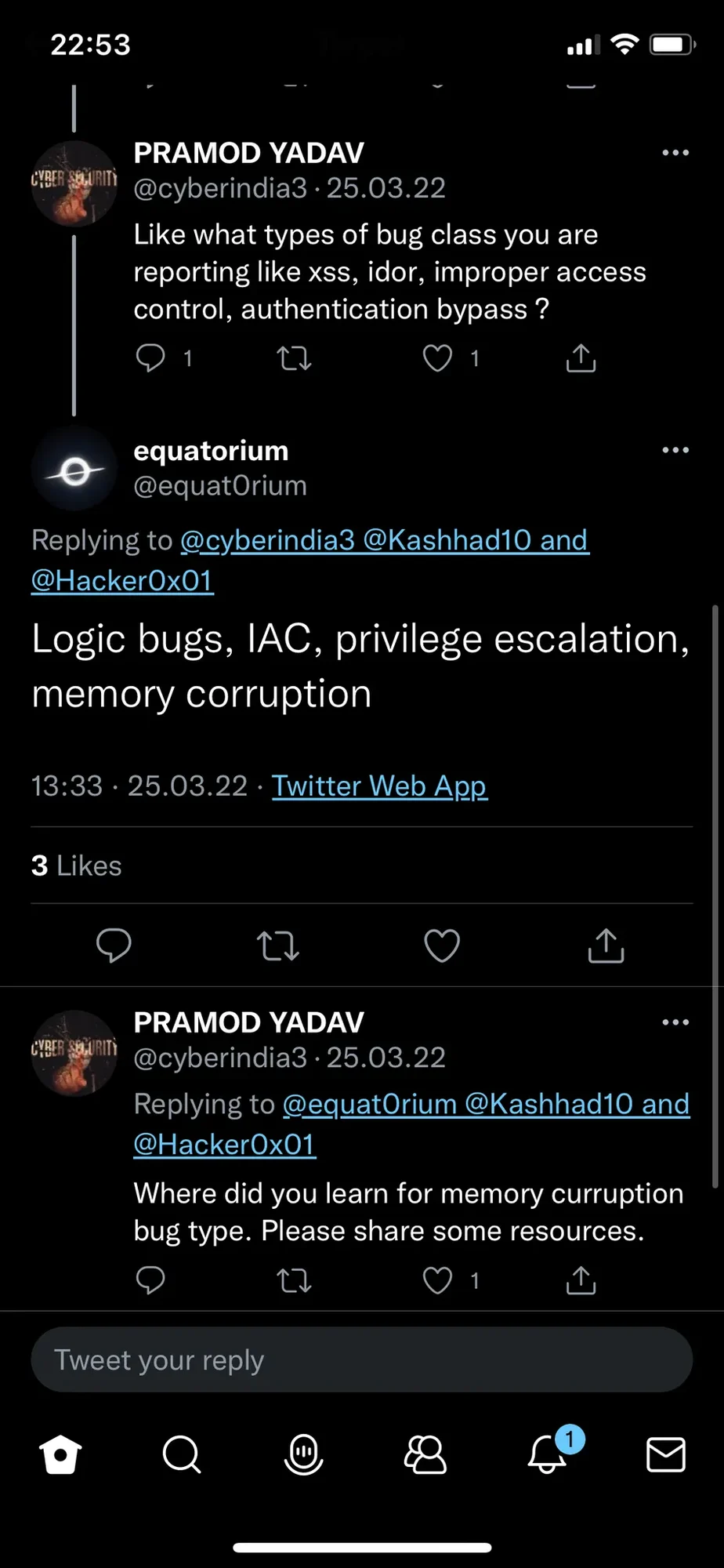
He says not to give up so fast: he has made it here using 4 HackerOne accounts, and 3 of his accounts have a negative reputation with 0 private program invitations. He suggests different approaches: iOS and Android testing, smartwatch app testing, memory corruption, source code analysis, and always searching for bugs that automated scanners cannot reach. Memory corruption is a class of bug where a program writes data outside the memory it was given, which can sometimes let an attacker take control of the program. For web application testing, he suggests looking at pro, premium and VIP services, which he says is what less than 10% of hunters are doing.
The image is a slide the researcher uses to make the point that fewer than 1% of hackers search for memory corruption.
He also asks readers to follow a 16-year-old hacker who searches for memory corruption vulnerabilities, and says that being followed by that person is one of his life goals. He invites readers to follow him on Twitter too, since he does not usually write write-ups and is not that good at explaining hacking in English.
The image shows the researcher's Twitter handle.
Finally, he mentions a YouTube channel called mind peace, whose music is aimed at hackers and programmers, and says it has helped him a lot to cool his stress and burnouts during his bug bounty journey.
Glossary
- Access control: the rules that decide who is allowed to do what in an application.
- Admin role: a user role with extra powers, here the ability to invite and delete users.
- API: Application Programming Interface, the fixed set of addresses a program exposes so other programs can talk to it.
- Autorize: a Burp Suite extension that automatically replays requests with different credentials to find access control problems.
- Backend: the server side of an application, where the real checks and data live.
- Bearer token: a long string that acts like a temporary password; whoever holds it is treated as the logged-in user.
- Blackbox: testing where you cannot see the source code and only observe outside behaviour.
- Body: the part of a request that carries data, separate from the address and the headers.
- Bug bounty program: an arrangement where a company invites independent testers to find security problems and pays for valid reports.
- Burp Suite: a program that sits between browser and website and lets you inspect and edit every request and response.
- Conditional header: a header that says "only do this if the record still looks the way I last saw it", such as
If-MatchorIf-None-Match. - Container (iOS): an isolated copy of an app's data on a phone, so the same app can be installed twice with separate logins.
- Cookie: a small piece of data a website stores in your browser after login so it recognises you next time.
- CORS: cross-origin resource sharing, the browser rules for requests from one website to another.
- Crane: an iOS tweak for creating multiple containers, used here to test mobile apps on one device.
- Endpoint: a specific address on a server that does a specific job.
- GET: the request method that asks the server to return a record.
- Hall of Fame: a public list of testers who have reported valid issues to a program.
- Header: a line of extra information attached to a request or response.
- HTTP history: Burp's ordered list of every request and response that has passed through it.
- IDOR: Insecure Direct Object Reference, where a record is identified by a simple value like a number and the server does not check that the caller may access it.
- If-Match: a conditional header carrying a fingerprint of a record; if the record no longer matches, the server returns 412.
- If-None-Match: a conditional header asking the server to send the record only if it has changed since the given fingerprint.
- Intercept: pausing a request in Burp before it leaves the browser, so you can read and edit it.
- JSON: a simple text format for structured data, made of names and values in curly braces.
- Memory corruption: a class of bug where a program writes outside the memory it was given, sometimes allowing an attacker to take control.
- N/A: Not Applicable, the status given to a report that the program decides is not a valid vulnerability.
- OPTIONS: the request method a browser uses to ask a server what it is allowed to send, especially before a cross-origin request.
- PATCH: the request method that changes part of an existing record.
- POC: Proof of Concept, a demonstration that a bug is real rather than theoretical.
- PWNfox: a tool for keeping several separate browser sessions, so you can be logged in as several users at once.
- Race condition: a bug where the result depends on which of two near-simultaneous actions finishes first.
- Repeater: a Burp tab where you can resend a single request repeatedly, changing one thing each time.
- Request: the message a browser sends to a server asking it to do something.
- Response: the message a server sends back.
- Role: a named set of permissions given to a user, such as admin or "Collateral Extended".
- Session: the period during which a website remembers you as logged in.
- Triage: the team that first reads a report and decides whether it is valid.
- Tweak (iOS): a small modification installed on a jailbroken iPhone to add or change behaviour.
- User id: the number that identifies a particular user's record on the server.
- 412 Precondition Failed: the status code returned when a conditional header's condition does not hold.
- 403 Forbidden: the status code returned when the server understands the request but refuses it because you are not allowed.