AngularJS Client-Side Template Injection: The orderBy Filter.
A URL parameter used as the sort predicate in AngularJS's orderBy filter was evaluated as an Angular expression, allowing an attacker to inject a template expression that executes JavaScript. The author demonstrated this by causing an alert to fire multiple times, though the impact was minimal on the low-priority asset.

Recently, while reading researchon the interesting vulnerabilities that arise from improper use of client-side template frameworks (like AngularJS), I knew I wanted to try this out for myself. When I came across an image bank using Angular on a VDP I’ve been exploring for the past few weeks, I knew it was the perfect…
The full write-up lives on its author's site
It belongs to its author, so we link to it rather than copy it. The other two tabs are our own rewrites, checked against it.
Context
This write-up is about client-side template injection (CSTI) in an AngularJS application, found on a low priority asset during exploration of a VDP. The application in question was an image bank built with Angular, and the feature of interest was a category page that accepted a sort URL parameter. Clicking an image category produced a URL of the form:
https://<URL>/category?sort=random{<arbitrary number>}
The parameter name and its intended function suggest it controls how the collection of images is ordered. In a normal AngularJS application this is the job of the orderBy filter, which sorts a collection according to a predicate expression. The researcher had been reading PortSwigger's research on XSS without HTML via client-side template injection with AngularJS and wanted to try the technique.
A relevant piece of background: Angular 1.6 removed the expression sandbox. The sandbox was never intended as a security mechanism, so the sandbox escapes researchers had reported were not treated as vulnerabilities, even though the Angular team kept patching the sandbox up to 1.6. Developers who assumed the sandbox protected them were left with the real problem: code that lets untrusted input be evaluated as an Angular expression. The researcher is explicit that this particular asset is low priority and the impact in this context is negligible; the interest is in the technique and in why the orderBy filter behaves the way it does.
Setup
No accounts, roles or special tooling are described. The work was done against a VDP the researcher had been exploring for a few weeks, on an image bank application using Angular. The only precondition that matters is that user-controlled input reaches an Angular expression that is evaluated against the current scope. The researcher notes that the application was relatively small, which made locating the source of the vulnerability quick once the goal was clear: find user-controlled input that would be evaluated as an expression.
Finding it
Walking through the normal flow of the application, the researcher noticed the sort URL parameter presented when clicking on an image category. The value looked like random{<arbitrary number>}. Without much thought, the parameter value was replaced with a basic test expression:
?sort={{7*7}}
The input was evaluated and reflected inside an SEO tag:
<meta property="og:url" content="https://<URL>/category?sort=49">
That confirmed the parameter was being evaluated as an Angular expression and the result written into the page. The researcher describes this as luck: a simple arithmetic expression that produced a distinctive value because it was evaluated rather than echoed.
Exploitation
Step 1: understand what the expression can reach
Angular expressions are evaluated against the scope object, not the global object. The scope is the binding between the HTML view and the JavaScript controller, and it holds the application data and objects. As a demonstration, the researcher assumes a scope like this:
$scope.imagename= "cute-cat-picture.png";$scope.getimagename= function() { return 'The current image is ' + $scope.imagename; };
Because the scope does not contain alert, an expression that calls it directly fails:
Invalid Template Expression: {{alert(1)}}
So the question becomes how to reach functions on the global object from inside the scope. The answer is the constructor property, which returns a reference to the constructor function that created an object:
let o = {}
o.constructor === Object // truelet o = new Object
o.constructor === Object // true
If no object is referenced, the property executes in the global context (window.constructor). window is a function instance, and functions in JavaScript are objects, so its constructor is Function:
constructor === Window; //trueconstructor.constructor === Function; //true (Which is the same as)window.constructor.constructor === Function; //true
Function behaves like eval() in the sense that it can create a function instance from a string used as the function body. If that string calls a global function such as alert, the result is a function that calls alert when executed:
constructor.constructor('alert(1)')() // Is the same asFunction('alert(1)'); // Which is the same asfunction () { alert(1);}
Step 2: first payload and the quote filter
The obvious payload follows directly:
{{constructor.constructor('alert(1)')()}}
It did not work. The reflection point is the SEO tag, and single quotes are sanitised there, producing a syntax error when the application evaluates the template:
<meta property="og:url" content="https://<url>/page?sort={{constructor.constructor('alert(1)')()}}">
Step 3: build the string without quotes
The problem is that everything inside the template is evaluated against the scope, so string-generating functions such as String.fromCharCode() cannot simply be called. The researcher found a way around this in a post on Angular template injection without quote characters. The payload is:
{{constructor.constructor(valueOf.name.constructor.fromCharCode(97,108,101,114,116,40,49,41,10))()}}
It works in the same way as the earlier constructor payload, with one addition. valueOf.name returns a string, and the constructor of that string is String:
valueOf.name === "valueOf" // truevalueOf.name.constructor === String // true
Because the constructor of valueOf.name is a String object, all of the functions on the String object are reachable, including fromCharCode. The character codes passed to it build the string used as the function body, so the payload both reaches a global function and avoids the quote filter.
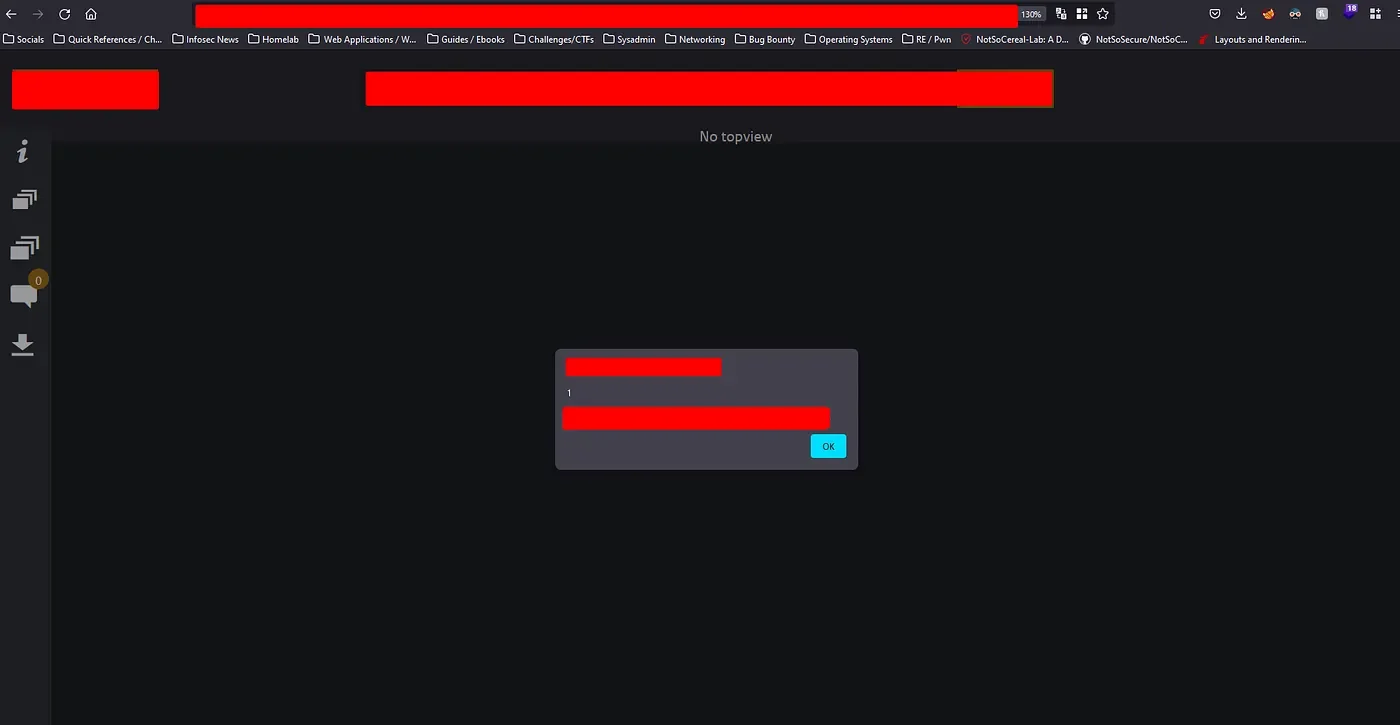
The alert popped, many times over.
Step 4: why the alert fires repeatedly
From the name of the parameter and its intended function, the researcher inferred that the injection point is an orderBy filter. The orderBy filter returns an array containing items from a specified collection, ordered by a comparator function based on values computed using an expression predicate. A developer who wants the sort to change dynamically, for example when a user clicks a table header, defines a scope property such as propertyName and passes it to orderBy instead of a static string. The parameter values then look like:
https://<url>/page?sort=imagenamehttps://<url>/page?sort=imagecategoryhttps://<url>/page?sort=imagedate
orderBy sorts a collection in three steps:
- The unsorted list is passed through a mapping function that creates a new collection with the original item or calculated value to use for comparison.
- The new list is sorted based on the value calculated for each item in the previous step.
- The sorted list is recreated from the original list in the order determined in step 2.
The first step is the dangerous one. When a string is supplied as the predicate, orderBy evaluates that predicate as an expression against each element in the collection, and the result is used for sorting. The relevant snippet from the Angular source (lines 620 to 621) is:
if (predicate !== ' ') { get = $parse(predicate);
$parse converts Angular expressions into JavaScript functions. orderBy injects a dependency on the $parse service and calls it on the supplied predicate. The resulting function is then called on every item in the collection to return the comparison object:
return getPredicateValue(predicate.get(value), index);
Each call executes the code compiled from the predicate. That is why the alert fires once per element in the collection rather than once per page load.
Root cause
The application passes user-controlled input from the sort parameter into an Angular expression that is evaluated against the scope. The orderBy filter compiles the predicate with $parse and invokes the resulting function for every item in the collection, so any expression supplied by the user runs in the page. The removal of the expression sandbox in Angular 1.6 is relevant because the sandbox was never a security mechanism, and code that evaluates untrusted input as an expression was always the underlying problem. The quote filter on the reflection point did not stop the attack, because valueOf.name.constructor reaches String.fromCharCode without needing quote characters.
Impact
The researcher describes this as a particularly low priority asset, with negligible impact in this context. The bug is a client-side template injection that executes JavaScript in the context of the page. The researcher is explicit that the impact in this context is negligible. Here, the practical effect demonstrated is the repeated alert. The researcher's broader point is that more applications are likely to be susceptible to similar naive use of templating frameworks.
Fix
The report does not describe a fix applied by the application owner.
Variants to test
- Look for parameters whose values are reflected into the page and try
{{7*7}}. - Try the constructor chain
{{constructor.constructor('alert(1)')()}}where quotes survive. A positive result is an alert, or the equivalent execution of the supplied string. - Where quotes are filtered, try the
valueOf.name.constructor.fromCharCode(...)form with the character codes of your test string. A positive result is the decoded string being executed. - Test sort, filter and search parameters that plausibly feed an
orderByor similar filter. A positive result is the payload firing once per item in the collection, which is a strong hint that the expression is being compiled and applied per element. - Check SEO and metadata tags as reflection points, since the
og:urltag here is where the evaluated expression surfaced.
What happened, in plain words
A security researcher was exploring a website that hosts images, an image bank. The site was built with a tool called AngularJS, which is a JavaScript framework: a collection of ready-made code that helps developers build interactive web pages. While clicking around, the researcher noticed that the address bar of the browser contained a parameter called sort, which appeared to control the order in which images were shown. By putting a small piece of Angular code into that parameter, the researcher found that the site actually ran it, like a calculator evaluating a sum. That is the whole bug: the site trusted whatever the visitor typed into the address bar and executed it as code inside the page.
The researcher then worked out how to turn that small trick into running real JavaScript, the programming language of web pages, and made the browser show an alert box. The alert appeared many times, which turned out to be a clue about which part of Angular was doing the work: a built-in helper called orderBy, which sorts lists. The researcher also explains why the alert repeats, and why a filter that blocked quote characters did not stop the attack.
The researcher is careful to say that this particular site was a low priority target, so the real-world damage here was negligible. The value of the write-up is in the technique and in understanding why the sorting helper behaves the way it does. The researcher had been reading public research about this class of bug and wanted to try the technique.
Background you need first
Before the steps, a few ideas from the write-up, explained from scratch.
Client-side template injection (CSTI). Many modern websites build their pages from templates: pieces of HTML with placeholders in them, a bit like a form letter with blanks to fill in. A template engine fills the blanks with data. If a site lets a visitor's text become part of the template itself, rather than just data placed into a blank, the engine will treat that text as instructions and run it. That is CSTI. The everyday comparison: a fill-in-the-blanks letter is safe, but if someone can rewrite the letter's instructions ("insert the customer's name here" changed to "insert the customer's bank balance here"), the letter does something it was never meant to do.
AngularJS and expressions. AngularJS lets developers write small snippets inside double curly braces, like {{ ... }}, directly in the HTML. Angular evaluates whatever is inside the braces and puts the result on the page. These snippets are called expressions. A harmless example is {{7*7}}, which Angular evaluates to 49.
The scope. In Angular, the scope is the object that connects the page (the view) with the JavaScript code behind it (the controller). It holds the data and functions the page is allowed to use. When Angular evaluates an expression, it looks things up in the scope, not in the wider JavaScript environment. The everyday comparison: the scope is like the list of ingredients a recipe is allowed to use. If an ingredient is not on the list, the cook cannot reach for it, even if it exists in the kitchen.
The global object and window. JavaScript running in a browser has a global object called window, which holds built-in functions available everywhere, such as alert. The scope is a smaller, curated view; window is the whole kitchen.
The constructor property. In JavaScript, every object was created by some function, and the constructor property points back to that function. It is like asking a cake which recipe produced it. This matters because it gives a way to climb from a small object up to powerful built-in functions.
Function and eval. Function is a JavaScript built-in that can turn a piece of text into a real, runnable function. eval does something similar. If the text is alert(1), the resulting function shows an alert when it is called.
The orderBy filter. Angular has helpers called filters. orderBy sorts a list (a collection) according to a rule you give it, called a predicate. The predicate says how to compute the value used for sorting each item.
The expression sandbox. Older Angular versions had a feature called the expression sandbox, which tried to restrict what expressions could reach. Angular 1.6 removed it. The researcher stresses that the sandbox was never meant to be a security mechanism, so the escapes researchers found were not treated as vulnerabilities, even though the Angular team kept patching it up to 1.6. Developers who assumed the sandbox protected them were mistaken; the real problem was always code that lets untrusted input be evaluated as an Angular expression.
VDP. A vulnerability disclosure programme: a scheme where a company invites people to report security problems, usually without paying a bounty. The researcher had been exploring this programme's sites for a few weeks.
Setup
The write-up describes no accounts, roles or special tools. The work was done against a VDP the researcher had been exploring for a few weeks, on an image bank application built with Angular. The only precondition that matters is that something the visitor controls reaches an Angular expression that gets evaluated against the scope. The researcher notes the application was relatively small, which made finding the source quick once the goal was clear: find user-controlled input that would be evaluated as an expression.
Finding it
Walking through the normal flow of the application, the researcher noticed the sort URL parameter that appeared when clicking on an image category. The value looked like this:
https://<URL>/category?sort=random{<arbitrary number>}
Line by line: https://<URL>/category is the page for a category of images. The ? starts the query string, the part of a URL that carries extra settings. sort=random{<arbitrary number>} says the list should be sorted in a random order, with a number in braces. The parameter controls how the collection of images is ordered. In a normal Angular application that is the job of the orderBy filter, which sorts a collection according to a predicate expression.
Without much thought, the researcher replaced the parameter value with a basic test expression:
?sort={{7*7}}
Line by line: ?sort= sets the parameter, and {{7*7}} is an Angular expression that multiplies 7 by 7. The point of the test is simple: if the site merely echoes the text back, the page will show {{7*7}}. If the site evaluates it, the page will show 49. A distinctive result like 49 is proof that the site is running the input as code. This is the standard first probe for CSTI.
The input was evaluated and reflected inside an SEO tag:
<meta property="og:url" content="https://<URL>/category?sort=49">
Line by line: <meta> is an HTML tag that carries information about the page rather than visible content. property="og:url" marks it as an Open Graph tag, a piece of metadata used by social networks and search engines (SEO means search engine optimisation). content="..." holds the value. The important part is sort=49: the {{7*7}} was evaluated to 49 and written into the tag. That confirmed the parameter was being evaluated as an Angular expression and the result written into the page. The researcher calls this luck: a simple arithmetic expression that produced a distinctive value because it was evaluated rather than echoed.
Exploitation
Step 1: understand what the expression can reach
Angular expressions are evaluated against the scope object, not the global object. The scope is the binding between the HTML view and the JavaScript controller, and it holds the application data and objects. As a demonstration, the researcher assumes a scope like this:
$scope.imagename= "cute-cat-picture.png";$scope.getimagename= function() { return 'The current image is ' + $scope.imagename; };
Line by line: $scope.imagename= "cute-cat-picture.png"; stores a file name in the scope under the name imagename. $scope.getimagename= function() { ... }; stores a function in the scope under the name getimagename. Inside it, return 'The current image is ' + $scope.imagename; builds a sentence by joining the text The current image is with the stored file name. The point is that the scope contains only what the developer put there: a file name and a small function. It does not contain alert.
Because the scope does not contain alert, an expression that calls it directly fails:
Invalid Template Expression: {{alert(1)}}
Line by line: {{alert(1)}} asks Angular to call alert with the value 1. Angular looks for alert in the scope, does not find it, and reports Invalid Template Expression. The everyday comparison: the recipe's ingredient list does not include salt, so the cook cannot use salt even though there is salt in the kitchen.
So the question becomes how to reach functions on the global object from inside the scope. The answer is the constructor property, which returns a reference to the constructor function that created an object:
let o = {}
o.constructor === Object // truelet o = new Object
o.constructor === Object // true
Line by line: let o = {} creates an empty object. o.constructor === Object // true checks whether the constructor of o is the built-in Object function; it is, so the comparison is true. let o = new Object creates an empty object a different way. o.constructor === Object // true again confirms the constructor is Object. The point: every object knows which function made it, and that function is reachable through constructor.
If no object is referenced, the property executes in the global context (window.constructor). window is a function instance, and functions in JavaScript are objects, so its constructor is Function:
constructor === Window; //trueconstructor.constructor === Function; //true (Which is the same as)window.constructor.constructor === Function; //true
Line by line: constructor === Window; //true says the constructor of the global context is Window. constructor.constructor === Function; //true says the constructor of that constructor is Function. window.constructor.constructor === Function; //true spells out the same thing with the full path. The point: from the global context you can climb to Function, the built-in that turns text into runnable code.
Function behaves like eval() in the sense that it can create a function instance from a string used as the function body. If that string calls a global function such as alert, the result is a function that calls alert when executed:
constructor.constructor('alert(1)')() // Is the same asFunction('alert(1)'); // Which is the same asfunction () { alert(1);}
Line by line: constructor.constructor('alert(1)')() builds a function from the text alert(1) and then calls it with the trailing (). Function('alert(1)'); is the same thing written directly. function () { alert(1); } is the function that results: when called, it shows an alert. The everyday comparison: Function is a machine that takes a written instruction and turns it into a button you can press.
Step 2: first payload and the quote filter
The obvious payload follows directly:
{{constructor.constructor('alert(1)')()}}
Line by line: the outer {{ ... }} tells Angular to evaluate the contents. constructor.constructor climbs to Function. ('alert(1)') supplies the text to turn into a function. The final () calls it. If it works, an alert appears.
It did not work. The reflection point is the SEO tag, and single quotes are sanitised there, producing a syntax error when the application evaluates the template:
<meta property="og:url" content="https://<url>/page?sort={{constructor.constructor('alert(1)')()}}">
Line by line: the payload is placed in the sort parameter, and the result is written into the og:url meta tag. The single quotes around alert(1) have been replaced with ', the HTML code for a single quote. Angular sees ' instead of a real quote, so the expression is malformed and fails with a syntax error. The everyday comparison: the site's filter swaps your quotation marks for a lookalike symbol, so the sentence no longer makes sense to the parser.
Step 3: build the string without quotes
The problem is that everything inside the template is evaluated against the scope, so string-generating functions such as String.fromCharCode() cannot simply be called. The researcher found a way around this in a post on Angular template injection without quote characters. The payload is:
{{constructor.constructor(valueOf.name.constructor.fromCharCode(97,108,101,114,116,40,49,41,10))()}}
Line by line: constructor.constructor again climbs to Function. Instead of a quoted string, the argument is built with valueOf.name.constructor.fromCharCode(...). valueOf.name is the name of the built-in valueOf function, which is the text valueOf. Its constructor is String, the built-in string object, which gives access to string helpers including fromCharCode. fromCharCode turns numbers into characters, building the string used as the function body. Together they spell alert(1) followed by a newline. The final () calls the function that Function built. No quote characters are needed anywhere.
It works in the same way as the earlier constructor payload, with one addition. valueOf.name returns a string, and the constructor of that string is String:
valueOf.name === "valueOf" // truevalueOf.name.constructor === String // true
Line by line: valueOf.name === "valueOf" // true checks that the name of valueOf is the text valueOf; it is. valueOf.name.constructor === String // true checks that the constructor of that text is the built-in String; it is. The point: because the constructor of valueOf.name is a String object, all of the functions on the String object are reachable, including fromCharCode. The character codes passed to it build the string alert(1) followed by a newline (the trailing 10), so the payload both reaches a global function and avoids the quote filter.
The image shows the result: the alert popped, many times over.
Step 4: why the alert fires repeatedly
From the name of the parameter and its intended function, the researcher inferred that the injection point is an orderBy filter. The orderBy filter returns an array containing items from a specified collection, ordered by a comparator function based on values computed using an expression predicate. In plain words: you give it a list, a rule for computing a value for each item, and it hands back the list sorted by those values. The everyday comparison: sorting a pile of books by the number of pages, where the rule is "count the pages of each book".
A developer who wants the sort to change dynamically, for example when a user clicks a table header, defines a scope property such as propertyName and passes it to orderBy instead of a static string. The parameter values then look like:
https://<url>/page?sort=imagenamehttps://<url>/page?sort=imagecategoryhttps://<url>/page?sort=imagedate
Line by line: each URL sets sort to the name of a field: imagename, imagecategory, imagedate. Clicking a different header changes the value, and the list re-sorts. The danger is that the value is treated as a rule to evaluate, not just a field name to look up.
orderBy sorts a collection in three steps:
- The unsorted list is passed through a mapping function that creates a new collection with the original item or calculated value to use for comparison.
- The new list is sorted based on the value calculated for each item in the previous step.
- The sorted list is recreated from the original list in the order determined in step 2.
In plain words: first, for every item, work out the value to sort by; second, sort those values; third, rebuild the list in that order. The everyday comparison: to sort books by page count, you first write each book's page count on a sticky note, then sort the notes, then put the books back in the order of the notes.
The first step is the dangerous one. When a string is supplied as the predicate, orderBy evaluates that predicate as an expression against each element in the collection, and the result is used for sorting. The relevant snippet from the Angular source (lines 620 to 621) is:
if (predicate !== ' ') { get = $parse(predicate);
Line by line: if (predicate !== ' ') { checks that the predicate is not a single space. get = $parse(predicate); passes the predicate to $parse, an Angular service that converts an Angular expression into a JavaScript function. The result is stored in get. The point: the text the user supplied is compiled into a function.
$parse converts Angular expressions into JavaScript functions. orderBy injects a dependency on the $parse service and calls it on the supplied predicate. The resulting function is then called on every item in the collection to return the comparison object:
return getPredicateValue(predicate.get(value), index);
Line by line: predicate.get(value) runs the compiled function on the current item, value. getPredicateValue(...) wraps the result with the item's index (its position in the list). return hands that back as the value to sort by. The point: the compiled function runs once for every item.
Each call executes the code compiled from the predicate. That is why the alert fires once per element in the collection rather than once per page load. The everyday comparison: the instruction is written on the sticky note, and the note is read once for every book.
Root cause
The application passes user-controlled input from the sort parameter into an Angular expression that is evaluated against the scope. The orderBy filter compiles the predicate with $parse and invokes the resulting function for every item in the collection, so any expression supplied by the user runs in the page. The removal of the expression sandbox in Angular 1.6 is relevant because the sandbox was never a security mechanism, and code that evaluates untrusted input as an expression was always the underlying problem. The quote filter on the reflection point did not stop the attack, because valueOf.name.constructor reaches String.fromCharCode without needing quote characters.
Impact
The researcher describes this as a particularly low priority asset, with negligible impact in this context. The bug is a client-side template injection that executes JavaScript in the context of the page. The researcher is explicit that the impact in this context is negligible. Here, the practical effect demonstrated is the repeated alert. The researcher's broader point is that more applications are likely to be susceptible to similar naive use of templating frameworks.
Fix
The report does not describe a fix applied by the application owner.
Variants to test
- Look for parameters whose values are reflected into the page and try
{{7*7}}. - Try the constructor chain
{{constructor.constructor('alert(1)')()}}where quotes survive. A positive result is an alert, or the equivalent execution of the supplied string. - Where quotes are filtered, try the
valueOf.name.constructor.fromCharCode(...)form with the character codes of your test string. A positive result is the decoded string being executed. - Test sort, filter and search parameters that plausibly feed an
orderByor similar filter. A positive result is the payload firing once per item in the collection, which is a strong hint that the expression is being compiled and applied per element. - Check SEO and metadata tags as reflection points, since the
og:urltag here is where the evaluated expression surfaced.
Glossary
- AngularJS: a JavaScript framework for building interactive web pages, where small expressions inside
{{ }}are evaluated and shown on the page. - API: an agreed way for one piece of software to ask another to do something, like a menu of services with fixed names.
- Client-side template injection (CSTI): a bug where a site lets a visitor's text become part of a page template, so the template engine runs it as instructions.
- Collection: a list of items, such as the images on a category page.
- Comparator: the rule that decides which of two values comes first when sorting.
- Constructor: the property on a JavaScript object that points to the function that created it.
- Controller: the JavaScript code in Angular that holds the data and logic behind a page.
eval: a JavaScript built-in that runs a piece of text as code.- Expression: a small snippet of Angular code inside
{{ }}that Angular evaluates to a value. - Expression sandbox: an old Angular feature that tried to restrict what expressions could reach; removed in version 1.6 and never a security boundary.
- Filter (Angular): a built-in helper that transforms data for display, such as sorting a list.
Function: a JavaScript built-in that turns text into a runnable function.- Global object: the top-level JavaScript object in a browser, called
window, holding built-in functions such asalert. - HTML: the language that describes the structure of a web page.
- JavaScript: the programming language that runs in web browsers.
- Metadata / SEO tag: information about a page, placed in
<meta>tags, used by search engines and social networks. orderBy: an Angular filter that sorts a collection according to a predicate expression.- Parameter (URL parameter): a setting carried in the address bar after the
?, written asname=value. - Predicate: the rule given to
orderBythat computes the value used to sort each item. - Query string: the part of a URL after the
?that carries parameters. - Reflection: when input a visitor supplies is written back into the page.
- Scope: the Angular object that connects the page with the controller and holds the data and functions the page may use.
$parse: an Angular service that converts an expression into a JavaScript function.String.fromCharCode: a JavaScript function that turns character codes (numbers) into text.- Syntax error: an error caused by code that is not written in a valid form, so it cannot be understood.
- VDP (vulnerability disclosure programme): a scheme where a company invites people to report security problems, often without a bounty.
- View: the HTML part of an Angular page, as opposed to the controller code.
window: the global object in a browser, holding built-in functions such asalert.- XSS (cross-site scripting): a class of bug where an attacker gets their own code to run inside someone else's web page.




