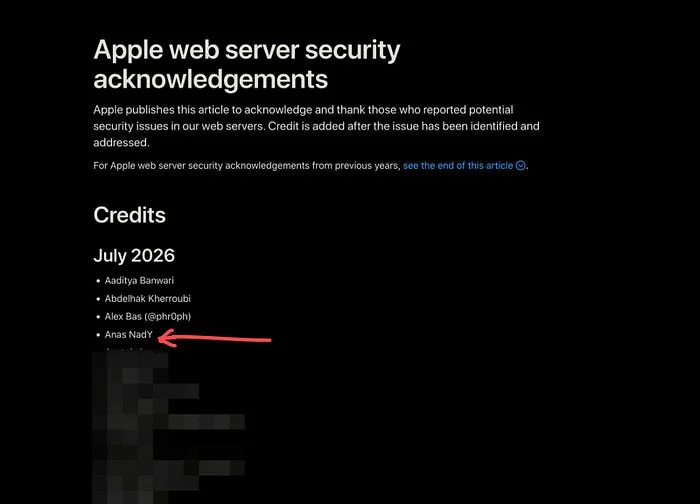
Apple HOF (July 2026): A Logic Flaw in iCloud Family Sharing
A logic flaw in iCloud Family Sharing let a Family Organizer accept an invitation sent to a secondary email on the same device, which triggered a leave-and-join workflow and permanently disbanded the group. The Organizer lost management privileges and shared services, and connected devices showed an infinite loading loop.

medium.com
Published on medium.com
Bug Bounty
The full write-up lives on its author's site
It belongs to its author, so we link to it rather than copy it. The other two tabs are our own rewrites, checked against it.
Context
iCloud Family Sharing lets one person act as the Family Organizer and invite other people into a group that shares services such as Apple Music, iCloud+ storage and purchased apps. Membership is tied to Apple IDs, and the Organizer role carries the management rights for the group.
The feature normally enforces a simple rule: an Apple ID that already belongs to a family group cannot be invited into, or join, another one. The researcher looked at what happens around that rule when the invitation is accepted from a secondary email address rather than the primary Apple ID, on a device that is already signed in as the Organizer.
The finding is a business logic vulnerability: a Family Organizer could inadvertently disband their own Family Group. Apple's Product Security team validated the report, patched it and acknowledged it, and the researcher re-tested the flow afterwards.
Setup
The test needed only one person and two email addresses:
- Account A, the primary Apple ID (for example
[redacted]), which is the sole Organizer and the only member of an active iCloud Family Group. - Account B, a secondary email address managed by the same person (for example
[redacted]), used as the invitation target. - One iPhone, signed in with Account A, with the native Mail app available to open the invitation.
No special tooling is described. The precondition that matters is the single-member group: Account A is both Organizer and the only member, so the group has no other member to keep it alive if the Organizer leaves.
Finding it
The researcher was exploring how Family Sharing handles invitations. A direct self-invitation is blocked with the message "The member is already in the family group". But when the invitation is accepted through a secondary email client on the same device, the check does not connect the device's active primary Apple ID with ownership of the target Family Group.
The same human and the same device were involved on both sides of the flow: the Organizer sent the invite, and the Organizer's device accepted it. If the backend evaluated the secondary email as an unrelated new user, the acceptance would be processed as a join request against a group that the accepting identity supposedly was not part of.
Exploitation
Step 1: Confirm the group state
Ensure Account A ([redacted]) is the sole Organizer and only member of an active iCloud Family Group. This is the condition that makes the later cascade destructive: there is no second member to preserve the group.
Step 2: Invite the secondary address
From Account A, send a Family Sharing invitation to Account B, a secondary email address managed by the same person ([redacted]). The invitation is a normal Family Sharing invite; the report shows no request or response for it.
Step 3: Open Mail on the same device
On the same iPhone currently signed in with Account A, open the native Mail app. The device identity (Account A) and the invitation recipient (Account B) now coexist on one device.
Step 4: Open the invitation email
Open the invitation email that was sent to Account B.
Step 5: Accept the invitation
Tap the "Accept Invitation" link within the email.
Step 6: Observe the prompt
A system pop-up appears with a confusing prompt:
You are already in a family group with only you. Do you want to leave current group and join with this?
The prompt asks whether to leave the current group and join with this one. In other words, the acceptance path is about to run a leave-and-join workflow against the Organizer's own group.
Step 7: Accept the prompt
Tap Accept. The backend treats the secondary email as a completely distinct user attempting to join. Because the group has only one member, the leave-and-join logic runs as a destructive cascade: the Organizer leaves, the group is left with zero members, and it is automatically disbanded. The system then fails to handle the orphaned state gracefully, producing UI glitches and false "Invitation Expired" errors.
Root cause
The weakness is a lack of holistic state validation during the invitation acceptance flow. The system validates the isolated identifier (the secondary email address receiving the invite) but does not correlate the device's active primary Apple ID with ownership of the target Family Group.
The existing defence, the direct self-invitation check that returns "The member is already in the family group", only covers the case where the same identifier is used on both sides. It does not cover the case where a second identifier owned by the same person is used to accept an invitation on a device already signed in as the Organizer.
Once the secondary email is treated as a distinct user, the group's single-member state makes the leave-and-join logic destructive: the Organizer's departure empties the group, and the automatic disbandment follows. The subsequent handling of the orphaned state is where the UI glitches and the false "Invitation Expired" errors come from.
Impact
The report notes that the vulnerability involved the Organizer intentionally sabotaging their own group. Within that condition, the impact on system integrity was severe:
- Permanent group disbandment: the Family Group was immediately destroyed, severing all shared services (Apple Music, iCloud+ storage, purchased apps).
- Privilege loss: the Organizer permanently lost their management role and could not easily restore the group without complex recovery steps.
- State corruption on connected devices: the Family Sharing interface disappeared and connected devices entered an infinite loading loop.
Fix
Apple's Product Security team investigated the invitation acceptance workflow and deployed a targeted system update that introduced robust state correlation:
- Enhanced identity checking: the system now actively checks whether the device accepting the invitation is already signed in as the Organizer of the target Family Group, regardless of which email address received the invite.
- Preventive blocking: if a match is detected, the action is blocked gracefully with a clear, accurate warning, for example:
You cannot join this Family Group as you are already the Organizer
- State preservation: the Family Group remains fully intact and all management interfaces continue to function normally.
The researcher re-tested the flow and confirmed the issue was completely resolved.
Variants to test
The lesson is that workflows must validate the holistic context of the user, not just the isolated identifier. Concrete things to try:
- Secondary-identifier acceptance on the owner's device. Invite an alias, secondary email or alternate login that you own, then accept it on a device already signed in as the group owner. A positive result is a prompt or flow that offers to leave the current group, or any change to the owner's membership state.
- Single-member groups. Repeat the flow where the owner is the only member. A positive result is disbandment or loss of the owner role, since there is no second member to keep the group alive.
- Direct self-invitation as a control. Invite the same identifier that is already in the group. A positive result is the expected block message; if that block is missing, the narrower check has regressed too.
- Alternate acceptance clients. Accept the invitation from a different mail client, a webmail session or a browser on the same device. A positive result is the same leave-and-join prompt appearing outside the native Mail app.
- Post-failure state handling. After any destructive membership change, inspect the group UI and connected devices. A positive result is an orphaned state, an infinite loading loop or a false "Invitation Expired" error, which indicates the recovery path is not graceful.
- Other shared-resource groups. Apply the same pattern to teams, organisations or shared subscriptions where an owner can invite an address they also control. A positive result is any workflow that evaluates the invited identifier without checking the accepting session's role in the target group.
What happened, in plain words
Apple's iCloud Family Sharing lets one person, called the Family Organizer, invite other people into a group. Everyone in the group can share things like Apple Music, extra iCloud storage and apps they have bought. The Organizer is the person who manages the group.
There is a simple rule in the feature: if an Apple ID is already in a family group, it cannot be invited into, or join, another one. The researcher looked at what happens around that rule when the invitation is accepted from a second email address instead of the main Apple ID, on a phone that is already signed in as the Organizer.
The result was a business logic vulnerability. In plain words, that means the software did exactly what it was programmed to do, but the rules it followed were incomplete, so a normal sequence of actions led to a bad outcome. Here, a Family Organizer could accidentally destroy their own Family Group. Apple's Product Security team checked the report, fixed the problem and acknowledged it, and the researcher tested the flow again afterwards.
Background: what the product and feature do
iCloud Family Sharing is a feature of Apple's account system. Each person has an Apple ID, which is the account they sign in with. One person in the group is the Organizer, and that role carries the management rights: the Organizer can invite people, remove them and generally run the group.
Membership is tied to Apple IDs. The feature normally enforces the simple rule above: an Apple ID that already belongs to a family group cannot be invited into, or join, another one. The researcher's question was what happens to that rule when the invitation is accepted from a secondary email address rather than the primary Apple ID, on a device that is already signed in as the Organizer.
A useful comparison: think of a gym that only lets you hold one membership at a time. The front desk checks your membership card at the door. If you walk in with a different card that belongs to you, the desk may not realise it is the same person, and let you sign up for a second membership, cancelling the first one in the process. The check was real, but it only looked at the card, not at the person holding it.
Setup
The test needed only one person and two email addresses:
- Account A, the primary Apple ID (for example
[redacted]), which is the sole Organizer and the only member of an active iCloud Family Group. - Account B, a secondary email address managed by the same person (for example
[redacted]), used as the invitation target. - One iPhone, signed in with Account A, with the native Mail app available to open the invitation.
No special tooling is described. The precondition that matters is the single-member group: Account A is both Organizer and the only member, so the group has no other member to keep it alive if the Organizer leaves.
Why this setup matters: the whole test is about identity confusion. One real person controls both email addresses and one phone. If the system treats the two addresses as two different people, it can be tricked into a state that makes no sense in the real world.
Finding it
The researcher was exploring how Family Sharing handles invitations. A direct self-invitation is blocked with the message "The member is already in the family group". But when the invitation is accepted through a secondary email client on the same device, the check does not connect the device's active primary Apple ID with ownership of the target Family Group.
The same human and the same device were involved on both sides of the flow: the Organizer sent the invite, and the Organizer's device accepted it. If the backend evaluated the secondary email as an unrelated new user, the acceptance would be processed as a join request against a group that the accepting identity supposedly was not part of.
A short note on the word backend: the backend is the part of a service that runs on the company's servers and makes the decisions. The app on your phone is the front end; it shows screens and sends your choices to the backend, which checks the rules and stores the result. The bug lived in the backend's rules, not in the screen.
Exploitation
Step 1: Confirm the group state
Ensure Account A ([redacted]) is the sole Organizer and only member of an active iCloud Family Group. This is the condition that makes the later cascade destructive: there is no second member to preserve the group.
Why this step comes first: the researcher needed to know the starting state before changing anything. If the group had other members, the Organizer leaving would not empty it, and the group would survive. With one member, the Organizer leaving leaves nobody behind, and that is what turns a normal leave-and-join into a group that disappears.
Step 2: Invite the secondary address
From Account A, send a Family Sharing invitation to Account B, a secondary email address managed by the same person ([redacted]). The invitation is a normal Family Sharing invite; the report shows no request or response for it.
Why this step: the researcher wanted an invitation that was genuinely issued by the Organizer, but addressed to a second identity. That sets up the confusion later: the invite is real, the sender is the Organizer, and the recipient is an address the same person controls.
Step 3: Open Mail on the same device
On the same iPhone currently signed in with Account A, open the native Mail app. The device identity (Account A) and the invitation recipient (Account B) now coexist on one device.
Why this step: this is the heart of the test. The phone is signed in as the Organizer, but the email being opened belongs to the second address. The system now has two pieces of identity information in one place, and the question is whether it connects them.
Step 4: Open the invitation email
Open the invitation email that was sent to Account B.
Why this step: the invitation email contains the link that starts the acceptance process. Opening it is how the researcher reaches the flow that the bug lives in.
Step 5: Accept the invitation
Tap the "Accept Invitation" link within the email.
Why this step: this is the action that tells the backend to process a join. Everything before this was preparation; this is the moment the system has to decide who is joining and which group they are joining.
Step 6: Observe the prompt
A system pop-up appears with a confusing prompt:
You are already in a family group with only you. Do you want to leave current group and join with this?
Line by line, in plain words:
- "You are already in a family group with only you": the system has noticed that the accepting context is already in a group, and that the group has just one member. That one member is the Organizer.
- "Do you want to leave current group and join with this?": the system is offering to remove the accepting identity from its current group and add it to the group named in the invitation.
The prompt asks whether to leave the current group and join with this one. In other words, the acceptance path is about to run a leave-and-join workflow against the Organizer's own group.
A comparison: it is as if a club member asks to join the club again, and the receptionist says, "You are already a member, and you are the only member. Shall I cancel your membership so you can join?" The receptionist has all the facts but has not put them together.
Step 7: Accept the prompt
Tap Accept. The backend treats the secondary email as a completely distinct user attempting to join. Because the group has only one member, the leave-and-join logic runs as a destructive cascade: the Organizer leaves, the group is left with zero members, and it is automatically disbanded. The system then fails to handle the orphaned state gracefully, producing UI glitches and false "Invitation Expired" errors.
Why this step matters: tapping Accept is the normal thing a user would do when asked a yes or no question. The user is not attacking anything; they are following the prompt. The damage comes from the backend's decision to treat the second address as a stranger, and from the automatic rule that a group with zero members is disbanded.
A cascade here means one change triggers the next: the Organizer leaves, the group becomes empty, the empty group is deleted, and the screens that expected a group no longer have one to show. An orphaned state is a situation the software was not designed to handle, like a file that points to a folder that no longer exists.
Root cause
The weakness is a lack of holistic state validation during the invitation acceptance flow. The system validates the isolated identifier (the secondary email address receiving the invite) but does not correlate the device's active primary Apple ID with ownership of the target Family Group.
In plain words: validation means checking that an action is allowed. Holistic means looking at the whole picture rather than one piece. The system checked the email address on the invitation, but it did not check who was signed in on the phone that was accepting it.
The existing defence, the direct self-invitation check that returns "The member is already in the family group", only covers the case where the same identifier is used on both sides. It does not cover the case where a second identifier owned by the same person is used to accept an invitation on a device already signed in as the Organizer.
Once the secondary email is treated as a distinct user, the group's single-member state makes the leave-and-join logic destructive: the Organizer's departure empties the group, and the automatic disbandment follows. The subsequent handling of the orphaned state is where the UI glitches and the false "Invitation Expired" errors come from.
UI stands for user interface, the screens and buttons you see. A false error is an error message shown when nothing is actually wrong with the user's action; here the app reported that an invitation had expired even though the real problem was the broken group state.
Impact
The report notes that the vulnerability involved the Organizer intentionally sabotaging their own group. Within that condition, the impact on system integrity was severe:
- Permanent group disbandment: the Family Group was immediately destroyed, severing all shared services (Apple Music, iCloud+ storage, purchased apps).
- Privilege loss: the Organizer permanently lost their management role and could not easily restore the group without complex recovery steps.
- State corruption on connected devices: the Family Sharing interface disappeared and connected devices entered an infinite loading loop.
A note on privilege: a privilege is a right to do something, such as managing a group. Losing the Organizer role means losing those rights. State corruption means the stored information about the group no longer matches what the screens expect, which is why devices kept loading forever instead of showing an error they could recover from.
Fix
Apple's Product Security team investigated the invitation acceptance workflow and deployed a targeted system update that introduced robust state correlation:
- Enhanced identity checking: the system now actively checks whether the device accepting the invitation is already signed in as the Organizer of the target Family Group, regardless of which email address received the invite.
- Preventive blocking: if a match is detected, the action is blocked gracefully with a clear, accurate warning, for example:
You cannot join this Family Group as you are already the Organizer
Line by line, in plain words:
- "You cannot join this Family Group": the action is refused, so the destructive leave-and-join never starts.
- "as you are already the Organizer": the message explains the real reason, so the user understands the situation instead of seeing a confusing question.
- State preservation: the Family Group remains fully intact and all management interfaces continue to function normally.
The researcher re-tested the flow and confirmed the issue was completely resolved.
State correlation means joining the dots between pieces of information: here, between the signed-in account on the device and the owner of the group being joined. The fix does not remove the ability to invite a second address; it makes the system look at the whole picture before acting.
Variants to test
The lesson is that workflows must validate the holistic context of the user, not just the isolated identifier. Concrete things to try:
- Secondary-identifier acceptance on the owner's device. Invite an alias, secondary email or alternate login that you own, then accept it on a device already signed in as the group owner. A positive result is a prompt or flow that offers to leave the current group, or any change to the owner's membership state.
- Single-member groups. Repeat the flow where the owner is the only member. A positive result is disbandment or loss of the owner role, since there is no second member to keep the group alive.
- Direct self-invitation as a control. Invite the same identifier that is already in the group. A positive result is the expected block message; if that block is missing, the narrower check has regressed too.
- Alternate acceptance clients. Accept the invitation from a different mail client, a webmail session or a browser on the same device. A positive result is the same leave-and-join prompt appearing outside the native Mail app.
- Post-failure state handling. After any destructive membership change, inspect the group UI and connected devices. A positive result is an orphaned state, an infinite loading loop or a false "Invitation Expired" error, which indicates the recovery path is not graceful.
- Other shared-resource groups. Apply the same pattern to teams, organisations or shared subscriptions where an owner can invite an address they also control. A positive result is any workflow that evaluates the invited identifier without checking the accepting session's role in the target group.
A control, in item 3, is a test you run to confirm the normal behaviour still works. If the old block message is gone, the fix may have broken something else. A session, in item 6, is the state of being signed in: the browser or app holds proof of who you are, and the server uses it to decide what you may do.
Glossary
- Apple ID: the account a person uses to sign in to Apple services.
- Backend: the part of a service that runs on the company's servers and makes the decisions.
- Business logic vulnerability: a flaw in the rules the software follows, rather than in its code or encryption, so normal actions lead to a bad outcome.
- Cascade: a chain of effects where one change triggers the next.
- Control (test): a test run to confirm that normal, expected behaviour still works.
- Disbandment: the deletion of a group, here because it was left with zero members.
- Family Organizer: the member of an iCloud Family Group who holds the management rights.
- Family Sharing: the iCloud feature that lets a group share services such as Apple Music, iCloud+ storage and purchased apps.
- Front end: the part of a service the user sees and interacts with, such as the app on a phone.
- Holistic state validation: checking the whole situation, not just one piece of it, before allowing an action.
- Identifier: a piece of information that names an account or person, such as an email address.
- Orphaned state: a situation where stored information points to something that no longer exists, which the software was not designed to handle.
- Privilege: a right to perform an action, such as managing a group.
- Prompt: a pop-up asking the user to confirm or choose something.
- Secondary email address: an additional address a person controls, used here as the invitation target instead of the primary Apple ID.
- Session: the state of being signed in, with proof of identity that the server uses to decide what you may do.
- State correlation: joining the dots between separate pieces of information, such as the signed-in account and the group owner.
- State corruption: stored information that no longer matches what the screens expect, causing errors or endless loading.
- UI (user interface): the screens, buttons and messages a user sees.
- Validation: checking that an action is allowed before carrying it out.




