From Recon to Optimizing RCE Results - Simple Story with One of the Biggest ICT Company in the World
The author found credentials and internal IP address patterns through GitHub reconnaissance and Google dorking, then discovered an outdated Atlassian Crowd instance vulnerable to CVE-2019-11580, an unauthenticated remote code execution flaw. Exploiting it gave root access to a server on the internal network, allowing access to internal assets.

medium.com
Published on medium.com
Bug Bounty
The full write-up lives on its author's site
It belongs to its author, so we link to it rather than copy it. The other two tabs are our own rewrites, checked against it.
Context
This is a story about chaining three separate weaknesses against one of the biggest ICT companies in the world: sensitive data exposure on GitHub, information disclosure through Google dorks, and an unauthenticated RCE in an outdated Atlassian Crowd instance. The end result was access to the company's internal network. The program owner gave the author permission to publish the article.
The target is a large ICT company with a bug bounty / responsible disclosure program. The author had been active on the program for a few months and had already collected thousands of subdomains and more than 90 findings within about three months. The third stage, the RCE, was found on an out-of-scope asset, so it carried no bounty; the second stage produced a payout of 9,000 USD.
The article splits the work into three stages:
- GitHub recon for credentials and internal IP addresses, including the patterns behind both, plus learning the target's development culture (frameworks used).
- Google dorking with the discovered password pattern against an internal development subdomain.
- Finding an outdated Atlassian Crowd instance vulnerable to CVE-2019-11580, exploiting it for root, and using the earlier data from inside the internal network.
Setup
The author started in December 2019, planning to optimise hunting against a target he was already active on, with the hope of getting an RCE and reaching internal assets. Preconditions and tools mentioned:
- A GitHub account, used for manual code search.
- A large subdomain enumeration result set from earlier work.
- aquatone, specifically its capture feature, to review the subdomain results visually.
- A public exploit for CVE-2019-11580, one copy at
https://github.com/jas502n/CVE-2019-11580. - A machine of the author's own to host a Python reverse shell script and a listener.
- The PentestMonkey reverse shell cheatsheet, which the author normally uses.
No specific versions of the target's software are given beyond the Atlassian Crowd being v.2.x and affected by CVE-2019-11580.
Finding it
Stage 1: GitHub recon
The author went back to basics on GitHub to look for credentials and other information. The point is not only to find credentials and test whether they are valid, but also to extract patterns. Three things were collected:
- Credentials, valid or not, to find the pattern behind the default password that an administrator may give every user when creating an account. About 50 different passwords were found.
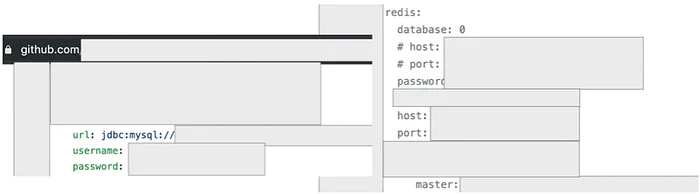
- IP addresses, to learn the pattern. This serves two purposes. First, it supports the report: analysts review reports before they reach the program owner, and knowing the pattern helps decide whether a repository really belongs to the target or is a false alarm. The author says this method alone produced at least 5 P1s.
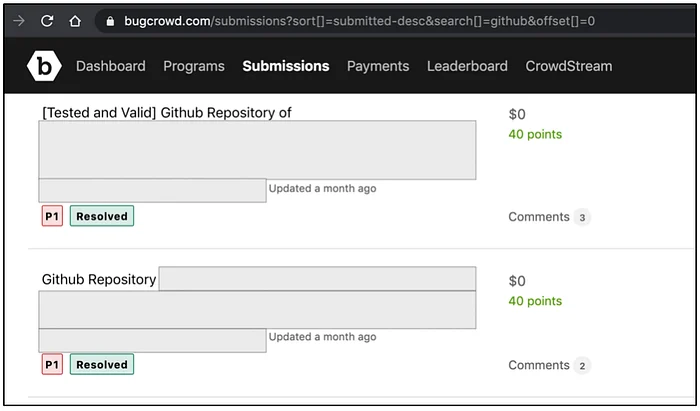
Second, the pattern makes it easier to connect to a found asset once internal network access is obtained later.
- The development culture: after about 16 hours of recon spread over a few days (around 2 to 3 hours a day), the author identified patterns of the frameworks used to build internal applications. This helps identify which assets belong to the target and can help source code reviewers find weaknesses.
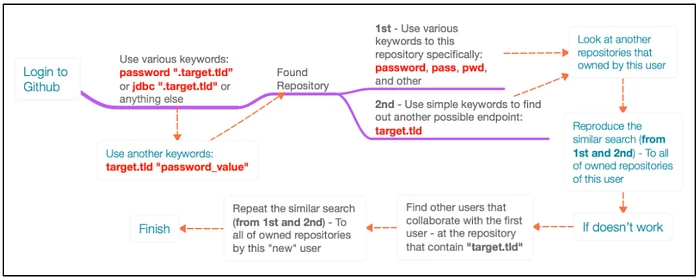
The search technique uses keywords such as:
password ".target.tld", wherepasswordcan be replaced with telnet, ftp, ssh, mysql, jdbc, oracle and similar terms.target.tld "password_value_here".
The author notes that the two keyword forms return different results. Once a repository with a target password is found, the next steps are:
- Check whether the same user stores other target credentials in that repository or in other repositories they own, searching with keywords such as
password,pwd,pass.


-
Check whether the repository contains other endpoint information, searching with a keyword such as
target.tld. -
If neither works, find other users who collaborate on the repository, visit their accounts, and repeat steps 1 and 2.
The author addresses the obvious question about automation: manual activity takes time with no guarantee of results, and public automation tools did not find much of what the manual work found. Combining both is the sensible approach.
Stage 2: Google dork
With the password patterns in hand, the author used a simple Google dork combining an internal (private) subdomain with a password pattern. The internal subdomain was found during the first stage: an interesting subdomain that contained several more subdomains, which the author assumes is part of the development area.

Because these are internal subdomains, they cannot be accessed from the public internet. The dork used was:
site:*.subx.target.tld AND intext:'one_of_password_pattern_value_here'
The goal was to find sensitive information containing the password pattern that might be indexed at that subdomain, even though the subdomain itself requires internal access. It worked.
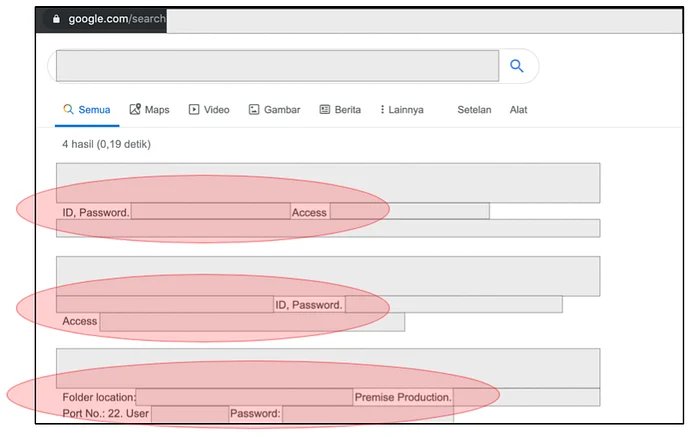
The results included credentials for web and other services such as FTP or SSH, other endpoints, internal IP addresses and more. Some of the information was reachable from the public internet; some required internal access. The author notes that the keywords can be varied to enumerate more: replace the password pattern in the intext parameter with the first two octets of a found IP address, product names (Oracle, MySQL, MSSQL), service names (FTP, SSH, DB), common login keywords (password, pwd, pass, username, userid) or login-related terms (dashboard, cms).
About 4 accounts found this way could access the in-scope program portal and had access to customer data. These accounts used a password pattern found during the GitHub recon.
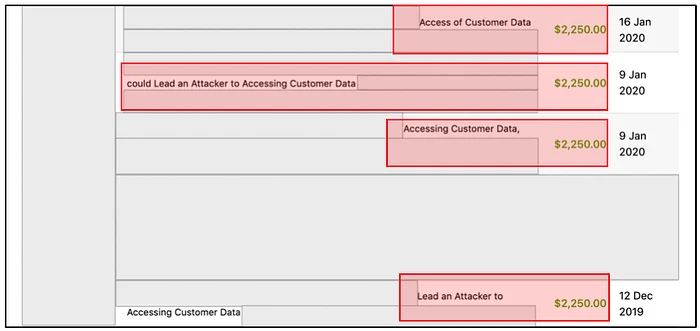
The author also accessed a super admin account, which was not on an in-scope asset, containing many big-name client companies and a lot of transaction data. No screenshot of that portal is provided. Other endpoints reachable with the found accounts contained a lot of sensitive information.

Information that required internal access was kept for later, along with the GitHub recon results.
Stage 3: Finding the outdated Atlassian Crowd
Despite reporting almost all issues from stages 1 and 2 that were publicly reachable, the author still had no internal access. Reviewing the subdomain enumeration results with aquatone's capture feature, an endpoint that looked old stood out. It contained only a few words with clickable links, one of which was crowd. The other links contained nothing exploitable. Visiting the crowd link redirected to a subdomain running an Atlassian Crowd application.
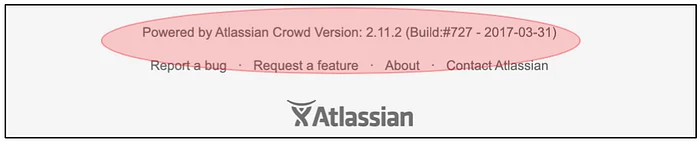
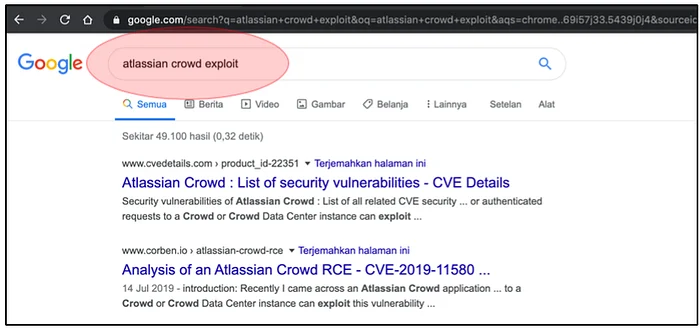
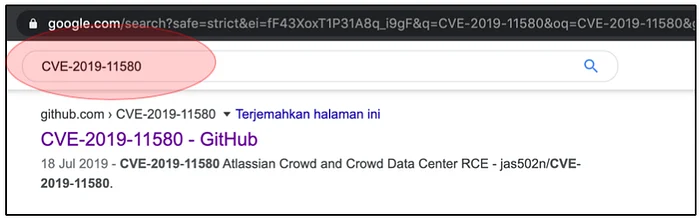
During fast testing the author focuses on three things: used accounts and passwords, patches not yet applied (obsolete or outdated versions), and configuration mistakes. A Google dork turned up exploit information, and the used version was affected by an unauthenticated RCE tracked as CVE-2019-11580.
Exploitation
Step 1: Confirm the target is vulnerable
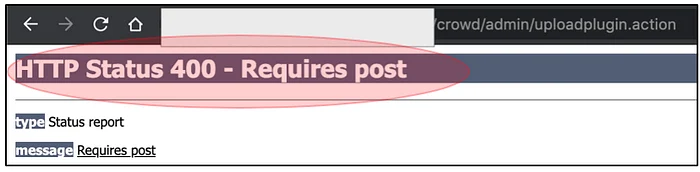
Visit the uploadplugin.action endpoint under the /admin/ path. If the application returns an error message HTTP Status 400 - Requires POST, the application is most likely vulnerable to this RCE. This indicates the plugin is available and can be used without authentication.
Step 2: Run the public exploit
Download the working exploit, one copy of which is at https://github.com/jas502n/CVE-2019-11580, and execute it against the target. If the target is vulnerable, a web shell appears automatically.
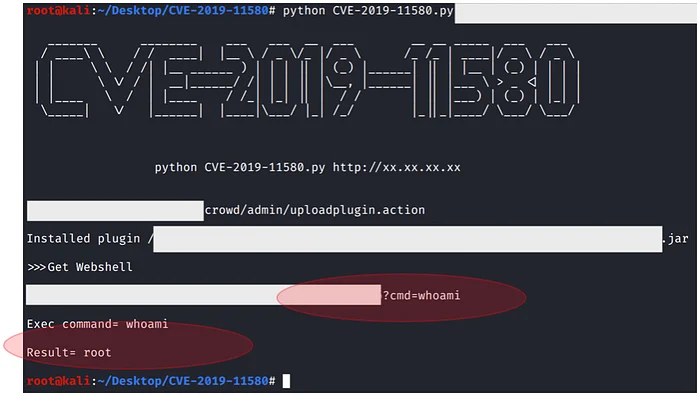
The web shell is reached in a browser at the /crowd/plugins/servlet/exp?cmd=command_here endpoint, replacing command_here with an OS command.

The author summarises three favourable conditions:
- No valid username or password is needed, hence unauthenticated / pre-authenticated RCE.
- The RCE runs as the root user, so no privilege escalation is needed.
- No security perimeter protects the application, so exploitation met no difficulty.
Step 3: Get an interactive shell
The web shell does not provide an interactive shell that can pass input to the OS. The PentestMonkey reverse shell cheatsheet commands did not work, most likely because the application filters special characters such as >, &, ' and ". Instead, the author hosted a simple Python reverse shell script on his own machine and forced the target to download it through the web shell.
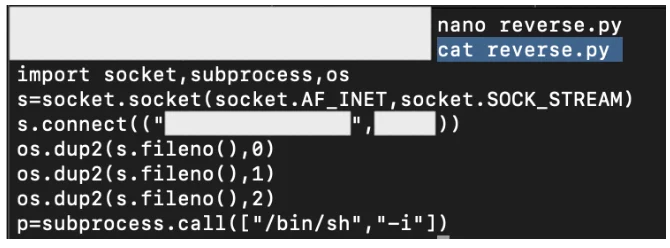

The script arrived on the target but was not executable, so it was chmodded to 700, which was possible because access was already root.


With the script executable, a listener was set up on the author's server:
$ nc -lvp <our_port>
Then the Python script was executed on the target through the deployed web shell.
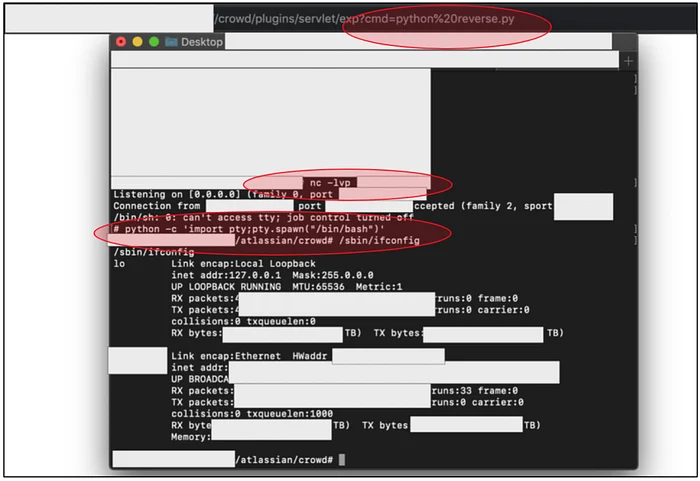

The first connection is not yet a fully interactive shell. Running a simple Python command upgrades it:
python -c 'import pty;pty.spawn("/bin/bash")'
From there the author had an interactive shell and could connect to the database and other services.
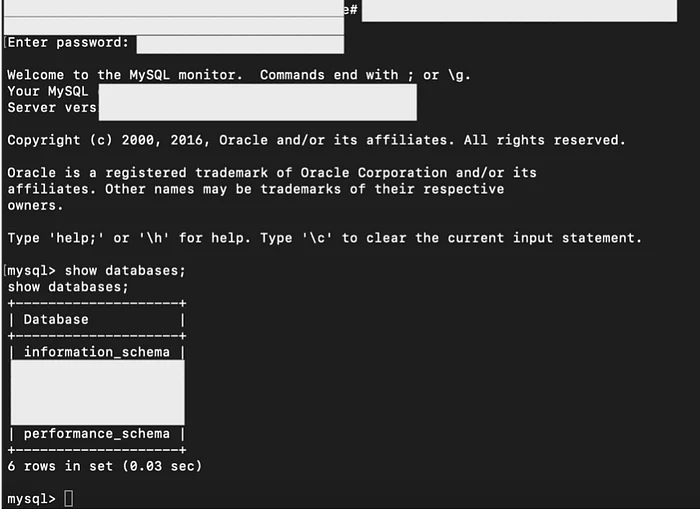
Step 4: Confirm internal network position
The server sits in the target's internal network. Pinging several public assets returned internal IP address responses, confirming access to the internal network of the company. The internal information kept from stages 1 and 2 could now be used from inside.

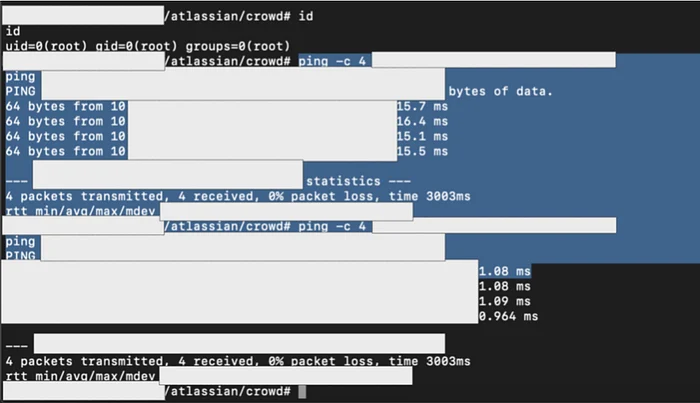
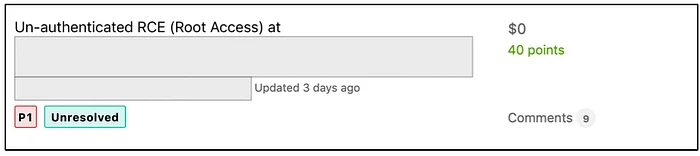
The author states he did not execute anything further; he only showed what could be done with the data from the previous stages, and warns against doing this in bug hunting without permission. The issue was reported and received a nice response.

Step 5: Logging into Crowd's database
Atlassian Confluence was also installed on the server. The author had no prior knowledge of how Confluence and Crowd integrate, but reasoned that if a database connection is visible via netstat, the database connection configuration is likely on the server too, commonly storing credentials in cleartext. A reference article explained that the credentials are stored in the <confluence_home>/confluence.cfg.xml file.
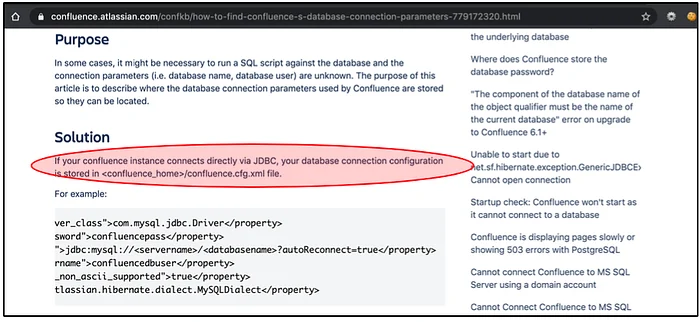

Using the locate command, since the exact location was unknown, the file was found under /opt.
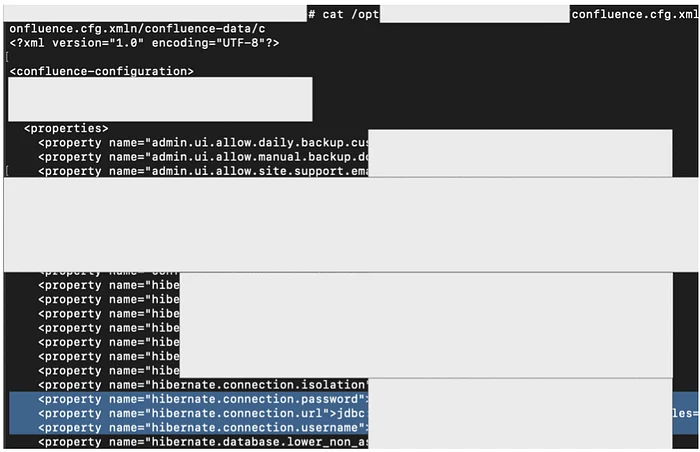
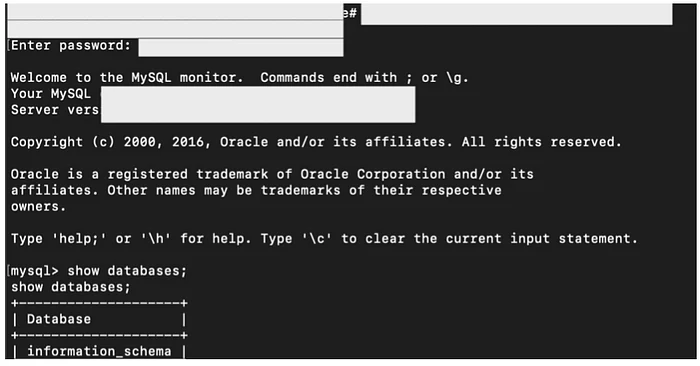
The connection string was in cleartext, and the author logged into the database.
Step 6: Creating an account through Crowd's REST API
Stored passwords are encrypted. The author considered brute forcing but judged it a poor choice with limited time unless a strong cracking machine is available. Replacing the administrator hash with the hash for admin is possible and documented by Atlassian, but the author did not do it: without permission it should not be done, and replacing the password would alert the administrator or developer that something is wrong.
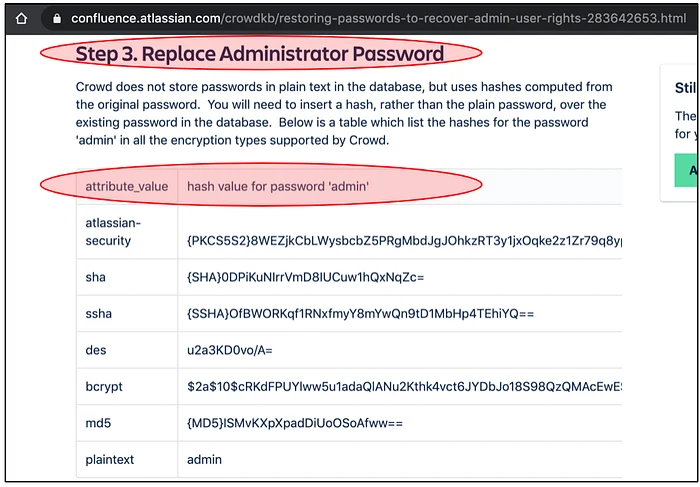
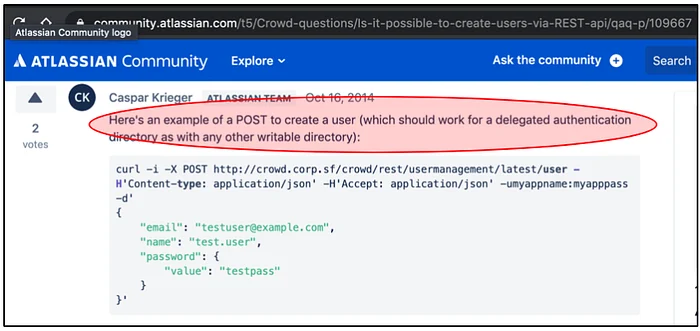
Instead, the author chose to create a new account to demonstrate the risk to the program owner. Creating an account without logging in is possible through REST as long as the Crowd administrator password is known. Because the affected Crowd version was v.2.x, the referenced article still applied.
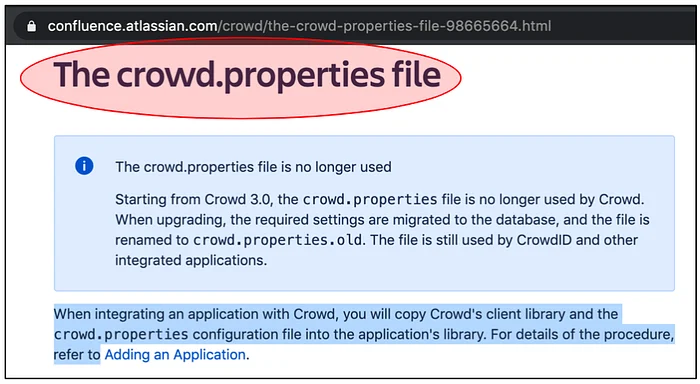
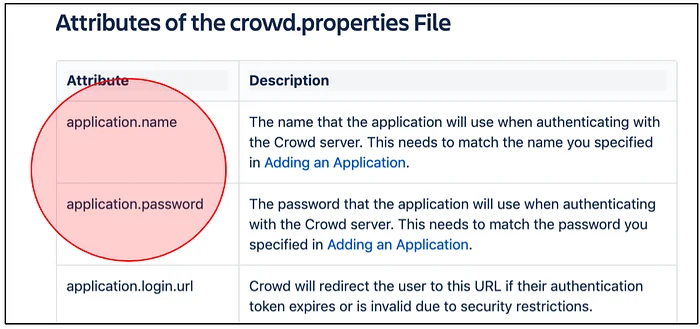
The location of the crowd.properties file was found with locate.
Creating the account
The request takes the following form:
curl -i -X POST http://subdomain.target.com/crowd/rest/usermanagement/latest/user?username=your_new_user_here -H 'Content-type: application/json' -H 'Accept: application/json' -u crowd_administrator_username_here:crowd_administrator_password_here -d'> {> "email": "[redacted]",> "name": "your_new_user_here",> "password": {> "value": "your_new_user_password_here"> }> }> '
Placeholders:
your_new_user_here: the username to create.crowd_administrator_username_here: the Crowd administrator username.crowd_administrator_password_here: the Crowd administrator password.[redacted]: the email for the new user.your_new_user_password_here: the password for the new account.
On success the response is:
HTTP/1.1 201 CreatedServer: Apache-Coyote/1.1 Redacted.
Activating the account
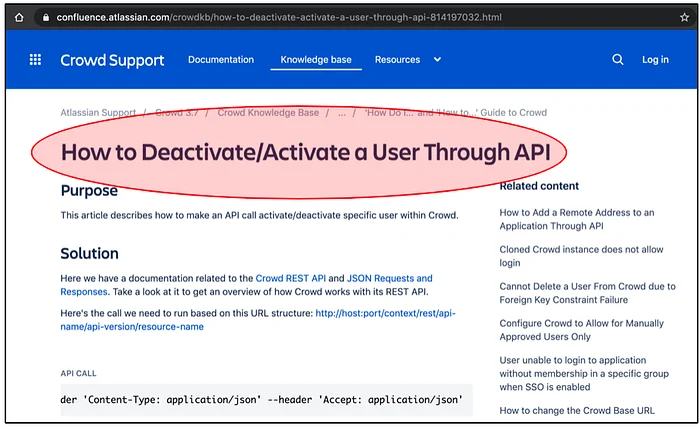
The account still needs activation. The administrator could activate it, which is not practical, so the author activated it with another REST API call:
curl -i -u crowd_administrator_username_here:crowd_administrator_password_here -X PUT --data '{"name":"your_new_user_here", "active":"true"}' http://subdomain.target.com/crowd/rest/usermanagement/1/user?username=your_new_user_here --header 'Content-Type: application/json' --header 'Accept: application/json'
Placeholders:
your_new_user_here: the username created earlier.
On success the response is:
HTTP/1.1 204 No Content Server: Apache-Coyote/1.1 Redacted.
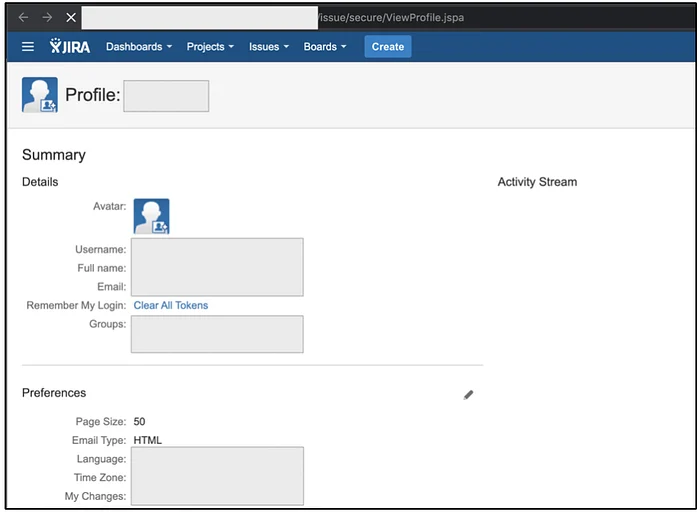
After that, the author could log into the application.
Root cause
Three separate weaknesses combined:
- Developers published credentials and internal IP addresses in public GitHub repositories, and reused a password pattern across accounts. The pattern made guessing and dorking practical.
- Sensitive information containing that pattern was indexed by Google on an internal development subdomain, so it could be retrieved without internal access.
- An Atlassian Crowd instance was running an outdated version affected by CVE-2019-11580, an unauthenticated RCE. The plugin endpoint was reachable without authentication, the process ran as root, and no security perimeter protected the application. The database connection configuration for the co-installed Confluence stored credentials in cleartext in
confluence.cfg.xml, and the Crowd administrator credentials incrowd.propertiesallowed account creation through REST.
Impact
- About 4 accounts found through the dork could access the in-scope program portal and customer data.
- A super admin account on an out-of-scope asset exposed many big-name client companies and a lot of transaction data.
- The RCE gave root on a server inside the internal network, with direct internal access to non-public and most public assets, and no firewall or other perimeter in the way.
- From inside, the author could reach the database and other services, and could create and activate a Crowd account through REST using the administrator credentials.
The RCE itself was on an out-of-scope asset and carried no bounty. The second stage produced 9,000 USD.
Fix
One screenshot shows an issue marked resolved although it had not yet been updated on the author's side. The report does not describe the specific remediation applied.
Variants to test
- GitHub keyword pairs: search
password ".target.tld"andtarget.tld "password_value_here", and swappasswordfor telnet, ftp, ssh, mysql, jdbc, oracle. A positive result is a repository containing target credentials or endpoints; then pivot to the owner's other repositories and to collaborators. - Google dork against internal subdomains:
site:*.subx.target.tld AND intext:'one_of_password_pattern_value_here'. A positive result is indexed pages containing credentials, endpoints or internal IP addresses. Vary theintextvalue with the first two octets of an IP, product names, service names, and login keywords such as dashboard or cms. - Crowd vulnerability check: request
uploadplugin.actionunder/admin/. A response ofHTTP Status 400 - Requires POSTsuggests the plugin is reachable without authentication and the instance is likely vulnerable to CVE-2019-11580. - Web shell access: visit
/crowd/plugins/servlet/exp?cmd=command_herewith a harmless command. A positive result is command output in the response. - Confluence credential location: run
locateforconfluence.cfg.xmland inspect the file. A positive result is a cleartext database connection string. - Crowd account creation: send the POST to
/crowd/rest/usermanagement/latest/userwith valid administrator credentials. A201 Createdresponse confirms the ability to create accounts; follow with the PUT to/crowd/rest/usermanagement/1/userand a204 No Contentresponse confirms activation.
Lessons learned
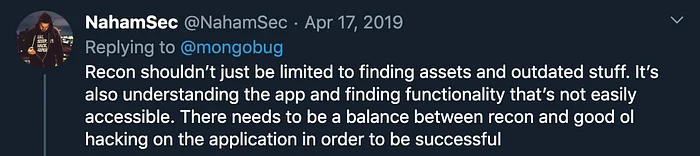
- Recon is not only asset discovery: it includes learning how the API works and the target's development culture. The author quotes @NahamSec: recon should also mean understanding the app and finding functionality that is not easily accessible, with a balance between recon and hacking the application.
- Do not throw away hunt results. The first stage results were reused in the second stage.
- Enjoy bug hunting and do not focus only on bounties, especially when starting out. Testing legal targets that offer responsible disclosure but no bounty builds knowledge of technologies you would not otherwise meet.
- Go back to basics.
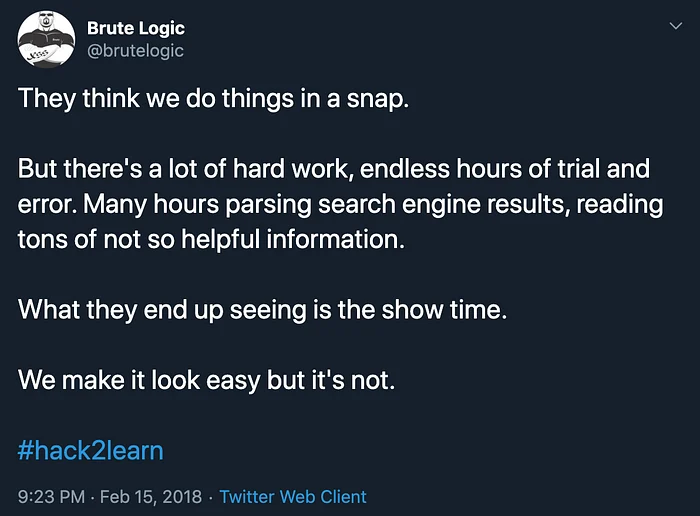
- The author quotes @BruteLogic on how much trial and error sits behind what looks easy.
What happened, in plain words
This is the story of how one researcher got inside the internal network of one of the biggest ICT (information and communication technology) companies in the world. He did not break in through a single clever trick. He stacked three ordinary weaknesses on top of each other, like a burglar who first finds a spare key under a doormat, then uses it to read the building's floor plan, and finally finds a back door that was never locked.
The three weaknesses were:
-
Passwords and internal addresses left in public on GitHub. GitHub is a website where programmers store and share the code they write. Some of the company's developers had put real passwords and internal network addresses into public code repositories (folders of code anyone can read). The author collected these, and more importantly, worked out the pattern the company used when it made up passwords.
-
Google had indexed secret pages. Google is the search engine everyone uses. It had crawled and stored pages from an internal development area of the company, pages that were never meant to be public. Because the author knew the password pattern, he could search Google for pages containing that pattern and find them.
-
An old, unpatched piece of software with a known hole. The company ran an old version of a login-management product called Atlassian Crowd. That version had a publicly known flaw (a bug that lets an outsider run commands on the server). The author used a ready-made tool to exploit it, got full control of the server, and discovered the server sat inside the company's internal network.
The program owner (the company running the bug bounty programme) gave the author permission to publish this article. A bug bounty programme is a scheme where a company invites outside researchers to find security problems and report them, usually paying a reward (a bounty) for good reports. The third stage, the RCE, was found on an asset that was out of scope (not covered by the programme's rules), so it earned no bounty. The second stage produced a payout of 9,000 USD.
The author had been working on this target for a few months and had already collected thousands of subdomains (smaller addresses under the company's main domain) and more than 90 findings in about three months.
The article is organised in three stages, and this beginner's version follows the same order:
- Searching GitHub for credentials and internal IP addresses, and learning the patterns behind both, plus learning how the company builds its software (its development culture).
- Using Google search tricks (called dorks) with the discovered password pattern against an internal development subdomain.
- Finding an outdated Atlassian Crowd instance vulnerable to a flaw tracked as CVE-2019-11580, exploiting it to get the highest level of access on the server (root), and then using the earlier data from inside the internal network.
Setup
The author started in December 2019. He planned to optimise his hunting against a target he was already active on, hoping to get an RCE and reach internal assets. Here is what he needed before starting:
- A GitHub account, used for manual code search. GitHub lets you search the text of public code, which is how the credentials were found.
- A large subdomain enumeration result set from earlier work. Subdomain enumeration means listing all the smaller addresses that belong to a company, for example
mail.example.comordev.example.comwhen the main site isexample.com. Each subdomain can be a different system, and some are forgotten or old. - aquatone, specifically its capture feature. Aquatone is a tool that takes a list of subdomains, visits each one, and saves a picture (a screenshot) of what the page looks like. The author used these pictures to review his subdomain results visually, like flipping through a photo album of the company's systems.
- A public exploit for CVE-2019-11580, one copy of which is at
https://github.com/jas502n/CVE-2019-11580. A public exploit is code someone has already written and shared that abuses a known flaw. You do not have to write it yourself; you download and run it. - A machine of the author's own to host a Python reverse shell script and a listener. A reverse shell is a way to make the victim server connect back to your machine, giving you a command prompt on the server. A listener is a small program on your machine that waits for that connection.
- The PentestMonkey reverse shell cheatsheet, which the author normally uses. A cheatsheet here is a list of ready-made one-line commands for different situations.
The report gives no specific versions of the target's software beyond the Atlassian Crowd being v.2.x and affected by CVE-2019-11580.
Finding it
Stage 1: GitHub recon
The author went back to basics on GitHub to look for credentials and other information. The point is not only to find credentials and test whether they are valid. It is also to extract patterns. A pattern is the habit behind the data: if every password looks like CompanyName plus a season plus a year, then knowing the habit lets you guess passwords you have never seen.
Three things were collected:
- Credentials, valid or not, to find the pattern behind the default password that an administrator may give every user when creating an account. About 50 different passwords were found.
- IP addresses, to learn the pattern. An IP address is the numeric address of a computer on a network, like a postal address for machines. This serves two purposes. First, it supports the report: analysts review reports before they reach the program owner, and knowing the pattern helps decide whether a repository really belongs to the target or is a false alarm. The author says this method alone produced at least 5 P1s. P1 is the highest priority level in many bug bounty programmes, meaning a serious issue.
Second, the pattern makes it easier to connect to a found asset once internal network access is obtained later. If you already know which addresses belong to the company, you recognise them when you are inside.
- The development culture: after about 16 hours of recon spread over a few days (around 2 to 3 hours a day), the author identified patterns of the frameworks used to build internal applications. A framework is a set of ready-made building blocks programmers use to build software faster. Knowing which framework a company uses helps you recognise which assets belong to it, and can help people who are good at reading source code find weaknesses.
The search technique uses keywords such as:
password ".target.tld", wherepasswordcan be replaced with telnet, ftp, ssh, mysql, jdbc, oracle and similar terms. Here.target.tldstands for the company's domain name (the part after the@in an email address). Searching for a password word next to the company's domain finds code where someone typed both together, which is often a real credential.target.tld "password_value_here".
The author notes that the two keyword forms return different results. GitHub's search is not fully predictable, so trying several phrasings is worthwhile.
Once a repository with a target password is found, the next steps are:
- Check whether the same user stores other target credentials in that repository or in other repositories they own, searching with keywords such as
password,pwd,pass.
-
Check whether the repository contains other endpoint information, searching with a keyword such as
target.tld. An endpoint is a specific address on a server that does one job, for example a login page or an upload page. Finding endpoints tells you where the company's systems live. -
If neither works, find other users who collaborate on the repository, visit their accounts, and repeat steps 1 and 2. People who work together often share the same habits, so one developer's account can lead to another's.
The author addresses the obvious question about automation: manual activity takes time with no guarantee of results, and public automation tools did not find much of what the manual work found. Combining both is the sensible approach. Automation here means tools that do the searching for you; they are fast but miss things a human notices.
Stage 2: Google dork
With the password patterns in hand, the author used a simple Google dork combining an internal (private) subdomain with a password pattern. A Google dork is a search query that uses special operators to find things Google has indexed that were not meant to be found. Indexed means Google has visited the page, copied it, and stored it in its search database, so it can appear in results.
The internal subdomain was found during the first stage: an interesting subdomain that contained several more subdomains, which the author assumes is part of the development area.
Because these are internal subdomains, they cannot be accessed from the public internet. You cannot simply type the address into a browser and reach them. But Google may still have crawled them at some point, and that copy is what the dork searches.
The dork used was:
site:*.subx.target.tld AND intext:'one_of_password_pattern_value_here'
Line by line:
site:*.subx.target.tldtells Google to only look at pages whose address is undersubx.target.tld, including any subdomain of it (the*means any).ANDmeans both conditions must be true.intext:'one_of_password_pattern_value_here'tells Google to only return pages whose visible text contains that exact password pattern.
The goal was to find sensitive information containing the password pattern that might be indexed at that subdomain, even though the subdomain itself requires internal access. It worked.
The results included credentials for web and other services such as FTP or SSH, other endpoints, internal IP addresses and more. FTP is an old protocol for transferring files; SSH is a protocol for logging into another computer's command line. Some of the information was reachable from the public internet; some required internal access.
The author notes that the keywords can be varied to enumerate more. Enumerate means to list out systematically, one by one. Replace the password pattern in the intext parameter with:
- the first two octets of a found IP address (an octet is one of the four numbers in an IP address, so the first two octets of
[redacted]are10.20), - product names (Oracle, MySQL, MSSQL, which are database products),
- service names (FTP, SSH, DB),
- common login keywords (password, pwd, pass, username, userid),
- login-related terms (dashboard, cms). A CMS is a content management system, software for publishing web pages.
About 4 accounts found this way could access the in-scope program portal and had access to customer data. These accounts used a password pattern found during the GitHub recon.
The author also accessed a super admin account, which was not on an in-scope asset, containing many big-name client companies and a lot of transaction data. No screenshot of that portal is provided. Other endpoints reachable with the found accounts contained a lot of sensitive information.
Information that required internal access was kept for later, along with the GitHub recon results. This is the key habit of the whole story: nothing found is thrown away, because a later stage may make it useful.
Stage 3: Finding the outdated Atlassian Crowd
Despite reporting almost all issues from stages 1 and 2 that were publicly reachable, the author still had no internal access. Reviewing the subdomain enumeration results with aquatone's capture feature, an endpoint that looked old stood out. It contained only a few words with clickable links, one of which was crowd. The other links contained nothing exploitable. Visiting the crowd link redirected to a subdomain running an Atlassian Crowd application.
Atlassian Crowd is a product that manages user accounts and logins for many applications at once. Think of it as a single reception desk that checks the identity of everyone who wants to enter any of the company's buildings, instead of each building having its own guard. If the reception desk is compromised, every building is exposed.
During fast testing the author focuses on three things:
- Used accounts and passwords (weak or default logins).
- Patches not yet applied (obsolete or outdated versions). A patch is an update that fixes a known problem.
- Configuration mistakes (settings left in an unsafe state).
A Google dork turned up exploit information, and the used version was affected by an unauthenticated RCE tracked as CVE-2019-11580. RCE stands for remote code execution: an attacker can make the server run commands of their choosing. Unauthenticated means it works without any username or password. CVE stands for Common Vulnerabilities and Exposures; it is a public catalogue where each known flaw gets a permanent ID number, like a case number for a crime.
Exploitation
Step 1: Confirm the target is vulnerable
Visit the uploadplugin.action endpoint under the /admin/ path. If the application returns an error message HTTP Status 400 - Requires POST, the application is most likely vulnerable to this RCE. This indicates the plugin is available and can be used without authentication.
In plain words: the address is something like https://the-subdomain/admin/uploadplugin.action. A plugin is an add-on that extends a program's features. The error HTTP Status 400 - Requires POST means the server understood the request but refuses it because it expects a different kind of request (a POST, which carries data, rather than a simple GET, which just asks for a page). The important part is that the server answered at all without asking for a login, which shows the plugin is reachable by anyone.
Step 2: Run the public exploit
Download the working exploit, one copy of which is at https://github.com/jas502n/CVE-2019-11580, and execute it against the target. If the target is vulnerable, a web shell appears automatically. A web shell is a small program placed on the server that lets you run commands through your browser, as if the server's command line were a web page.
The web shell is reached in a browser at the /crowd/plugins/servlet/exp?cmd=command_here endpoint, replacing command_here with an OS command. An OS command is an instruction to the server's operating system, for example whoami (which prints the current user) or ls (which lists files).
The author summarises three favourable conditions:
- No valid username or password is needed, hence unauthenticated / pre-authenticated RCE.
- The RCE runs as the root user, so no privilege escalation is needed. Root is the all-powerful administrator account on a Linux server; privilege escalation means climbing from a limited account to a more powerful one, which was unnecessary here.
- No security perimeter protects the application, so exploitation met no difficulty. A security perimeter is a layer of protection such as a firewall (a filter that blocks unwanted network traffic).
Step 3: Get an interactive shell
The web shell does not provide an interactive shell that can pass input to the OS. An interactive shell is a command prompt where you type a command and immediately see the answer, like a conversation. The web shell only runs one command per request, which is clumsy. The PentestMonkey reverse shell cheatsheet commands did not work, most likely because the application filters special characters such as >, &, ' and ". Filtering means the program removes or blocks certain characters, which breaks commands that rely on them.
Instead, the author hosted a simple Python reverse shell script on his own machine and forced the target to download it through the web shell. Python is a popular programming language; a script is a small program saved as a file.
The script arrived on the target but was not executable, so it was chmodded to 700, which was possible because access was already root. chmod is the Linux command that sets file permissions. The number 700 means the owner can read, write and execute the file, while everyone else has no access. A file that is not marked executable cannot be run as a program.
With the script executable, a listener was set up on the author's server:
$ nc -lvp <our_port>
Line by line:
$is the shell prompt, not part of the command.ncis netcat, a small tool that can open network connections and listen for them.-lmeans listen.-vmeans verbose, so it prints details about what happens.-pmeans the next value is the port to listen on.<our_port>is a placeholder for the port number the author chose. A port is a numbered doorway on a computer that a particular service uses.
Then the Python script was executed on the target through the deployed web shell.
The first connection is not yet a fully interactive shell. Running a simple Python command upgrades it:
python -c 'import pty;pty.spawn("/bin/bash")'
Line by line:
pythonruns the Python interpreter.-cmeans the next argument is a command to run directly.import ptyloads a Python module calledpty, which handles pseudo-terminals. A terminal is the text interface where you type commands; a pseudo-terminal makes a remote connection behave like a real one.pty.spawn("/bin/bash")starts a new Bash shell (the standard Linux command prompt) attached to that pseudo-terminal.
From there the author had an interactive shell and could connect to the database and other services. A database is organised storage for data, like a very large, well-indexed filing cabinet.
Step 4: Confirm internal network position
The server sits in the target's internal network. Pinging several public assets returned internal IP address responses, confirming access to the internal network of the company. Pinging means sending a small test message to a computer to see whether it answers. The answers came from internal addresses, which proves the server can reach machines that outsiders cannot. The internal information kept from stages 1 and 2 could now be used from inside.
The author states he did not execute anything further; he only showed what could be done with the data from the previous stages, and warns against doing this in bug hunting without permission. The issue was reported and received a nice response.
Step 5: Logging into Crowd's database
Atlassian Confluence was also installed on the server. Confluence is Atlassian's product for team documentation, like a shared wiki. The author had no prior knowledge of how Confluence and Crowd integrate, but reasoned that if a database connection is visible via netstat, the database connection configuration is likely on the server too, commonly storing credentials in cleartext. netstat is a command that lists active network connections. Cleartext means stored as readable text, not scrambled or encrypted.
A reference article explained that the credentials are stored in the <confluence_home>/confluence.cfg.xml file. A configuration file is a settings file that a program reads when it starts.
Using the locate command, since the exact location was unknown, the file was found under /opt. locate searches a pre-built index of all file names on the system, which is much faster than walking through every folder by hand.
The connection string was in cleartext, and the author logged into the database. A connection string is the line of text that tells a program where the database is and which username and password to use.
Step 6: Creating an account through Crowd's REST API
Stored passwords are encrypted. Encrypted means scrambled so that it cannot be read without the right key. The author considered brute forcing but judged it a poor choice with limited time unless a strong cracking machine is available. Brute forcing means trying every possible password until one works, which is slow.
Replacing the administrator hash with the hash for admin is possible and documented by Atlassian, but the author did not do it. A hash is a one-way scramble of a password: the system stores the scrambled value, and when you log in it scrambles what you typed and compares the two. Without permission it should not be done, and replacing the password would alert the administrator or developer that something is wrong.
Instead, the author chose to create a new account to demonstrate the risk to the program owner. Creating an account without logging in is possible through REST as long as the Crowd administrator password is known. REST is a style of web API where each address represents a thing (a user, a group) and standard request types (GET to read, POST to create, PUT to update) act on it. An API is a way for one program to talk to another, like a service counter where you hand over a request form and get back an answer, without going behind the counter yourself.
Because the affected Crowd version was v.2.x, the referenced article still applied.
The location of the crowd.properties file was found with locate. A .properties file is a plain settings file used by Java programs.
Creating the account
The request takes the following form:
curl -i -X POST http://subdomain.target.com/crowd/rest/usermanagement/latest/user?username=your_new_user_here -H 'Content-type: application/json' -H 'Accept: application/json' -u crowd_administrator_username_here:crowd_administrator_password_here -d'> {> "email": "[redacted]",> "name": "your_new_user_here",> "password": {> "value": "your_new_user_password_here"> }> }> '
Line by line:
curlis a command-line tool for sending web requests.-itells curl to show the response headers as well as the body. Headers are the small labels at the top of a web response that describe it, such as its status code.-X POSTsets the request type to POST, which is used to create something.http://subdomain.target.com/crowd/rest/usermanagement/latest/user?username=your_new_user_hereis the address. The part after?is the query string, extra information passed in the address; here it names the user to create.-H 'Content-type: application/json'tells the server the body is formatted as JSON. JSON is a simple text format for structured data, using curly braces and quotes.-H 'Accept: application/json'tells the server we want a JSON answer back.-u crowd_administrator_username_here:crowd_administrator_password_heresupplies the username and password for the request, separated by a colon. This is called basic authentication.-d'...'supplies the body of the request, the data being sent. The>characters at the start of each line are the shell's way of showing a continued line; they are not part of the JSON.- The JSON body has three fields:
email,nameandpassword, withpassworditself containing avaluefield.
Placeholders:
your_new_user_here: the username to create.crowd_administrator_username_here: the Crowd administrator username.crowd_administrator_password_here: the Crowd administrator password.[redacted]: the email for the new user.your_new_user_password_here: the password for the new account.
On success the response is:
HTTP/1.1 201 CreatedServer: Apache-Coyote/1.1 Redacted.
Line by line:
HTTP/1.1is the version of the web protocol being used.201 Createdis the status code meaning the server created the thing you asked for. Status codes are three-digit numbers: 2xx means success, 4xx means you did something wrong, 5xx means the server had a problem.Server: Apache-Coyote/1.1is a header telling you which server software answered.Redacted.stands for further headers that were removed before publication.
Activating the account
The account still needs activation. The administrator could activate it, which is not practical, so the author activated it with another REST API call:
curl -i -u crowd_administrator_username_here:crowd_administrator_password_here -X PUT --data '{"name":"your_new_user_here", "active":"true"}' http://subdomain.target.com/crowd/rest/usermanagement/1/user?username=your_new_user_here --header 'Content-Type: application/json' --header 'Accept: application/json'
Line by line:
curl -iagain shows the response headers.-u crowd_administrator_username_here:crowd_administrator_password_heresupplies the administrator login.-X PUTsets the request type to PUT, which is used to update an existing thing.--data '{"name":"your_new_user_here", "active":"true"}'sends a JSON body that names the user and setsactivetotrue, which switches the account on.- The address
http://subdomain.target.com/crowd/rest/usermanagement/1/user?username=your_new_user_herepoints at the user record, with the username in the query string. --header 'Content-Type: application/json'and--header 'Accept: application/json'do the same job as the-Hoptions above;--headeris just the long form of-H.
Placeholders:
your_new_user_here: the username created earlier.
On success the response is:
HTTP/1.1 204 No Content Server: Apache-Coyote/1.1 Redacted.
Line by line:
204 No Contentmeans the server did what was asked and has nothing to send back. It is a success code.Server: Apache-Coyote/1.1again names the server software.Redacted.again stands for removed headers.
After that, the author could log into the application.
Root cause
Three separate weaknesses combined:
- Developers published credentials and internal IP addresses in public GitHub repositories, and reused a password pattern across accounts. The pattern made guessing and dorking practical. Reusing a pattern is like every employee of a company choosing a password made from the company name plus their birth year: once you know the recipe, every account becomes guessable.
- Sensitive information containing that pattern was indexed by Google on an internal development subdomain, so it could be retrieved without internal access.
- An Atlassian Crowd instance was running an outdated version affected by CVE-2019-11580, an unauthenticated RCE. The plugin endpoint was reachable without authentication, the process ran as root, and no security perimeter protected the application. The database connection configuration for the co-installed Confluence stored credentials in cleartext in
confluence.cfg.xml, and the Crowd administrator credentials incrowd.propertiesallowed account creation through REST.
Impact
- About 4 accounts found through the dork could access the in-scope program portal and customer data.
- A super admin account on an out-of-scope asset exposed many big-name client companies and a lot of transaction data.
- The RCE gave root on a server inside the internal network, with direct internal access to non-public and most public assets, and no firewall or other perimeter in the way.
- From inside, the author could reach the database and other services, and could create and activate a Crowd account through REST using the administrator credentials.
The RCE itself was on an out-of-scope asset and carried no bounty. The second stage produced 9,000 USD.
Fix
One screenshot shows an issue marked resolved although it had not yet been updated on the author's side. The report does not describe the specific remediation applied.
- Remove credentials from public repositories and stop reusing password patterns.
- Prevent indexing of internal subdomains (the credits reference Google's
noindexguidance, which is a tag that tells search engines not to list a page). - Patch Atlassian Crowd against CVE-2019-11580.
- Avoid running the application as root.
- Place a security perimeter in front of the application.
- Avoid storing database credentials in cleartext in
confluence.cfg.xml.
Variants to test
- GitHub keyword pairs: search
password ".target.tld"andtarget.tld "password_value_here", and swappasswordfor telnet, ftp, ssh, mysql, jdbc, oracle. A positive result is a repository containing target credentials or endpoints; then pivot to the owner's other repositories and to collaborators. - Google dork against internal subdomains:
site:*.subx.target.tld AND intext:'one_of_password_pattern_value_here'. A positive result is indexed pages containing credentials, endpoints or internal IP addresses. Vary theintextvalue with the first two octets of an IP, product names, service names, and login keywords such as dashboard or cms. - Crowd vulnerability check: request
uploadplugin.actionunder/admin/. A response ofHTTP Status 400 - Requires POSTsuggests the plugin is reachable without authentication and the instance is likely vulnerable to CVE-2019-11580. - Web shell access: visit
/crowd/plugins/servlet/exp?cmd=command_herewith a harmless command. A positive result is command output in the response. - Confluence credential location: run
locateforconfluence.cfg.xmland inspect the file. A positive result is a cleartext database connection string. - Crowd account creation: send the POST to
/crowd/rest/usermanagement/latest/userwith valid administrator credentials. A201 Createdresponse confirms the ability to create accounts; follow with the PUT to/crowd/rest/usermanagement/1/userand a204 No Contentresponse confirms activation.
Lessons learned
- Recon is not only asset discovery. It includes learning how the API works and the target's development culture. The author quotes @NahamSec: recon should also mean understanding the app and finding functionality that is not easily accessible, with a balance between recon and hacking the application.
- Do not throw away hunt results. The first stage results were reused in the second stage.
- Enjoy bug hunting and do not focus only on bounties, especially when starting out. Testing legal targets that offer responsible disclosure but no bounty builds knowledge of technologies you would not otherwise meet.
- Go back to basics.
- The author quotes @BruteLogic on how much trial and error sits behind what looks easy.
Glossary
- API: a way for one program to talk to another, like a service counter where you hand over a request and get an answer.
- Asset: any system, server or address that belongs to a company and is part of its attack surface.
- Atlassian Crowd: a product that manages user accounts and logins for many applications at once.
- Atlassian Confluence: Atlassian's product for team documentation, like a shared wiki.
- Automation: using tools to do repetitive work for you, fast but sometimes missing what a human notices.
- Basic authentication: sending a username and password in a request, separated by a colon.
- Brute forcing: trying every possible password until one works.
- Bug bounty programme: a scheme where a company invites outside researchers to find and report security problems, usually paying a reward.
- chmod: the Linux command that sets file permissions.
- Cleartext: stored as readable text, not scrambled or encrypted.
- CMS: content management system, software for publishing web pages.
- Configuration file: a settings file a program reads when it starts.
- Connection string: the line of text that tells a program where a database is and which username and password to use.
- CVE: Common Vulnerabilities and Exposures, a public catalogue where each known flaw gets a permanent ID number.
- Database: organised storage for data, like a very large, well-indexed filing cabinet.
- Development culture: the habits and tools a company's programmers use, such as which frameworks they build with.
- Dork (Google dork): a search query using special operators to find things Google has indexed that were not meant to be found.
- Encrypted: scrambled so it cannot be read without the right key.
- Endpoint: a specific address on a server that does one job, such as a login page or an upload page.
- Enumerate: to list out systematically, one by one.
- Filtering: a program removing or blocking certain characters, which can break commands that rely on them.
- Firewall: a filter that blocks unwanted network traffic.
- Framework: a set of ready-made building blocks programmers use to build software faster.
- FTP: an old protocol for transferring files.
- GET: a web request type that just asks for a page.
- GitHub: a website where programmers store and share code.
- Hash: a one-way scramble of a password; the system stores the scrambled value and compares it on login.
- Headers: small labels at the top of a web response that describe it, such as its status code.
- HTTP status code: a three-digit number in a web response; 2xx means success, 4xx means you did something wrong, 5xx means the server had a problem.
- Indexed: visited, copied and stored by a search engine so it can appear in results.
- Interactive shell: a command prompt where you type a command and immediately see the answer.
- IP address: the numeric address of a computer on a network.
- JSON: a simple text format for structured data, using curly braces and quotes.
- Listener: a small program on your machine that waits for an incoming connection.
- locate: a command that searches a pre-built index of all file names on a system.
- netstat: a command that lists active network connections.
- Octet: one of the four numbers in an IP address.
- OS command: an instruction to the server's operating system, such as
whoamiorls. - Out of scope: not covered by the bug bounty programme's rules, so usually not eligible for a reward.
- P1: the highest priority level in many bug bounty programmes, meaning a serious issue.
- Patch: an update that fixes a known problem.
- Pattern: the habit behind data, such as a formula used to make up passwords.
- Pinging: sending a small test message to a computer to see whether it answers.
- Plugin: an add-on that extends a program's features.
- Port: a numbered doorway on a computer that a particular service uses.
- POST: a web request type that carries data, used to create something.
- Privilege escalation: climbing from a limited account to a more powerful one.
- Pseudo-terminal: a software imitation of a real terminal, making a remote connection behave like a local one.
- Public exploit: code someone has already written and shared that abuses a known flaw.
- PUT: a web request type used to update an existing thing.
- Python: a popular programming language.
- Query string: the part of an address after
?, carrying extra information. - RCE (remote code execution): a flaw that lets an attacker make a server run commands of their choosing.
- Recon: short for reconnaissance, the information-gathering phase before attacking.
- REST: a style of web API where each address represents a thing and standard request types act on it.
- Reverse shell: a way to make the victim server connect back to your machine, giving you a command prompt on the server.
- Root: the all-powerful administrator account on a Linux server.
- Script: a small program saved as a file.
- Security perimeter: a layer of protection such as a firewall around a system.
- SSH: a protocol for logging into another computer's command line.
- Subdomain: a smaller address under a company's main domain, such as
dev.example.comunderexample.com. - Subdomain enumeration: listing all the subdomains that belong to a company.
- Terminal: the text interface where you type commands.
- Unauthenticated: works without any username or password.
- Web shell: a small program placed on a server that lets you run commands through your browser.


