How 100% Manual Hacking (Without Even Kali And Burp) Led To 2 Medium Vulnerabilities On YesWeHack
Two subdomains had search bars that reflected user input without output encoding, allowing an attacker to inject a script that executes in a victim's browser. The attacker could steal cookies or perform actions as the victim.
 Published on medium.com
Hello Folks, and welcome back! I’m Manan Sanghvi.
The full write-up lives on its author's site
It belongs to its author, so we link to it rather than copy it. The other two tabs are our own rewrites, checked against it.
Context
This write-up covers two cross-site scripting findings on a large public bug bounty program hosted on YesWeHack. The researcher does not name the program, only referring to it as *.target.com, and describes it as a very large target with numerous subdomains and services in scope. The two subdomains each had a search bar on their home page. A search bar normally takes a user-supplied query, sends it to the server, and renders the results page with the query echoed back, for example in a "results for ..." heading or in the search input itself.

The article is aimed at beginners and focuses on reconnaissance through Google Dorking.
Setup
The report does not list the tools used beyond Google search. Both subdomains had a search bar on their home page. The program is public, but the name is withheld.
Finding it
The first step was subdomain discovery through Google Dorking. The researcher notes that the usual queries are:
site:*.target.com
site:*.*.*.target.com
The second form is one people use, especially for larger scopes. Instead of using only those, the researcher combined wildcard placement with the < and > characters inside the host part of the query:
site:*<*.target.
site:*<-*.target.
site:*>*.target.
site:*->*.target.
site:*<->*.target.
The comparison between the normal approach and this approach is shown in the two screenshots below.
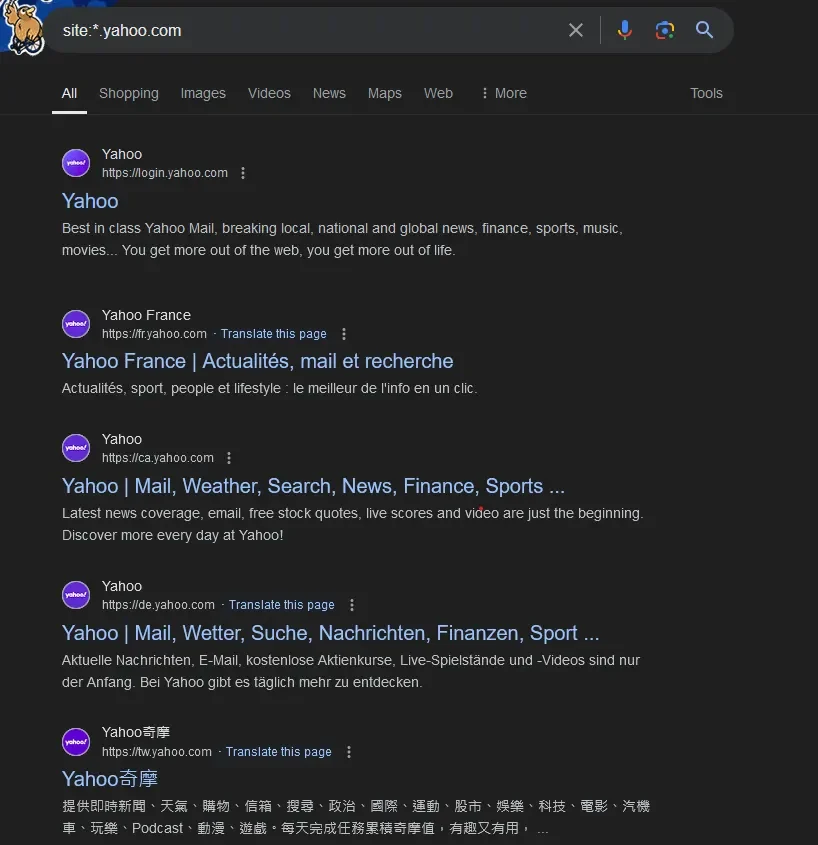
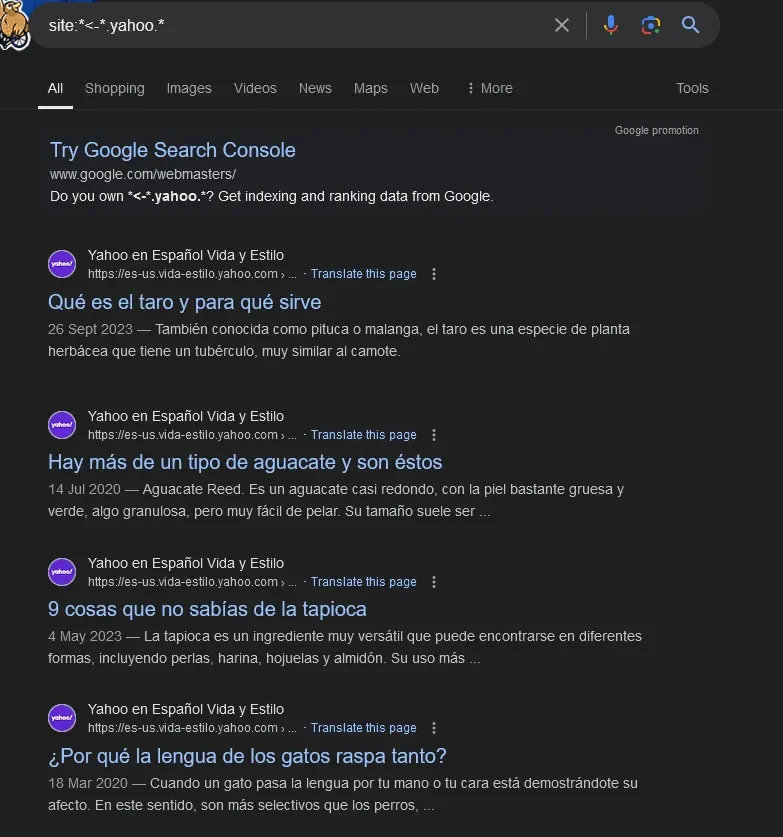
To narrow the results to interesting hosts, the researcher then used a dork that looks for login-related pages:
site:*<*.target.com intext:"login" | intitle:"login" | inurl:"login" | intext:"username" | intitle:"username" | inurl:"username" | intext:"password" | intitle:"password" | inurl:"password"
This surfaced subdomains with login panels. Among the results, two subdomains were selected because their home pages had a search bar.
Exploitation
Step 1: Character probe
The researcher's first step when testing for XSS is to send a set of special characters in a single query and observe how the application reflects them. The characters listed are:
An example input given in the article is:
The goal is to see whether a WAF or any encoding interferes with the injection. On both subdomains, the payload was placed in the search bar and nothing blocked the attempt. The output for the first subdomain is shown here:

And for the second subdomain:

In both cases the characters came back without output encoding, which suggested the reflection was worth pursuing further.
Step 2: Custom payload
The researcher then used a custom payload, described as an all-time favourite for testing XSS:
abc’”><><img src=1 onerror=alert(document.cookie)>
The pop-up obtained is shown in the following screenshots.
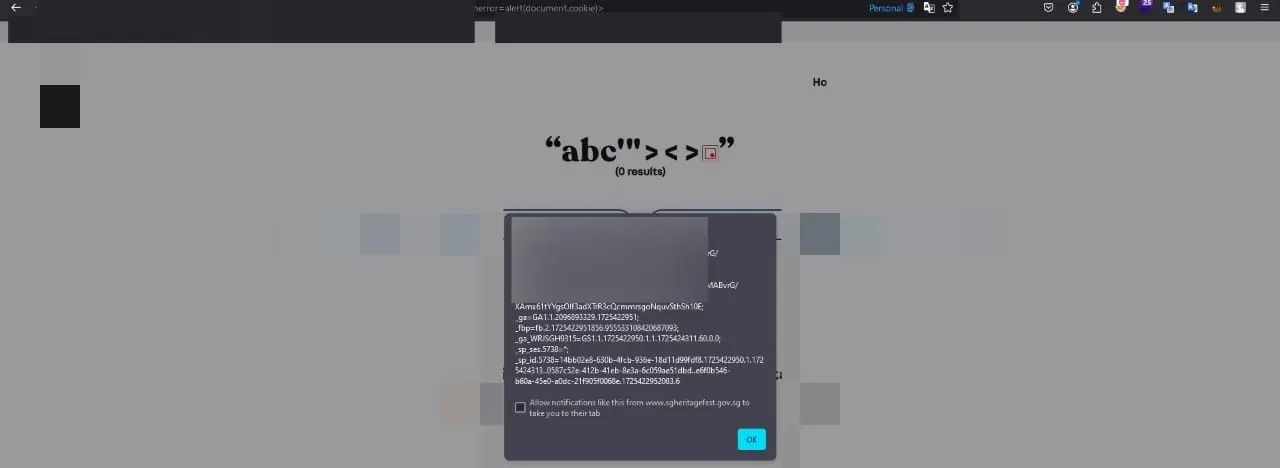
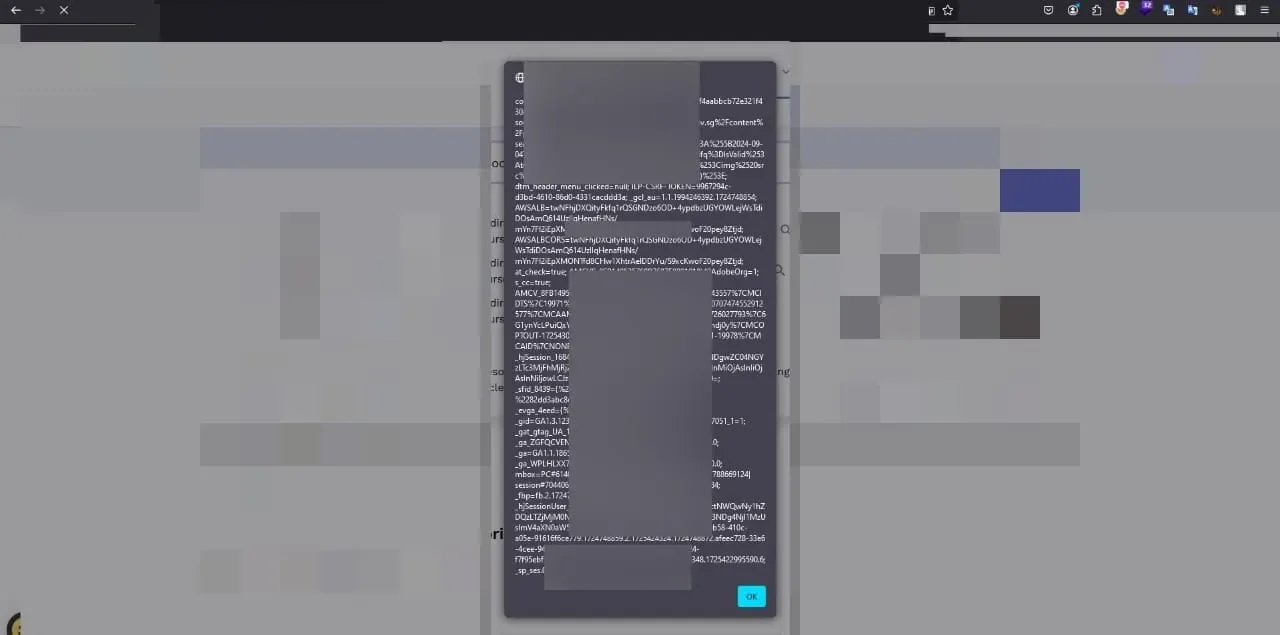
Step 3: Report
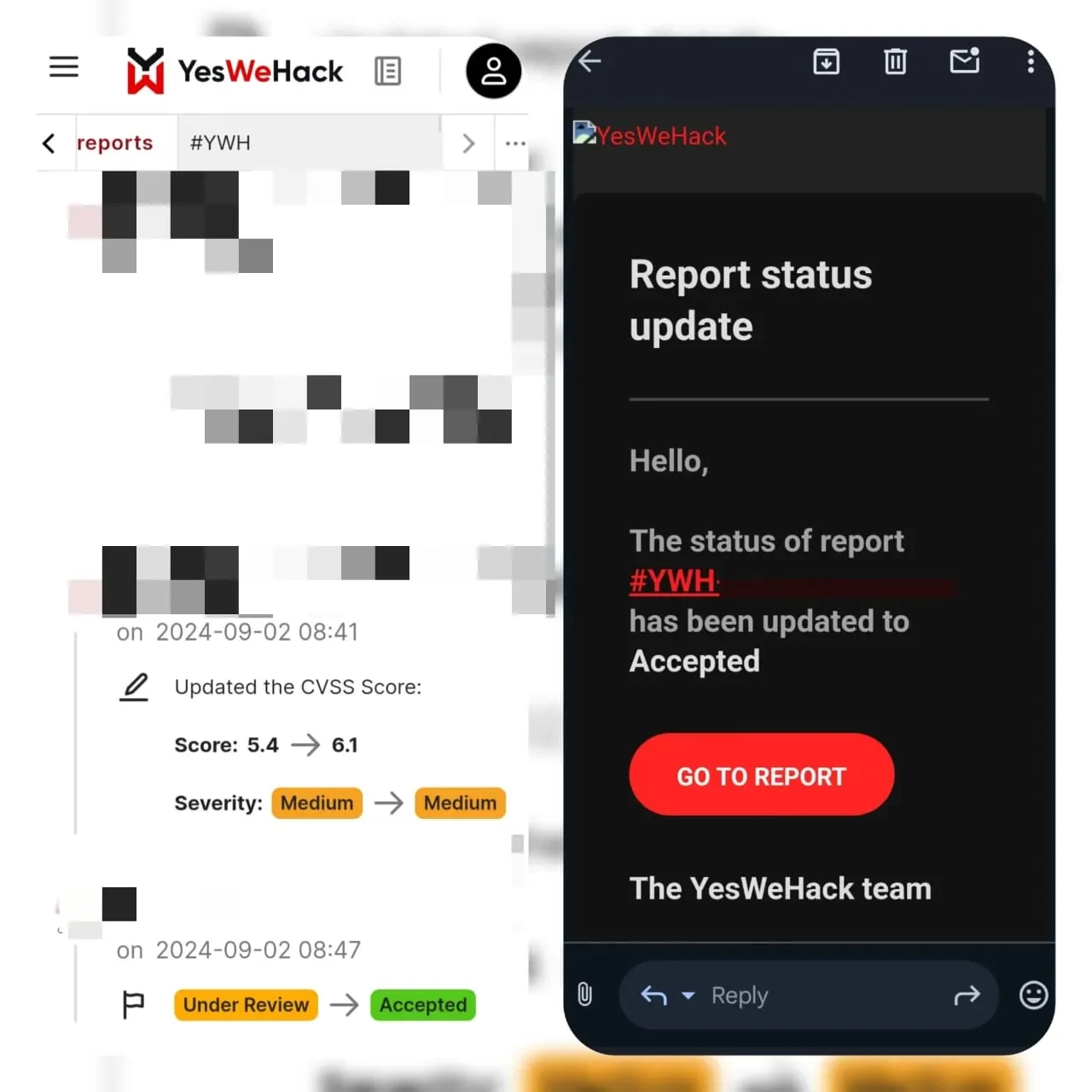
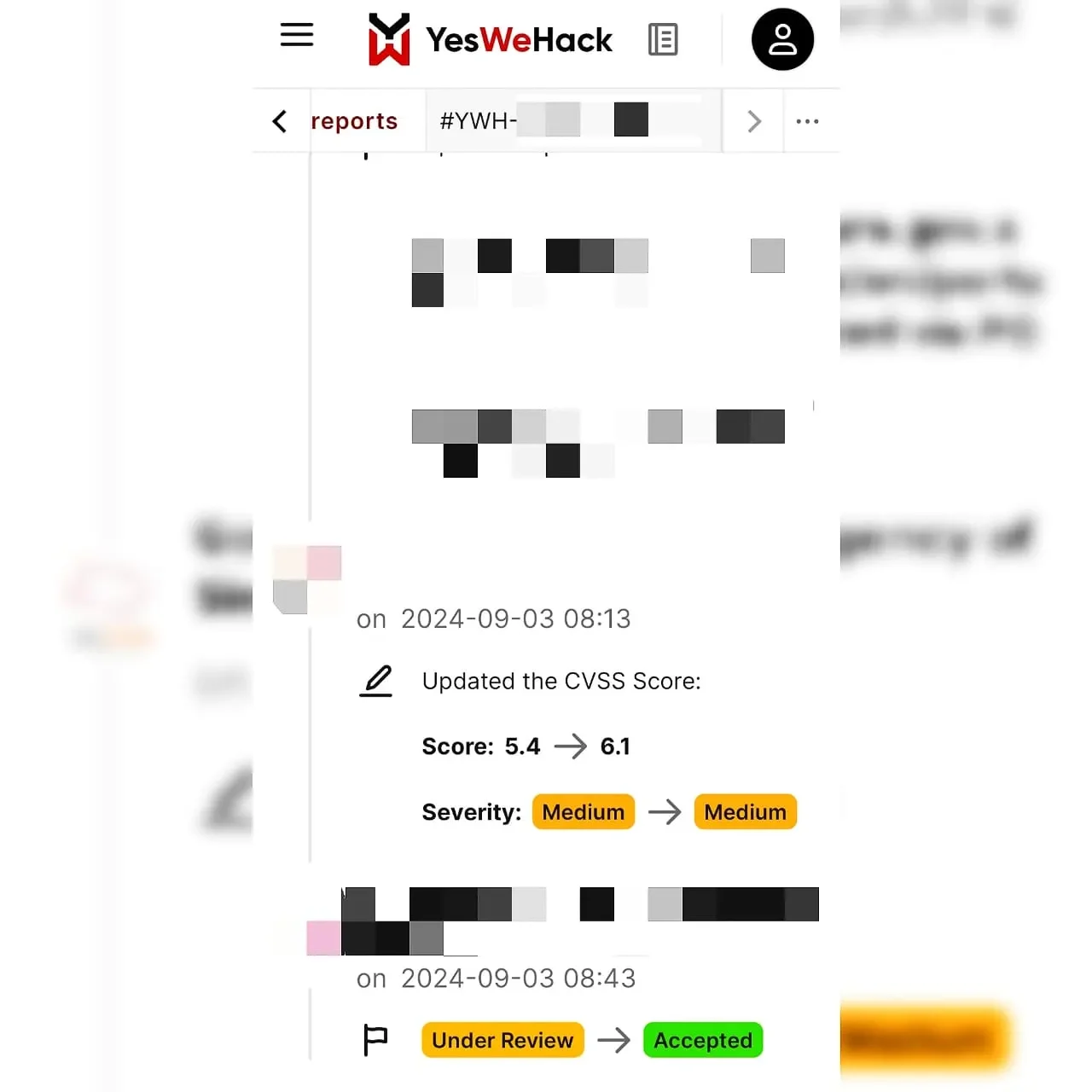
The findings were reported to YesWeHack and accepted, as shown in the submission screenshots.
Root cause
The search input is reflected into the response without output encoding. The character probe returned the special characters unchanged, which indicates that no output encoding was applied. No WAF or input filter blocked the payload on either subdomain. The article does not describe the server-side code, so the exact reflection point (for example inside an attribute or directly in the body) is not stated.
Impact
The researcher does not describe any further escalation, and the report does not state the bounty amount or CVSS score.
Fix
The article does not describe any fix applied by the program.
Variants to test
- Apply the same wildcard dorks with
<,>,-and combinations to other scopes. A positive result is a set of hosts that the plainsite:*.target.comquery does not return. - Combine the wildcard dorks with login-related keywords (
intext,intitle,inurlfor login, username and password). A positive result is a login panel on a host that was not previously known. - On any search bar found this way, send the character probe
abc ' " } < > ; // # -and inspect the response. A positive result is the characters reflected unchanged, with no encoding and no WAF block. - Send
abc’”><><img src=1 onerror=alert(document.cookie)>in the search field. A positive result is a JavaScript pop-up showing the cookie value, which confirms reflected XSS.
What happened, in plain words
A security researcher, Manan Sanghvi, was taking part in a public bug bounty programme on YesWeHack. A bug bounty programme is an arrangement where a company invites people to test its systems and report security problems responsibly. The programme he was working on was very large: it had many subdomains and services in scope, meaning they were officially allowed to be tested. He does not name the company, and refers to it only as *.target.com.
He found two subdomains whose home page had a search bar. A search bar is the box where you type a word and press Enter, and the site shows you results. Under the hood, the site takes whatever you typed, sends it to its server, and builds a results page that usually repeats your words back to you, for example in a heading like "results for cats". That repetition is called a reflection.
On both subdomains, the site repeated his input back without output encoding. That means if he typed special characters that have meaning in the language web pages are written in (HTML), the browser treated them as instructions rather than as text. The pop-up that appeared proved the code ran. This class of bug is called cross-site scripting, or XSS.
He reported both findings to YesWeHack and they were accepted.
The article is written for beginners, and its main teaching point is reconnaissance through Google Dorking. Reconnaissance means gathering information about a target before attacking it, the way a burglar might first study a building's doors and windows. Google Dorking means using advanced search operators in Google to make it reveal pages and hosts that ordinary searches do not show.
Setup
The report does not list the tools used beyond Google search. No proxy (software that sits between your browser and the website and lets you read and change the traffic), no scanner (software that automatically probes for known weaknesses) and no special operating system are mentioned.
Both subdomains had a search bar on their home page. The programme is public, but its name is withheld.
A subdomain is a prefix added to a domain name. If the main site is target.com, then shop.target.com and login.target.com are subdomains. Companies often run dozens or hundreds of them, and each one is a separate application that may have been built by a different team, with different mistakes.
Finding it
The first step was subdomain discovery through Google Dorking. The researcher notes that the usual queries are:
site:*.target.com
site:*.*.*.target.com
Line by line:
site:*.target.comtells Google to return only results from any subdomain oftarget.com. The*is a wildcard meaning "anything here".site:*.*.*.target.comdoes the same but insists on three levels of prefix, for examplea.b.c.target.com. The researcher notes this second form is one people use, especially for larger scopes.
Instead of using only those, the researcher combined wildcard placement with the < and > characters inside the host part of the query:
site:*<*.target.
site:*<-*.target.
site:*>*.target.
site:*->*.target.
site:*<->*.target.
Line by line:
site:*<*.target.asks Google for hosts where a<appears somewhere in the name before.target..site:*<-*.target.does the same with<-.site:*>*.target.uses>.site:*->*.target.uses->.site:*<->*.target.uses<->.
The comparison between the normal approach and this approach is shown in the two screenshots below.
To narrow the results to interesting hosts, the researcher then used a dork that looks for login-related pages:
site:*<*.target.com intext:"login" | intitle:"login" | inurl:"login" | intext:"username" | intitle:"username" | inurl:"username" | intext:"password" | intitle:"password" | inurl:"password"
Line by line:
site:*<*.target.comis the wildcard-plus-angle-bracket host pattern from before, restricted totarget.com.intext:"login"matches pages where the word login appears in the visible text.intitle:"login"matches pages where login appears in the page title, the text shown in the browser tab.inurl:"login"matches pages where login appears in the web address itself.- The
|symbol means OR, so Google returns a page if any of these conditions is true. - The same three checks are then repeated for
usernameand forpassword.
This surfaced subdomains with login panels. Among the results, two subdomains were selected because their home pages had a search bar.
Exploitation
Step 1: Character probe
The researcher's first step when testing for XSS is to send a set of special characters in a single query and observe how the application reflects them. The characters listed are:
Line by line, these are the characters that matter most when a page is built from your input:
abcis ordinary text, a control to see how normal input is handled.'and"are single and double quotes, which in HTML delimit attribute values. If your input lands inside an attribute, a quote can end it early.}is a closing curly brace, useful for spotting template or JavaScript contexts.<and>are the characters that open and close HTML tags. If the site does not neutralise them, you can introduce a brand new tag.;ends a statement in many programming languages.//starts a comment in JavaScript.#is a fragment marker in URLs and a comment marker in some languages.-is a minus sign, useful in some script contexts.
An example input given in the article is:
The goal is to see whether a WAF or any encoding interferes with the injection. A WAF, or web application firewall, is a filter that sits in front of a site and blocks requests that look malicious. Encoding means converting characters into a safe representation, for example turning < into <, so the browser displays it as text instead of treating it as a tag.
On both subdomains, the payload was placed in the search bar and nothing blocked the attempt. The output for the first subdomain is shown here:
And for the second subdomain:
In both cases the characters came back without output encoding, which suggested the reflection was worth pursuing further.
Step 2: Custom payload
The researcher then used a custom payload, described as an all-time favourite for testing XSS:
abc’”><><img src=1 onerror=alert(document.cookie)>
Line by line:
abc’”><>is a short prefix of text and punctuation. Think of it as finishing someone else's sentence so you can start your own.<img ...>starts an image tag. The browser will try to load an image.src=1says the image is at the address1. That address does not exist, so the load will fail.onerror=alert(document.cookie)is an event handler: a piece of JavaScript the browser runs when something goes wrong. Here, when the image fails to load, the browser runsalert(document.cookie).alert(...)opens a pop-up box in the browser showing whatever is inside the brackets.document.cookieis the browser's way of reading the cookies for the current page. A cookie is a small piece of data a website stores in your browser, commonly used to remember that you are logged in. If a script can read it, the script can potentially act as you.
The pop-up obtained is shown in the following screenshots.
Step 3: Report
The findings were reported to YesWeHack and accepted, as shown in the submission screenshots.
Root cause
The search input is reflected into the response without output encoding. The character probe returned the special characters unchanged, which indicates that no output encoding was applied. No WAF or input filter blocked the payload on either subdomain. The article does not describe the server-side code, so the exact reflection point (for example inside an attribute or directly in the body) is not stated.
In everyday terms: the site treated the search box like a photocopier that copies whatever you put on the glass, including a note saying "ignore the sign and open the safe". A safe site would photograph the note and show it as a picture of text; this one passed the note through as an instruction.
Impact
Origin here means the combination of scheme, host and port that the browser uses to decide which site a page belongs to; script running in that origin can read that origin's data. HttpOnly is a setting that tells the browser to hide a cookie from JavaScript, so even injected script cannot read it.
The researcher does not describe any further escalation, and the report does not state the bounty amount or CVSS score. CVSS is a standard scoring system for rating the severity of a vulnerability.
Fix
The article does not describe any fix applied by the programme. Context-aware encoding means choosing the right escaping for the place the value lands: HTML body, HTML attribute, JavaScript string and URL each need different treatment, because the same character can be dangerous in one place and harmless in another.
Variants to test
- Apply the same wildcard dorks with
<,>,-and combinations to other scopes. A positive result is a set of hosts that the plainsite:*.target.comquery does not return. - Combine the wildcard dorks with login-related keywords (
intext,intitle,inurlfor login, username and password). A positive result is a login panel on a host that was not previously known. - On any search bar found this way, send the character probe
abc ' " } < > ; // # -and inspect the response. A positive result is the characters reflected unchanged, with no encoding and no WAF block. - Send
abc’”><><img src=1 onerror=alert(document.cookie)>in the search field. A positive result is a JavaScript pop-up showing the cookie value, which confirms reflected XSS.
Glossary
- Bug bounty programme: an arrangement where an organisation invites outsiders to test its systems and rewards them for reporting security problems responsibly.
- Subdomain: a prefix on a domain name, such as
shopinshop.example.com, that usually points to a separate application. - In scope: officially allowed to be tested under the programme's rules.
- Reconnaissance: gathering information about a target before testing it.
- Google Dorking: using advanced Google search operators such as
site:,intext:,intitle:andinurl:to find pages and hosts that ordinary searches hide. - Wildcard: the
*symbol, meaning "anything here". - Search bar: the input box on a page where a user types a query; the site sends it to the server and shows results.
- Reflection: when a site repeats user input back in the response page.
- Output encoding: converting characters into a safe representation, such as turning
<into<, so the browser shows them as text rather than running them. - HTML: the language web pages are written in, made of tags such as
<img>that tell the browser what to display. - HTML entity encoding: the specific form of output encoding that replaces characters like
<,>and&with named codes. - Attribute: a setting inside an HTML tag, such as
src=1inside<img>. - Tag: a piece of HTML markup, such as
<img>, that the browser interprets. - JavaScript: the programming language browsers run to make pages interactive.
- Event handler: a piece of JavaScript attached to an element that runs when something happens, such as
onerrorwhen an image fails to load. - Cross-site scripting (XSS): a vulnerability where an attacker's input is treated as code by a victim's browser, letting the attacker run script in the site's context.
- Reflected XSS: the variant where the malicious input is echoed back in the immediate response, usually via a crafted link.
- Payload: the specific piece of input an attacker sends to trigger a vulnerability.
- WAF (web application firewall): a filter in front of a site that inspects requests and blocks ones that look malicious.
- Cookie: a small piece of data a site stores in the browser, often used to keep a user logged in.
- HttpOnly: a cookie setting that hides the cookie from JavaScript, so injected script cannot read it.
- Origin: the combination of scheme, host and port that the browser uses to decide which site a page belongs to and what data it may access.
- Session: the state of being logged in, usually maintained by a cookie or token.
- Token: a value used in place of a password to prove identity, often stored in a cookie or sent in a header.
- Burp Suite: a tool that sits between browser and server to intercept, inspect and modify web traffic.
- Kali Linux: a Linux distribution bundled with security tools.
- Proxy: software that relays traffic between your browser and a website, letting you read and change it.
- Scanner: software that automatically probes a target for known weaknesses.
- CVSS: a standard scoring system for rating vulnerability severity.
- Context-aware encoding: choosing the correct escaping for the exact place a value lands, such as HTML body, attribute, JavaScript string or URL.




