How I Bypassed HotStar OTP Verification.
A VIP account protected by OTP-based two-factor authentication could be logged into without the OTP. An attacker who already had the victim's password could switch the editable email field on the normal login form to the VIP email and log in directly.

medium.com
Published on medium.com
Let start ,it was accidental incident of HotStar OTP bypass in India’s No 1 Live streaming Platform 😂.After my working hours, Me and friends were watching Indian Premier League which led to finding of OTP Bypass. Hunt comes between Fun time also(@ ValueMentor).
The full write-up lives on its author's site
It belongs to its author, so we link to it rather than copy it. The other two tabs are our own rewrites, checked against it.
Context
Hotstar is described in the report as India's number one live streaming platform. The feature under examination is the login flow. The login page offers two ways in: mobile number or email address. For VIP customers who have activated 2FA, the platform sends an OTP to the registered mobile number. For non-VIP customers, the report describes one-step authentication, either an OTP or an email and password combination.
The researcher found the issue by accident while watching the Indian Premier League with friends after work hours, and credits the hunt to time spent with ValueMentor.
Setup
The researcher used two accounts:
- A VIP account with 2FA activated, accessed with an email address. This account receives an OTP on login.
- A second, ordinary account without VIP membership. This account is asked for a password on login.
No tools, versions or intercepting proxy details are given in the report. The screenshots show the browser flow only.
Finding it
The login page presents the two options described above, and VIP customers with 2FA receive an OTP at their registered mobile number.
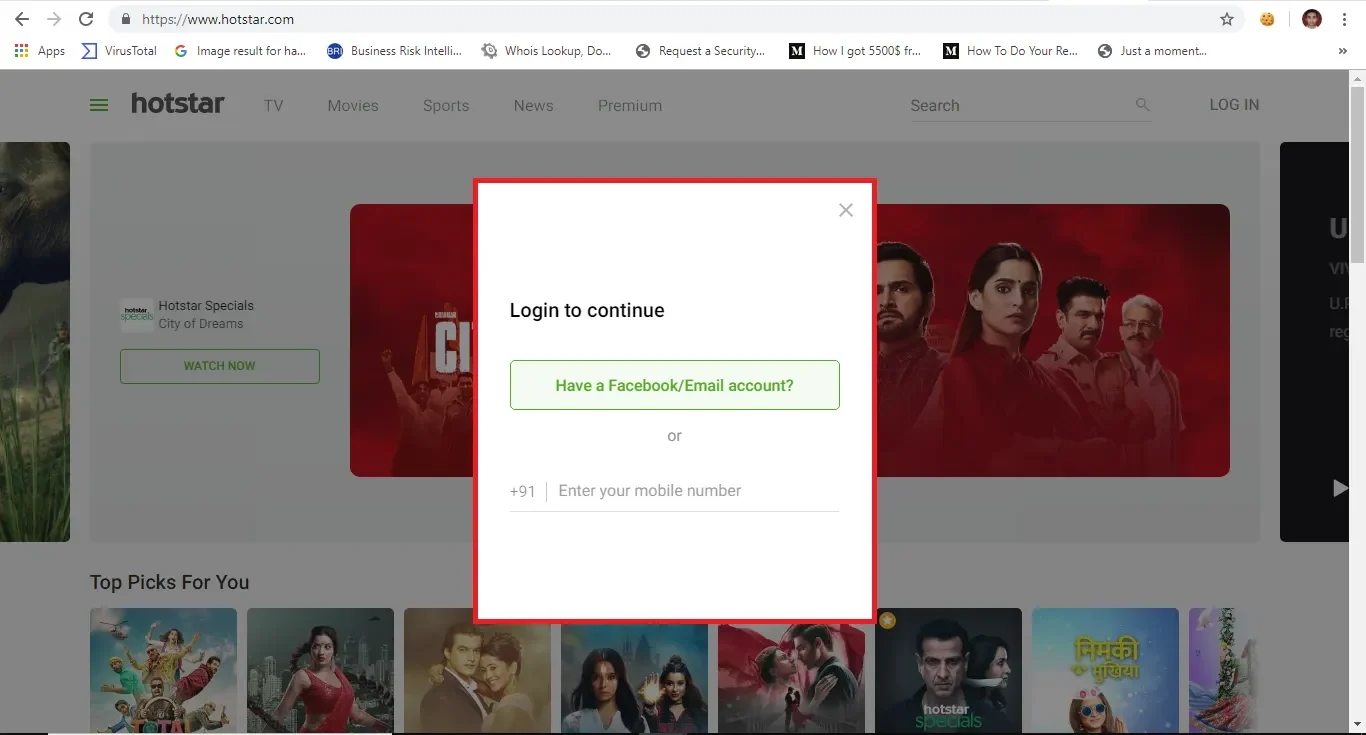
The researcher first logged in with the VIP email address that has 2FA enabled. After entering the email and continuing, the normal behaviour is a field to enter the OTP.
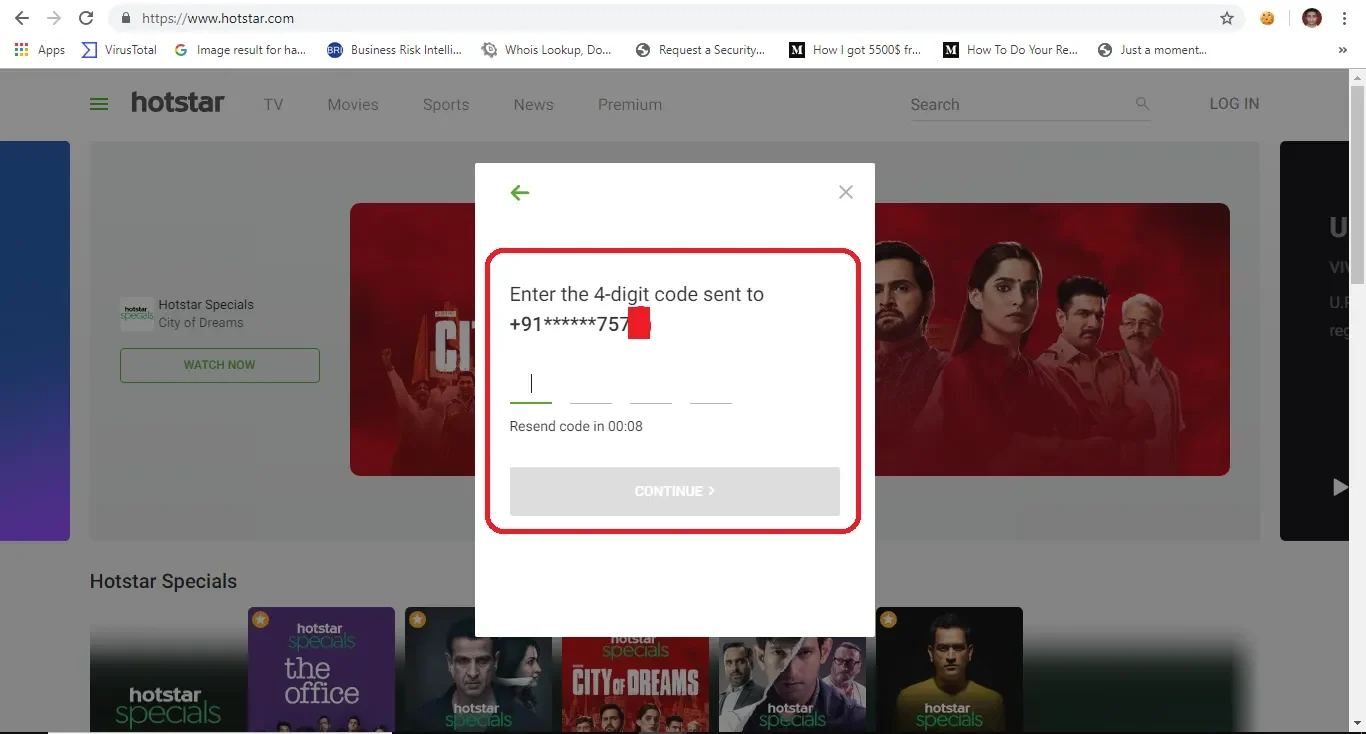
That is the expected process for VIP members with 2FA. The researcher then switched to the ordinary account without VIP membership. Continuing from the email entry asks for the password instead.
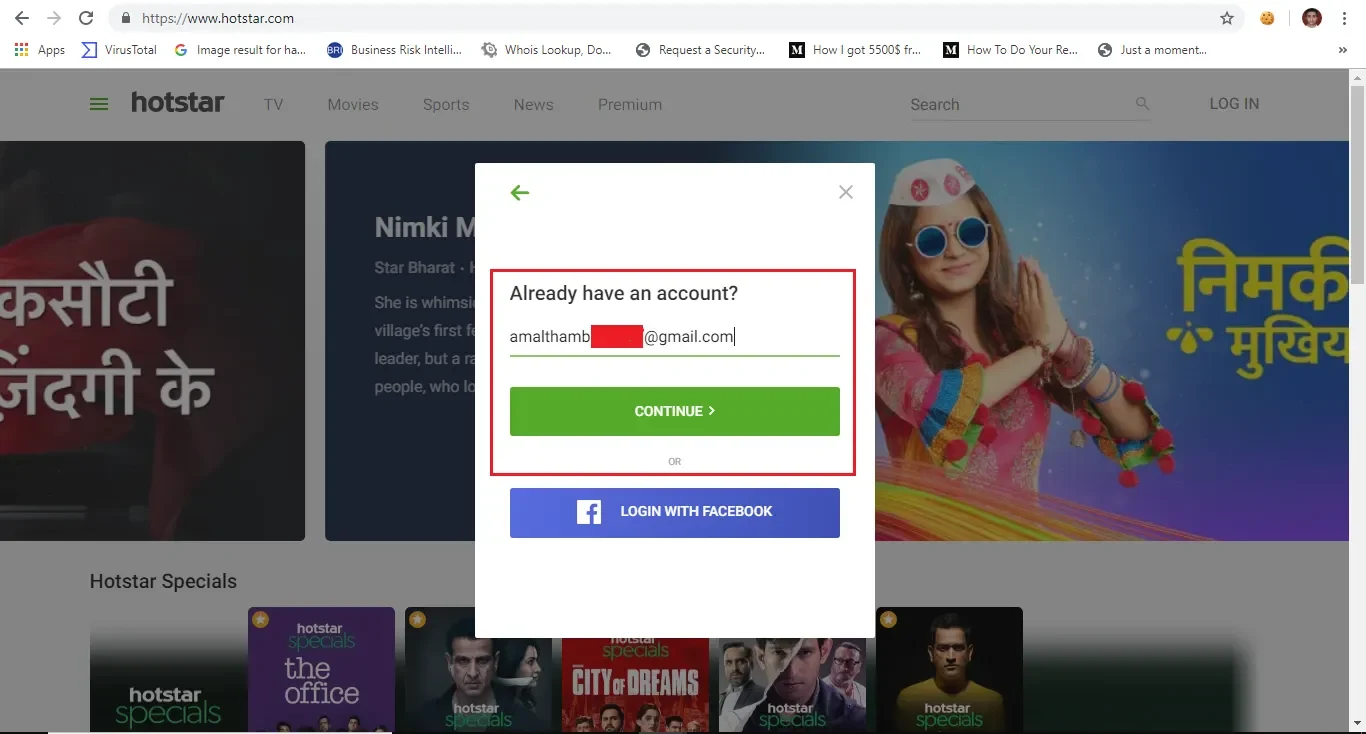
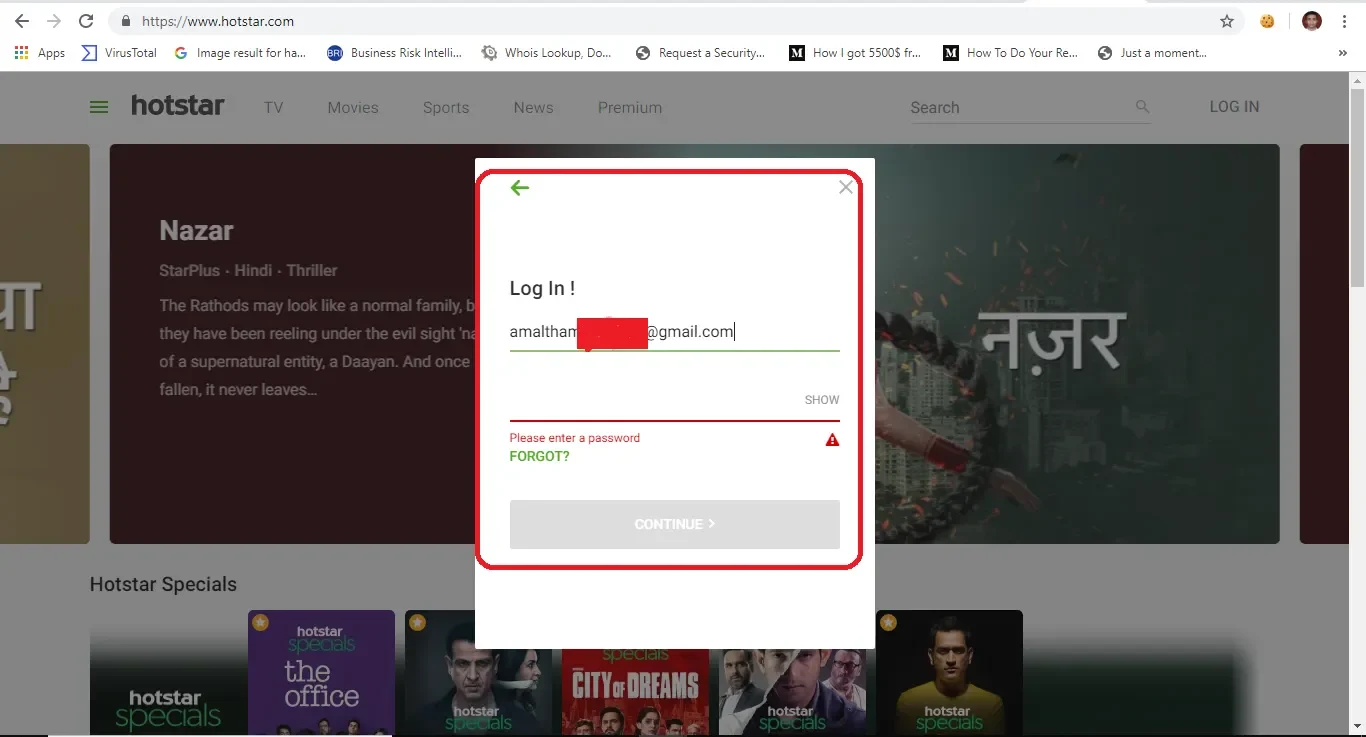
What caught the researcher's attention was that on the password step the email address field is still editable. The application does not make it non-editable, as the researcher puts it.
Exploitation
Step 1: Start with the non-VIP account
Log in with the ordinary account's email address. Because the account has no VIP membership, the flow asks for a password rather than an OTP.
Step 2: Change the email address on the password step
On the password prompt, replace the email address with the VIP membership email address and enter the password.

Step 3: Observe the result
The researcher reports being logged in to the account without an OTP.
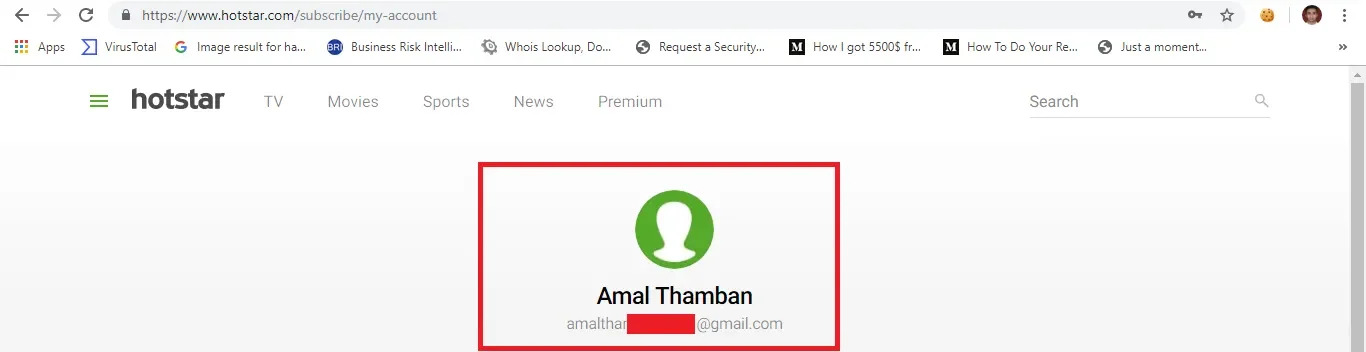
The flow, as the researcher summarises it: when a user tries to log in with email, that field is editable and can easily be changed to a VIP customer email, and the user can log in. The report does not include the underlying HTTP requests or responses, so the exact parameters and server-side handling are not shown.
Root cause
The report's explanation is that the email field on the password step is editable and the application does not make it non-editable. In other words, the identity chosen in the first step is not fixed for the rest of the flow, and the identity chosen in the first step is not fixed for the rest of the flow.. The report does not show the server-side code, so the precise mechanism is likely a mismatch between the authentication method selected for one identity and the credential check performed for another.
The existing defence, the OTP for VIP accounts with 2FA, is bypassed because the flow never reaches the OTP step: the attacker starts the flow as a non-VIP user, where the password prompt is shown, and then substitutes the VIP address at that prompt.
Impact
The researcher frames the impact through social engineering, which the report calls a popular attack for grabbing credentials. If a VIP user loses their username or password through social engineering, the user expects the OTP to protect the account. According to the report, Hotstar's position is that a user who needs to change a password must use the forgot password option. The bypass means a VIP email and password can be used to log in without the OTP the account holder relies on.
The report does not state how many accounts or which specific accounts were affected beyond the researcher's own two accounts, and it does not quantify the impact further.
Fix
It records that the researcher reported the issue and received a quick response.
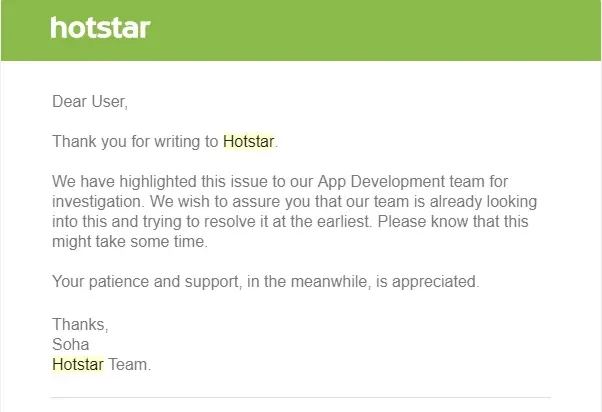
After one month, and after asking for a long time to disclose the vulnerability, the response was as follows.
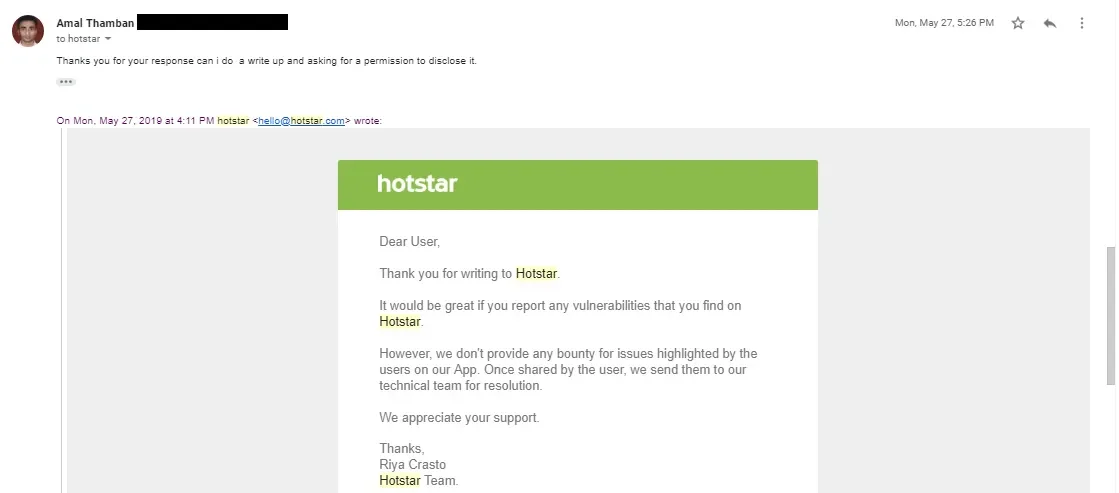
The researcher says they did not ask for any bounty and that the response was not, in their view, a decent appreciation. A final email asked to disclose the issue.
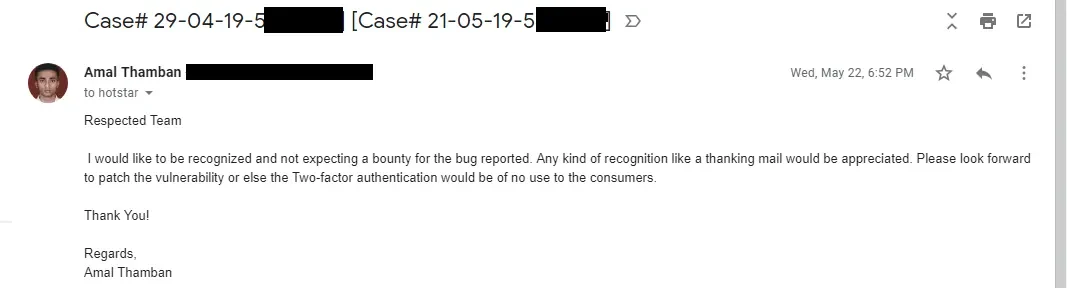
No response followed, so the researcher decided to publicly disclose the vulnerability.
Variants to test
- Multi-step login flows where the identifier is submitted in one step and the credential in another. Try changing the identifier at the second step to an account that uses a stronger method (OTP, 2FA) and see whether the weaker method's prompt accepts the stronger account's password. A positive result is a session for the stronger account without its expected second factor.
- Editable identifier fields on password, OTP or security-question prompts. Check whether the field is read-only, hidden or re-validated server-side. A positive result is that a changed value is accepted and the response reflects the new identity.
- Method selection tied to the client. Start the flow as a non-VIP or non-2FA account and substitute a VIP or 2FA-enabled address before the credential check. A positive result is a successful login that skips the OTP step.
- Password reset and forgot-password flows with the same pattern. Change the identifier between the request step and the reset or verification step. A positive result is a reset or verification action applied to an account that did not initiate it.
- Replay of the first step's state. Capture the state or token issued when the non-VIP address is submitted and reuse it with the VIP address. A positive result is that the server accepts the mismatched pair and completes authentication.
What happened, in plain words
Hotstar is a live streaming service, described in the report as India's number one live streaming platform. The part of it under examination here is the login flow: the set of screens you go through to prove who you are and get into your account.
On the login page there are two ways in: with a mobile number or with an email address. Some customers are VIP customers, and if a VIP customer has switched on 2FA (two-factor authentication), the platform sends an OTP (a one-time password, a short code that is valid for a single login) to the registered mobile number. For non-VIP customers the report describes one-step authentication: either an OTP, or an email address plus a password.
The researcher found the issue by accident while watching the Indian Premier League with friends after work hours, and credits the hunt to time spent with ValueMentor.
The finding, in one sentence: on the password screen the email address can still be edited, so the researcher started the flow with an ordinary account, swapped in a VIP address, and finished the login without being asked for the OTP.
The two accounts used
The researcher used two accounts:
- A VIP account with 2FA activated, accessed with an email address. This account receives an OTP on login.
- A second, ordinary account without VIP membership. This account is asked for a password on login.
No tools, versions or intercepting proxy details are given in the report. The screenshots show the browser flow only, so everything below can be followed with nothing more than a browser.
Finding it
The login page presents the two options described above, and VIP customers with 2FA receive an OTP at their registered mobile number.
The screenshot shows the Hotstar login page with the two entry options, mobile number or email address, and the VIP customer option.
The researcher first logged in with the VIP email address that has 2FA enabled. After entering the email and continuing, the normal behaviour is a field to enter the OTP.
This screenshot shows the OTP request step for the VIP account. This is the expected process for VIP members with 2FA: type your email, continue, and the platform asks for the code sent to your phone. The point of that code is that knowing the password alone is not enough; you also need the phone.
The researcher then switched to the ordinary account without VIP membership. Continuing from the email entry asks for the password instead.
The first of these two screenshots shows the ordinary account, which has no VIP membership. The second shows what happens after continuing with it: the flow asks for a password rather than an OTP. That difference is the whole basis of the trick. The platform picks the check to show based on the account you named in the first step.
What caught the researcher's attention was that on the password step the email address field is still editable. The application does not make it non-editable, as the researcher puts it. Think of it like a form at a reception desk: you write your name on the first line to say which queue you belong to, the clerk sends you to the short queue for people without an appointment, and when you reach the desk the name on your slip can still be rubbed out and replaced with someone else's. The name on the slip can still be rubbed out and replaced with someone else's before the desk checks the password.
Exploitation
Step 1: Start with the non-VIP account
Log in with the ordinary account's email address. Because the account has no VIP membership, the flow asks for a password rather than an OTP. The reason for starting here is that this path asks only for a password, not for a code sent to a phone.
Step 2: Change the email address on the password step
On the password prompt, replace the email address with the VIP membership email address and enter the password.
The screenshot shows the password prompt with the email address field still editable, now holding the VIP membership email address, with the password entered.
Step 3: Observe the result
The researcher reports being logged in to the account without an OTP.
The screenshot shows the researcher logged in to the account without having been asked for the OTP.
The flow, as the researcher summarises it: when a user tries to log in with email, that field is editable and can easily be changed to a VIP customer email, and the user can log in. The report does not include the underlying HTTP requests or responses, so the exact parameters and server-side handling are not shown.
Why it works
The report's explanation is that the email field on the password step is editable and the application does not make it non-editable. In other words, the identity chosen in the first step is not fixed for the rest of the flow, and the password check appears to be performed against whatever address is present at the password step rather than against the address that was used to select the authentication path. The report does not show the server-side code, so the precise mechanism is likely a mismatch between the authentication method selected for one identity and the credential check performed for another.
The existing defence, the OTP for VIP accounts with 2FA, is bypassed because the flow never reaches the OTP step: the attacker starts the flow as a non-VIP user, where the password prompt is shown, and then substitutes the VIP address at that prompt.
This kind of flaw is a logic flaw rather than a broken lock. Nothing in the cryptography or the password storage is defeated; the sequence of steps simply lets one account's weaker check be applied to another account's stronger one. The lesson for anyone building a login flow is that the identity chosen in step one has to be carried forward in a way the user cannot edit, for example by keeping it on the server and referring to it with an opaque value, rather than trusting a field the browser still lets the user type into.
Impact
The researcher frames the impact through social engineering, which the report calls a popular attack for grabbing credentials. Social engineering means tricking a person into handing over information, for example by pretending to be support staff and asking for a password, rather than breaking in technically. If a VIP user loses their username or password through social engineering, the user expects the OTP to protect the account. According to the report, Hotstar's position is that a user who needs to change a password must use the forgot password option. The bypass means a VIP email and password can be used to log in without the OTP the account holder relies on.
The report does not state how many accounts or which specific accounts were affected beyond the researcher's own two accounts, and it does not quantify the impact further.
Fix
It records that the researcher reported the issue and received a quick response.
The screenshot shows the quick response from the Hotstar team.
After one month, and after asking for a long time to disclose the vulnerability, the response was as follows.
The screenshot shows the response from the Hotstar team after that month.
The researcher says they did not ask for any bounty and that the response was not, in their view, a decent appreciation. A final email asked to disclose the issue.
The screenshot shows the researcher's last email asking to disclose the issue.
No response followed, so the researcher decided to publicly disclose the vulnerability.
Variants to test
These are the same patterns to look for in other products, written so that someone new to security can follow them with a browser and a notebook.
- Multi-step login flows where the identifier is submitted in one step and the credential in another. Try changing the identifier at the second step to an account that uses a stronger method (OTP, 2FA) and see whether the weaker method's prompt accepts the stronger account's password. A positive result is a session for the stronger account without its expected second factor.
- Editable identifier fields on password, OTP or security-question prompts. Check whether the field is read-only, hidden or re-validated server-side. A positive result is that a changed value is accepted and the response reflects the new identity.
- Method selection tied to the client. Start the flow as a non-VIP or non-2FA account and substitute a VIP or 2FA-enabled address before the credential check. A positive result is a successful login that skips the OTP step.
- Password reset and forgot-password flows with the same pattern. Change the identifier between the request step and the reset or verification step. A positive result is a reset or verification action applied to an account that did not initiate it.
- Replay of the first step's state. Capture the state or token issued when the non-VIP address is submitted and reuse it with the VIP address. A positive result is that the server accepts the mismatched pair and completes authentication.
Glossary
- 2FA (two-factor authentication): a login that needs two different kinds of proof, typically a password plus a code sent to your phone.
- Authentication: the process of proving to a service that you are who you claim to be.
- Bounty: a reward a company pays a researcher for reporting a security problem.
- Credential: the piece of information used to log in, such as a password.
- Disclose: to make the details of a vulnerability public.
- Email address field: the text box on a login screen where you type your email address.
- Exploitation: actually using a weakness to achieve something, rather than just suspecting it exists.
- Forgot password flow: the sequence of screens used to reset a password when you cannot log in.
- HTTP request / response: the message a browser sends to a server and the message the server sends back; the report does not include these.
- Impact: what an attacker could actually do, or what harm could result, if the weakness is used.
- Logic flaw: a weakness in the order or rules of a process, rather than in a lock or a cipher.
- Login flow: the series of screens and checks you go through to sign in.
- Non-VIP customer: in this report, a customer without VIP membership, who is asked for a password on login.
- OTP (one-time password): a short code valid for a single login, usually sent to a phone.
- Password prompt: the screen that asks you to type your password.
- Read-only field: a text box the user cannot change.
- Root cause: the underlying reason a weakness exists.
- Server-side: happening on the company's computer rather than in your browser.
- Session: the state of being logged in, which the server keeps track of after you authenticate.
- Social engineering: tricking a person into giving up information, such as a password, rather than attacking the system directly.
- VIP customer: in this report, a customer whose account, when 2FA is activated, receives an OTP on login.
- Vulnerability: a weakness in a system that could be used to do something the owner did not intend.

