How I Found Account Enumeration Hiding Across Two Endpoints
Two endpoints on a social platform returned distinct machine-readable codes depending on whether an email address was registered, letting anyone check account existence. The email-change endpoint required a free login, while the forgot-password endpoint needed no account at all.
 Published on medium.com
Bug Bounty
The full write-up lives on its author's site
It belongs to its author, so we link to it rather than copy it. The other two tabs are our own rewrites, checked against it.
Context
The target is a social platform where creators share content and interact with their communities. Registration is free and open to anyone. The platform's name is redacted in the write-up, and the report was submitted responsibly and was pending triage at the time of writing.
The feature under examination is account handling: the email change form in Account Settings, which lets a logged-in user move their account to a new email address, and the forgot-password page, which lets anyone request a reset link for an email address. Both features have to decide whether a submitted email is already registered, and both of them tell the caller the answer.
The report was dated 31 May 2026 and rated both findings as Medium severity, classified as account enumeration, CWE-204 (observable response discrepancy).
Setup
For the first finding, the researcher needed a free account on the platform, which anyone can create, and a proxy tool such as Burp Suite; the free edition is sufficient. The tester needs a free account on the platform, which anyone can create.
For the second finding, no account is needed at all: only a browser and Burp Suite. The forgot-password page is protected by Cloudflare Turnstile, so a CAPTCHA challenge has to be completed for each submission.
Finding it
In both cases the server returns a machine-readable status code in the response body rather than a neutral message, so the difference between the two cases is explicit and easy to parse.
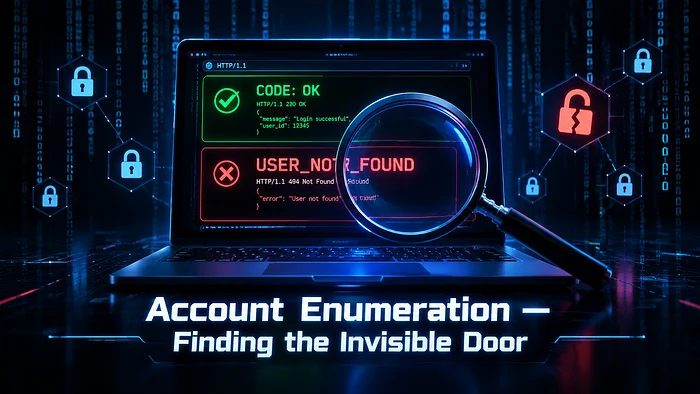
In the email change flow the two outcomes are EMAIL_ALREADY_REGISTERED and code: "OK". In the forgot-password flow they are code: "OK" and USER_NOT_FOUND. Either pair is a reliable oracle: send an address, read the code, and you know whether an account exists for it.
Exploitation
Finding 1: email change endpoint (authenticated)
- Log in and go to Account Settings, then Email.
- Turn on Burp Suite's proxy intercept.
- Submit any email in the change field and capture the request.
- Send the request to Burp's Repeater tab.
- Replace the email value with any address you want to check.
- Send it and read the response.
If the email is registered, the response contains:
code: "EMAIL_ALREADY_REGISTERED"
If the email is not registered, the response contains:
status: 1, code: "OK"
The code field is the oracle. EMAIL_ALREADY_REGISTERED means an account exists for that address; OK means none does. Because the check runs on every submission of the change form, a logged-in user can test any number of addresses one after another and build a list of registered users.
Finding 2: forgot-password endpoint (unauthenticated)
- Open the Forgot Password page.
- Turn on Burp Suite proxy intercept.
- Submit an email and complete the CAPTCHA challenge.
- Capture the request in Burp and send it to Repeater.
- Swap the email value, solve the CAPTCHA again, and send.
- Read the response, which states whether the account exists.
code: "OK"
code: "USER_NOT_FOUND"
This is the more serious of the two, because no account is required. Anyone on the internet can check whether any email address belongs to a platform account, without logging in and without owning a profile.
The CAPTCHA
The platform uses Cloudflare Turnstile. The researcher treats this as a good control that does slow things down: each token is single-use and expires within seconds. Two limits follow from that.
Manual checking, one email at a time, is completely unaffected, as the proof of concept above shows. Automated checking is still economically viable: commercial CAPTCHA solving services such as 2captcha or CapSolver handle Turnstile for roughly $1 to $2 per 1,000 solves, according to the report. Turnstile is a speed bump, not a fix.
Root cause
Both endpoints perform a legitimate existence check, whether the new email is already taken or whether a reset target exists, and then return the result of that check to the caller in a structured field. The design mistake is that the outcome of an internal check is exposed as a distinct, machine-readable code instead of being collapsed into a single generic response. The secure pattern is a vague message such as "Incorrect email or password" that never hints which part was wrong.
The CAPTCHA does not fix the flaw: the researcher calls Turnstile a good speed bump, not a fix.
Impact
The researcher lists four consequences.
- Privacy exposure. This platform has a specific political and ideological user base. Knowing whether a journalist, activist, politician or public figure has an account there, even without seeing any content, is itself sensitive information that can be acted on.
- Credential stuffing. Attackers buy leaked email and password databases from breaches and normally have to try every email on every site hoping for a match. With enumeration, they can pre-filter the breach list down to addresses that are actually registered before attempting logins, which makes credential stuffing dramatically more efficient.
- Password spraying. With a confirmed list of real addresses, an attacker can try a few common passwords, such as
Password123!, across thousands of accounts without triggering per-account lockouts. - Targeted phishing. Knowing that someone has an account allows convincing fake emails that appear to come from the platform, such as fake payment notices, moderation alerts or password resets, which are far more believable than generic spam.
The forgot-password variant needs no account at all.
Fix
Email change endpoint
Stop telling the API caller whether the email is taken:
- Always return a generic
OKfrom the API, whatever the outcome. - If the email is already taken by someone else, silently notify the existing account owner and tell the requester nothing.
- Add rate limiting: a maximum of 3 email change attempts per hour per account.
- Require the user to re-enter their current password before the change goes through.
Forgot-password endpoint
Return the industry-standard generic message, identical whether or not the address is registered:
If an account with this email exists, you'll receive a reset link shortly.
This single change removes the oracle entirely. On top of it, add per-IP and per-email rate limiting, with 3 to 5 attempts per hour described as standard, and monitor for high-volume submission patterns.
Variants to test
- Registration and invitation flows. Submit an address that is already registered and one that is not, and compare the response bodies and status codes. A positive result is any distinct code, message or field value that separates the two cases.
- Password reset with and without a valid CAPTCHA token. If the response differs before the CAPTCHA is solved, the check may run ahead of the challenge. A positive result is an existence answer returned without a valid token.
- Timing side channels. Where the response text is generic, measure response times for registered and unregistered addresses. A consistent, statistically significant gap is a positive result.
- Email change with a silent notification. After the fix pattern above is applied, check whether the response is truly identical for both cases, including headers and body length. Any residual difference is a positive result.
- Rate-limit boundaries. Send the same address repeatedly and observe when the limit triggers and what it returns. A positive result is a limit that can be bypassed by changing IP, session or header values, or a limit that leaks existence through its error message.
What happened, in plain words
A security researcher found a way to ask a social platform a simple question: "does this email address have an account here?" The platform's replies revealed whether the email was registered, on two different pages. That sounds harmless, but it is not: knowing which email addresses are registered lets an attacker build a list of real users, and that list is useful for several kinds of attack.
The platform is a social site where creators share content and talk with their communities. Anyone can register for free. The researcher kept the platform's name private, reported the problem responsibly, and at the time of writing the report was still waiting to be reviewed ("pending triage").
The two pages involved are ordinary account features:
- The email change form in Account Settings, where a logged-in user moves their account to a new email address.
- The forgot-password page, where anyone can ask the platform to send a reset link to an email address.
Both pages have to work out whether the email you typed is already registered. That check is normal and necessary. The mistake is that both pages then tell you the answer in a clear, machine-readable way instead of a vague message.
The report is dated 31 May 2026. Both findings were rated Medium severity and classified as account enumeration, CWE-204.
First, what is account enumeration?
Imagine walking up to a building's reception desk and asking, "Is there a person called Sam here?" If the receptionist says "No such person", you have learned something: Sam does not work there. Ask about a hundred names and you can work out who does.
A login page can leak the same kind of information. If you type a wrong email and the site says "Email not found", you now know for certain that nobody with that email has an account. Try a hundred emails and you can build a list of real users. That is account enumeration: the site accidentally reveals whether an email address is registered.
The secure way to handle it is to always say something vague, like "Incorrect email or password", which never hints at which part was wrong. The site knows the answer internally; it just should not share it.
A few words you will need
- Request and response. Your browser sends a request to the website's computer (the server), and the server sends back a response. Think of a request as a letter with a question, and the response as the reply.
- API. An API is the part of a website that answers requests with structured data rather than a finished web page. It is like a restaurant's kitchen window: you pass in an order, you get back a labelled tray, not a decorated dining room. The pages in this report talk to an API behind the scenes, and the API's replies are what the researcher read.
- Response body. The content of the reply. It can be a web page, or a short block of data with labelled fields.
- Field and code. A field is a labelled piece of data in a reply, like
code. A code is a short word or value that a program can read and act on without a human interpreting it. That is what "machine-readable" means. - Proxy tool. Software that sits between your browser and the website, so you can see and edit every request before it is sent. Burp Suite is a popular one; its free edition is enough for everything here. Think of it as a mail room where you can open, rewrite and resend letters.
- Intercept. A proxy setting that pauses each request so you can look at it before it goes out.
- Repeater. A Burp Suite tab where you keep a captured request and resend it as many times as you like, changing one thing each time. This is the heart of the technique: capture once, then vary the email.
- CAPTCHA. A challenge designed to prove a human is submitting the form, not a script. The platform uses Cloudflare Turnstile, a modern CAPTCHA that usually runs quietly in the background.
- Token. A short-lived value issued after you pass a challenge, which the form sends along to prove you solved it. Turnstile tokens are single-use and expire within seconds.
- Oracle. In security, an oracle is any signal that reliably answers a question you are not supposed to be able to ask. Here, the
codefield is the oracle: read it, and you know whether the account exists. - Rate limiting. A cap on how many times something can be done in a period, for example a maximum number of attempts per hour.
- Credential stuffing and password spraying. Two ways of guessing logins at scale; both are explained in the impact section below.
Setup
For the first finding, the researcher needed two things:
- A free account on the platform. Anyone can create one; no special role or permission is involved.
- A proxy tool such as Burp Suite. The free edition is sufficient.
For the second finding, no account is needed at all: only a browser and Burp Suite. The forgot-password page is protected by Cloudflare Turnstile, so a CAPTCHA challenge has to be completed for each submission.
Finding it
The researcher compared how the two features respond when the submitted email is already taken versus when it is not. In both cases the server returns a machine-readable status code in the response body rather than a neutral message, so the difference between the two cases is explicit and easy to parse.
In the email change flow the two outcomes are EMAIL_ALREADY_REGISTERED and code: "OK". In the forgot-password flow they are code: "OK" and USER_NOT_FOUND. Either pair is a reliable oracle: send an address, read the code, and you know whether an account exists for it.
Exploitation
Finding 1: email change endpoint (authenticated)
"Authenticated" simply means you are logged in. This first route needs an account, but any free account will do.
- Log in and go to Account Settings, then Email.
- Turn on Burp Suite's proxy intercept.
- Submit any email in the change field and capture the request.
- Send the request to Burp's Repeater tab.
- Replace the email value with any address you want to check.
- Send it and read the response.
Why each step: you log in because the form only exists for logged-in users. You turn on intercept so the request pauses on its way out and you can see exactly what your browser is sending, including the email value. You capture one request and move it to Repeater so you can resend it repeatedly without filling in the form again. Then you change only the email value, which is the single thing you are testing, and read the reply.
If the email is registered, the response contains:
code: "EMAIL_ALREADY_REGISTERED"
If the email is not registered, the response contains:
status: 1, code: "OK"
Line by line: the first block is the reply when someone already owns that address. The word EMAIL_ALREADY_REGISTERED is plain English and needs no interpretation. The second block is the reply when nobody owns it. The code field is the oracle. EMAIL_ALREADY_REGISTERED means an account exists for that address; OK means none does.
Because the check runs on every submission of the change form, a logged-in user can test any number of addresses one after another and build a list of registered users. Nothing about the form stops you from doing it again with a different address.
Finding 2: forgot-password endpoint (unauthenticated)
This is the same idea on a page that does not require you to be logged in.
- Open the Forgot Password page.
- Turn on Burp Suite proxy intercept.
- Submit an email and complete the CAPTCHA challenge.
- Capture the request in Burp and send it to Repeater.
- Swap the email value, solve the CAPTCHA again, and send.
- Read the response, which states whether the account exists.
Why each step: the forgot-password page is public, so no login is needed. You intercept the submission so you can see and later edit the email value. You complete the CAPTCHA because the page will not accept the form without it, and you solve it again after each change because each token is single-use. Then you read the reply, which again answers the question directly.
code: "OK"
code: "USER_NOT_FOUND"
Line by line: the first block is the reply when the address belongs to an account. The second is the reply when it does not, and USER_NOT_FOUND says so in plain words. Notice that the two codes are different, which is the whole problem: a script can compare them and sort addresses into "registered" and "not registered" without a human reading anything.
This is the more serious of the two, because no account is required. Anyone on the internet can check whether any email address belongs to a platform account, without logging in and without owning a profile.
The CAPTCHA
The platform uses Cloudflare Turnstile. The researcher treats this as a good control that does slow things down: each token is single-use and expires within seconds. Two limits follow from that.
Manual checking, one email at a time, is completely unaffected, as the proof of concept above shows. You solve the challenge, get your answer, and move on to the next address. The CAPTCHA adds a few seconds per check; it does not stop the check.
Automated checking is still economically viable. According to the report, commercial CAPTCHA solving services such as 2captcha or CapSolver handle Turnstile for roughly $1 to $2 per 1,000 solves. Turnstile is a speed bump, not a fix.
Root cause
Both endpoints perform a legitimate existence check, whether the new email is already taken or whether a reset target exists, and then return the result of that check to the caller in a structured field. The design mistake is that the outcome of an internal check is exposed as a distinct, machine-readable code instead of being collapsed into a single generic response. The secure pattern is a vague message such as "Incorrect email or password" that never hints which part was wrong.
The CAPTCHA does not fix the flaw: the researcher calls Turnstile a good speed bump, not a fix.
Impact
The researcher lists four consequences.
- Privacy exposure. This platform has a specific political and ideological user base. Knowing whether a journalist, activist, politician or public figure has an account there, even without seeing any content, is itself sensitive information that can be acted on.
- Credential stuffing. Attackers buy leaked email and password databases from breaches and normally have to try every email on every site hoping for a match. With enumeration, they can pre-filter the breach list down to addresses that are actually registered before attempting logins, which makes credential stuffing dramatically more efficient. In everyday terms: instead of knocking on every door in a street, they first learn which doors exist.
- Password spraying. With a confirmed list of real addresses, an attacker can try a few common passwords, such as
Password123!, across thousands of accounts without triggering per-account lockouts. - Targeted phishing. Knowing that someone has an account allows convincing fake emails that appear to come from the platform, such as fake payment notices, moderation alerts or password resets, which are far more believable than generic spam.
The forgot-password variant needs no account at all.
Fix
Email change endpoint
Stop telling the API caller whether the email is taken:
- Always return a generic
OKfrom the API, whatever the outcome. - If the email is already taken by someone else, silently notify the existing account owner and tell the requester nothing.
- Add rate limiting: a maximum of 3 email change attempts per hour per account.
- Require the user to re-enter their current password before the change goes through.
Why these work: a generic OK removes the oracle, because both cases now look identical. Notifying the real owner quietly means the person affected still learns that someone tried to use their address, while the person asking learns nothing. The hourly cap limits how many addresses one account can test.
Forgot-password endpoint
Return the industry-standard generic message, identical whether or not the address is registered:
If an account with this email exists, you'll receive a reset link shortly.
This single change removes the oracle entirely. On top of it, add per-IP and per-email rate limiting, with 3 to 5 attempts per hour described as standard, and monitor for high-volume submission patterns. Per-IP means counting attempts from the same network address; per-email means counting attempts against the same address. Watching for high-volume patterns catches someone who spreads attempts around to stay under the limits.
Variants to test
- Registration and invitation flows. Submit an address that is already registered and one that is not, and compare the response bodies and status codes. A positive result is any distinct code, message or field value that separates the two cases.
- Password reset with and without a valid CAPTCHA token. If the response differs before the CAPTCHA is solved, the check may run ahead of the challenge. A positive result is an existence answer returned without a valid token.
- Timing side channels. Where the response text is generic, measure response times for registered and unregistered addresses. A consistent, statistically significant gap is a positive result. A side channel is any indirect signal, such as how long a reply takes, that leaks information the reply text does not.
- Email change with a silent notification. After the fix pattern above is applied, check whether the response is truly identical for both cases, including headers and body length. Any residual difference is a positive result. Headers are the extra labelled lines that travel with a response alongside the body.
- Rate-limit boundaries. Send the same address repeatedly and observe when the limit triggers and what it returns. A positive result is a limit that can be bypassed by changing IP, session or header values, or a limit that leaks existence through its error message.
Glossary
- Account enumeration: a flaw where a site reveals whether a given email address has an account.
- API: the part of a site that answers requests with structured data rather than a finished web page.
- Authenticated: logged in with an account.
- Burp Suite: a proxy tool for viewing, editing and resending web requests; the free edition is enough here.
- CAPTCHA: a challenge meant to prove a human is submitting a form rather than a script.
- Cloudflare Turnstile: the modern CAPTCHA used on the forgot-password page; its tokens are single-use and expire within seconds.
- Code: a short machine-readable value in a response, such as
OKorUSER_NOT_FOUND. - Credential stuffing: trying leaked email and password pairs from breaches against a site, hoping some still work.
- CWE-204: the classification for observable response discrepancy, where two cases produce visibly different responses.
- Field: a labelled piece of data in a response, such as
codeorstatus. - Header: extra labelled lines that travel with a request or response alongside the body.
- Intercept: a proxy setting that pauses each request so you can inspect it before it is sent.
- Machine-readable: formatted so a program can parse it without a human interpreting it.
- Oracle: any signal that reliably answers a question you are not supposed to be able to ask.
- Password spraying: trying a few common passwords across many accounts to avoid per-account lockouts.
- Per-IP / per-email rate limiting: caps counted per network address or per email address.
- Phishing: fake messages that pretend to come from a trusted service to trick the recipient.
- Proxy tool: software that sits between your browser and a site so you can see and edit requests.
- Rate limiting: a cap on how many times an action can be performed in a period.
- Repeater: a Burp Suite tab for resending a captured request repeatedly with small changes.
- Request / response: the message your browser sends to a server, and the reply the server sends back.
- Response body: the content of a reply, whether a web page or a block of data.
- Side channel: an indirect signal, such as response time, that leaks information the reply text does not.
- Token: a short-lived value issued after passing a challenge, sent with the form to prove it was solved.
- Triage: the stage where a reported vulnerability is reviewed and confirmed by the platform.



