How I was able to discover ATO Via IDOR vulnerability
The profile API endpoint accepted a user_id parameter without properly validating the auth_token, instead relying on a timestamp within a 60-second window. An attacker could change the user_id to another user's ID and supply a timestamp from their own session to access that user's profile, leading to account takeover.
 Published on medium.com
I’m Ahmed Tarek, Today I would like to share with you a crazy and weird IDOR discovery in HackerOne ’s program, This is my 1st article so if there is any mistakes , leave on it or DM me on facebook. Without wasting any time we will start on article.So let’s get started! 😉
The full write-up lives on its author's site
It belongs to its author, so we link to it rather than copy it. The other two tabs are our own rewrites, checked against it.
Context
Ahmed Tarek describes a bug he found in a HackerOne program, which he refers to throughout as target.com. The feature involved is the user profile view: when a signed-in user opens their profile, the application issues a request to /api/v1/user/profile to fetch it. The profile request carries three parameters: user_id, auth_token and timestamp. The report does not name the underlying product or describe any other part of the application.
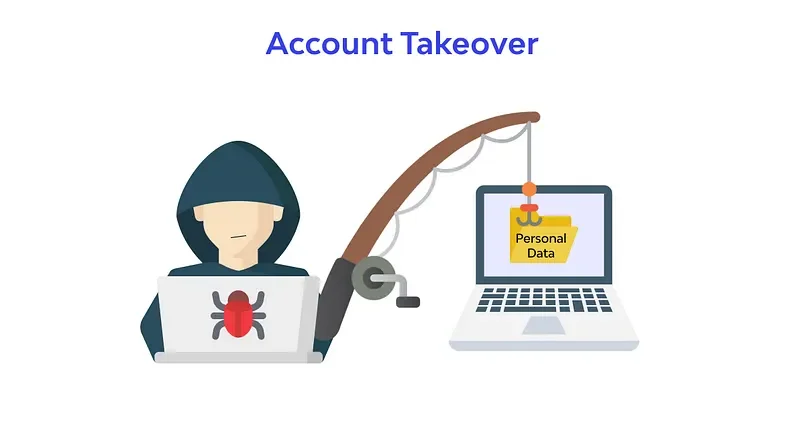
The write-up is presented as the author's first article, and he invites corrections through his social media contacts.
Setup
The researcher created and verified two accounts for testing, called Account 1 and Account 2, signing up with the necessary information. No tools, versions or special preconditions are mentioned beyond having two working, verified accounts on the target.

Finding it
While viewing the profile from both accounts, the researcher noticed that the only obvious difference between the two requests was the user_id. For Account 1 the request looked like this:
GET /api/v1/user/profile?user_id=273948261&auth_token=[redacted]×tamp=1349328731
For Account 2 it looked like this:
GET /api/v1/user/profile?user_id=273948262&auth_token=[redacted].[redacted]×tamp=1349328732
The user_id in the second request is exactly one higher than in the first, so a newly registered account appears to receive an identifier incremented by one from the previous one. That predictability is what made the identifier worth attacking.
The application is supposed to validate the user through three things: user_id, auth_token and timestamp. The researcher's first attempt was to change the user_id and the auth_token from the attacker's values to the victim's, which returned a bad request. At that point it looks as though the token is being validated.

It is not. On further investigation the researcher concluded that the application does not validate the token's validity from the token itself. Instead it validates based on the timestamp: if the timestamp is right, the request is accepted even when the token is wrong.

The token model the researcher describes is this: once a token is generated it remains valid for 60 seconds from creation, and after that window it is considered expired and invalid. In this application the timestamp increments by 1 every 10 seconds, and after 60 seconds the token is deemed invalid. So with a timestamp of 1349328731, a request sent 10 seconds later carries 1349328732 and is accepted. After 60 seconds the value has increased by 6 to 1349328737, and the token is treated as invalid because the validity window has expired.
Exploitation
Step 1: swap the identifier and align the timestamp
The researcher changed the user_id from Account 2 to the value belonging to Account 1, trying to reach Account 1's profile, and matched the timestamp to Account 1's value of 1349328731. That request was not accepted.
Step 2: move the timestamp inside the window
He then bumped the Account 2 timestamp to 1349328733, which still falls inside the same 60-second validity window, and the request went through smoothly. The researcher says he cannot pinpoint the exact reason it worked, only that it did.

With that, he states he could take over any account by changing only the user_id.
Root cause
The researcher's finding is that the application validates based on the timestamp rather than the auth_token. The token is present in the request but, per the researcher's testing, its contents are not what decides acceptance: a wrong token is accepted as long as the timestamp sits inside the validity window. The user_id is a sequential value sent by the client, and changing it selected a different account.
The report does not show the server-side code, so the exact implementation is not established. The bad request seen when both user_id and auth_token were swapped suggests some check exists on the token, yet the researcher's later conclusion is that the token itself is not what decides acceptance.
Impact
The researcher states he could take over any account by changing only the user_id. The condition is that the request's timestamp must fall inside the 60-second validity window.
The company acknowledged the issue as a critical severity and paid a bounty.

Fix
Based on the described behaviour, the fix should be to derive the identity from the validated auth_token and ignore any client-supplied user_id for authorisation decisions, or to verify that the token's subject matches the requested user_id. Token expiry should be enforced from the token's own claims rather than from a client-controlled timestamp, and identifiers should not be sequential where they are exposed to clients.
Variants to test
- Sequential identifiers in profile or object endpoints. Create two accounts and compare the identifiers in requests. A positive result is an identifier that increments by one, which can then be swapped.
- Client-supplied timestamps used for freshness checks. Replay a request with a modified
timestampinside the accepted window and a token belonging to another account. A positive result is a successful response despite the mismatched token. - Token and identifier mismatch. Keep a valid token for your own account and change only the object identifier. A positive result is another user's data in the response.
- Expiry enforced outside the token. Wait past the stated validity window and resend with an adjusted timestamp. A positive result is acceptance after the token should have expired.
- Parameter trust in general. Remove or alter each parameter in turn (
user_id,auth_token,timestamp) and observe which ones the server actually relies on. A positive result is any parameter whose modification changes the authorisation outcome without invalidating the request.
What happened, in plain words
Ahmed Tarek found a bug in a bug bounty program run on HackerOne, which he calls target.com throughout his write-up. The feature involved is the user profile page: when you are signed in and open your profile, the website quietly asks its server for your profile details. That request carries three pieces of information: user_id, auth_token and timestamp.
By creating two accounts of his own and comparing the requests they sent, he noticed that the account number (user_id) simply went up by one for each new account. He then found that the server did not really check the auth_token (the digital pass that proves who you are). It only checked the timestamp (a number representing time). By changing the user_id to someone else's and keeping the timestamp inside a 60-second window, he says he could take over any account. The company accepted the report as critical and paid a bounty.
This was the author's first article, and he invites readers to send corrections through his social media contacts.
Some background first
Before walking through the steps, a few ideas need explaining, because the whole bug depends on them.
What an API is. A website you see in your browser is made of pages. Behind those pages, the browser often talks to the server through a separate channel called an API (Application Programming Interface). Think of a restaurant: the menu and the dining room are the website, the kitchen is the server, and the waiter who carries your order to the kitchen and brings the food back is the API. You never walk into the kitchen yourself; you tell the waiter what you want, and the waiter brings back the result. When you open your profile page, your browser sends a request to the API and the API returns your profile data.
What a request looks like. An API request has a method (what you want to do), a path (which thing you want), and parameters (extra details). The method here is GET, which means "give me something". The path is /api/v1/user/profile, which points at the profile feature. The parameters come after a ? and are separated by &, each written as name=value.
What a token is. When you sign in, the server gives your browser a long string called a token. It works like a wristband at a festival: you show it once at the gate, and afterwards staff glance at the wristband instead of asking for your ID again. The token is sent with every request so the server knows who you are. The tokens in this report are long strings starting with eyJ, which is a common format called JWT (JSON Web Token).
What a timestamp is. A timestamp is simply a number that stands for a moment in time. Servers sometimes use it to check that a request is fresh and not an old copy replayed later.
What IDOR means. IDOR stands for Insecure Direct Object Reference. It means the server lets you ask for a thing by its identifier (here, user_id) and does not check that the thing belongs to you. A simple comparison: a cloakroom where you hand in a ticket with the number 12 and get coat 12 back, but nobody checks that coat 12 is yours. If you can write 13 on your ticket and get coat 13, the cloakroom has an IDOR problem.
What account takeover (ATO) means. Account takeover means getting into someone else's account, so that you can act as them. Here the author says he could do it by changing only the user_id.
Setting up
The researcher created and verified two accounts for testing, which he calls Account 1 and Account 2. He signed up with the necessary information. No special tools, versions or preconditions are mentioned beyond having two working, verified accounts on the target.
Why two accounts? Because a bug like this is invisible with one account. You need a second account to compare against, so you can see what changes between two legitimate users and what stays the same. It is like comparing two receipts from the same shop to spot which line is your order and which line is just the shop's reference number.
Finding it
While viewing the profile from both accounts, the researcher noticed that the only obvious difference between the two requests was the user_id. For Account 1 the request looked like this:
GET /api/v1/user/profile?user_id=273948261&auth_token=[redacted]×tamp=1349328731
Line by line, in plain words:
GETmeans "please give me this". It is a read request, not a change request./api/v1/user/profileis the address of the profile feature on the server. Thev1is just a version label.user_id=273948261is the identifier of the account whose profile is being asked for. This is the number that matters most in the whole story.auth_token=eyJ...is the long pass string that proves the request comes from a signed-in user.timestamp=1349328731is the time value attached to the request.
For Account 2 it looked like this:
GET /api/v1/user/profile?user_id=273948262&auth_token=[redacted].[redacted]×tamp=1349328732
Line by line again:
- The method and path are the same, because it is the same feature.
user_id=273948262is exactly one higher than the first account's number. That is the key observation: a newly registered account appears to receive an identifier incremented by one from the previous one.- The
auth_tokenis a different long string, because it belongs to the second account. timestamp=1349328732is also one higher, which the author later explains as the timestamp moving forward with time.
Why does the increment matter? Because if identifiers are predictable, an attacker does not need to guess wildly. They can simply try the number next to their own. It is the difference between a locker key that is a random 20-digit code and one that is just the next number in a row.
The application is supposed to validate the user through three things: user_id, auth_token and timestamp. The researcher's first attempt was to change the user_id and the auth_token from the attacker's values to the victim's, which returned a bad request. At that point it looks as though the token is being validated.
Why did he try that first? Because that is the obvious attack: pretend to be the other person by sending their identifier and their pass. The server said no, which is the correct behaviour. But "the server said no to one attempt" is not the same as "the server is secure". The next step is to work out which of the three values the server actually relies on.
It is not the token. On further investigation the researcher concluded that the application does not validate the token's validity from the token itself. Instead it validates based on the timestamp: if the timestamp is right, the request is accepted even when the token is wrong.
Think of a nightclub doorman who is supposed to check your ID card, but in practice only looks at his watch. If you arrive within opening hours, he waves you in, whether or not the card you are holding is yours. The card is present, it is just not what the decision is based on.
The token model the researcher describes is this: once a token is generated it remains valid for 60 seconds from creation, and after that window it is considered expired and invalid. In this application the timestamp increments by 1 every 10 seconds, and after 60 seconds the token is deemed invalid. So with a timestamp of 1349328731, a request sent 10 seconds later carries 1349328732 and is accepted. After 60 seconds the value has increased by 6 to 1349328737, and the token is treated as invalid because the validity window has expired.
Why does the timestamp go up by 1 every 10 seconds? The author does not explain the exact mechanism; he simply describes the behaviour he observed. What matters for the attack is that there is a range of timestamp values, roughly six of them, that the server will accept, and that range is the "window" he can work inside.
Exploitation
Step 1: swap the identifier and align the timestamp
The researcher changed the user_id from Account 2 to the value belonging to Account 1, trying to reach Account 1's profile, and matched the timestamp to Account 1's value of 1349328731. That request was not accepted.
Why did he try this? Because if the server only checks the timestamp, then putting the victim's identifier together with the victim's timestamp should work. It did not, and the author does not explain why.
Step 2: move the timestamp inside the window
He then bumped the Account 2 timestamp to 1349328733, which still falls inside the same 60-second validity window, and the request went through smoothly. The researcher says he cannot pinpoint the exact reason it worked, only that it did.
Why did this work when the previous attempt did not? The author is honest that he does not know the exact reason. What can be said from his description is that 1349328733 sits inside the accepted window. The lesson for a beginner is that when a first attempt fails, changing one value at a time and watching what the server accepts is how you map its real rules.
With that, he states he could take over any account by changing only the user_id.
Why it worked
The researcher's finding is that the application validates based on the timestamp rather than the auth_token. The token is present in the request but, per the researcher's testing, its contents are not what decides acceptance: a wrong token is accepted as long as the timestamp sits inside the validity window. The user_id is a sequential value sent by the client, and changing it selected a different account.
"Client-supplied" means the value comes from your browser, so you can edit it before sending. "Sequential" means the numbers follow each other in order. "Not tied to the authenticated identity" means the server never checks that the account number you asked for is the account the token belongs to.
The report does not show the server-side code, so the exact implementation is not established. The report does not explain how the backend reaches this behaviour. The bad request seen when both user_id and auth_token were swapped suggests some check exists on the token, but the later successful request shows it can be bypassed by keeping the timestamp within the window.
What it means in practice
The researcher states he could take over any account by changing only the user_id. The condition is that the request's timestamp must fall inside the 60-second validity window.
The company acknowledged the issue as a critical severity and paid a bounty.
How it should be fixed
Based on the described behaviour, the fix should be to derive the identity from the validated auth_token and ignore any client-supplied user_id for authorisation decisions, or to verify that the token's subject matches the requested user_id. Token expiry should be enforced from the token's own claims rather than from a client-controlled timestamp, and identifiers should not be sequential where they are exposed to clients.
In everyday terms: the doorman should read the ID card, not the clock. And the cloakroom should not hand out coats in numbered order that anyone can guess.
Things to try on your own targets
These are the same checks the author's findings suggest, written so a beginner can follow them.
- Sequential identifiers in profile or object endpoints. Create two accounts and compare the identifiers in requests. A positive result is an identifier that increments by one, which can then be swapped.
- Client-supplied timestamps used for freshness checks. Replay a request with a modified
timestampinside the accepted window and a token belonging to another account. A positive result is a successful response despite the mismatched token. - Token and identifier mismatch. Keep a valid token for your own account and change only the object identifier. A positive result is another user's data in the response.
- Expiry enforced outside the token. Wait past the stated validity window and resend with an adjusted timestamp. A positive result is acceptance after the token should have expired.
- Parameter trust in general. Remove or alter each parameter in turn (
user_id,auth_token,timestamp) and observe which ones the server actually relies on. A positive result is any parameter whose modification changes the authorisation outcome without invalidating the request.
Glossary
- API: the channel a browser uses to ask a server for data or actions, separate from the pages you see.
- Account takeover (ATO): getting into someone else's account and acting as them.
- auth_token: the long pass string sent with a request to prove which signed-in user it comes from.
- Bad request: the server's way of saying the request was malformed or not acceptable.
- Bounty: a payment a company makes to someone who reports a valid security bug.
- Client-supplied: a value that comes from your browser, so you can edit it before sending.
- Critical severity: the highest seriousness rating a company gives a bug.
- Endpoint: the address of one specific feature on a server, such as
/api/v1/user/profile. - GET: the request method that means "give me this", used for reading.
- HackerOne: a platform where companies run bug bounty programs and researchers report bugs.
- IDOR (Insecure Direct Object Reference): a bug where the server lets you ask for a thing by its identifier without checking that the thing belongs to you.
- JWT (JSON Web Token): a common format for tokens, recognisable by the long string starting with
eyJ. - Parameter: an extra detail attached to a request, written as
name=value. - Sequential: numbers that follow each other in order, such as 1, 2, 3.
- Timestamp: a number that stands for a moment in time.
- Token: a string the server gives you at sign-in so it can recognise you on later requests.
- Validity window: the period during which a token or request is accepted before it is treated as expired.
- Verified account: an account that has completed whatever confirmation step the site requires, such as confirming an email.



