Information Disclosure that made me $2000 in under 5 minutes
A publicly accessible backup file at /backup.zip on an enterprise learning application exposed source code, configuration files, database credentials, a database backup, and private user uploads. An attacker could download this file and obtain sensitive information without authentication.
 Published on medium.com
On May 15 2024 , It was 3 am while i was trying to fall asleep but i couldn’t. A random thought came into my mind that i should try hunting on a new target.
The full write-up lives on its author's site
It belongs to its author, so we link to it rather than copy it. The other two tabs are our own rewrites, checked against it.
Context
The target was a bug bounty program on Intigriti. The scope contained a main wildcard, written in the report as *.target.com, and a web application that the author refers to as app.redacted.com. The application was an online learning platform aimed at enterprises, and it was restricted to members only: a valid account was needed to reach its resources.
The author found the program through bbradar.io, an app that lists newly launched programs, and credits https://x.com/kleoz_ for it. The program had been launched on Intigriti about half an hour before he saw it.
Setup
The work started on 15 May 2024 at around 3 am. The author used his phone to check bbradar.io, then moved to a laptop for the actual testing.
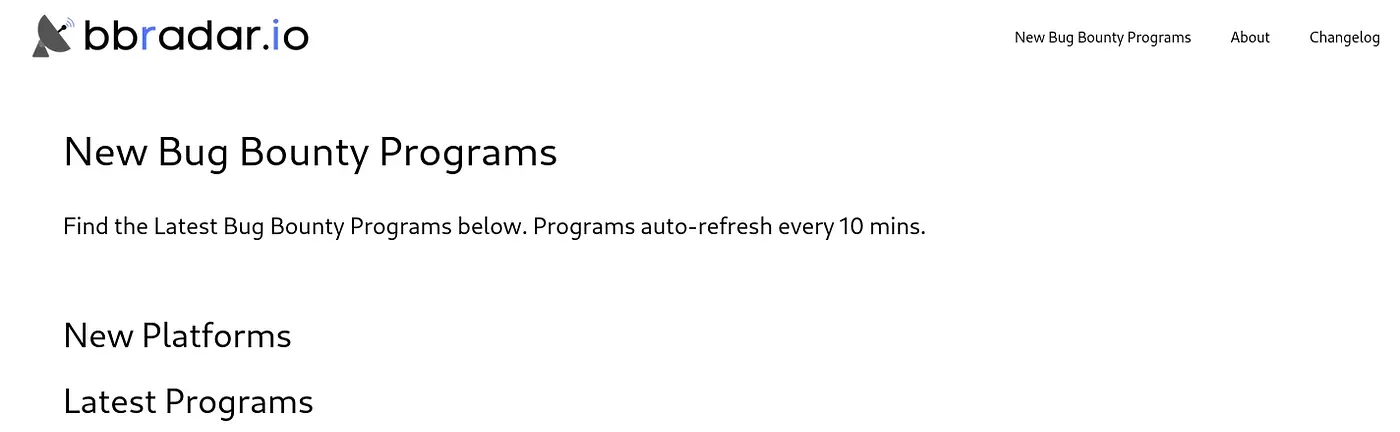
The screenshot shows the bbradar listing he used to spot the freshly launched program.
Tools and approach:
- Subdomain enumeration and JavaScript file scanning against the wildcard
*.target.com, largely automated. - JavaScript file enumeration against
app.redacted.comin a second terminal. - Wappalyzer, to fingerprint the technology stack of the web app.
- dirsearch and ffuf, which the author says are his primary tools for directory fuzzing for sensitive files.
The site required valid credentials, but the finding did not depend on having any.
Finding it
After fingerprinting the stack with Wappalyzer, the first idea was directory fuzzing for sensitive files. The initial scan used the default wordlist. Within a few seconds it returned a hit: a status 200 for the path /backup.zip.
What made it stand out was not only the missing access control but the size: the file was 11.3GB. A backup archive of that size sitting at a guessable path, reachable without authentication, was clearly worth downloading.
Exploitation
Step 1: Directory fuzzing
The scan was run as follows:
dirsearch -u "https://app.redacted.com" -t 150 -x 403,404,500,429 -i 200,301,302 — random-agent
The flags exclude the status codes 403, 404, 500 and 429 from the output and show only 200, 301 and 302 responses, with 150 threads and a random user agent. The result was a 200 for /backup.zip.
Step 2: Downloading the archive
The author started downloading the file. While it downloaded, he began writing the report, leaving only the file contents and the severity for Confidentiality to fill in. He also checked the platform for existing submissions on the same target, because he was worried about a duplicate; there were already a few submissions, so acceptance was not guaranteed.
Step 3: Reviewing the contents
When the download finished, the archive turned out to contain highly sensitive material: all the source code of the application, all the application configurations, database credentials, a database backup file, all user uploads that were meant to be private, and more.
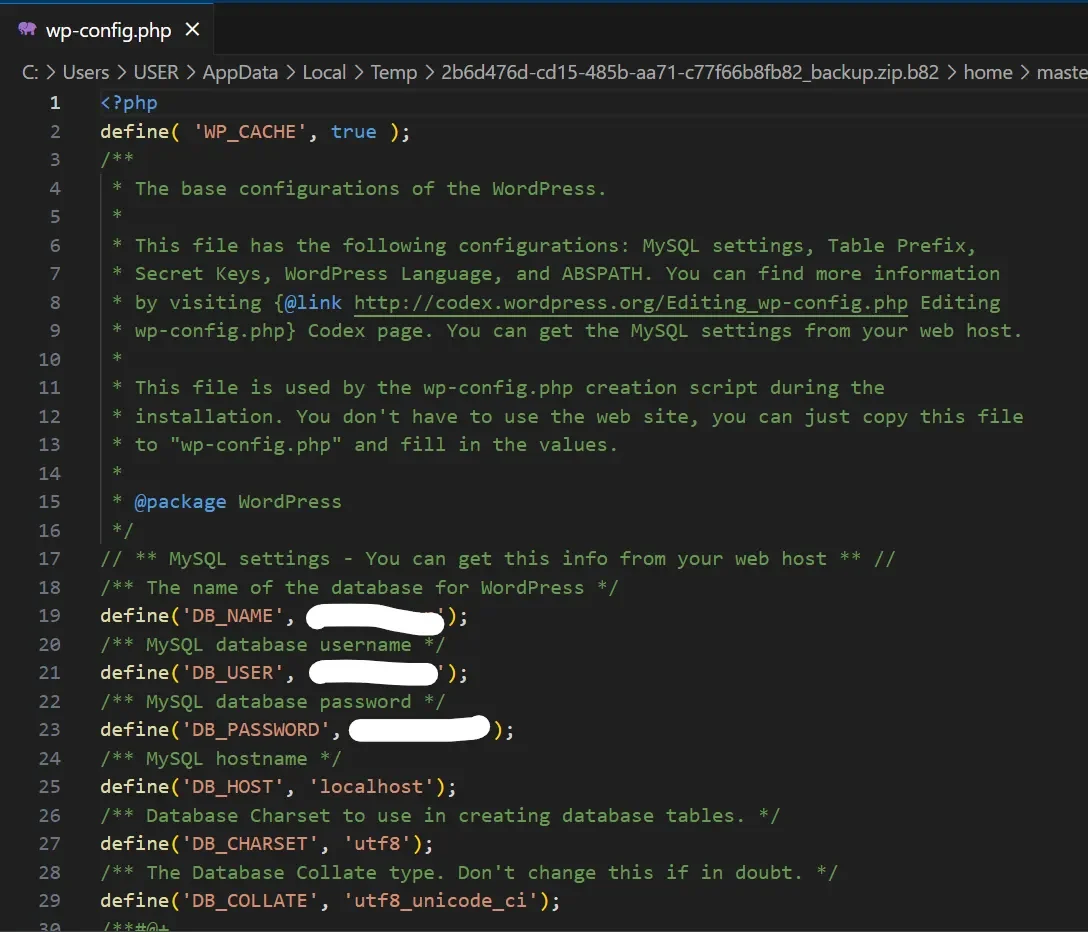
The exposed database credentials found inside the archive.
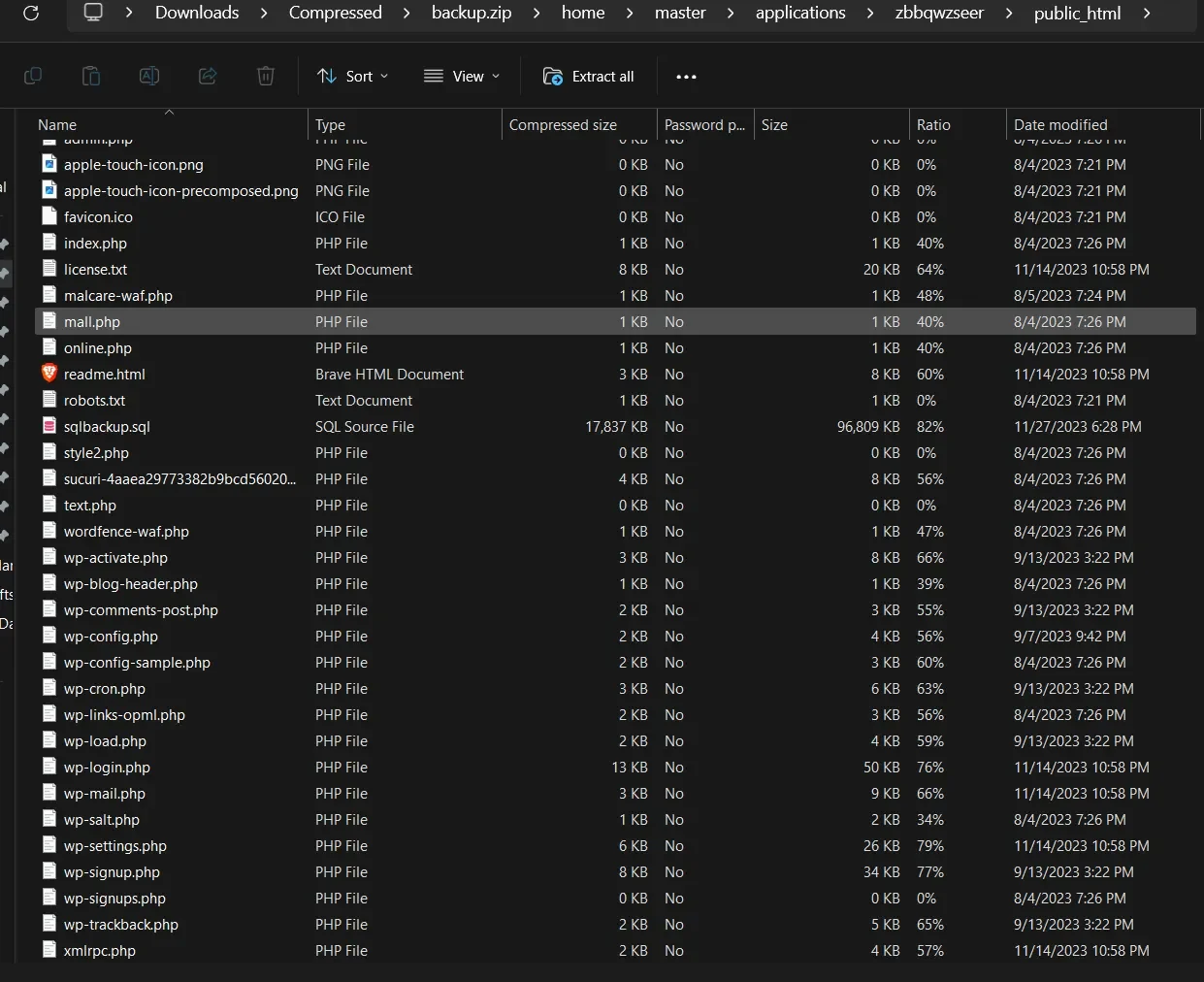
The exposed files in the archive.
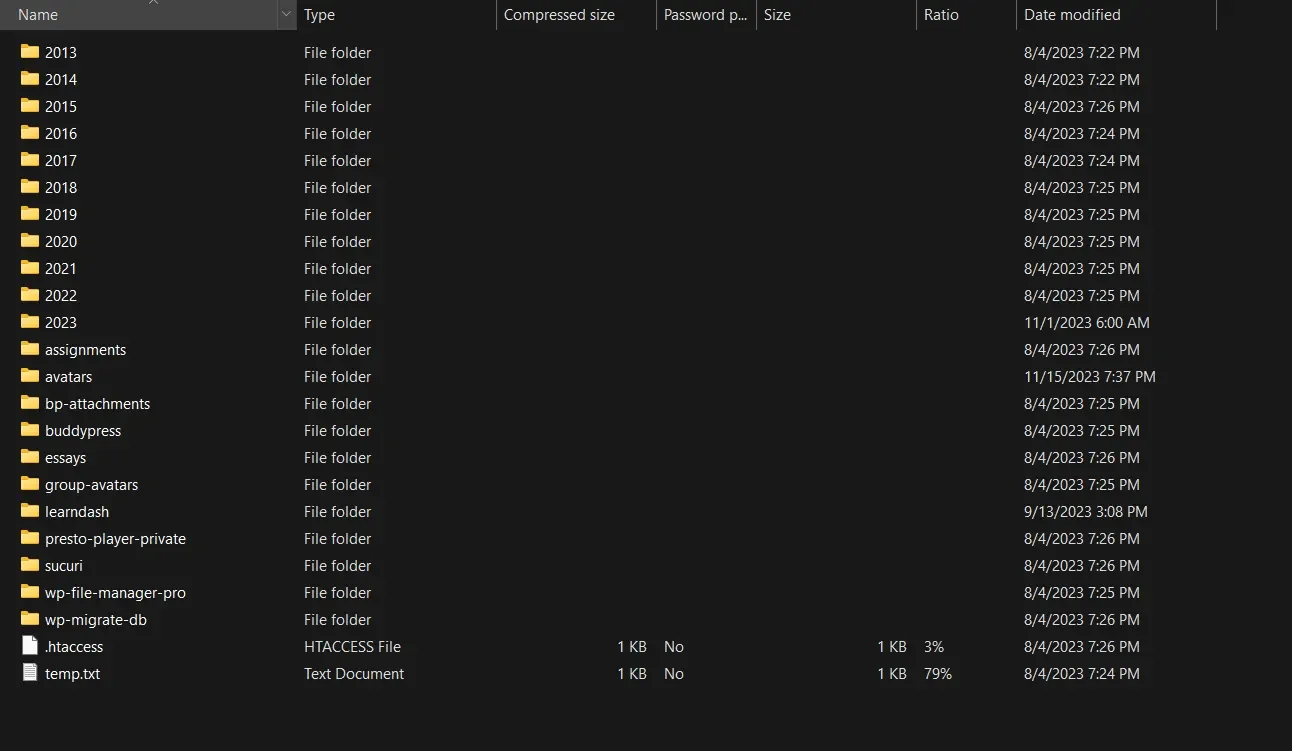
The exposed user uploads and resources.
Step 4: Reporting and triage
The report included all of this information and was submitted with severity set to exceptional, CVSS 10. It was triaged the same afternoon, but the triager set the severity to high (7.5). The author disagreed: in his view the impact on confidentiality was high and the attack complexity was low. He decided to wait for the company's reply before arguing the point.
Step 5: Checking the fix
Eight days passed with the report still pending. The author checked whether the fix had been applied, and it had: the path now returned a 404. He raised a concern that the issue had already been fixed without any information from the team. The team replied the next day.

The team's response to the concern.
Step 6: Resolution
Six days later the company changed the severity back to exceptional, CVSS 10. The author was paid $1500 for the bounty plus another $500 as a bonus for the impact of the issue, $2000 in total.
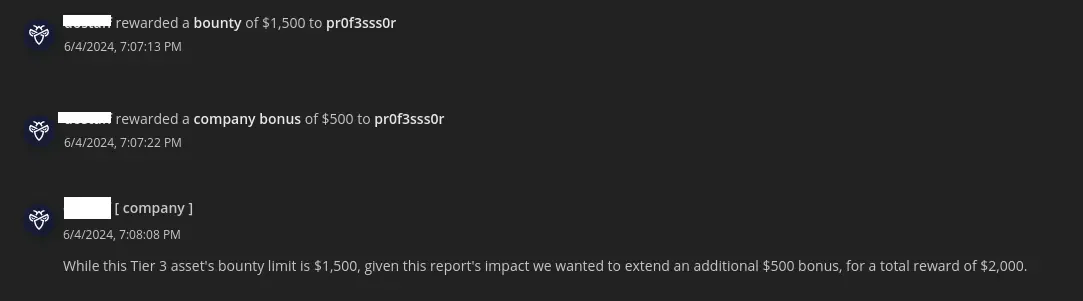
The reward and the team's final response.
Root cause
The archive was reachable at a guessable path, /backup.zip, and served without any access control. The application itself was members-only, but that restriction did not cover the static file: the request for the archive returned 200 to an unauthenticated client. The report does not describe how the backup was generated or why it was left there, so the exact operational mistake is not stated.
Impact
Anyone who could reach the host and guess the path could download the archive without credentials. Its contents, as listed in the report, included the application source code, application configurations, database credentials, a database backup and private user uploads. That is a direct confidentiality breach affecting both the company and its users, and the leaked credentials and source code would plausibly enable further compromise. The author rated it CVSS 10 with low attack complexity; the triager initially rated it 7.5 before the company restored the exceptional rating.
Fix
After the fix, requesting the path returned a 404. The report does not describe any other change.
Variants to test
- Run a directory scan with a default wordlist against any host in scope and look for archive names such as
backup.zip,backup.tar.gzorwww.zipreturning 200. A positive result is a downloadable archive, especially one whose size suggests a full application backup. - Repeat the scan without authentication on applications that are otherwise members-only. A positive result is a static file that bypasses the login wall.
- Check the response headers and body of any hit to confirm the file is served directly rather than through an error page or a soft 404. A positive result is real archive content, not an HTML error template.
- Look for the same archive names under common subdirectories and on other subdomains of the wildcard scope. A positive result is the same file reachable from another host.
- When an archive is found, inspect it for configuration files, credentials, database dumps and user uploads, and record what is present before reporting. A positive result is any of those categories inside the archive.
Timeline
| Event | Date |
|---|---|
| Bug reported | 5/17/2024 |
| Triaged | 5/17/2024 |
| Asked for update | 5/25/2024 |
| Update from the team | 5/28/2024 |
| Rewarded | 6/04/2024 |
The author notes that this was a quick and lucky find: had he been later, another researcher would likely have duplicated it.
What happened, in plain words
A security researcher found a file on a company's website that should never have been public. The file was a backup archive, a single compressed file holding a copy of lots of the company's data. It sat at a web address anyone could guess, and nobody had to log in to download it. Inside were the application's source code, its configuration files, database passwords, a copy of the database and private files that users had uploaded. He reported it, the company fixed it, and he was paid $2000.
The rest of this article walks through how he found it, step by step, explaining each idea from scratch along the way.
Background: what a bug bounty program is
A bug bounty program is an arrangement where a company invites outside people to look for security weaknesses in its systems and pays for the ones they report. The company publishes a page listing what is in scope (which websites and systems are fair game) and the rules. Intigriti is one of the platforms that hosts these programs.
The target here was a program on Intigriti. Its scope contained two things:
- A main wildcard, written in the report as
*.target.com. A wildcard like this means every subdomain oftarget.comis in scope. A subdomain is a name that sits in front of the main domain, for exampleshop.target.comormail.target.com. - A web application that the author refers to as
app.redacted.com. He replaced the real name with "redacted" so the company is not identified.
The application was an online learning platform aimed at enterprises, meaning companies rather than individual people. It was restricted to members only: you needed a valid account to reach its resources. That detail matters later, because the finding did not require an account at all.
How he found the program
He found the program through bbradar.io, an app that lists newly launched bug bounty programs, and credits https://x.com/kleoz_ for it. The program had been launched on Intigriti about half an hour before he saw it. Being early matters in this field: the first person to report a given issue usually gets paid, and later reports of the same issue are marked as duplicates and earn nothing.
The screenshot shows the bbradar listing he used to spot the freshly launched program.
Setup: the tools and the plan
The work started on 15 May 2024 at around 3 am. He used his phone to check bbradar.io, then moved to a laptop for the actual testing.
His approach had four parts:
- Subdomain enumeration and JavaScript file scanning against the wildcard
*.target.com, largely automated. Subdomain enumeration means finding as many subdomains as possible, since each one is another possible way in. JavaScript file scanning means collecting the.jsfiles a website loads, because they often reveal hidden paths and features. - JavaScript file enumeration against
app.redacted.comin a second terminal, running at the same time as the first job. - Wappalyzer, a browser extension that fingerprints the technology stack of a web app. In plain terms, it guesses what software the site is built with, such as which web server, programming language or content management system. Knowing the stack helps you guess which files and folders might exist.
- dirsearch and ffuf, which he says are his primary tools for directory fuzzing for sensitive files.
Directory fuzzing needs a short explanation. A website is made of files and folders on a server, and many of them are not linked from any page. A fuzzer takes a long list of common names (a wordlist) and requests each one in turn, for example /admin, /images or /backup.zip, then records which ones exist. It is like trying every key on a big ring in a door to see which one turns. The default wordlist is simply the list that ships with the tool, containing the most commonly seen names.
The site required valid credentials, but the finding did not depend on having any.
Finding it
After fingerprinting the stack with Wappalyzer, his first idea was directory fuzzing for sensitive files. The initial scan used the default wordlist. Within a few seconds it returned a hit: a status 200 for the path /backup.zip.
A status code is the short number a web server sends back with every response. 200 means "here is the content, all good". 404 means "not found". 403 means "forbidden". So a 200 on a path like /backup.zip means the file exists and the server handed it over.
What made it stand out was not only the missing access control but the size: the file was 11.3GB. Access control means the rules that decide who is allowed to see what. A backup archive of that size sitting at a guessable path, reachable without logging in, was clearly worth downloading.
Exploitation
Step 1: Directory fuzzing
The scan was run as follows:
dirsearch -u "https://app.redacted.com" -t 150 -x 403,404,500,429 -i 200,301,302 — random-agent
Line by line, in plain words:
dirsearchis the name of the tool being run.-u "https://app.redacted.com"sets the address to scan.-t 150tells it to make 150 requests at a time (threads), which makes the scan faster.-x 403,404,500,429tells it to hide responses with these status codes. 403 is forbidden, 404 is not found, 500 is a server error and 429 means too many requests. None of those indicate a real file worth looking at.-i 200,301,302tells it to show only responses with these codes. 200 is a normal success, 301 and 302 are redirects, meaning the server is pointing you somewhere else, which can also be interesting.— random-agentmakes each request claim to come from a randomly chosen browser, so the server is less likely to spot and block automated scanning.
The result was a 200 for /backup.zip.
Step 2: Downloading the archive
He started downloading the file. While it downloaded, he began writing the report, leaving only the file contents and the severity for Confidentiality to fill in. Confidentiality is one of the three classic goals of security, alongside integrity (data not being changed) and availability (data being reachable when needed). A confidentiality problem means information was exposed to someone who should not have seen it.
He also checked the platform for existing submissions on the same target, because he was worried about a duplicate. There were already a few submissions, so acceptance was not guaranteed. This is the race that bug bounty work often becomes: several people can find the same hole, and only the first report tends to count.
Step 3: Reviewing the contents
When the download finished, the archive turned out to contain highly sensitive material: all the source code of the application, all the application configurations, database credentials, a database backup file, all user uploads that were meant to be private, and more.
Source code is the human-written instructions that make the application work. Configuration files hold the settings the application runs with. Database credentials are the username and password used to connect to the database, the system that stores the site's data. A database backup is a copy of that stored data. User uploads are files that users sent to the site, such as documents or images, which here were meant to stay private.
The exposed database credentials found inside the archive.
The exposed files in the archive.
The exposed user uploads and resources.
Step 4: Reporting and triage
The report included all of this information and was submitted with severity set to exceptional, CVSS 10. CVSS is a standard scoring system for security issues, running from 0 to 10, where higher means more serious. Triage is the first review a report goes through: someone checks that the issue is real and in scope, and assigns it a severity.
It was triaged the same afternoon, but the triager set the severity to high (7.5). The author disagreed: in his view the impact on confidentiality was high and the attack complexity was low. Attack complexity is how much skill, luck or special conditions an attacker needs; low complexity means it is easy to pull off. He decided to wait for the company's reply before arguing the point.
Step 5: Checking the fix
Eight days passed with the report still pending. He checked whether the fix had been applied, and it had: the path now returned a 404. In other words, the file was gone or blocked, and the server answered "not found".
He raised a concern that the issue had already been fixed without any information from the team. The team replied the next day.
The team's response to the concern.
Step 6: Resolution
Six days later the company changed the severity back to exceptional, CVSS 10. He was paid $1500 for the bounty plus another $500 as a bonus for the impact of the issue, $2000 in total.
The reward and the team's final response.
Root cause
The archive was reachable at a guessable path, /backup.zip, and served without any access control. The web root is the folder on the server that the website serves to visitors; anything placed there can be requested by anyone who knows the name. The application itself was members-only, but that restriction did not cover the static file: the request for the archive returned 200 to an unauthenticated client. A static file is one that is simply handed over as-is, without the application's login logic being consulted.
The report does not describe how the backup was generated or why it was left there, so the exact operational mistake is not stated.
Impact
Anyone who could reach the host and guess the path could download the archive without credentials. Its contents, as listed in the report, included the application source code, application configurations, database credentials, a database backup and private user uploads. That is a direct confidentiality breach affecting both the company and its users, and the leaked credentials and source code would plausibly enable further compromise. The author rated it CVSS 10 with low attack complexity; the triager initially rated it 7.5 before the company restored the exceptional rating.
Fix
After the fix, requesting the path returned a 404. The report does not describe any other change.
Variants to test
These are the same ideas applied more widely, for anyone who wants to try the technique themselves on a target they are authorised to test:
- Run a directory scan with a default wordlist against any host in scope and look for archive names such as
backup.zip,backup.tar.gzorwww.zipreturning 200. A positive result is a downloadable archive, especially one whose size suggests a full application backup. - Repeat the scan without authentication on applications that are otherwise members-only. A positive result is a static file that bypasses the login wall.
- Check the response headers and body of any hit to confirm the file is served directly rather than through an error page or a soft 404. A soft 404 is a page that says "not found" in its content but still returns a success code, which can fool a scanner. A positive result is real archive content, not an HTML error template.
- Look for the same archive names under common subdirectories and on other subdomains of the wildcard scope. A positive result is the same file reachable from another host.
- When an archive is found, inspect it for configuration files, credentials, database dumps and user uploads, and record what is present before reporting. A positive result is any of those categories inside the archive.
Timeline
| Event | Date |
|---|---|
| Bug reported | 5/17/2024 |
| Triaged | 5/17/2024 |
| Asked for update | 5/25/2024 |
| Update from the team | 5/28/2024 |
| Rewarded | 6/04/2024 |
The author notes that this was a quick and lucky find: had he been later, another researcher would likely have duplicated it.
Glossary
- Access control: the rules that decide who is allowed to see or do what on a system.
- Attack complexity: how much skill, luck or special conditions an attacker needs to exploit an issue; low complexity means it is easy.
- Backup archive: a single compressed file holding a copy of data, here a copy of an application and its files.
- bbradar.io: an app that lists newly launched bug bounty programs.
- Bug bounty program: an arrangement where a company pays outside people for reporting security weaknesses in its systems.
- Confidentiality: the security goal of keeping information away from people who should not see it.
- Configuration files: files holding the settings an application runs with.
- Credentials: a username and password (or similar) used to prove who you are.
- CVSS: a standard scoring system for security issues, from 0 to 10, where higher is more serious.
- Database: the system that stores a website's data.
- Database backup: a copy of the data stored in a database.
- Default wordlist: the list of common file and folder names that ships with a fuzzing tool.
- Directory fuzzing: requesting many common file and folder names in turn to discover which exist on a server.
- dirsearch: a tool for directory fuzzing.
- Duplicate: a report of an issue that someone else already reported first, which usually earns nothing.
- ffuf: a tool for directory fuzzing.
- Fingerprinting: working out what software a site is built with, for example with Wappalyzer.
- Intigriti: a platform that hosts bug bounty programs.
- JavaScript file scanning: collecting the
.jsfiles a site loads, which can reveal hidden paths and features. - Members-only: restricted so that only people with a valid account can reach the resources.
- Private program: a bug bounty program that is not open to everyone.
- Scope: the list of systems and websites a program allows researchers to test.
- Severity: how serious an issue is judged to be.
- Soft 404: a page that says "not found" in its content but still returns a success status code.
- Source code: the human-written instructions that make an application work.
- Static file: a file handed over as-is, without the application's login logic being consulted.
- Status code: the short number a web server sends with every response, such as 200 (success), 403 (forbidden) or 404 (not found).
- Subdomain: a name in front of a main domain, such as
shop.target.com. - Subdomain enumeration: finding as many subdomains of a domain as possible.
- Threads: parallel requests a tool makes at once, which makes a scan faster.
- Triage: the first review of a report, checking it is real and in scope and assigning a severity.
- User agent: the text a browser sends to identify itself; a random user agent makes automated requests look like different browsers.
- User uploads: files that users send to a site, such as documents or images.
- Web root: the folder on a server that the website serves to visitors.
- Wildcard: a scope entry like
*.target.comthat covers every subdomain oftarget.com. - Wordlist: a list of names a fuzzing tool tries against a server.



