Secure Code Audit 01: A Login and Avatar Upload in PHP
A PHP page for a community forum contains several security flaws: SQL injection in the login query, unrestricted file upload, local file inclusion, reflected XSS, hardcoded database credentials, and weak MD5 password hashing. An attacker could log in as any user without a password, upload and execute a PHP shell to run commands on the server, read arbitrary files, and steal session cookies.

medium.com
Published on medium.com
PHP
The full write-up lives on its author's site
It belongs to its author, so we link to it rather than copy it. The other two tabs are our own rewrites, checked against it.
Context
account.php is a small page from a community forum. It does three jobs:
- Logs a user in with a username and password.
- Lets a logged-in user upload a profile picture (avatar).
- Shows help pages such as
?view=faq.php.
The full source is short enough to read in one sitting. Line numbers on the left were added for the post and are not part of the code.
01 <?php02 session_start();03 $conn = mysqli_connect("localhost", "root", "root123", "forum");0405 if (isset($_POST['login'])) {06 $user = $_POST['username'];07 $pass = md5($_POST['password']);08 $sql = "SELECT * FROM users WHERE username = '$user' AND password = '$pass'";09 $res = mysqli_query($conn, $sql) or die(mysqli_error($conn));10 if (mysqli_num_rows($res) > 0) {11 $_SESSION['user'] = $user;12 echo "Welcome back, " . $user;13 } else {14 echo "Login failed for " . $_POST['username'];15 }16 }1718 if (isset($_FILES['avatar']) && isset($_SESSION['user'])) {19 $name = $_FILES['avatar']['name'];20 move_uploaded_file($_FILES['avatar']['tmp_name'], "uploads/" . $name);21 echo "Avatar saved: <img src='uploads/$name'>";22 }2324 if (isset($_GET['view'])) {25 include("pages/" . $_GET['view']);26 }
The most dangerous bugs sit on lines 8, 20 and 25: each one alone can take over the app. The audit walks the file from top to bottom.
Setup
No accounts, tools or versions are described beyond the code itself. The page connects to a MySQL database called forum on localhost, and the upload path is a folder named uploads/. The avatar branch only runs when a session user exists, so a login is a precondition for the upload path. The inclusion branch needs no session at all.
Finding it
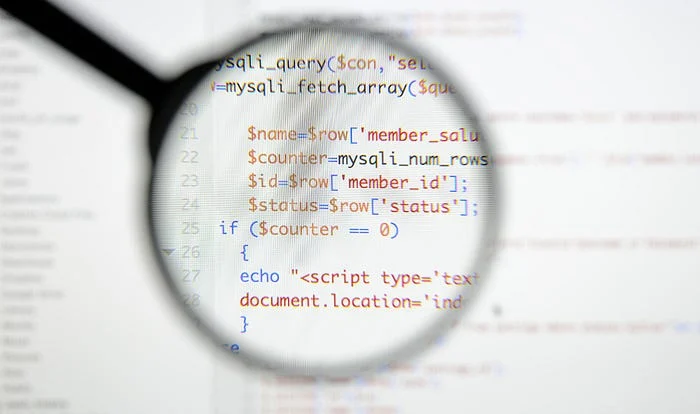
The code is presented as a target to audit before reading the walkthrough: read each risky line, work out what is wrong, how it would be attacked and what the attacker gets, and count the bugs first. The image below sits at that point, just before the audit begins.
Exploitation
Step 1: Hardcoded database password (line 3)
The password sits in the source code, and the app connects as root, the most powerful database user. Anyone who reads the source gets the password: a leaked Git repository, an account.php.bak backup, or the file-read bug on line 25. The result is full control of every database on the server, not just the forum.
Step 2: Weak password hashing (line 7)
md5($_POST['password']) is fast and unsalted, so two users with the same password get the same hash. If the users table leaks (see the next step), the hashes crack with a GPU and a wordlist, and common passwords fall in seconds. The attacker ends up with plain-text passwords, which users often reuse elsewhere.
Step 3: SQL injection (line 8)
$user comes straight from the request and is pasted into the SQL string, so the attacker can close the quote and write their own SQL. Send this username with any password:
admin'-- -
The query becomes ... WHERE username = 'admin'-- -' AND password = '...'. Everything after -- is a comment, so the password check disappears. The attacker logs in as any user with no password, and with UNION SELECT can dump the whole database.
Step 4: Database errors shown to the user (line 9)
or die(mysqli_error($conn)) prints the raw database error to the page. The attacker breaks the query on purpose and reads the error to learn table and column names, which makes the line 8 injection much faster. The impact is a leak of the database structure that helps every other attack.
Step 5: Reflected XSS (lines 12 and 14)
Both lines echo the username back to the page with no encoding. Line 14 echoes it even when login fails, so no account is needed. Because the reflection comes from a POST, the attacker cannot simply send a link. Delivery works like this:
- The attacker hosts a page with a hidden login form. The
usernamefield holds the payload, such as<script>...</script>. - A victim opens that page. Their browser auto-submits the form to this site.
- The response reflects the payload and runs it, on this site's origin.
This works because there is no CSRF token and no SameSite cookie to block the cross-site POST. The attacker can run script in the victim's browser on this site, steal their session cookie or phish them. It is rated Medium because POST delivery is harder than a plain GET link.
Step 6: Unrestricted file upload (line 20)
move_uploaded_file saves the file under its original name, into a web folder, with no check on type or extension, and the name comes straight from the attacker. Upload a file named shell.php holding:
<?php system($_GET['c']); ?>
Then run it one of two ways:
- If the server executes PHP in the uploads folder (common on Apache with mod_php), open
uploads/shell.php?c=whoamidirectly. - If it does not, chain line 25:
?view=../uploads/shell.phpmakesinclude()run the file anyway.
The name is also unchecked for ../, so the file can be written outside the uploads folder. The result is remote code execution: the attacker runs commands on the server. This is the worst bug in the file.
Step 7: Local file inclusion (line 25)
$_GET['view'] is passed to include() with no check, and PHP runs whatever file it points to. Request ../../..//etc/passwd to read system files, or combine it with the line 20 upload, ?view=../uploads/shell.php, to run the uploaded shell even if the uploads folder blocks direct PHP. The attacker can read any file on the server, including the line 3 password, or run attacker-controlled code.
Root cause
Every dangerous line trusts input or configuration without a boundary:
- Credentials are embedded in source and the connection uses
root. - Passwords are hashed with unsalted MD5.
- The username is concatenated into SQL instead of being bound as a parameter.
- Database errors are printed to the page.
- The username is echoed without output encoding, on both the success and failure paths.
- The uploaded file keeps its attacker-supplied name and extension and lands in a web-served folder.
include()is given a request parameter with no allowlist.
The XSS delivery depends on the absence of a CSRF token and of a SameSite cookie, which is why the cross-site POST works. The upload-to-RCE path depends on the server configuration: direct execution if PHP runs in the uploads folder, otherwise the inclusion bug provides the execution.
Impact
The bugs together give database access, file reads and code execution. SQL injection gives login as any user without a password and, with UNION SELECT, a dump of the whole database. The leaked hashes crack quickly, and the reused passwords extend the damage to other services. The hardcoded root password gives control of every database on the server once the source is read, which the file-read bug on line 25 can expose. The upload and inclusion bugs give remote code execution and arbitrary file reads, including the database password. The reflected XSS runs in a victim's browser on the site's origin and can steal the session cookie or phish the user; it is rated Medium because POST delivery is harder than a plain GET link.
Fix
The report describes the bugs but does not say what was changed. The report describes the bugs but does not set out fixes.
Variants to test
- Login form: submit a username containing a quote and a comment, as in the payload above. A positive result is a successful login with an arbitrary password, or a database error revealing table or column names.
- Error handling: send a deliberately malformed value to any parameter that reaches SQL. A positive result is a raw database error printed in the response.
- Reflected parameters: look for values echoed on both success and failure paths. A positive result is a payload such as
<script>...</script>appearing unencoded in the response, reachable through a cross-site POST when no CSRF token orSameSitecookie is present. - Upload forms: upload a file with a script extension and a name containing
../. A positive result is the file being served and executed from the uploads folder, written outside it, or reachable through a file inclusion parameter. - File inclusion parameters: request a path traversal such as
../../..//etc/passwdin any parameter passed toinclude(). A positive result is the contents of a system file in the response. - Chaining: where uploads block direct execution, try pointing the inclusion parameter at the uploaded file. A positive result is command output from the uploaded script.
What happened, in plain words
A short PHP file from a community forum was published as a code audit exercise. The file does three everyday jobs: it logs people in, it lets a logged-in person upload a profile picture (an avatar), and it shows help pages. The exercise is to read the file like an attacker would, find the security mistakes, and understand what each one lets an attacker do.
The file contains several serious mistakes. Three of them are bad enough that any one alone could let an attacker take over the whole application: a database query built by gluing user text into it (SQL injection), an upload that saves any file the attacker names into a web folder, and a page loader that runs whatever file the visitor asks for. The rest are smaller but still real: a password written into the code, a weak way of storing passwords, database error messages shown to visitors, and a way to run script in another person's browser.
This article walks the file from top to bottom, in the same order as the audit. For each risky line you will see what the code is trying to do, what is wrong, how an attacker would use it, and what they get. Before you read the walkthrough, try to make your own list of bugs and count them. Then compare.
The target
The file is called account.php. It is a single page from a community forum, and it does three jobs:
- Logs a user in with a username and password.
- Lets a logged-in user upload a profile picture (avatar).
- Shows help pages such as
?view=faq.php.
The whole source is short enough to read in one sitting. The line numbers on the left were added for the post and are not part of the code.
01 <?php02 session_start();03 $conn = mysqli_connect("localhost", "root", "root123", "forum");0405 if (isset($_POST['login'])) {06 $user = $_POST['username'];07 $pass = md5($_POST['password']);08 $sql = "SELECT * FROM users WHERE username = '$user' AND password = '$pass'";09 $res = mysqli_query($conn, $sql) or die(mysqli_error($conn));10 if (mysqli_num_rows($res) > 0) {11 $_SESSION['user'] = $user;12 echo "Welcome back, " . $user;13 } else {14 echo "Login failed for " . $_POST['username'];15 }16 }1718 if (isset($_FILES['avatar']) && isset($_SESSION['user'])) {19 $name = $_FILES['avatar']['name'];20 move_uploaded_file($_FILES['avatar']['tmp_name'], "uploads/" . $name);21 echo "Avatar saved: <img src='uploads/$name'>";22 }2324 if (isset($_GET['view'])) {25 include("pages/" . $_GET['view']);26 }
Before reading on, stop and write your own list of what looks wrong. The most dangerous bugs sit on lines 8, 20 and 25: each one alone can take over the app. The audit below goes in order from top to bottom.
Reading the code line by line
Line 1, <?php, simply tells the web server that everything after it is PHP code, the language this page is written in. When a browser asks for this page, the server runs the PHP and sends back whatever the code prints.
Line 2, session_start();, starts a session. A session is how a website remembers who you are between page loads. The server gives your browser a small piece of data called a session cookie, and your browser sends it back with every request. The server looks up that cookie and finds the matching stored data, such as the fact that you are logged in. Think of it like a cloakroom ticket: the ticket itself is not your coat, it just lets the staff find your coat.
Line 3, $conn = mysqli_connect("localhost", "root", "root123", "forum");, opens a connection to the database. A database is the place where the forum keeps its data: user accounts, posts, and so on. The four values are the server address (localhost, meaning the same machine), the database username (root), the password, and the database name (forum). The password is written directly into the file, and root is the most powerful database user there is.
Line 4 is blank.
Line 5, if (isset($_POST['login'])) {, checks whether the visitor submitted a login form. When you fill in a form and press submit, the browser sends the field values to the server. $_POST is PHP's container for values sent that way. isset just asks whether a value exists. So this line means: if a login form was submitted, do the following.
Line 6, $user = $_POST['username'];, copies the username the visitor typed into a variable called $user. A variable is a named box that holds a value while the code runs. Nothing checks what is in that box.
Line 7, $pass = md5($_POST['password']);, takes the typed password and runs it through MD5. MD5 is a hashing function: it turns any text into a fixed-length fingerprint, and the same text always gives the same fingerprint. Websites store fingerprints instead of passwords so that a stolen database does not directly contain the passwords. We will come back to why MD5 is a poor choice here.
Line 8, $sql = "SELECT * FROM users WHERE username = '$user' AND password = '$pass'";, builds a database query as a piece of text. SQL is the language used to talk to databases. This query says: give me every row in the users table where the username matches and the password fingerprint matches. The important part is that $user and $pass are pasted straight into the text, inside single quotes.
Line 9, $res = mysqli_query($conn, $sql) or die(mysqli_error($conn));, sends the query to the database. If the query fails, or die(...) stops the page and prints the raw database error message.
Line 10, if (mysqli_num_rows($res) > 0) {, asks whether the query returned at least one row. If it did, a matching user was found, so the login succeeds.
Line 11, $_SESSION['user'] = $user;, stores the username in the session, which is how the site remembers that this browser is now logged in.
Line 12, echo "Welcome back, " . $user;, prints a welcome message with the username in it. echo means send text to the browser.
Lines 13 to 15 handle the failure case: if no row matched, line 14 prints Login failed for followed by the username that was submitted.
Line 18, if (isset($_FILES['avatar']) && isset($_SESSION['user'])) {, checks two things: that a file was uploaded (files arrive in $_FILES), and that someone is logged in (the session holds a user). Both must be true.
Line 19, $name = $_FILES['avatar']['name'];, takes the file's original name, the name it had on the uploader's computer, and puts it in a variable.
Line 20, move_uploaded_file($_FILES['avatar']['tmp_name'], "uploads/" . $name);, moves the uploaded file from its temporary location into a folder called uploads/, keeping the original name. No check is made on what kind of file it is.
Line 21, echo "Avatar saved: <img src='uploads/$name'>";, prints an image tag so the browser shows the uploaded picture.
Line 24, if (isset($_GET['view'])) {, checks whether the address bar contains a view value. Values in the address bar arrive in $_GET, as opposed to $_POST for form submissions.
Line 25, include("pages/" . $_GET['view']);, loads and runs another file. include tells PHP to fetch the named file and treat its contents as code. The name is built from the view value in the address bar, with no check on what it contains.
Line 26 closes the last block.
Setup
The audit describes no accounts, tools or software versions beyond the code itself. The page connects to a MySQL database called forum on localhost, and uploads go into a folder named uploads/. The avatar part only runs when someone is logged in, so a login comes first on that path. The page-loading part needs no login at all.
Finding it
The code is presented as a target to audit before reading the walkthrough. Read each risky line, work out what is wrong, how it would be attacked and what the attacker gets, and count the bugs first. The image above sits at that point, just before the audit begins.
Exploitation
Step 1: Hardcoded database password (line 3)
The database password sits in the source code, and the app connects as root, the most powerful database user. Anyone who can read the source gets the password. That could be someone who finds a leaked Git repository (Git is the tool developers use to store and share code, and a public copy can expose files), someone who finds a backup file such as account.php.bak (editors and servers sometimes leave copies behind, and a web server may hand them out like any other file), or someone who uses the file-read bug on line 25.
With that password the attacker controls every database on the server, not just the forum. The comparison: leaving the master key taped to the front door, and it opens every door in the building.
Step 2: Weak password hashing (line 7)
md5($_POST['password']) turns the password into a fingerprint with MD5. MD5 is fast and unsalted. Unsalted means no random extra value is mixed in before hashing, so two users who choose the same password end up with exactly the same fingerprint in the database. Fast means a modern graphics card (a GPU, the chip built for rendering games, also very good at doing many small calculations at once) can try enormous numbers of guesses per second.
If the users table leaks, which the next step makes possible, the attacker takes a list of common passwords (a wordlist), hashes each guess and compares. Common passwords fall in seconds. The attacker ends up with plain-text passwords, and people often reuse the same password on other sites, so the damage spreads beyond the forum.
Step 3: SQL injection (line 8)
SQL injection means putting your own SQL commands into a place where the program expected only data. $user comes straight from the request and is pasted into the SQL string, so the attacker can close the quote and write their own SQL. Send this username with any password:
admin'-- -
Here is what that does. The query is built by gluing text together, so the username is dropped inside the quotes. The single quote in the payload closes the quote the code opened. The two dashes, --, start a comment in SQL: everything after them is ignored by the database. The query therefore becomes ... WHERE username = 'admin'-- -' AND password = '...'. The password check is now part of the comment, so it disappears.
The attacker logs in as any user with no password. With a SQL feature called UNION SELECT, which lets an attacker attach a second query and read its results, they can dump the whole database.
Step 4: Database errors shown to the user (line 9)
or die(mysqli_error($conn)) prints the raw database error to the page. The attacker breaks the query on purpose and reads the error message, which often names tables and columns. Knowing the names makes the line 8 injection much faster, because the attacker no longer has to guess. The impact is a leak of the database structure that helps every other attack.
Step 5: Reflected XSS (lines 12 and 14)
XSS stands for cross-site scripting: tricking a site into sending script to a visitor's browser, where the browser runs it as if the site had meant it. Both lines echo the username back to the page with no encoding. Encoding means converting special characters such as < and > into harmless text so the browser shows them instead of treating them as code. Line 14 echoes the username even when login fails, so no account is needed.
Because the reflection comes from a POST, a form submission rather than a link, the attacker cannot simply send a link. Delivery works like this:
- The attacker hosts a page with a hidden login form. The
usernamefield holds the payload, such as<script>...</script>. - A victim opens that page. Their browser auto-submits the form to this site.
- The response reflects the payload and runs it, on this site's origin.
Origin means the combination of protocol, host and port that identifies a site to the browser. Script that runs on this site's origin can read this site's cookies and act as the logged-in user. This works because there is no CSRF token and no SameSite cookie to block the cross-site POST. A CSRF token is a secret value the site puts in its forms and checks on submission, so a form from another site cannot produce a valid one. SameSite is a cookie setting that tells the browser not to send the cookie on requests coming from other sites. Without both, a form on the attacker's page can submit to this site with the victim's cookie attached.
The attacker can run script in the victim's browser on this site, steal their session cookie or phish them. Phishing means showing a fake login prompt to capture the password. It is rated Medium because POST delivery is harder than a plain GET link.
Step 6: Unrestricted file upload (line 20)
move_uploaded_file saves the file under its original name, into a web folder, with no check on type or extension, and the name comes straight from the attacker. An extension is the part after the dot, such as .jpg or .php, and servers often decide how to handle a file from it. Upload a file named shell.php holding:
<?php system($_GET['c']); ?>
This tiny script takes the c value from the address bar and hands it to the operating system to run as a command. Then run it one of two ways:
- If the server executes PHP in the uploads folder (common on Apache with mod_php), open
uploads/shell.php?c=whoamidirectly. Apache is a common web server, and mod_php is a way of plugging PHP into it so that any.phpfile in a served folder runs.whoamiis a command that prints the name of the user the server runs as. - If it does not, chain line 25:
?view=../uploads/shell.phpmakesinclude()run the file anyway.../means go up one folder, so this path climbs out ofpages/and intouploads/.
The name is also unchecked for ../, so the file can be written outside the uploads folder. The result is remote code execution: the attacker runs commands on the server. This is the worst bug in the file.
Step 7: Local file inclusion (line 25)
Local file inclusion means making a program load a file of your choosing from the server. $_GET['view'] is passed to include() with no check, and PHP runs whatever file it points to. Request ../../..//etc/passwd to read system files. /etc/passwd is a standard file on Linux systems that lists user accounts, and reading it is a classic sign that a server can be made to hand over its own files. Or combine it with the line 20 upload, ?view=../uploads/shell.php, to run the uploaded shell even if the uploads folder blocks direct PHP. The attacker can read any file on the server, including the line 3 password, or run attacker-controlled code.
Root cause
Every dangerous line trusts input or configuration without a boundary:
- Credentials are embedded in source and the connection uses
root. - Passwords are hashed with unsalted MD5.
- The username is concatenated into SQL instead of being bound as a parameter.
- Database errors are printed to the page.
- The username is echoed without output encoding, on both the success and failure paths.
- The uploaded file keeps its attacker-supplied name and extension and lands in a web-served folder.
include()is given a request parameter with no allowlist.
The XSS delivery depends on the absence of a CSRF token and of a SameSite cookie, which is why the cross-site POST works. The upload-to-RCE path depends on the server configuration: direct execution if PHP runs in the uploads folder, otherwise the inclusion bug provides the execution.
Impact
The bugs together give database access, file reads and code execution. SQL injection gives login as any user without a password and, with UNION SELECT, a dump of the whole database. The leaked hashes crack quickly, and the reused passwords extend the damage to other services. The hardcoded root password gives control of every database on the server once the source is read, which the file-read bug on line 25 can expose. The upload and inclusion bugs give remote code execution and arbitrary file reads, including the database password. The reflected XSS runs in a victim's browser on the site's origin and can steal the session cookie or phish the user; it is rated Medium because POST delivery is harder than a plain GET link.
Fix
The report describes the bugs but does not say what was changed. The report describes the bugs but does not set out fixes.
Variants to test
- Login form: submit a username containing a quote and a comment, as in the payload above. A positive result is a successful login with an arbitrary password, or a database error revealing table or column names.
- Error handling: send a deliberately malformed value to any parameter that reaches SQL. A positive result is a raw database error printed in the response.
- Reflected parameters: look for values echoed on both success and failure paths. A positive result is a payload such as
<script>...</script>appearing unencoded in the response, reachable through a cross-site POST when no CSRF token orSameSitecookie is present. - Upload forms: upload a file with a script extension and a name containing
../. A positive result is the file being served and executed from the uploads folder, written outside it, or reachable through a file inclusion parameter. - File inclusion parameters: request a path traversal such as
../../..//etc/passwdin any parameter passed toinclude(). A positive result is the contents of a system file in the response. - Chaining: where uploads block direct execution, try pointing the inclusion parameter at the uploaded file. A positive result is command output from the uploaded script.
Glossary
- PHP: the programming language this page is written in; the web server runs it and sends the result to the browser.
- Session: the way a website remembers who you are between page loads, using a small cookie stored in your browser.
- Session cookie: the small piece of data your browser sends back so the server can find your session.
- Database: the place where a site keeps its data, such as user accounts and posts.
- MySQL: the database software this page connects to.
root: the most powerful database user, with control over everything.- Variable: a named box in code that holds a value while the program runs.
$_POST: PHP's container for values sent by a submitted form.$_GET: PHP's container for values in the address bar.$_FILES: PHP's container for uploaded files.- MD5: a fast hashing function that turns text into a fixed-length fingerprint.
- Hashing: turning text into a fingerprint; the same text always gives the same fingerprint.
- Salted: mixing a random extra value into a password before hashing, so identical passwords give different fingerprints.
- GPU: the chip built for rendering graphics, also very fast at many small calculations such as guessing hashes.
- Wordlist: a list of common passwords used to guess hashes.
- SQL: the language used to talk to databases.
- SQL injection: putting your own SQL commands into a place where the program expected only data.
- Comment (in SQL): text the database ignores, started with
--. UNION SELECT: a SQL feature that attaches a second query and returns its results.- XSS (cross-site scripting): tricking a site into sending script to a visitor's browser, where it runs as if the site had meant it.
- Encoding (output encoding): converting special characters into harmless text so the browser shows them instead of running them.
- Origin: the combination of protocol, host and port that identifies a site to the browser.
- CSRF token: a secret value a site puts in its forms and checks on submission, so a form from another site cannot produce a valid one.
SameSite: a cookie setting that stops the browser sending the cookie on requests from other sites.- Phishing: showing a fake login prompt to capture a password.
- Extension: the part of a filename after the dot, such as
.jpgor.php. - Apache: a common web server.
- mod_php: a way of plugging PHP into Apache so that
.phpfiles in a served folder run. whoami: a command that prints the name of the user running it.- Remote code execution (RCE): making the server run commands of the attacker's choosing.
- Local file inclusion: making a program load a file of the attacker's choosing from the server.
- Path traversal: using
../to climb out of the intended folder. /etc/passwd: a standard Linux file listing user accounts.- Parameterised query: a way of sending SQL where user values are bound separately from the query text, so they cannot change its meaning.
- Allowlist: a fixed list of permitted values, anything not on it is refused.
- Git: the tool developers use to store and share code; a public copy can expose files.



