Seventeen Years in a bin Folder
An ASP.NET anti-CSRF module deserialised a form field using ObjectStateFormatter before validating it, allowing an unauthenticated attacker to execute arbitrary code on any page that did not opt out of the module. The module was abandoned in 2009 and has no patch.
 Published on medium.com
A file called module sits in an installer cabinet with a timestamp of 09:10:26 on December 15, 2008. It is 69,632 bytes.
The full write-up lives on its author's site
It belongs to its author, so we link to it rather than copy it. The other two tabs are our own rewrites, checked against it.
Context
Idunno.AntiCsrf is an ASP.NET anti-CSRF module. Its job is the usual one: issue a token to the browser, expect it back in a form field, and reject a POST when the two do not agree. The project's install instructions say:
"Add a reference the AntiCSRF assembly, or copy the assembly to your web applications BIN folder."
The last release was compiled on 15 December 2008 at 09:10:26. A file called module sits in an installer cabinet with that timestamp and a size of 69,632 bytes, and CodePlex logged the installer's upload at 01:16:07 Pacific time the same morning. Nobody has maintained the project since 2009.
On 24 November 2026 the vulnerability inside it, CVE-2026-131914, was added to CISA's Known Exploited Vulnerabilities catalogue with a due date of 27 November. Three days, for a binary old enough to have a teenage driver's permit.
Setup
The researcher worked from archived material rather than a live host. The CodePlex archive keeps all three source trees (0.9.0, 0.9.1 and Trunk), the release table, the project wiki and the installer. The source zip sits inside the archive's download endpoint, and the site now requires basic auth (codeplex / microsoft). There was no Windows or .NET host available, so IIS was never run and the official binary never touched the machine.
Supporting material came from the Mandiant advisory MNDT-2026-0048 (root cause, the ObjectStateFormatter.Deserialize sink, three published DLL hashes, disclosure timeline), the NVD record, the CISA KEV catalogue, the watchTowr FAQ and SecurityWeek's coverage of 25 November 2026.
Finding it
The starting point is the order of operations in AntiCsrfModule.cs. The module reads the cookie and the form field, runs three emptiness checks, then hands the form field to a deserializer, and only afterwards compares the deserialised result to the cookie. The comparison is the security control, and it happens after the object graph has already been rebuilt in the worker process.
The cookie is not checked against a GUID before the form field is parsed. That check exists in the same file, GuidTryParse, but it runs later, in PagePreRender, when the module is writing a token out, not when it is reading one in.
Exploitation
Step 1: send a POST with a non-empty cookie and a non-empty form field
Everything the attacker sends fits in one HTTP request to any .aspx page the site will answer without a login:
POST /account/login.aspx HTTP/1.1
Host: app.example.com
Cookie: __CSRFCOOKIE=1
__CSRFTOKEN=<base64 ObjectStateFormatter payload>
No session, no valid token and no form on the page are required. The module looks at two things: is the cookie non-empty, and is the form field non-empty. 1 is non-empty. The Base64 blob is non-empty.
Step 2: the guards pass, the deserializer runs
From the archived 0.9.1 Beta source, AntiCsrfModule.cs, lines 103 to 126, whitespace trimmed:
HttpCookie csrfCookie = context.Request.Cookies[CsrfSettings.Settings.CookieName];
string csrfFormField = context.Request.Form[CsrfSettings.Settings.FormFieldName];
if (string.IsNullOrEmpty(csrfFormField) && (csrfCookie == null || string.IsNullOrEmpty(csrfCookie.Value)))
    RaiseError(new PotentialCsrfException(...), context);
if (csrfCookie == null || string.IsNullOrEmpty(csrfCookie.Value))
    RaiseError(new PotentialCsrfException(...), context);
if (string.IsNullOrEmpty(csrfFormField))
    RaiseError(new PotentialCsrfException(...), context);
string tokenField = string.Empty;
ObjectStateFormatter stateFormatter = new ObjectStateFormatter();
try
{
    tokenField = stateFormatter.Deserialize(context.Request.Form[CsrfSettings.Settings.FormFieldName]) as string;
}
catch
{
    RaiseError(new PotentialCsrfException(...), context);
}
if (csrfCookie.Value != tokenField)
    RaiseError(new PotentialCsrfException(...), context);
Read the order. Three guards, all of them "is this empty". Then a deserializer. Then a string comparison. Then an error.
Step 3: the gadget executes before the comparison
ObjectStateFormatter is the serializer ASP.NET uses for ViewState. Its parameterless constructor takes no key, sets no MAC, installs no SerializationBinder restrictions and applies no encryption. That is not a flaw in the class: the class is a serialisation primitive, and when the framework uses it for a page, the surrounding pipeline supplies the machine key. The module supplies nothing. It calls the public no-argument constructor and hands it Request.Form[...].
So the form field is not a token. It is a serialised object graph, and the only validation before it runs is that it is not an empty string. Whatever Deserialize does, happens, inside w3wp.exe, with the application's identity, before the page code the request was aimed at.
Step 4: the rejection is the receipt
After Deserialize returns, the module compares the result to the cookie. Unless the payload deserializes to a string that equals the cookie value, the comparison fails and RaiseError fires: a 302 to the configured errorPage, or an unhandled exception and a 500. A successful compromise therefore looks like a rejected request. The gadget ran during deserialisation; the rejection is just the module noticing afterwards that the object it built was not a matching string.
Root cause
The module shipped as protection, and the protection is the exploit. The sink is the CSRF check itself, which means the pages that were "protected" were the exposed ones. A page that used the module had the sink. A page that opted out, via ISuppressCsrfCheck or [SuppressCsrfCheck], returned before the POST block and never reached the deserializer.
The attribute-based opt-out was there from 0.9.0, at line 78, checked before anything else. 0.9.1 added an interface version for pages with no code-behind, which is the entire reason a two-day follow-up release exists. Every POST to every page that did not opt out hit the same block.
Diffing the three archived source trees shows the call moved down the file as code was added above it, but the call itself is byte-identical in all three:
| Snapshot | Date | Sink call lines |
|---|---|---|
| 0.9.0 Beta | 13 Dec 2008 | 116-119 |
| 0.9.1 Beta | 15 Dec 2008 | 103-126 |
| Trunk (final source) | 154-157 |
Nobody touched it in any snapshot the archive kept.
Impact
An unauthenticated attacker can reach the deserializer on any .aspx page the site answers without a login. In most deployments that means every page. The gadget runs in the worker process under the application's identity, before the page code the request was aimed at, so the attacker's reach is whatever that identity can read and do.
Mandiant scores the flaw 9.3 under CVSS 4.0; NVD scores it 9.8 under 3.1, with CWE-502. The CISA KEV entry carries the same CWE and a due date of 27 November 2026.
Fix
There is no patch to apply, and there will never be one, because nobody has maintained the project since 2009. 0.9.2 Beta never shipped; the tracker still lists issues from 2009 in "Proposed" state. The final source in Trunk still carries two configuration setters that write to the wrong property key, DetectionResult and ErrorPage both assigning into the form-field-name slot.
So the KEV clock is not a patching deadline. It is a removal deadline. The minimum viable remediation is short and unpleasant:
- Delete the module registration from
<httpModules>and<modules>. - Delete the
csrfSettingssection and itsconfigSectionsentry. - Delete the DLL from
bin/. - Replace the protection with something that has a key:
System.Web.Helpers.AntiForgery, or WebForms ViewState withViewStateUserKeyand MAC enabled.
Then rotate. The sink runs in the worker process, so treat machineKey values, connection strings and anything else the app identity can read as exposed on any host where you find the DLL and unexplained 302/500 POSTs.
If the application cannot be rebuilt in three days, the honest interim answer is not a WAF rule tuned to a payload you have not seen. It is to take the app off the internet or put it behind authentication that runs before PreRequestHandlerExecute.
Variants to test
The hunt has to be file-based, because Idunno.AntiCsrf is not a NuGet package. The flat-container index returns a 404 BlobNotFound:
/v3-flatcontainer/idunno.anticsrf/index.json
A search of nuget.org for the exact package ID returns zero hits. There is no manifest entry for a composition scanner to read, no version constraint to bump, no advisory to attach to a package node and no deprecation flag to set on a package that does not exist. The only artifacts are 69,632 bytes of DLL and one line in a Web.config. A scanner that inventories packages will report the application as clean, every time, for as long as it runs.
The researcher wrote a short scanner that walks a webroot, looks for bin/Idunno.AntiCsrf.dll, flags any DLL of 69,632 or 70,144 bytes regardless of name, hashes it against the three builds Mandiant published, and greps every *.config for the module type or the csrfSettings section:
$ python3 anticsrf-hunt.py /srv/apps
  [CRITICAL] app-c/bin/legacy-csrf.dll: 69632 bytes, b5822048397cfb7e… — size matches a known build, hash does not (custom rebuild)
app: app-b
app: app-a
  [CRITICAL] app-a/Web.config:4: <section name="csrfSettings" type="Idunno.AntiCsrf.Configuration.CsrfSettings, Idunno.AntiCsrf"
  [CRITICAL] app-a/Web.config:9: <add name="AntiCSRF" type="Idunno.AntiCsrf.AntiCsrfModule, Idunno.AntiCsrf"/>
  [CRITICAL] app-a/bin/Idunno.AntiCsrf.dll: 69632 bytes, b5822048397cfb7e… — size matches a known build, hash does not (custom rebuild)
2 webroots scanned, 4 findings
That output came from a tree built to test the scanner: one app with the module registered, one with a framework anti-forgery module, one with the DLL renamed but not recompiled. The size branch and the custom-rebuild branch are exercised; the exact-hash branch is the same three-line comparison against Mandiant's published digests, and it stayed dark.
The rename case is the one not to skip in real life. Mandiant publishes three hashes: the official 2008 build, and release and debug rebuilds of the same source. Everything else is a custom rebuild, with the same size, different bytes and the same sink. A hash-only check gives you a false negative on exactly the organizations that compiled it themselves.
Hunting notes
The endpoints to test are not "the ones with forms" but every page that did not turn the module off, which in most deployments is every page. A positive result is a POST to an .aspx endpoint that returns a 302 or a 500 with an elevated cs-bytes; Mandiant flags exactly that, and watchTowr points at the same redirects and errors with oddly large responses. Detection guidance points at logs rather than at responses, because a successful compromise looks like a rejected request.
On the filesystem side, the signals are a bin/Idunno.AntiCsrf.dll of 69,632 bytes, any DLL of 69,632 or 70,144 bytes under another name, and a Web.config containing the csrfSettings section or the AntiCsrfModule type. A hash match against Mandiant's three digests confirms a known build; a size match with a different hash means a custom rebuild and still means the sink is present.
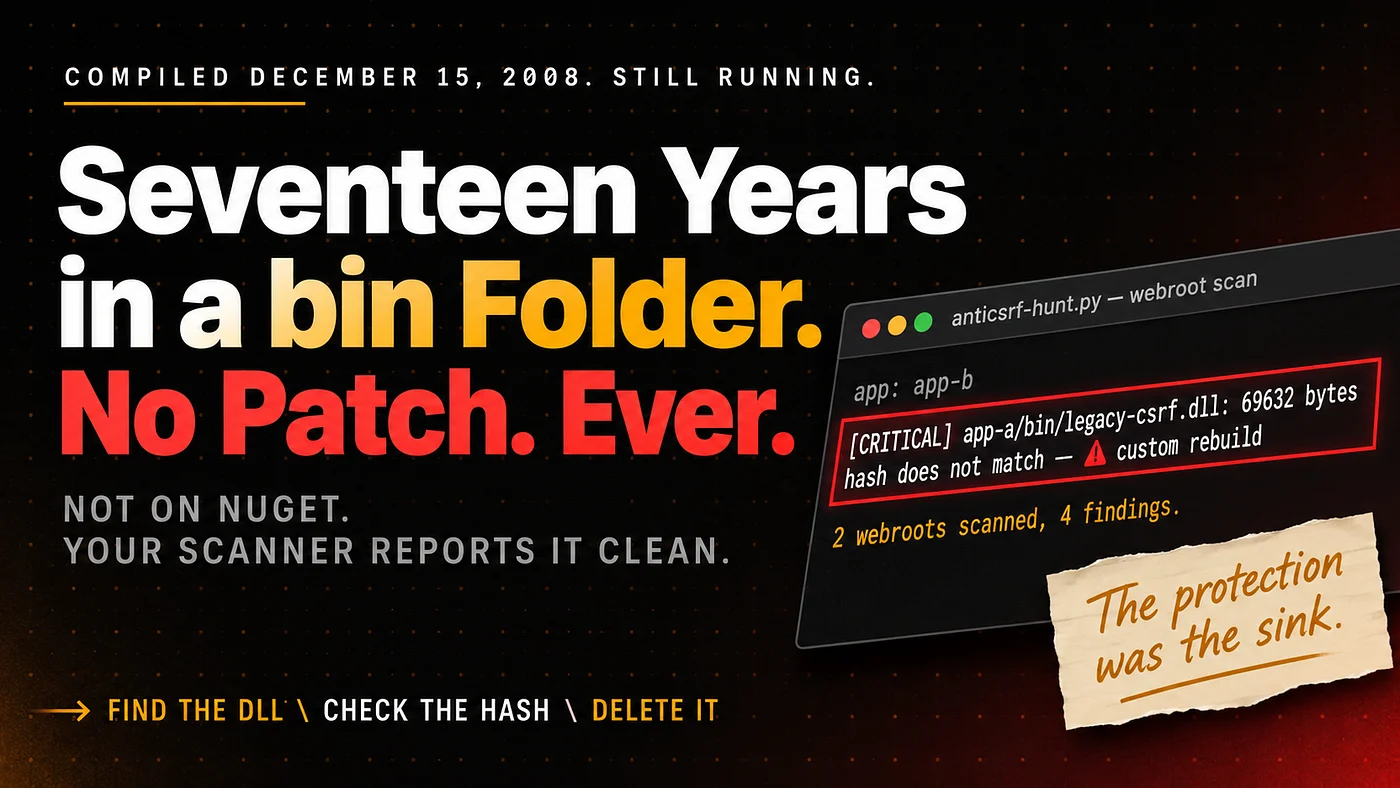
The module did its job in the only way a seventeen-year-old library can: it kept running. The pages that were safe were the ones that had switched it off.
What happened, in plain words
Imagine a small security guard that a website hired in 2008 to stand at the door and check visitors' badges. The guard was never replaced, never retrained, and never told that the way it checked badges was itself dangerous. In November 2026, Mandiant completed a root-cause analysis during an incident response and found that the guard's badge check could be turned into a way to run an attacker's own instructions on the server. The guard has no replacement and never will, because the company that made it stopped working on it in 2009.
The guard is a piece of software called Idunno.AntiCsrf. It is an add-on for websites built with a Microsoft technology called ASP.NET. Its job was to protect against a common web attack called CSRF (cross-site request forgery), which I will explain below. The last version of this add-on was compiled on 15 December 2008 at 09:10:26. The installer contains a file called module that is 69,632 bytes and carries that timestamp. The CodePlex website, where the project was hosted, logged the installer's upload at 01:16:07 Pacific time the same morning. Nobody has maintained the project since 2009.
The flaw was published as CVE-2026-131914 on 19 November 2026, and on 24 November 2026 it was added to CISA's Known Exploited Vulnerabilities catalogue, a public list of bugs that attackers are actively using. The catalogue gave US federal agencies until 27 November to deal with it. That is three days to fix a piece of software old enough to have a teenage driver's permit.
This article walks through what the flaw is, how an attacker uses it, why the pages that were supposedly protected were the exposed ones, and what you can do if you find this software on a server you look after. It is written for someone who has never studied security, so every term is explained as it appears.
The setup: how the researcher worked
The researcher did not have a live Windows server to test against. Instead, they worked from archived material. The CodePlex archive keeps all three versions of the source code (0.9.0, 0.9.1 and Trunk, which means the main development line), the release table, the project wiki and the installer. The source code zip sits inside the archive's download endpoint, and the site now requires a username and password to reach it (codeplex / microsoft). There was no Windows or .NET host available, so the web server software (IIS) was never run and the official binary never touched the machine.
Supporting material came from several public sources: the Mandiant advisory MNDT-2026-0048 (which covers the root cause, the exact line of code that runs the attacker's data, three published fingerprints of the DLL, and the disclosure timeline), the NVD record (the US National Vulnerability Database), the CISA KEV catalogue, the watchTowr FAQ and SecurityWeek's coverage of 25 November 2026.
A few terms before we go further:
- ASP.NET is Microsoft's framework for building websites that run on a Windows web server. Pages usually end in
.aspx. - A module in this context is a small piece of code that the web server runs on every request, before the page itself handles it. Think of it as a filter that every visitor passes through.
- A DLL is a file containing compiled code that a Windows program loads and runs. It is the Windows equivalent of a shared library.
- A binary is any compiled file, as opposed to source code that a human reads.
What the module was supposed to do
Idunno.AntiCsrf is an ASP.NET anti-CSRF module. CSRF is an attack where a malicious website tricks your browser into sending a request to a site where you are already logged in. Because your browser automatically attaches your login cookie (a small piece of data the site stored in your browser to remember you), the target site thinks the request came from you. The classic example is a hidden form on an attacker's page that submits a money transfer to your bank while you are logged in elsewhere.
The usual defence is a token: the site gives your browser a random value, expects that same value back in a hidden form field when you submit, and rejects the request if the two do not match. An attacker's page cannot read the token, so it cannot forge a valid request. That is what this module was meant to do: issue a token to the browser, expect it back in a form field, and reject a POST (a form submission) when the two do not agree.
The module was distributed as a zip file, an MSI installer (the standard Windows installer format) and a bin directory. Its install instructions say:
"Add a reference the AntiCSRF assembly, or copy the assembly to your web applications BIN folder."
In plain words: you either tell your project to reference the compiled code, or you drop the DLL file into the bin folder of your website, which is where ASP.NET looks for extra code to load. There was no package manager involved, which matters later.
Finding it: the order of operations
The starting point is the order in which the module does things. It reads the cookie and the form field, runs three checks that only ask "is this empty?", then hands the form field to a deserializer, and only afterwards compares the deserialised result to the cookie. The comparison is the security control, and it happens after the object graph has already been rebuilt in the worker process.
That sentence contains several ideas, so let us unpack them:
- A cookie is a small piece of text a website asks your browser to store and send back on every request to that site. It is how a site remembers who you are between page loads.
- A form field is one of the boxes on a web page you type into, or a hidden value the page submits along with your input.
- A deserializer is a program that takes a stream of bytes and turns it back into live objects in memory. Serialisation is the reverse: turning an object into bytes so it can be stored or sent. Think of it as packing a piece of furniture into a flat box, and deserialisation as unpacking and reassembling it. If an attacker controls the box, they can put something unexpected inside.
- An object graph is the set of objects a deserializer builds, including the objects those objects refer to, and so on. It is the assembled furniture, not just one chair.
- The worker process (named
w3wp.exeon IIS) is the program on the server that actually runs your website's code. Anything that runs there runs with the website's permissions.
The cookie is not checked against a GUID before the form field is parsed. A GUID is a long random identifier, and checking it would mean confirming the cookie looks like a real token before doing anything else with it. That check exists in the same file, in a function called GuidTryParse, but it runs later, in a stage called PagePreRender, when the module is writing a token out, not when it is reading one in. In other words, the module validates the shape of the token when it hands one to you, but not when you hand one back.
Exploitation: how an attacker uses it
Step 1: send a POST with a non-empty cookie and a non-empty form field
Everything the attacker sends fits in one HTTP request to any .aspx page the site will answer without a login:
POST /account/login.aspx HTTP/1.1
Host: app.example.com
Cookie: __CSRFCOOKIE=1
__CSRFTOKEN=<base64 ObjectStateFormatter payload>
Line by line:
POST /account/login.aspx HTTP/1.1is the first line of an HTTP request. HTTP is the language browsers and servers use to talk.POSTmeans "I am sending data", as opposed toGET, which means "I want a page"./account/login.aspxis the page being targeted, andHTTP/1.1is the version of the protocol.Host: app.example.comtells the server which website the request is for. One server can host many sites, so it needs to know which one you mean.Cookie: __CSRFCOOKIE=1sends a cookie named__CSRFCOOKIEwith the value1. The attacker is not trying to be subtle:1is simply a non-empty value.- The second block is the body of the request, the data being submitted.
__CSRFTOKENis the form field name the module looks for, and the value is a Base64 blob. Base64 is a way of writing arbitrary bytes using only ordinary text characters, so binary data can travel inside a text-based request. The blob is the attacker's serialised payload.
No session, no valid token and no form on the page are required. The module looks at two things: is the cookie non-empty, and is the form field non-empty. 1 is non-empty. The Base64 blob is non-empty. That is all it takes to get past the checks.
Step 2: the guards pass, the deserializer runs
From the archived 0.9.1 Beta source, AntiCsrfModule.cs, lines 103 to 126, whitespace trimmed:
HttpCookie csrfCookie = context.Request.Cookies[CsrfSettings.Settings.CookieName];
string csrfFormField = context.Request.Form[CsrfSettings.Settings.FormFieldName];
These two lines read the cookie and the form field out of the incoming request. context.Request.Cookies[...] fetches the cookie by its configured name, and context.Request.Form[...] fetches the submitted form value by its configured name. The settings object holds those names so the site can customise them.
if (string.IsNullOrEmpty(csrfFormField) && (csrfCookie == null || string.IsNullOrEmpty(csrfCookie.Value)))
    RaiseError(new PotentialCsrfException(...), context);
if (csrfCookie == null || string.IsNullOrEmpty(csrfCookie.Value))
    RaiseError(new PotentialCsrfException(...), context);
if (string.IsNullOrEmpty(csrfFormField))
    RaiseError(new PotentialCsrfException(...), context);
These are the three guards. string.IsNullOrEmpty(x) is true when x is either missing or an empty string. The first line rejects the request if both the form field and the cookie are empty. The second rejects it if the cookie is missing or empty. The third rejects it if the form field is missing or empty. RaiseError is the module's way of refusing the request, and PotentialCsrfException is the name of the error it raises. None of these checks looks at what the values contain, only whether they exist.
string tokenField = string.Empty;
ObjectStateFormatter stateFormatter = new ObjectStateFormatter();
try
{
    tokenField = stateFormatter.Deserialize(context.Request.Form[CsrfSettings.Settings.FormFieldName]) as string;
}
catch
{
    RaiseError(new PotentialCsrfException(...), context);
}
This is the dangerous part. ObjectStateFormatter is the deserializer. new ObjectStateFormatter() creates one with no configuration at all. Deserialize(...) takes the raw form field value and turns it back into objects. The try/catch means that if deserialisation throws an error, the module raises its CSRF error instead. But by then, whatever the payload did during deserialisation has already happened.
if (csrfCookie.Value != tokenField)
    RaiseError(new PotentialCsrfException(...), context);
Only now does the module compare the cookie value with the deserialised result. If they differ, it raises the error. This is the check that was supposed to be the security control, and it runs last.
Read the order. Three guards, all of them "is this empty". Then a deserializer. Then a string comparison. Then an error. The comparison cannot protect anything, because the dangerous work has already been done by the time it runs.
Step 3: the gadget executes before the comparison
ObjectStateFormatter is the serializer ASP.NET uses for ViewState. ViewState is a hidden field ASP.NET pages use to remember the state of controls between requests, and it is serialised with this class. Its parameterless constructor takes no key, sets no MAC, installs no SerializationBinder restrictions and applies no encryption. Let us translate that:
- A key here means a secret value used to sign or encrypt data, so that tampering can be detected.
- A MAC (message authentication code) is a cryptographic checksum made with a secret key. If someone changes the data, the MAC no longer matches, and the receiver knows it was tampered with.
- A
SerializationBinderis a hook that lets the application say which classes are allowed to be created during deserialisation. Without one, the deserializer will happily create whatever class the data names. - Encryption scrambles data so only someone with the key can read it.
That is not a flaw in the class: the class is a serialisation primitive, a basic building block. When the framework uses it for a page, the surrounding pipeline supplies the machine key. The machine key is a secret ASP.NET keeps on the server and uses to sign and encrypt things like ViewState, so that users cannot tamper with them.
The module supplies nothing. It calls the public no-argument constructor and hands it Request.Form[...], the raw user input. So the form field is not a token. It is a serialised object graph, and the only validation before it runs is that it is not an empty string. Whatever Deserialize does, happens, inside w3wp.exe, with the application's identity, before the page code the request was aimed at.
Application identity means the Windows account the website runs as. Whatever that account can read or do, the attacker's code can read or do too. This is why the impact is serious: the attacker is not limited to the login page they targeted.
A gadget is a class already present in the application that, when deserialised, performs a useful action for the attacker, such as running a command. Attackers chain gadgets together to turn "I can make the server build an object" into "I can run my own code".
Step 4: the rejection is the receipt
After Deserialize returns, the module compares the result to the cookie. Unless the payload deserializes to a string that equals the cookie value, the comparison fails and RaiseError fires: a 302 to the configured errorPage, or an unhandled exception and a 500.
- A 302 is an HTTP status code meaning "redirect": the server is telling the browser to go somewhere else, in this case the site's error page.
- A 500 is an HTTP status code meaning "internal server error": something went wrong on the server.
A successful compromise therefore looks like a rejected request. The gadget ran during deserialisation; the rejection is just the module noticing afterwards that the object it built was not a matching string. This is the single most important thing to understand about detection: the attack does not produce a happy response. It produces an error, and the damage is already done.
Root cause: the protection is the exploit
The module shipped as protection, and the protection is the exploit. The sink is the CSRF check itself, which means the pages that were "protected" were the exposed ones. A sink is the place in the code where untrusted data ends up doing something dangerous, in this case the deserializer.
A page that used the module had the sink. A page that opted out, via ISuppressCsrfCheck or [SuppressCsrfCheck], returned before the POST block and never reached the deserializer. Opting out means telling the module "do not check this page". ISuppressCsrfCheck is an interface (a contract a class can implement) and [SuppressCsrfCheck] is an attribute (a label you put on a class or method) that both signal the opt-out.
The attribute-based opt-out was there from 0.9.0, at line 78, checked before anything else. 0.9.1 added an interface version for pages with no code-behind, which is the entire reason a two-day follow-up release exists. Code-behind is the separate code file that sits behind an .aspx page; a page with no code-behind is just markup, so it needed a different way to opt out. Every POST to every page that did not opt out hit the same block.
Diffing the three archived source trees shows the call moved down the file as code was added above it, but the call itself is byte-identical in all three. Diffing means comparing two versions of a file to see what changed.
| Snapshot | Date | Sink call lines |
|---|---|---|
| 0.9.0 Beta | 13 Dec 2008 | 116-119 |
| 0.9.1 Beta | 15 Dec 2008 | 103-126 |
| Trunk (final source) | 154-157 |
Nobody touched it in any snapshot the archive kept. The line numbers changed because other code was added above it, but the dangerous call itself never changed.
Impact: who is affected and how badly
An unauthenticated attacker can reach the deserializer on any .aspx page the site answers without a login. Unauthenticated means without logging in. In most deployments that means every page. The gadget runs in the worker process under the application's identity, before the page code the request was aimed at, so the attacker's reach is whatever that identity can read and do.
Mandiant scores the flaw 9.3 under CVSS 4.0; NVD scores it 9.8 under 3.1, with CWE-502. CVSS is a standard scoring system for the severity of a vulnerability, where 10 is the worst. CWE-502 is the category "deserialisation of untrusted data", which is exactly what this is. The CISA KEV entry carries the same CWE and a due date of 27 November 2026.
Fix: what to do if you find it
There is no patch to apply, and there will never be one, because nobody has maintained the project since 2009. 0.9.2 Beta never shipped; the tracker still lists issues from 2009 in "Proposed" state. The final source in Trunk still carries two configuration setters that write to the wrong property key, DetectionResult and ErrorPage both assigning into the form-field-name slot. A setter is a method that sets a property's value; writing to the wrong key means the setting silently does not take effect.
So the KEV clock is not a patching deadline. It is a removal deadline. The minimum viable remediation is short and unpleasant:
- Delete the module registration from
<httpModules>and<modules>. These are the sections of a web configuration file that tell ASP.NET to load a module on every request. - Delete the
csrfSettingssection and itsconfigSectionsentry.configSectionsis where the configuration file declares which custom sections it uses. - Delete the DLL from
bin/. - Replace the protection with something that has a key:
System.Web.Helpers.AntiForgery, or WebForms ViewState withViewStateUserKeyand MAC enabled. Both are built into the framework and use a secret, so an attacker cannot forge or tamper with the token.
Then rotate. The sink runs in the worker process, so treat machineKey values, connection strings and anything else the app identity can read as exposed on any host where you find the DLL and unexplained 302/500 POSTs. Rotating means replacing secrets with new ones, because the old ones may have been stolen. A connection string is the text that tells an application how to reach its database, usually including a username and password.
If the application cannot be rebuilt in three days, the honest interim answer is not a WAF rule tuned to a payload you have not seen. A WAF (web application firewall) is a filter that inspects requests and blocks suspicious ones. The better interim answer is not a WAF rule tuned to a payload you have not seen. The better interim answer is to take the app off the internet or put it behind authentication that runs before PreRequestHandlerExecute. PreRequestHandlerExecute is an early stage in the ASP.NET request pipeline, so authentication there happens before the module's code runs.
Variants to test: why your scanner will miss it
The hunt has to be file-based, because Idunno.AntiCsrf is not a NuGet package. NuGet is the package manager for .NET, the place where .NET developers download libraries and where scanners look for known-vulnerable versions. The flat-container index returns a 404 BlobNotFound:
/v3-flatcontainer/idunno.anticsrf/index.json
That URL is the NuGet API endpoint that would list the available versions of a package called Idunno.AntiCsrf. A 404 means "not found", and BlobNotFound is the storage service's way of saying the file does not exist. A search of nuget.org for the exact package ID returns zero hits. There is no manifest entry for a composition scanner to read, no version constraint to bump, no advisory to attach to a package node and no deprecation flag to set on a package that does not exist. A composition scanner is a tool that lists the libraries an application uses and checks them against vulnerability databases. The only artifacts are 69,632 bytes of DLL and one line in a Web.config. A scanner that inventories packages will report the application as clean, every time, for as long as it runs.
The researcher wrote a short scanner that walks a webroot, looks for bin/Idunno.AntiCsrf.dll, flags any DLL of 69,632 or 70,144 bytes regardless of name, hashes it against the three builds Mandiant published, and greps every *.config for the module type or the csrfSettings section. A webroot is the top folder of a website on disk. Hashing means running a file through a mathematical function that produces a short fingerprint; two identical files produce the same fingerprint, and a changed file produces a different one. Grepping means searching text for a pattern.
$ python3 anticsrf-hunt.py /srv/apps
  [CRITICAL] app-c/bin/legacy-csrf.dll: 69632 bytes, b5822048397cfb7e… — size matches a known build, hash does not (custom rebuild)
app: app-b
app: app-a
  [CRITICAL] app-a/Web.config:4: <section name="csrfSettings" type="Idunno.AntiCsrf.Configuration.CsrfSettings, Idunno.AntiCsrf"
  [CRITICAL] app-a/Web.config:9: <add name="AntiCSRF" type="Idunno.AntiCsrf.AntiCsrfModule, Idunno.AntiCsrf"/>
  [CRITICAL] app-a/bin/Idunno.AntiCsrf.dll: 69632 bytes, b5822048397cfb7e… — size matches a known build, hash does not (custom rebuild)
Line by line:
$ python3 anticsrf-hunt.py /srv/appsruns the scanner script with Python 3, pointed at the folder/srv/apps, which contains several webroots.[CRITICAL] app-c/bin/legacy-csrf.dll: 69632 bytes, b5822048397cfb7e… — size matches a known build, hash does not (custom rebuild)means the scanner found a DLL under a different name (legacy-csrf.dll) whose size matches the known build but whose fingerprint does not. That is a custom rebuild: someone compiled the same source themselves, so the bytes differ but the dangerous code is still there.app: app-bandapp: app-aare progress lines naming the other webroots being scanned.[CRITICAL] app-a/Web.config:4: <section name="csrfSettings" ...means line 4 ofapp-a's configuration file declares the module's settings section.[CRITICAL] app-a/Web.config:9: <add name="AntiCSRF" type="Idunno.AntiCsrf.AntiCsrfModule, Idunno.AntiCsrf"/>means line 9 registers the module itself, so it runs on every request.[CRITICAL] app-a/bin/Idunno.AntiCsrf.dll: 69632 bytes, ...means the DLL is present in thebinfolder, with the same size and a non-matching hash.
2 webroots scanned, 4 findings
That is the summary: two webroots were scanned and four problems were reported.
That output came from a tree built to test the scanner: one app with the module registered, one with a framework anti-forgery module, one with the DLL renamed but not recompiled. The size branch and the custom-rebuild branch are exercised; the exact-hash branch is the same three-line comparison against Mandiant's published digests, and it stayed dark. In other words, the test data did not include a file that exactly matched one of the three known builds, so that particular check was never triggered during the test.
The rename case is the one not to skip in real life. Mandiant publishes three hashes: the official 2008 build, and release and debug rebuilds of the same source. Everything else is a custom rebuild, with the same size, different bytes and the same sink. A hash-only check gives you a false negative on exactly the organizations that compiled it themselves. A false negative is when a check says "clean" but the problem is actually there.
Hunting notes: what to look for
The endpoints to test are not "the ones with forms" but every page that did not turn the module off, which in most deployments is every page. An endpoint is a URL the server responds to. A positive result is a POST to an .aspx endpoint that returns a 302 or a 500 with an elevated cs-bytes. cs-bytes is a field in IIS logs recording how many bytes the server sent back; an unusually large value suggests the server did more work than a simple rejection would require. Mandiant flags exactly that, and watchTowr points at the same redirects and errors with oddly large responses. Detection guidance points at logs rather than at responses, because a successful compromise looks like a rejected request.
On the filesystem side, the signals are a bin/Idunno.AntiCsrf.dll of 69,632 bytes, any DLL of 69,632 or 70,144 bytes under another name, and a Web.config containing the csrfSettings section or the AntiCsrfModule type. A hash match against Mandiant's three digests confirms a known build; a size match with a different hash means a custom rebuild and still means the sink is present.
The module did its job in the only way a seventeen-year-old library can: it kept running. The pages that were safe were the ones that had switched it off.
Glossary
- 302: an HTTP status code meaning the server is redirecting the browser to another address.
- 404: an HTTP status code meaning the requested resource was not found.
- 500: an HTTP status code meaning the server hit an internal error while handling the request.
- Anti-CSRF module: a piece of software that adds protection against cross-site request forgery to a website.
- Application identity: the Windows account a website runs as, which determines what files and resources its code can access.
- ASP.NET: Microsoft's framework for building websites that run on a Windows web server, usually with
.aspxpages. - Attribute: a label placed on a class or method in .NET code to change how it behaves or to mark it for special handling.
- Base64: a way of encoding arbitrary bytes as ordinary text characters so they can travel inside text-based protocols.
- Binary: a compiled file, as opposed to human-readable source code.
- BlobNotFound: a storage service error meaning the requested file does not exist.
- Code-behind: the separate code file associated with an
.aspxpage. - Composition scanner: a tool that inventories the libraries an application uses and checks them against vulnerability databases.
- Connection string: the text that tells an application how to connect to its database, often including credentials.
- Cookie: a small piece of text a website asks your browser to store and send back on every request to that site.
- CSRF (cross-site request forgery): an attack where a malicious site tricks your browser into sending a request to a site where you are logged in.
- CSRF token: a random value a site gives your browser and expects back on submission, so that a forged request can be rejected.
- CVSS: a standard scoring system for the severity of a vulnerability, from 0 to 10.
- CWE-502: the vulnerability category "deserialisation of untrusted data".
- Deserializer: a program that turns a stream of bytes back into live objects in memory.
- Diffing: comparing two versions of a file to see what changed.
- DLL: a file containing compiled code that a Windows program loads and runs.
- Encryption: scrambling data so only someone with the key can read it.
- Endpoint: a URL the server responds to.
- False negative: a check that reports "clean" when the problem is actually present.
- Form field: a box on a web page you type into, or a hidden value submitted with the form.
- Gadget: a class already present in an application that, when deserialised, performs a useful action for an attacker.
- GET: an HTTP method meaning "I want a page".
- GUID: a long random identifier, used here as the expected shape of a token.
- Hash: a short fingerprint produced by running a file through a mathematical function; identical files give identical hashes.
- HTTP: the language browsers and servers use to exchange requests and responses.
- IIS: Microsoft's web server software for Windows.
- Interface: a contract in .NET code that a class can implement.
- KEV catalogue: CISA's Known Exploited Vulnerabilities catalogue, a public list of bugs attackers are actively using.
- Machine key: a secret ASP.NET keeps on the server to sign and encrypt data such as ViewState.
- MAC (message authentication code): a cryptographic checksum made with a secret key, used to detect tampering.
- Module: a piece of code the web server runs on every request before the page handles it.
- MSI: the standard Windows installer file format.
- NVD: the US National Vulnerability Database.
- NuGet: the package manager for .NET, where .NET libraries are published and downloaded.
- Object graph: the set of objects a deserializer builds, including everything those objects refer to.
- ObjectStateFormatter: the ASP.NET class used to serialise and deserialise ViewState.
- Opting out: telling the module not to check a particular page.
- POST: an HTTP method meaning "I am sending data".
- PreRequestHandlerExecute: an early stage in the ASP.NET request pipeline, before the page handler runs.
- Rotating: replacing secrets with new ones because the old ones may have been stolen.
- Serialisation: turning an object into bytes so it can be stored or sent.
- SerializationBinder: a hook that restricts which classes a deserializer is allowed to create.
- Setter: a method that sets the value of a property.
- Sink: the place in code where untrusted data ends up doing something dangerous.
- Trunk: the main development line of a source code repository.
- Unauthenticated: without logging in.
- ViewState: a hidden field ASP.NET pages use to remember the state of controls between requests.
- WAF (web application firewall): a filter that inspects requests and blocks suspicious ones.
- Webroot: the top folder of a website on disk.
- Worker process (
w3wp.exe): the program on an IIS server that runs the website's code.